How to Extract Email From URL: 5 Methods That Work in 2026
Pasting a URL into a scraper usually returns info@ and nothing else. Here are the five real ways to extract an email from a URL — with accuracy, cost, and the legal limits of each.
TL;DR
- "Extract email from URL" means three different jobs: pulling visible addresses off a page, resolving a company domain to its full contact list, or finding one specific person behind an article or profile URL. Pick the right job first.
- Plain regex scraping of a page typically surfaces role addresses (
info@,support@) and misses named decision-makers entirely — the people you actually want are rarely printed in HTML. - A domain-level API returns dramatically more usable contacts per URL than page scraping, because it pulls from crawled patterns, verified records, and confidence scoring rather than one page's DOM.
- Anything you extract needs verification before it enters a sequence. Unverified scraped lists are where bounce rates above 8% come from.
- Scraping public business emails is legal in the US under CAN-SPAM but is a processing activity under GDPR — you need a lawful basis, not just a public page.
What does "extract email from URL" actually mean?#
Three very different tasks hide behind one search phrase, and using the wrong tool for yours is why most people end up with a list of info@ addresses.
- Page-level extraction. You have one URL — a contact page, a team page, a conference speaker list — and you want every email string physically printed on it. This is text parsing.
- Domain-level extraction. You have
https://acme.com/anythingand you want the people at Acme: names, titles, and work addresses. The URL is just a pointer to a company. This is a database lookup. - Entity-level extraction. You have a URL that represents one person — a byline on a blog post, a LinkedIn profile, an author archive — and you want that individual's address. This is identity resolution.
Most free "URL to email" widgets only do the first job. They run a regular expression against the fetched HTML, dedupe, and print results. That works fine when a page lists addresses in plain text. It fails the moment a site renders emails as images, obfuscates them with JavaScript, hides them behind a form, or simply never publishes them — which describes the majority of B2B sites above a few million in revenue.

Why does pasting a URL into a scraper rarely return the email you need?#
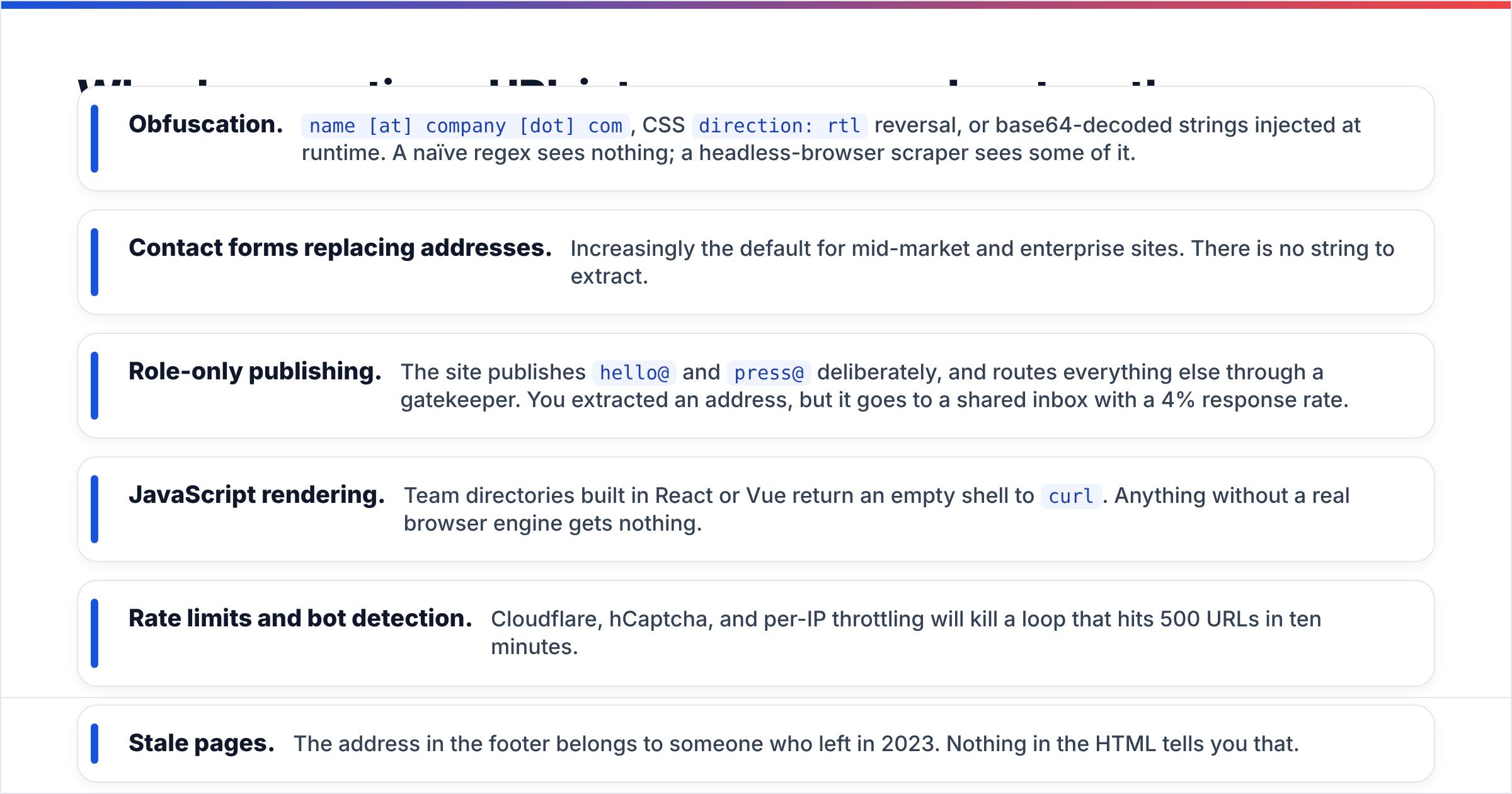
Because the address you want was never on the page. Here is what actually blocks page-level extraction, in rough order of how often you'll hit it:
- Obfuscation.
name [at] company [dot] com, CSSdirection: rtlreversal, or base64-decoded strings injected at runtime. A naïve regex sees nothing; a headless-browser scraper sees some of it. - Contact forms replacing addresses. Increasingly the default for mid-market and enterprise sites. There is no string to extract.
- Role-only publishing. The site publishes
hello@andpress@deliberately, and routes everything else through a gatekeeper. You extracted an address, but it goes to a shared inbox with a 4% response rate. - JavaScript rendering. Team directories built in React or Vue return an empty shell to
curl. Anything without a real browser engine gets nothing. - Rate limits and bot detection. Cloudflare, hCaptcha, and per-IP throttling will kill a loop that hits 500 URLs in ten minutes.
- Stale pages. The address in the footer belongs to someone who left in 2023. Nothing in the HTML tells you that.
None of these are solved by a better regular expression. They're solved by changing where the data comes from.
What are the five ways to extract an email from a URL?#
1. Manual inspection. Open the URL, check the footer, /contact, /about, /team, and the page source (Ctrl+U, then search for mailto:). Free, zero setup, and genuinely the fastest option for a single high-value target. Useless past ten URLs.
2. Regex or a browser-console snippet. Run a pattern like [\w.+-]+@[\w-]+\.[\w.]+ against the page text. A regular expression catches plain-text addresses reliably and obfuscated ones not at all. Free, but you own every edge case.
3. A paste-in extractor tool. Drop the page text or an exported file into a parser and get a deduped list back. This is what a free email extractor does — good for cleaning a block of copied content, a PDF, or a CSV that already contains addresses buried in noise.
4. A domain-search API. Send the URL's root domain, get back a scored list of people with names, titles, and addresses drawn from a maintained index rather than one page. This is the only method that returns contacts a site never published. Domain search and its bulk equivalent live here.
5. Entity resolution for a single URL. Feed an article URL and get the byline author's address, or feed a profile URL and resolve the person. Author-level tools and LinkedIn resolvers do this. Narrow, but very high intent — you already know exactly who you want.
Which method is most accurate?#
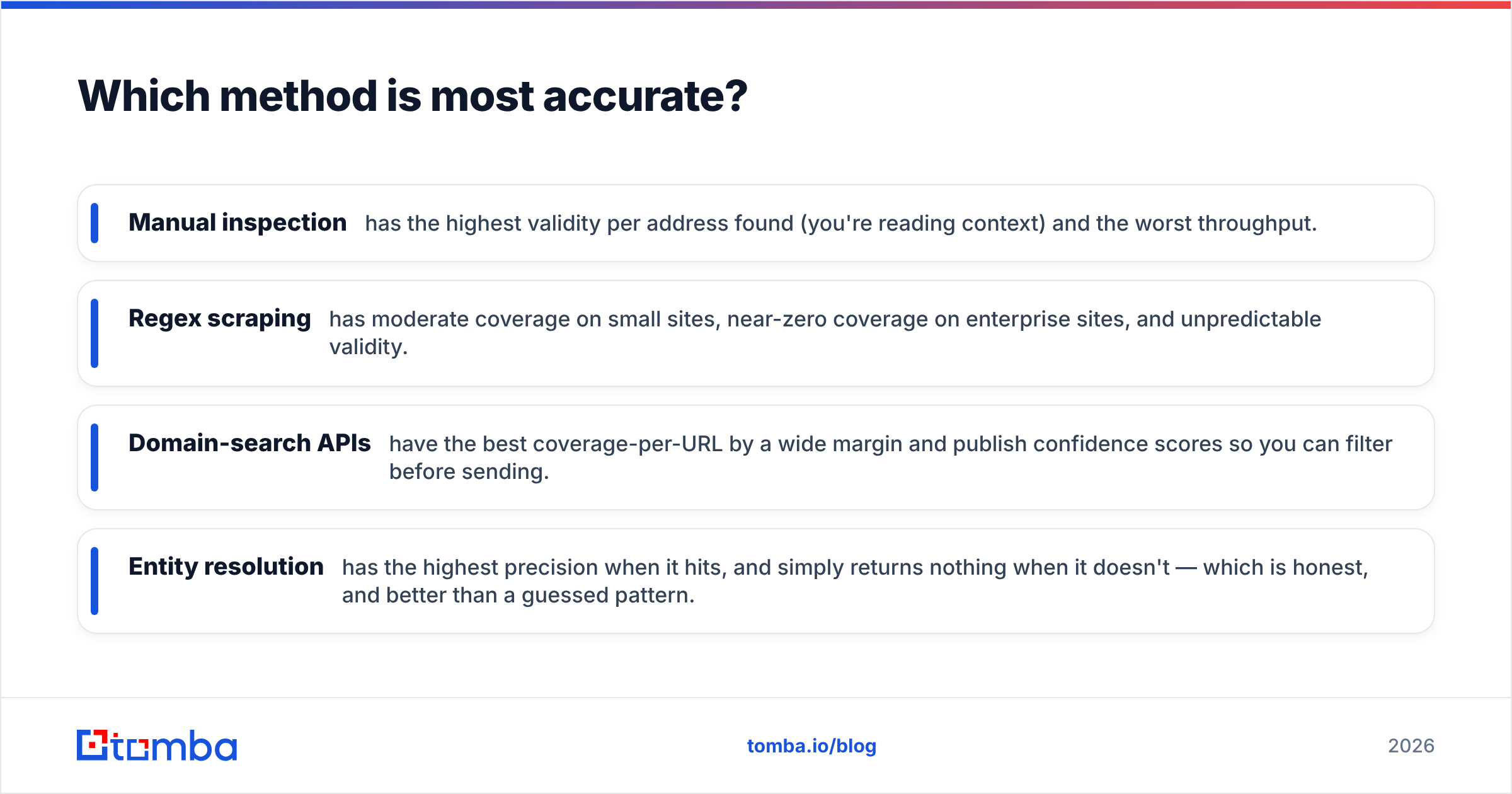
Accuracy splits into two numbers that people constantly conflate: coverage (how often you get an address) and validity (how often that address accepts mail). A scraper can hit 90% coverage on a directory site and still deliver 40% validity because half those addresses are abandoned role accounts.

The practical hierarchy:
- Manual inspection has the highest validity per address found (you're reading context) and the worst throughput.
- Regex scraping has moderate coverage on small sites, near-zero coverage on enterprise sites, and unpredictable validity.
- Domain-search APIs have the best coverage-per-URL by a wide margin and publish confidence scores so you can filter before sending.
- Entity resolution has the highest precision when it hits, and simply returns nothing when it doesn't — which is honest, and better than a guessed pattern.
The one thing every method shares: none of them prove an inbox exists. That's a separate step, covered below.
How do the extraction methods compare on cost and effort?#
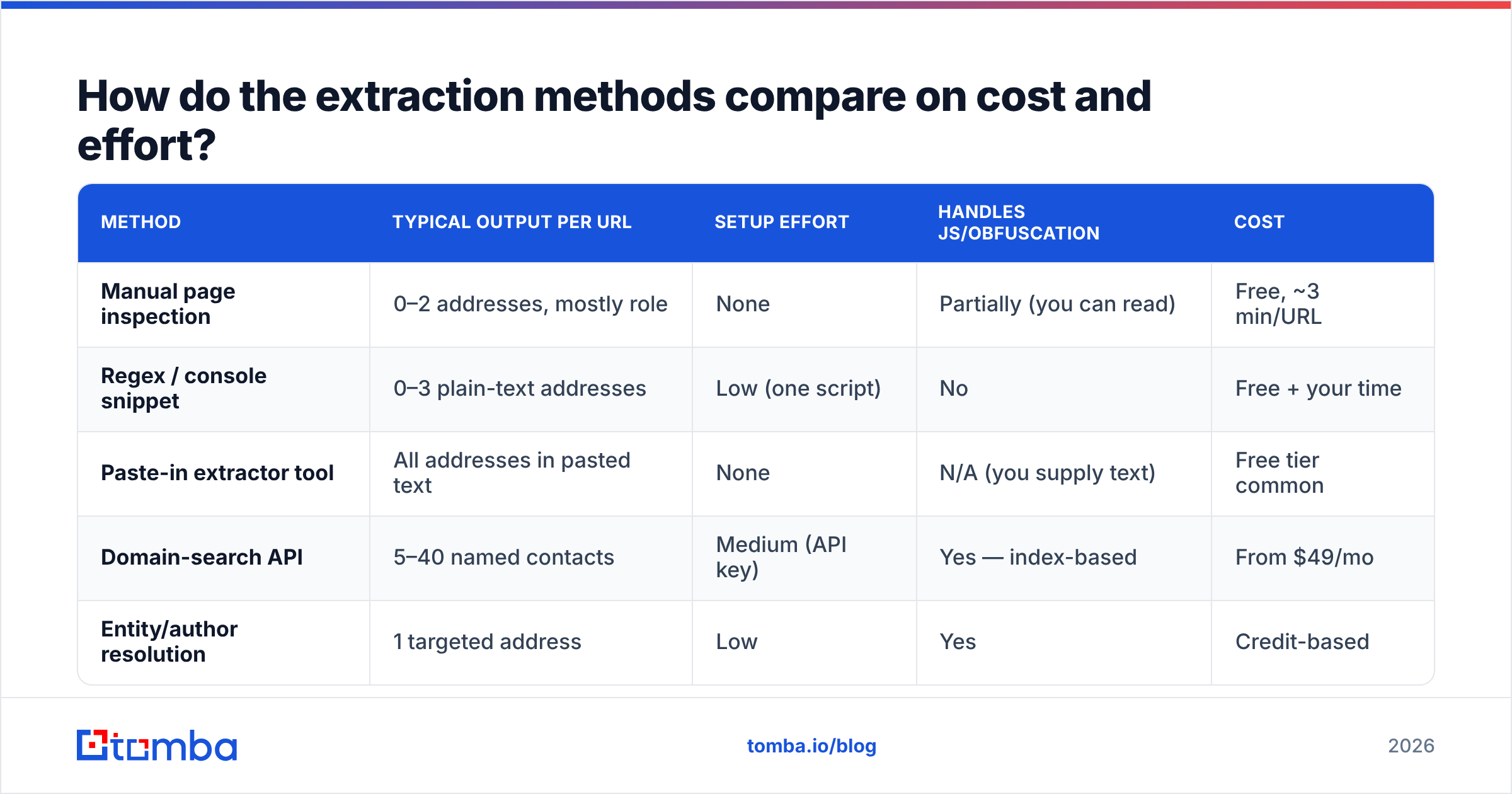
| Method | Typical output per URL | Setup effort | Handles JS/obfuscation | Cost |
|---|---|---|---|---|
| Manual page inspection | 0–2 addresses, mostly role | None | Partially (you can read) | Free, ~3 min/URL |
| Regex / console snippet | 0–3 plain-text addresses | Low (one script) | No | Free + your time |
| Paste-in extractor tool | All addresses in pasted text | None | N/A (you supply text) | Free tier common |
| Domain-search API | 5–40 named contacts | Medium (API key) | Yes — index-based | From $49/mo |
| Entity/author resolution | 1 targeted address | Low | Yes | Credit-based |

For pricing context on the API route: Tomba runs a free tier at 25 searches per month, Starter at $49/mo, Growth at $99/mo, and Pro at $249/mo, with Enterprise quoted separately — full Tomba pricing is public. Competitors in the category price similarly per credit; Hunter and database-first providers like BookYourData occupy adjacent positions, with the latter leaning toward pre-built list purchase rather than per-URL lookup. Check current standing on G2 before you commit annually — this category churns.

How do you extract emails from a URL at scale?#
Here's a workflow that survives past 50 URLs, which is where every manual approach collapses.
Step 1 — Normalize your URLs to root domains. https://blog.acme.com/posts/2026/hiring?utm_source=x and https://www.acme.com/pricing are the same company. Strip protocol, subdomain, path, and query. This alone deduplicates most scraped lists by 30–50%.
Step 2 — Batch the domains. Send them through a bulk job rather than one call per row. A bulk email finder accepts a CSV of domains and returns names, titles, and addresses with confidence scores, which is roughly two orders of magnitude faster than looping a scraper.
Step 3 — Filter by role and score. Discard anything below your confidence threshold and drop generic mailboxes unless you specifically want them. A ceo@ at a 12-person company is worth keeping; a noreply@ never is.
Step 4 — Verify every survivor. Run the list through an email verifier before it touches a sending tool. Verification checks syntax, domain MX records, and mailbox acceptance, and flags catch-all domains that can't be resolved definitively.
Step 5 — Segment catch-alls separately. Catch-all domains accept everything at SMTP time, so a "valid" result there means less than it does elsewhere. Send to them from a secondary domain or at lower volume so they don't poison your main sender reputation.
Step 6 — Push into your CRM with source attribution. Record which URL produced each contact. In three months, when one source shows a 22% bounce rate, you'll want to know which one to cut.
What about article URLs, author pages, and LinkedIn links?#
These are the entity-resolution cases, and they deserve their own handling.
Article and blog post URLs. You want the byline, not the newsroom. Feed the article URL into an author finder and it parses the byline, resolves the person against the publication's domain pattern, and returns a specific address. This is the highest-conversion extraction type in outreach — you're contacting someone about work they demonstrably did.
LinkedIn profile URLs. LinkedIn does not expose emails in page HTML, and scraping the platform violates its terms of service. The workable route is resolution: match the profile's name and current company to a work address through a provider index, rather than extracting anything from the page itself. The distinction matters both technically and legally.
Directory and marketplace URLs. G2 vendor pages, Capterra listings, conference speaker rosters, and grant databases are goldmines because they publish company URLs at volume. Extract the domains, then run domain search on all of them. The directory gives you the list; the API gives you the people.
Job posting URLs. A posting tells you the company is spending money on a function right now. Extract the domain, resolve the hiring manager or department head, and reference the role. Timing beats personalization more often than most sequences assume.
Is it legal to extract emails from a URL?#
Short answer: extracting is generally legal for public business data in the US; sending is where the rules bite, and the EU treats collection itself as regulated.
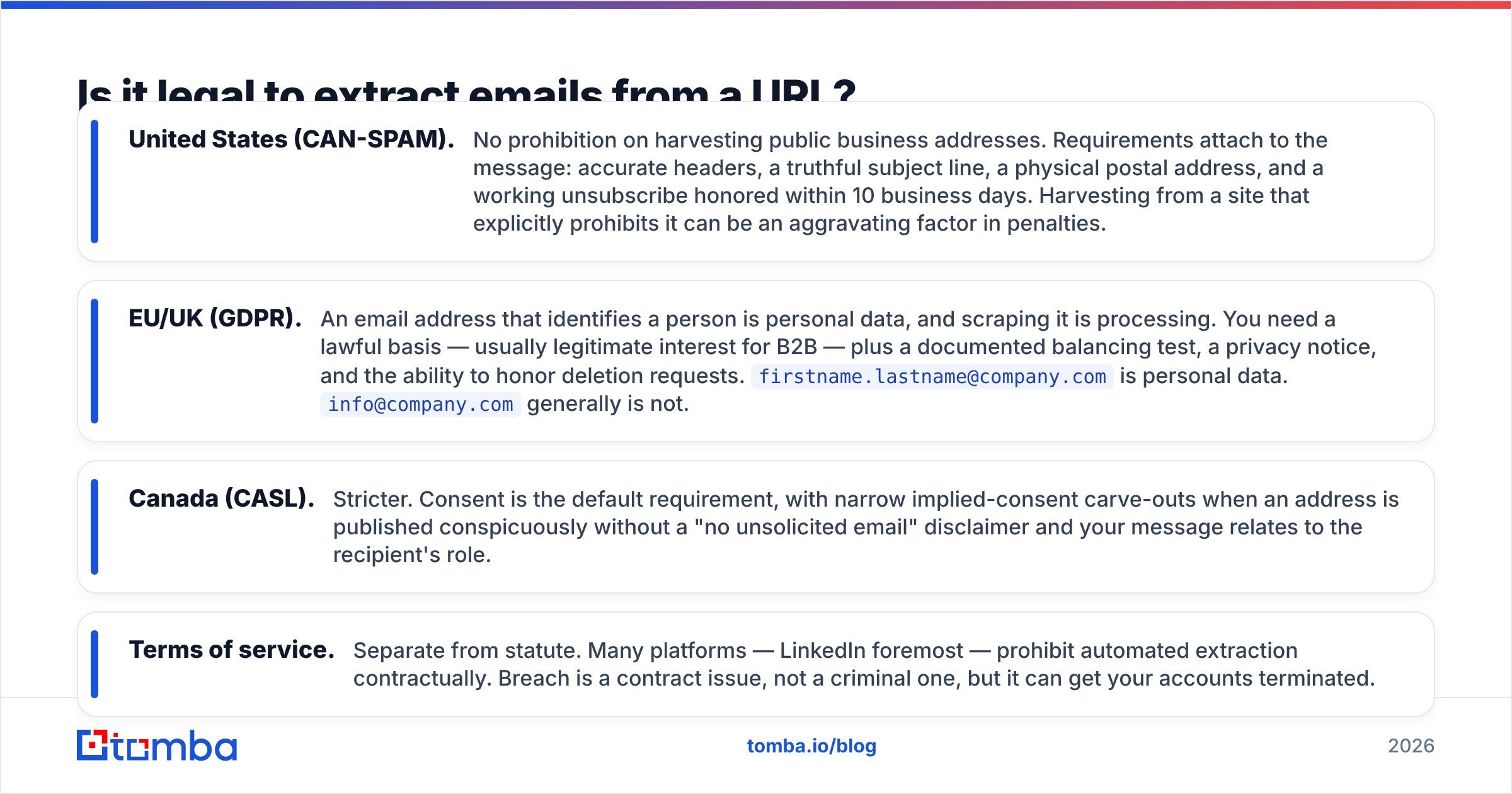
- United States (CAN-SPAM). No prohibition on harvesting public business addresses. Requirements attach to the message: accurate headers, a truthful subject line, a physical postal address, and a working unsubscribe honored within 10 business days. Harvesting from a site that explicitly prohibits it can be an aggravating factor in penalties.
- EU/UK (GDPR). An email address that identifies a person is personal data, and scraping it is processing. You need a lawful basis — usually legitimate interest for B2B — plus a documented balancing test, a privacy notice, and the ability to honor deletion requests.
firstname.lastname@company.comis personal data.info@company.comgenerally is not. - Canada (CASL). Stricter. Consent is the default requirement, with narrow implied-consent carve-outs when an address is published conspicuously without a "no unsolicited email" disclaimer and your message relates to the recipient's role.
- Terms of service. Separate from statute. Many platforms — LinkedIn foremost — prohibit automated extraction contractually. Breach is a contract issue, not a criminal one, but it can get your accounts terminated.
Practical rule: extract public business contacts, keep a record of the source URL and date for every row, honor opt-outs immediately across every tool you use, and never touch a platform whose ToS forbids it. Guides from HubSpot and most major CRM vendors reach the same conclusion.
How do you know the extracted address actually works?#
Run three checks in order, cheapest first.
- Syntax and domain. Malformed strings and dead domains cost nothing to catch. A parser flags
john@@acmeand a DNS lookup flags a domain with no MX record. - Mailbox acceptance. An SMTP handshake asks the receiving server whether the mailbox exists, without sending mail. This is where most of the value sits.
- Catch-all detection. If the domain accepts every address, mark it
riskyrather thanvalidand route it accordingly.
Skipping this is expensive in a way that isn't obvious for about three weeks. Bounces above roughly 3% signal mailbox providers that you're sending to a list you didn't validate; past 8%, throttling and spam-folder placement follow, and recovering a burned sending domain takes longer than building the list did.
What's the fastest setup for most teams?#
If you extract emails from URLs more than a few times a week, the honest answer is: stop scraping pages and start querying domains.
Normalize your URLs to root domains, run them through a domain-search API in bulk, filter on confidence score, verify the survivors, and log the source URL against every row. That pipeline takes an afternoon to build, runs unattended, and returns named contacts that no page-level scraper would ever have found — because those addresses were never published in HTML in the first place.
Start with the free tier and test it against ten domains you already know the answers for. Coverage and validity on your own accounts tell you more than any vendor benchmark. When you're ready to run it properly, the Tomba Email Finder handles URL-to-contact resolution by domain, name, or company, with verification built into the same workflow — 25 free searches a month to prove it out, $49/mo when you need volume.
Related guides#
Ready to find emails that actually work?
Join 150,000+ professionals who stopped guessing and started sending. Free credits on signup — no credit card required.
Get the Tomba newsletter
Practical outbound tactics and product updates — once every two weeks.
About the author