FinalScout vs LakeB2B: Which B2B Data Source Wins in 2026
One scrapes LinkedIn profiles one at a time. The other sells you a licensed list by the thousand. Here is how FinalScout and LakeB2B actually differ on accuracy, cost per usable contact, and compliance risk.
TL;DR
- FinalScout is a LinkedIn-first email finder: you browse profiles or Sales Navigator lists, export contacts, and it predicts and validates business emails one record at a time.
- LakeB2B is a data vendor: you brief a rep, they build a targeted list from their database, and you buy it — usually priced per record with a minimum order and a quote-based sales cycle.
- They are not really the same product. FinalScout is self-serve and profile-driven; LakeB2B is a managed, list-purchase motion with appended firmographics and intent.
- Cost per usable contact is the number that matters. A cheap list with 30% decay is more expensive than a $99/mo tool that returns verified emails on demand.
- If you want the self-serve speed of a finder plus API access and bulk verification without a sales call, a dedicated email-finding platform like Tomba sits between the two.
What are FinalScout and LakeB2B?#
Short version: FinalScout is a tool you operate, LakeB2B is a supplier you buy from.
FinalScout is a Chrome-extension-plus-web-app email finder built around LinkedIn. You open a profile, a search result page, or a Sales Navigator list, and it extracts the contact, predicts the work email from company patterns, and runs a validity check before you export. It also bolts on AI email drafting so you can generate a first-touch message from the profile you just scraped.
LakeB2B is a B2B data and marketing services company. You do not "use" LakeB2B the way you use a browser extension. You submit a target definition — industry, job function, company size, geography, sometimes technographic or healthcare-specific attributes — and their team returns a list, usually as a CSV or a CRM push, priced by volume. They also sell adjacent services: data appending, cleansing, email campaign execution, and account-based marketing support.
That difference in shape drives everything else: pricing model, accuracy profile, compliance exposure, and how fast you can start.
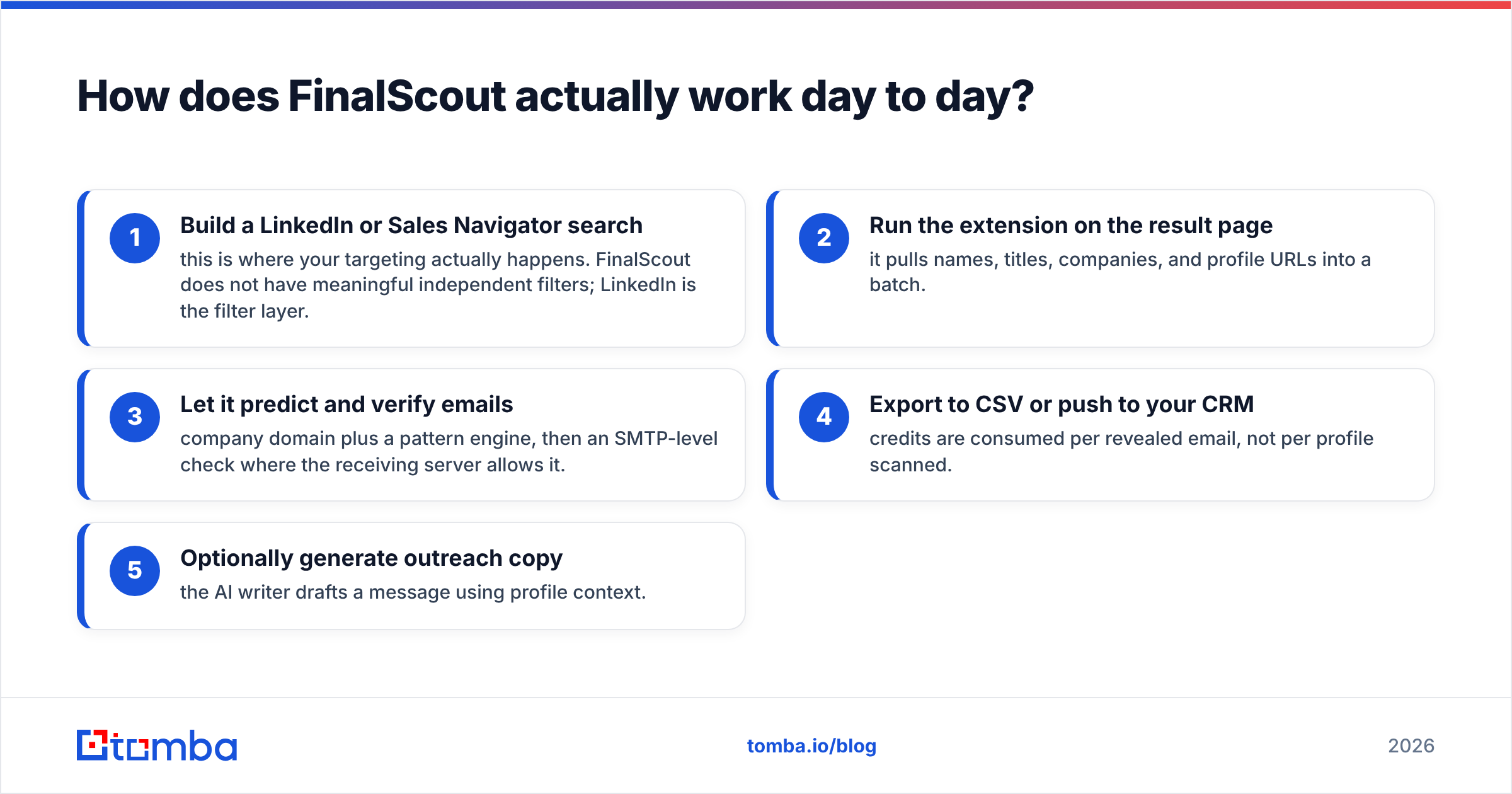
How does FinalScout actually work day to day?#
You work profile by profile, or list by list.
The typical loop looks like this:
- Build a LinkedIn or Sales Navigator search — this is where your targeting actually happens. FinalScout does not have meaningful independent filters; LinkedIn is the filter layer.
- Run the extension on the result page — it pulls names, titles, companies, and profile URLs into a batch.
- Let it predict and verify emails — company domain plus a pattern engine, then an SMTP-level check where the receiving server allows it.
- Export to CSV or push to your CRM — credits are consumed per revealed email, not per profile scanned.
- Optionally generate outreach copy — the AI writer drafts a message using profile context.
The strength is precision targeting. If your ICP is "VP of Engineering at Series B fintechs in Berlin who posted about hiring in the last month," LinkedIn can express that and a static purchased list usually cannot.
The weakness is throughput and ceiling. You are bound by LinkedIn's search limits, connection-degree restrictions, and account-safety risk. Scraping at volume from a personal account is how people lose access to their account. And coverage collapses outside LinkedIn-heavy regions and industries — plenty of manufacturing, logistics, and healthcare decision-makers simply are not maintained profiles.
How does LakeB2B actually work day to day?#
You brief, you wait, you receive.
The loop is a purchase cycle, not a software session:
- Discovery call — you describe the ICP and campaign goal to a sales rep.
- Count and quote — they return an available-record count and a price, typically with a minimum order size.
- Sample review — you request a sample slice and spot-check it before committing.
- Delivery — CSV, Excel, or a direct push into HubSpot/Salesforce.
- Post-purchase cleanup — you verify the file yourself before it touches a sending domain.
The strength is coverage in places LinkedIn is thin: healthcare practitioners with NPI-level detail, industrial buyers, regional non-tech markets, and older-skewing job functions. You also get firmographic depth in one shot — revenue bands, employee counts, technologies, sometimes intent signals — without stitching three tools together.
The weakness is what every list purchase carries. You inherit whatever decay is already baked into the file. B2B contact data goes stale fast: people change jobs, companies get acquired, domains migrate. Industry estimates commonly put annual B2B database decay somewhere in the 20–30% range, and a list assembled six months ago has already absorbed part of that. You also cannot re-query the database yourself — every new segment is a new commercial conversation.
FinalScout vs LakeB2B: how do they compare head-to-head?#
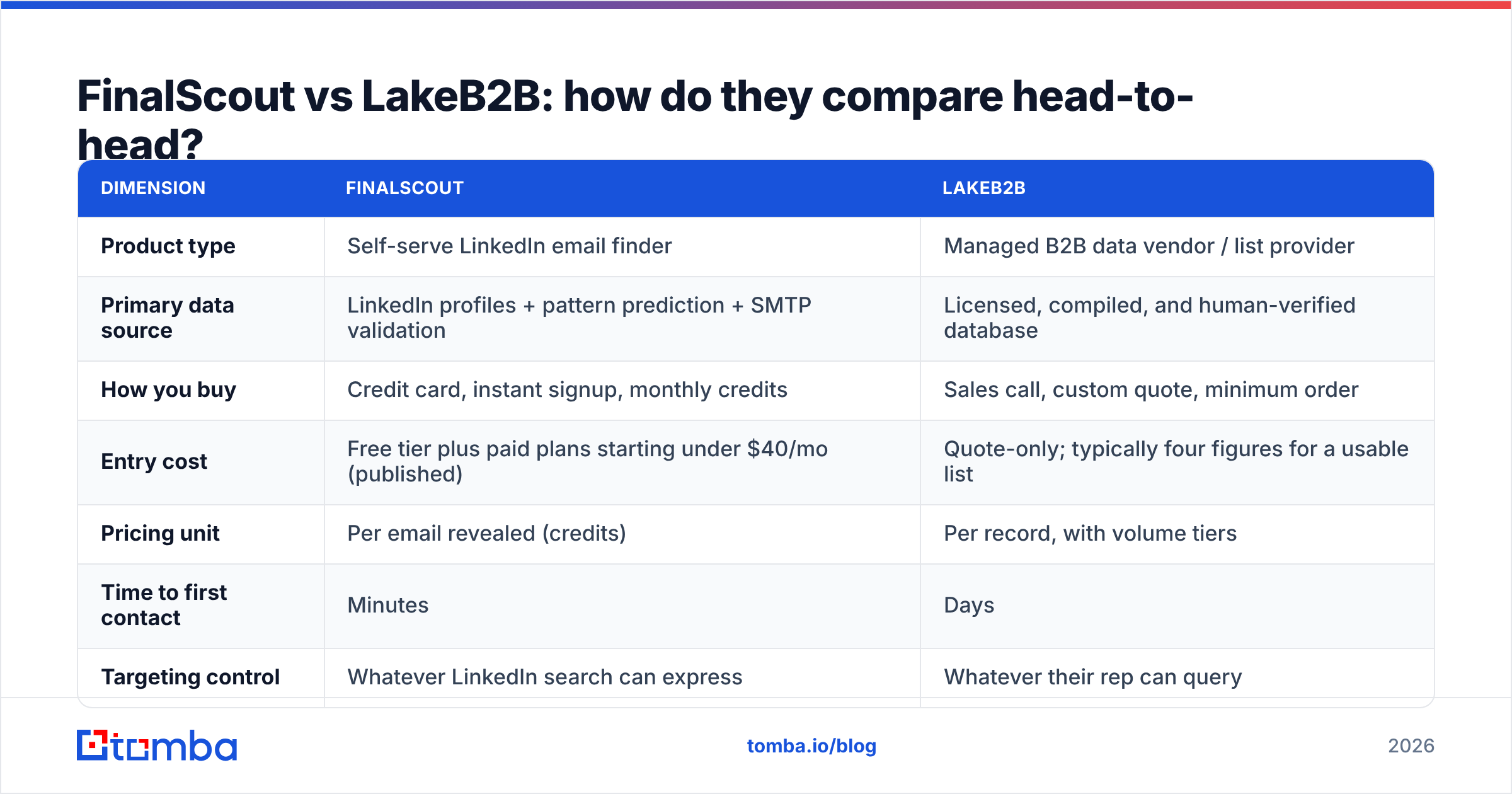
Here is the practical comparison. Prices move; treat the pricing rows as directional and confirm on each vendor's own page before you buy.
| Dimension | FinalScout | LakeB2B |
|---|---|---|
| Product type | Self-serve LinkedIn email finder | Managed B2B data vendor / list provider |
| Primary data source | LinkedIn profiles + pattern prediction + SMTP validation | Licensed, compiled, and human-verified database |
| How you buy | Credit card, instant signup, monthly credits | Sales call, custom quote, minimum order |
| Entry cost | Free tier plus paid plans starting under $40/mo (published) | Quote-only; typically four figures for a usable list |
| Pricing unit | Per email revealed (credits) | Per record, with volume tiers |
| Time to first contact | Minutes | Days |
| Targeting control | Whatever LinkedIn search can express | Whatever their rep can query |
| Coverage outside LinkedIn | Weak | Strong, especially healthcare and industrial |
| Verification included | Yes, at reveal time | Claimed at build time; re-verify yourself |
| API access | Limited | Not a self-serve API product |
| Compliance posture | You are responsible for scraping and consent | Vendor asserts licensing; you still own sending risk |
| Best for | Founders, SDRs, recruiters doing precision outbound | Demand-gen teams running broad, high-volume campaigns |

Notice how few rows are genuine head-to-head ties. That is the honest finding: most teams choosing between these two are actually choosing between two strategies — surgical, low-volume, high-personalisation outbound versus broad list-based demand generation.
Which one has better data accuracy?#
Neither wins outright, because they fail differently.
FinalScout's accuracy problem is prediction risk. When a company uses an obvious pattern (first.last@domain.com) and runs a mail server that answers SMTP probes honestly, hit rates are good. When the domain is catch-all — meaning it accepts mail to any address, valid or not — a predicted email cannot be confirmed and gets marked as "risky" or exported anyway. Send to enough of those and your bounce rate climbs into dangerous territory. This is exactly why a dedicated catch-all verifier exists as a separate discipline: catch-all domains need behavioural and historical signals, not a simple handshake.
LakeB2B's accuracy problem is decay and provenance. A record can be perfectly accurate on the day it was compiled and wrong by the time it reaches your sequence. Compiled databases also blend sources — public filings, event registrations, opt-in forms, partner data — and the quality of the weakest source sets the floor for the segment. Ask for the source mix and the last-verified date per record, not just an overall accuracy percentage. A vendor claiming "95% accurate" without defining accurate as of when is quoting a marketing number.

The operational answer for both: verify immediately before sending, not at acquisition. Run any list — bought or scraped — through an email verifier on the day the campaign launches. That single step does more for deliverability than any vendor's accuracy claim.
What does each actually cost per usable contact?#
Run the math on usable contacts, not headline prices.
Work through a realistic example. Say you need 2,000 contactable prospects.
- FinalScout route: you need a credit allocation covering roughly 2,600 reveals to net 2,000 verified (assume some unfound and some risky). At mid-tier finder pricing, you are in the low hundreds of dollars per month, plus your own time running LinkedIn searches — realistically 8–15 hours of operator time for that volume.
- LakeB2B route: you buy, say, 3,000 records to net 2,000 that still validate after your own verification pass. Quote-based, but list purchases at that size typically land in the four-figure range, plus verification credits, minus most of the operator time.
The variables that decide the winner are your blended labour cost and your tolerance for a sales cycle. A two-person startup where the founder does prospecting has near-zero marginal labour cost and no budget approval process, so the self-serve tool wins. A 12-person demand-gen team with a quarterly campaign calendar values the time savings and can absorb a procurement cycle, so the vendor wins.
One caution that applies to both: never let acquisition cost push you into skipping deduplication and suppression. Deduping a merged list before import — a remove duplicates pass takes seconds — prevents the same person receiving two sequences from two sources, which is the fastest way to earn a spam complaint.

What about compliance and sending risk?#
This is where the comparison gets uncomfortable, and where most reviews go quiet.
FinalScout and LinkedIn's terms. Automated extraction of profile data sits against LinkedIn's user agreement, regardless of what any extension's marketing says. The legal landscape around public-web scraping is genuinely unsettled, but the platform risk is not: accounts get restricted. If your LinkedIn presence is a business asset, running high-volume extraction from your primary account is a real exposure. Use it deliberately and at modest volume.
LakeB2B and consent. Buying a list does not transfer consent to you. Under GDPR, legitimate interest can support B2B outreach in some jurisdictions, but you still owe transparency, a working opt-out, and a record of where the data came from. Under CAN-SPAM the bar is lower — accurate headers, physical address, honoured unsubscribes — but "the vendor said it was compliant" is not a defence if the underlying collection was not. Ask any list vendor for documented provenance per segment, in writing, before purchase.
Shared risk: your domain. Both routes can wreck a sending domain if you skip hygiene. Warm the domain, keep bounce rates under 2%, authenticate properly, and monitor. Run an SPF checker before your first send and check your sender reputation monthly. Neither vendor is responsible for your inbox placement — you are.
Which should you pick for your situation?#
Pick by motion, not by feature list.
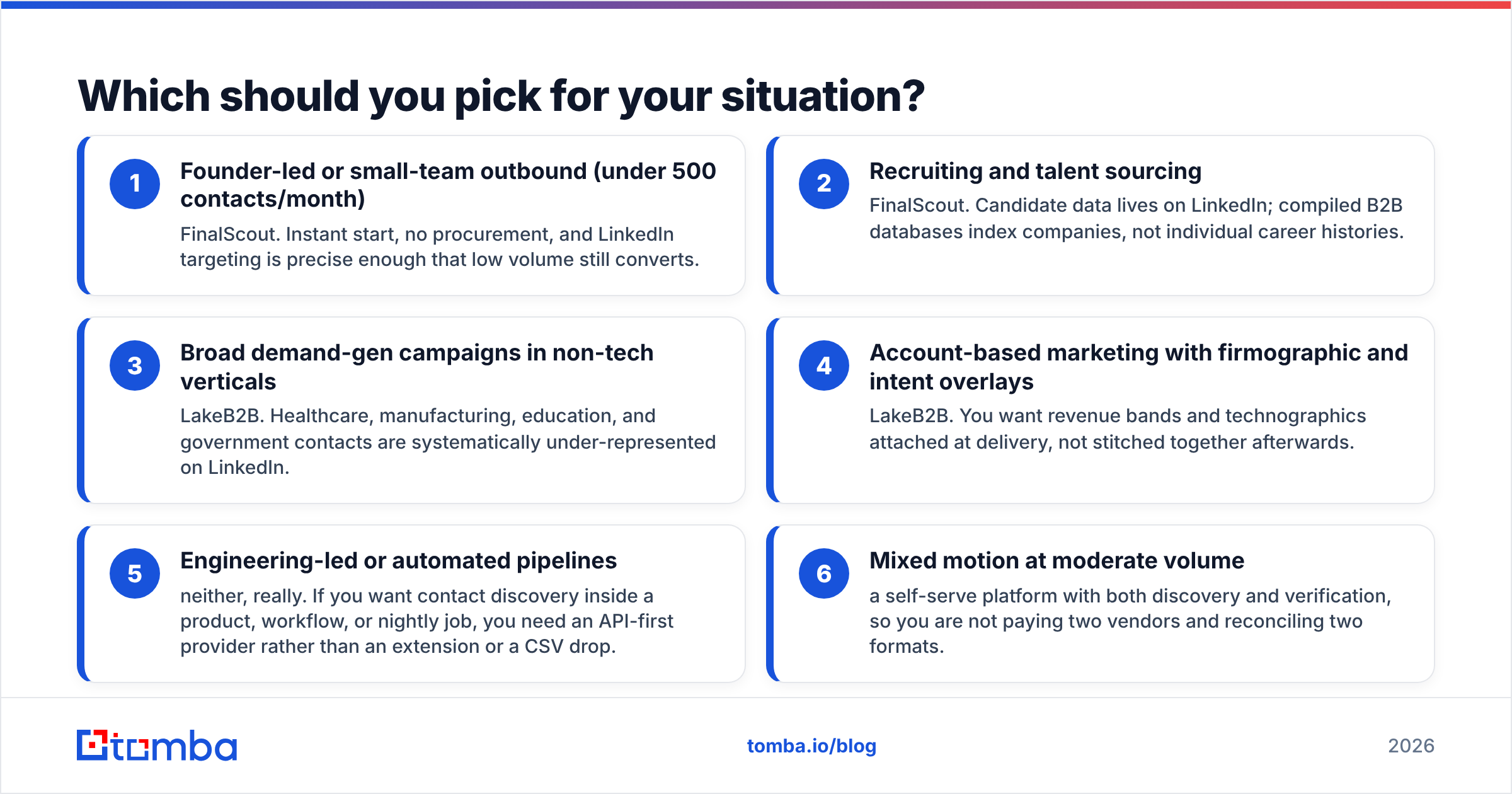
- Founder-led or small-team outbound (under 500 contacts/month) — FinalScout. Instant start, no procurement, and LinkedIn targeting is precise enough that low volume still converts.
- Recruiting and talent sourcing — FinalScout. Candidate data lives on LinkedIn; compiled B2B databases index companies, not individual career histories.
- Broad demand-gen campaigns in non-tech verticals — LakeB2B. Healthcare, manufacturing, education, and government contacts are systematically under-represented on LinkedIn.
- Account-based marketing with firmographic and intent overlays — LakeB2B. You want revenue bands and technographics attached at delivery, not stitched together afterwards.
- Engineering-led or automated pipelines — neither, really. If you want contact discovery inside a product, workflow, or nightly job, you need an API-first provider rather than an extension or a CSV drop.
- Mixed motion at moderate volume — a self-serve platform with both discovery and verification, so you are not paying two vendors and reconciling two formats.
Independent review sites are useful for sanity-checking vendor claims here; G2's B2B data category surfaces the recurring complaints for both models — credit burn on the tool side, decay and delivery delays on the list side.
Where does Tomba fit between these two?#
Tomba covers the middle: self-serve like a finder, programmatic like a data provider.
Instead of choosing between "scrape LinkedIn manually" and "call a rep and wait," you search by domain or company, reveal verified emails, and pull the same data through an API when you are ready to automate. Domain search returns the contactable people at a company with role and confidence attached, bulk email finder handles list-scale jobs, and verification is built in rather than sold as a separate SKU.
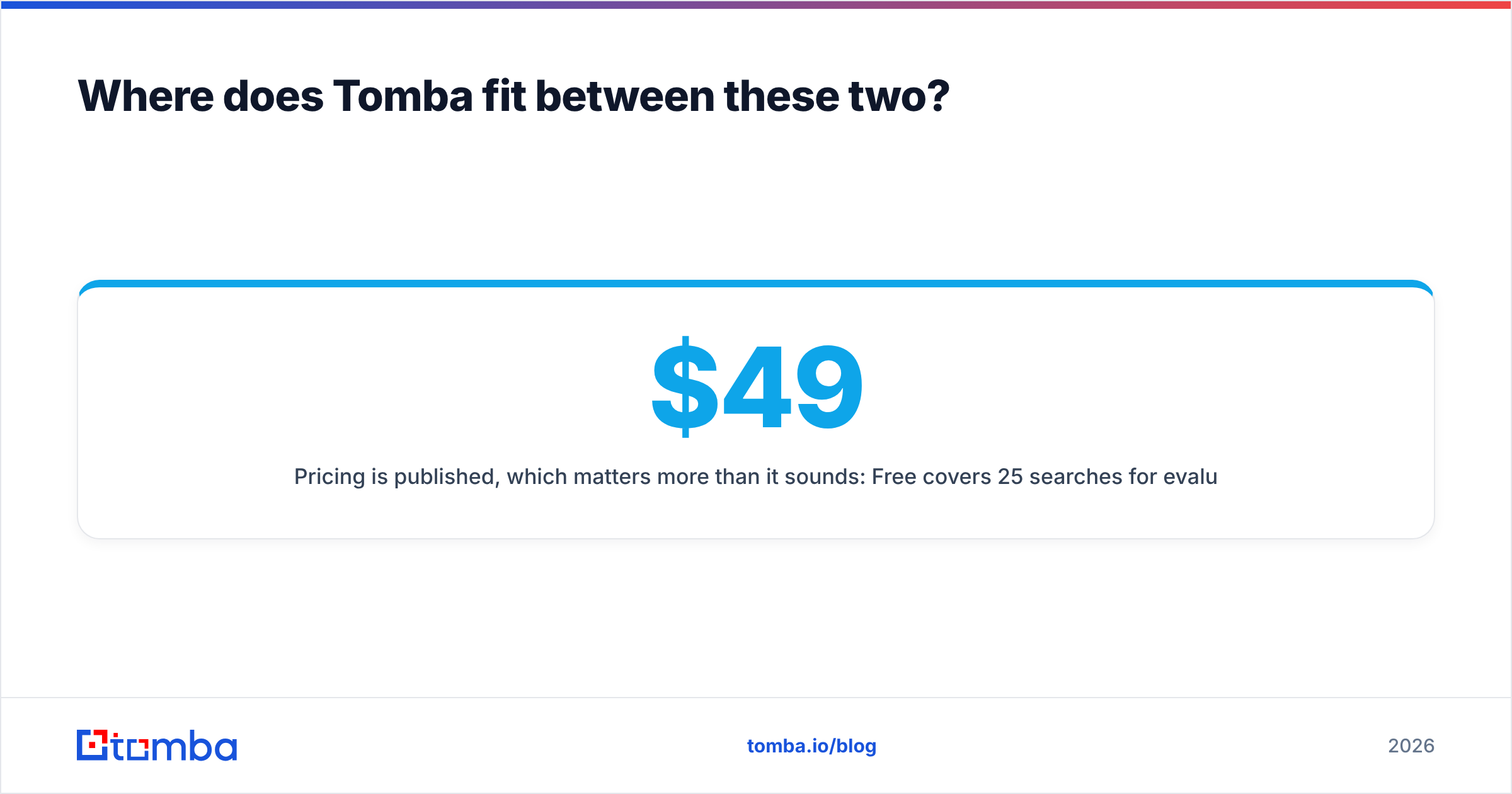
Pricing is published, which matters more than it sounds: Free covers 25 searches/month for evaluation, Starter is $49/mo, Growth is $99/mo, and Pro is $249/mo, with Enterprise on request. You can see the full breakdown on the Tomba pricing page. No quote cycle, no minimum order, and no dependency on a LinkedIn session staying alive.
Where Tomba does not compete: if you need NPI-coded healthcare practitioner records or a managed campaign service, a specialist list vendor is the right call. Be honest about the requirement before you shop.
What is the verdict on FinalScout vs LakeB2B?#
FinalScout wins for precision, speed, and low commitment. LakeB2B wins for scale, coverage outside tech, and enriched firmographics — if you can absorb the sales cycle and verify the file yourself.
The mistake is treating the choice as permanent. Most teams that scale outbound end up with a discovery layer (find and verify on demand), a verification layer (run before every send), and occasionally a bought list for a specific campaign in a vertical their primary tool cannot reach. Build the stack in that order and each purchase gets easier to justify.
Start with the layer you will use every single day. Try the Tomba Email Finder on your next 25 target accounts for free — no sales call, no minimum order, and every email verified before it lands in your export. If the hit rate beats what you are getting today, you have your answer without spending a quarter of your budget to find out.
Related guides#
Ready to find emails that actually work?
Join 150,000+ professionals who stopped guessing and started sending. Free credits on signup — no credit card required.
Get the Tomba newsletter
Practical outbound tactics and product updates — once every two weeks.
About the author