FinalScout vs SalesRipe: Which B2B Email Tool Wins in 2026?
FinalScout scrapes LinkedIn profiles. SalesRipe sells you a static contact list. They solve different problems badly if you pick the wrong one — here's the honest breakdown, with pricing, match rates and a third option.
TL;DR
- FinalScout is a LinkedIn-first email finder: you browse profiles or run a Sales Navigator search, and its Chrome extension pulls work emails plus an AI-written first draft. It lives or dies on LinkedIn access.
- SalesRipe is a static B2B contact database: you filter by industry, title, revenue and geography, then export a CSV. No LinkedIn dependency, but no live re-verification either.
- They are not really competitors. One is a capture tool, the other is a list tool. Picking the wrong category costs you more than picking the wrong vendor.
- Neither publishes an independently audited match rate. Budget for a separate verification pass regardless of which you choose — bounce rates above 3% are what actually kills a domain.
- If you want live SMTP-verified emails without a LinkedIn seat or a bulk list purchase, an API-first finder like Tomba (free tier, then $49/mo) covers both jobs from one credit pool.
What are FinalScout and SalesRipe, actually?#
Start with the shape of each product, because the names suggest more overlap than exists.
FinalScout is a browser-extension email finder built around LinkedIn. You install the Chrome extension, open a profile or a Sales Navigator list, and it attempts to resolve the person's professional email. Its differentiator is the AI layer: it will draft a personalized cold email from the profile content it just scraped, so "find contact" and "write first touch" happen in one motion. The company markets a high deliverability figure and positions itself as GDPR/CCPA-conscious.
SalesRipe is a lead database. You log into a web app, apply filters — industry, employee count, revenue band, job title, location, technology — and get back a list of companies and contacts you can view in-app or export. It bundles a lightweight CRM-ish layer so small teams can work the list without a separate tool. There is no browsing step; the data was collected before you arrived.
That distinction drives everything below. FinalScout answers "who is this specific person's email?" SalesRipe answers "give me 2,000 people who look like my ICP." A tool that is excellent at one is structurally mediocre at the other.

How do FinalScout and SalesRipe compare head to head?#
Here is the practical comparison. Pricing moves — treat these as the shape of each vendor's model rather than a quote, and check the vendor page before you buy.
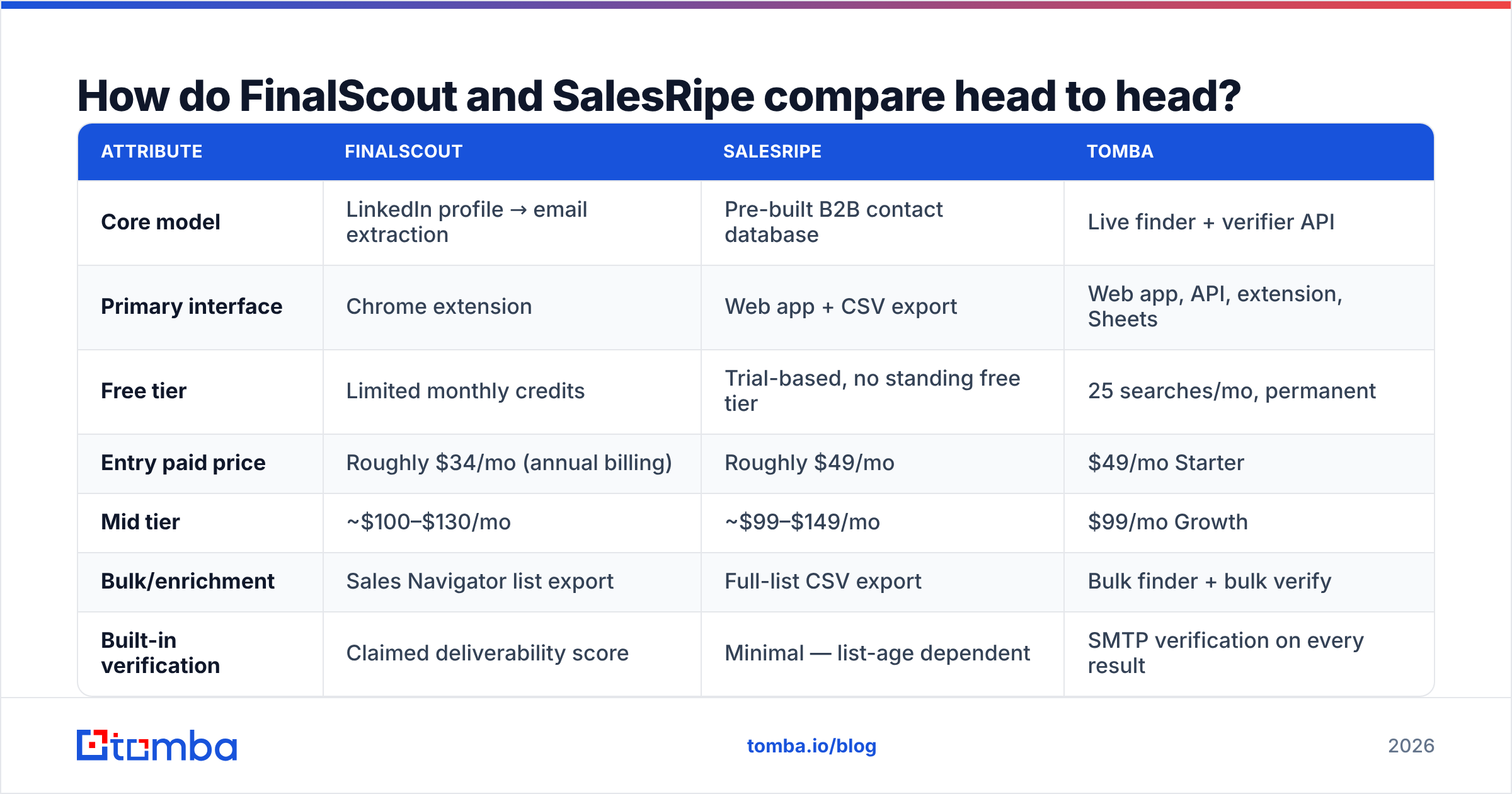
| Attribute | FinalScout | SalesRipe | Tomba |
|---|---|---|---|
| Core model | LinkedIn profile → email extraction | Pre-built B2B contact database | Live finder + verifier API |
| Primary interface | Chrome extension | Web app + CSV export | Web app, API, extension, Sheets |
| Free tier | Limited monthly credits | Trial-based, no standing free tier | 25 searches/mo, permanent |
| Entry paid price | Roughly $34/mo (annual billing) | Roughly $49/mo | $49/mo Starter |
| Mid tier | ~$100–$130/mo | ~$99–$149/mo | $99/mo Growth |
| Bulk/enrichment | Sales Navigator list export | Full-list CSV export | Bulk finder + bulk verify |
| Built-in verification | Claimed deliverability score | Minimal — list-age dependent | SMTP verification on every result |
| AI email writing | Yes, native | No | Separate free tools |
| Public API | Limited | Limited | Full REST API + CLI + MCP |
| Works without LinkedIn | No | Yes | Yes |
| Best for | 1-to-1 targeted prospecting | Volume list building | Both, plus dev workflows |
The row that decides most purchases is the last functional one: works without LinkedIn. If your team runs Sales Navigator seats and prospects person-by-person, FinalScout's workflow is genuinely fast. If your team does not have LinkedIn seats — or if you have already been rate-limited for scraping — the entire FinalScout value proposition collapses to zero.
Which one has better data accuracy?#
Neither vendor publishes an independent audit, so treat all headline percentages as marketing until you test them yourself.
What you can reason about is how each tool sources data, because sourcing determines decay:
- FinalScout — inference at request time. It reads a live profile, identifies the company domain, and applies pattern logic plus its own database to produce a candidate address. Fresh input, but the output is still a guess unless it verifies at SMTP level.
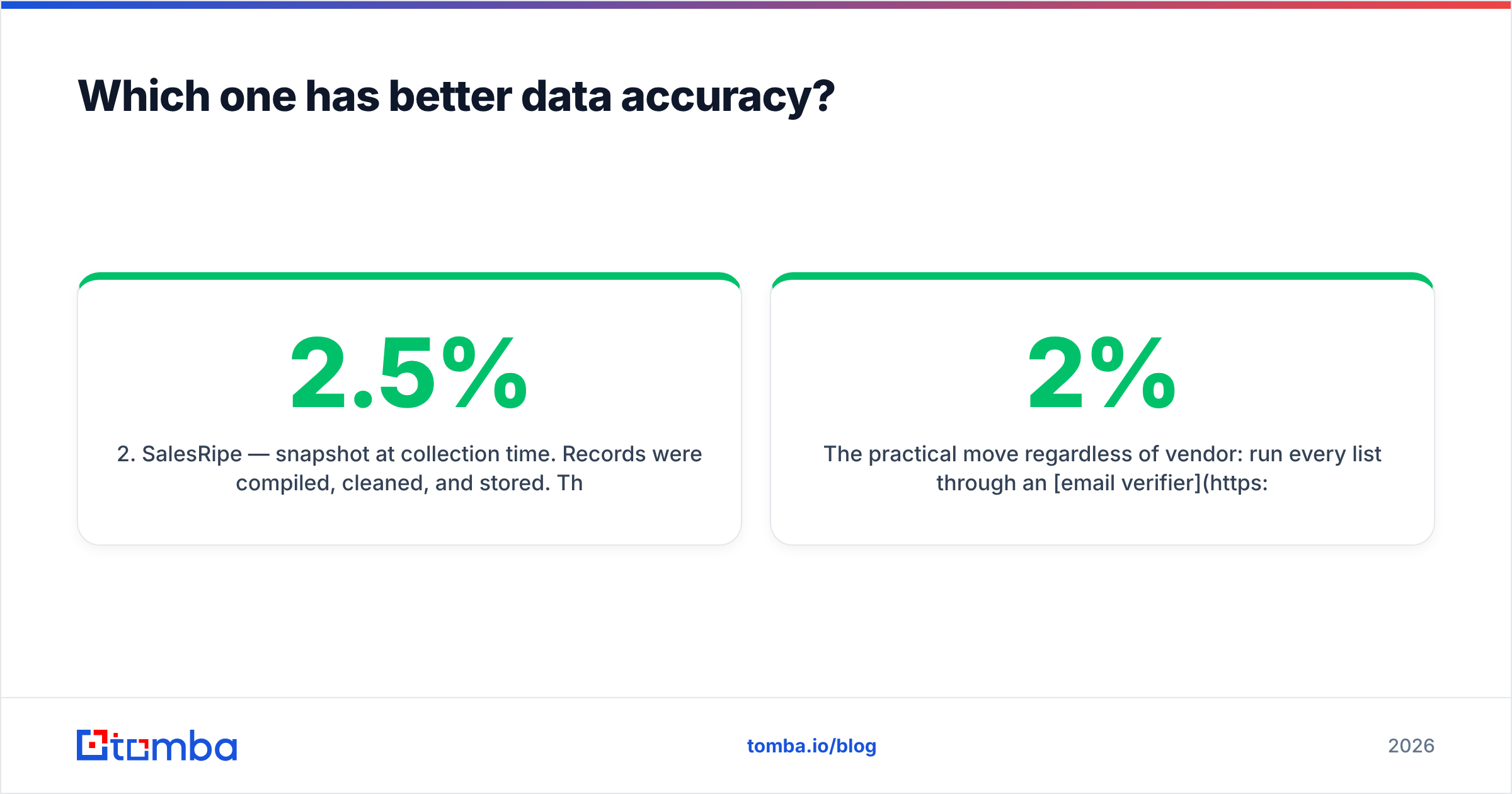
- SalesRipe — snapshot at collection time. Records were compiled, cleaned, and stored. The record you export today may have been assembled months ago. B2B contact data decays roughly 2–2.5% per month as people change jobs, which compounds fast on an aging file.
- Verification layer — the part both underweight. A "found" email is not a "valid" email. Without an MX check, SMTP handshake, catch-all detection and role-account filtering, you are shipping guesses to your primary sending domain.
- Catch-all domains — the silent killer. Roughly one in five B2B domains accepts everything at the server and bounces later or silently drops. Neither tool is transparent about how catch-alls are labeled in export.

The practical move regardless of vendor: run every list through an email verifier before it touches your sequencer. A 2% bounce rate is survivable. A 9% bounce rate on a fresh domain gets you filtered into spam at Google and Microsoft within two sending days, and recovering sender reputation takes weeks you do not have.
Suggested visual: side-by-side screenshot of a FinalScout extension result panel on a LinkedIn profile and a SalesRipe filter/export screen, so readers see the workflow difference immediately.
What does each one actually cost per usable lead?#
Sticker price is the wrong unit. What matters is cost per contactable lead — an address that exists, is deliverable, and belongs to a person who still works there.
Work the math for a 1,000-contact month:
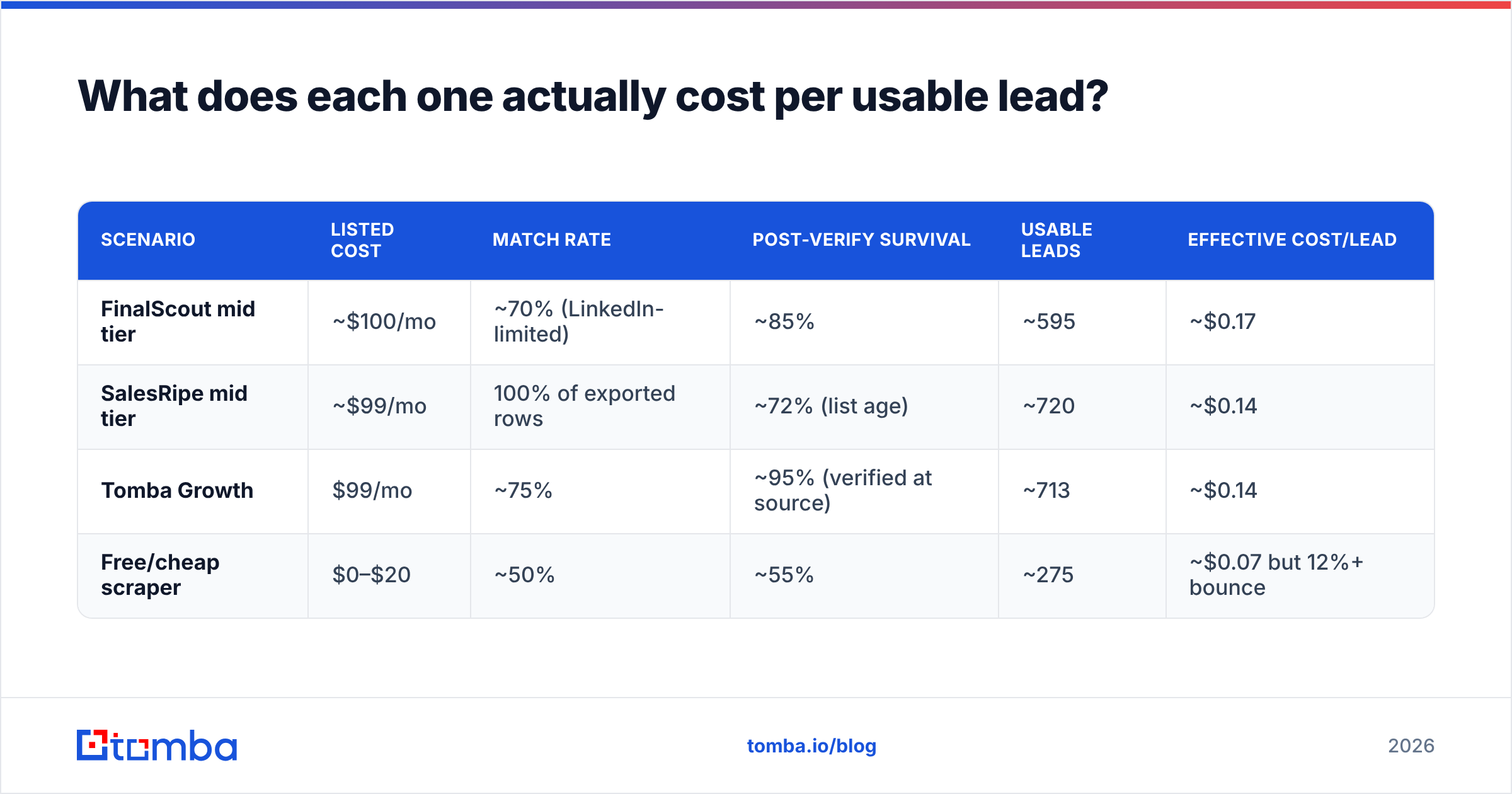
| Scenario | Listed cost | Match rate | Post-verify survival | Usable leads | Effective cost/lead |
|---|---|---|---|---|---|
| FinalScout mid tier | ~$100/mo | ~70% (LinkedIn-limited) | ~85% | ~595 | ~$0.17 |
| SalesRipe mid tier | ~$99/mo | 100% of exported rows | ~72% (list age) | ~720 | ~$0.14 |
| Tomba Growth | $99/mo | ~75% | ~95% (verified at source) | ~713 | ~$0.14 |
| Free/cheap scraper | $0–$20 | ~50% | ~55% | ~275 | ~$0.07 but 12%+ bounce |
Two things jump out. First, the headline prices land in the same band — this is not a cheap-vs-expensive fight. Second, the last row is a trap: the cheapest cost-per-lead comes with a bounce rate that costs you the domain. Domain replacement, re-warming and lost pipeline dwarf a $99 subscription.
Also account for what each price excludes. FinalScout assumes you already pay for LinkedIn Sales Navigator, which is roughly $99/user/month on its own. Add that and FinalScout's real entry cost roughly triples. SalesRipe has no such dependency, which is a genuine and under-discussed advantage. Compare against transparent Tomba pricing where credits cover finding and verification from one pool with no third-party seat requirement.
Is FinalScout better than SalesRipe for cold outreach?#
It depends on your motion, and the honest answer splits cleanly.
Choose FinalScout if:
- Your ICP is defined by person, not firmographics. You want the VP of Data at 40 named accounts, not "all SaaS companies in Texas."
- You already run Sales Navigator. The extension rides on infrastructure you pay for anyway.
- Volume is low and personalization is high. 50–200 touches a month with real research behind each.
- You want drafting bundled. The AI writer removes a step for solo founders and one-person SDR functions.
Choose SalesRipe if:
- You need a list, fast, with no LinkedIn account. Filter, export, done.
- You sell to SMB and local business categories. Database tools tend to be broader here than LinkedIn scrapers, since many owners are not active on LinkedIn.
- Your team runs volume plays. Thousands of contacts, sequenced, with the segmentation done at filter time.
- You want the data to sit in your CRM permanently. Exports are yours; no per-view credit anxiety.
Choose neither if:
- You need an API. Both are UI-first. If you want enrichment inside your product, your onboarding flow, or a nightly job, you need a real email finder API, not a Chrome extension.
- Compliance review is strict. LinkedIn-scraping tools sit in a grey zone with LinkedIn's terms of service. Legal teams at regulated companies frequently reject them outright. This is a real procurement blocker, not a theoretical one.

What are the honest weaknesses of each?#
FinalScout's weak points. The LinkedIn dependency is the whole risk profile. Rate limits, account restrictions, and platform policy changes are outside your control and outside FinalScout's control. Users on G2 and similar review sites repeatedly flag credit consumption on failed lookups as a frustration — you pay to search, not to succeed. The AI-written emails are serviceable but read like AI-written emails; if you send them unedited, you inherit the generic-outreach reply rate everyone else gets.
SalesRipe's weak points. Data freshness is the structural issue with every static database. There is no live re-check at export time, so a record's accuracy is a function of when it was collected. The filter granularity is decent but shallower than enterprise platforms — you will not get intent signals, hiring triggers, or technographic depth comparable to a ZoomInfo-class product. And the CSV-out workflow means every list is a one-time snapshot that starts decaying the moment it lands on your disk.
Shared weak point. Neither is designed as a verification product. Both treat "email returned" as the finish line. In 2026, with Google and Microsoft enforcing stricter bulk-sender requirements and spam-complaint thresholds, verification is the finish line — not discovery.

What else should be on your shortlist?#
If you are evaluating these two, three adjacent options deserve a look before you commit:
- BookYourData — a strong pick if you want a pay-as-you-go list purchase with a bounce guarantee attached. Good fit for teams that buy in bursts rather than subscribing monthly, and the guarantee shifts data risk onto the vendor.
- Apollo — bundles database, sequencer and dialer. Heavier and pricier, but replaces three tools. See the Apollo alternative breakdown if you are weighing consolidation.
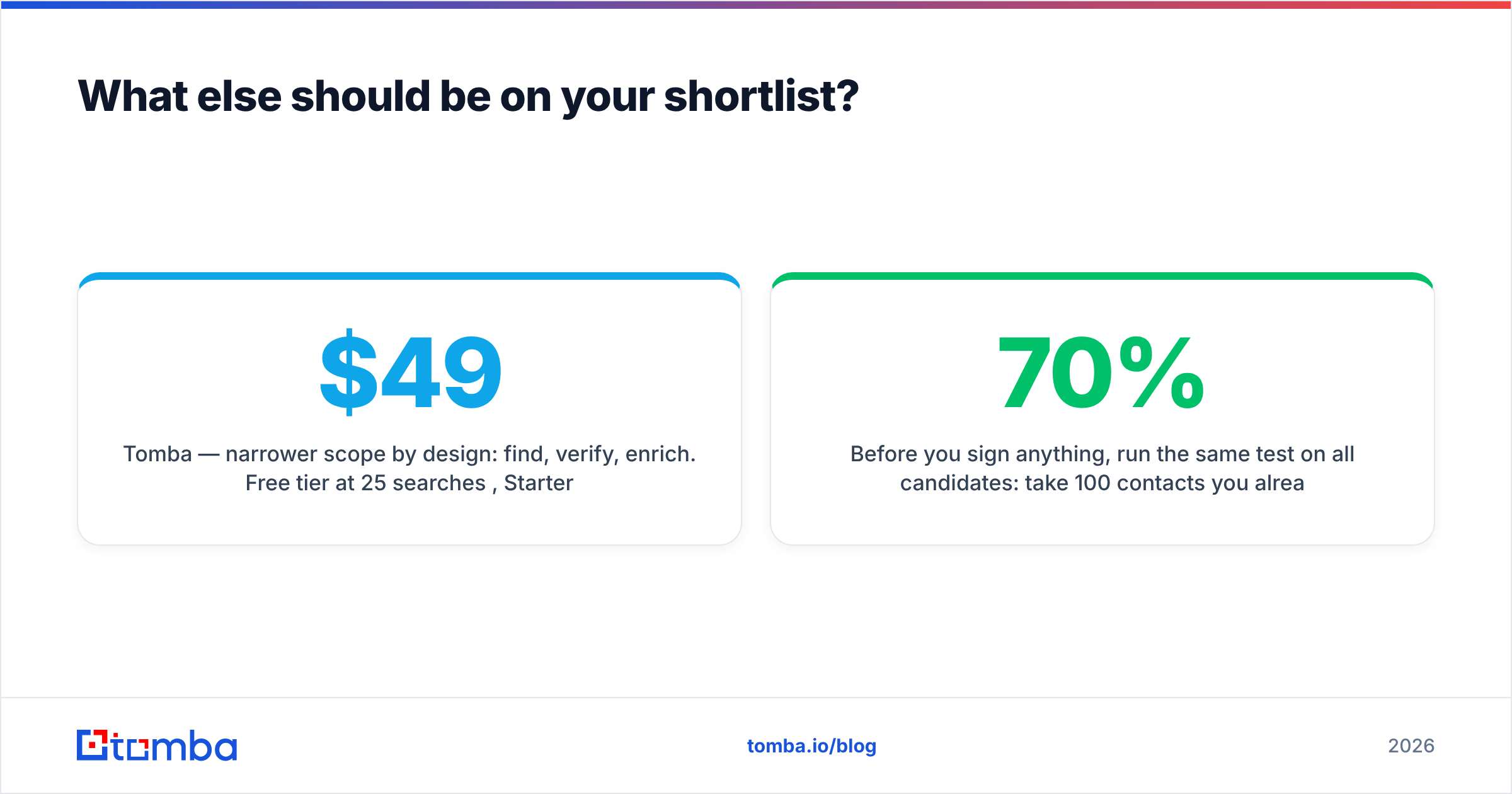
- Tomba — narrower scope by design: find, verify, enrich. Free tier at 25 searches/mo, $49/mo Starter, $99/mo Growth, $249/mo Pro. Includes a LinkedIn finder for the FinalScout use case and bulk email finder for the SalesRipe use case, from the same credit balance.
Before you sign anything, run the same test on all candidates: take 100 contacts you already know are valid — current customers, past deals, people who replied to you last quarter — and see how many each tool finds correctly. Vendor-published match rates are measured on the vendor's easiest data. Your list is your benchmark. Anything above 70% correct on a known-good sample is genuinely good; anything below 50% is not worth the subscription regardless of price.
Which should you pick?#
Short version: FinalScout if you prospect person-by-person and already pay for LinkedIn. SalesRipe if you need volume lists and refuse to depend on LinkedIn. Neither if you need an API or strict compliance sign-off.
The deeper point is that "find an email" and "make sure that email is deliverable" are two separate jobs, and buying a tool that only does the first leaves the expensive half of the problem on your desk. Bounces do not just waste a send — they degrade email deliverability for every legitimate message that follows.
If you want both halves covered without stacking subscriptions, start with the Tomba Email Finder. Every result comes back SMTP-verified with a confidence score and source attribution, catch-all domains are flagged rather than quietly passed through, and the same credits work across the web app, Chrome extension, Google Sheets, and the API. The free tier gives you 25 searches a month — enough to run the 100-contact benchmark above against your own known-good list before you spend a dollar on anyone.
Related guides#
Ready to find emails that actually work?
Join 150,000+ professionals who stopped guessing and started sending. Free credits on signup — no credit card required.
Get the Tomba newsletter
Practical outbound tactics and product updates — once every two weeks.
About the author