FinalScout vs Seamless.AI: Which Email Finder Wins in 2026?
FinalScout leans on LinkedIn scraping and AI-written emails; Seamless.AI sells a real-time contact search engine. We compare accuracy, pricing, credits, and exports to name a winner.
FinalScout vs SeamlessAI is a choice between two very different tools. One scrapes LinkedIn. The other queries a huge contact database. Here is the short version.
TL;DR — FinalScout vs SeamlessAI
- FinalScout is a LinkedIn-first tool. You browse profiles or Sales Navigator lists, and it pulls emails. It can also draft outreach with AI. It lives and dies by LinkedIn access.
- Seamless.AI is a contact search engine. You filter a large B2B database, and it checks emails and phones in real time. It is strong on volume and phone numbers, weaker on credit clarity.
- Accuracy is the real split. FinalScout returns fewer emails but claims a high inbox rate. Seamless.AI returns far more contacts, with a wider quality spread.
- Pricing gets messy fast. FinalScout is credit-metered and cheap at the entry tier. Seamless.AI quotes annual contracts and per-seat pricing that reps rarely see up front.
- If you mostly need verified work emails at a set price, a finder-plus-verifier stack like Tomba usually beats both. Starter is $49/mo, with clear credits and an API.
Most "FinalScout vs SeamlessAI" write-ups come from one of the two vendors. This one does not. Below is a side-by-side on the things that change your reply rate. Where does the data come from? How many of the emails bounce? What does a usable month really cost? And what happens when you try to export?

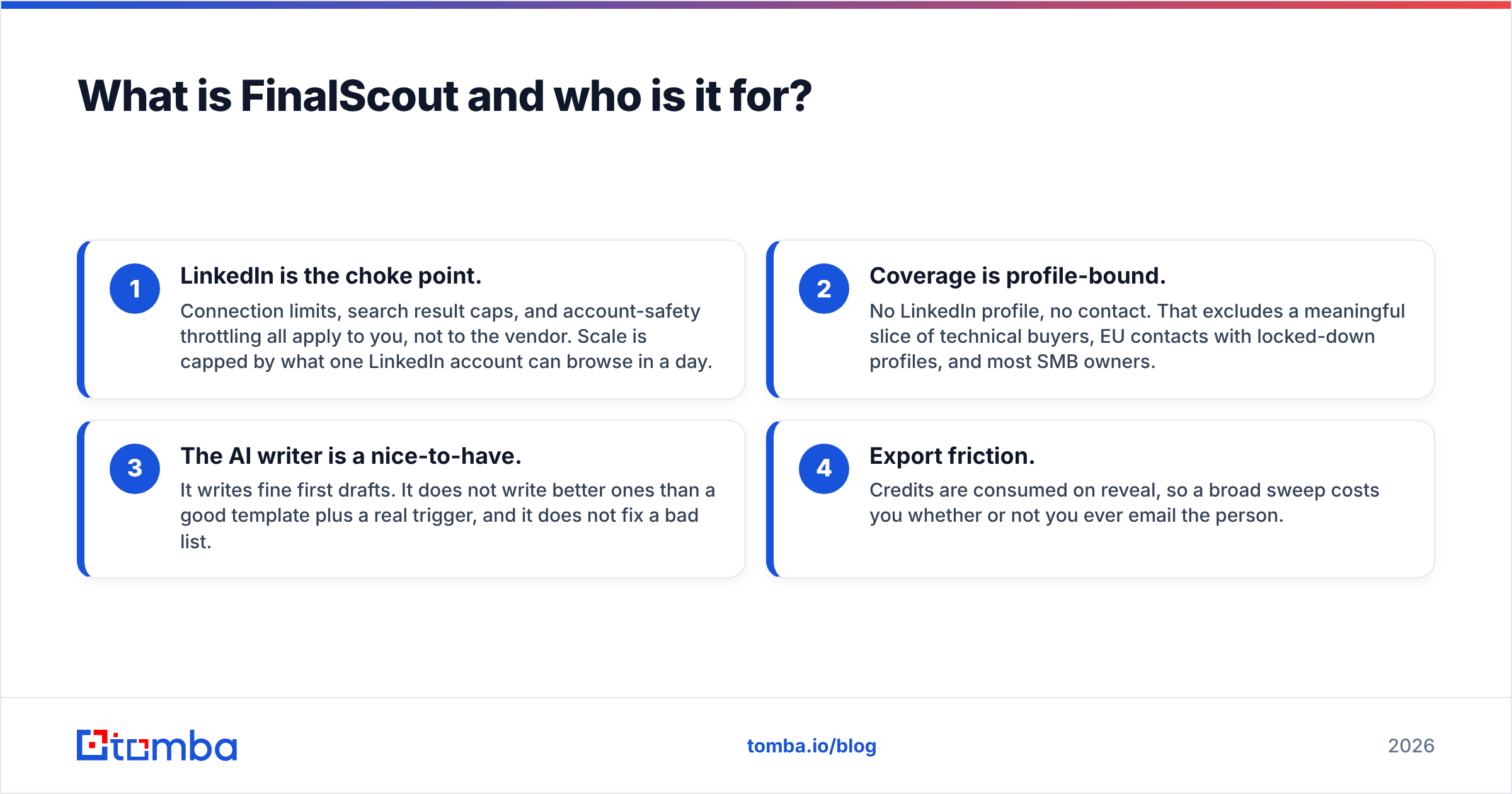
What is FinalScout and who is it for?#
FinalScout is an email finder built around LinkedIn, and it runs as a Chrome extension. You open a profile, a search result page, a Sales Navigator list, or a group. FinalScout then pulls contact data for the people you are looking at. It also layers an AI writer on top, which drafts a personal email from the profile you just scraped.
The pitch is "no list-building, just browse and collect." That works well if your ICP is defined by LinkedIn traits: job title, headcount, industry, or a recent job change. It also assumes a human is already doing the qualifying.
Where it strains:
- LinkedIn is the choke point. Connection limits, search result caps, and safety throttling all apply to you, not to the vendor. Your scale is capped by what one account can browse in a day.
- Coverage is profile-bound. No LinkedIn profile, no contact. That rules out many technical buyers, EU contacts with locked-down profiles, and most SMB owners.
- The AI writer is a nice-to-have. It writes fine first drafts. It will not beat a good template plus a real trigger. It cannot fix a bad list.
- Export friction. Credits are spent on reveal. A broad sweep costs you whether or not you ever email the person.
FinalScout suits a solo founder or a small SDR team that already lives inside LinkedIn. It is a poor fit if you build lists by code, or feed a CRM on a schedule.
What is Seamless.AI and how does it differ?#
Seamless.AI is the other half of the FinalScout vs SeamlessAI question. It calls itself a real-time search engine for B2B contacts, not a static database. You set filters such as title, industry, revenue, location, or tech stack. It then returns contacts with emails and direct dials. The claim is that records are checked at query time, not served from a stale dump.
In practice, it works like a large contact database with a heavy enrichment layer and a Chrome extension for LinkedIn. Two things stand out.
Phone numbers. Mobile and direct-dial coverage is a real strength. It is why many cold-calling teams keep it around, even when the email data lets them down. If your motion is cold calling plus email, that matters.
Volume. You can pull thousands of records fast. That is also the trap. Volume with an unknown bounce rate is a risk, not an asset.
The gripes users post on G2 are mostly commercial, not technical. Annual contracts, per-seat pricing, credit rollovers, and hard downgrades all come up. Read the terms before you sign. Get the credit rules in writing.
FinalScout vs SeamlessAI: how do they compare head to head?#
Here is the practical comparison. Prices and limits change. Check the vendors' own pages (finalscout.com, seamless.ai) before you buy.
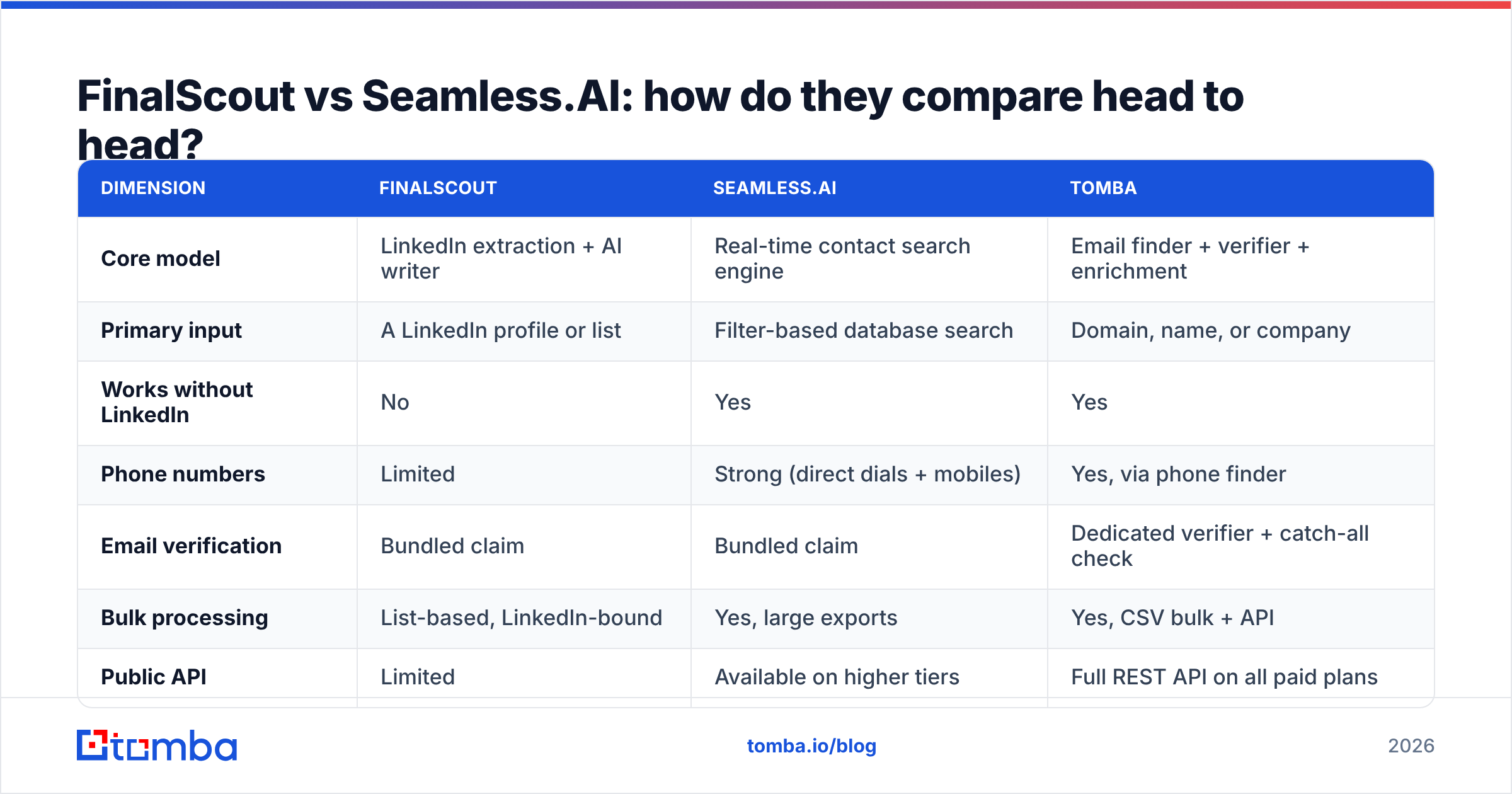
| Dimension | FinalScout | Seamless.AI | Tomba |
|---|---|---|---|
| Core model | LinkedIn extraction + AI writer | Real-time contact search engine | Email finder + verifier + enrichment |
| Primary input | A LinkedIn profile or list | Filter-based database search | Domain, name, or company |
| Works without LinkedIn | No | Yes | Yes |
| Phone numbers | Limited | Strong (direct dials + mobiles) | Yes, via phone finder |
| Email verification | Bundled claim | Bundled claim | Dedicated verifier + catch-all check |
| Bulk processing | List-based, LinkedIn-bound | Yes, large exports | Yes, CSV bulk + API |
| Public API | Limited | Available on higher tiers | Full REST API on all paid plans |
| Entry price | Low, credit-metered | Quote-based / annual | $49/mo Starter |
| Free tier | Limited monthly credits | Limited trial credits | 25 searches/mo |
| Contract | Monthly available | Annual common | Monthly, no lock-in |
| Best for | Solo LinkedIn prospecting | Call-heavy outbound teams | Verified email at scale + dev workflows |
The pattern in that table is worth naming. FinalScout is built for ease inside LinkedIn. Seamless.AI is built for volume and phones. Neither is built for verified email delivery as a first-class product. That is a real gap if email is your main channel.

FinalScout vs SeamlessAI: which one has better email accuracy?#
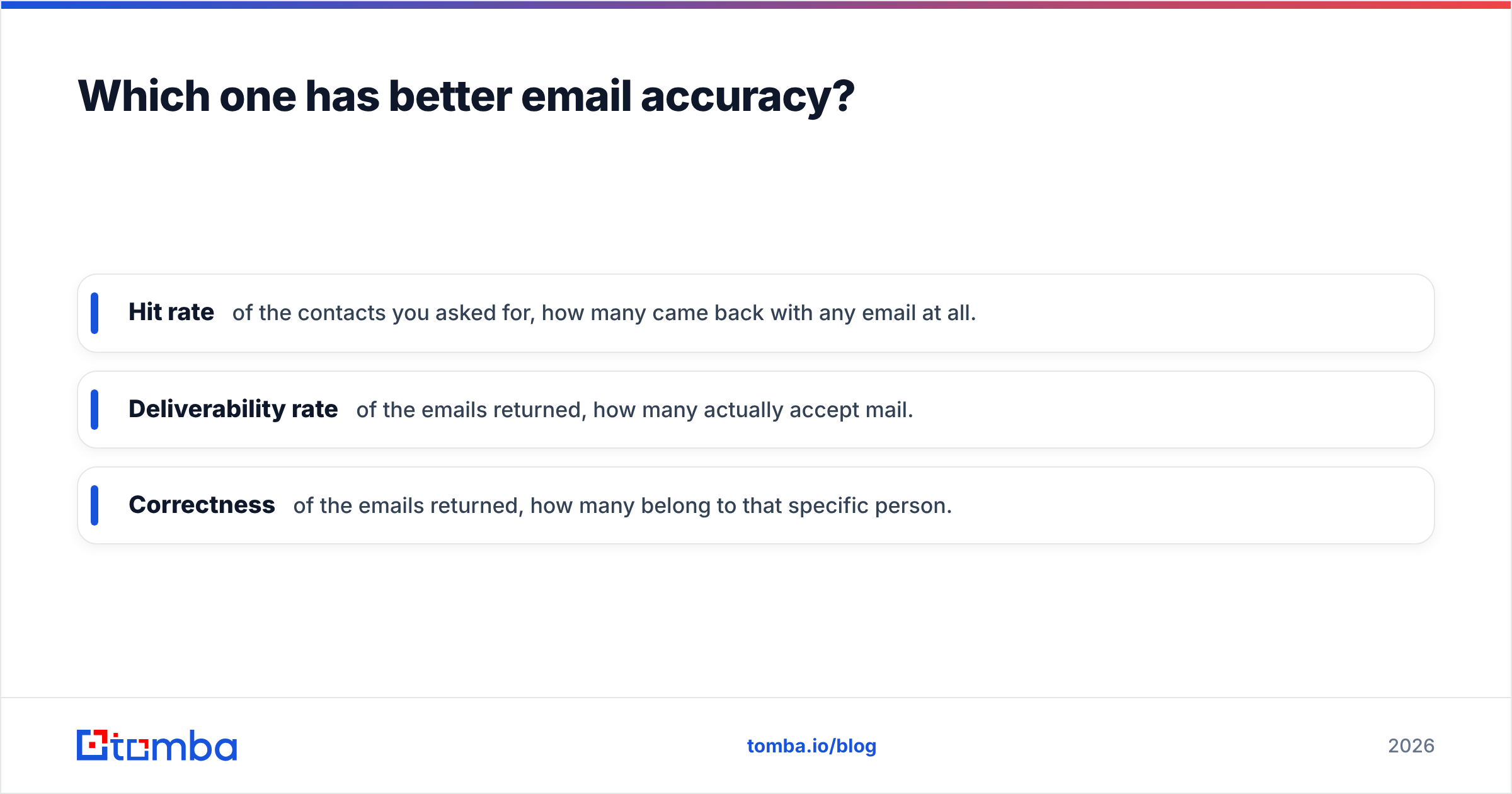
Vendor accuracy claims mean little unless you know what is being measured. Three different numbers get sold as "accuracy":
- Hit rate — of the contacts you asked for, how many came back with any email at all.
- Deliverability rate — of the emails returned, how many actually accept mail.
- Correctness — of the emails returned, how many belong to that exact person.
FinalScout markets a high delivery rate. Read it with care. It applies only to the emails it chooses to return, after it drops the ones it is unsure about. That is a fair design choice: return less, be more right. But hit rate suffers. On a 500-person LinkedIn list, expect a fair chunk to come back empty.
Seamless.AI flips the trade. Coverage is broad and hit rate is high. The quality spread is also wider. Users often report bounce rates in the 8–20% range. That is well past the 5% threshold where mailbox providers start to throttle you. Nobody should send a Seamless export cold. Run it through a separate verifier first.
That is the practical takeaway for FinalScout vs SeamlessAI, whichever one you pick: treat the finder and the verifier as two separate jobs. Run any export through an email verifier. Use a catch-all verifier for domains that accept everything. Those are the records that quietly poison a sending domain.

FinalScout vs SeamlessAI: what does each one really cost?#
Sticker price is the least useful number. Cost per usable contact is the one that sets your budget.
Work it out like this:
- Start with monthly credits, not the plan price.
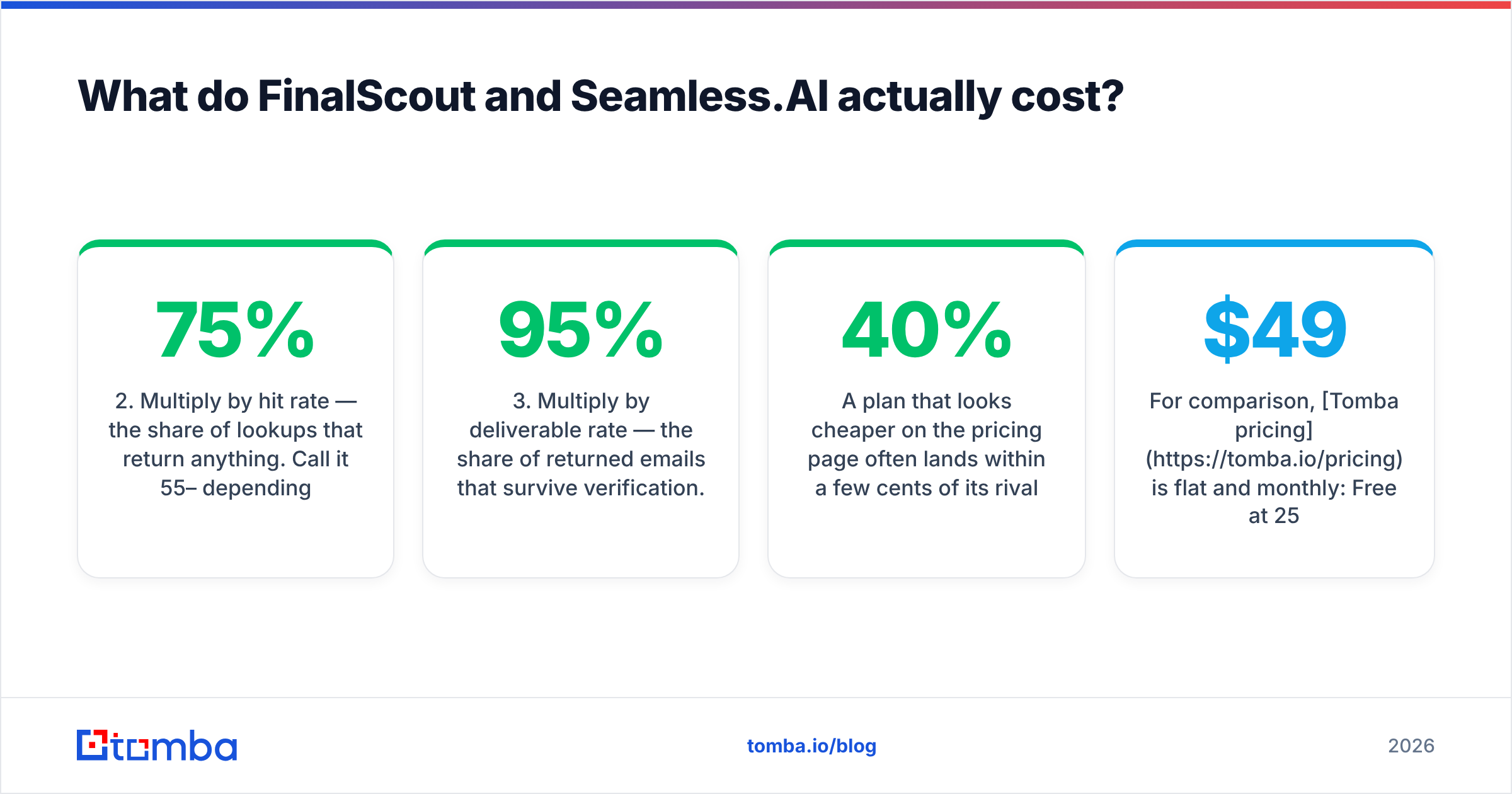
- Multiply by hit rate. That is the share of lookups that return anything. Call it 55–75%, depending on your ICP.
- Multiply by deliverable rate. That is the share of returned emails that survive checks. Use 80–95% for a careful tool, 70–85% for a volume tool.
- Divide the plan price by that final number. That is your true cost per contact you can safely email.
- Add the verifier cost if the tool does not really verify. You will pay for it somewhere.
A plan that looks 40% cheaper often lands within a few cents of its rival once you run those steps. Sometimes it ends up more expensive. Run the math on a 100-contact sample before you sign an annual deal.
Two commercial details catch buyers out:
- Seamless.AI deals are usually annual and per seat. Adding a second SDR is not a small cost. Ask about mid-term downgrades up front.
- FinalScout credits burn on reveal, not on send. Broad LinkedIn sweeps get costly, because you pay for every profile you touch. That includes the ones you would have cut.
For contrast, Tomba pricing is flat and monthly. Free gives 25 searches a month. Starter is $49/mo, Growth is $99/mo, Pro is $249/mo, and Enterprise is custom. Checks and the API are included, not sold as a separate line.
Which should you choose for your workflow?#
The FinalScout vs SeamlessAI call comes down to your motion, not the feature list.
- LinkedIn-only, low volume, one operator. Pick FinalScout. You are already in the browser, and the AI drafts save real minutes. Pair it with an outside verifier before you send.
- Call-first outbound, with email as backup. Pick Seamless.AI. The direct dials justify the price. The emails still need a scrub.
- Email-first outbound at any real volume. Neither, on its own. You want a finder with an API that verifies natively and prices per credit, so volume and cost stay linear. That points to a focused stack: domain search to map a company, bulk email finder for list runs, and checks inline.
Two more cases decide themselves:
- Developer or RevOps workflow. API access settles it. If you enrich records on write in HubSpot or Salesforce, a REST endpoint with steady rate limits beats a Chrome extension.
- Regulated or EU-heavy list. Check the data-sourcing note first. Scraped profile data and consent-based data carry different legal risk. Read each vendor's data sourcing statement and your own legal team's guidance before you import anything.
One more factor: exit cost. FinalScout exports cleanly to CSV. Seamless.AI exports are gated by plan and seat, and users often report friction at renewal time. If you might switch within a year, weigh that now.
Are there better alternatives to both?#
Yes. FinalScout vs SeamlessAI is not the only frame worth a look, and the right answer depends on what you are optimizing for.
If you want breadth of contacts with sequencing built in, Apollo is the obvious comparison. The Apollo alternative market is crowded for a reason: bundled suites tend to be middling at each single job.
If you want a large pre-verified list you can buy outright, BookYourData takes a different route. It sells pay-as-you-go B2B contacts, checked on download, with no subscription. If you need one clean list rather than an ongoing search tool, that model often fits better. It also sidesteps the credit-burn problem.
If your bottleneck is verified work email at a steady cost, a focused finder wins. Tomba's email finder resolves emails by domain, name, or company. The verifier and catch-all check run on the same credits. The Tomba API and CLI make it scriptable, and the Chrome extension covers the manual LinkedIn moments FinalScout is built for. You are not paying for an AI writer or a dialer you will never use.
If you need website visitor identification rather than outbound lists, none of these three fit. Look at visitor identification tooling instead.
For a broader view of how buyers grade vendors here, G2's sales intelligence category and Gartner's Digital Markets research are worth ten minutes before any annual commitment.
What is the verdict on FinalScout vs SeamlessAI?#
Seamless.AI wins on volume and phone numbers. FinalScout wins on price, ease, and LinkedIn-native flow. Neither wins on verified email delivery, which is what decides whether your campaign lands in the inbox or the spam folder.
If you pick FinalScout, budget for the low hit rate. Do not plan to scale past what one LinkedIn account can safely browse. If you pick Seamless.AI, negotiate the contract terms hard. Route every export through an outside verifier before it touches your sending domain.
And if your real job is simple — get accurate, verified work emails into a sequence with no surprise invoice — start with a tool built for that. Tomba's Email Finder gives you 25 free searches a month. Run the same 100 contacts through it, and through whichever tool you are weighing. Then compare bounce rates. That one test will tell you more than any comparison article, this one included.
Related guides#
Ready to find emails that actually work?
Join 150,000+ professionals who stopped guessing and started sending. Free credits on signup — no credit card required.
Get the Tomba newsletter
Practical outbound tactics and product updates — once every two weeks.
About the author