FinalScout vs UpLead (2026): Which Email Tool Actually Wins?
FinalScout scrapes LinkedIn profiles into emails. UpLead sells a verified 160M-contact database. They solve different problems at very different prices — here is the honest breakdown, plus what both cost per usable contact.
TL;DR
- FinalScout is a LinkedIn-first email finder: you browse or search profiles, it returns work emails and drafts AI outreach. Best when your ICP lives on LinkedIn and you prospect person-by-person.
- UpLead is a static B2B contact database (~160M contacts) with filters, intent data, and real-time verification at export. Best when you want to pull a 2,000-row list by firmographics in one sitting.
- Entry pricing is not close: FinalScout's paid tier starts in the ~$44/mo range, UpLead's Essentials plan sits at $99/mo for roughly 170 credits — about $0.58 per contact before any bounce.
- Neither tool is a full replacement for the other. FinalScout struggles with bulk firmographic filtering; UpLead struggles when your target isn't already in its database.
- If the actual job is "find and verify work emails at scale via API, spreadsheet, or bulk upload," a dedicated email finder like Tomba covers both motions at $49/mo — and that's the comparison most buyers skip.
What are FinalScout and UpLead, exactly?#
They get shortlisted together because both end with an email address in your CRM. That's where the similarity stops.
FinalScout (finalscout.com) is a Chrome extension plus web app built on top of LinkedIn. You run a LinkedIn or Sales Navigator search, select profiles, and FinalScout resolves work emails for them. It layers ChatGPT-based email drafting on top, so the pitch is "scrape, enrich, and write in one tab." Its marketed accuracy claim sits around 98% deliverability — a number you should treat as a ceiling, not an average.
UpLead (uplead.com) is a classic B2B contact database. You don't start from a person; you start from filters — industry, headcount, revenue, tech stack, job title, location — and the platform returns matching contacts. Its differentiator is real-time email verification: UpLead checks the address at the moment you spend the credit, and doesn't charge you for a bounce it catches.
Here's the practical distinction, in the order it usually bites:
- Starting point. FinalScout starts from a person or a LinkedIn list. UpLead starts from a filter set. If you don't already have a target list, FinalScout gives you nothing to work with.
- Coverage model. FinalScout finds emails on demand, so coverage tracks whatever LinkedIn shows. UpLead can only sell you what's already in its index — strong on US mid-market, thinner on EMEA SMBs and non-English markets.
- Verification timing. UpLead verifies at export. FinalScout returns a confidence label; you're expected to trust it or run your own email verification pass.
- Credit burn. FinalScout's credits map to email lookups. UpLead's credits map to contact reveals — and mobile numbers or full enrichment can consume more than one.
- Team fit. FinalScout suits a solo founder or a 1–3 person SDR pod living in LinkedIn all day. UpLead suits a marketer or RevOps lead who needs a defensible list handed to a sequencer.
- Exit path. Both export CSV. UpLead's native CRM sync (Salesforce, HubSpot, Pipedrive) is more mature; FinalScout leans on CSV and Zapier.

How do FinalScout and UpLead compare head-to-head?#
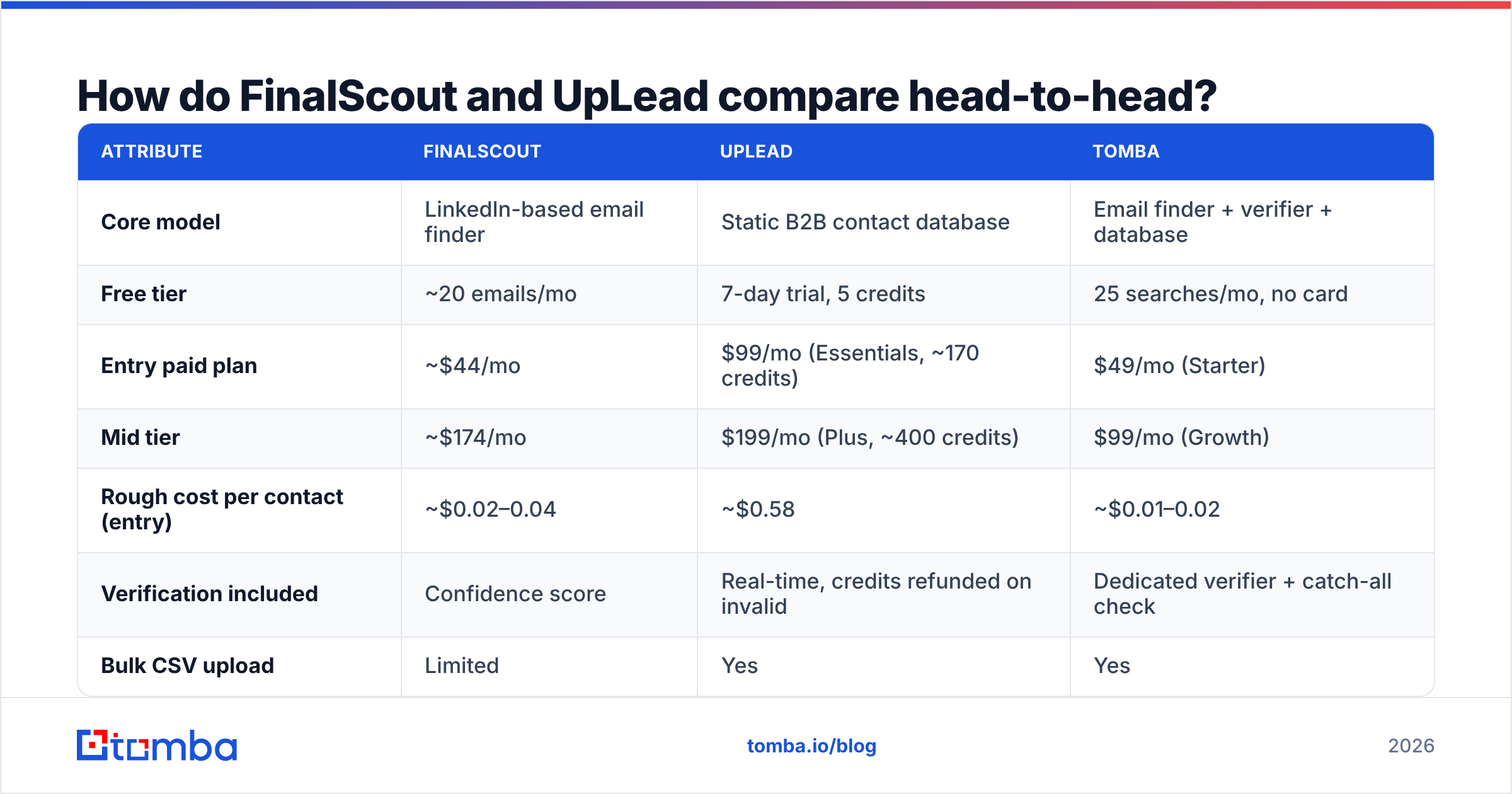
The table below reflects publicly listed plans at the time of writing. Both vendors adjust credits and tiers regularly, so treat the per-contact math as directional and confirm on their pricing pages before you buy.
| Attribute | FinalScout | UpLead | Tomba |
|---|---|---|---|
| Core model | LinkedIn-based email finder | Static B2B contact database | Email finder + verifier + database |
| Free tier | ~20 emails/mo | 7-day trial, 5 credits | 25 searches/mo, no card |
| Entry paid plan | ~$44/mo | $99/mo (Essentials, ~170 credits) | $49/mo (Starter) |
| Mid tier | ~$174/mo | $199/mo (Plus, ~400 credits) | $99/mo (Growth) |
| Rough cost per contact (entry) | ~$0.02–0.04 | ~$0.58 | ~$0.01–0.02 |
| Verification included | Confidence score | Real-time, credits refunded on invalid | Dedicated verifier + catch-all check |
| Bulk CSV upload | Limited | Yes | Yes |
| Public API | No documented public API | Yes | Yes, documented REST API |
| Firmographic filters | Via LinkedIn/Sales Navigator | Native, 50+ filters | Native + domain-based |
| Intent data | No | Yes (add-on) | No |
| Chrome extension | Yes (core UX) | Yes | Yes |
| Best for | LinkedIn-native 1:1 prospecting | Filtered list building | Programmatic + bulk email discovery |

Two things jump out. First, UpLead's credit economics are an order of magnitude more expensive per contact than either finder-style tool — that's the price of a curated database plus intent signals, and for some ABM teams it's worth it. Second, FinalScout's lack of a public API is a hard blocker if you're building any kind of automated enrichment flow. You cannot script it; you drive it by hand.
Which one actually finds more valid emails?#
It depends entirely on who you're chasing, and anyone who gives you a single number is selling something.
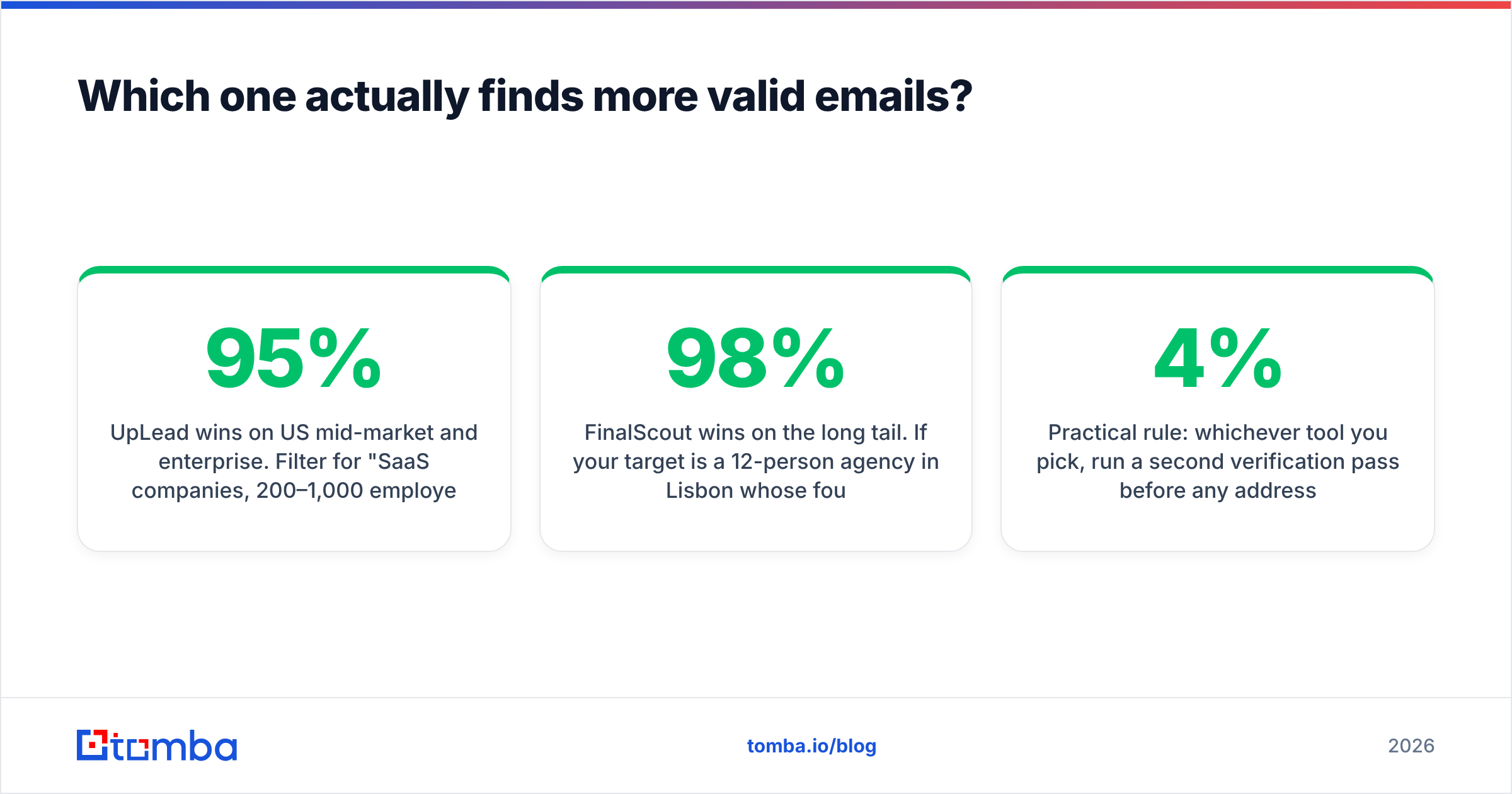
UpLead wins on US mid-market and enterprise. Filter for "SaaS companies, 200–1,000 employees, US, VP Marketing" and you'll get a dense, clean list. Real-time verification means the bounce rate on export is genuinely low — UpLead claims 95%+ and independent G2 reviews broadly support that for its core geography.
FinalScout wins on the long tail. If your target is a 12-person agency in Lisbon whose founder posts on LinkedIn weekly, UpLead likely has no record. FinalScout resolves against the live profile, so coverage follows LinkedIn rather than a refresh cycle. The tradeoff: on-demand resolution means more pattern inference, and pattern inference on catch-all domains is where "98% accurate" quietly becomes "we returned an address."

The variable neither vendor foregrounds is catch-all domains. Roughly one in five B2B domains accepts all mail at the SMTP layer, which means no verifier can prove an address is real by handshake alone. UpLead's real-time check tends to mark these "accept-all" and you eat the risk. FinalScout returns them with a confidence badge. If a meaningful share of your list is catch-all, you want a tool with a dedicated catch-all verifier rather than a badge and a shrug — otherwise your sender reputation absorbs the uncertainty.
Practical rule: whichever tool you pick, run a second verification pass before any address enters a cold sequence. Vendor-side verification is a filter, not a guarantee, and the cost of a 4% bounce rate on a warm domain is far higher than the cost of re-verifying.
How does pricing really compare per verified contact?#
Do the arithmetic on usable contacts, not credits.
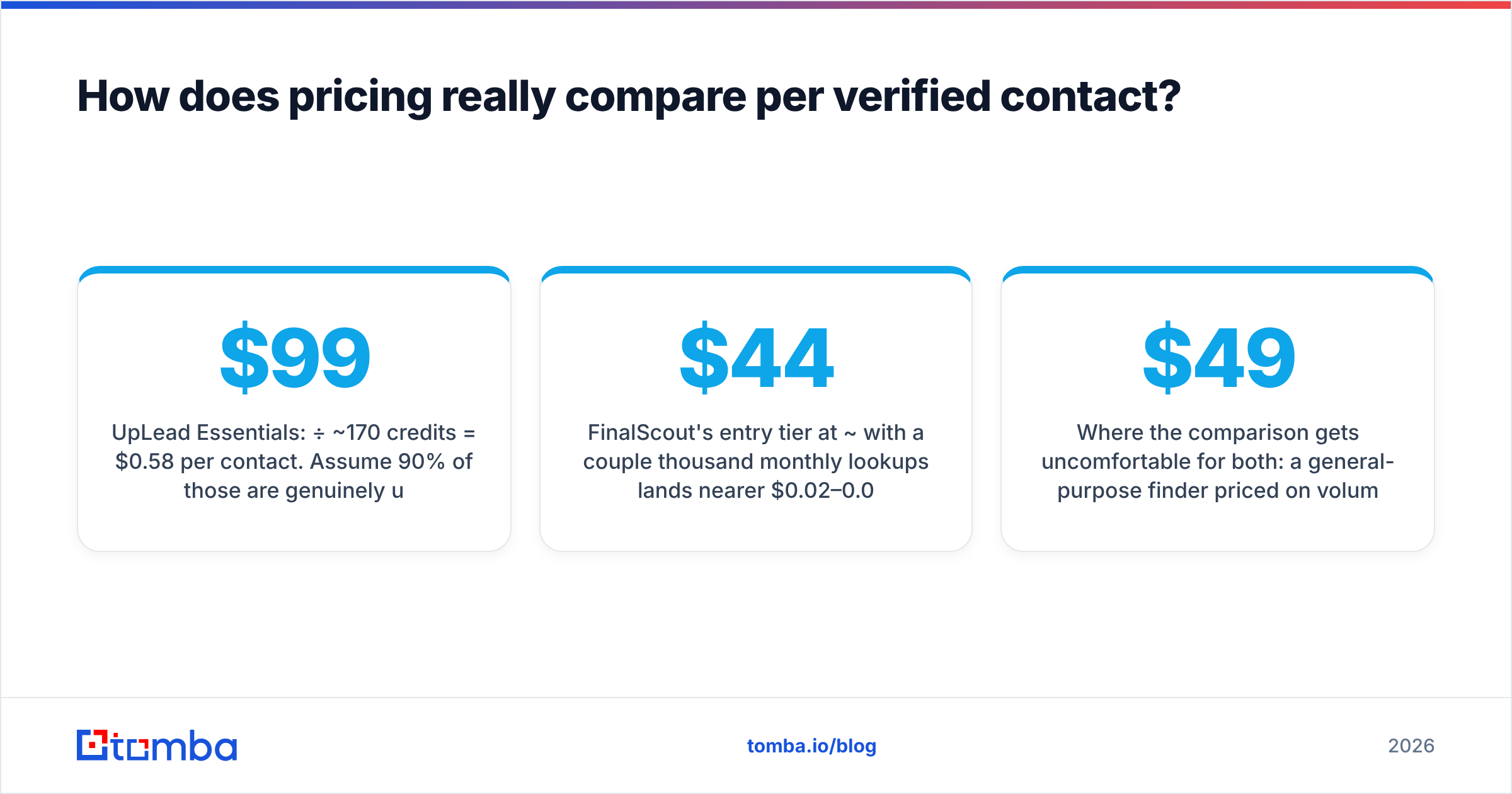
UpLead Essentials: $99/mo ÷ ~170 credits = $0.58 per contact. Assume 90% of those are genuinely usable after you discard role accounts, wrong-title matches, and accept-alls you won't risk — call it $0.65 per contact you'd actually email. For a 2,000-contact quarter, that's roughly $1,300.
FinalScout's entry tier at ~$44/mo with a couple thousand monthly lookups lands nearer $0.02–0.04 per lookup, but the denominator is lookups attempted, not emails found. If your hit rate on a given list is 60%, your real cost per found email is closer to $0.04–0.07 — still dramatically cheaper than UpLead, because you're paying for a resolution service rather than a curated dataset.
Where the comparison gets uncomfortable for both: a general-purpose finder priced on volume. Tomba pricing starts at $49/mo for Starter, $99/mo for Growth, and $249/mo for Pro, with a free tier at 25 searches/mo — and unlike FinalScout you get bulk upload and an API at every paid level, and unlike UpLead you aren't paying database-curation margin on every single row.
If your buying criterion is "cheapest verified contact," none of these three is automatically the answer — it's decided by whether you're resolving a known list (finder economics win) or discovering an unknown one (database economics win). Buyers who need genuinely curated, human-verified lists sometimes land on a provider like BookYourData, which sells pay-as-you-go lists with a bounce guarantee — a legitimately different model worth pricing if you buy in bursts rather than subscribing.
Who should pick FinalScout?#
Choose FinalScout if most of these are true:
- LinkedIn is your prospecting surface. You or your reps already run Sales Navigator searches daily and want emails without leaving the tab.
- Your ICP is long-tail or international. Small agencies, boutique consultancies, non-US SMBs — the segments databases index poorly.
- You prospect in the tens, not thousands. FinalScout's per-profile UX is fast for 30 contacts a day and painful for 3,000.
- Budget is genuinely tight. The free tier plus the entry plan gets a solo founder moving for under $50/mo.
- You want AI drafting bundled. The ChatGPT integration writes a first-pass email from the profile; it won't beat a good human template, but it beats a blank page.
Skip FinalScout if you need an API, need to enrich an existing CSV of 5,000 rows, or need firmographic filters that LinkedIn doesn't expose.
Who should pick UpLead?#
Choose UpLead if:
- You build lists from filters, not names. You know the segment but not the people.
- You need intent data. UpLead's intent add-on flags accounts researching your category — a real advantage for ABM teams that neither FinalScout nor a pure finder offers.
- Your market is US mid-market. That's where coverage density is highest and the price starts to justify itself.
- CRM hygiene matters more than volume. The Salesforce and HubSpot syncs are solid, and credit refunds on invalid emails keep the data clean without manual reconciliation.
- You have a real budget. $99/mo for 170 contacts is a marketing-ops line item, not a founder experiment.
Skip UpLead if your ICP sits outside its coverage, if you need thousands of contacts monthly, or if per-contact cost is the deciding metric.

What limits do neither vendor advertise?#
Four things that show up in month two, not month one.
Credit expiry. Most credit-based plans do not roll over unused credits indefinitely. If your prospecting is seasonal, you're paying for months you don't use. Check the rollover terms before committing to annual.
Coverage decay. Database records go stale at roughly 25–30% per year as people change jobs — a figure HubSpot and most data vendors both cite. A record UpLead sold you in January may be wrong by October. Re-verification isn't optional; it's a recurring cost neither pricing page includes.
LinkedIn dependency risk. Any tool whose core UX is a LinkedIn extension carries platform risk. LinkedIn actively rate-limits and restricts scraping behavior, and account restrictions do happen. That's a structural risk for FinalScout-style tools that a server-side finder or database doesn't carry.
Deliverability is still yours. Neither tool warms your domain, sets your SPF, or fixes your copy. A clean list into a cold domain still lands in spam. Run an SPF checker and a warmup schedule before you send, or the accuracy debate is academic.
Is there a better-value alternative to both?#
For most teams whose actual job is "get verified work emails into a sequencer," a dedicated finder wins on economics and flexibility.
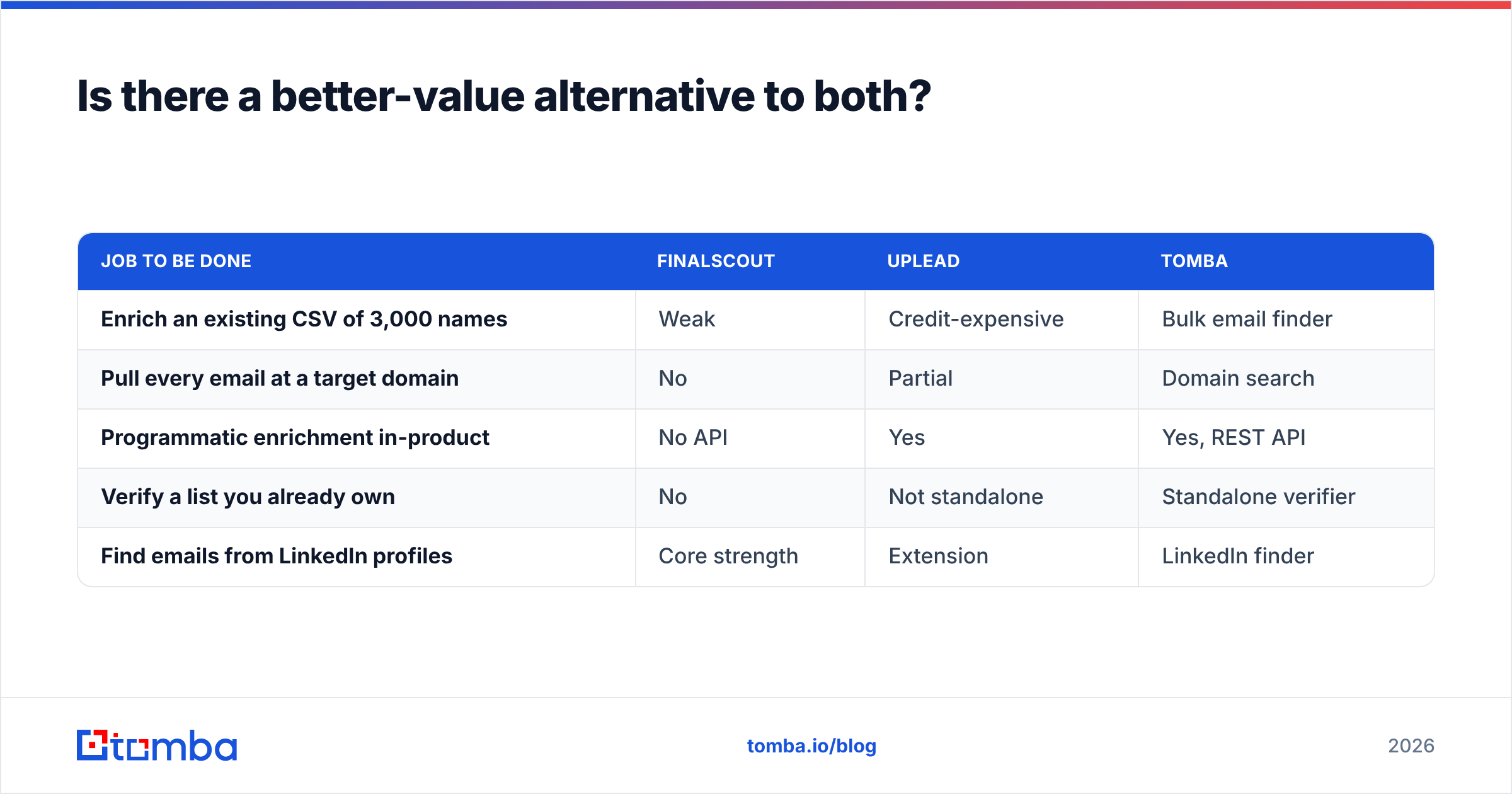
Tomba covers three motions that FinalScout and UpLead each only half-serve:
| Job to be done | FinalScout | UpLead | Tomba |
|---|---|---|---|
| Enrich an existing CSV of 3,000 names | Weak | Credit-expensive | Bulk email finder |
| Pull every email at a target domain | No | Partial | Domain search |
| Programmatic enrichment in-product | No API | Yes | Yes, REST API |
| Verify a list you already own | No | Not standalone | Standalone verifier |
| Find emails from LinkedIn profiles | Core strength | Extension | LinkedIn finder |
The honest framing: if you need intent data and curated firmographic filtering, UpLead does something Tomba does not, and $99/mo may be correct for you. If you live inside LinkedIn and prospect one profile at a time, FinalScout's UX is genuinely faster. But if you're comparing them because you want verified emails at a defensible cost per contact, the finder category is where that comparison actually resolves.
Frequently asked questions#
Is FinalScout accurate enough for cold email? For LinkedIn-sourced contacts at low volume, generally yes — but re-verify before sending. Vendor confidence scores are not the same as an SMTP-level check, and catch-all domains defeat both.
Does UpLead refund bad emails? UpLead verifies at export and doesn't charge credits for addresses it identifies as invalid. Accept-all domains are a gray zone — you'll be charged, and the risk is yours.
Can I use both? Yes, and some teams do: UpLead to define the account list, a finder to resolve contacts UpLead lacks. It's two subscriptions, so run the math on whether one tool at higher volume beats two at low volume.
Which is cheaper? FinalScout, clearly, on a per-lookup basis. UpLead is selling curated data plus intent, not lookups, and prices accordingly.
Where to go from here#
Pick by motion, not by feature list. Filter-first list building with intent signals? Trial UpLead. LinkedIn-native, one-profile-at-a-time prospecting on a founder budget? Trial FinalScout. Enriching lists, hitting an API, or verifying at volume? That's the finder category — start with the Tomba Email Finder free tier at 25 searches/mo, run 25 of your hardest contacts through it alongside whichever vendor you're evaluating, and compare hit rate on your own data rather than anyone's marketing page. That single test settles the FinalScout vs UpLead question faster than another week of reading comparison posts.
Related guides#
Ready to find emails that actually work?
Join 150,000+ professionals who stopped guessing and started sending. Free credits on signup — no credit card required.
Get the Tomba newsletter
Practical outbound tactics and product updates — once every two weeks.
About the author