How to Find Similar Companies: The 2026 Lookalike Guide
Industry codes were never built for prospecting. Here's how lookalike company search actually works in 2026 — six methods compared on accuracy, cost, and speed, plus how to turn a list into contactable pipeline.
TL;DR
- "Find similar companies" means building a lookalike list from a seed account — not pulling everyone who shares an industry code. Those are different problems with different accuracy ceilings.
- SIC and NAICS codes are self-reported, decades old in structure, and wrong often enough that a code-based list typically needs 40-60% manual pruning before an SDR can touch it.
- The six practical methods — directory browse, tech-stack matching, embedding/AI similarity, job-post signals, customer-logo mining, and manual analyst research — each win on a different axis. Most teams should combine two.
- A lookalike list is worthless until it's contactable. Budget as much effort for domain-to-contact enrichment as you spent on finding the domains.
- Start with 20 seed accounts you actually closed, not 200 you wish you had. Signal quality collapses when the seed set is aspirational.
What does "find similar companies" actually mean?#
There are three questions hiding under one phrase, and conflating them is why most lookalike projects disappoint.
Question one: who competes with this company? You give it stripe.com and want Adyen, Checkout.com, Braintree. This is competitor discovery. It's the easiest of the three because competitors describe themselves using near-identical language and get compared against each other constantly in public content.
Question two: who looks like my best customer? You give it your ten highest-LTV accounts and want 400 more that share the traits that made those deals close. This is ICP expansion, and it's the one that actually drives revenue. It's harder because "similar" here means similar on your success axis — team shape, buying trigger, tech maturity — not similar on a public-facing description.
Question three: who else is in this category? You want a market map — every vendor in observability, every mid-market freight broker in Texas. This is market landscaping, and it rewards recall over precision. Missing a company is worse than including a marginal one.
Tools rarely say which of the three they solve. A tool tuned for competitor discovery will hand back your seed company's direct rivals when what you wanted was adjacent buyers who'd never compete with each other. Decide the question first.
Why do SIC and NAICS codes fail at lookalike search?#
They fail because they were designed for government statistics, not go-to-market. NAICS exists to let statistical agencies count economic output consistently across North America. That is a genuinely useful thing. It is not a targeting taxonomy.
Concretely, here's where code-based filtering breaks:
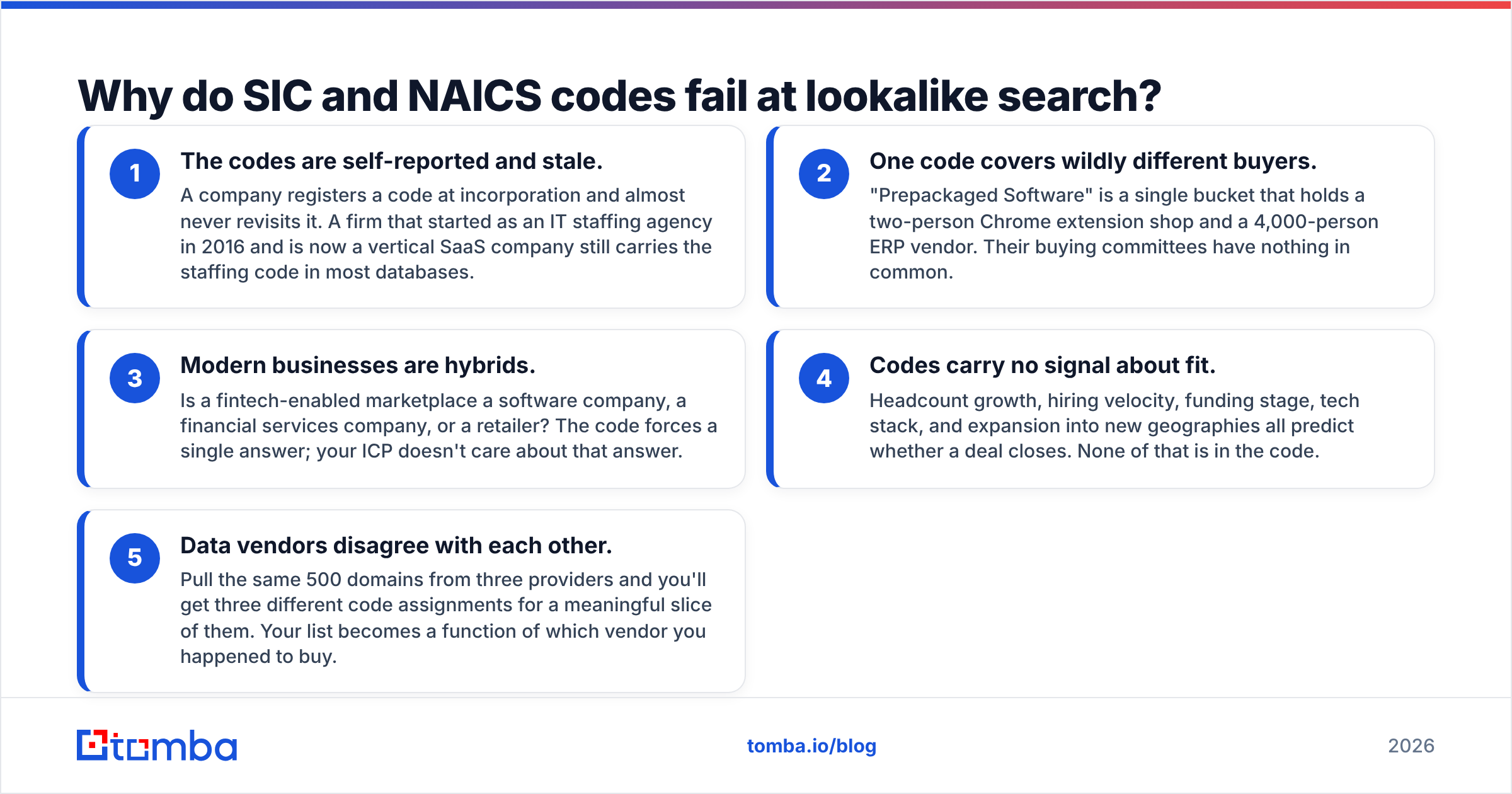
- The codes are self-reported and stale. A company registers a code at incorporation and almost never revisits it. A firm that started as an IT staffing agency in 2016 and is now a vertical SaaS company still carries the staffing code in most databases.
- One code covers wildly different buyers. "Prepackaged Software" is a single bucket that holds a two-person Chrome extension shop and a 4,000-person ERP vendor. Their buying committees have nothing in common.
- Modern businesses are hybrids. Is a fintech-enabled marketplace a software company, a financial services company, or a retailer? The code forces a single answer; your ICP doesn't care about that answer.
- Codes carry no signal about fit. Headcount growth, hiring velocity, funding stage, tech stack, and expansion into new geographies all predict whether a deal closes. None of that is in the code.
- Data vendors disagree with each other. Pull the same 500 domains from three providers and you'll get three different code assignments for a meaningful slice of them. Your list becomes a function of which vendor you happened to buy.
None of this means you should discard codes. Use them as a coarse pre-filter to cut a 200,000-company universe down to 20,000 — then apply real signals. Treating a code as the definition of similarity is the mistake.

What are the six ways to find similar companies?#
Each method has a distinct accuracy/cost/scale profile. Pick by what you're optimizing for.
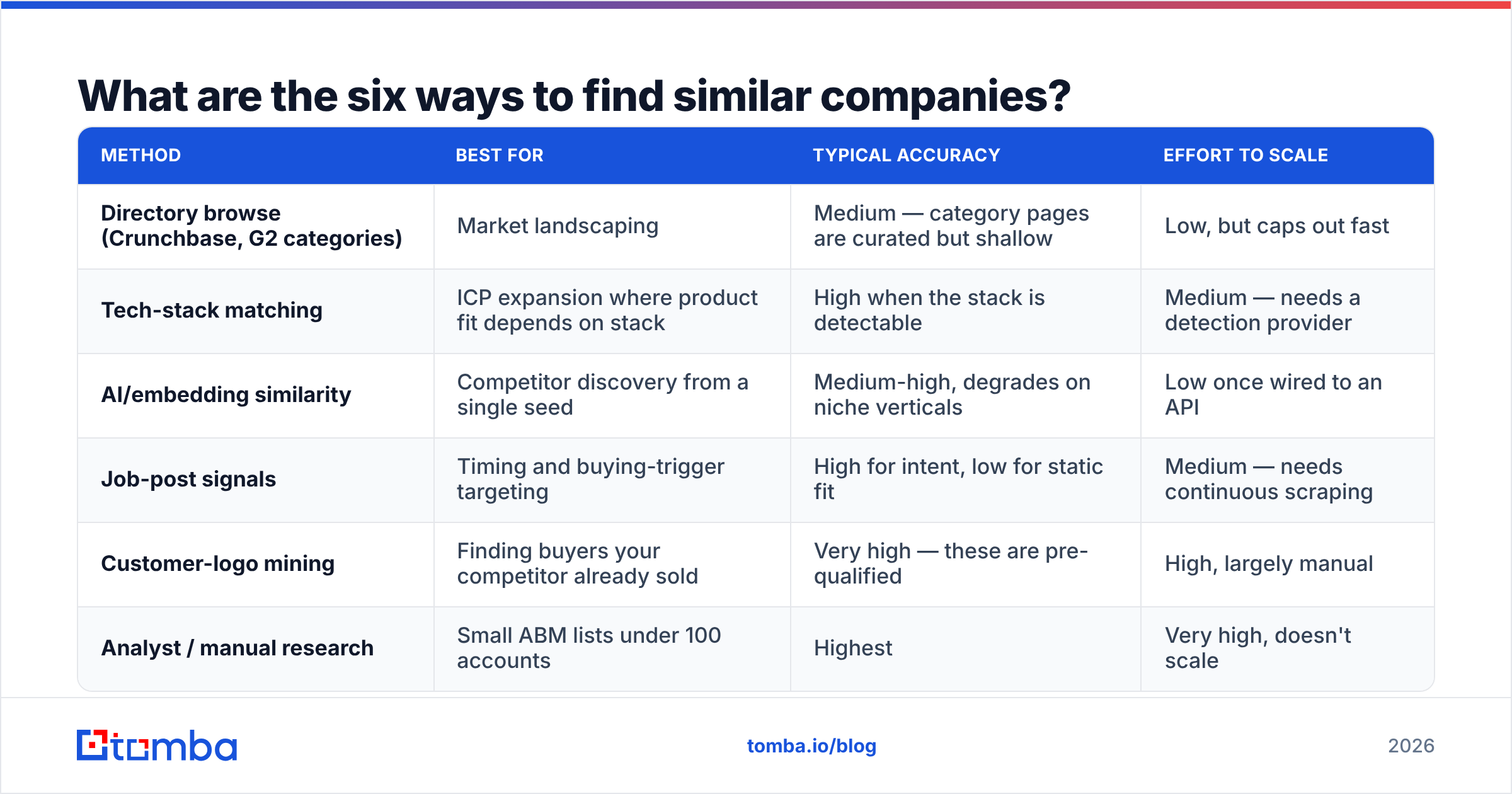
| Method | Best for | Typical accuracy | Effort to scale |
|---|---|---|---|
| Directory browse (Crunchbase, G2 categories) | Market landscaping | Medium — category pages are curated but shallow | Low, but caps out fast |
| Tech-stack matching | ICP expansion where product fit depends on stack | High when the stack is detectable | Medium — needs a detection provider |
| AI/embedding similarity | Competitor discovery from a single seed | Medium-high, degrades on niche verticals | Low once wired to an API |
| Job-post signals | Timing and buying-trigger targeting | High for intent, low for static fit | Medium — needs continuous scraping |
| Customer-logo mining | Finding buyers your competitor already sold | Very high — these are pre-qualified | High, largely manual |
| Analyst / manual research | Small ABM lists under 100 accounts | Highest | Very high, doesn't scale |
A quick read of that table: AI similarity and directory browse are cheap and fast but generic. Logo mining and analyst research are expensive and precise. If you're building a 2,000-account outbound list, run AI similarity for recall, then filter with tech-stack or job-post signals for precision. If you're building a 40-account ABM tier, skip the automation entirely and have a human do it.
How does AI similarity actually work under the hood?#
Most "find similar companies" features now run on text embeddings. The provider takes each company's homepage copy, meta description, product pages, and sometimes G2 or review text, converts that into a high-dimensional vector, and returns the nearest neighbours to your seed vector.
That approach has two predictable failure modes worth knowing before you trust the output:
- Marketing-copy convergence. Every B2B site in 2026 says "AI-powered platform for modern teams." Companies that describe themselves identically get scored as similar even when they sell to completely different buyers. Vertical SaaS is especially prone to this.
- Thin-site penalty. A profitable 60-person distributor with a five-page brochure site produces a weak vector. It will be under-retrieved no matter how good a fit it is. Embedding similarity systematically favours companies with heavy content marketing — which correlates with, but is not the same as, being a good prospect.
The fix is to treat similarity scores as a ranking input, not a filter. Pull 3x more candidates than you need, then rank on hard attributes: headcount band, funding date, hiring signals, detected stack.
Which tools find similar companies best in 2026?#
Prices below reflect publicly listed entry tiers and shift regularly — verify before you commit budget.
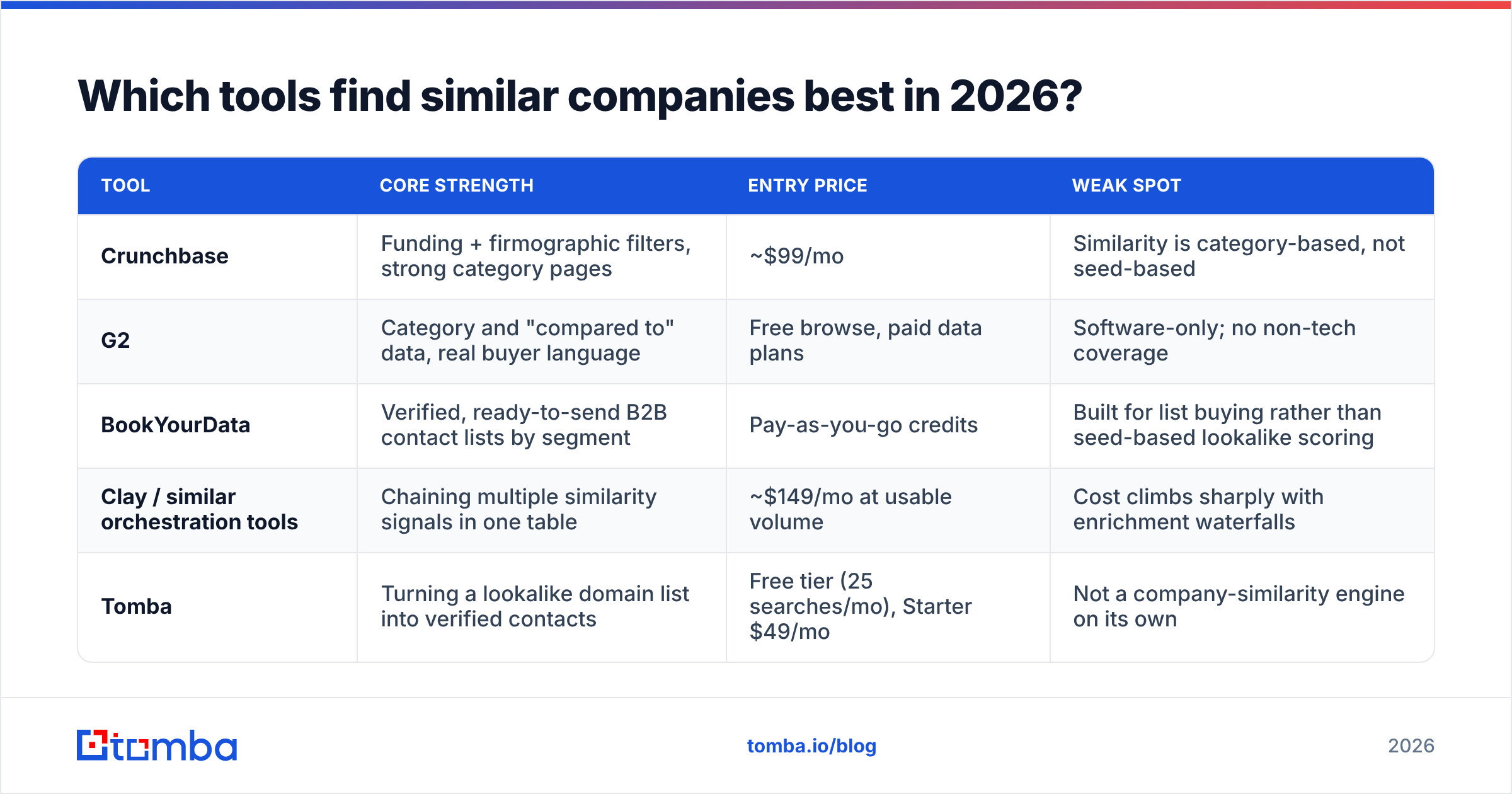
| Tool | Core strength | Entry price | Weak spot |
|---|---|---|---|
| Crunchbase | Funding + firmographic filters, strong category pages | ~$99/mo | Similarity is category-based, not seed-based |
| G2 | Category and "compared to" data, real buyer language | Free browse, paid data plans | Software-only; no non-tech coverage |
| BookYourData | Verified, ready-to-send B2B contact lists by segment | Pay-as-you-go credits | Built for list buying rather than seed-based lookalike scoring |
| Clay / similar orchestration tools | Chaining multiple similarity signals in one table | ~$149/mo at usable volume | Cost climbs sharply with enrichment waterfalls |
| Tomba | Turning a lookalike domain list into verified contacts | Free tier (25 searches/mo), Starter $49/mo | Not a company-similarity engine on its own |
The honest read: no single tool does the whole job. Discovery tools like Crunchbase and G2 are strong at surfacing domains and weak at giving you a person to email. Contact-data tools are the reverse. BookYourData sits usefully in the middle for teams that would rather buy a clean, segment-matched list than assemble one — a reasonable trade when your segment is well-defined and you don't need seed-based scoring.
Tomba's role here is deliberately narrow and worth being clear about: it does not rank company similarity. What it does is take the domain list your discovery method produced and convert it into verified, role-matched contacts at scale via domain search and bulk lead generation. If you're comparing Tomba against Crunchbase for lookalike discovery, you're comparing the wrong two things.
How do you build a lookalike list from scratch?#
Here's a workflow that survives contact with a real quarter.
1. Pick 15-25 seed accounts you actually closed and retained. Not logos you want. Not your biggest deal that churned in month nine. Closed, retained, expanded. Fewer, better seeds beat a long aspirational list every time — a single bad seed drags the whole vector cluster toward the wrong market.
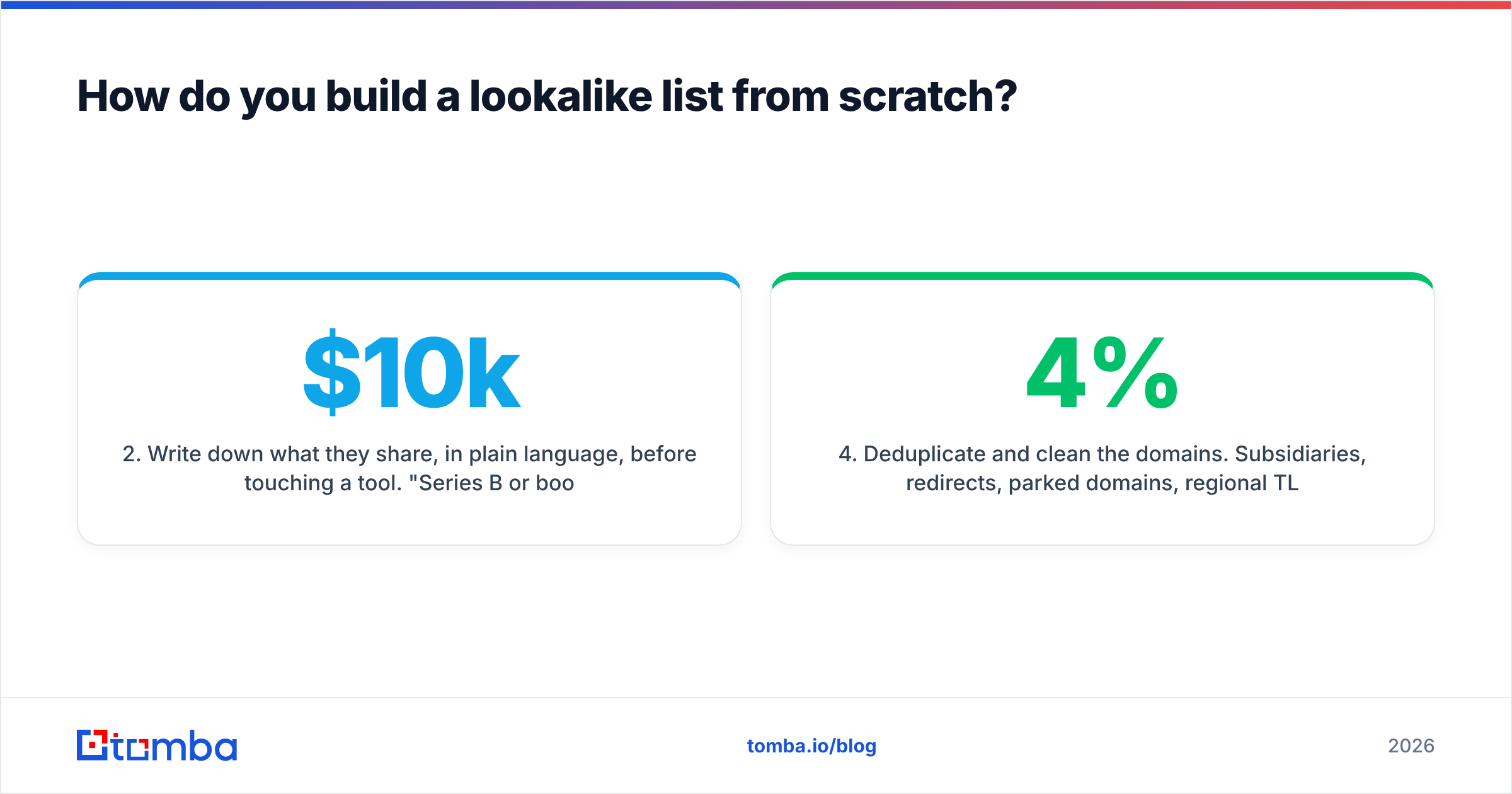
2. Write down what they share, in plain language, before touching a tool. "Series B or bootstrapped, 80-400 employees, runs its own outbound team, sells a considered purchase above $10k ACV, has a RevOps hire." That sentence is your ground truth. Every automated result gets checked against it.
3. Run two independent discovery passes. One embedding/AI similarity pass for recall, one hard-attribute pass (headcount + funding + geography + stack) for precision. Intersecting them is where the quality lives. Companies surfaced by both methods should go straight to tier one.
4. Deduplicate and clean the domains. Subsidiaries, redirects, parked domains, regional TLD variants of the same parent, and dead companies all show up. This step is boring and it's the difference between a 4% bounce rate and a 19% one. A remove duplicates pass takes minutes.
5. Score, don't just filter. Assign points for each matched attribute rather than hard-cutting. Hard filters throw away the near-miss accounts that often convert best because nobody else is targeting them.
6. Enrich to contacts, then verify. Domains aren't pipeline. Map each account to two or three roles, resolve emails, and verify before sending. Skipping verification on a lookalike list is especially risky since these are cold, unvalidated domains with a higher share of defunct companies than your existing CRM.
How do you turn a lookalike list into contactable pipeline?#
This is where most lookalike projects quietly die. You have 1,400 promising domains in a spreadsheet and no way to reach anyone at them.
The mechanical path: for each domain, pull the company's email pattern and known contacts, filter to the roles in your buying committee, then verify deliverability before the list touches a sending tool. At 1,400 domains this is an API job, not a UI job — a domain search call per domain, filtered by department, piped into a bulk verify step.
Two details that matter more than people expect:
- Match role, not title. Titles are chaos across company sizes. "Head of Growth" at a 40-person company does the job "VP Demand Gen" does at 400. Filter by department and seniority band, then read the titles.
- Verify before send, always. Lookalike lists skew toward companies you've never contacted, which means a higher rate of stale and role-based addresses. An email verifier pass protects the sending domain you spent months warming.
What signals make a company genuinely "similar"?#
Ranked roughly by how well they predict a closed deal, based on what consistently shows up in win/loss analysis:
- Buying trigger present — recent funding, new exec in the relevant function, a public initiative your product serves. Timing beats fit more often than anyone likes to admit.
- Detected tech stack — if your product plugs into or replaces something, its presence is close to a binary qualifier.
- Team shape — does a role exist that owns the problem you solve? A company with no RevOps hire won't buy a RevOps tool, regardless of size.
- Hiring velocity in the relevant department — three open SDR roles says more about outbound budget than headcount ever will.
- Business model — self-serve versus enterprise sales, transactional versus subscription. This shapes the buying process more than industry does.
- Headcount and revenue band — useful, but far weaker alone than most targeting assumes. Use it to exclude extremes, not to define the middle.
Notice what's missing: industry classification. It belongs somewhere around position seven, as a sanity check on a list you built with the signals above.
What are the most common lookalike-search mistakes?#
Seeding with aspirational logos. If you seed on enterprise accounts you've never sold, you get a list of enterprises you'll never sell. Seed on reality.
Trusting one similarity score. Any single provider's notion of similar is an artifact of its training data and text sources. Two independent methods agreeing is signal; one method's confident answer is a guess.
Ignoring the negative set. Feed in the accounts that churned or never closed. Companies scoring similar to those should be down-ranked. Most teams only model the positive class and wonder why the list feels off.
Building the list once. Company attributes decay fast — funding, headcount, stack, and personnel all move quarterly. A lookalike list built in January is materially wrong by June. Rebuild on a schedule, or wire discovery and contact enrichment into a job that refreshes automatically through the Tomba API.
Optimizing recall when you needed precision. A 6,000-account list that nobody works is worth less than 300 accounts an SDR actually researches. Size the list to the capacity you have.
How much should this cost?#
For a 2,000-account lookalike build: expect roughly $100-300/mo on a discovery source, $50-150/mo on contact resolution and verification, and 8-15 hours of analyst time on seed selection, cleaning, and scoring. The analyst time is the biggest line item and the one people forget to budget.
If the numbers come in dramatically below that, you're probably skipping verification or cleaning — costs that reappear later as bounce rates, blocked domains, and reps working dead accounts.
Where should you start?#
Start with the seed set. Pull your last 20 closed-won accounts, write the one-sentence pattern that connects them, and run a single similarity pass against it. If the output doesn't obviously match your sentence, the problem is the seeds, not the tool. Fix that before scaling anything.
Once you have domains you believe in, the bottleneck moves to contactability — and that's a solved problem. Run your list through Tomba's Email Finder to resolve verified, role-matched contacts at each domain, with catch-all handling and verification built into the same pass. The free tier covers 25 searches a month if you want to test the accuracy on a sample before committing; the Starter plan runs $49/mo and Growth $99/mo when you're ready to run the full list. Full Tomba pricing is public, and everything available in the dashboard is also available through the API for teams that want the whole lookalike-to-outreach chain running on a schedule.
Related guides#
Ready to find emails that actually work?
Join 150,000+ professionals who stopped guessing and started sending. Free credits on signup — no credit card required.
Get the Tomba newsletter
Practical outbound tactics and product updates — once every two weeks.
About the author