Finderio Pros and Cons: An Honest 2026 Review of the Tool
Finderio bundles an email finder and verifier into a low-cost suite, but the credit model and coverage gaps catch teams off guard. Here is a neutral breakdown of where it wins and where it costs you deals.
TL;DR
- The Finderio pros and cons come down to one trade-off: it is a bundled email finder and verifier in a cheap app suite. You buy price per seat, not data depth.
- The biggest pros: cheap entry point, a bulk uploader, a Chrome extension, and a single login that covers CRM, forms, and other suite apps.
- The biggest cons: thin coverage outside well-indexed US/EU tech companies, a credit model that burns balance on failed lookups, patchy catch-all handling, and support that reflects a wide-but-shallow product portfolio.
- Sending more than a few hundred cold emails a month? Test hit rate and bounce rate on your own list first. Vendor accuracy claims rarely survive a real ICP.
- If email discovery is the core of your pipeline rather than a side feature, a dedicated finder with a documented API and catch-all verification will pay for itself faster.
What is Finderio?#
Finderio, usually written as finder.io, is an email-finding and email-verification tool sold inside a broader business-app bundle. You give it a name plus a company domain, or just a domain, and it returns the professional email addresses it can find or infer, along with a confidence signal. It also verifies lists you upload, and it ships a browser extension so you can pull contacts while you browse company sites and social profiles.
The framing matters more than the feature list. Finderio is not a standalone data company that lives or dies on email accuracy. It is one app among many in a suite, priced so the whole bundle looks cheap. That one fact explains most of the Finderio pros and cons below. You get breadth for very little money, and you pay for it in depth.
Here is how the product actually breaks down when you strip away the marketing:
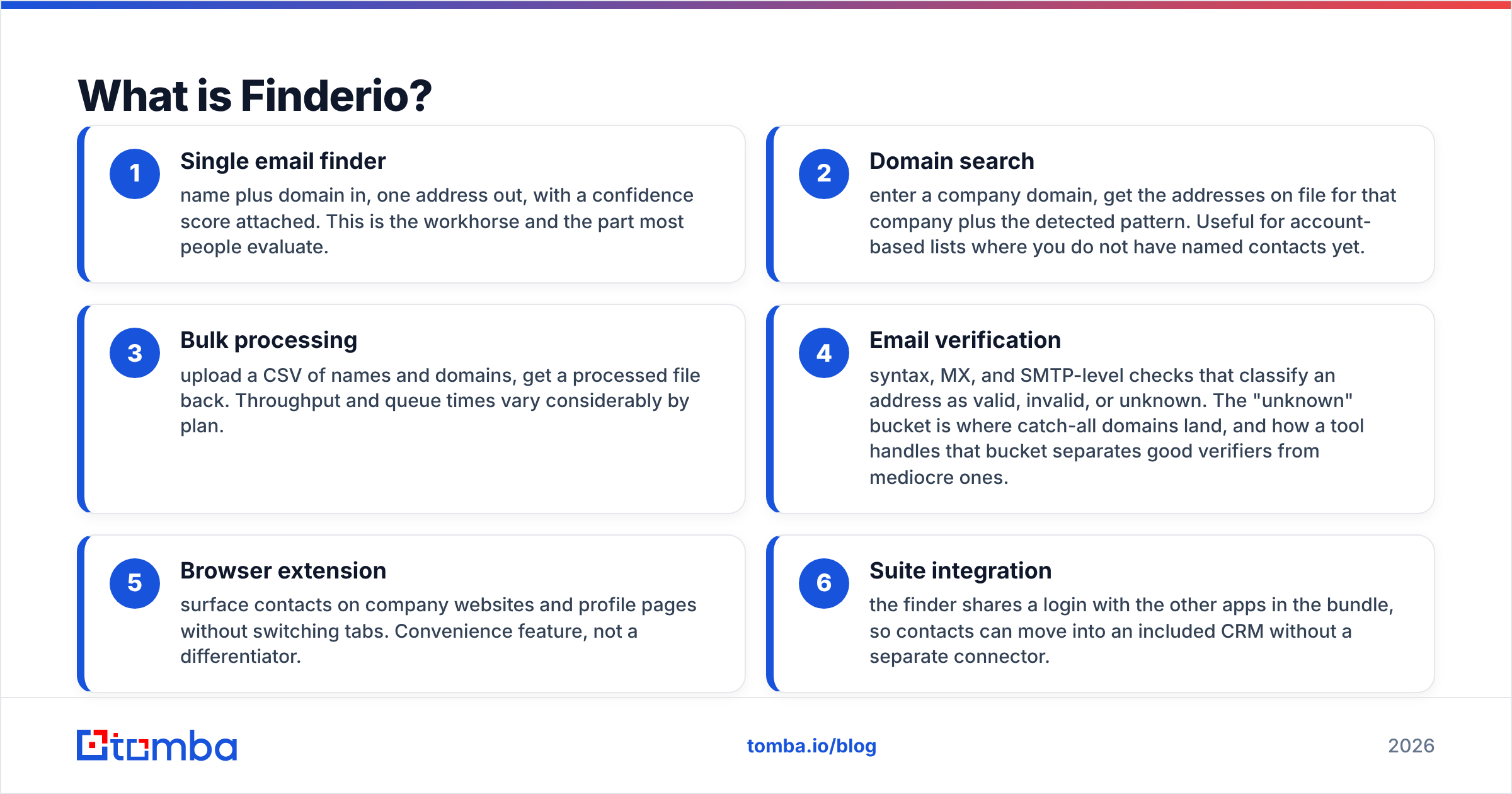
- Single email finder — name plus domain in, one address out, with a confidence score attached. This is the workhorse and the part most people evaluate.
- Domain search — enter a company domain, get the addresses on file for that company plus the detected pattern. Useful for account-based lists where you do not have named contacts yet.
- Bulk processing — upload a CSV of names and domains, get a processed file back. Throughput and queue times vary considerably by plan.
Those three cover discovery. The rest of the suite adds checks and convenience.
- Email verification — syntax, MX, and SMTP-level checks that classify an address as valid, invalid, or unknown. The "unknown" bucket is where catch-all domains land, and how a tool handles that bucket separates good verifiers from mediocre ones.
- Browser extension — surface contacts on company websites and profile pages without switching tabs. Convenience feature, not a differentiator.
- Suite integration — the finder shares a login with the other apps in the bundle, so contacts can move into an included CRM without a separate connector.
What are Finderio's biggest pros?#
Price per seat is genuinely low. When a finder is bundled with dozens of other apps under one subscription, the marginal cost of the email tool looks close to zero. Picture a two-person team that sends 200 emails a month and also needs a light CRM, a form builder, and a help desk. That math is hard to argue with. Nobody buys a suite because the email finder is best in class. They buy it because one invoice replaces five.
The interface does not require training. Finderio's finder and verifier screens are plain. Paste, search, export. There is no scoring model to configure, no filter tree to learn, no onboarding call required. Junior SDRs get productive in an afternoon. That is a real advantage over enterprise data platforms where the first month is spent learning the query builder.
Bulk upload exists and works. Not every budget tool ships bulk processing. Being able to hand it a 5,000-row CSV and walk away is table stakes for outbound, and Finderio covers it. Expect variable queue times, but the capability is there.
One vendor, one contract. For small teams with no procurement patience, consolidating tools has non-obvious value. Fewer logins, fewer renewal dates, fewer SaaS line items to defend at the end of the quarter.
The extension reduces context switching. Prospecting inside a browser tab and pulling an address inline beats copying names into a separate app. It is a small win repeated hundreds of times a week.
Where does Finderio fall short?#
Coverage narrows fast outside the obvious accounts. Every email finder does well on companies with large web footprints, active press coverage, and public team pages. The differences show up on the long tail: 40-person manufacturers, regional agencies, non-English-speaking markets, and companies that keep staff off public pages. This is where suite-bundled tools tend to return "not found" while dedicated providers still produce a verified address. If your ICP is mid-market SaaS in North America, you may never notice. If it is European industrials or APAC logistics, you will notice in week one.
The credit model punishes misses. Read the fine print on how credits are consumed. Some tools charge only for a found-and-verified result. Others deduct on every attempted lookup, including failures and unknowns. When a tool bills for attempts, a 55% hit rate quietly doubles your real cost per usable contact. Run 500 lookups, get 275 addresses, and you have paid full price for 225 blanks. Always compute cost per verified email, not cost per credit.
Catch-all domains get vague answers. A large share of B2B domains accept mail to any address, which means a standard SMTP check cannot tell you whether a mailbox exists. Tools that dump these into "unknown" and hand the risk back to you are effectively saying "good luck." That is exactly the segment where you need a dedicated catch-all verifier that applies additional signals rather than shrugging.
Support depth follows product breadth. A vendor maintaining a very large app portfolio spreads its engineering and support attention thin. Reported response times and the depth of technical answers vary. If you plan to build on the API, evaluate the documentation and support responsiveness before you write a line of code — not after.
API and developer ergonomics are secondary. Suite products optimize for the dashboard user. If your workflow is script-driven enrichment, webhook-triggered lookups, or a nightly job that refreshes a warehouse table, you want a provider whose email finder API is a first-class product with SDKs, rate-limit documentation, and predictable response schemas.

How accurate is Finderio compared with other email finders?#
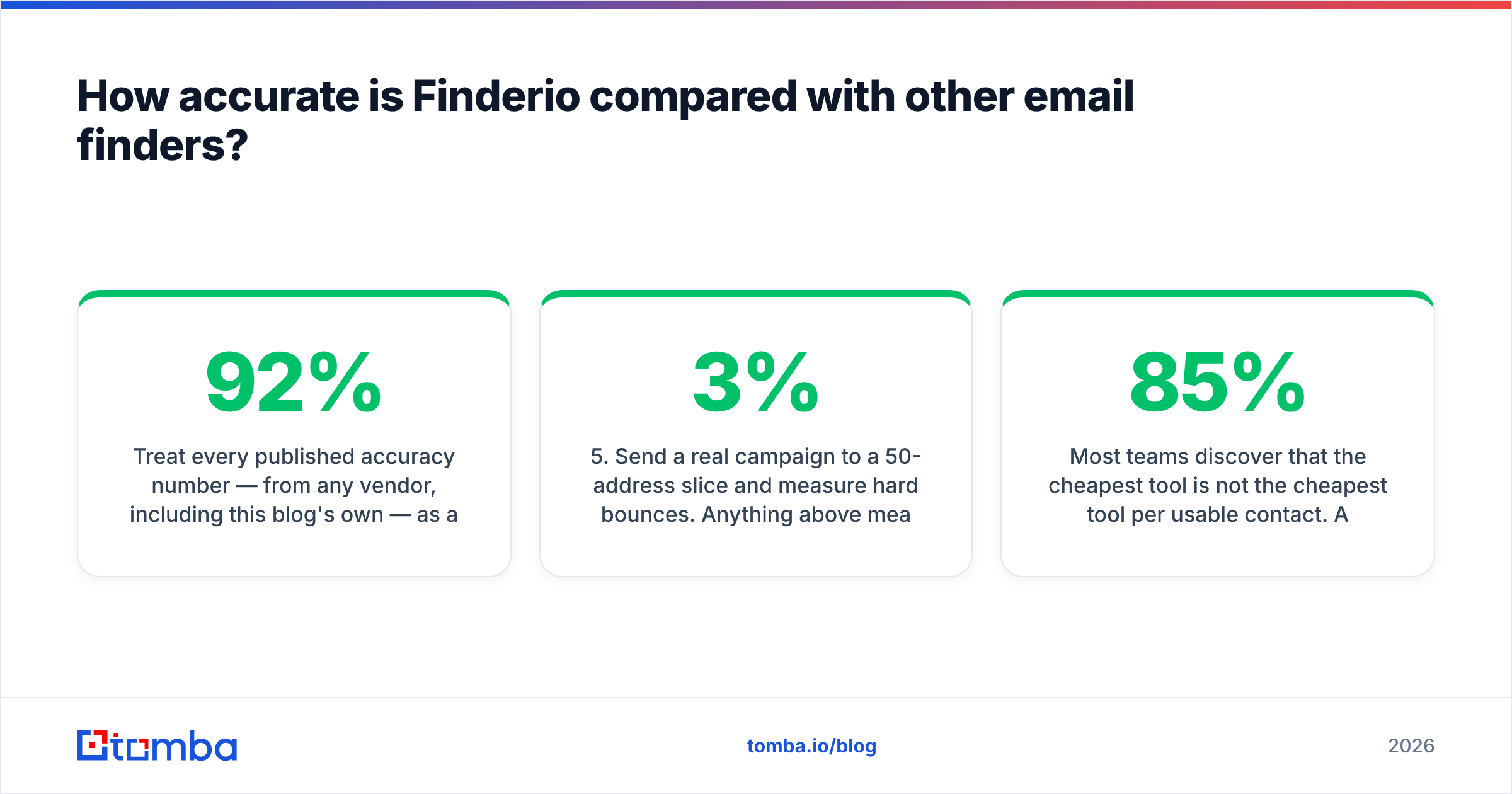
Treat every published accuracy number — from any vendor, including this blog's own — as a marketing claim until you test it. Accuracy is not a single number. It is a function of your list. A tool that hits 92% on Fortune 5000 tech companies can drop to 45% on 30-person Spanish distributors.
Run this test before you buy anything:
- Sample 100 real prospects from your actual ICP. Not a demo list, not a famous-company list. Your list.
- Run the same 100 rows through two or three tools on free or trial credits. Same input columns, same day.
- Measure hit rate — how many rows returned an address at all.
- Measure verified rate — how many of those came back as deliverable under an independent email verifier, not the finder's own self-grading.
- Send a real campaign to a 50-address slice and measure hard bounces. Anything above 3% means the data is not campaign-safe.
- Divide total spend by verified, non-bouncing addresses. That number is the only price that matters.
Most teams discover that the cheapest tool per credit is not the cheapest tool per usable contact. A finder that costs twice as much but returns 85% verified addresses beats a bargain tool at 50% every time, and it does not torch your sender reputation in the process.
One more accuracy note specific to Finderio-class tools: pattern inference is not the same as verification. Guessing first.last@domain.com because two other employees use that format is a hypothesis, not a fact. Ask what percentage of returned addresses were SMTP-confirmed versus pattern-inferred. The gap between those two numbers is your bounce risk.
How does Finderio compare with dedicated email finders in 2026?#
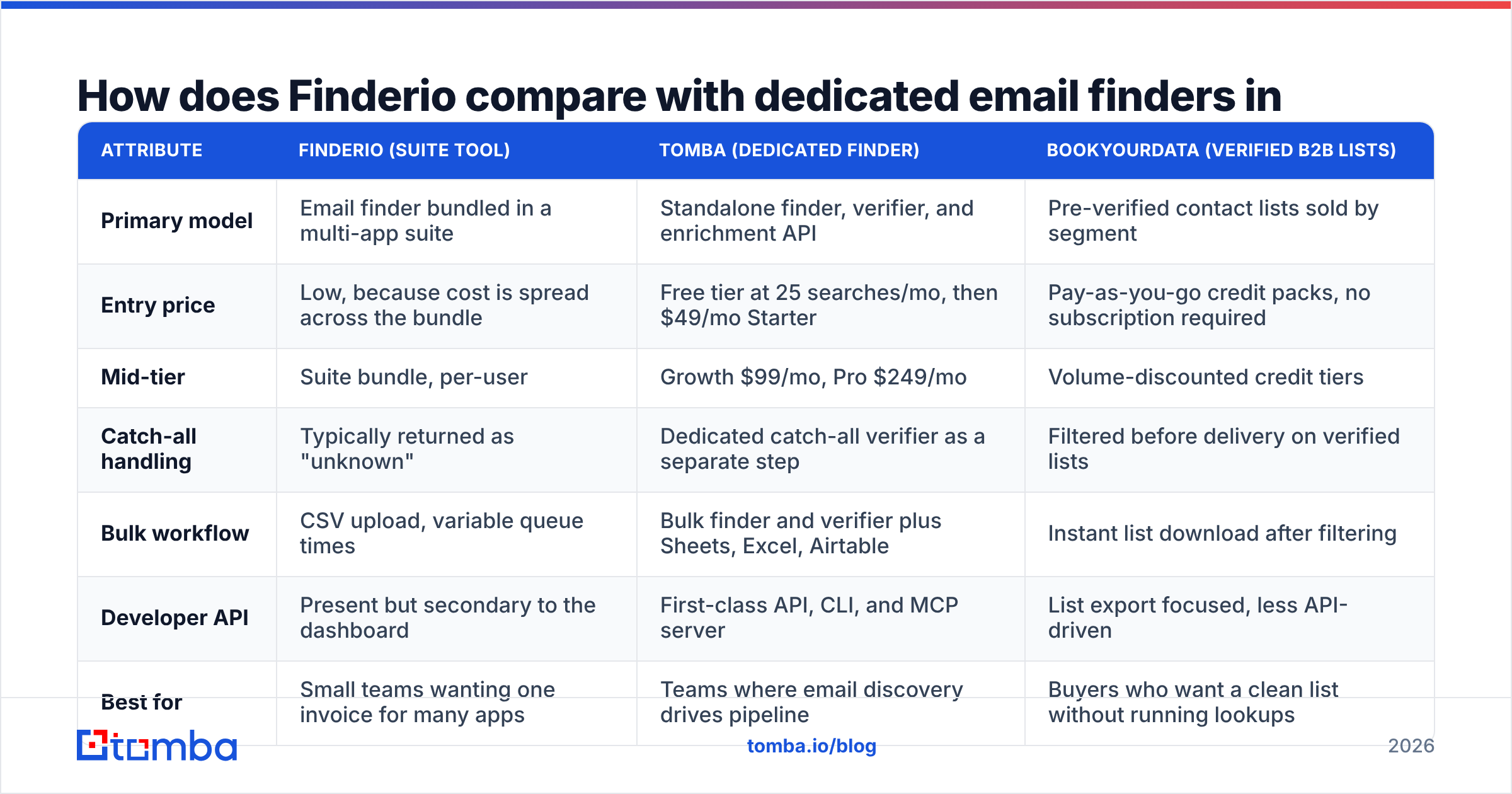
The honest framing is suite-versus-specialist, not good-versus-bad. Here is how the categories line up on the attributes that actually change outcomes.
| Attribute | Finderio (suite tool) | Tomba (dedicated finder) | BookYourData (verified B2B lists) |
|---|---|---|---|
| Primary model | Email finder bundled in a multi-app suite | Standalone finder, verifier, and enrichment API | Pre-verified contact lists sold by segment |
| Entry price | Low, because cost is spread across the bundle | Free tier at 25 searches/mo, then $49/mo Starter | Pay-as-you-go credit packs, no subscription required |
| Mid-tier | Suite bundle, per-user | Growth $99/mo, Pro $249/mo | Volume-discounted credit tiers |
| Catch-all handling | Typically returned as "unknown" | Dedicated catch-all verifier as a separate step | Filtered before delivery on verified lists |
| Bulk workflow | CSV upload, variable queue times | Bulk finder and verifier plus Sheets, Excel, Airtable | Instant list download after filtering |
| Developer API | Present but secondary to the dashboard | First-class API, CLI, and MCP server | List export focused, less API-driven |
| Best for | Small teams wanting one invoice for many apps | Teams where email discovery drives pipeline | Buyers who want a clean list without running lookups |

BookYourData deserves a specific mention because it solves a different problem well. If you do not want to run lookups at all and would rather filter a pre-verified database by title, industry, and geography, then buy the list and skip the finder step entirely. That is a legitimate strategy, especially for one-off campaigns into a new market. It is not a substitute for continuous enrichment, but it is faster to first send.
For Tomba specifically: Tomba pricing starts with a free tier at 25 searches per month, then $49/mo Starter, $99/mo Growth, and $249/mo Pro, with Enterprise quoted per contract. The reason to pay more than a bundled suite charges is narrow and specific — you get data sources built for email discovery rather than a side feature attached to a CRM, plus catch-all verification, bulk processing, and an API that treats developers as the primary user.

Who should use Finderio, and who should skip it?#
Use it if: you are a team of one to five, you already want three or four other apps from the same bundle, your prospecting volume is under roughly 500 lookups a month, and your target accounts are well-known companies with public web presences. In that scenario the coverage gaps rarely bite, and the consolidated invoice is a real operational win.
Skip it if: any of the following are true.
- Outbound is your primary channel. When email discovery feeds the whole pipeline, a 20-point coverage difference is not a rounding error — it is a quota gap.
- Your ICP is long-tail or non-US. Suite tools index the obvious accounts well and everything else poorly.
- You need programmatic enrichment. Warehouse jobs, webhook flows, and CRM sync all demand a documented, stable API.
- Deliverability is already fragile. Sending to unverified or inferred addresses on a warming domain is how you land in spam folders permanently. Check the fundamentals first with a free email checker and an SPF checker.
- You process lists in bulk weekly. Queue times and throughput limits become the bottleneck fast.
What are the best Finderio alternatives?#
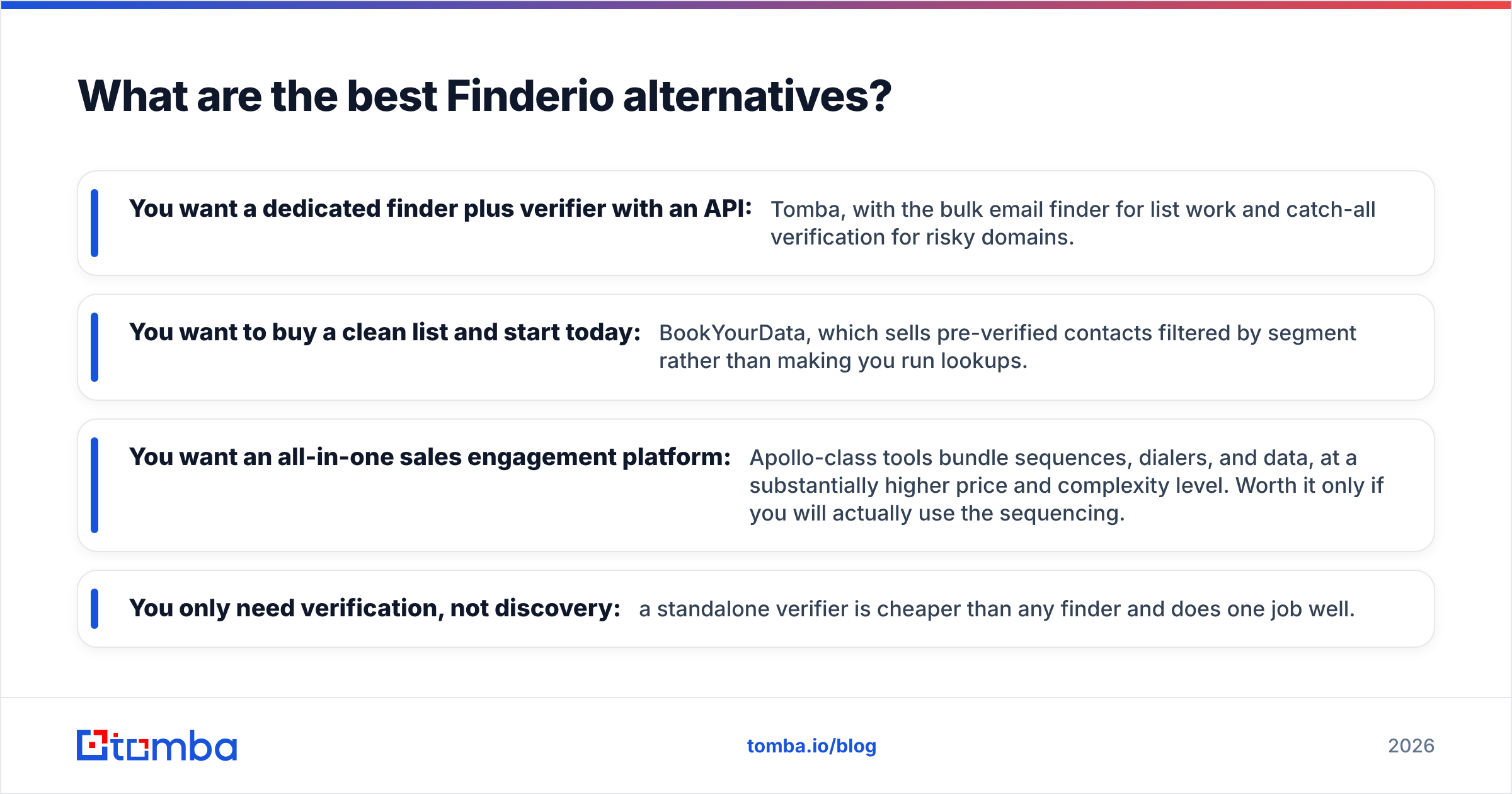
Pick by workflow, not by feature-count comparison.
- You want a dedicated finder plus verifier with an API: Tomba, with the bulk email finder for list work and catch-all verification for risky domains.
- You want to buy a clean list and start today: BookYourData, which sells pre-verified contacts filtered by segment rather than making you run lookups.
- You want an all-in-one sales engagement platform: Apollo-class tools bundle sequences, dialers, and data, at a substantially higher price and complexity level. Worth it only if you will actually use the sequencing.
- You only need verification, not discovery: a standalone verifier is cheaper than any finder and does one job well.
Before committing to any of them, check current, unfiltered reviews on G2 and Capterra, read the vendor's own docs at finder.io, and confirm what a "verified" address means in their terminology — the word is used loosely across the category. If you want the underlying mechanics, the email address and SMTP standards explain why catch-all domains are genuinely hard rather than a vendor excuse.
What is the verdict on Finderio pros and cons?#
Finderio is a reasonable side feature and a weak primary tool. If email discovery is the tenth most important thing you do and you want one bill for a dozen apps, it earns its place. If email discovery is the first or second most important thing you do, the money you save on the subscription comes straight back out of your reply rate.
The decision rule is simple. Calculate cost per verified, non-bouncing address, not cost per credit. Run the 100-row test on your own ICP, verify the output independently, and let the bounce rate settle the argument. That test takes an afternoon and prevents a year of quietly bad data.
If you decide you need a finder that treats email discovery as the product rather than a bundled extra, start with the Tomba Email Finder. The free tier gives you 25 searches a month with no card required — enough to run exactly the head-to-head test described above against your real prospect list. Find addresses by name and domain, run them through the verifier, check the catch-alls separately, and compare the verified hit rate against whatever you are using now. If Tomba does not win on your list, you will have learned that for free.
Related guides#
Ready to find emails that actually work?
Join 150,000+ professionals who stopped guessing and started sending. Free credits on signup — no credit card required.
Get the Tomba newsletter
Practical outbound tactics and product updates — once every two weeks.
About the author