FindThatLead vs LeadGibbon: Which Email Finder Wins in 2026?
FindThatLead and LeadGibbon both promise verified B2B emails at a low monthly price, but they solve different problems. Here is how accuracy, credits, and pricing actually compare in 2026.
TL;DR
- FindThatLead is a prospecting suite: search by domain, scrape LinkedIn, build lists, then send cold email from the same dashboard. Breadth over precision.
- LeadGibbon is a lighter list-building and email-lookup tool built around LinkedIn Sales Navigator exports and a saved-lead database. Narrower, faster, fewer moving parts.
- Neither publishes an independently audited accuracy figure. Both charge credits for results you may still need to verify elsewhere.
- If your bottleneck is email accuracy rather than list volume, a dedicated finder-plus-verifier stack (Tomba, Findymail, Prospeo) usually beats either on cost per usable contact.
- Pick FindThatLead if you want search + sending in one seat. Pick LeadGibbon if you live in Sales Navigator. Pick a specialist API if you are enriching at scale.
Most "FindThatLead vs LeadGibbon" comparisons read like a feature checklist scraped from two pricing pages. That is not useful when you are the one paying for credits that return catch-all and unknown. This breakdown looks at what each tool actually does well, where the credits leak, and when neither is the right answer.
What is FindThatLead?#
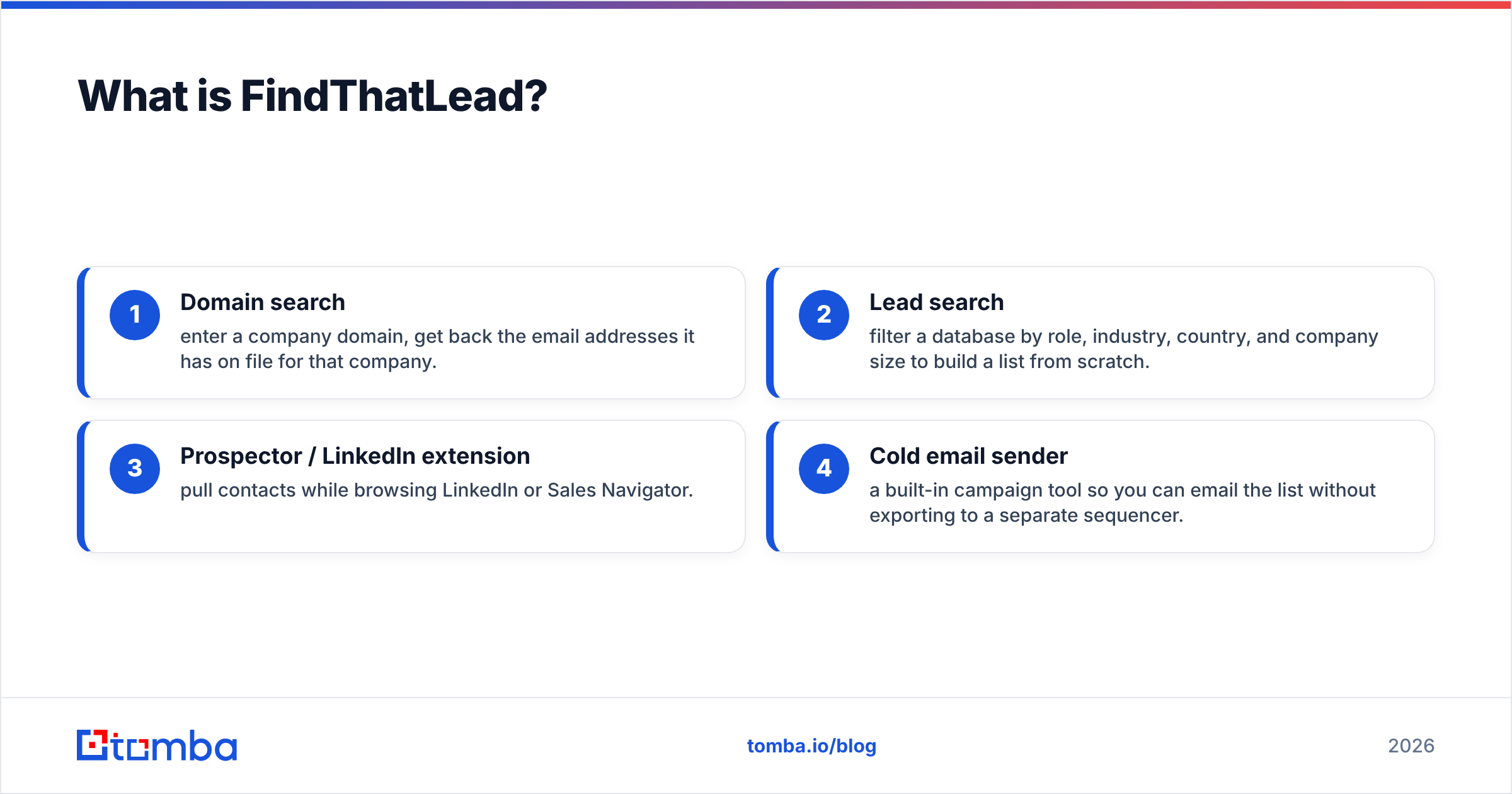
FindThatLead is a Spanish-built B2B prospecting platform that has been around since 2015. It bundles four things into one subscription:
- Domain search — enter a company domain, get back the email addresses it has on file for that company.
- Lead search — filter a database by role, industry, country, and company size to build a list from scratch.
- Prospector / LinkedIn extension — pull contacts while browsing LinkedIn or Sales Navigator.
- Cold email sender — a built-in campaign tool so you can email the list without exporting to a separate sequencer.
That last piece is the real differentiator. Most email finders stop at the CSV. FindThatLead lets you go from search to send inside one tab, which matters if you are a solo founder or a two-person agency and do not want a second $60/month sequencer seat.
The trade-off is depth. A bundled sender is rarely as good as a dedicated one — you get fewer deliverability controls, weaker inbox rotation, and less granular reporting than Instantly or Smartlead. The finder itself is decent on well-indexed companies (SaaS, agencies, tech) and noticeably weaker on smaller regional firms and non-Latin-alphabet domains.

What is LeadGibbon?#
LeadGibbon takes the opposite approach: do one job, do it with less friction. Its core loop is a Chrome extension that sits on top of LinkedIn Sales Navigator search results. You run a search, click the extension, and it pushes matching leads with emails into a saved list you can export as CSV or send to your CRM.
It also maintains its own contact database you can query directly, plus a bulk email lookup that takes a list of names and companies and returns addresses. There is no built-in sequencer — LeadGibbon expects you to export.
For teams whose prospecting genuinely starts and ends in Sales Navigator, that focus is a feature, not a limitation. You are not paying for a campaign builder you will never open. The downside is that if LinkedIn is not your primary source — say you prospect from conference attendee lists, review sites, or podcast guests — a large chunk of LeadGibbon's value evaporates.
How do FindThatLead and LeadGibbon compare head-to-head?#
Here is the practical comparison, with a specialist alternative included so you can see where both sit in the market.
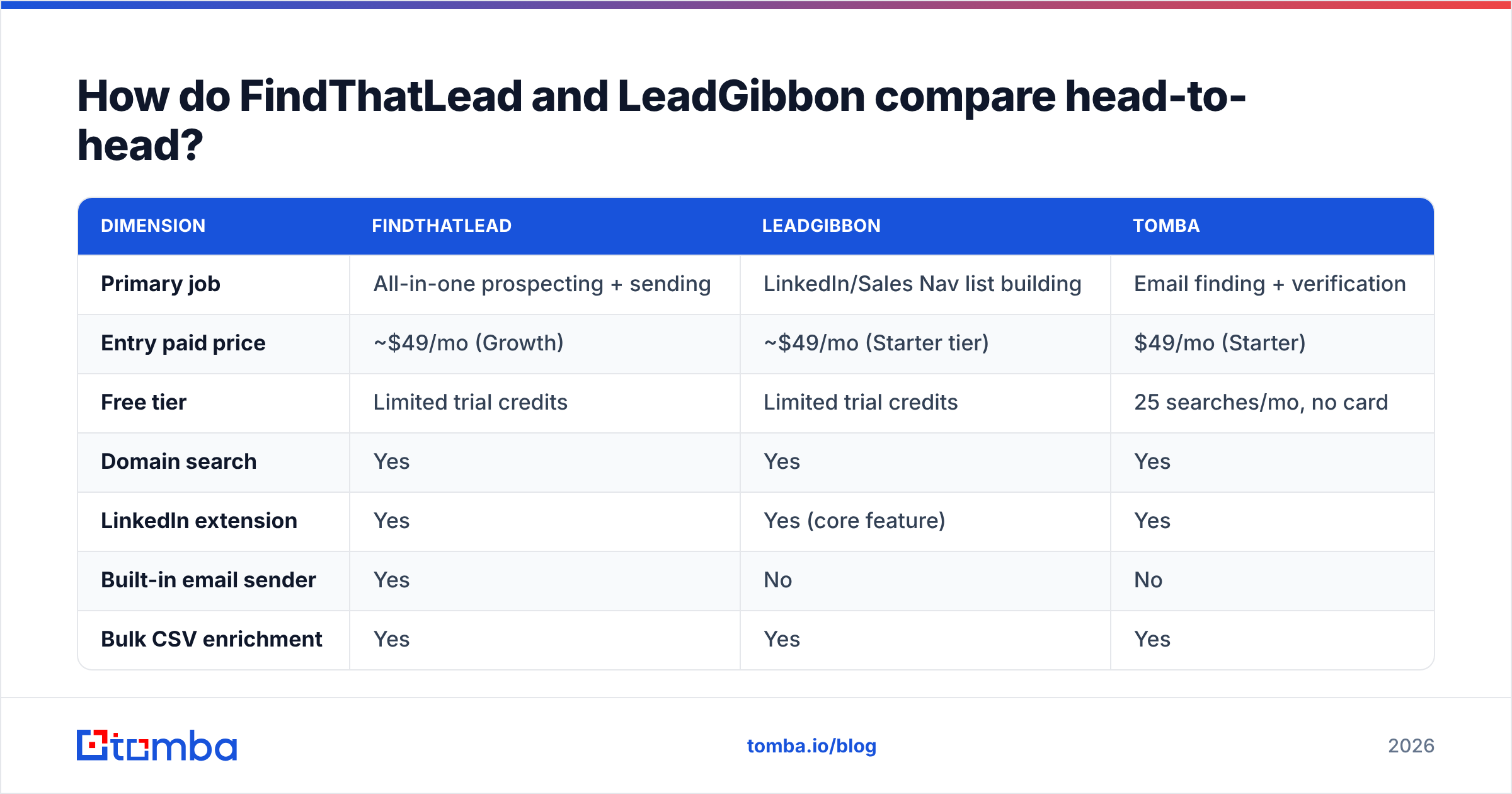
| Dimension | FindThatLead | LeadGibbon | Tomba |
|---|---|---|---|
| Primary job | All-in-one prospecting + sending | LinkedIn/Sales Nav list building | Email finding + verification |
| Entry paid price | ~$49/mo (Growth) | ~$49/mo (Starter tier) | $49/mo (Starter) |
| Free tier | Limited trial credits | Limited trial credits | 25 searches/mo, no card |
| Domain search | Yes | Yes | Yes |
| LinkedIn extension | Yes | Yes (core feature) | Yes |
| Built-in email sender | Yes | No | No |
| Bulk CSV enrichment | Yes | Yes | Yes |
| Standalone verifier | Basic | Basic | Yes, dedicated |
| Catch-all handling | Marked, not resolved | Marked, not resolved | Dedicated catch-all verifier |
| Public API | Yes | Limited | Yes, full REST API |
| Best for | Solo founders, small agencies | Sales Nav power users | Teams that need clean data at scale |
Three things stand out from that grid.
First, the price floor is nearly identical. All three cluster around $49/month for a real working plan. Price is not the deciding variable here — credit efficiency is. A $49 plan that returns 60% usable emails is more expensive than a $49 plan that returns 90%, regardless of the sticker.
Second, only one of the three treats verification as a first-class product. FindThatLead and LeadGibbon both flag a result as risky or catch-all and hand it back to you. That is honest, but it leaves you with a pile of maybes and no path forward. If half your target accounts run catch-all domains — extremely common in enterprise and in anything using Microsoft 365 with a permissive config — you need a catch-all verifier or you are guessing.
Third, the sender bundle is a real fork in the road. If you want one tool, FindThatLead wins by default because LeadGibbon does not compete there. If you already run Smartlead, Instantly, or Lemlist, that bundle is dead weight you are still paying for.
How accurate are FindThatLead and LeadGibbon in practice?#
Neither vendor publishes a third-party-audited accuracy number, so treat any headline "98% accurate" claim on either site as marketing. What you can do is measure it yourself, cheaply, before committing to an annual plan.
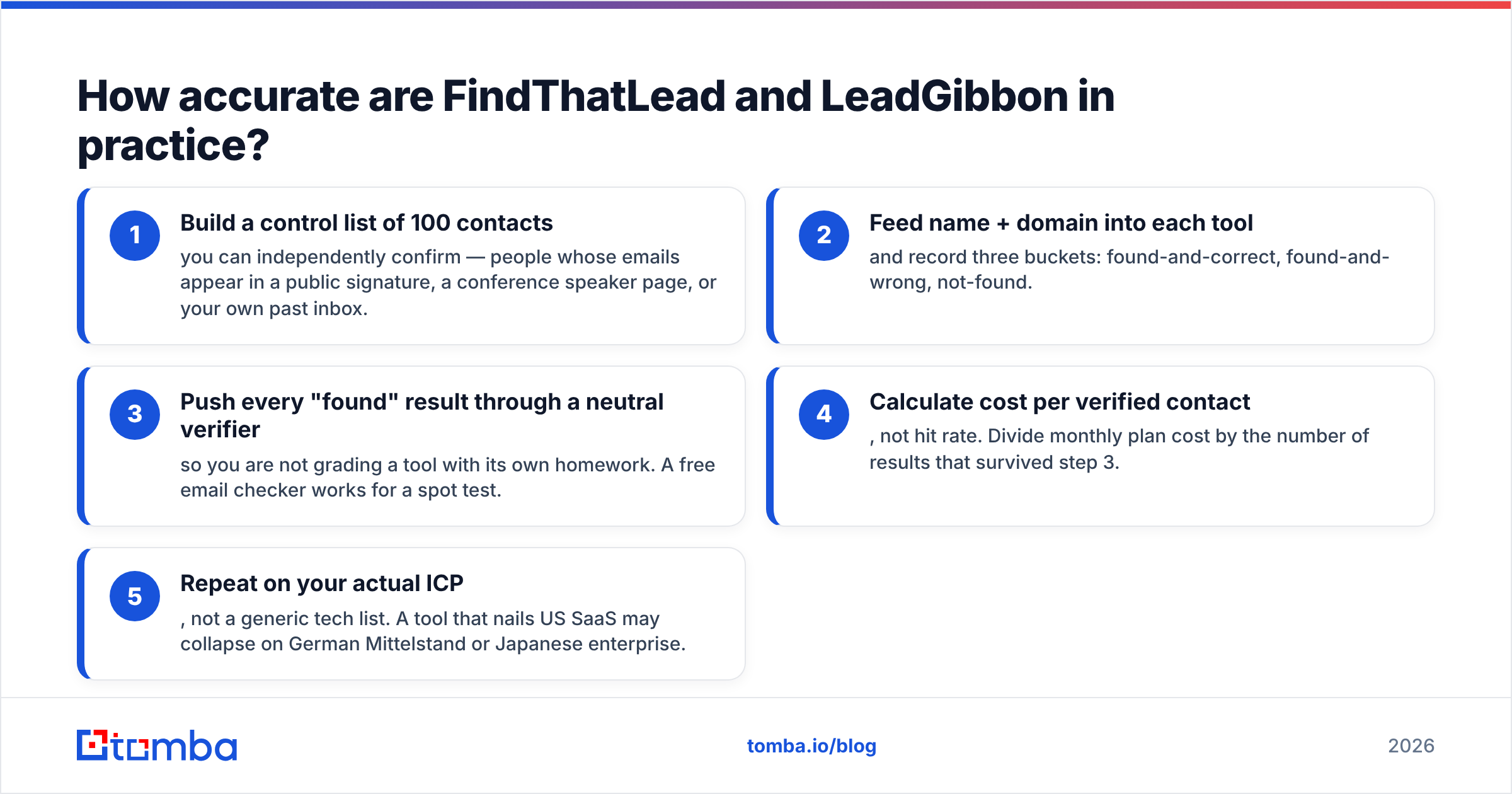
Run this test on both tools with the same input list:
- Build a control list of 100 contacts you can independently confirm — people whose emails appear in a public signature, a conference speaker page, or your own past inbox.
- Feed name + domain into each tool and record three buckets: found-and-correct, found-and-wrong, not-found.
- Push every "found" result through a neutral verifier so you are not grading a tool with its own homework. A free email checker works for a spot test.
- Calculate cost per verified contact, not hit rate. Divide monthly plan cost by the number of results that survived step 3.
- Repeat on your actual ICP, not a generic tech list. A tool that nails US SaaS may collapse on German Mittelstand or Japanese enterprise.
What you will typically find: both tools perform respectably on large, well-documented companies with predictable email patterns (first.last@, f.last@). Both degrade on companies under about 50 employees, on domains with no public email footprint, and on catch-all configurations where SMTP gives no useful signal.
That degradation is not a knock on either vendor specifically — it is the physics of the category. The difference between tools is what happens after the guess. Tools that combine pattern inference with SMTP checks, MX analysis, and a maintained source graph resolve more of those edge cases. You can read how one provider documents its data sources as a template for what to ask any vendor.

Which one should you pick for your use case?#
Rather than crowning a universal winner, match the tool to the shape of your motion.
- Solo founder doing 50 outbound emails a week. FindThatLead. The bundled sender saves you a second subscription, and at that volume credit efficiency barely matters. You will not exhaust a $49 plan.
- SDR whose entire day is Sales Navigator. LeadGibbon. The extension workflow is tighter, and you almost certainly already have a sequencer.
- Agency running outbound for five clients. Neither, alone. You need per-client list hygiene, bulk enrichment, and a verifier you trust. Pair a specialist finder with your existing sequencer and run every list through bulk verification before it touches a sending domain.
- RevOps enriching a CRM of 40,000 records. Neither. You want an API with predictable rate limits, documented response schemas, and per-record confidence scores. This is where FindThatLead's API and LeadGibbon's lighter API both start to feel constrained.
- Recruiter sourcing passive candidates. LeadGibbon edges it, because recruiting workflows are LinkedIn-native. But budget separately for phone data — neither tool is strong there.
- Anyone emailing catch-all-heavy enterprise domains. Add a dedicated catch-all step regardless of which finder you choose. Sending to unresolved catch-alls is one of the fastest ways to damage sender reputation.
What do the alternatives look like?#
The email-finder market in 2026 has split into three rough camps, and it helps to know which camp you are shopping in.
All-in-one suites — Apollo, FindThatLead, Lusha. You get database + finder + some sending. Convenient, generally lower per-record accuracy because the database is broad rather than deep, and you are paying for modules you may not use. Apollo's scale is genuinely useful for TAM discovery; check the Apollo alternative breakdown if you are weighing that path.
LinkedIn-first extractors — LeadGibbon, Wiza, ContactOut, Surfe. Fast, workflow-native, and only as good as your LinkedIn search. Excellent for people-first prospecting, weak for account-first.
Precision finders and verifiers — Tomba, Findymail, Prospeo, Dropcontact. Smaller surface area, higher hit rate on the emails they do return, and API-first so they slot into whatever stack you already run. Also the camp where BookYourData sits with its pay-as-you-go verified-contact model, which is worth a look if you dislike subscriptions entirely and want to buy a clean list outright.
Independent review volume is a reasonable tiebreaker when vendor claims conflict. Both FindThatLead and LeadGibbon have public profiles on G2, where you can filter reviews by company size — the most useful filter, because a tool that works for a 3-person startup often fails for a 300-person sales org and the star rating hides that entirely.
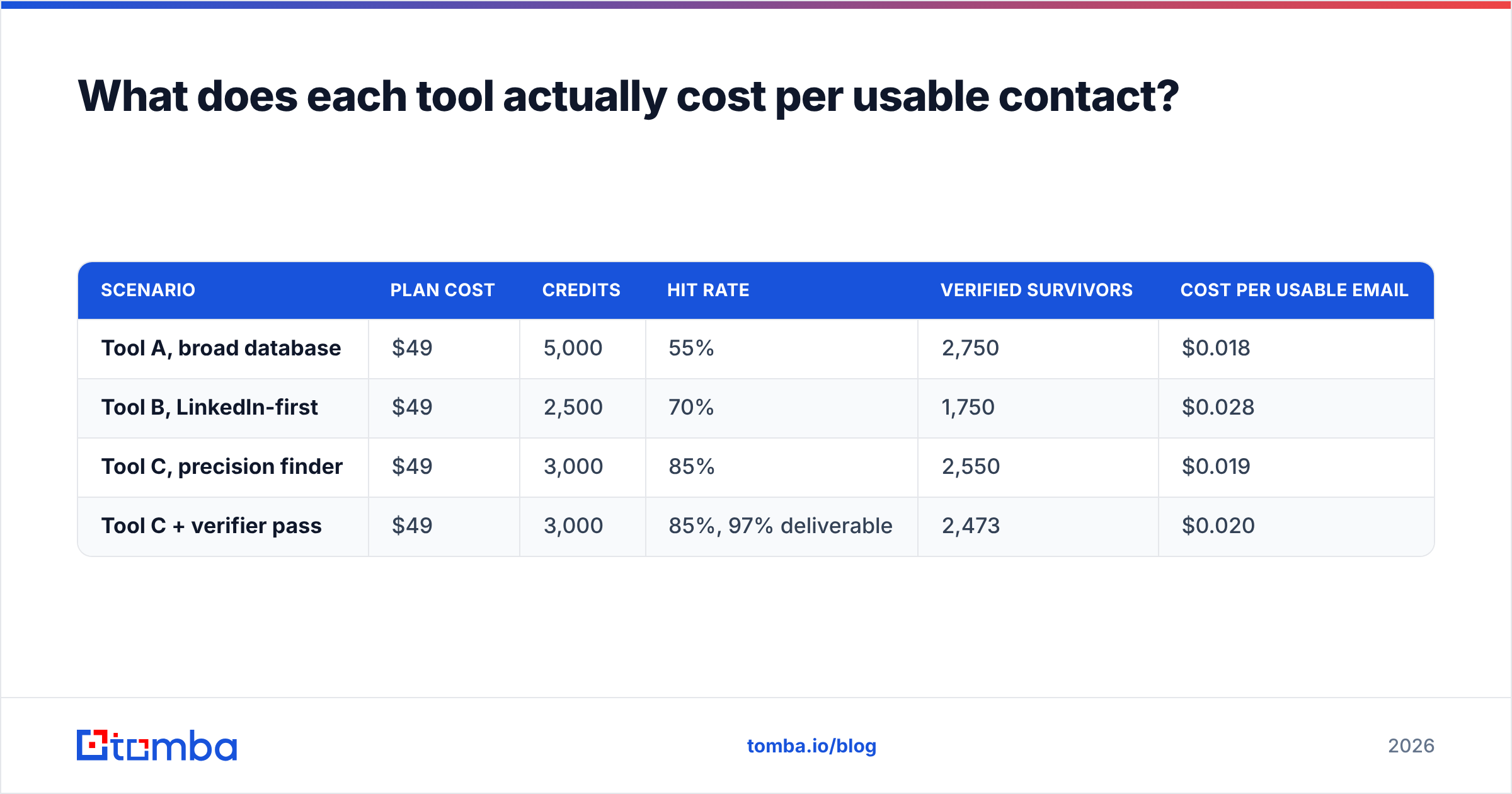
What does each tool actually cost per usable contact?#
Sticker price lies. Here is a more honest framing using round numbers you can plug your own figures into.
| Scenario | Plan cost | Credits | Hit rate | Verified survivors | Cost per usable email |
|---|---|---|---|---|---|
| Tool A, broad database | $49 | 5,000 | 55% | 2,750 | $0.018 |
| Tool B, LinkedIn-first | $49 | 2,500 | 70% | 1,750 | $0.028 |
| Tool C, precision finder | $49 | 3,000 | 85% | 2,550 | $0.019 |
| Tool C + verifier pass | $49 | 3,000 | 85%, 97% deliverable | 2,473 | $0.020 |
The lesson is not "the cheapest per-credit tool wins." It is that a 30-point swing in hit rate matters more than a 2,000-credit difference in allowance, and that the verified number is the only one your sequencer cares about. A bounce does not just waste a credit — it damages the domain you spent six weeks warming.
Check current Tomba pricing or either vendor's page and redo this table with real numbers before you commit to annual billing. Most vendors discount annual by 20-30%, which is exactly when a wrong choice becomes expensive.
What questions should you ask before you buy?#
Ask these on the sales call or in the support chat. The answers separate serious data vendors from resellers.
- Where does the data come from? "Proprietary" is not an answer. You want to hear about pattern inference, public web crawling, contributed data, and how each is refreshed.
- How often is a record re-verified? B2B contact data decays roughly 2-3% per month through job changes. A database refreshed annually is mostly fiction by month nine.
- Do I get charged for a not-found result? Some vendors bill on the search, some only on the returned contact. This single policy can double your effective cost.
- What happens on catch-all domains? "We flag it" is common. "We resolve it" is rare and worth paying for.
- Can I export what I found if I cancel? Some list-building tools treat your saved lists as hostage data.
- Is there a real free tier or just a trial? A trial ends. A free tier lets you keep testing quarterly as your ICP shifts.
The verdict#
FindThatLead wins if you want one subscription that finds and sends. It is the better pick for solo operators and small agencies who value not managing four tools over squeezing out the last five points of accuracy.
LeadGibbon wins if Sales Navigator is your prospecting home. The extension-first workflow is genuinely faster than context-switching to a web app, and you are not paying for a sender you would never use.
Neither wins on data quality alone, and that is the honest answer most comparison posts avoid. Both are competent list builders with unremarkable verification. If your outbound is bouncing, if your domain reputation is slipping, or if you are enriching tens of thousands of CRM records where a wrong email costs more than a missing one, the fix is not switching between these two — it is adding a precision layer underneath whichever one you keep.
Start by measuring. Run the 100-contact control test on both, calculate cost per verified email, and let that number decide. It usually contradicts whatever the pricing page implied.
Test the precision layer before you renew anything. Run your next 25 prospects through the Tomba Email Finder on the free tier — no card required — and compare the hit rate and bounce rate against whatever FindThatLead or LeadGibbon returned for the same list. If the numbers favor your current tool, keep it. If they do not, you just found where your credits were leaking. Paid plans start at $49/month, and the same lookups are available through the Tomba API if you would rather enrich inside your own pipeline than in another dashboard.
Related guides#
Ready to find emails that actually work?
Join 150,000+ professionals who stopped guessing and started sending. Free credits on signup — no credit card required.
Get the Tomba newsletter
Practical outbound tactics and product updates — once every two weeks.
About the author