FindThatLead vs LeadLeaper: Which Email Finder Wins in 2026?
FindThatLead and LeadLeaper both promise cheap B2B emails, but they solve different problems. Here's an honest breakdown of accuracy, pricing, LinkedIn workflows, and which one actually fits your outbound motion.
TL;DR
- FindThatLead is a prospecting suite: domain search, LinkedIn extraction, lead scraping, plus a built-in cold email sender. Good if you want one dashboard and don't mind mid-tier accuracy.
- LeadLeaper is a lightweight Chrome extension built almost entirely around LinkedIn and LinkedIn Sales Navigator list extraction. Narrow, cheap, and fine for small-volume LinkedIn sourcing.
- Neither one is a serious verification engine. Both hand you emails you should re-verify before sending, especially on catch-all domains.
- If your bottleneck is deliverability rather than volume, a finder-plus-verifier stack (Tomba's Free tier is 25 searches/mo, Starter $49/mo) usually beats bolting a sender onto a mediocre data source.
- Verdict: LinkedIn-only sourcing at tiny volume → LeadLeaper. Multi-channel prospecting with built-in sending → FindThatLead. Accuracy-first outbound at scale → neither; use a dedicated finder + verifier.
What are FindThatLead and LeadLeaper?#
Different products wearing the same label. Both get filed under "email finder," but they were built for opposite ends of the prospecting funnel.
FindThatLead is a Barcelona-built prospecting platform that has been around since 2015. It bundles a domain-based email search, a LinkedIn prospect extractor, a "Lead Search" filter for building lists by role and geography, a bulk CSV processor, and a cold email sending module called Scrab.in-adjacent Sender. The pitch is one-stop: find, verify-ish, and send from the same tab.
LeadLeaper is much narrower. It's a Chrome extension that sits on top of LinkedIn and Sales Navigator, captures the profiles on a search results page, and returns work emails for them. There's a small web app for managing captured lists and a basic sending feature, but the extension is the product. You don't come to LeadLeaper to run a domain search on 400 companies; you come to it because you're already sitting on a LinkedIn list.
That difference matters more than any feature grid. Ask yourself where your leads originate. If they originate in Sales Navigator, LeadLeaper is a straight line. If they originate in a spreadsheet of target company domains, LeadLeaper is the wrong shape and FindThatLead is closer.
How accurate is each tool's email data?#
Neither publishes an audited accuracy number, and you should be suspicious of the ones they do publish.
Here's the mechanic that decides accuracy for both: pattern inference plus SMTP probing. The tool figures out that Acme uses first.last@acme.com, applies that pattern to your target's name, then pings the mail server to see if the address bounces at the handshake. When the pattern is well-attested and the server answers honestly, this works. It falls apart in three specific places.
- Catch-all domains. Roughly a third of B2B domains accept mail for any address, so the SMTP probe returns "valid" for
asdfgh@acme.comtoo. Both FindThatLead and LeadLeaper will happily return a pattern-guessed address on these domains marked as acceptable. A dedicated catch-all verifier is the only honest way to grade these. - Sub-domain and alias sprawl. Big companies route through
@corp.acme.comor acquired-brand domains. Pattern inference from the root domain misses these entirely. - Stale profiles. LeadLeaper in particular inherits LinkedIn's staleness problem — the profile says "Director of Ops at Acme" but the person left eight months ago. The email you get is technically deliverable and functionally worthless.
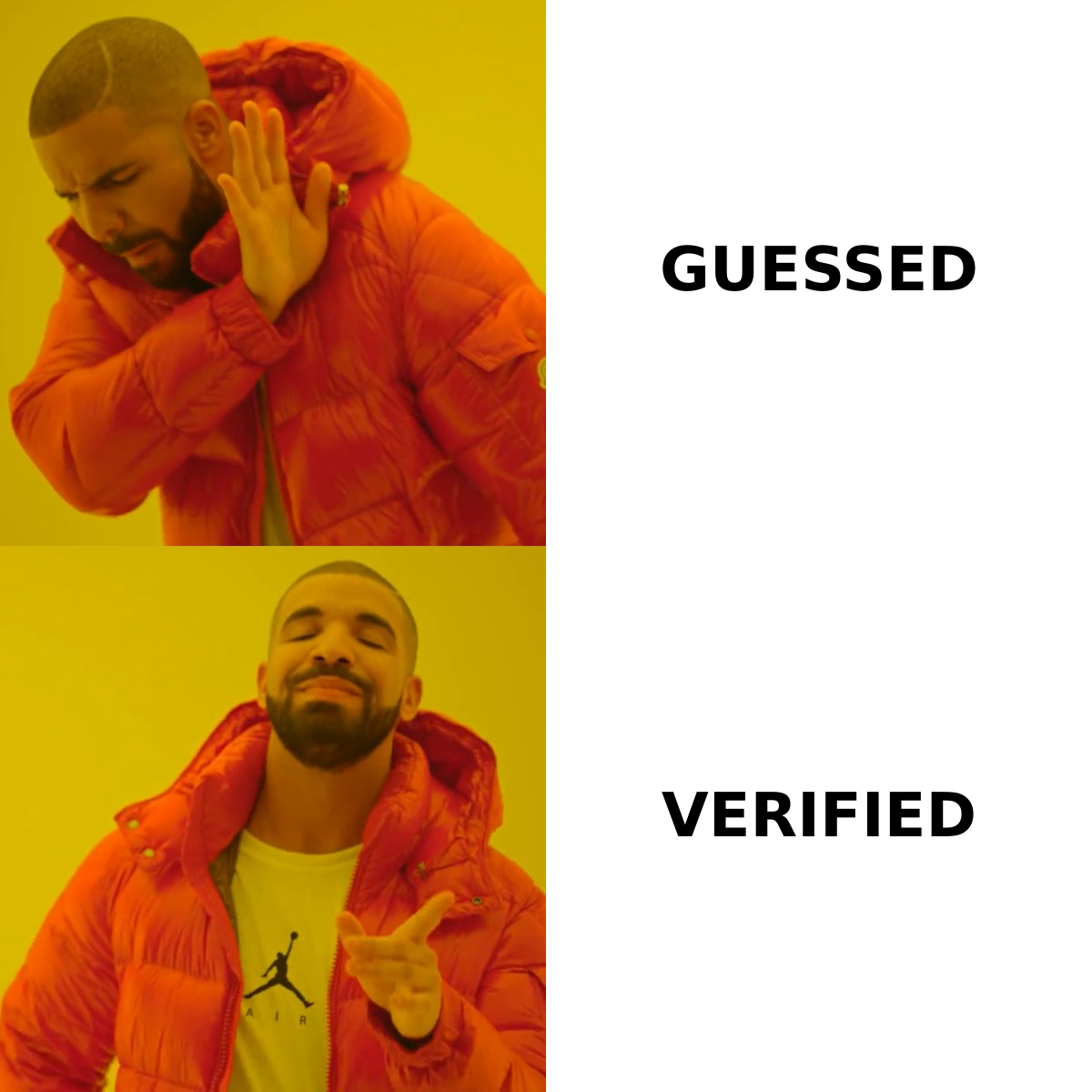
In practice, community reports and G2 reviews for both tools cluster in the 60–80% deliverable range on ordinary SMB domains and drop sharply on enterprise and catch-all targets. That's not a scandal — it's the normal band for pattern-based finders. It just means your bounce math has to account for it: at 70% accuracy, a 1,000-contact list sends 300 emails into the void, and 3% of that lands you in spam-folder territory with your ESP.
The fix isn't a better guesser. It's a separate verification pass. Run every finder's output through an email verifier before it touches your sequencer, regardless of which tool produced it.
How do FindThatLead and LeadLeaper compare head-to-head?#
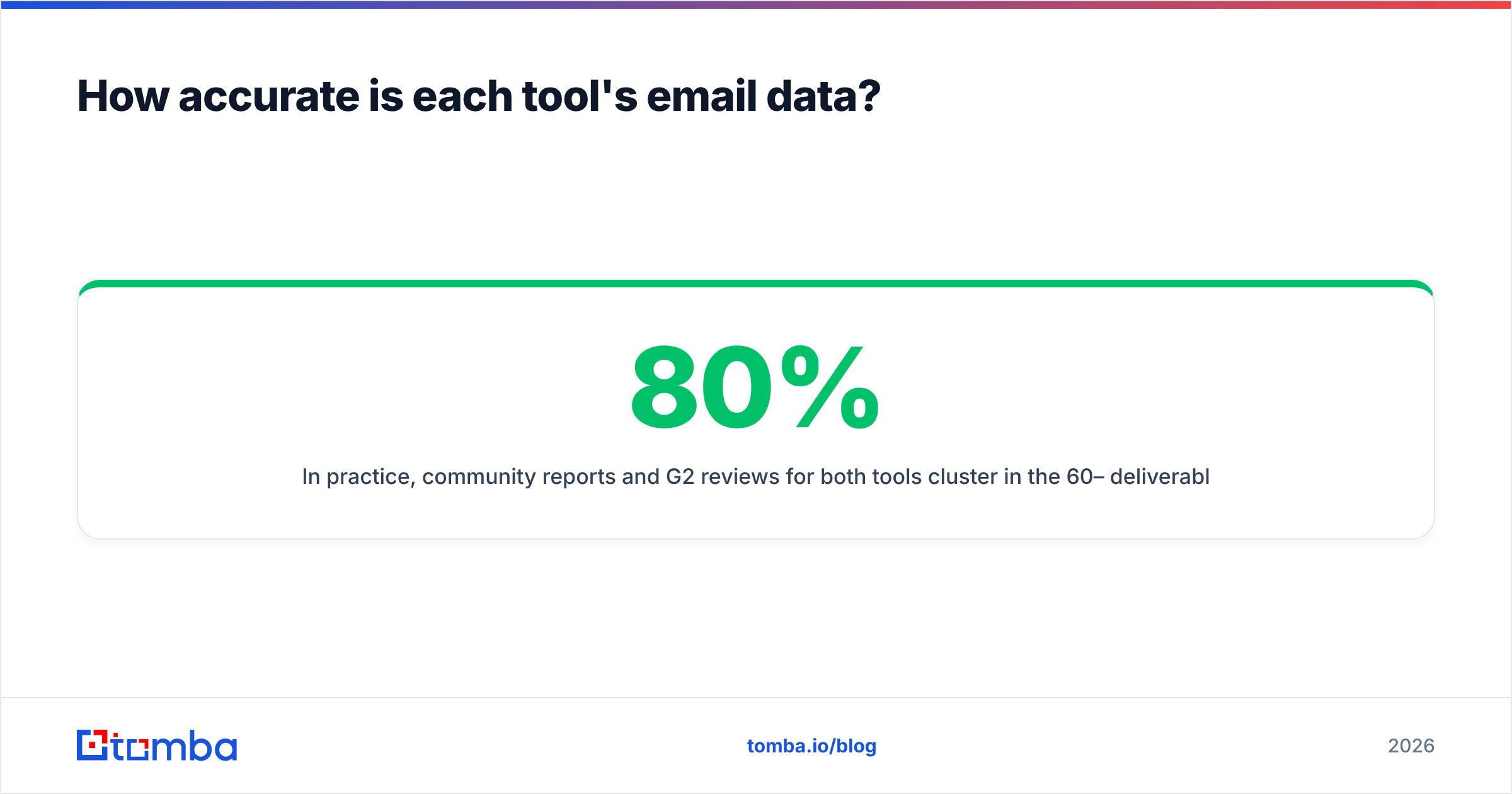
| Attribute | FindThatLead | LeadLeaper | Tomba |
|---|---|---|---|
| Primary input | Domain, name+company, LinkedIn URL | LinkedIn / Sales Navigator page | Domain, name+company, LinkedIn URL, author byline |
| Free tier | 50 credits/mo (limited) | ~100 emails/mo | 25 searches/mo |
| Entry paid price | ~$49/mo (Growth) | ~$29/mo | $49/mo (Starter) |
| Mid tier | ~$99/mo (Startup) | ~$79/mo | $99/mo (Growth) |
| Bulk CSV upload | Yes | Limited | Yes (bulk email finder) |
| Standalone verifier | Basic, bundled | Minimal | Dedicated, with catch-all handling |
| Catch-all detection | Not surfaced clearly | No | Explicit catch-all status |
| Public API | Yes | Not documented | Tomba API, CLI, MCP |
| Built-in email sender | Yes (Sender) | Basic | No — integrates with your sequencer |
| Chrome extension | Yes | Yes (core product) | Yes |
| Spreadsheet add-ons | Limited | No | Sheets, Excel, Airtable |
| Best for | All-in-one SMB prospecting | LinkedIn list scraping | Accuracy-first finding + verification |
Prices for FindThatLead and LeadLeaper move and are frequently discounted or repackaged — check their own pricing pages before you commit. Tomba's numbers are fixed and published at Tomba pricing.
Two things jump out of that grid.
First, FindThatLead is broader and LeadLeaper is cheaper, and neither is really competing on data quality. FindThatLead's breadth is genuine value if you're a two-person team that wants sourcing and sending in one subscription. LeadLeaper's cheapness is genuine value if you extract 200 LinkedIn contacts a month and nothing else.
Second, the sending module is a trap for most buyers. Bundled senders on prospecting platforms tend to lag purpose-built sequencers on warmup, inbox rotation, and deliverability telemetry. If you're serious about outbound, you'll end up paying for Instantly, Smartlead, or Saleshandy anyway — at which point FindThatLead's main differentiator stops mattering and you're evaluating it purely as a data source.
Which one should you pick for LinkedIn prospecting?#
LeadLeaper, if LinkedIn is genuinely your only channel — but with a hard caveat.
LeadLeaper's workflow is fast: open a Sales Navigator search, click the extension, and it captures the page's profiles with emails attached. No CSV round-trip, no re-keying. For a founder doing 20 outreach touches a day off a saved search, that's the shortest path from intent to inbox.
The caveat is scale and durability. LinkedIn actively fights scrapers, and extension-dependent tools break when the DOM changes or accounts get rate-limited. Your list-building capacity becomes a function of how aggressively you're willing to poke LinkedIn with your own account. That's a real risk to a personal profile you've spent years building.
FindThatLead has its own LinkedIn extraction, but its centre of gravity is domain-first search. If your ICP is "SaaS companies in Spain with 20–200 employees," FindThatLead's Lead Search gets you there faster than paging through Sales Navigator.
There's a third path that most teams land on eventually: source names from LinkedIn however you like, then resolve emails through a dedicated API rather than an extension. A LinkedIn finder that takes a profile URL and returns a verified work email decouples your data quality from LinkedIn's anti-scraping posture. You're not fighting the platform; you're just asking a resolver a question.
What does each tool actually cost per usable email?#
Sticker price lies. Cost-per-usable email is the number that decides your budget.
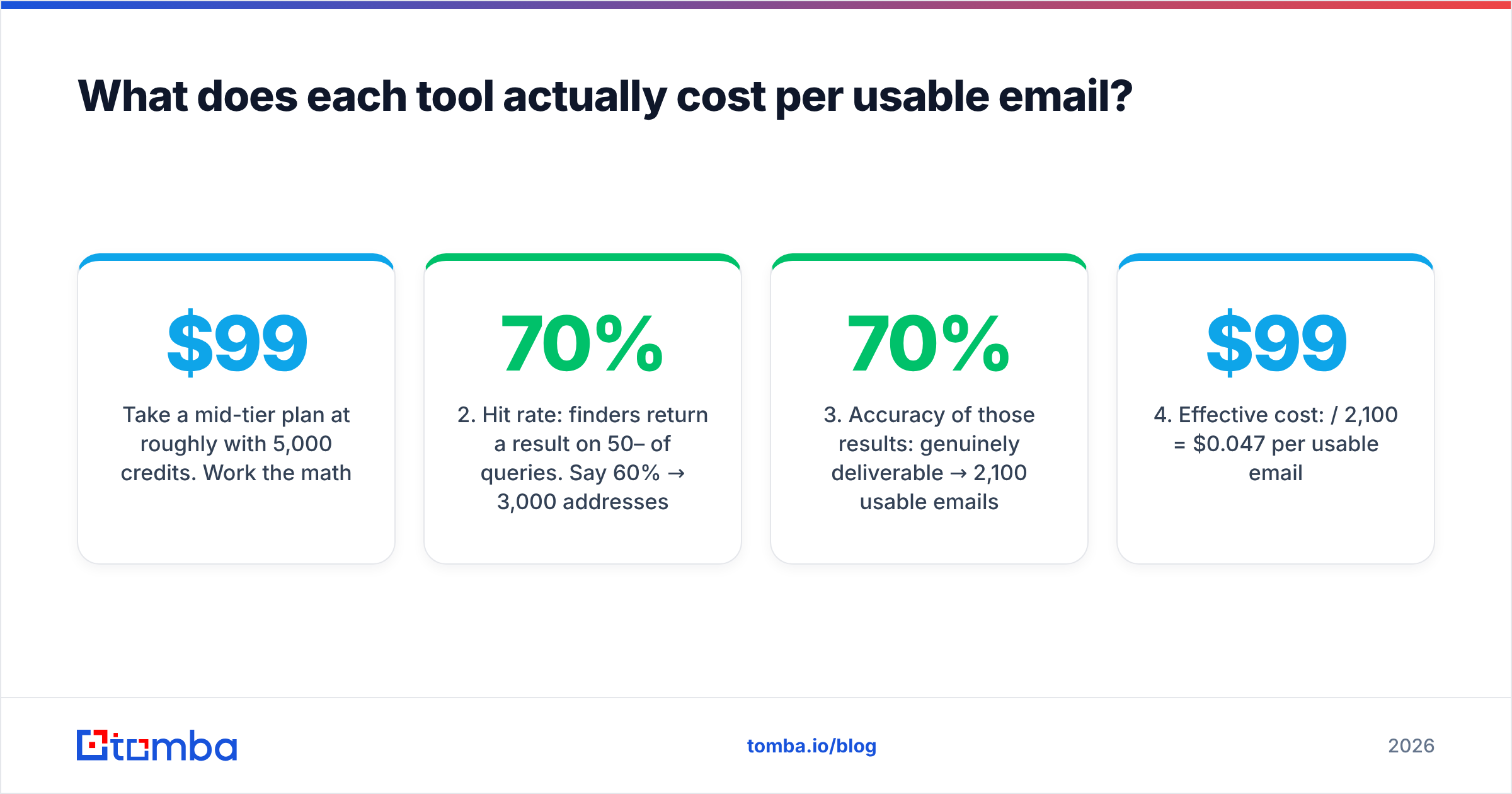
Take a mid-tier plan at roughly $99/mo with 5,000 credits. Work the math:
- Raw credits: 5,000 lookups.
- Hit rate: finders return a result on 50–70% of queries. Say 60% → 3,000 addresses.
- Accuracy of those results: 70% genuinely deliverable → 2,100 usable emails.
- Effective cost: $99 / 2,100 = $0.047 per usable email.
Now run it with a tool that returns fewer results but grades them honestly — 55% hit rate, 92% accuracy: 5,000 × 0.55 × 0.92 = 2,530 usable emails, or $0.039 each. The "stingier" tool is cheaper per outcome and it doesn't burn your sender reputation with 900 extra bounces.
That second-order cost is the one buyers underweight. Every bounce is a small withdrawal from your sender reputation account. Google and Microsoft both tightened bulk-sender requirements in 2024 and haven't loosened since; sustained bounce rates above 2–3% degrade inbox placement across your entire domain, not just the campaign that caused it. A finder that saves you $20/mo and costs you 15 points of open rate is not a saving.
Watch the credit mechanics too. Some plans burn a credit on a failed lookup; others only charge for a returned result. Some count a verification as a separate credit. Ask both vendors this exact question before you sign, because it swings effective cost by 30–40%.
What are the honest weaknesses of each?#
FindThatLead's weak points:
- Interface debt. It's a mature product carrying a decade of feature accretion. New users routinely report confusion about which module does what, and where credits are being spent.
- Support latency. A recurring theme in G2 reviews across this category, and FindThatLead is not exempt.
- Verification is a checkbox, not a product. The bundled verifier catches obvious syntax and MX failures. It does not give you a defensible catch-all verdict.
- Sender lock-in pressure. The all-in-one pitch nudges you toward sending from a tool whose deliverability tooling is thinner than dedicated sequencers.
LeadLeaper's weak points:
- Single point of failure. If LinkedIn changes its layout or throttles your account, your pipeline stops. There's no domain-first fallback.
- No meaningful API story. You can't wire it into a RevOps workflow, a Clay table, or an enrichment pipeline. It's a human-in-the-loop tool by design.
- Thin coverage outside tech and North America. LinkedIn-derived data inherits LinkedIn's geographic skew.
- Limited bulk operations. Fine for hundreds; painful for thousands.
Both share the same structural weakness: they're finders being asked to do a verifier's job. That's why the mature stack separates the two functions. Find with whatever gives you coverage in your niche; verify with something purpose-built; and keep a reverse email lookup handy for the inbound side, where you have an address and need the person behind it.
Are there better alternatives to both?#
Yes — and the honest answer is that the category has moved.
The 2020-era pitch was "we have the biggest database." The 2026 reality is that databases decay at roughly 25–30% per year (people change jobs; HubSpot's research has put B2B database decay in that band for years), so a static database is a depreciating asset. What matters now is resolution quality at query time: how good is the tool at answering "what is this specific person's current work email" right now.
Where each option fits:
- BookYourData — a solid pick when you want a pre-built, filtered list you can buy outright rather than resolving contact-by-contact. Strong on verified B2B records with a pay-as-you-go model, and a respected option if list purchase suits your motion better than per-query lookup.
- Apollo — huge database plus sequencing plus intent data. Heavier and pricier; the data is broad but variable. See Apollo alternatives if the price ladder is the sticking point.
- Findymail — narrower and accuracy-focused, popular with agencies running high-volume cold email.
- Tomba — finder-first with real verification underneath: domain search for company-wide sweeps, email verifier with explicit catch-all handling, phone finder for multichannel, plus API, CLI, MCP server, and spreadsheet add-ons so the data lands where you actually work.
The selection rule is simpler than the market makes it look:
- You need one subscription and you're under 10 seats → FindThatLead is defensible.
- You need LinkedIn extraction at low volume and low cost → LeadLeaper does the job.
- You need bought, ready-to-send list data → BookYourData.
- You need accuracy, verification, and programmatic access → a dedicated finder + verifier stack.
How do you actually run a test before committing?#
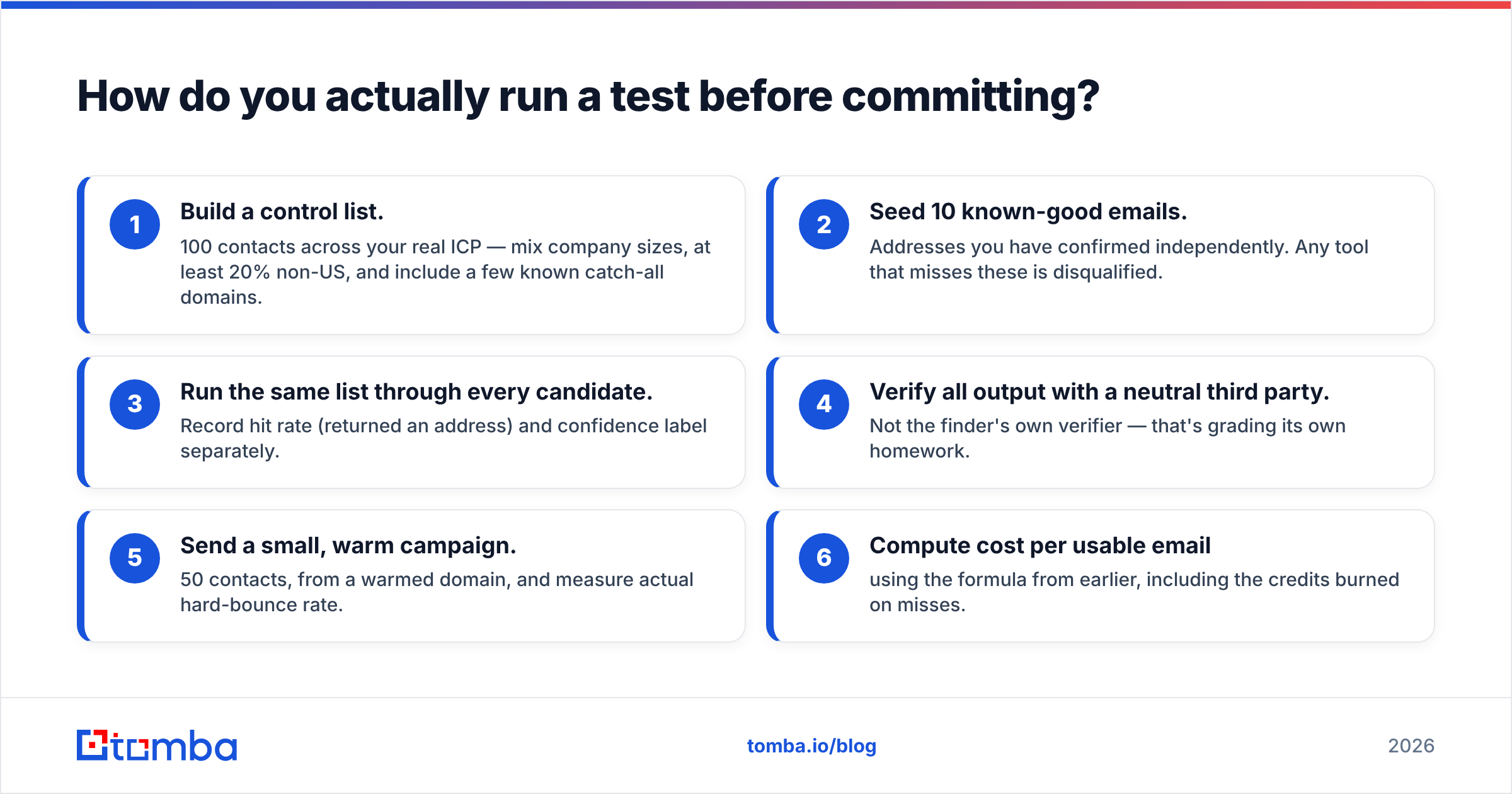
Don't buy on a demo. Run a 100-contact bake-off; it takes an afternoon.
- Build a control list. 100 contacts across your real ICP — mix company sizes, at least 20% non-US, and include a few known catch-all domains.
- Seed 10 known-good emails. Addresses you have confirmed independently. Any tool that misses these is disqualified.
- Run the same list through every candidate. Record hit rate (returned an address) and confidence label separately.
- Verify all output with a neutral third party. Not the finder's own verifier — that's grading its own homework.
- Send a small, warm campaign. 50 contacts, from a warmed domain, and measure actual hard-bounce rate.
- Compute cost per usable email using the formula from earlier, including the credits burned on misses.
The tool that wins step 6 is your tool. Not the one with the best landing page, the biggest claimed database, or the friendliest sales rep. Free tiers exist precisely so you can run this — FindThatLead, LeadLeaper, and Tomba all have one, so the test costs you time and nothing else.
One more habit worth building: re-run this test every six months. Data vendors change suppliers, lose sources, and rebalance coverage constantly. The tool that won your bake-off in January is not guaranteed to win in July, and the only way you'll notice the drift is if you keep measuring.
The bottom line#
FindThatLead and LeadLeaper are both reasonable purchases for the buyer they were built for — an SMB wanting one dashboard, and a solo LinkedIn prospector wanting a cheap extension, respectively. Neither is built to be the accuracy layer of a serious outbound program, and neither pretends very hard to be.
If your outbound is bottlenecked on bounce rate rather than lead volume, invert the stack: start with the tool that resolves and verifies addresses correctly, then bolt sourcing and sending around it. Try the Tomba Email Finder on your own 100-contact control list — the free tier gives you 25 searches to run the test, and Starter is $49/mo if the numbers hold up. Measure it against whatever you're using now, and let cost-per-usable-email pick the winner.
Related guides#
Ready to find emails that actually work?
Join 150,000+ professionals who stopped guessing and started sending. Free credits on signup — no credit card required.
Get the Tomba newsletter
Practical outbound tactics and product updates — once every two weeks.
About the author