FindThatLead vs MailMerge365 (2026): Which One Do You Need?
One tool finds the leads. The other sends the mail from your own Outlook mailbox. Here is the honest breakdown of FindThatLead vs MailMerge365 — pricing, limits, data quality, and which one your team actually needs in 2026.
TL;DR
- FindThatLead and MailMerge365 are not really competitors. FindThatLead is a prospecting tool that finds and verifies B2B contact data. MailMerge365 is an Outlook add-in that personalises and sends mail merges from your own Microsoft 365 mailbox.
- If your bottleneck is "I don't know who to email," you need a lead source. If your bottleneck is "I have the list but sending 300 personalised emails from Outlook is painful," you need a mail merge tool.
- FindThatLead bundles finding and sending, which sounds efficient until you look at credit caps and the quality of the sending layer. MailMerge365 does one job — Outlook-native sending — and does it without asking you to move off Microsoft 365.
- Buying both is a legitimate stack. Buying either one alone and expecting it to cover the full workflow is where teams waste budget.
- Data accuracy is the variable neither product page talks about honestly. Verify before you send, whatever you buy.
What is FindThatLead, exactly?#
FindThatLead is a Spanish B2B prospecting platform built around lead discovery. You give it a domain, a name, a LinkedIn URL, or a set of search filters, and it returns business email addresses. Over the years it has layered on extra modules: a Prospector for building lists by role and location, a Chrome extension, a lead scraper, and a basic cold email sender so you can act on the list without exporting it.
The pitch is "find leads and email them in one place." That's genuinely convenient for a solo founder or a two-person agency. The trade-off shows up when you scale: credits are consumed by searches, verification, and enrichment simultaneously, and the sending module is a light add-on rather than a full outbound platform. It has no real inbox rotation, no deep A/B infrastructure, and reporting that stops at opens and replies.
You can see the current feature set on the FindThatLead site, and real-user commentary on G2 is worth reading before you commit to an annual plan.
What is MailMerge365, exactly?#
MailMerge365 is a different animal entirely. It's a Microsoft 365 add-in that lives inside Outlook — desktop, web, and mobile — and turns a spreadsheet plus a draft into hundreds of individually addressed emails. No third-party sending infrastructure. No new SMTP relay. The mail goes out through your mailbox, from your domain, using Microsoft's own sending reputation.
That architecture is the whole product. Because messages leave from your real mailbox, replies land in your real inbox, sent items appear in Sent Items, and your IT team doesn't have to whitelist a new sender or approve a SaaS vendor's IP range. For companies inside a Microsoft shop — legal, education, professional services, manufacturing — that removes most of the procurement friction that kills cold email tools before they're ever installed.
What it does not do: find you a single email address. MailMerge365 assumes you already have the list. It's a delivery mechanism, not a data source. Check the official MailMerge365 site for the current add-in requirements.

Are FindThatLead and MailMerge365 actually competitors?#
Only in the narrow overlap where both can put an email in someone's inbox. Outside that sliver, they solve opposite halves of the same workflow.
Here's the honest mapping of who owns what:
- Building the list — FindThatLead owns this. MailMerge365 does nothing here. If you have no contacts, MailMerge365 is an empty spreadsheet with a send button.
- Verifying the list — FindThatLead includes verification against your credit pool. MailMerge365 has none; bad addresses bounce straight through your corporate mailbox, which is the worst possible place for them to bounce.
- Personalising the message — Both do merge fields. MailMerge365 is stronger here because it handles conditional blocks, attachments per recipient, and the full Outlook editor including your signature and corporate template.
- Sending and deliverability — MailMerge365 owns this for Microsoft 365 shops. Sending from your own tenant inherits your existing domain reputation instead of building a new one from zero.
- Follow-ups and sequences — FindThatLead has basic multi-step sequences. MailMerge365 handles follow-ups more simply, closer to a merge-and-track model than a full cadence engine.
- Reporting — Both are shallow compared to a dedicated sales engagement platform. Neither will replace your CRM dashboard.
Read that list again and the conclusion is uncomfortable for anyone hoping to buy one tool: the two products barely fight. They stack.
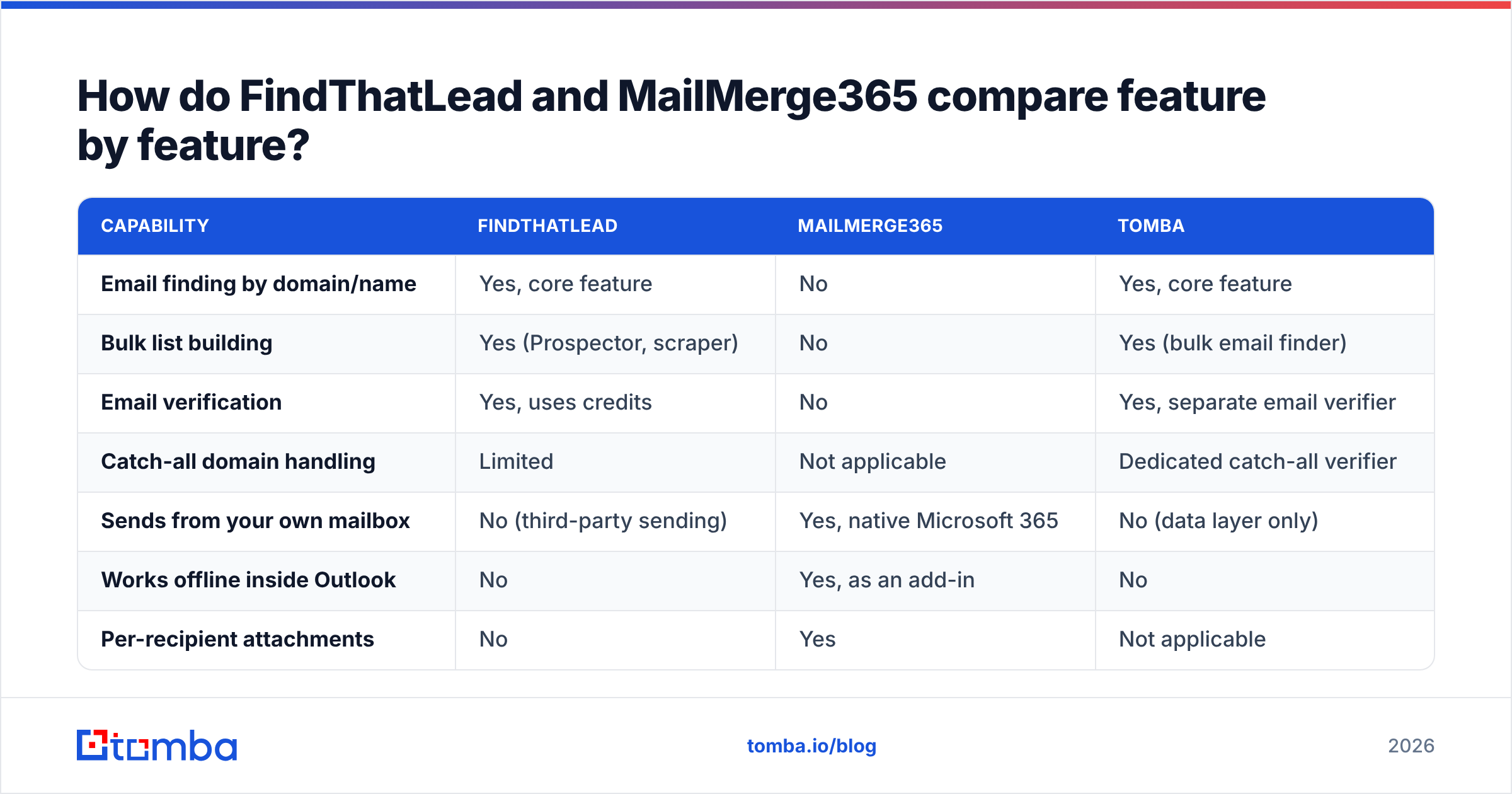
How do FindThatLead and MailMerge365 compare feature by feature?#
| Capability | FindThatLead | MailMerge365 | Tomba |
|---|---|---|---|
| Email finding by domain/name | Yes, core feature | No | Yes, core feature |
| Bulk list building | Yes (Prospector, scraper) | No | Yes (bulk email finder) |
| Email verification | Yes, uses credits | No | Yes, separate email verifier |
| Catch-all domain handling | Limited | Not applicable | Dedicated catch-all verifier |
| Sends from your own mailbox | No (third-party sending) | Yes, native Microsoft 365 | No (data layer only) |
| Works offline inside Outlook | No | Yes, as an add-in | No |
| Per-recipient attachments | No | Yes | Not applicable |
| Multi-step sequences | Basic | Simple follow-ups | Not applicable |
| Chrome extension | Yes | No | Yes |
| Public API | Yes | Limited | Yes, full email finder API |
| Best for | Building cold lists from scratch | Sending polished merges from Outlook | Accurate contact data at scale |
The pattern is obvious once it's in a grid. FindThatLead's column is full on the left half of the table. MailMerge365's column is full on the right half. There is almost no row where both score well.
What do FindThatLead and MailMerge365 cost in 2026?#
Pricing on both products has moved more than once, so treat these as directional and confirm on the vendor pages before you buy.
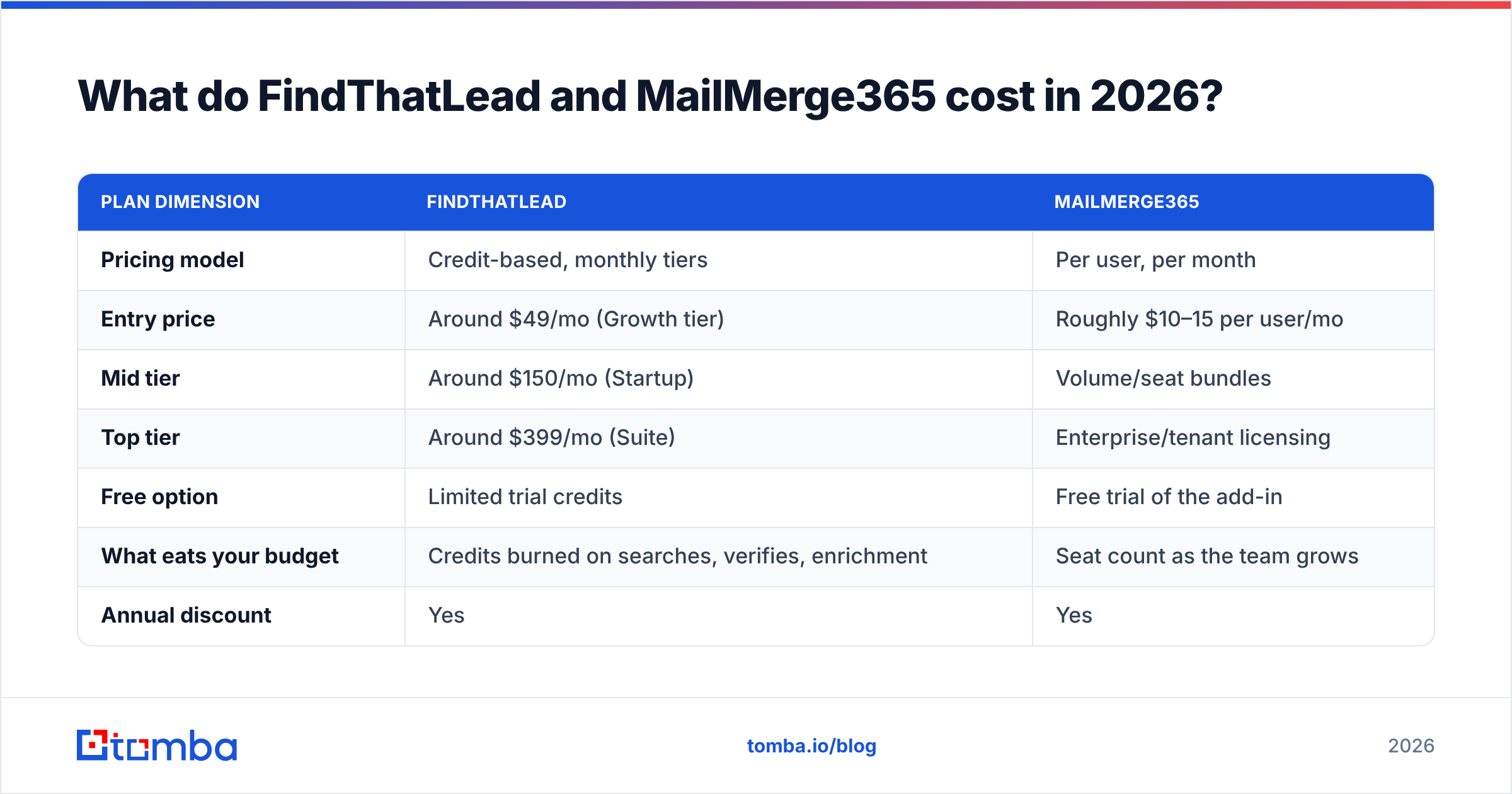
| Plan dimension | FindThatLead | MailMerge365 |
|---|---|---|
| Pricing model | Credit-based, monthly tiers | Per user, per month |
| Entry price | Around $49/mo (Growth tier) | Roughly $10–15 per user/mo |
| Mid tier | Around $150/mo (Startup) | Volume/seat bundles |
| Top tier | Around $399/mo (Suite) | Enterprise/tenant licensing |
| Free option | Limited trial credits | Free trial of the add-in |
| What eats your budget | Credits burned on searches, verifies, enrichment | Seat count as the team grows |
| Annual discount | Yes | Yes |
The structural difference matters more than the headline number. FindThatLead charges for data volume, so your cost scales with how many prospects you research. MailMerge365 charges for seats, so your cost scales with how many people send. A five-person SDR team hammering 10,000 lookups a month will feel FindThatLead's pricing hard and barely notice MailMerge365's. A one-person marketer sending to a hand-curated list of 400 will feel the opposite.
Also budget for the thing neither line item covers: verification of the list you actually send to. Sending unverified data from your primary Microsoft 365 mailbox — which is exactly what MailMerge365 does by design — is how you torch a domain that took years to season.
Which one has the better data quality?#
This question only applies to FindThatLead, because MailMerge365 has no data of its own. And the honest answer for any email finder, FindThatLead included, is: it depends entirely on the segment.
Every provider is strong somewhere and weak somewhere else. Tools built on European sources tend to do better on EU SMBs and worse on US enterprise. Tools built on résumé and profile scraping do well on tech and poorly on trades, healthcare, and government. FindThatLead has historically been solid on European and LATAM SMB data and thinner on US mid-market than the big American aggregators.
Two rules keep you out of trouble regardless of vendor:
- Never trust a "found" address without verification. A finder returning a pattern-guess like
first.last@domain.comwith no SMTP confirmation is a coin flip. Run it through an email verifier first. - Treat catch-all domains as a separate class. A catch-all accepts everything, so a normal verification returns "valid" for addresses that don't exist. This is the single biggest source of surprise bounces in B2B outbound, and it needs a purpose-built catch-all check rather than a standard one.
If you want to see how a provider sources and refreshes its records before you trust it with your domain reputation, look for a published explanation of data sources rather than a marketing claim about accuracy percentages.

What about deliverability and sender reputation?#
This is where the two products diverge most sharply, and it's the deciding factor for a lot of teams.
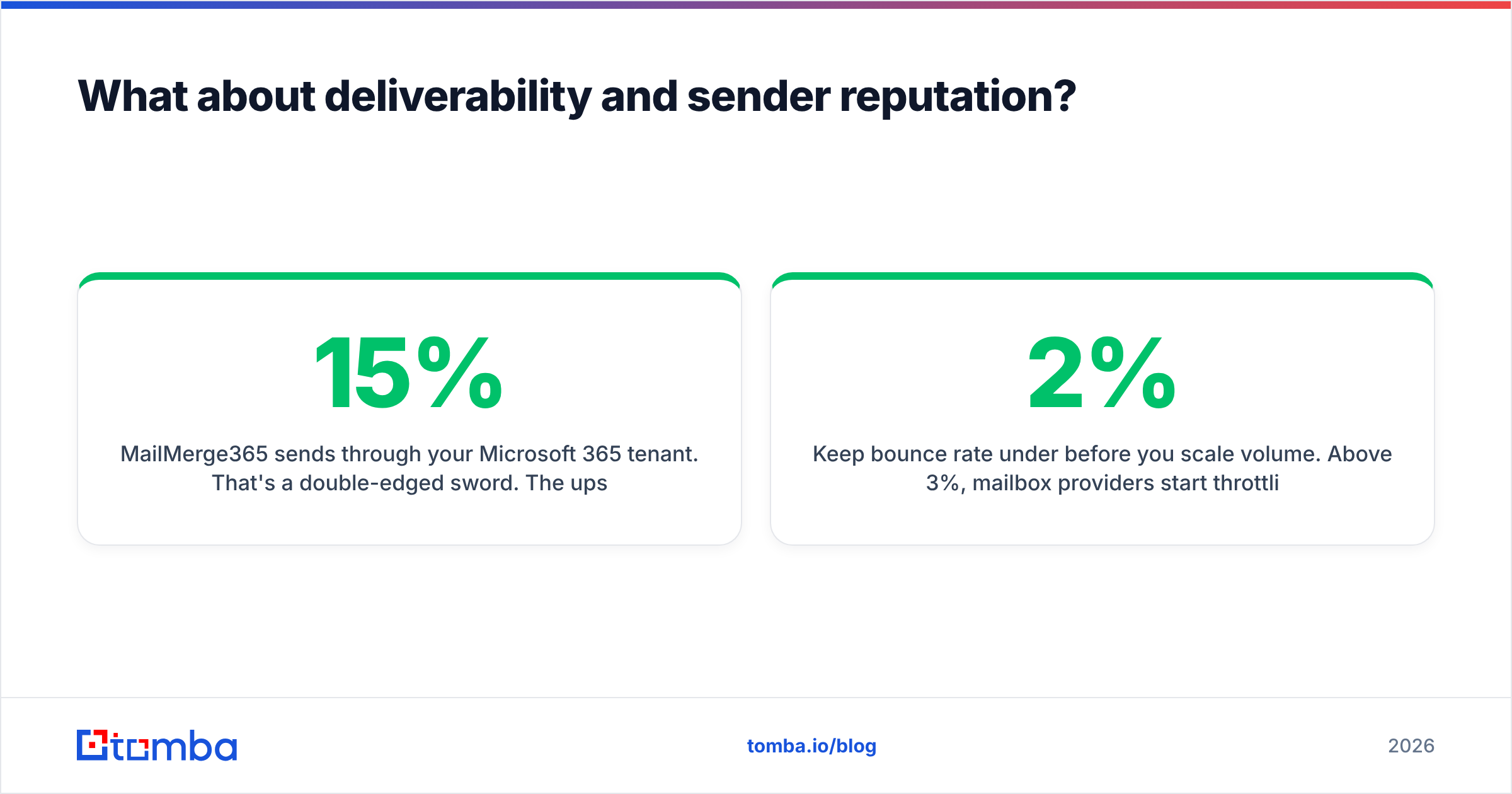
MailMerge365 sends through your Microsoft 365 tenant. That's a double-edged sword. The upside: you inherit an established domain and IP reputation, your SPF and DKIM are already correct, and there's no separate warmup phase. The downside: any damage lands on your production mailbox. A 15% bounce rate on a cold list won't just fail — it will drag down the deliverability of your invoices, your support replies, and your calendar invites.
FindThatLead's sender routes through third-party infrastructure, which insulates your main domain but means you're building reputation from scratch on whatever sending domain you configure. That takes weeks of warmup, and shared infrastructure means your deliverability is partly hostage to other users' behaviour.
Neither approach is universally correct. What is universally correct:
- Keep bounce rate under 2% before you scale volume. Above 3%, mailbox providers start throttling.
- Never send cold volume from a domain you also use for billing and support. Use a lookalike domain if you're going the third-party route.
- If you use MailMerge365 from your primary tenant, your list hygiene has to be near-perfect — because there's no buffer between a bad list and your company's real reputation.
- Check your SPF, DKIM, and DMARC records before the first send, not after the first complaint. A free SPF checker takes thirty seconds.
Which should you pick for your situation?#
Pick FindThatLead if you're starting from nothing — no list, no CRM data, no inbound. You need a prospecting engine, and having a rough sender bundled in means you can validate an outbound motion for one subscription instead of three. Best fit: solo founders, small agencies, European SMB targeting.
Pick MailMerge365 if you already have the contacts and you live inside Outlook. Alumni offices, recruiters mailing a known candidate pool, account managers doing personalised renewals, professional services firms sending client updates. Also the right answer when IT has flatly refused to approve a third-party sending platform.
Pick both if you're running real outbound at a Microsoft-native company. Source contacts in one tool, verify them, then send from Outlook where replies actually land in the rep's inbox.
Pick neither if you need 10,000+ verified contacts a month with API access into your own systems. At that volume you want a dedicated data layer with predictable per-record pricing, not a bundled prospecting suite with a credit meter.
Can you combine them — and where does Tomba fit?#
The cleanest version of this stack separates the three jobs instead of hoping one vendor does all three well.
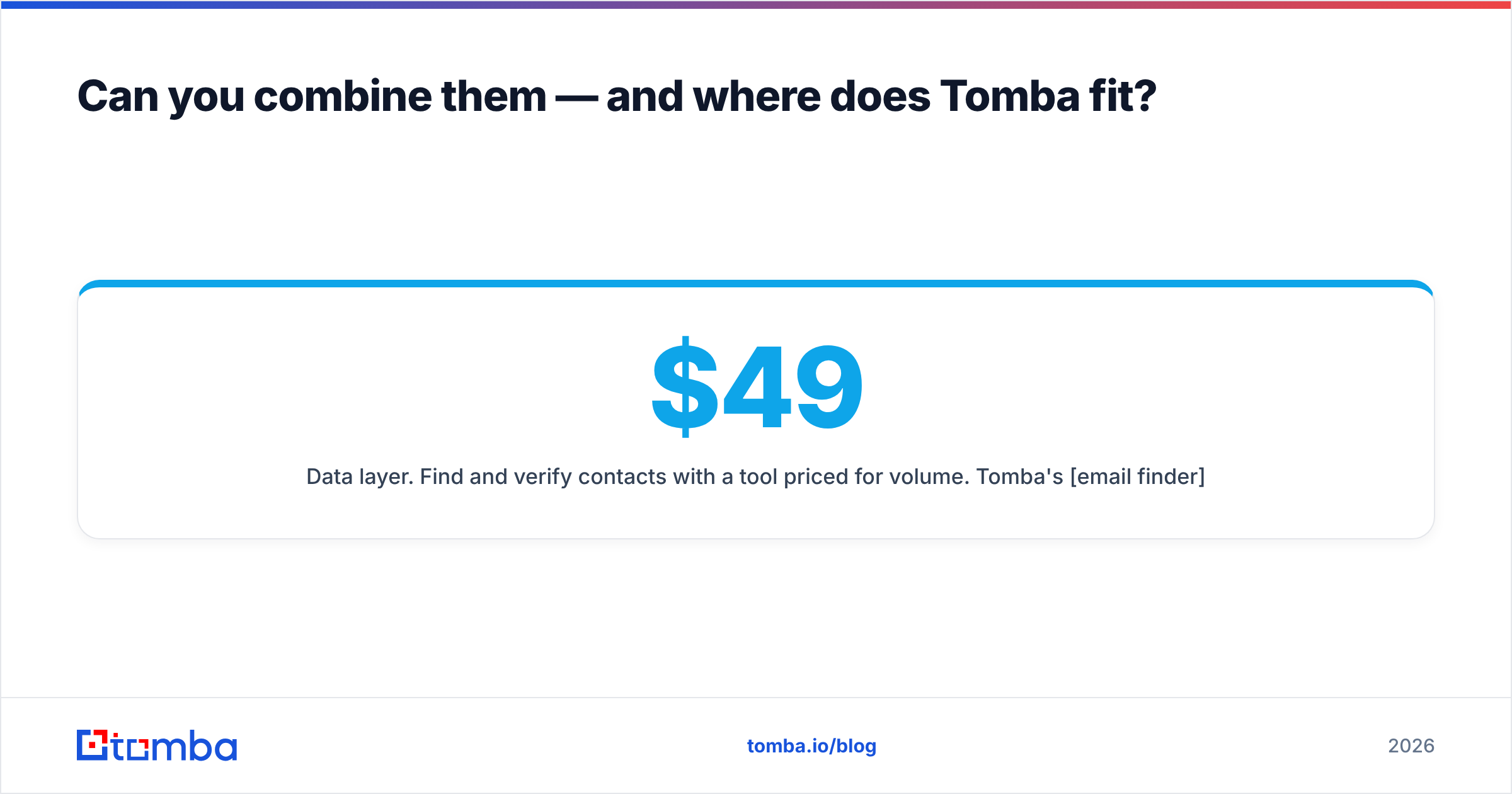
Data layer. Find and verify contacts with a tool priced for volume. Tomba's email finder covers domain search, name-based lookup, LinkedIn extraction, and catch-all verification, with a free tier at 25 searches a month, Starter at $49/mo, Growth at $99/mo, and Pro at $249/mo. Full details are on the Tomba pricing page. The point isn't that it's cheaper by a dollar — it's that the data job is decoupled from the sending job, so changing one doesn't force you to rip out the other.
Sending layer. MailMerge365 if you're Microsoft-native and want replies in your real inbox. A dedicated sequencer if you need cadences, inbox rotation, and reply detection at scale.
Glue. Export from your data tool, verify, then merge. Or skip the CSV shuffle entirely with an API call or a Google Sheets add-on that populates the merge source automatically.
The teams that get burned are the ones who buy an all-in-one, discover the sending half is too thin at month four, and then find their contact data is locked inside a platform they no longer want to pay for.
The verdict#
FindThatLead vs MailMerge365 is a false matchup that a lot of comparison pages get wrong. FindThatLead answers "who do I email." MailMerge365 answers "how do I send this properly from Outlook." Buy the one that matches your actual bottleneck, and be honest about which bottleneck you have — most teams think they have a sending problem when they really have a data problem.
If the missing piece is accurate, verified contact data that feeds whatever sender you already trust, start with the Tomba Email Finder. Free tier gives you 25 searches a month to test accuracy on your own target accounts before you spend anything — and every result comes with verification, so you find out about a bad address before your Outlook mailbox does.
Related guides#
Ready to find emails that actually work?
Join 150,000+ professionals who stopped guessing and started sending. Free credits on signup — no credit card required.
Get the Tomba newsletter
Practical outbound tactics and product updates — once every two weeks.
About the author