FindThatLead vs Null Bounce: Which Email Tool Wins in 2026?
FindThatLead finds addresses. Null Bounce cleans them. Here's what each one actually does well, where the overlap breaks down, and how to decide without paying for two half-solutions.
TL;DR
- FindThatLead and Null Bounce are not the same category of product. FindThatLead is a prospecting suite built around finding addresses; Null Bounce is positioned as a verification/bounce-prevention layer that cleans lists you already have.
- If you compare them on a single metric ("which one gives me more emails?"), you will pick wrong. The right question is which half of the pipeline is currently costing you money.
- Verification-only tools cannot fix a sourcing problem. Finder-only tools cannot fix a hygiene problem. Most teams under 20 seats end up paying two vendors for one workflow.
- Accuracy claims from every vendor in this space are self-reported. Run your own 200-contact bake-off before committing to an annual plan.
- If you want find + verify + enrich behind one API and one credit pool, a consolidated platform like Tomba removes the seam entirely — Free tier at 25 searches/mo, Starter at $49/mo.
What are FindThatLead and Null Bounce, actually?#
FindThatLead is a Barcelona-built B2B prospecting platform that has been around since the mid-2010s. Its core loop is: give it a domain, a name, or a LinkedIn URL, and it returns business email addresses. Around that core it has stacked a Chrome extension, a lead search by location/industry, a bulk domain-to-leads mode, and a built-in cold email sender called Scrab.in/Sender depending on which bundle you land on. It is a sourcing-first tool with sending bolted on.
Null Bounce sits on the other end of the pipeline. It is a verification-first product: you upload a list you already own — scraped, purchased, exported from a CRM, or collected from a webform — and it tells you which addresses are safe to mail, which will hard bounce, which are role accounts, and which sit behind catch-all domains it cannot definitively resolve. It does not build your list. It grades it.
That distinction sounds pedantic until you look at the invoice. Teams routinely buy a verifier to solve a bounce problem that was actually caused by bad sourcing, or buy a finder to solve a volume problem that was actually caused by never cleaning a two-year-old CRM export.

How do the two tools differ on features?#
Here is the honest side-by-side. Treat pricing as directional — both vendors change tiers, and you should confirm on their own pages before you buy.
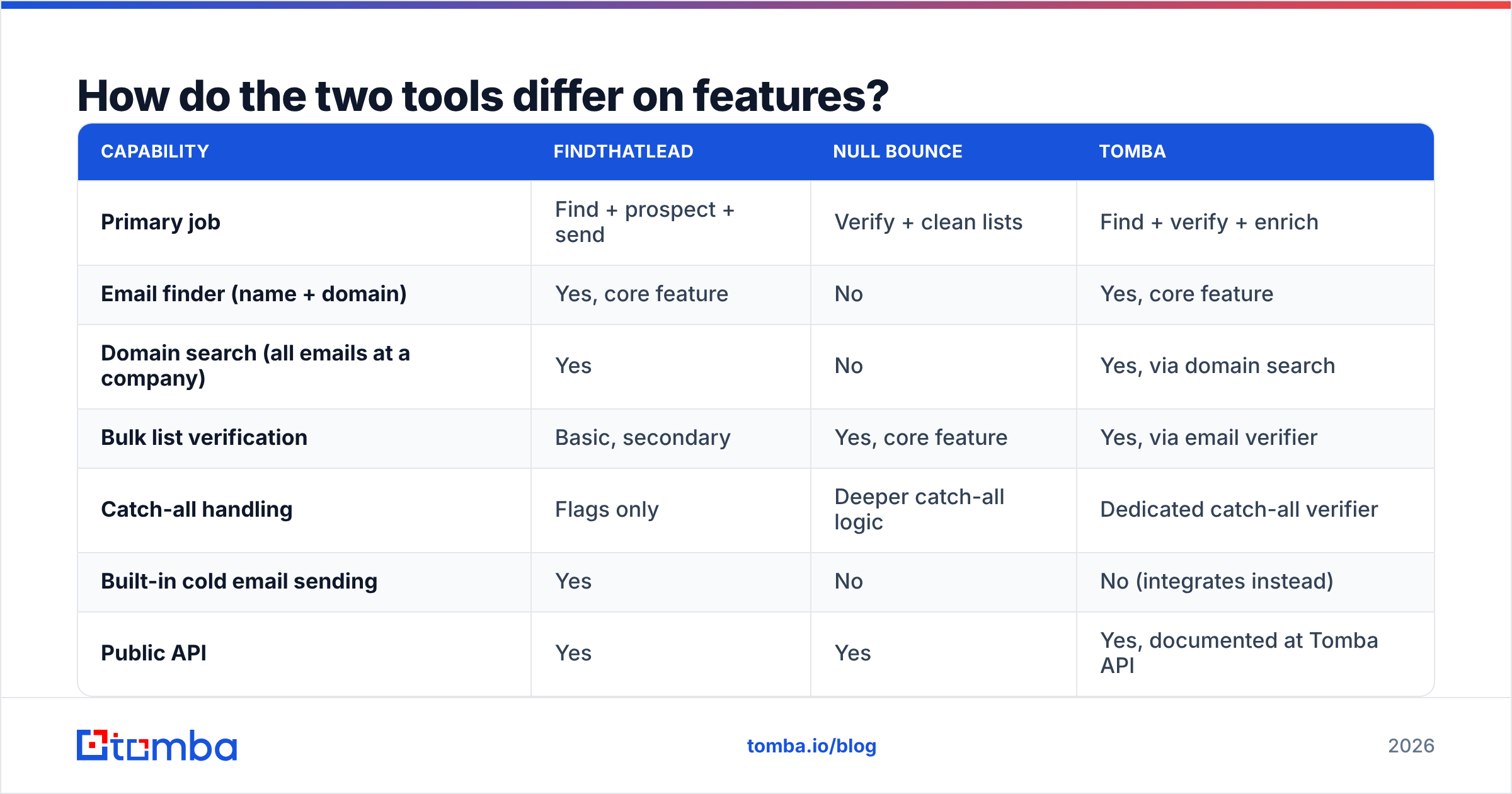
| Capability | FindThatLead | Null Bounce | Tomba |
|---|---|---|---|
| Primary job | Find + prospect + send | Verify + clean lists | Find + verify + enrich |
| Email finder (name + domain) | Yes, core feature | No | Yes, core feature |
| Domain search (all emails at a company) | Yes | No | Yes, via domain search |
| Bulk list verification | Basic, secondary | Yes, core feature | Yes, via email verifier |
| Catch-all handling | Flags only | Deeper catch-all logic | Dedicated catch-all verifier |
| Built-in cold email sending | Yes | No | No (integrates instead) |
| Public API | Yes | Yes | Yes, documented at Tomba API |
| Free tier | Limited trial credits | Small trial batch | 25 searches/mo, no card |
| Entry paid tier | ~$49/mo band | Pay-as-you-go credits | $49/mo Starter |
| Best fit | Solo founders, SMB outbound | Ops teams with dirty lists | Teams wanting one pipeline |
Read that table as a Venn diagram with a thin overlap. The only row where FindThatLead and Null Bounce genuinely compete is "bulk list verification" — and that is a secondary feature for one and the entire product for the other.
Which one is more accurate?#
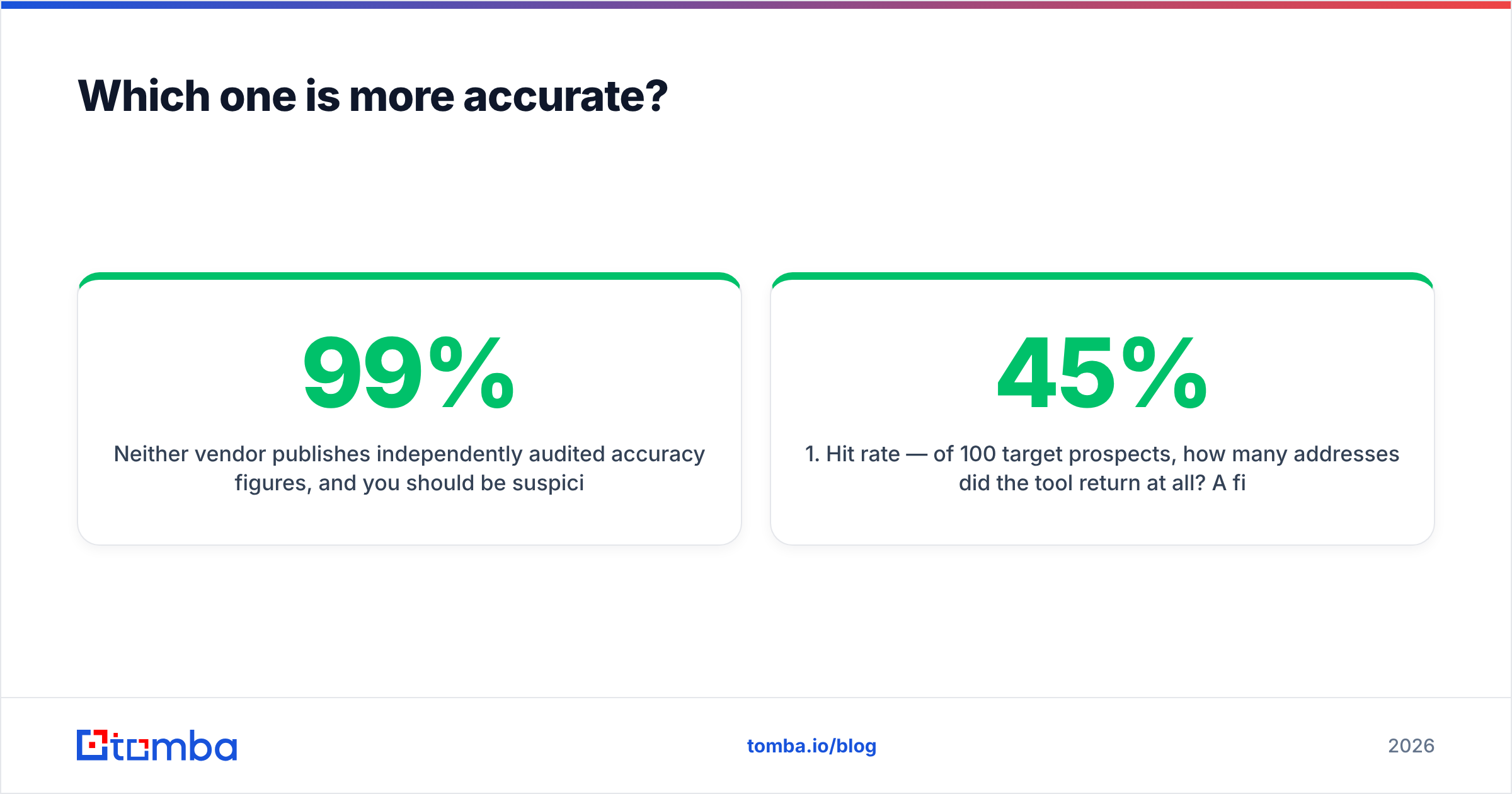
Neither vendor publishes independently audited accuracy figures, and you should be suspicious of anyone in this category who claims 99% without defining the denominator. "99% accuracy" usually means of the addresses we chose to return, which quietly excludes everything the tool failed to find at all.
Two numbers matter, and they pull against each other:
- Hit rate — of 100 target prospects, how many addresses did the tool return at all? A finder with a 45% hit rate and perfect precision still leaves 55 prospects unreachable.
- Bounce rate — of the addresses it did return, how many actually deliver? This is what verification protects.
A finder tuned for aggressive coverage will guess patterns and inflate hit rate at the cost of bounces. A verifier layered on top catches those guesses, which is exactly why the two-tool stack exists in the first place. FindThatLead leans toward coverage. Null Bounce, by design, leans toward caution — its whole value proposition is telling you "don't send this one."
The practical consequence: if you run FindThatLead output straight into a sequencer without a verification pass, your bounce rate will be higher than the vendor's marketing implies. That is not a knock on FindThatLead specifically. It is true of every pattern-inference finder, including the free email permutator style tools.
Run your own test before you commit. The method takes an afternoon:
- Build a control set of 200 contacts you can independently confirm — people who have emailed you, LinkedIn connections, conference attendee lists.
- Strip the emails and feed only name + company domain to each tool.
- Score hit rate — how many returned an address at all.
- Score precision — how many matched the address you already knew.
- Score cost per verified contact, not cost per credit. A cheap credit that returns nothing is infinitely expensive.
- Repeat on a second vertical. Tools that crush SaaS often collapse on manufacturing, healthcare, or non-US domains.
Is a verifier alone enough to protect deliverability?#
No — and this is where a lot of teams misdiagnose the problem. Verification prevents hard bounces. It does nothing about authentication, warmup, content, or sending volume. If your sender reputation is already damaged, a clean list will not un-damage it.
A verifier like Null Bounce is doing exactly one job well: reducing the share of your sends that hit a nonexistent mailbox. That job matters — mailbox providers absolutely use invalid-recipient rates as a spam signal, and a bounce message at scale is one of the fastest ways to get throttled. But it is one input among several.
The full stack you actually need:
- Authentication — SPF, DKIM, DMARC published and aligned. Check yours with an SPF checker before you blame your list.
- List hygiene — verification, dedupe, and suppression of role accounts. A quick remove duplicates pass costs nothing and often trims 8–12% of an exported list.
- Volume ramp — new domains need weeks of gradual warmup, not a 5,000-send Tuesday.
- Content quality — spam-trigger phrasing and link-heavy templates still get filtered even with a perfectly clean list.
Null Bounce owns bullet two. It does not claim to own the rest, and you should not expect it to.
What about catch-all domains?#
This is the single most useful question to ask any verification vendor, because it is where the honest ones and the optimistic ones separate.
A catch-all domain accepts mail to every address at that domain, including asdfgh@company.com. SMTP-level verification cannot resolve those — the server says yes to everything. Depending on the vertical, catch-alls can be 20–35% of your B2B list, and enterprise domains skew high.
Vendors handle this three ways:
- Flag and pass — mark it "unknown/risky" and hand the decision back to you. Safe, but leaves a third of your list unusable.
- Flag and guess — mark it "accept-all, probably valid." Higher usable volume, higher bounce risk.
- Resolve with secondary signals — cross-reference pattern data, historical engagement, and other sources to make a real call. More expensive to build, materially more useful.
Null Bounce's positioning centers on the third approach, which is the right one. FindThatLead flags catch-alls but does not do much beyond that. If your target market is enterprise, weight this row heavily — it will drive more of your usable-lead volume than the headline price difference.

FindThatLead vs Null Bounce: which should you pick?#
Pick by the bottleneck, not by the feature list.
Choose FindThatLead if:
- You do not have a list yet and need one built from scratch.
- You want find + send in a single subscription and can tolerate a bolted-together feel.
- You are a solo founder or a two-person sales team where consolidation beats best-of-breed.
- Your ICP is SMB and mostly Western Europe or North America, where its coverage is strongest.
Choose Null Bounce if:
- You already have volume — a CRM with 40,000 stale contacts, a purchased list, a webform backlog.
- Your bounce rate is above 3% and it is actively hurting placement.
- You need catch-all resolution rather than catch-all flagging.
- You want pay-as-you-go credits instead of a monthly seat commitment.
Choose neither if you are going to end up buying both anyway. That is the honest failure mode of this comparison. A team that needs sourcing and hygiene buys two subscriptions, reconciles two credit systems, exports CSVs between them, and loses a day a month to plumbing.
Is there a single tool that does both?#
Yes, and this is where consolidation genuinely earns its keep rather than being a marketing line.
Tomba runs finding and verification off one credit pool and one API key. You find an address with the email finder, it is verified inline before it ever reaches your CSV, and catch-all domains route to the dedicated catch-all path instead of being dumped into an "unknown" bucket. Bulk work goes through the bulk email finder, and enrichment sits on the same records rather than in a separate vendor.
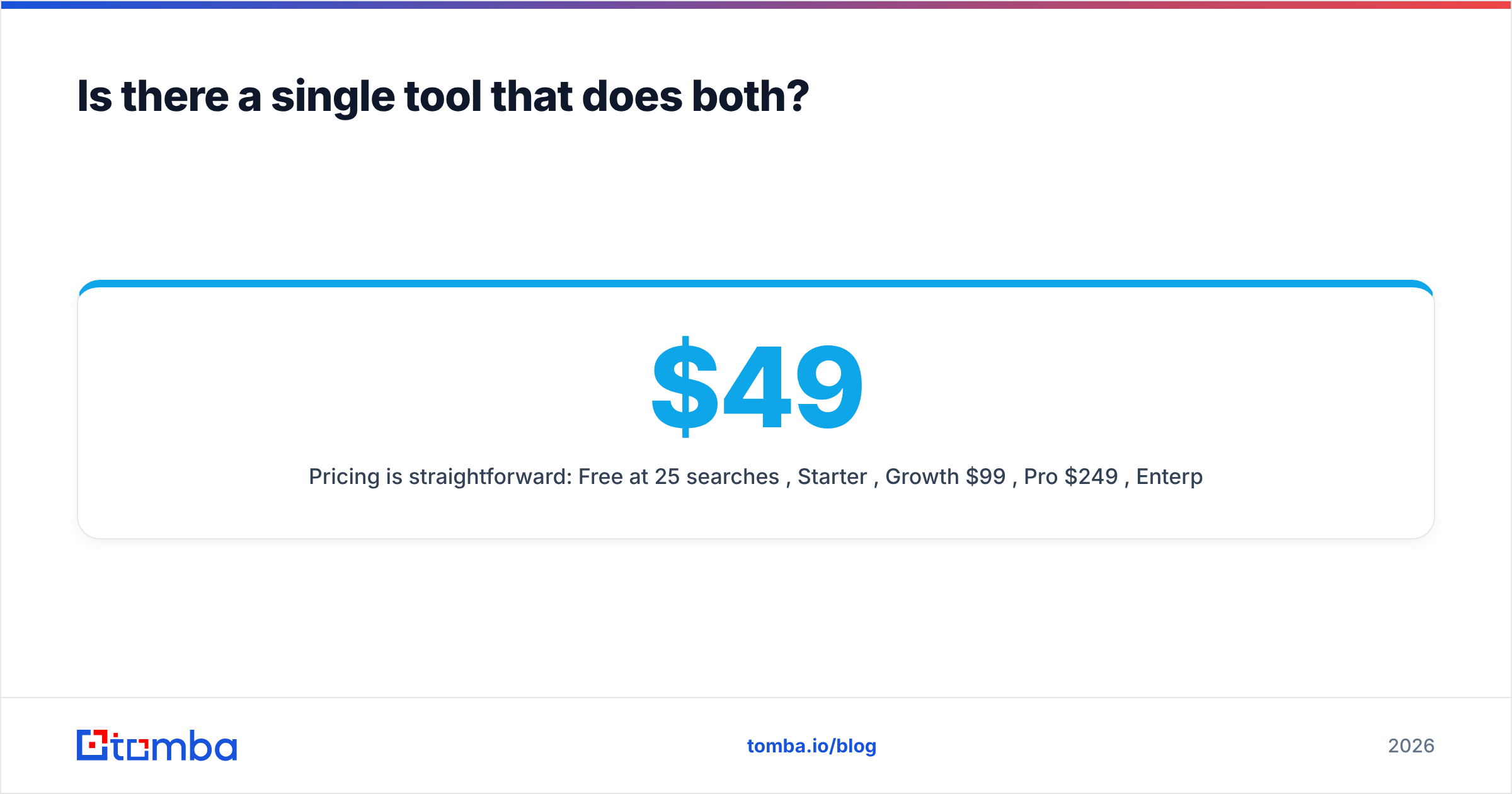
Pricing is straightforward: Free at 25 searches/mo, Starter $49/mo, Growth $99/mo, Pro $249/mo, Enterprise custom. Full details are on the Tomba pricing page.
Other consolidated options are worth a look depending on how you buy data. BookYourData is a solid choice if you would rather purchase a pre-built, pay-as-you-go contact list than run searches yourself — a genuinely different buying model, and a good fit for teams that want volume up front without a subscription. Larger all-in-one platforms exist too, but they price for the whole GTM stack, which is overkill if all you need is reliable contact data.
Whatever you shortlist, check the review sites for recent, verified feedback rather than vendor case studies — G2 and Capterra both surface complaints about credit expiry and refund policy that never appear on a pricing page.
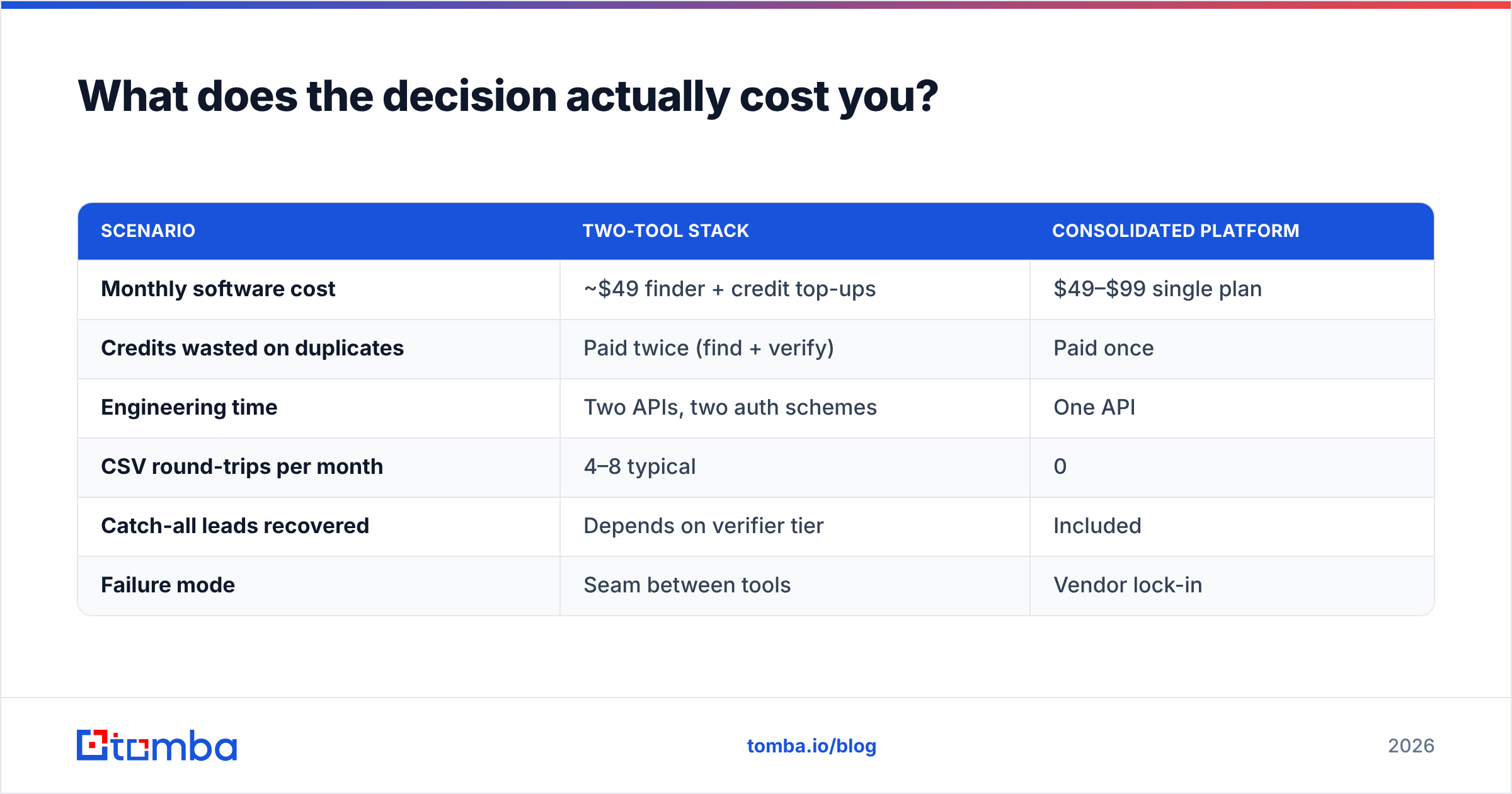
What does the decision actually cost you?#
Run the math on cost per usable contact, not cost per credit.
| Scenario | Two-tool stack | Consolidated platform |
|---|---|---|
| Monthly software cost | ~$49 finder + credit top-ups | $49–$99 single plan |
| Credits wasted on duplicates | Paid twice (find + verify) | Paid once |
| Engineering time | Two APIs, two auth schemes | One API |
| CSV round-trips per month | 4–8 typical | 0 |
| Catch-all leads recovered | Depends on verifier tier | Included |
| Failure mode | Seam between tools | Vendor lock-in |
The two-tool stack is not wrong. It is just more expensive than it looks once you price the CSV round-trips and the duplicate credit spend. If you have an ops person who enjoys plumbing, best-of-breed wins on raw capability. If you do not, the seam is where your leads go to die.
Ready to stop paying for half a pipeline?#
If the FindThatLead vs Null Bounce question came up because you are bouncing too much and not finding enough, the answer is not "pick one." It is "stop splitting the pipeline."
Start with the Tomba Email Finder on the free tier — 25 searches a month, no card required. Run your own 200-contact bake-off against whatever you use today, score hit rate and bounce rate side by side, and let the numbers decide. If Tomba loses on your ICP, you have learned something useful for free. If it wins, you have collapsed two invoices into one.
Related guides#
Ready to find emails that actually work?
Join 150,000+ professionals who stopped guessing and started sending. Free credits on signup — no credit card required.
Get the Tomba newsletter
Practical outbound tactics and product updates — once every two weeks.
About the author