FindThatLead vs SalesQL: Which Email Finder Wins in 2026?
FindThatLead sells bulk prospecting and campaigns. SalesQL lives inside LinkedIn. We compare accuracy, credits, pricing and export limits to show which one actually fits your outbound motion in 2026.
TL;DR
- FindThatLead is a bulk prospecting suite: domain search, lead search by role/location, a verifier, and a built-in cold email sender. Strongest when you want volume lists and campaigns in one tab.
- SalesQL is a LinkedIn-first Chrome extension: you browse Sales Navigator or a normal LinkedIn search, and it pulls personal plus work emails and phone numbers into a list you can export.
- They are not really the same product. FindThatLead starts from a domain or an ICP filter; SalesQL starts from a LinkedIn profile. Pick based on where your list actually originates.
- Both leak accuracy on catch-all domains and neither gives you a serious API for enrichment at scale — that is where a dedicated email finder with a documented API pulls ahead.
- Cheapest honest setup for most teams in 2026: one LinkedIn extraction tool for the profiles you hand-pick, plus one API-first finder/verifier for everything programmatic.
What is FindThatLead and who is it for?#
FindThatLead is a Spanish-built B2B prospecting platform that has been around since 2015. Its core loop: give it a company domain, and it returns the email addresses it has associated with that domain, with a confidence label. Layered on top are a Lead Search (filter by job title, industry, country, and get a list of matching people), a Prospector for scraping LinkedIn search pages, an email verifier, and Scrab.in-adjacent campaign sending.
The pitch is consolidation. You never leave the tool: build a list, verify it, write a sequence, hit send, watch opens. For a solo founder or a two-person agency that does not want to stitch together four subscriptions, that is genuinely appealing.
The cost of consolidation is that no single module is best-in-class. The verifier is adequate but not at the level of a specialist. The sender lacks the deliverability tooling that Instantly or Smartlead ship. And the database, while broad, skews toward SMB and European coverage — you will feel gaps on US enterprise contacts and on newer companies.
Who FindThatLead fits:
- Volume-first prospectors who want 5,000 leads from a filter, not 50 hand-picked ones.
- Agencies running lookalike campaigns across many similar SMB domains.
- Teams without an engineer — everything is point-and-click.
- Europe-heavy ICPs, where its data is comparatively strong.
What is SalesQL and how does it actually work?#
SalesQL is much narrower by design. It is a Chrome extension that activates on LinkedIn. You open a profile, a company page, a normal search result, a Sales Navigator list, or a group member list — SalesQL sidebars in and reveals contact data for the people on screen.
What it returns, per contact:
- Work emails (usually one or two guesses ranked by confidence)
- Personal emails — this is SalesQL's differentiator; Gmail/Outlook/Yahoo addresses that most work-email tools deliberately exclude
- Direct and mobile phone numbers, when available
- Enriched profile fields: title, company, location, LinkedIn URL
Because it is bound to LinkedIn, your list quality is exactly as good as your LinkedIn search. That is a feature if you are a rep who already lives in Sales Navigator, and a hard ceiling if you are trying to enrich a CSV of 40,000 domains that never touched LinkedIn.
SalesQL's second differentiator is price sensitivity. Its entry paid tier is one of the cheaper ways to get bulk LinkedIn extraction, and credits roll in a fairly generous way relative to LinkedIn-native competitors like Wiza or ContactOut. If you want to see how it stacks up against those, we keep running notes on the Wiza alternative and ContactOut alternative landscape.

Is FindThatLead or SalesQL more accurate?#
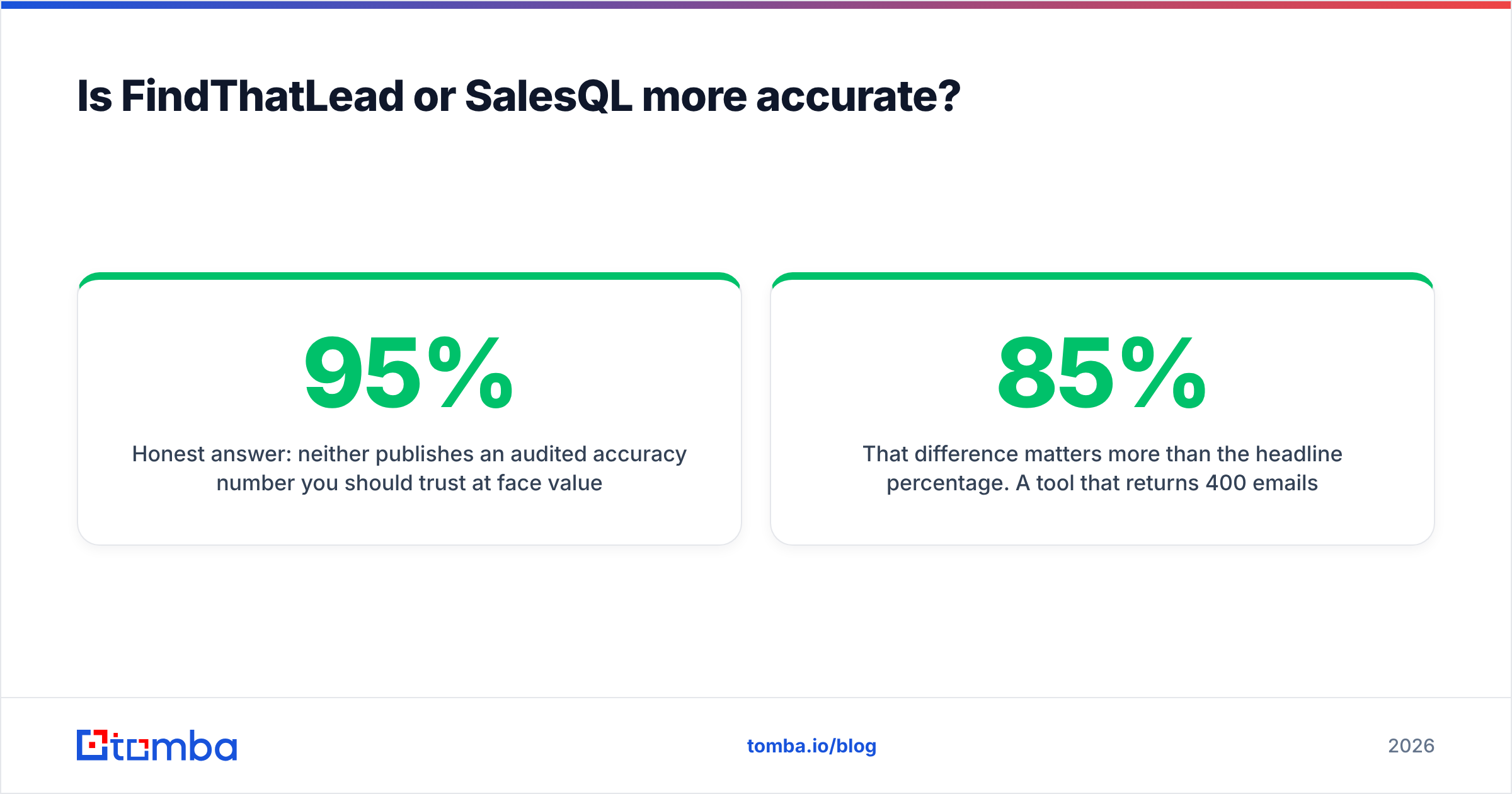
Honest answer: neither publishes an audited accuracy number you should trust at face value, and both quote figures in the 90-95% range that are measured on their easiest segments.
What actually determines whether an address bounces:
- Whether the domain is catch-all. A catch-all MX accepts every address, so SMTP verification returns "valid" for garbage. Roughly a fifth of B2B domains are configured this way. Tools that mark these "valid" instead of "accept-all" are inflating their own scores. Run suspicious domains through a dedicated catch-all verifier before you commit them to a sequence.
- Whether the address is pattern-guessed or sourced. Both tools guess.
first.last@domain.comis right often enough to look impressive on common patterns and badly wrong on companies usingflast@or randomized aliases. - Data freshness. A contact who changed jobs eight months ago is a bounce waiting to happen, and neither tool aggressively decays stale records.
In side-by-side spot tests the pattern most teams report is consistent: SalesQL wins on individual, hand-picked LinkedIn profiles — because it has a real person to anchor to, with a verified name and current employer. FindThatLead wins on breadth — it will return something for far more domains, but the something is more often a role address (info@, sales@) or a low-confidence guess.
That difference matters more than the headline percentage. A tool that returns 400 emails at 85% deliverability is worse for your domain reputation than one returning 220 at 96%, because the bounces are what get you throttled. Before any send, push the whole list through an email verifier that separates valid, invalid, and accept-all into distinct buckets rather than one green checkmark.

FindThatLead vs SalesQL: full feature and pricing comparison#
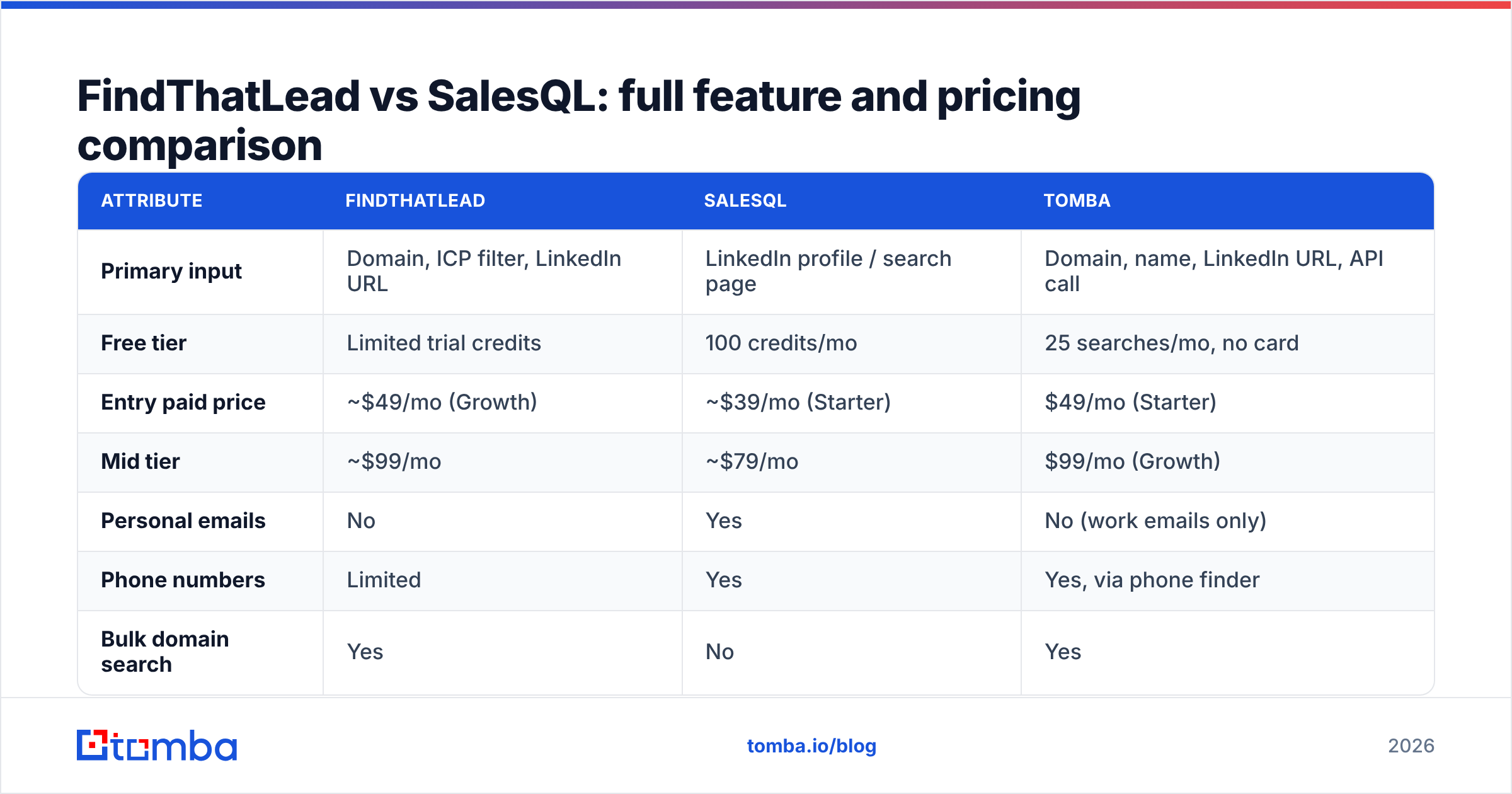
Here is the head-to-head on the attributes that change your buying decision. Pricing reflects publicly listed 2026 monthly rates on annual-equivalent entry tiers; check each vendor for current numbers.
| Attribute | FindThatLead | SalesQL | Tomba |
|---|---|---|---|
| Primary input | Domain, ICP filter, LinkedIn URL | LinkedIn profile / search page | Domain, name, LinkedIn URL, API call |
| Free tier | Limited trial credits | 100 credits/mo | 25 searches/mo, no card |
| Entry paid price | ~$49/mo (Growth) | ~$39/mo (Starter) | $49/mo (Starter) |
| Mid tier | ~$99/mo | ~$79/mo | $99/mo (Growth) |
| Personal emails | No | Yes | No (work emails only) |
| Phone numbers | Limited | Yes | Yes, via phone finder |
| Bulk domain search | Yes | No | Yes |
| Catch-all handling | Basic flag | Basic flag | Dedicated catch-all verifier |
| Built-in email sending | Yes | No | No (integrations instead) |
| Public REST API | Limited | Limited | Full API + CLI + MCP |
| Chrome extension | Yes | Yes (core product) | Yes |
| Native CRM sync | HubSpot, Zapier | HubSpot, Pipedrive, Zapier | HubSpot, Salesforce, Pipedrive, Zapier, Make |
| Best for | Bulk SMB lists + campaigns | Rep-led LinkedIn sourcing | Programmatic finding + verification |
Two things jump out of that table.
First, SalesQL is the only one of the three that returns personal emails. If your motion depends on reaching people outside their corporate inbox — recruiting, founder outreach, community building — that alone can decide it. Just be deliberate: personal-inbox outreach carries a different consent and GDPR posture than business contact data, and regulators in the EU treat the two differently.
Second, FindThatLead is the only one that sends email. Whether that is a plus depends on how much you care about deliverability tooling. Most teams doing serious volume run sending through a specialist and keep data separate — see our take on the Instantly alternative landscape for why that split usually wins.
Which one should you buy for your specific motion?#
Match the tool to where your list is born.
- Your list starts in Sales Navigator. Buy SalesQL. Nothing about FindThatLead's workflow improves on a well-built LinkedIn search, and SalesQL's personal-email coverage is a real edge for hard-to-reach titles.
- Your list starts as a spreadsheet of company domains. Buy FindThatLead, or skip both and use a domain search with an API so you can automate the refresh instead of re-uploading CSVs monthly.
- Your list starts in your product database or CRM. Neither. You need enrichment that runs on a schedule against records you already own — that is an API job, not a Chrome extension job.
- You need one tool because budget is genuinely $50/month total. SalesQL if you are a rep; FindThatLead if you are a founder who also needs to send the emails.
- You are building this into a product or internal tool. Neither vendor's API is designed for it. Look at options with documented endpoints, rate limits, and SDKs.
- You need EU-heavy SMB coverage. FindThatLead's European data is its most defensible asset.
What do the credit systems really cost you?#
Credit math is where comparison posts usually go soft. Here is the part vendors do not put on the pricing page.
FindThatLead charges a credit per email found and typically per verification. A 1,000-domain search that returns 640 emails, then verified, burns closer to 1,300 credits than 640. Its lead-search module also consumes credits on results you may discard after seeing the title.
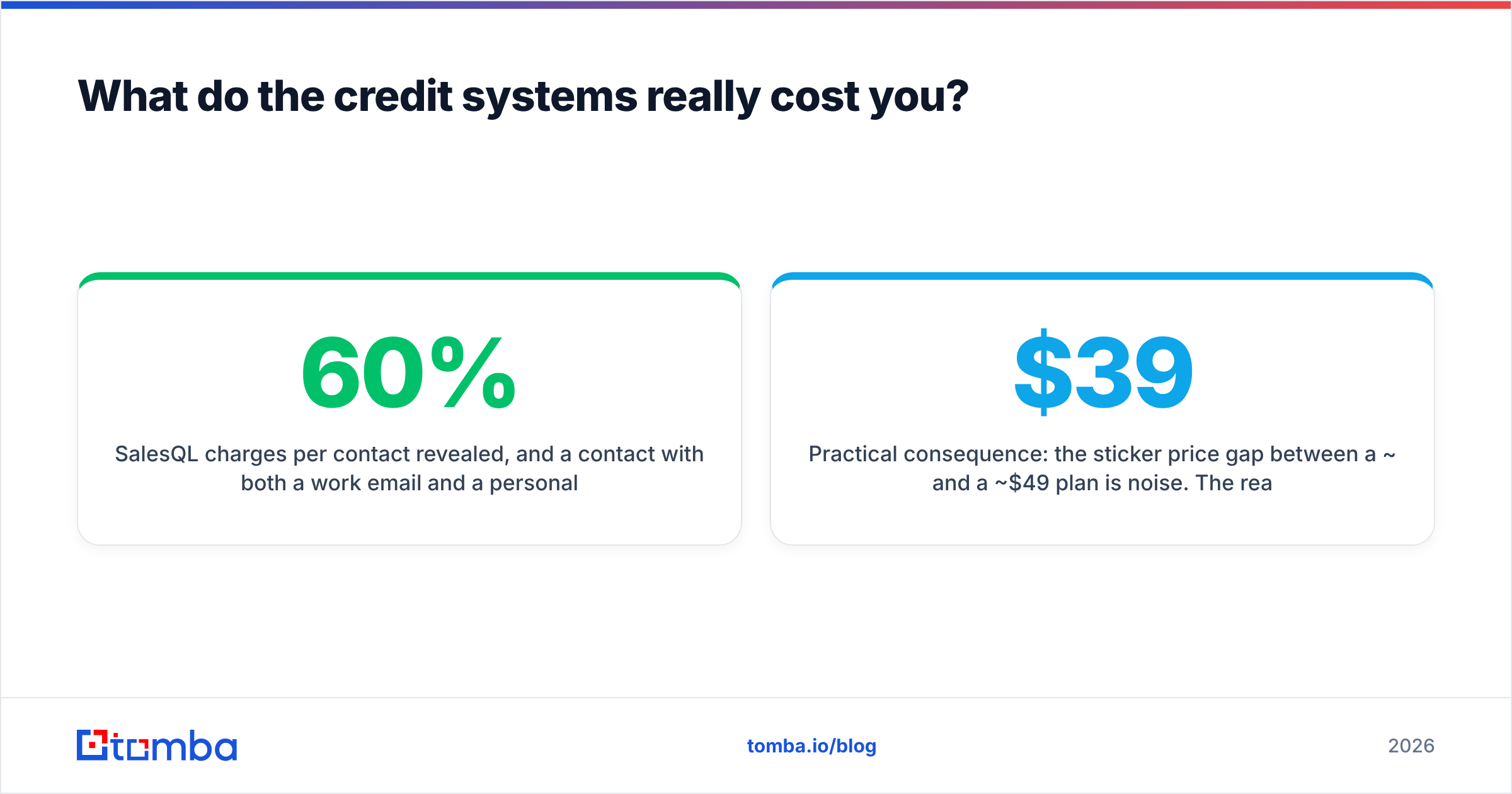
SalesQL charges per contact revealed, and a contact with both a work email and a personal email plus a phone can consume more than one credit depending on plan. Extracting a 500-person Sales Navigator list is rarely 500 credits — budget 30-60% more.
Practical consequence: the sticker price gap between a ~$39 and a ~$49 plan is noise. The real spread comes from how many credits you burn on results you never email. Two habits fix most of it:
- Deduplicate before you enrich. Running the same contact through two tools is the single most common source of wasted spend. A quick pass through a remove duplicates step costs nothing.
- Verify after, not during. Find first, dedupe, then verify only the addresses you actually intend to send to.

How do they compare on compliance and data sourcing?#
Both tools sit in the same legal grey zone every contact-data vendor occupies, and both put the compliance burden on you.
FindThatLead states it aggregates from public web sources and offers GDPR request handling. SalesQL, because it extracts from LinkedIn profiles a user is already viewing, argues its processing is user-initiated. Neither argument makes your outreach automatically lawful — under GDPR you still need a legal basis (usually legitimate interest, documented), and under CAN-SPAM you need accurate headers and a working opt-out. The ICO's guidance on direct marketing is the clearest free reference if your ICP includes the UK or EU.
Two practical rules regardless of vendor:
- Business addresses carry less risk than personal ones. SalesQL's personal-email feature is powerful and correspondingly riskier in regulated markets.
- Keep provenance. If you cannot say where a record came from, you cannot answer a deletion request properly. Vendors that publish their data sources make that audit trivial; ones that do not make it your problem.
For a neutral read on how buyers rate each product, G2's category listings are more useful than either vendor's own testimonials — filter reviews to the last twelve months, since both products changed meaningfully in 2025.
What is the honest verdict?#
If you must pick one: SalesQL for reps, FindThatLead for founders.
SalesQL does one job — turning a LinkedIn profile into contact data — and does it with better per-contact accuracy and unique personal-email coverage. FindThatLead does five jobs at roughly 70% of best-in-class quality each, which is the right trade when you are the entire go-to-market team and cannot manage five subscriptions.
But the framing itself is a trap for anyone past the first fifty leads. Neither tool is built to sit inside a system. The moment your prospecting becomes "enrich every new signup," "refresh the CRM weekly," or "score inbound leads on arrival," a Chrome extension and a campaign dashboard stop being the answer. What you need then is an endpoint you can call.
That is the case for keeping data infrastructure separate from workflow tooling. Use the extension for hand-picked profiles. Use an API for everything repeatable. Do not pay a campaign tool to be a mediocre database, or a database to be a mediocre campaign tool.
Where does Tomba fit in this comparison?#
Tomba does not try to be a LinkedIn extension or a sending platform. It is the data layer — find, verify, enrich — with the same capability exposed through a UI, a bulk uploader, a Chrome extension, Google Sheets, and a REST API, so the workflow you prototype by hand is the one you automate later.
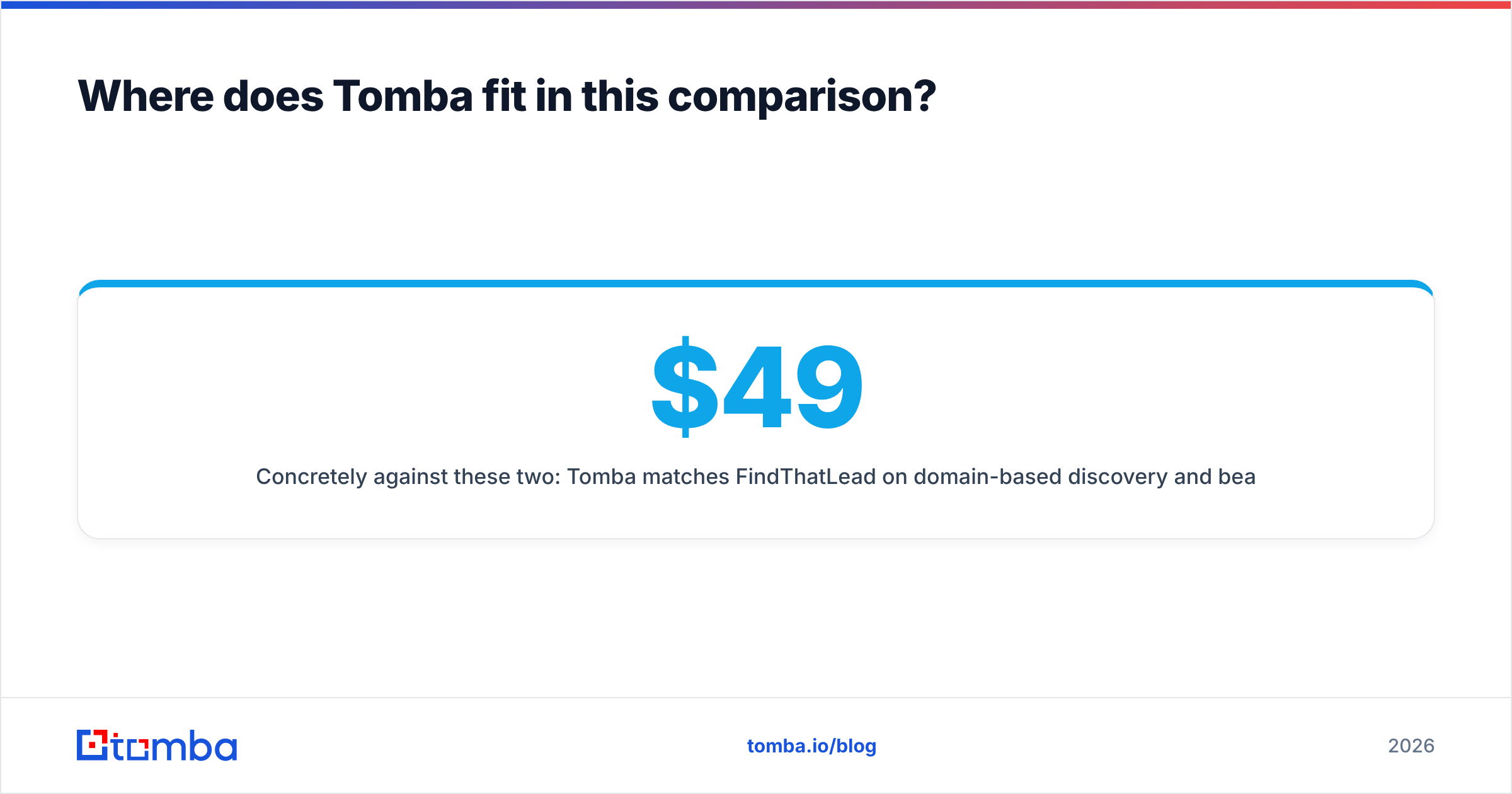
Concretely against these two: Tomba matches FindThatLead on domain-based discovery and beats it on catch-all handling and API depth. It does not return personal emails the way SalesQL does — a deliberate scope decision on the business-contact side. Pricing is transparent at $49/mo Starter, $99/mo Growth, $249/mo Pro, with a free tier of 25 searches to test accuracy on your own domains before paying anything. Full Tomba pricing is public, and the Tomba API is documented with rate limits and SDKs rather than gated behind a sales call.
The test that settles it is cheap: take 50 domains from your actual ICP, run them through all three, send the results to a verifier, and count real inbox placements — not "valid" labels. Whichever tool wins on your data is the right answer, regardless of what any comparison post says.
Start that test with the free tier of the Tomba Email Finder — 25 searches, no card, and the same accuracy you would get on a paid plan. If your list comes from domains rather than LinkedIn profiles, you will know within an afternoon whether you need to pay either vendor at all.
Related guides#
Ready to find emails that actually work?
Join 150,000+ professionals who stopped guessing and started sending. Free credits on signup — no credit card required.
Get the Tomba newsletter
Practical outbound tactics and product updates — once every two weeks.
About the author