FindThatLead vs Sendster (2026): Which One Do You Need?
FindThatLead finds and verifies B2B contacts. Sendster is a self-hosted platform that sends to them. Here is the honest breakdown of what each one costs, where each breaks, and which half of the pipeline you are actually missing.
TL;DR
- FindThatLead and Sendster are not really competitors. FindThatLead is a prospecting tool that finds and verifies B2B email addresses. Sendster is a self-hosted email marketing application that sends campaigns to a list you already own.
- If you are choosing between them, you are almost certainly asking the wrong question. The real question is which half of your pipeline is broken: sourcing contacts, or delivering messages to them.
- Cost models are opposite. FindThatLead is a monthly SaaS subscription with credit limits. Sendster is a one-time license you install on your own server, then pay separately for an SMTP relay.
- Sendster gives you ownership and near-zero marginal send cost, but you inherit server maintenance, IP warmup, DNS records, and compliance work that a hosted platform absorbs for you.
- The strongest setup for most B2B teams is a dedicated finder plus a dedicated verifier feeding whichever sender you prefer. Sending clean data matters more than which sending app you picked.
What is FindThatLead, and what does it actually do?#
FindThatLead is a Barcelona-based B2B prospecting platform that has been around since roughly 2015. Its core job is turning fragments of information into contactable leads.
The main modules:
- Email finder — you supply a first name, last name, and company domain, and it returns the most likely work email with a confidence indicator.
- Domain search — you supply a company domain and it returns the emails it has on file for that organization, usually with role and department labels.
- Prospector — a filtered search across its database by role, location, and industry, meant for building a list from scratch rather than enriching one you already have.
- Lead search / social extraction — a Chrome extension and LinkedIn-adjacent workflows for pulling contacts while you browse.
- Email sender — a light campaign feature bolted onto the finder so you can send a sequence without exporting.
That last module is why people end up comparing FindThatLead to sending platforms at all. But it is a secondary feature on a prospecting product, not a full email marketing system. It is built for cold outbound sequences of a few hundred to a few thousand contacts, not for newsletters to 200,000 subscribers.
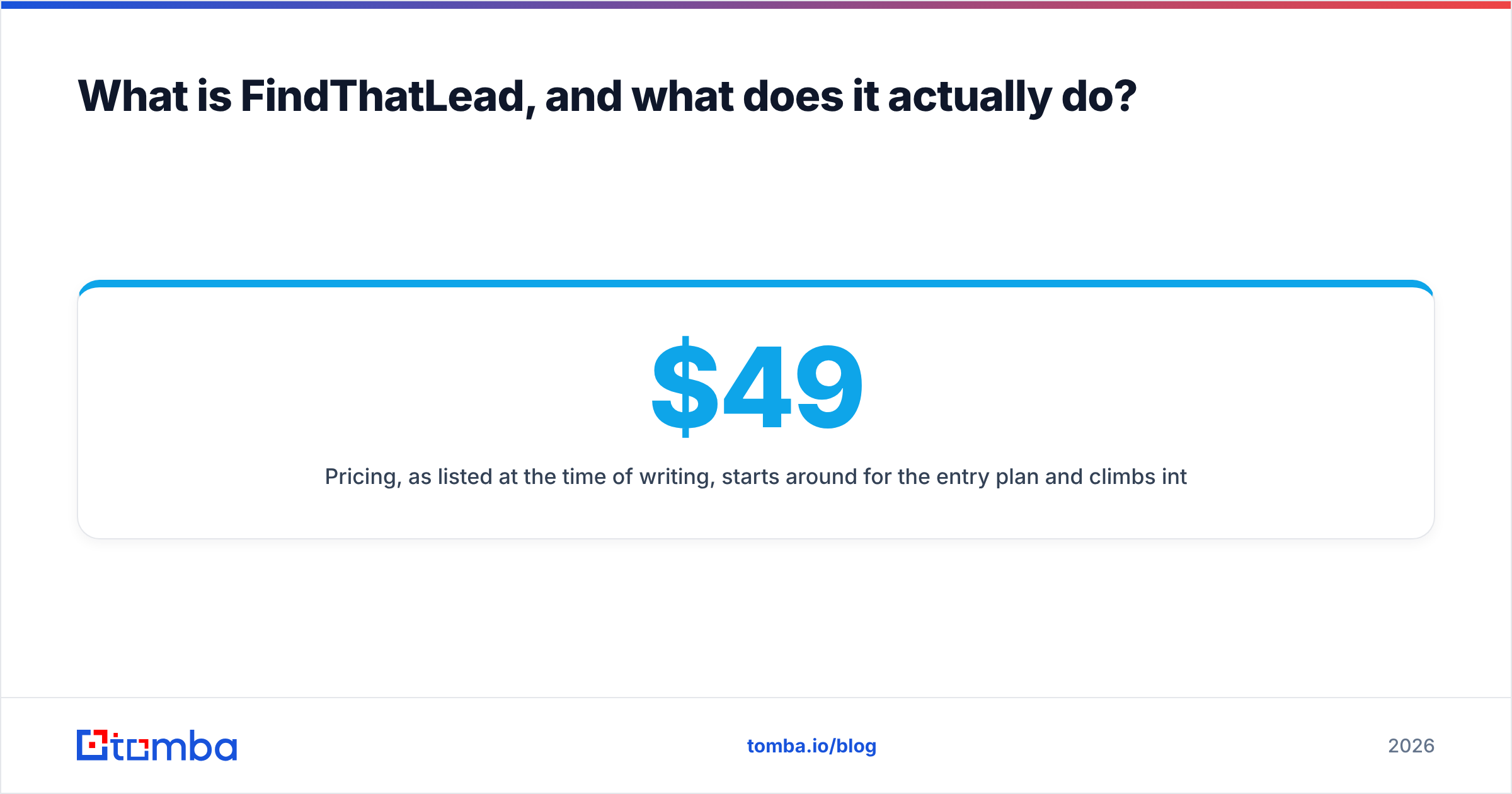
Pricing, as listed at the time of writing, starts around $49/mo for the entry plan and climbs into the $150–$400/mo range for higher credit tiers. Credits are consumed by searches and verifications, and unused credits generally do not roll over. Always check the vendor page before budgeting — every tool in this category repriced at least once in the last two years.
What is Sendster, and why is it a different category?#
Sendster is a self-hosted email marketing and newsletter application, distributed as a script you buy once and install on your own hosting. It is sold through the Envato CodeCanyon marketplace, which tells you most of what you need to know about the model: one-time license fee, PHP application, your server, your database, your responsibility.
What it does:
- Manages subscriber lists, segments, and custom fields
- Builds campaigns with a drag-and-drop editor and templates
- Runs autoresponders and drip sequences triggered by signup or behavior
- Connects to external sending infrastructure — Amazon SES, SendGrid, Mailgun, Postmark, or plain SMTP
- Handles bounces, unsubscribes, and open/click tracking on your own domain
What it does not do: find anyone. Sendster has no email discovery, no B2B database, no domain search, no company enrichment. It assumes you arrive with a CSV of people who have some relationship to you.
That distinction is the entire post. One tool answers "who do I email?" The other answers "how do I email 50,000 people without paying $900/mo to a hosted ESP?"
FindThatLead vs Sendster: how do they compare head to head?#
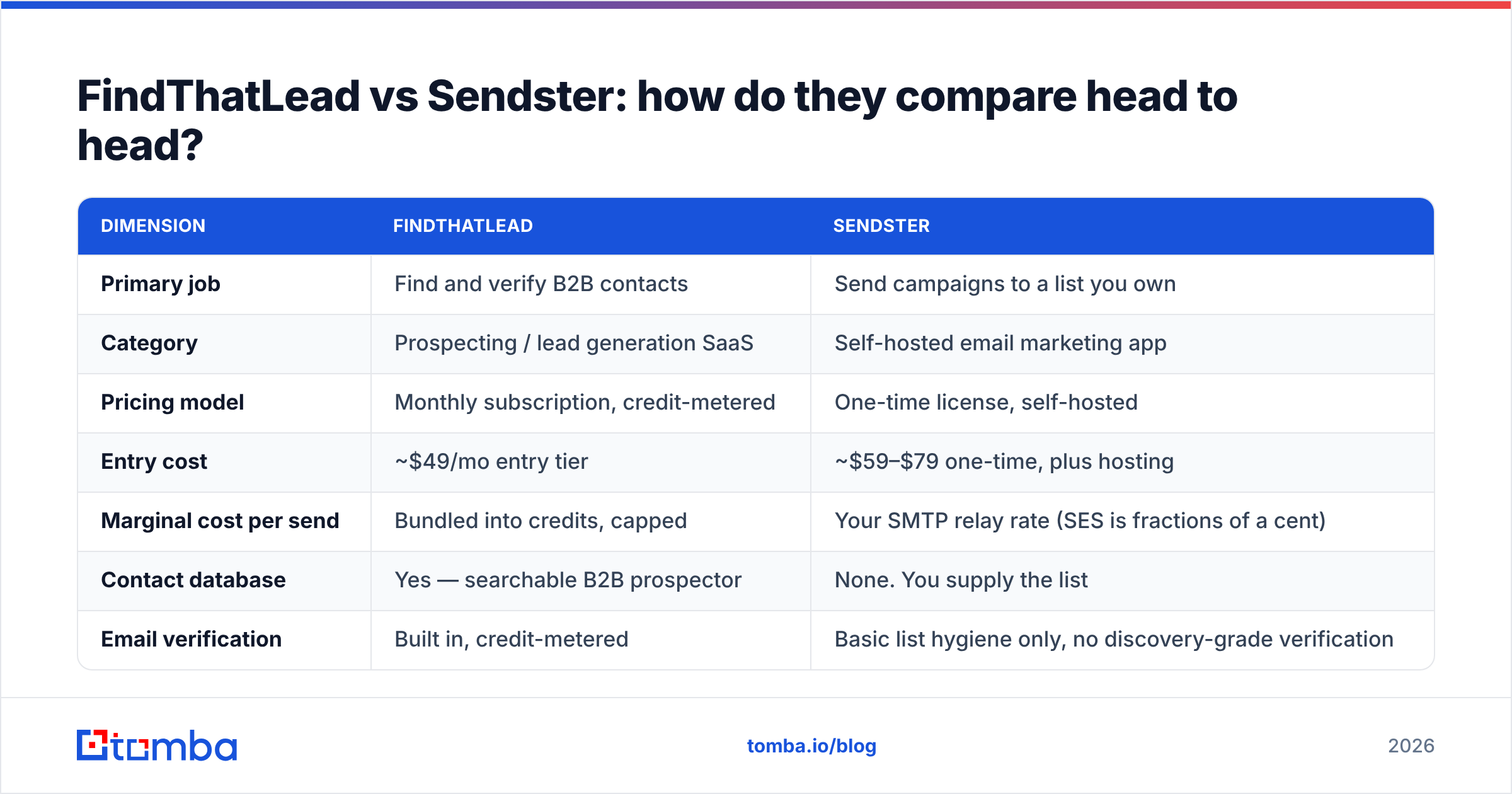
Here is the honest side-by-side. Read it as a capability map, not a scoreboard — a row where one tool scores "no" often means that tool was never trying.
| Dimension | FindThatLead | Sendster |
|---|---|---|
| Primary job | Find and verify B2B contacts | Send campaigns to a list you own |
| Category | Prospecting / lead generation SaaS | Self-hosted email marketing app |
| Pricing model | Monthly subscription, credit-metered | One-time license, self-hosted |
| Entry cost | ~$49/mo entry tier | ~$59–$79 one-time, plus hosting |
| Marginal cost per send | Bundled into credits, capped | Your SMTP relay rate (SES is fractions of a cent) |
| Contact database | Yes — searchable B2B prospector | None. You supply the list |
| Email verification | Built in, credit-metered | Basic list hygiene only, no discovery-grade verification |
| Deliverability infrastructure | Managed by vendor | You own IP warmup, SPF, DKIM, DMARC, bounce handling |
| Best-fit volume | Hundreds to low thousands per month | Tens of thousands to millions per month |
| Best-fit use case | Cold B2B outbound, list building | Newsletters, product updates, opted-in nurture |
| Technical skill needed | None | Server admin, DNS, cron jobs, SMTP config |
| Where it fails | Thin coverage in some regions; credits burn fast | You are the deliverability team now |
The pattern is clean once you see it. FindThatLead is expensive per contact and cheap in effort. Sendster is cheap per send and expensive in effort.
Which one do you actually need?#
Match the tool to the bottleneck, not to the feature list. Four scenarios cover most teams:
- You have no list at all. You need a finder. Sendster will sit empty. Start with a domain search and an email finder to build the first thousand contacts, then worry about sending.
- You have a big opted-in list and a big ESP bill. You need Sendster or something like it. Mailchimp-class pricing at 100,000 contacts gets brutal; a self-hosted app plus Amazon SES can cut that by an order of magnitude, if you have the ops capacity.
- You run cold B2B outbound at low volume. You need a finder plus a purpose-built cold email sender with inbox rotation and reply detection. Sendster is built for broadcast marketing, not one-to-one cold sequences that need to look human.
- You do both. Then you need both — and a verification layer between them, which neither tool does at the standard your bounce rate requires.
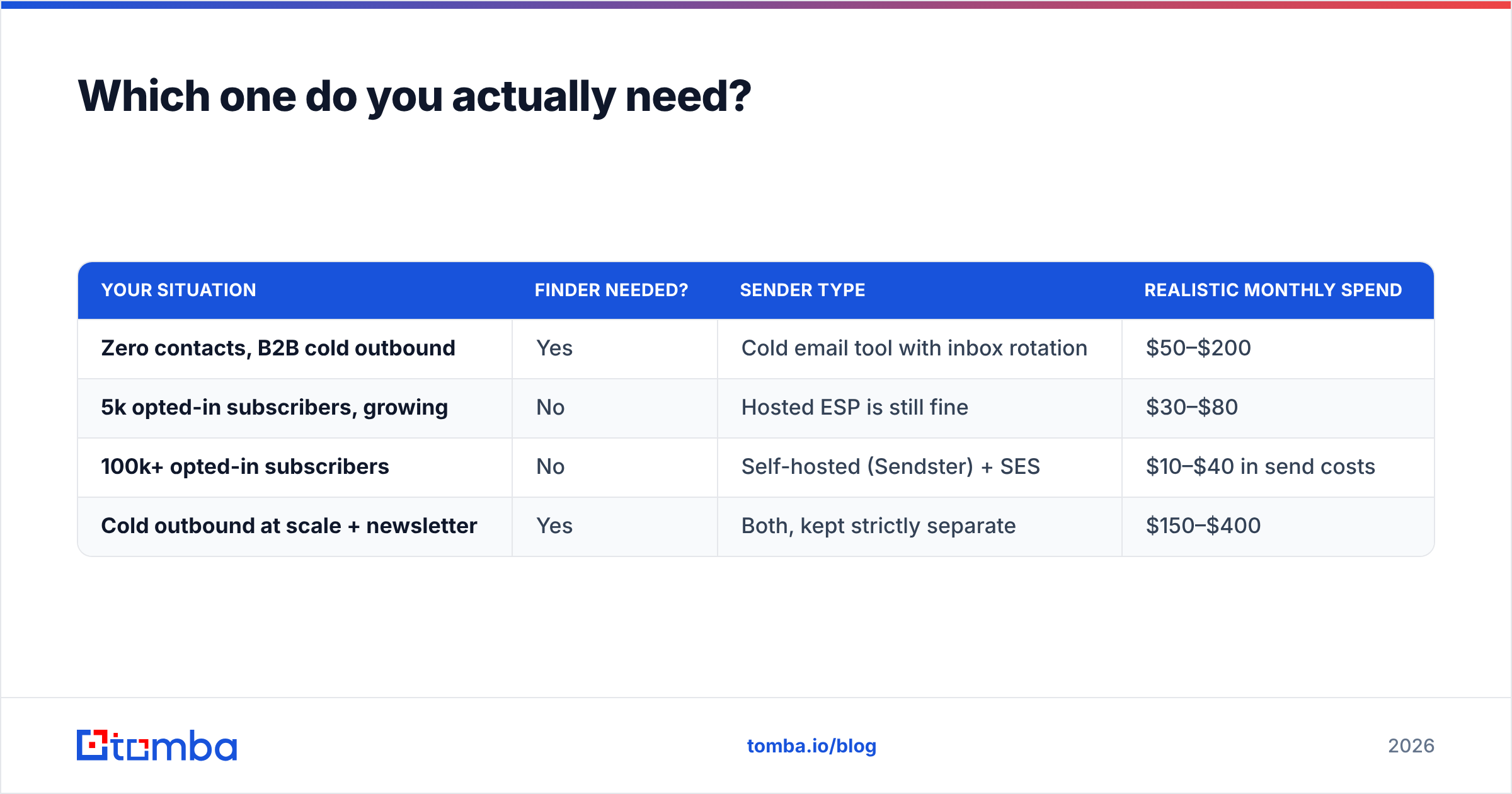
Here is the same logic as a routing table:
| Your situation | Finder needed? | Sender type | Realistic monthly spend |
|---|---|---|---|
| Zero contacts, B2B cold outbound | Yes | Cold email tool with inbox rotation | $50–$200 |
| 5k opted-in subscribers, growing | No | Hosted ESP is still fine | $30–$80 |
| 100k+ opted-in subscribers | No | Self-hosted (Sendster) + SES | $10–$40 in send costs |
| Cold outbound at scale + newsletter | Yes | Both, kept strictly separate | $150–$400 |
That last row deserves emphasis. Never send cold outbound and opted-in marketing from the same domain or the same infrastructure. One bad cold campaign will torch the sender reputation you spent a year building for your newsletter.
What does each really cost at scale?#
Sticker price lies in both directions here. Let's price a realistic month: you want 3,000 new verified B2B contacts and you want to email 40,000 people.
FindThatLead side of the ledger. 3,000 finds plus verifications lands you in the mid-tier plan, call it $150/mo. Credits reset monthly whether you use them or not. If your team has a slow month, you paid for air. If you have a big month, you buy an overage pack.
Sendster side of the ledger. The license is a one-time purchase, roughly $59–$79 for a regular license depending on the current marketplace price. Hosting a self-managed app that sends 40,000 emails a month needs a modest VPS — $10–$25/mo. Amazon SES charges about $0.10 per 1,000 emails, so 40,000 sends is $4. Total ongoing: under $30/mo.
That looks like Sendster wins by a mile, and on pure send cost it does. The hidden line item is labor. Budget several hours for initial setup — DNS records, SES production access, cron configuration, bounce webhook wiring — plus ongoing time whenever a deploy breaks, a queue stalls, or your IP lands on a blocklist. If your time is worth $100/hour, the "cheap" option costs more than the SaaS in month one.
A useful rule: self-hosting pays off above roughly 50,000 sends per month, and only if someone on the team genuinely enjoys server work. Below that, hosted infrastructure is the better trade.

Where does each tool actually break down?#
FindThatLead's weak points. Coverage is uneven. It performs respectably on North American and European SaaS companies and noticeably worse on SMBs, non-English markets, and industries with low digital footprints. Credit consumption is aggressive — failed searches can still cost you. And the bundled sending feature is a checkbox, not a reason to buy: it lacks the inbox rotation, warmup, and reply-handling depth of dedicated cold email tools. Reviews on G2 consistently flag the same two themes: useful prospector, uneven data freshness.
Sendster's weak points. Everything that a hosted platform silently handles becomes yours. That includes:
- IP and domain warmup. A cold sending IP blasting 40,000 emails on day one goes straight to spam. Ramp over weeks.
- Authentication. SPF, DKIM, and DMARC must be correct or Gmail and Microsoft will quietly filter you. Run an SPF checker before your first send, not after.
- Bounce and complaint handling. SES will suspend your account if your bounce rate exceeds roughly 5% or complaints exceed 0.1%. The application processes bounces only if you wired the feedback loop correctly.
- List hygiene. Self-hosted apps do not stop you from importing garbage. They will happily send to 12,000 dead addresses and let SES suspend you for it.
- Updates and security. A PHP application on your server is your patching responsibility.
That fourth point is where most self-hosted deployments die, and it has nothing to do with Sendster's code quality. It is a data problem.
How do you build a stack that actually works?#
Three layers, kept separate, each doing one job well.
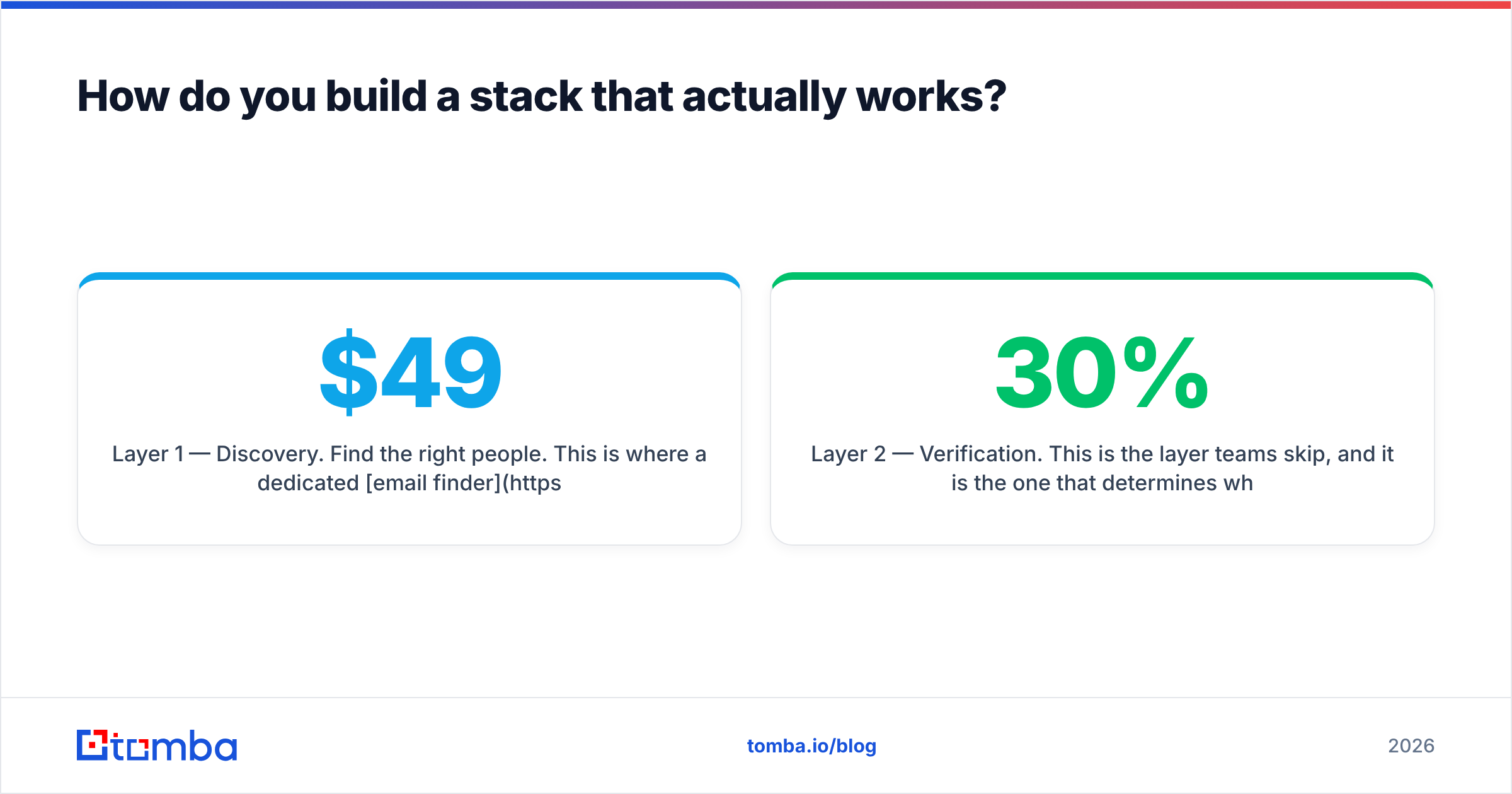
Layer 1 — Discovery. Find the right people. This is where a dedicated email finder earns its keep. Tomba's free tier gives you 25 searches a month to test coverage against your own target accounts before committing, with Starter at $49/mo, Growth at $99/mo, and Pro at $249/mo as you scale. Compare that against FindThatLead's credit tiers on your actual ICP, not on a generic demo list — see full Tomba pricing for the breakdown.
Layer 2 — Verification. This is the layer teams skip, and it is the one that determines whether layer 3 survives. Every list decays roughly 22–30% per year through job changes alone. Running contacts through an email verifier before import is the single highest-leverage step in the entire pipeline. If your bounce rate stays under 2%, Sendster on SES will run for years. If it hits 8%, you will be suspended inside a week and no amount of template polish will save you.
Layer 3 — Sending. Now pick your sender based on volume and message type. Self-hosted Sendster for high-volume opted-in broadcast. A dedicated cold email platform for one-to-one outbound. A hosted ESP if you would rather not think about it. All three are viable — the choice is genuinely about ops appetite, not quality.
For teams building this programmatically, the Tomba API slots find-and-verify directly into the import step, so contacts are validated before they ever reach a list. That single automation removes the most common failure mode in self-hosted email marketing: a human pasting an unverified CSV at 6pm on a Friday.
So which one wins?#
Neither, because they were never in the same race.
Buy FindThatLead-class tooling when the problem is "I don't know who to contact." Buy Sendster when the problem is "my ESP bill is absurd and I have the technical chops to self-host." If you have both problems, buy both — they cost less together than a single mid-tier all-in-one platform, and each does its job better.
What you should not do is pick either one and assume it covers the other half. FindThatLead's sending module will not replace a real email marketing platform at volume. Sendster will never conjure a contact list out of an empty database. And neither one will save you from sending to addresses that stopped existing eight months ago.
Start where the leverage is highest: get the contact data right. Run your next target account list through the Tomba Email Finder — free tier, 25 searches, no card — and see what accuracy looks like against domains you actually know. Then verify the output, and let whichever sender you chose do the easy part.
Related guides#
Ready to find emails that actually work?
Join 150,000+ professionals who stopped guessing and started sending. Free credits on signup — no credit card required.
Get the Tomba newsletter
Practical outbound tactics and product updates — once every two weeks.
About the author