Findymail Pros and Cons: An Honest 2026 Review
Findymail promises verified B2B emails with no bounces, but the credit model and coverage gaps catch teams off guard. Here is the honest breakdown of where it wins, where it stalls, and who should pick something else.
TL;DR — Findymail pros and cons in five lines
- Findymail only hands over addresses it can verify. It holds back the rest. That is why users report bounce rates in the low single digits.
- The main cons: thinner coverage than broad databases, a credit model that bills for enrichment you may not want, and thin data beyond the email itself.
- It is strongest for LinkedIn-led prospecting in North America and Western Europe. It is weakest for APAC, catch-all domains, and phone-first outbound.
- Entry pricing sits near $49/mo. That is fair per verified email. It is poor per raw record. The difference matters more than the sticker.
- Need an API, domain-wide search, or catch-all handling? Tomba, Apollo, and BookYourData cover parts of the job Findymail leaves open.
What Is Findymail and What Problem Does It Solve?#
Findymail is a B2B email finder with one strong opinion. It only returns addresses it has checked. It does not bill you for the ones it misses. Everything else follows from that choice. The LinkedIn extension, the CSV enrichment flow, and the Sales Navigator export all serve it.
That choice exists for a reason. Most email finders mix three things in one export. You get confirmed addresses, pattern guesses, and catch-all domains. A catch-all server accepts every address and confirms none. Push that raw output into a cold sequence and you get bounces. Bounces hurt your sender reputation fast. Findymail filters hard before the data reaches you.
The trade-off is coverage. You cannot refuse to guess and still match tools that guess freely. That one trade drives the whole Findymail pros and cons debate. The rest is detail.
Who Findymail is built for:
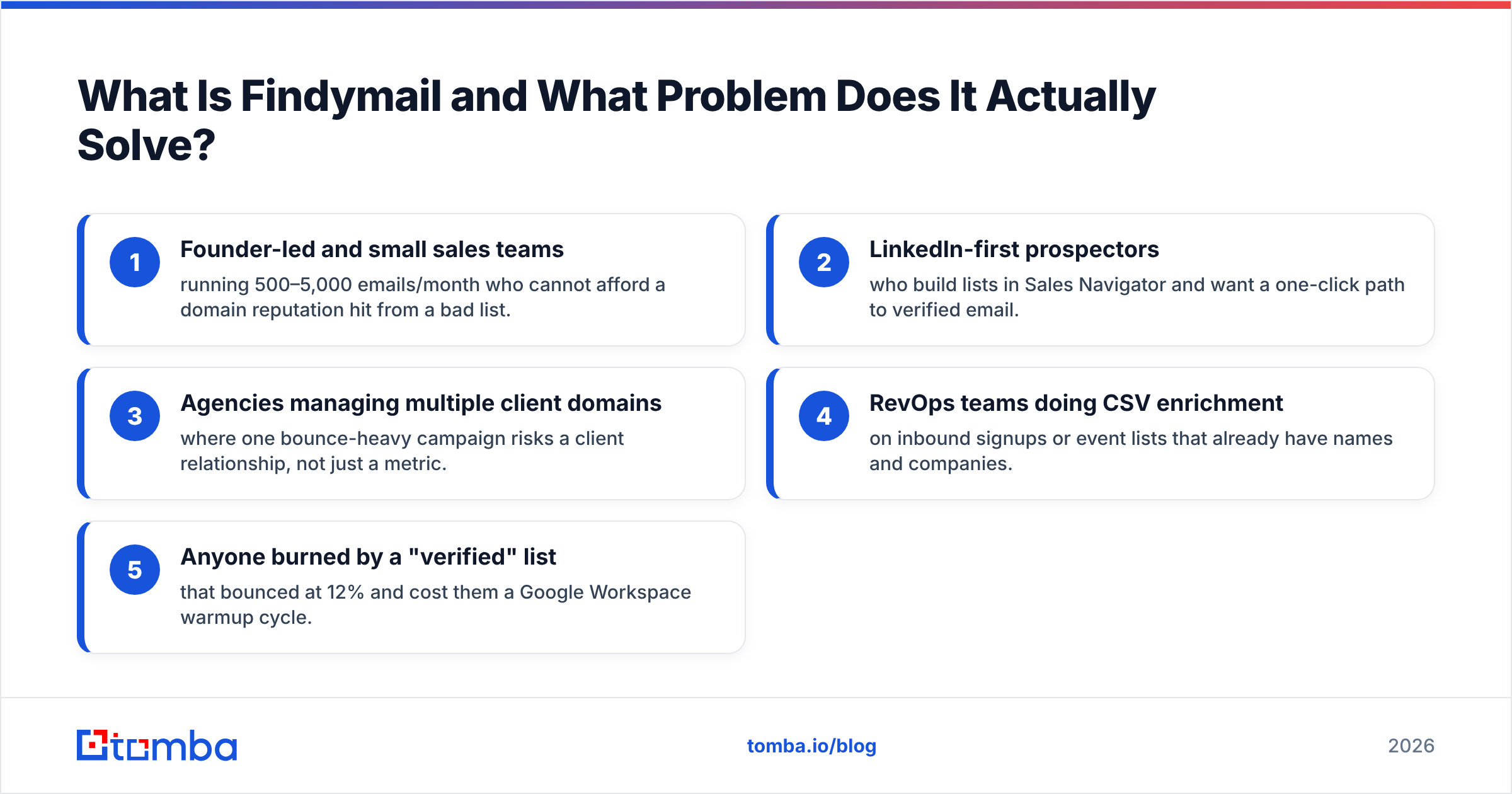
- Founder-led and small sales teams sending 500–5,000 emails a month. A bad list can cost them their domain.
- LinkedIn-first prospectors who build lists in Sales Navigator and want verified email in one click.
- Agencies running many client domains. One bounce-heavy campaign risks a client, not just a metric.
- RevOps teams doing CSV enrichment on signups or event lists that already have names and companies.
- Anyone burned by a "verified" list that bounced at 12% and cost them a warmup cycle.

Findymail Pros and Cons: The Real Pros#
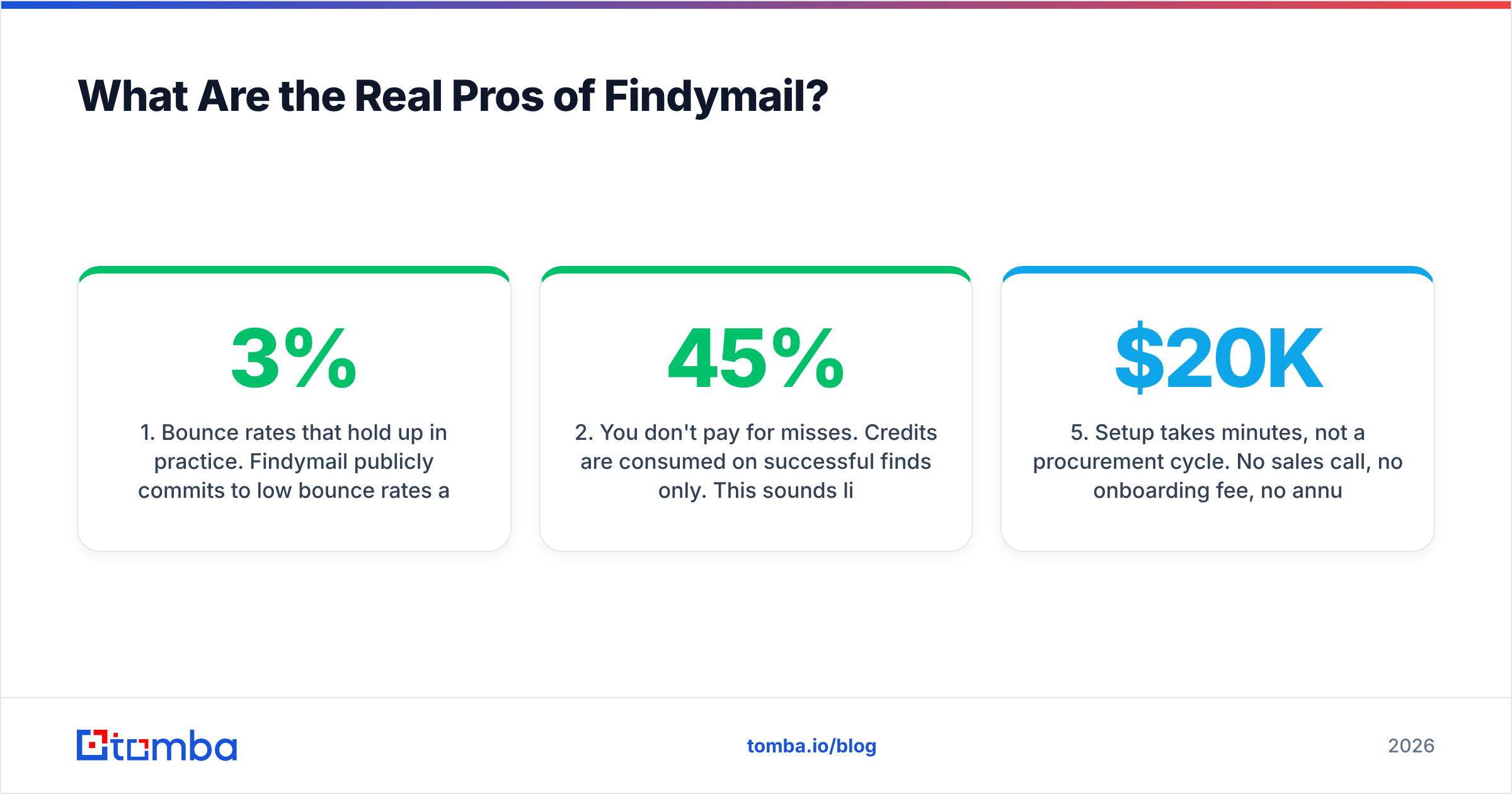
1. Bounce rates hold up in practice. Findymail commits to low bounce rates. It also refunds credits on bounced addresses. User reports on G2 back this up. Teams who push Findymail lists into Instantly or Smartlead see 1–3% bounce rates. That is a strong result. It is the best argument for the product.
2. You do not pay for misses. Credits are spent on finds only. This sounds like a small billing detail. It is not. Say your list matches at 45%. A rival that bills per attempt then costs you about twice as much per usable address.
3. The Sales Navigator flow is clean. Export a list. Run it through Findymail. Get a verified CSV back. There is very little friction. For LinkedIn-led teams, that alone pays for the plan.
4. It will not sell you catch-all guesses as verified data. Many tools mark catch-all addresses as valid. The server accepted the handshake, so they call it a win. Findymail is more honest here. Whether that helps you depends on your catch-all plan. More on that below.
5. Setup takes minutes. No sales call. No onboarding fee. No annual contract. Enterprise data platforms quote $20K and a six-week rollout. For a team that needs leads this quarter, that gap is real.
Findymail Pros and Cons: The Cons to Know First#
1. Coverage is the price of the promise. Take a 1,000-row list of mid-market North American contacts. Expect a 40–60% match. In APAC, Eastern Europe, and catch-all heavy fields, that number drops. Enterprise IT, healthcare, and government are the usual suspects. Does your ICP sit outside the US, UK, and DACH? Trial it on your own list first.
2. Catch-all domains are mostly a dead end. Findymail will not return what it cannot confirm. So a whole class of real prospects never shows up. These are not fake contacts. They are real people at firms whose mail servers stay silent. A dedicated catch-all verifier uses pattern confidence and other signals to make a call. That recovers a real slice of an enterprise market.
3. Data beyond the email is thin. You get an email and sometimes a company field. That is about it. No phone numbers. No firmographics. No intent data. Most outbound in 2026 runs on more than one channel. So you will buy a second tool anyway. A phone finder or a full data enrichment layer sits next to Findymail. It does not replace it.
4. There is no real domain-wide search. Findymail takes a contact in and gives an email out. Want to see everyone at stripe.com in engineering leadership? Wrong tool. That is a domain search job, and it works in a very different way.
5. The developer surface is limited. There is an API. It is not the heart of the product. Building enrichment into a signup flow, a CRM sync, or a data pipeline? You will find the docs, rate limits, and SDKs thinner than infra-first rivals. Compare against an email finder API built for that job.
6. Credits and plans are rigid. Unused credits do not stack up forever. Switching plans mid-cycle is harder than with usage-based rivals. Prospecting volume is often lumpy. Heavy before a conference, quiet after. That pattern creates waste.
Findymail Pros and Cons vs the Main Alternatives in 2026#
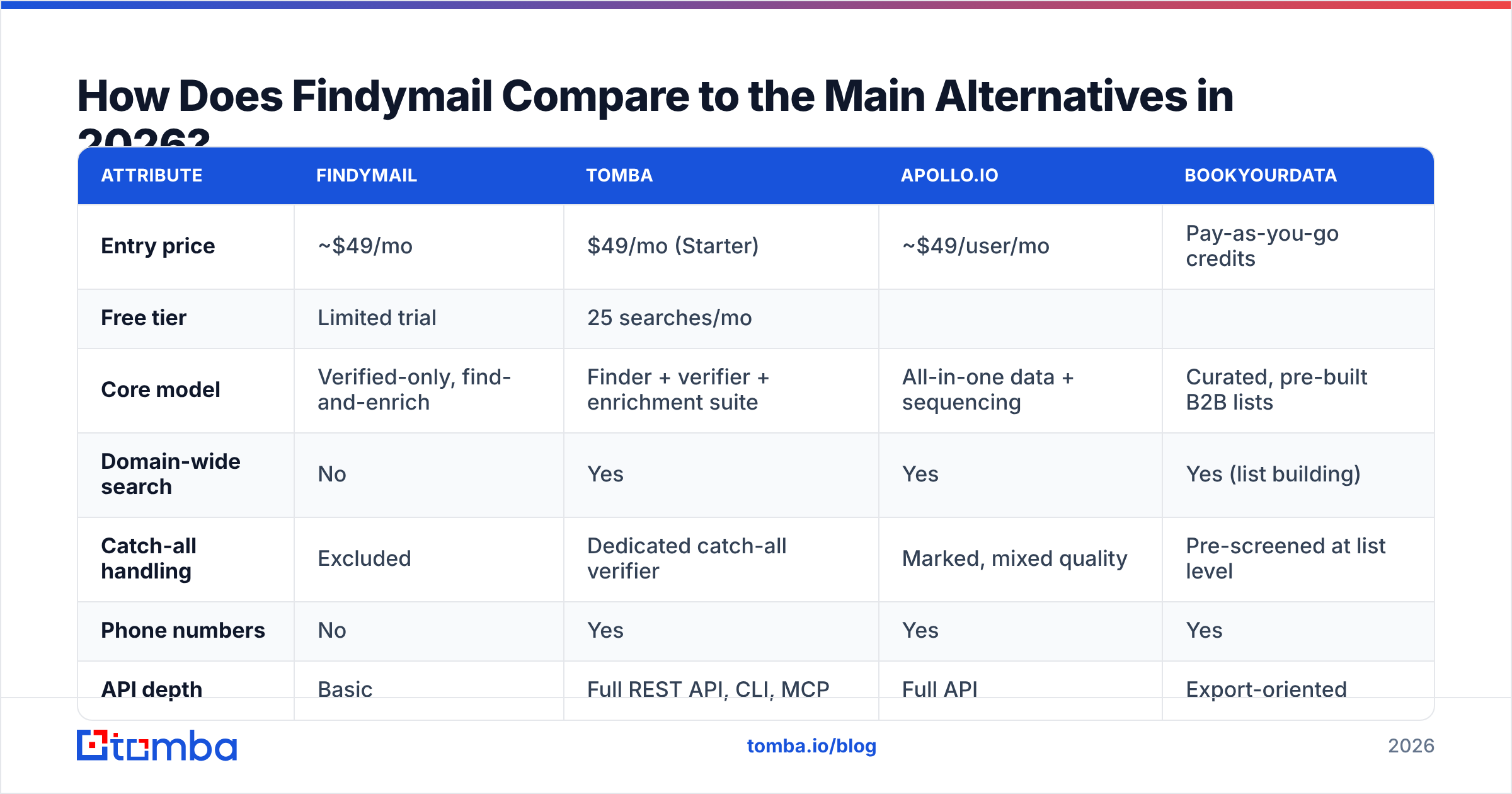
Here is the honest side-by-side. Prices are entry-tier list prices as of early 2026. Check each vendor's page before you buy.
| Attribute | Findymail | Tomba | Apollo.io | BookYourData |
|---|---|---|---|---|
| Entry price | ~$49/mo | $49/mo (Starter) | ~$49/user/mo | Pay-as-you-go credits |
| Free tier | Limited trial | 25 searches/mo | Limited free plan | Sample list |
| Core model | Verified-only, find-and-enrich | Finder + verifier + enrichment suite | All-in-one data + sequencing | Curated, pre-built B2B lists |
| Domain-wide search | No | Yes | Yes | Yes (list building) |
| Catch-all handling | Excluded | Dedicated catch-all verifier | Marked, mixed quality | Pre-screened at list level |
| Phone numbers | No | Yes | Yes | Yes |
| API depth | Basic | Full REST API, CLI, MCP | Full API | Export-oriented |
| Best for | LinkedIn-led SMB prospecting | Mixed workflows + developer integration | Teams wanting data + sequencer in one | Buying a clean list without building it |
| Weakest at | Coverage breadth, non-email data | Not a sequencer | Data accuracy varies by segment | Less useful for one-off lookups |
A few notes on reading that table honestly:
Apollo wins on breadth. It also wins on one bill instead of four. It loses on data accuracy. The database is huge, and huge databases decay. Go that route and budget for a verify pass. Many teams look at an Apollo alternative to split data quality from sequencing.
BookYourData solves a different problem. It sells curated, pre-verified lists rather than a lookup engine. Need 3,000 clean contacts in one segment by Friday? That shape of tool fits better. Its pay-as-you-go credits also suit uneven volume.
Tomba overlaps on the core finder. It then extends into verification, catch-all handling, phone data, and developer tools. Is your workflow only "Sales Navigator list in, email out"? Then that extra surface is dead weight. Is it broader? Then it is the reason to switch.
Is Findymail Worth the Price?#
The answer depends on the denominator you pick.
Per raw record, Findymail is expensive. A broad database sells you five times the rows for the same money.
Per verified, deliverable email, Findymail is competitive. Strip out the invalid rows. Strip out the catch-all coin flips. Strip out the bounces you would have paid to send. The gap narrows sharply. Sometimes it closes.
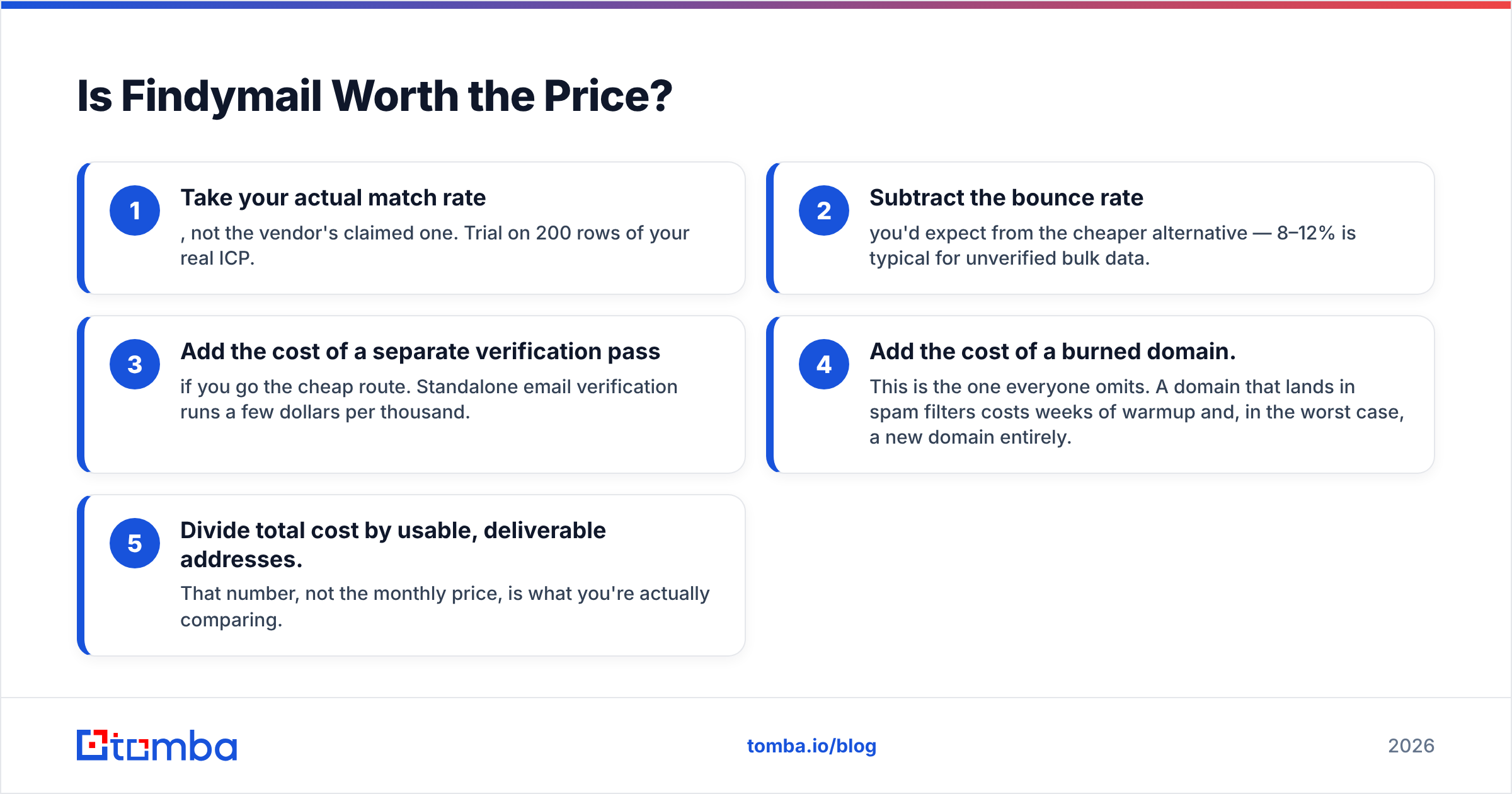
Run this math on your own numbers first:
- Use your real match rate, not the vendor's. Trial 200 rows of your true ICP.
- Subtract the bounce rate of the cheaper option. For unverified bulk data, 8–12% is normal.
- Add the cost of a verify pass if you go cheap. Standalone email verification costs a few dollars per thousand.
- Add the cost of a burned domain. Everyone skips this one. A domain stuck in spam filters costs weeks of warmup. In the worst case, you buy a new domain.
- Divide total cost by usable addresses. That number is what you are really comparing.
Teams who run this math often find the same pattern. The cheapest row is rarely the cheapest meeting. Google's Postmaster Tools guidance is blunt on this. High bounce and complaint rates push you out of the inbox. The cost of bad data is not the data. It is the lost delivery.

When Should You Choose Something Other Than Findymail?#
Choose a broader platform if you need domain-wide search, phone numbers, or firmographic filters. Findymail enriches contacts you already have. It does not build a market map from scratch. A finder plus a B2B database fits that job better.
Choose an infra-first tool if you are a developer. Signup flows, CRM automations, and internal pipelines need documented endpoints, high rate limits, and batch calls. CLI and MCP access help too. A browser extension does not.
Choose a curated list vendor if you do not want to build lists at all. BookYourData earns its place here. You get a clean, filtered list as a file. There is no per-lookup flow to manage.
Choose an all-in-one if budget matters more than best-in-class quality. Fewer vendors, fewer integrations, fewer invoices. The cost is living with the weakest part.
Stay with Findymail if your motion is LinkedIn-led. Your ICP should sit in North America or Western Europe. Your volume should stay under a few thousand contacts a month. And delivery should be the metric you care about. That profile is common, and Findymail serves it well.
What Do Findymail Users Complain About Most?#
Review sites and community threads show four themes. Each one maps to a known Findymail pros and cons trade-off.
- "Match rate was lower than I expected." This is almost always a geography or industry mismatch. The tool is tuned for segments with strong verify signals.
- "Credits burned faster than planned." Usually the list had duplicate rows. Clean it first. A free remove duplicates pass costs nothing and saves money.
- "I still need another tool for phones." True, and by design. Findymail is not a multichannel data platform.
- "Support is slow on lower plans." Common across the whole category. Still worth knowing if your campaigns are time-sensitive.
One complaint is missing: data accuracy. That is telling. The addresses it returns tend to work. That is exactly what its design promises. For a wider view of the category, Capterra's email finder listings pool a bigger sample than any vendor's own page.
How Should You Test Findymail Before You Commit?#
Do not judge it on the vendor's sample data. Run this instead:
- Build a 200-row list from your real ICP. Same geography, same company sizes, same seniority.
- Run it through Findymail and log the match rate. That is your true coverage number, not the marketing one.
- Run the same list through one rival. Tomba, Apollo, or whoever is on your shortlist. Compare match rate and overlap.
- Send a small, warm sequence to both sets. Log the real bounce rates. Claimed verification and real delivery are not the same thing.
- Work out cost per delivered email, not cost per credit.
- Check the gap set. Look at the contacts Findymail returned nothing for. If that is 30% of your ICP, you need a second source.
The whole test takes an afternoon. It costs less than one month of the wrong plan.
The Bottom Line#
Findymail is a narrow tool with an honest design. It would rather return nothing than return a bounce. That fits LinkedIn-led prospecting in well-covered markets. It does not fit broad market mapping, multichannel outbound, catch-all heavy segments, or developer-led enrichment.
So the Findymail pros and cons do not settle into one verdict. They settle into a question about your workflow. Does your list already exist? Then Findymail cleans it well. Do you need to build the list, add phone data, handle catch-alls, or wire any of it into code? Then you need more surface than it offers.
Ready to test it against your real list? Run the same 200 contacts through the Tomba Email Finder. Compare match rate, catch-all coverage, and cost per contact. The free tier gives you 25 searches with no card. Paid plans start at $49/mo. See Tomba pricing for the full breakdown. Or read the Findymail alternative comparison for a feature-by-feature view.
Related guides#
Ready to find emails that actually work?
Join 150,000+ professionals who stopped guessing and started sending. Free credits on signup — no credit card required.
Get the Tomba newsletter
Practical outbound tactics and product updates — once every two weeks.
About the author