Findymail vs GetProspect (2026): Which Email Finder Wins?
Findymail sells verified-only B2B emails; GetProspect sells a 200M-contact database with a LinkedIn extension. We tested pricing, accuracy, and export limits to find which one fits your outbound motion in 2026.
TL;DR
- Findymail is a verified-only email finder: it refuses to return an address it can't stand behind, which keeps bounce rates low but shrinks coverage on thin domains.
- GetProspect is a database-first prospecting tool: ~200M+ contacts, a LinkedIn Chrome extension, and light CRM-ish list management — broader reach, more manual verification work on your end.
- Price shape differs more than price level. Findymail sells finder+verifier credits; GetProspect sells "valid emails" plus separate contact-record exports, and the two meters confuse people at renewal.
- Pick Findymail if you run Clay/Smartlead enrichment waterfalls and hate bounces. Pick GetProspect if you prospect inside LinkedIn and want a list you can filter without leaving the tool.
- If you want both — high-accuracy verification and a domain-wide search with a real API — a general email finder like Tomba at $49/mo covers most of the same ground with fewer credit meters.
What are Findymail and GetProspect?#
Both tools solve the same first-mile problem: you have a name, a company, or a LinkedIn profile, and you need a work email that actually delivers. They solve it from opposite directions.
Findymail (findymail.com) is built around a promise: every email it returns has been verified, and you're not charged for anything it can't verify. It grew up alongside the Clay/Instantly/Smartlead stack, so it's opinionated about being one node in an enrichment waterfall rather than a place you sit all day. Its LinkedIn Sales Navigator export is the feature most users name first.
GetProspect (getprospect.com) is a B2B contact database with a finder bolted on top — or a finder with a database bolted on, depending on which page you land on. You search by title, industry, headcount, location, and technology, then export the resulting list. The Chrome extension pulls contacts off LinkedIn profiles and search pages, and the built-in list manager gives you columns, tags, and simple filters before you push to a CRM.
The distinction matters more than the feature lists suggest. Findymail answers "is this specific person's email real?" GetProspect answers "who are the 400 people matching this filter?" You can force either tool into the other's job, but you'll feel the friction.
How do Findymail and GetProspect compare on pricing and limits?#
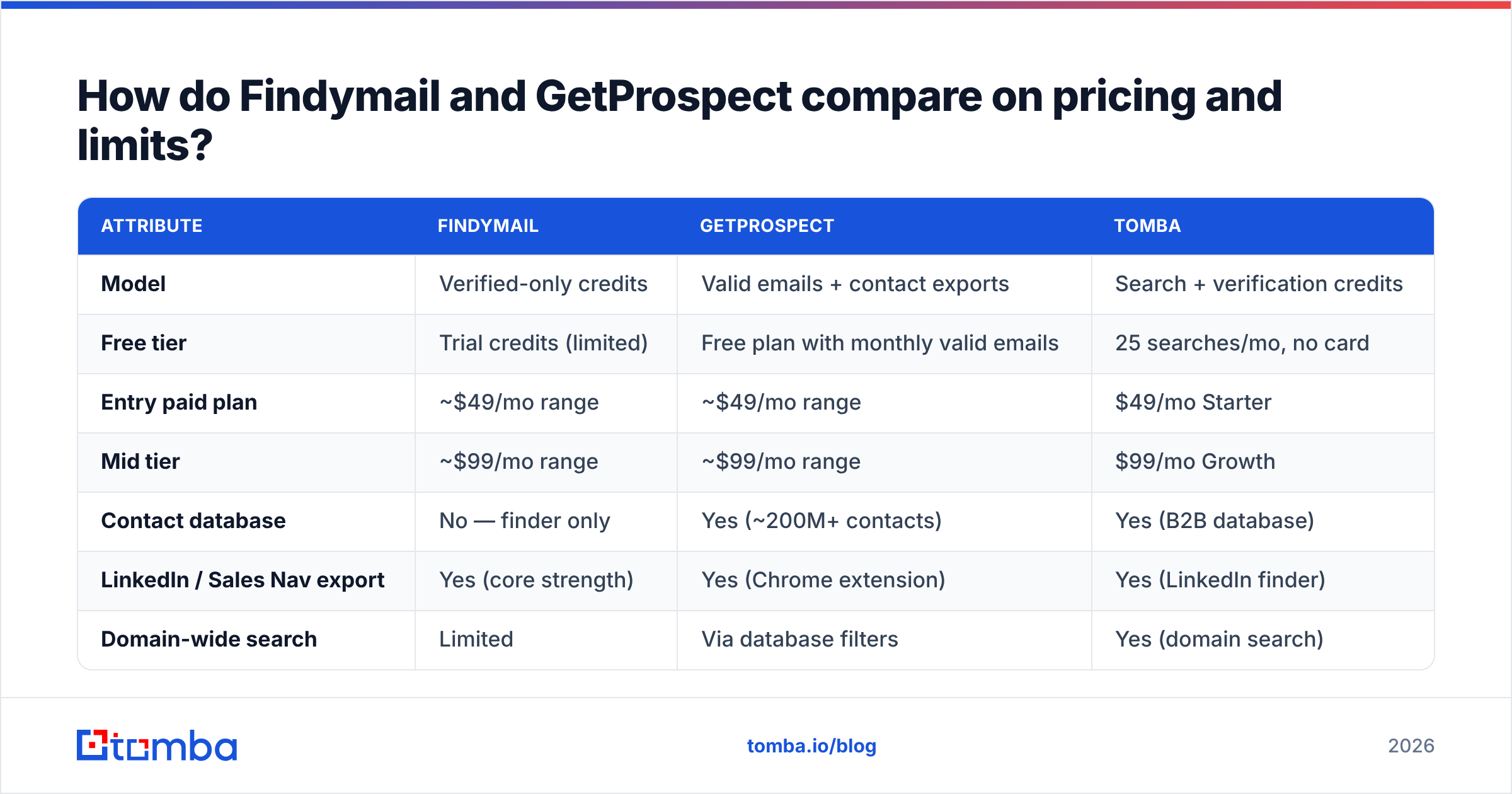
Here's the honest shape of it. Vendor pricing moves — check both sites before you commit — but the structure below has been stable for a while and is the part that trips teams up.
| Attribute | Findymail | GetProspect | Tomba |
|---|---|---|---|
| Model | Verified-only credits | Valid emails + contact exports | Search + verification credits |
| Free tier | Trial credits (limited) | Free plan with monthly valid emails | 25 searches/mo, no card |
| Entry paid plan | ~$49/mo range | ~$49/mo range | $49/mo Starter |
| Mid tier | ~$99/mo range | ~$99/mo range | $99/mo Growth |
| Contact database | No — finder only | Yes (~200M+ contacts) | Yes (B2B database) |
| LinkedIn / Sales Nav export | Yes (core strength) | Yes (Chrome extension) | Yes (LinkedIn finder) |
| Domain-wide search | Limited | Via database filters | Yes (domain search) |
| Standalone verifier | Yes | Yes | Yes (email verifier) |
| Catch-all handling | Conservative (often withheld) | Returned, flagged | Dedicated catch-all verifier |
| Public API | Yes | Yes | Yes (Tomba API) |
| Bounce guarantee framing | Strong (won't charge for unverified) | Accuracy claim, no hard refund promise | Credits returned on unverifiable |
Three things to actually watch:
- Two meters vs one. GetProspect separates "valid emails" from contact-record exports on some plans. If you export 5,000 records and only 1,800 have emails, you may burn both meters at different rates. Read the plan page line by line.
- Findymail's refusal is a feature and a cost. Not charging for unverifiable emails sounds free. In practice it means on hard domains — catch-all servers, small firms, EU companies with strict MX setups — you get fewer rows and still need a fallback source.
- Rollover and annual lock. Both push annual discounts. Credits typically do not roll over. If your outbound is seasonal, monthly at a higher rate often beats annual with wasted credits.

Which one is more accurate?#
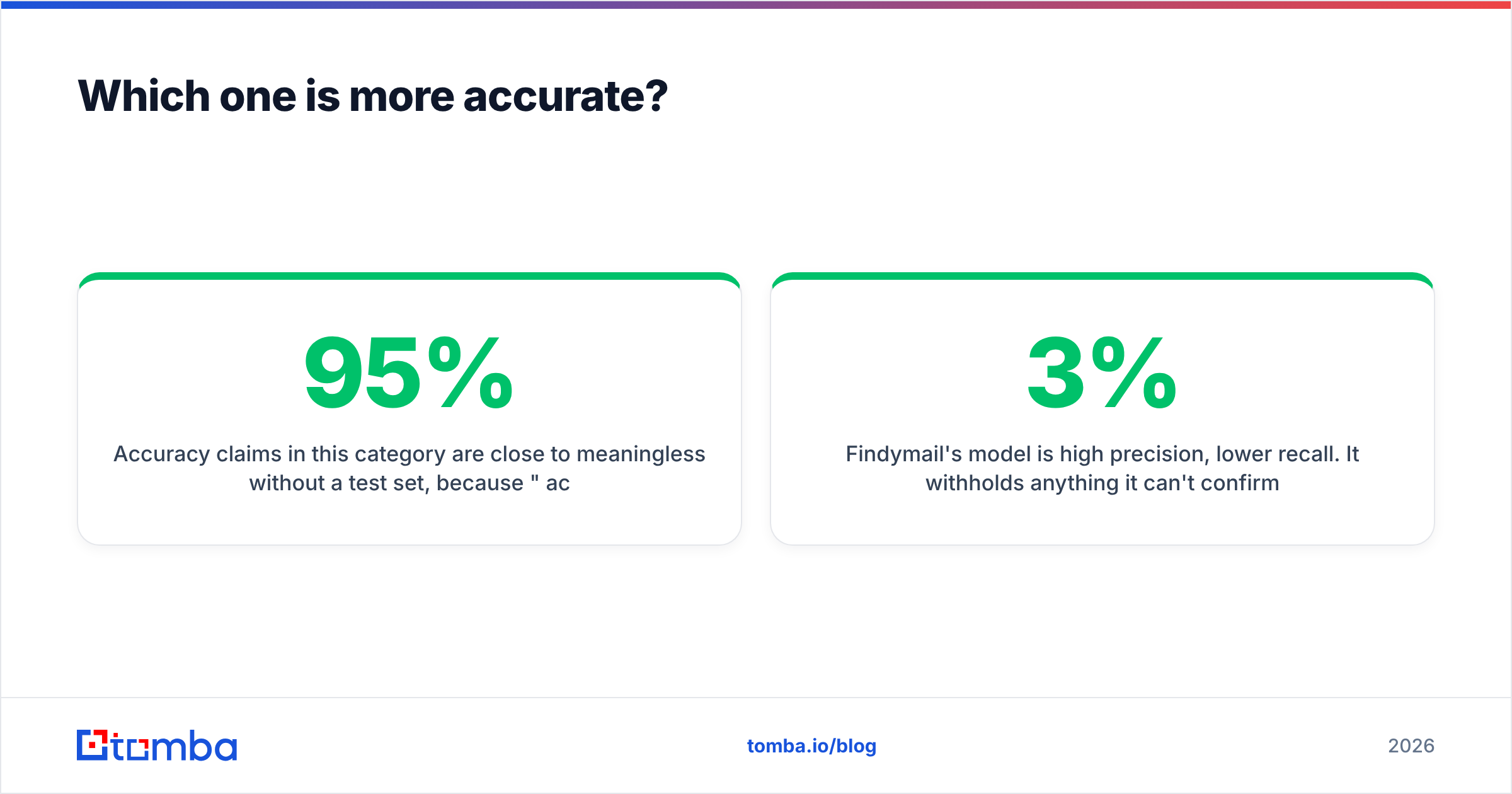
Accuracy claims in this category are close to meaningless without a test set, because "95% accurate" can mean of the emails we chose to return. That's the entire trick.
Findymail's model is high precision, lower recall. It withholds anything it can't confirm through SMTP or pattern-plus-corroboration, so the emails it does hand over bounce rarely — teams commonly report sub-3% bounce on Findymail-sourced lists sent through a warmed domain. The cost shows up as coverage gaps: you'll routinely see a 45-65% hit rate on mid-market and SMB lists, lower on European domains.
GetProspect's model is higher recall, lower precision. Because it's serving a database, it will hand you a plausible address and let you decide. Hit rate on the same list is usually higher; bounce rate is too, unless you run a second verification pass. That second pass is the hidden cost most GetProspect reviews on G2 skip.
Neither approach is wrong — but you should know which failure mode you're buying:
- Findymail failure mode: missing rows. Your sequence has 300 people instead of 500, and the 200 you lost were disproportionately at smaller companies you cared about.
- GetProspect failure mode: bad rows. Your sequence has 500 people, 60 of them bounce, and your sender reputation takes the hit for a week.
The fix for the second failure mode is cheap and boring: run every list through a free email checker or a bulk verification pass before it touches your sending domain. The fix for the first is a waterfall — a second provider that catches what the first withheld.

Above: relative accuracy across common B2B email-finding tools. Treat vendor-published figures as directional, not audited — run your own 100-row sample before you buy.
What does the workflow actually look like day to day?#
This is where the two tools separate hardest, and it's the thing pricing pages never show.
Findymail day-to-day: you live in another tool. You're in Clay building an enrichment table, or in Smartlead prepping a sequence, and Findymail is the enrichment step in the middle. You paste a Sales Navigator URL, it exports the list with emails attached, and you move on. There's a UI, but you don't decorate it. The API and the integrations do most of the work. If your team is technical or ops-led, this is a strength.
GetProspect day-to-day: you live in GetProspect. You build a filter (VP Marketing, SaaS, 50-200 headcount, United States), save it as a list, browse the rows, tag them, and export to CSV or HubSpot. The Chrome extension is a second entry point — you're browsing LinkedIn, you hit the button, contacts land in a list. If your team is SDR-led and non-technical, this is a strength.
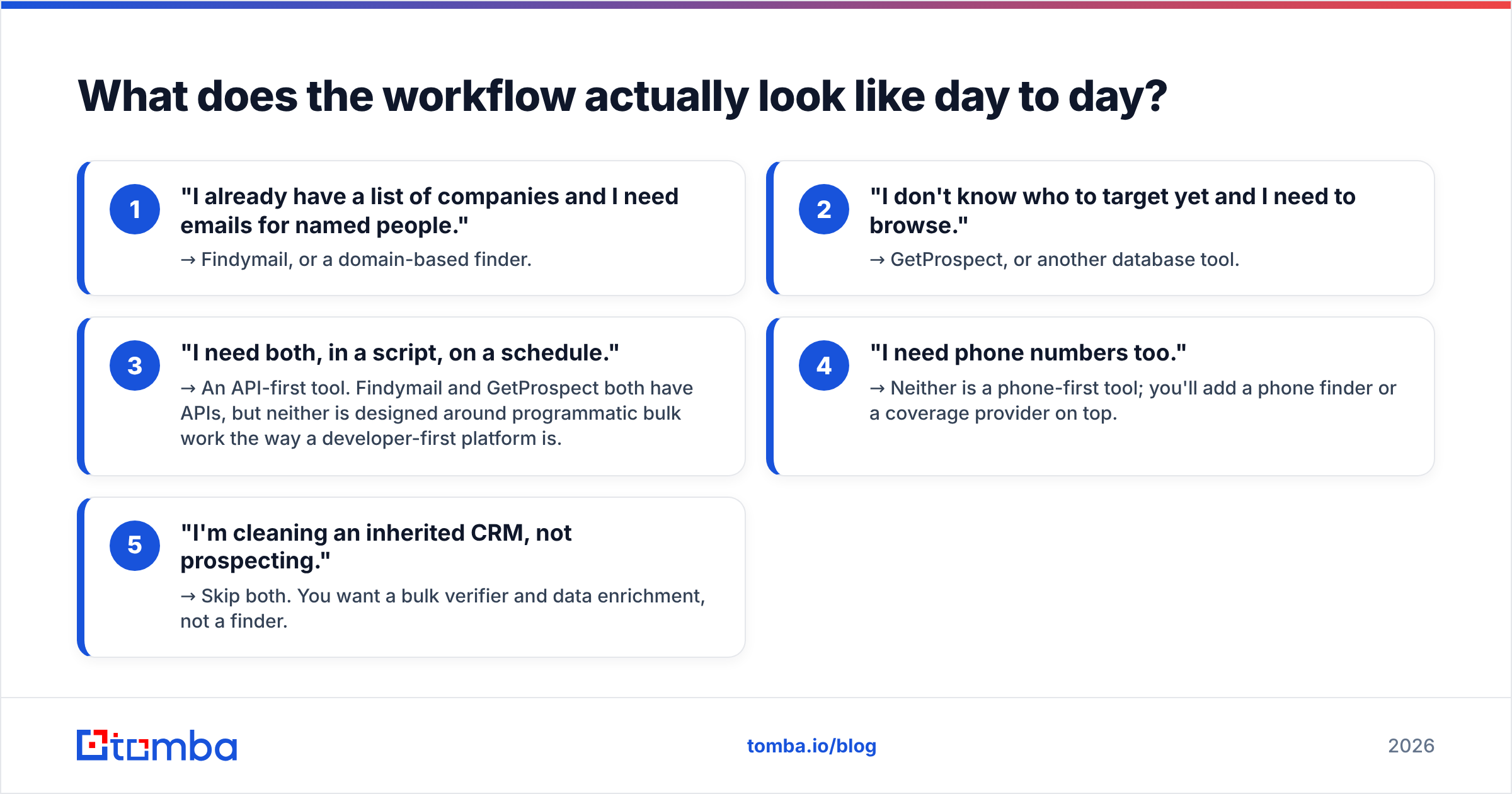
Ask yourself which sentence describes your week:
- "I already have a list of companies and I need emails for named people." → Findymail, or a domain-based finder.
- "I don't know who to target yet and I need to browse." → GetProspect, or another database tool.
- "I need both, in a script, on a schedule." → An API-first tool. Findymail and GetProspect both have APIs, but neither is designed around programmatic bulk work the way a developer-first platform is.
- "I need phone numbers too." → Neither is a phone-first tool; you'll add a phone finder or a coverage provider on top.
- "I'm cleaning an inherited CRM, not prospecting." → Skip both. You want a bulk verifier and data enrichment, not a finder.
Is there a better third option?#
Often, yes — and this is where an honest comparison has to widen the frame.
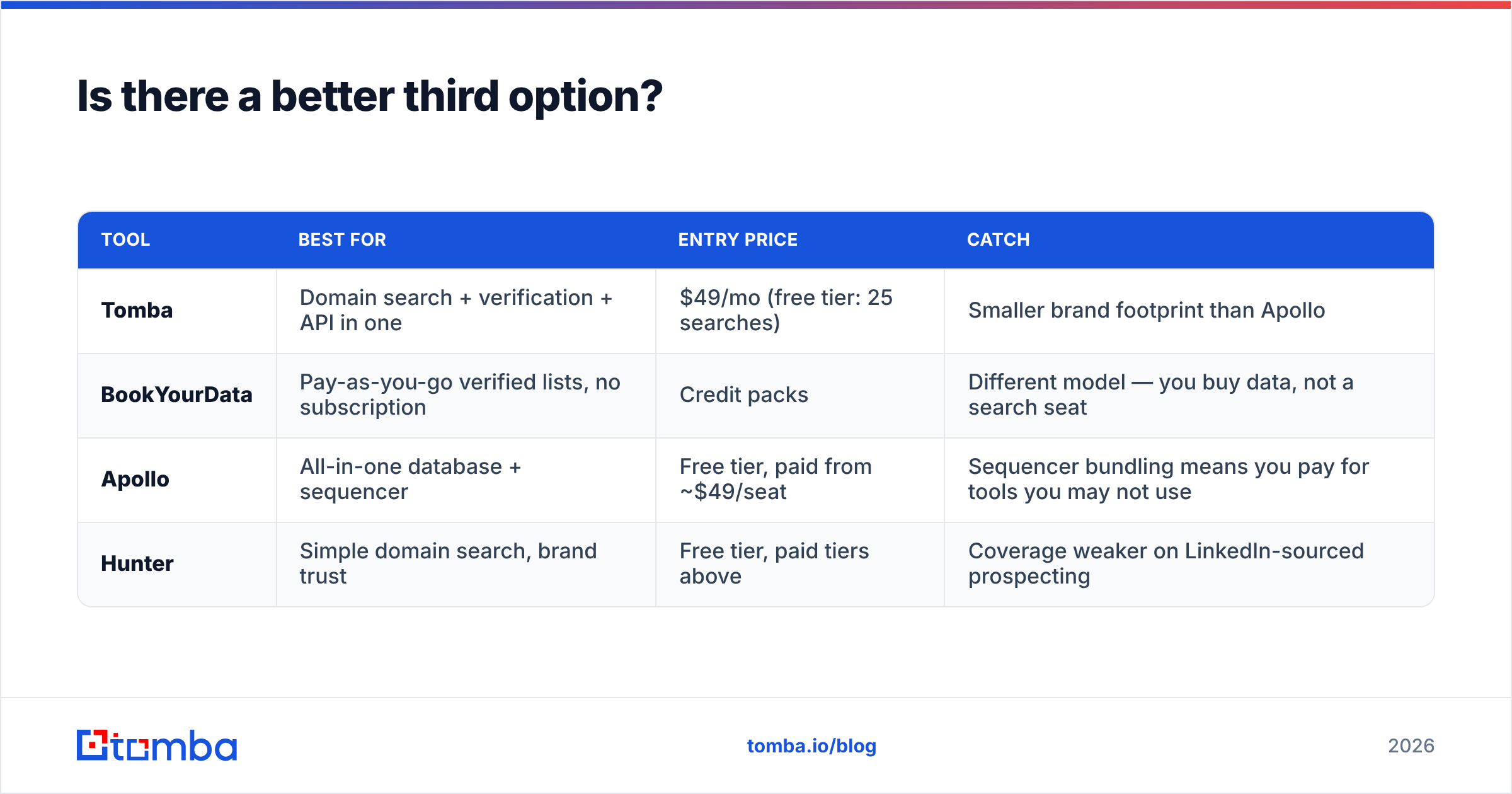
The Findymail-vs-GetProspect debate is really a debate about which half of the job you want done well. But plenty of teams end up paying for both: one for reach, one for accuracy. That's two subscriptions, two credit meters, and two integrations to maintain for a workflow that should be one line of code.
Three alternatives worth pricing out:
| Tool | Best for | Entry price | Catch |
|---|---|---|---|
| Tomba | Domain search + verification + API in one | $49/mo (free tier: 25 searches) | Smaller brand footprint than Apollo |
| BookYourData | Pay-as-you-go verified lists, no subscription | Credit packs | Different model — you buy data, not a search seat |
| Apollo | All-in-one database + sequencer | Free tier, paid from ~$49/seat | Sequencer bundling means you pay for tools you may not use |
| Hunter | Simple domain search, brand trust | Free tier, paid tiers above | Coverage weaker on LinkedIn-sourced prospecting |
Tomba sits closest to the middle of the Findymail/GetProspect gap: a domain search that returns every discoverable address at a company, a verifier that flags catch-alls explicitly rather than silently withholding, a bulk email finder for list work, and a real REST API with a CLI, a Chrome extension, and Google Sheets and Excel add-ins — one credit pool for all of them. Free tier is 25 searches/month, Starter is $49/mo, Growth $99/mo, Pro $249/mo.
BookYourData deserves a mention for a different reason: it's the only one here where you can buy a clean, pre-verified list without a recurring seat. If your outbound is project-based — three campaigns a year, not three a week — a subscription is the wrong shape entirely, and a pay-as-you-go verified list is the cheaper, saner buy.

What do real users complain about?#
Every tool in this space has a recurring complaint pattern. Knowing them up front is worth more than another feature table.
Findymail, common friction:
- Coverage gaps on European and APAC domains, and on companies under ~20 employees.
- Credits consumed by verification passes you didn't expect on large imports.
- Limited value if you don't already have a target list — it's not a discovery tool.
GetProspect, common friction:
- Database freshness varies by segment; job-change data lags on smaller companies.
- The two-meter credit model (valid emails vs contact exports) surprises people at renewal.
- Exported rows sometimes need a verification pass before they're safe to send to.
Both:
- Neither replaces a warmup and email deliverability practice. A perfectly verified list still lands in spam if your SPF, DKIM, and DMARC are wrong or your domain is cold. Check your records with an SPF checker before you blame the data.
- Neither guarantees GDPR-compliant outreach on its own. Read the vendor's data-processing terms and, for EU contacts, know your lawful basis. Gartner and most enterprise procurement teams will ask.

How should you run a 30-minute test before buying?#
Don't trust this article, or any article, over your own sample. Here's a test you can finish before lunch.
- Build a 50-row control list. Pull 50 real prospects from your actual ICP — not tech companies in San Francisco, unless that is your ICP. Include at least 10 companies under 50 employees and 10 outside the US.
- Run the same 50 through each free tier. Findymail trial, GetProspect free plan, and a third option's free tier for a baseline.
- Record three numbers per tool: hit rate (rows returned with an email), catch-all rate (rows flagged as uncertain), and credits burned.
- Verify everything independently. Push all outputs through a neutral verifier so you're not grading each tool with its own ruler.
- Send a 20-email test from a warmed domain and record actual bounces. This is the only number that matters, and it's the one nobody in a comparison post can give you.
- Compare cost per usable email, not cost per credit. A tool at half the price with a third of the hit rate is more expensive.
Most teams find the answer flips depending on segment. Enterprise US lists: both perform well, pick on workflow. SMB or non-US lists: the gap opens up, and a waterfall of two sources beats either one alone.
Findymail vs GetProspect: the verdict#
Choose Findymail if you already know who you're targeting, you run enrichment through Clay or a sequencer, and a bounce costs you more than a missing row. Its refusal to guess is the product.
Choose GetProspect if you're still building the target list, your SDRs work inside LinkedIn, and you want filtering and list management in one place. Budget for a verification pass on top — it's not optional.
Choose neither if what you actually need is domain-wide coverage plus verification plus programmatic access under one credit pool. That's a third category, and paying two subscriptions to fake it is how outbound budgets quietly double.
Start with the Tomba Email Finder free tier — 25 searches a month, no card — and run it against the same 50-row control list you use to test Findymail and GetProspect. You'll get a domain search that returns every discoverable address at a company, a verifier that tells you plainly when a domain is catch-all instead of silently dropping the row, and one API key that covers finding, verifying, and enriching. If the numbers beat your incumbent on cost per usable email, Starter is $49/mo and Growth is $99/mo. If they don't, you've lost thirty minutes and learned something concrete about your own data.
Related guides#
Ready to find emails that actually work?
Join 150,000+ professionals who stopped guessing and started sending. Free credits on signup — no credit card required.
Get the Tomba newsletter
Practical outbound tactics and product updates — once every two weeks.
About the author