Follow Up Email Format: Structure, Timing, and Examples
Most follow-ups fail on structure, not persistence. Here's the exact follow up email format that gets replies — line by line, with timing, sequence length, and templates you can copy.
TL;DR
- A follow-up email is not a reminder. It's a new message with a new reason to reply — same thread, different angle.
- The format that works has five parts: contextual subject line, one-line reconnect, one new piece of value, one specific ask, one line of exit language.
- Send follow-ups on day 3, 7, 12, and 20. Four touches after the initial email captures the bulk of replies; touch five onward has sharply diminishing returns.
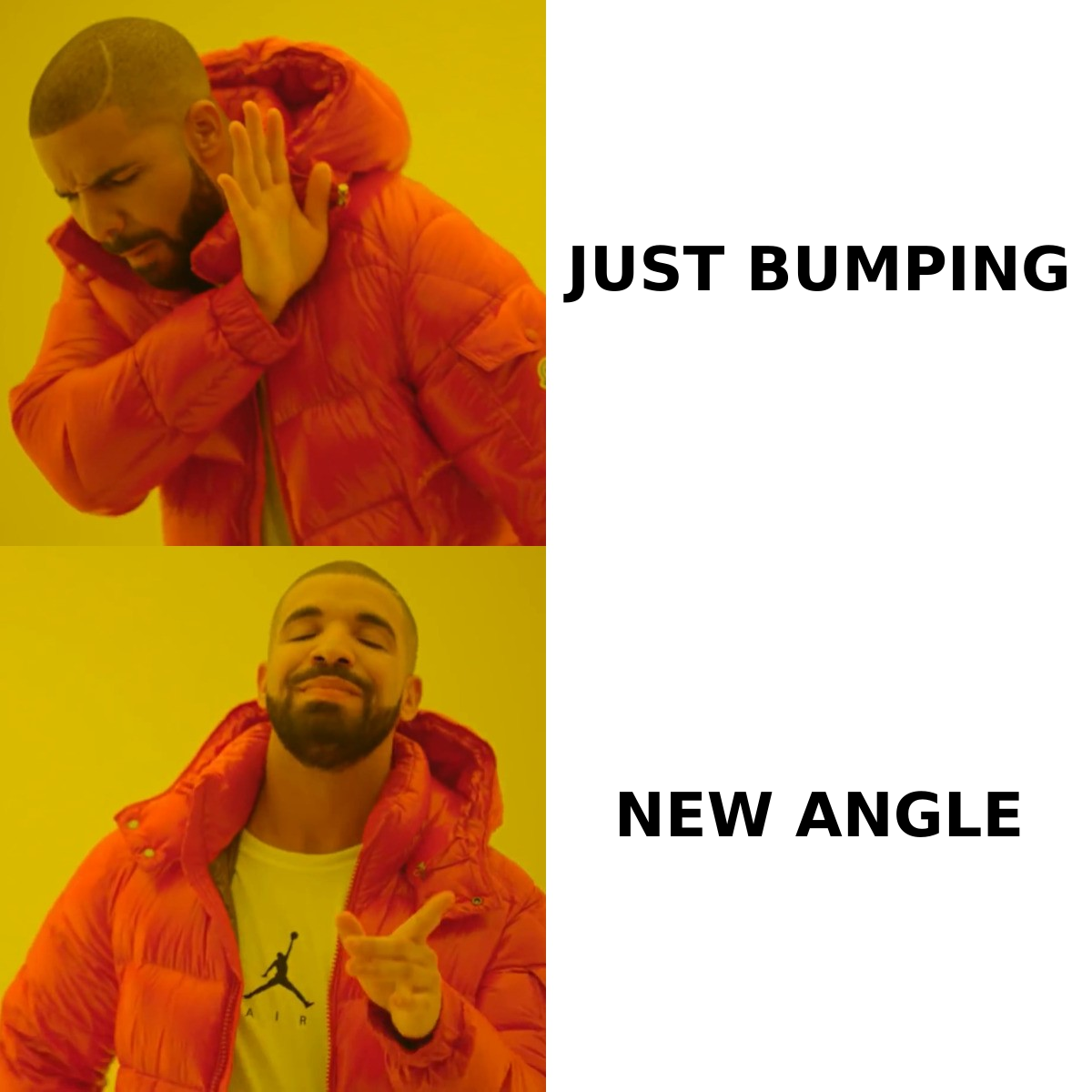
- "Just bumping this up" and "circling back" are the two highest-cost phrases in outbound — they announce that you have nothing new to say.
- Format only matters if the address is real. A follow-up sequence sent to stale contacts inflates your bounce rate four times over, not once.
What is a follow up email format?#
A follow up email format is the repeatable structure you apply to every message after the first one in a thread — subject handling, opening line, body value, call to action, and close. It's the skeleton. The words change per prospect; the skeleton does not.
Think of it like a restaurant's second visit to your table. The first visit is "here's your food." The second is not "here's your food again" — it's "how is everything, can I get you anything else?" Different purpose, different script, same server. Most reps make their second visit a repeat of the first one, which is why it gets ignored.
The structural difference matters more than most people assume. A first-touch cold email has to earn attention from nothing. A follow-up already has a footprint in the inbox — the recipient has seen your name, whether or not they opened. That changes what you should write. You're no longer introducing yourself; you're giving them a reason to act now rather than never.
Why do most follow-up emails get ignored?#
Because they're built from three failure patterns, and all three are formatting problems, not effort problems.
- The empty bump. "Just following up on my last email" carries zero new information. You've spent a slot in someone's inbox to say you're still there. If your entire message can be deleted without the recipient losing anything, it will be.
- The guilt frame. "I noticed you haven't responded" or "I'm sure you're busy but…" makes the reply feel like an obligation you're collecting on. B2B buyers don't owe you a reply and they know it.
- Repetition of the original pitch. Rewording your first email is not a new angle. If the value proposition didn't land the first time, restating it in a shorter paragraph won't fix it.
There's a fourth pattern that isn't about words at all: the follow-up went to an address that never worked. If your first email hard-bounced and your sequence kept firing, you generated four bounces off one bad record. Sequenced sending multiplies data quality problems — a 5% bad-address rate on a five-touch sequence becomes a 5% bounce rate on every send, which compounds against your sender reputation fast.
What is the exact structure of a follow up email?#
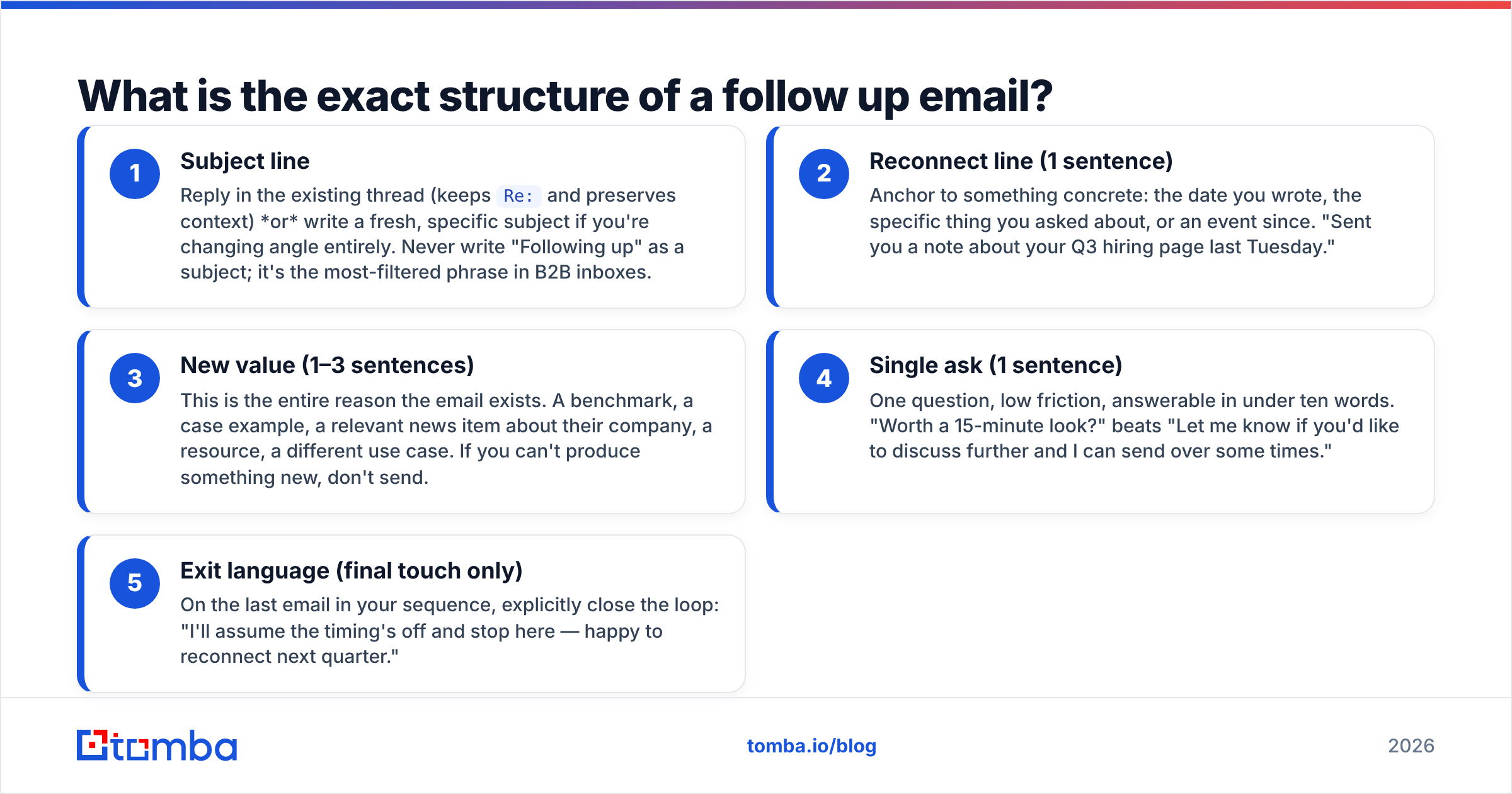
Five components, in order. Keep the whole thing under 90 words.
- Subject line — Reply in the existing thread (keeps
Re:and preserves context) or write a fresh, specific subject if you're changing angle entirely. Never write "Following up" as a subject; it's the most-filtered phrase in B2B inboxes. - Reconnect line (1 sentence) — Anchor to something concrete: the date you wrote, the specific thing you asked about, or an event since. "Sent you a note about your Q3 hiring page last Tuesday."
- New value (1–3 sentences) — This is the entire reason the email exists. A benchmark, a case example, a relevant news item about their company, a resource, a different use case. If you can't produce something new, don't send.
- Single ask (1 sentence) — One question, low friction, answerable in under ten words. "Worth a 15-minute look?" beats "Let me know if you'd like to discuss further and I can send over some times."
- Exit language (final touch only) — On the last email in your sequence, explicitly close the loop: "I'll assume the timing's off and stop here — happy to reconnect next quarter."
What to leave out: your company boilerplate, a second CTA, an attachment on touches 1–3, and any sentence beginning "I wanted to."
How does each follow-up touch differ?#
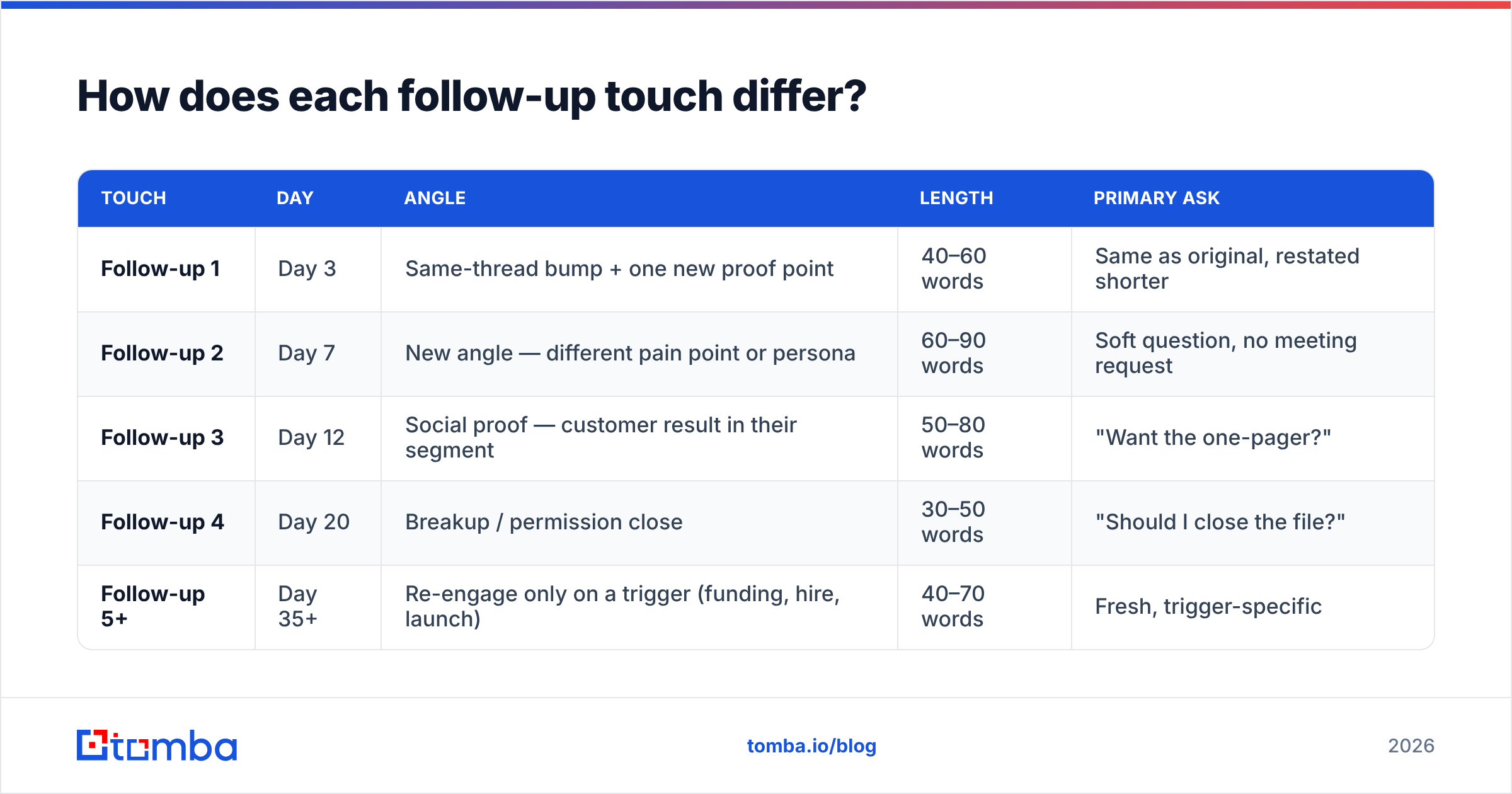
Each touch needs a distinct job. Repeating the same job four times is why sequences flatline after touch two.
| Touch | Day | Angle | Length | Primary ask |
|---|---|---|---|---|
| Follow-up 1 | Day 3 | Same-thread bump + one new proof point | 40–60 words | Same as original, restated shorter |
| Follow-up 2 | Day 7 | New angle — different pain point or persona | 60–90 words | Soft question, no meeting request |
| Follow-up 3 | Day 12 | Social proof — customer result in their segment | 50–80 words | "Want the one-pager?" |
| Follow-up 4 | Day 20 | Breakup / permission close | 30–50 words | "Should I close the file?" |
| Follow-up 5+ | Day 35+ | Re-engage only on a trigger (funding, hire, launch) | 40–70 words | Fresh, trigger-specific |
The day-20 breakup email consistently earns the highest reply rate in the sequence, which surprises people. It works because it removes the ask entirely and gives the recipient a cheap way to end the interaction — and "no thanks" is a useful answer. It also converts a meaningful share of dead threads into "actually, send me the deck."
Note the length curve: messages get shorter as the sequence progresses, not longer. Reps instinctively add more justification as silence continues. Do the opposite.
What does a good follow up email look like in practice?#
Four templates matching the touches above. Swap the bracketed parts.
Touch 1 — Day 3, same thread
Subject: Re: [original subject]
Hi [First name] — quick addition to Thursday's note.
[Similar company] cut their [metric] by [number] after fixing the same [process] gap. Two-line summary here if useful.
Worth a 15-minute look?
Touch 2 — Day 7, new angle
Subject: [Specific observation about their company]
Hi [First name] — noticed [specific trigger: job post, product page change, LinkedIn announcement].
Most teams hitting that stage run into [specific problem] within a quarter. We built [solution] for exactly that window.
Is [problem] on your list for this half, or already handled?
Touch 3 — Day 12, proof
Subject: How [Customer] handled [problem]
Hi [First name] — one concrete example rather than another pitch.
[Customer], [similar size/segment], went from [before state] to [after state] in [timeframe]. The whole change was [one-sentence description].
Want the one-pager?
Touch 4 — Day 20, breakup
Subject: Re: [original subject]
Hi [First name] — I'll stop here.
If [problem] isn't a priority this quarter, that's a real answer and I'd rather know it. Happy to reconnect in [Q+1].
Should I close the file?
Notice what's absent from all four: no "hope you're well," no "just checking in," no paragraph explaining who your company is. If you want to test variations at scale, run your drafts through a subject line tester before you commit a sequence to 500 contacts.
How is a follow-up different from a cold email?#
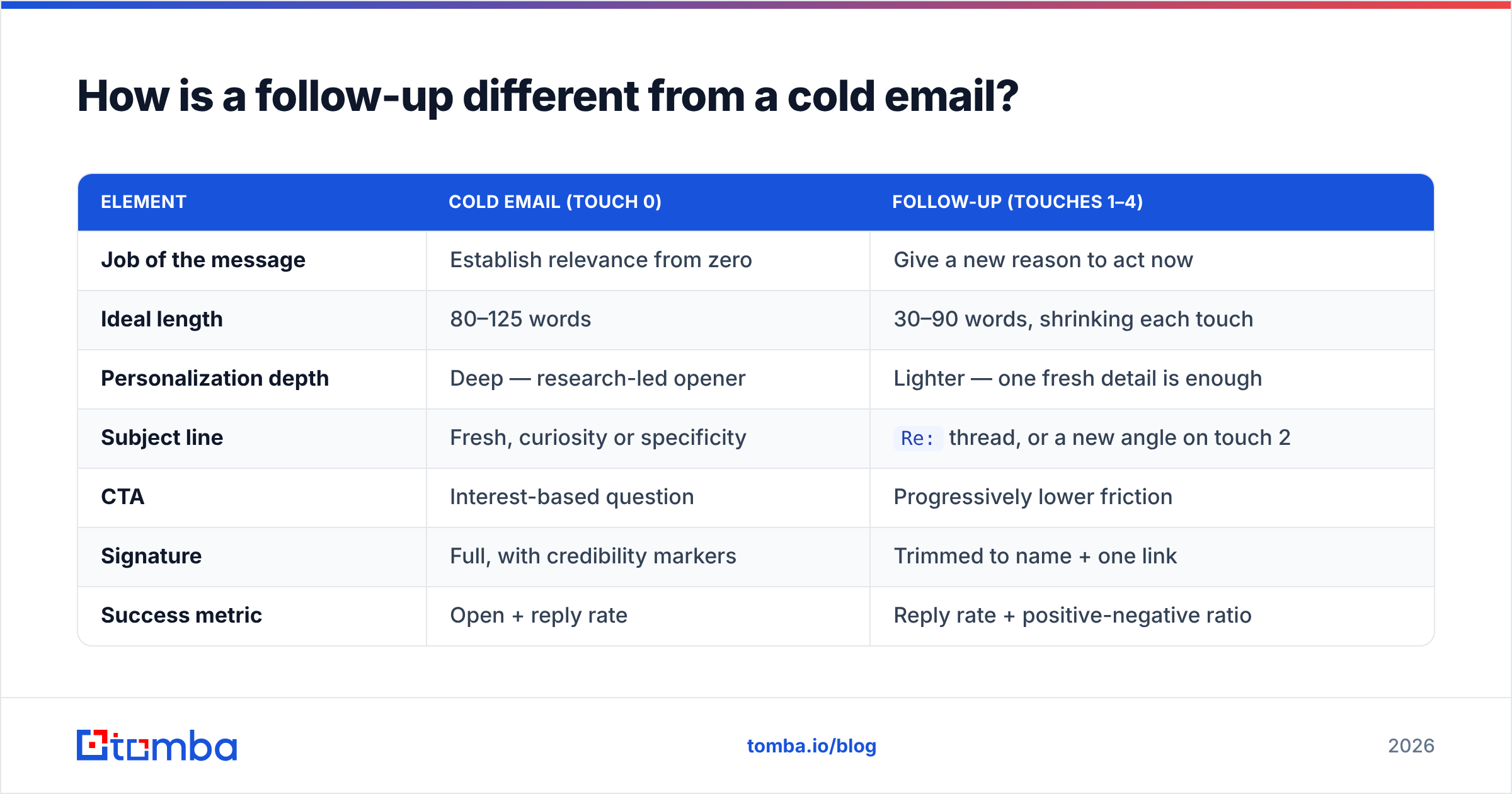
They share an envelope and almost nothing else. Formatting them identically is the single most common structural error.
| Element | Cold email (touch 0) | Follow-up (touches 1–4) |
|---|---|---|
| Job of the message | Establish relevance from zero | Give a new reason to act now |
| Ideal length | 80–125 words | 30–90 words, shrinking each touch |
| Personalization depth | Deep — research-led opener | Lighter — one fresh detail is enough |
| Subject line | Fresh, curiosity or specificity | Re: thread, or a new angle on touch 2 |
| CTA | Interest-based question | Progressively lower friction |
| Signature | Full, with credibility markers | Trimmed to name + one link |
| Success metric | Open + reply rate | Reply rate + positive-negative ratio |
The "positive-negative ratio" line matters. A follow-up sequence that generates clear "no" replies is working. Silence is the failure state, not rejection. HubSpot's sales research has consistently found that most closed deals require five or more touches, while the majority of reps stop after one or two — the gap between those two numbers is the entire argument for a structured sequence.
How many follow-ups should you send, and when?#
Four after the initial email, spaced 3 / 7 / 12 / 20 days from the first send. That's five total touches over roughly three weeks.
The spacing is not arbitrary. Tight early spacing (day 3) catches people who saw your first email during a busy hour and meant to reply. Widening intervals (day 12, day 20) respect the reality that B2B buying windows open on their schedule, not yours. Sending five emails in five days reads as automation; sending five over 20 days reads as a person who's organized.
Rules that hold across industries:
- Never send two follow-ups within 48 hours. It's the clearest automation tell and the fastest path to a spam complaint.
- Skip weekends and the recipient's local Monday morning. Tuesday through Thursday, 7–10am local, remains the strongest window.
- Stop after the breakup email. Continuing past the explicit close destroys the goodwill the close created.
- Restart only on a trigger. New funding, a new hire in the relevant role, a product launch, a job posting matching your ICP. Time alone is not a trigger.
- Cap sequence volume per domain. Emailing six people at a 40-person company in the same week gets your domain flagged internally, which no amount of good formatting fixes.
What breaks a follow-up sequence before format even matters?#
Deliverability and data. You can write a flawless five-touch sequence and land zero replies if either fails.
Data quality first. A sequence multiplies every bad record. One invalid address across five touches equals five bounces. Mailbox providers evaluate bounce rate as a percentage of sends, and sustained rates above 2% start throttling inbox placement. Run your list through an email verifier before the sequence launches, not after the first bounce report. Catch-all domains need separate handling — a catch-all verifier tells you which accept-all servers actually route to a person.
Authentication second. SPF, DKIM, and DMARC all need to pass. Google and Yahoo both enforce bulk-sender authentication requirements, and a follow-up sequence from an unauthenticated domain often never reaches the inbox at all. Check your records with an SPF checker before you blame your copy.
Volume third. A single mailbox should not exceed roughly 50 cold sends per day, sequence touches included. Follow-ups count as sends. A five-touch sequence to 200 prospects is 1,000 emails — that's a multi-mailbox, multi-week operation, not a Tuesday afternoon.
Reply handling fourth. If a prospect replies "not now, try Q4," and your automation fires touch 3 anyway, you've burned the relationship. Verify your sequencing tool removes contacts on reply detection, and audit that it's actually working. Broken reply detection is more common than vendors admit.
How do you personalize follow-ups at scale without sounding automated?#
Personalize the reconnect line and the new-value line. Leave the rest templated.
The reconnect line needs one true, checkable detail: a job posting, a recent LinkedIn post, a pricing page change, a conference they spoke at. Ten seconds of research per prospect is enough. The value line then connects that detail to something you know about companies in their position.
That works when you have accurate contact-level data to build on. If your records are just first name and company, every personalization attempt will be generic and the recipient will feel it. Contact enrichment fills in role, seniority, company size, and tech stack, which gives your value line something concrete to hook into. For account-based sequences, domain search surfaces the other stakeholders at the same company so you can route a follow-up to a second contact instead of hammering the first one a fifth time.
A practical rule: if you'd be embarrassed for a prospect to see your follow-up next to the one you sent their competitor, the personalization is too thin. If the two emails would read as genuinely different messages, you're fine.
Also worth reviewing: G2's cold email software category is a reasonable place to compare how different sequencing tools handle reply detection and per-domain caps, since those two features vary widely and are rarely on the marketing pages.
What should you measure to know your format is working?#
Four numbers, tracked per touch rather than per campaign.
- Reply rate by touch — Reveals which angle carries the sequence. If touch 2 outperforms touch 1 by a wide margin, your original email is aimed wrong.
- Positive-to-negative reply ratio — Under 1:3 means your targeting is off, not your copy.
- Bounce rate per send — Should be flat across all touches. Rising bounce rates mid-sequence mean your data was stale before you started.
- Unsubscribe/complaint rate — Above 0.1% complaints, pause the sequence immediately. That number precedes domain-level damage.
Track response rate at the touch level for at least 200 sends before you conclude anything. Sequence-level averages hide the touch that's actually doing the work.
Where should you start?#
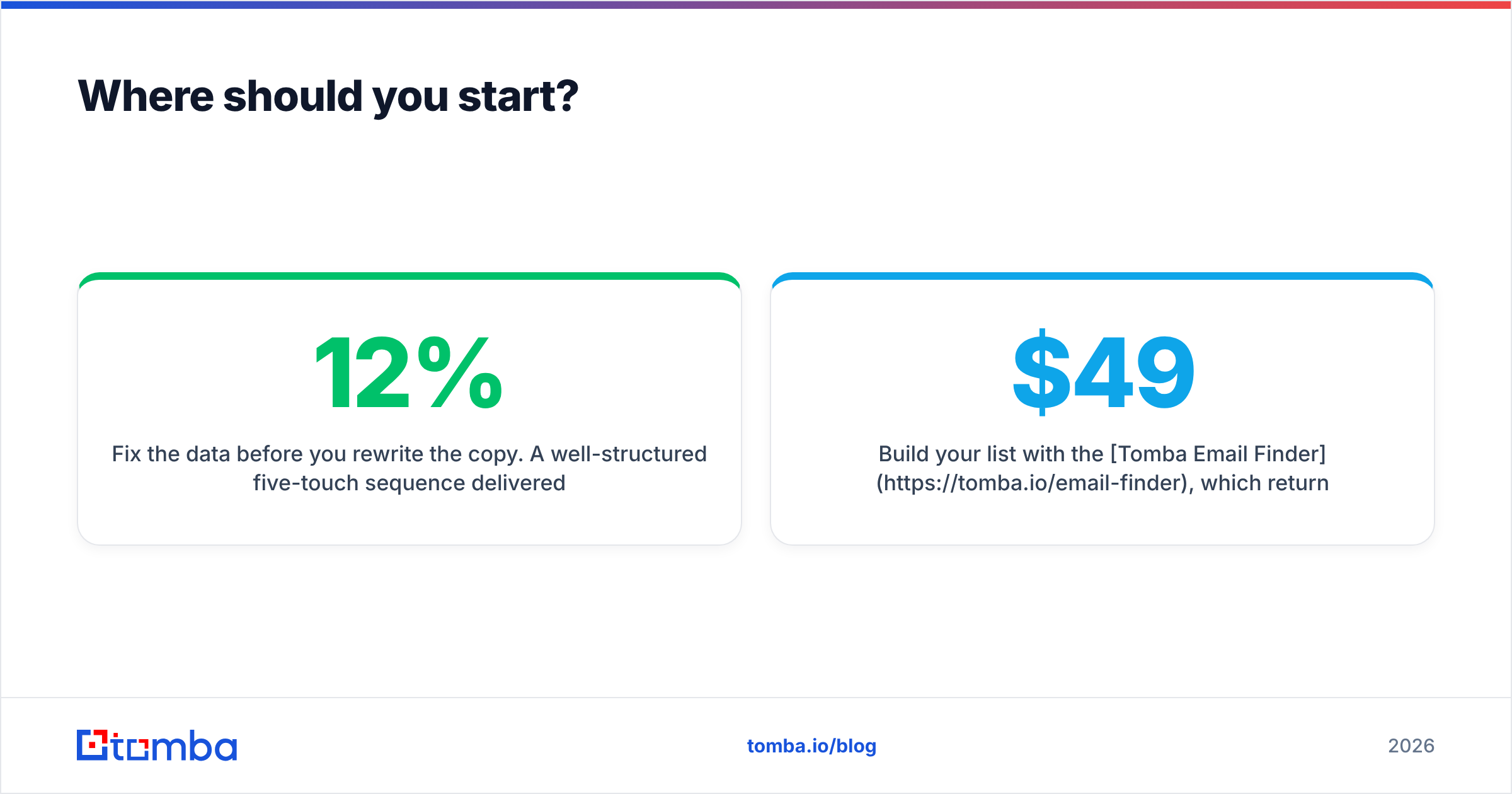
Fix the data before you rewrite the copy. A well-structured five-touch sequence delivered to a list with 12% invalid addresses will underperform a mediocre sequence delivered to a clean one — and it will damage your sending domain in the process.
Build your list with the Tomba Email Finder, which returns verified professional addresses by domain, name, or company, with a confidence score on each result so you know what you're sending to before touch one goes out. The free tier covers 25 searches a month if you want to test the accuracy on a sample of your current list; paid plans start at $49/month on Starter, with Growth at $99/month for teams running multi-thousand-contact sequences. Full Tomba pricing is public, and the Tomba API plugs verification directly into your sequencing tool so bad addresses never enter a sequence in the first place.
Get the addresses right, then apply the format. In that order.
Related guides#
Ready to find emails that actually work?
Join 150,000+ professionals who stopped guessing and started sending. Free credits on signup — no credit card required.
Get the Tomba newsletter
Practical outbound tactics and product updates — once every two weeks.
About the author