Free Domain Reputation Check: The 2026 No-Fluff Guide
Your domain reputation decides whether cold email lands in the inbox or the spam folder. Here's how to run a free domain reputation check in about 10 minutes, read the numbers honestly, and fix what's broken.
TL;DR
- A free domain reputation check pulls together blacklist status, authentication records, engagement signals, and mailbox-provider feedback — no single tool gives you all four.
- Google Postmaster Tools and Microsoft SNDS are the only sources that show you what the two biggest mailbox providers actually think of your domain, and both are free.
- Third-party "reputation scores" (Talos, MXToolbox, Barracuda) are directional, not authoritative. Treat them as smoke alarms, not verdicts.
- The fastest way to wreck a clean domain is sending to unverified addresses. Bounce rate above 3% moves you into filtering territory within days.
- Fix order that works: stop sending → clean the list → repair authentication → warm back up. Skipping straight to warmup wastes weeks.
What is a free domain reputation check?#
A free domain reputation check is the process of querying public and provider-owned data sources to find out how mailbox providers currently score your sending domain. You are not looking up one number. You are assembling four separate signals into a picture.
Domain reputation works like a credit score for your sending domain. Nobody publishes the formula, several bureaus keep their own version, and the only thing that reliably moves it is behaviour over time. Technically, mailbox providers track complaint rate, bounce rate, spam-trap hits, authentication pass rate, engagement (opens, replies, moves-to-inbox), and how long your domain has been sending at its current volume. Those inputs get rolled into an internal trust score that decides inbox vs. spam vs. silent drop.
The confusing part for most teams: IP reputation and domain reputation are not the same thing. If you send through Google Workspace, Outlook 365, or a shared ESP pool, you share IPs with thousands of other senders. Your domain is the part you own outright — and since roughly 2020 it has carried more weight than the IP for filtering decisions at Gmail and Outlook.
Here is what each signal actually contributes:
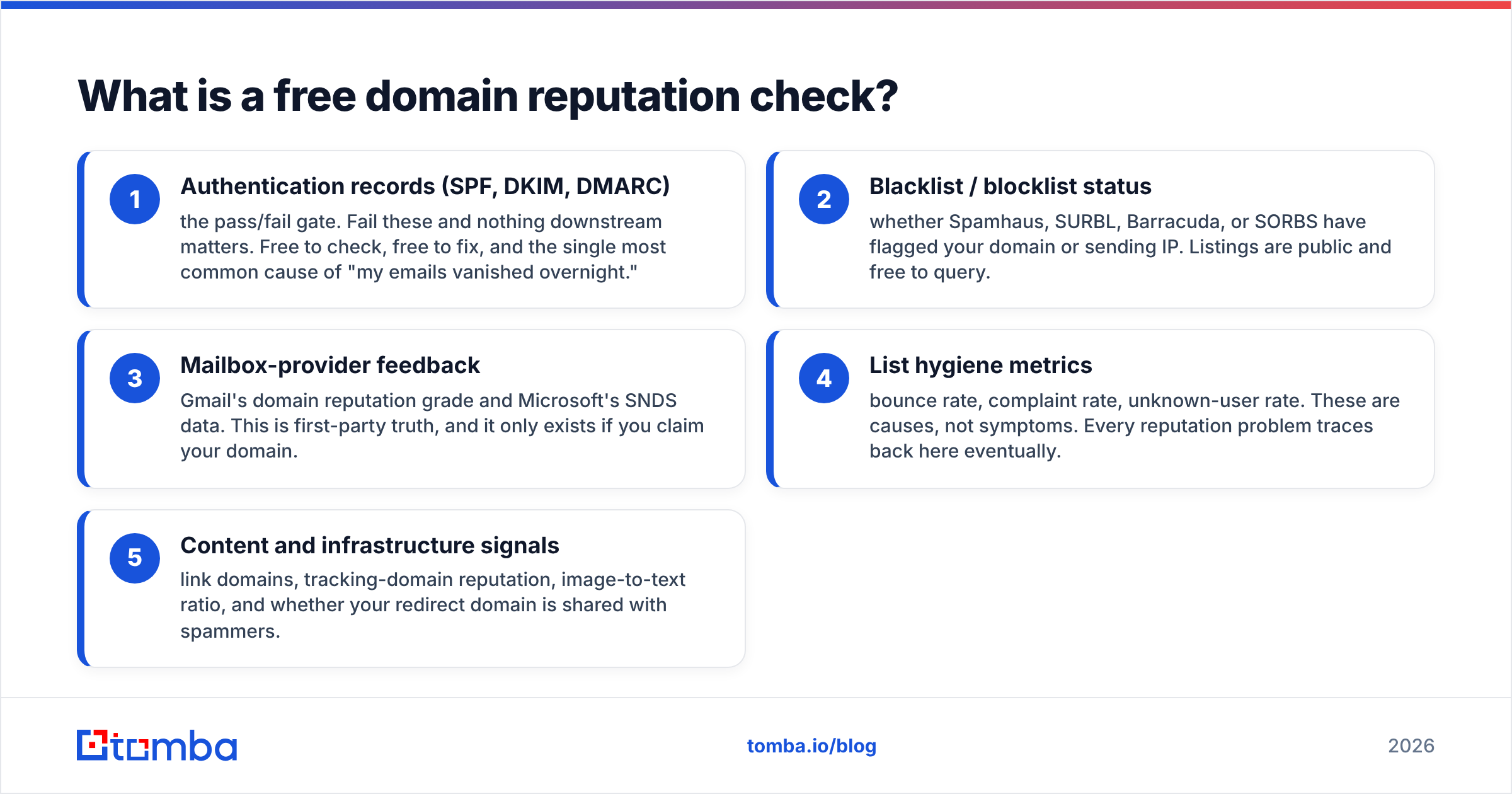
- Authentication records (SPF, DKIM, DMARC) — the pass/fail gate. Fail these and nothing downstream matters. Free to check, free to fix, and the single most common cause of "my emails vanished overnight."
- Blacklist / blocklist status — whether Spamhaus, SURBL, Barracuda, or SORBS have flagged your domain or sending IP. Listings are public and free to query.
- Mailbox-provider feedback — Gmail's domain reputation grade and Microsoft's SNDS data. This is first-party truth, and it only exists if you claim your domain.
- List hygiene metrics — bounce rate, complaint rate, unknown-user rate. These are causes, not symptoms. Every reputation problem traces back here eventually.
- Content and infrastructure signals — link domains, tracking-domain reputation, image-to-text ratio, and whether your redirect domain is shared with spammers.

Why does domain reputation decide whether your email lands?#
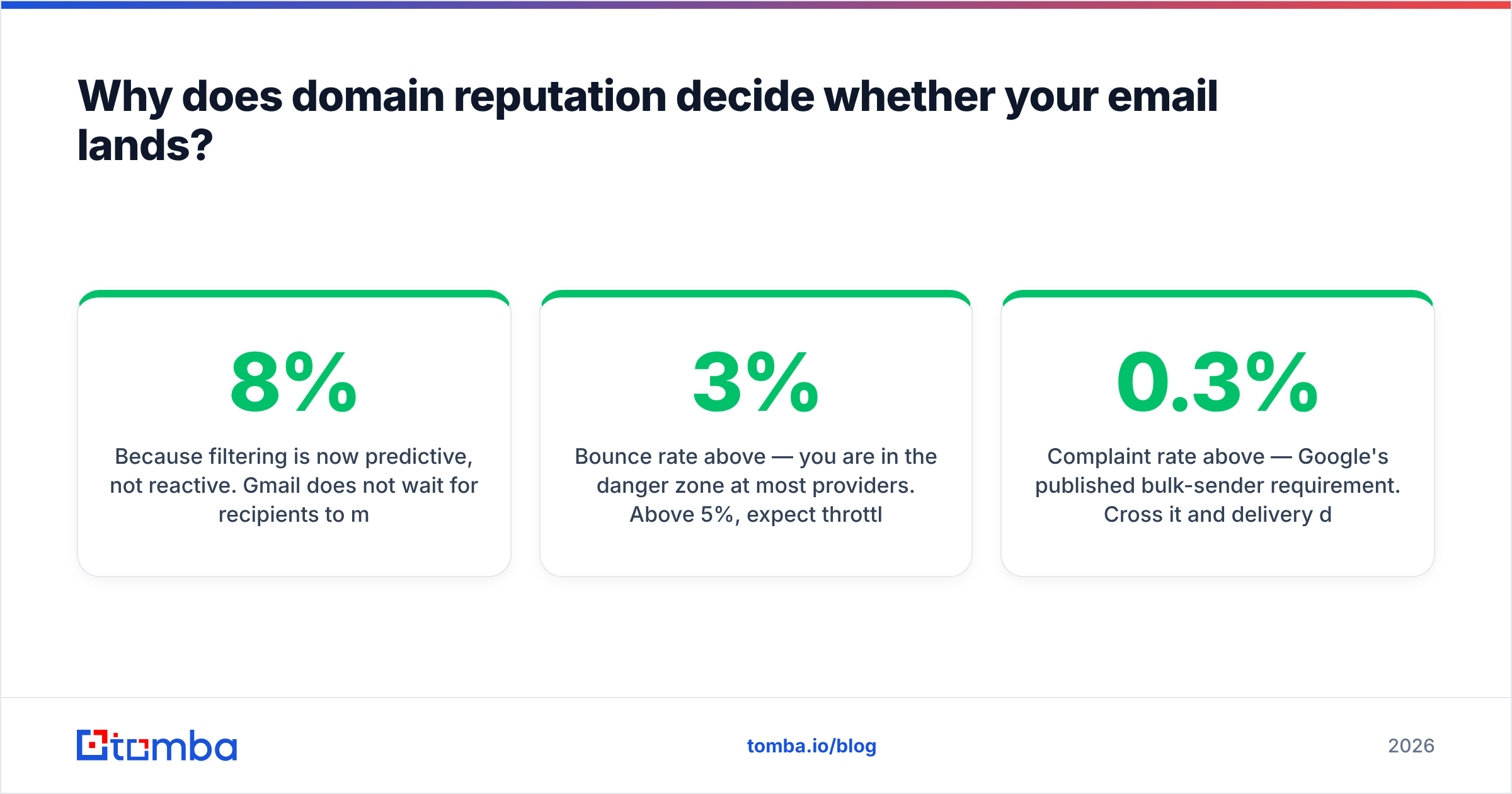
Because filtering is now predictive, not reactive. Gmail does not wait for recipients to mark you as spam. It predicts whether they will, using your domain's history, and routes accordingly. That means a domain with three weeks of 8% bounce rate gets filtered before a single human sees the message.
Two thresholds matter more than any other number:
- Bounce rate above 3% — you are in the danger zone at most providers. Above 5%, expect throttling within a week.
- Complaint rate above 0.3% — Google's published bulk-sender requirement. Cross it and delivery degrades fast. Above 0.1% you should already be worried.
Both are downstream of data quality. If your list came from a scrape, an old export, or a "verified" vendor file nobody re-checked, you are gambling your domain on someone else's data hygiene. Running addresses through an email verifier before the first send is the cheapest reputation insurance available — it costs cents per thousand and prevents damage that takes months to undo.
The asymmetry is brutal: reputation drops in days and recovers in weeks. There is no reset button, no support ticket, and no paid tier that restores trust. You earn it back by sending small volumes of mail people actually engage with.
Which free domain reputation tools actually work in 2026?#
Most "free domain reputation checker" pages are lead magnets that show you a colour-coded gauge and nothing else. These are the sources worth your time, and what each one genuinely covers.
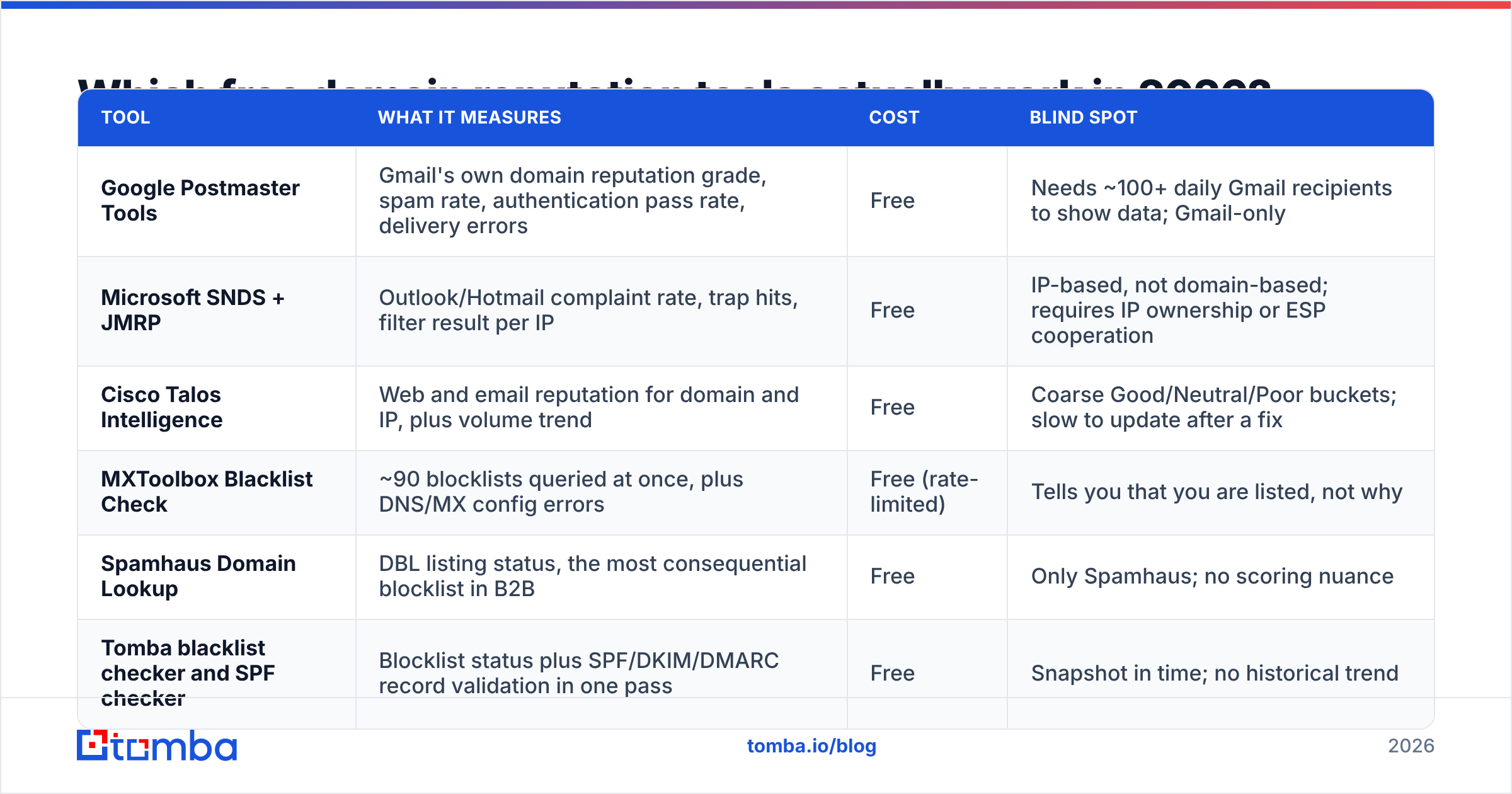
| Tool | What it measures | Cost | Blind spot |
|---|---|---|---|
| Google Postmaster Tools | Gmail's own domain reputation grade, spam rate, authentication pass rate, delivery errors | Free | Needs ~100+ daily Gmail recipients to show data; Gmail-only |
| Microsoft SNDS + JMRP | Outlook/Hotmail complaint rate, trap hits, filter result per IP | Free | IP-based, not domain-based; requires IP ownership or ESP cooperation |
| Cisco Talos Intelligence | Web and email reputation for domain and IP, plus volume trend | Free | Coarse Good/Neutral/Poor buckets; slow to update after a fix |
| MXToolbox Blacklist Check | ~90 blocklists queried at once, plus DNS/MX config errors | Free (rate-limited) | Tells you that you are listed, not why |
| Spamhaus Domain Lookup | DBL listing status, the most consequential blocklist in B2B | Free | Only Spamhaus; no scoring nuance |
| Tomba blacklist checker and SPF checker | Blocklist status plus SPF/DKIM/DMARC record validation in one pass | Free | Snapshot in time; no historical trend |
The practical stack: Postmaster Tools for Gmail truth, SNDS for Microsoft truth, a blocklist sweep for emergencies, and a record validator for authentication. Everything else is a second opinion.
One honest caveat about third-party scores. Talos, Barracuda, and Sender Score are inferring reputation from network telemetry they happen to see. They are useful for spotting a sudden drop and useless for fine-grained diagnosis. If Talos says "Neutral" and Gmail says "High," believe Gmail.
How do you run a free domain reputation check in 10 minutes?#
Work in this order. Each step narrows the problem before the next one.
- Verify authentication first (2 min). Check that SPF resolves under 10 DNS lookups, DKIM signs with at least a 1024-bit key, and DMARC exists with a policy of at least
p=noneplus a reporting address. A broken SPF record explains more sudden delivery collapses than every other cause combined. - Sweep the blocklists (2 min). Run your root domain, your sending subdomain, your tracking/redirect domain, and your sending IP. Teams routinely check the root domain and miss that their click-tracking domain is the listed one.
- Pull Gmail's grade (3 min). Log into Postmaster Tools, open Domain Reputation. You want "High." "Medium" means you are one bad campaign from trouble. "Low" or "Bad" means stop sending today.
- Check Microsoft SNDS (2 min). Look at complaint rate and trap hits per IP. Green with zero traps is the target. Any trap hit means your list contains recycled or scraped addresses.
- Audit the last 30 days of send data (1 min). Pull bounce rate, complaint rate, and reply rate from your sending tool. If bounce rate is above 3%, you have found your root cause and steps 1–4 are secondary.
Do this monthly for an established domain, weekly during a warmup, and immediately after any volume increase above 30%.
What do the reputation scores actually mean?#
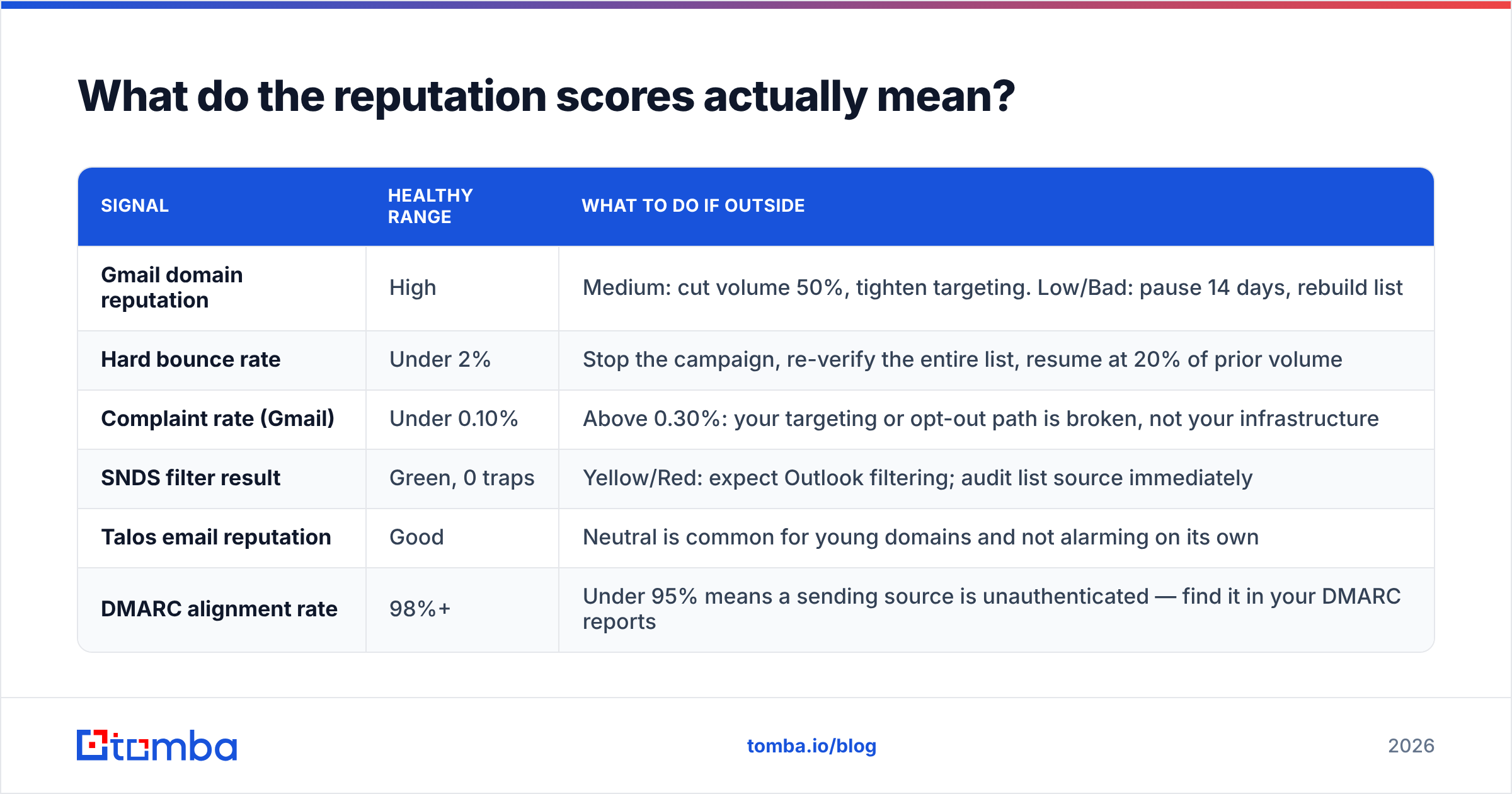
Scores are only useful if you know what action each band implies. This is the translation table.
| Signal | Healthy range | What to do if outside |
|---|---|---|
| Gmail domain reputation | High | Medium: cut volume 50%, tighten targeting. Low/Bad: pause 14 days, rebuild list |
| Hard bounce rate | Under 2% | Stop the campaign, re-verify the entire list, resume at 20% of prior volume |
| Complaint rate (Gmail) | Under 0.10% | Above 0.30%: your targeting or opt-out path is broken, not your infrastructure |
| SNDS filter result | Green, 0 traps | Yellow/Red: expect Outlook filtering; audit list source immediately |
| Talos email reputation | Good | Neutral is common for young domains and not alarming on its own |
| DMARC alignment rate | 98%+ | Under 95% means a sending source is unauthenticated — find it in your DMARC reports |
Two readings people misinterpret constantly:
"Neutral" on Talos for a new domain is normal. A domain sending for six weeks has no history to score. Do not panic-buy a reputation service over it.
No data in Postmaster Tools does not mean good reputation. It means you are below the visibility threshold — roughly 100 Gmail recipients per day. Small senders are flying blind at Gmail regardless of how healthy they are, which is exactly why list hygiene matters more when you cannot measure.
What can't free domain reputation tools tell you?#
This is where most guides stop being honest. Free tools have four real gaps.
They cannot show you per-provider treatment beyond Gmail and Microsoft. Yahoo, Zoho, Proton, and the corporate filtering appliances (Mimecast, Proofpoint, Barracuda) publish nothing. If your B2B prospects sit behind Proofpoint, no free tool reveals your standing there. Seed-list testing is the only workaround, and the good seed networks are paid.
They report state, not cause. A blocklist tool tells you that you are on the Spamhaus DBL. It will not tell you that the listing came from a spam trap in a list segment you imported eight months ago.
They lag. Third-party reputation databases refresh on their own schedule. Fix the underlying problem today and the gauge may stay red for two weeks. Judge recovery by your own bounce and complaint metrics, not by a public score.
They cannot validate the list you are about to send to. This is the biggest gap, and it is the one entirely within your control. A reputation checker is a rear-view mirror. Address verification is the windshield. Running a catch-all verifier against corporate domains that accept everything, and re-verifying any list older than 90 days, prevents the bounce spike that causes the reputation drop in the first place.
How do you repair a damaged domain reputation?#
Sequence matters more than effort. Do these in order.
- Stop sending cold volume entirely. Not reduce — stop. Continuing to send while reputation is Low compounds the damage daily. Transactional and reply-thread mail can continue.
- Fix authentication. SPF under the lookup limit, DKIM signing on every stream, DMARC published with reporting. Confirm alignment on all sending sources, including your CRM and marketing platform.
- Purge and re-verify the list. Drop every hard bounce permanently. Re-verify everything else. Remove role accounts (info@, sales@, admin@) and any address you cannot trace to a source.
- Request delisting where applicable. Spamhaus and most major lists have free self-service removal once the underlying issue is fixed. Delisting before fixing gets you relisted within days.
- Warm back up slowly. Start at 10–20 sends per day per mailbox to your most engaged segment. Double weekly only if bounce rate stays under 1% and reply rate stays healthy. Expect four to six weeks to return to prior volume.
- Separate your streams. Put cold outbound on a dedicated subdomain (
outbound.yourcompany.com) so a future incident cannot take your primary domain and its transactional mail down with it.
The step teams skip is number three, because it feels like admitting the list was bad. It usually was. Reputation problems are data problems wearing an infrastructure costume — and monitoring your sender reputation after recovery only works if the data feeding your campaigns is clean to begin with.
How often should you check, and what should you automate?#
Set a cadence rather than reacting to disasters:
- Weekly during warmup or after any incident: Postmaster grade, bounce rate, complaint rate.
- Monthly at steady state: full check including blocklists and DMARC reports.
- Immediately after: changing ESP, adding a sending domain, importing a new list, or raising volume more than 30%.
Automate the two cheapest alerts. First, DMARC aggregate reports routed to a parsing service so unauthenticated sources surface on their own. Second, a bounce-rate threshold alert in your sending tool at 3%. Those two catch the majority of reputation incidents before a public score ever moves.
Protect your reputation at the source#
Every free domain reputation check you run is measuring the consequences of decisions you made earlier — where the contacts came from, whether anyone verified them, and how relevant the message was to the person receiving it. Free tools are worth running, and you should run them. But the highest-leverage work happens before the send, not after.
If you are building outbound lists, start with contact data that is verified at the point of collection rather than cleaned up after the damage. Tomba Email Finder returns professional addresses with a confidence score and SMTP-level verification attached, so bounce rate stays where it belongs and your domain reputation never becomes the problem you have to fix. The free tier covers 25 searches a month if you want to test the accuracy against your own known-good contacts before committing — see Tomba pricing for the paid tiers when you scale.
Related guides#
Ready to find emails that actually work?
Join 150,000+ professionals who stopped guessing and started sending. Free credits on signup — no credit card required.
Get the Tomba newsletter
Practical outbound tactics and product updates — once every two weeks.
About the author