G Lock EasyMail7 Alternatives: 7 Better Tools for 2026
G-Lock EasyMail7 is a Windows desktop bulk sender in a cloud-first world. Here are seven G Lock EasyMail7 alternatives compared on deliverability, pricing, list quality, and migration risk.
Most G Lock EasyMail7 alternatives fall into three camps: hosted newsletter platforms, self-hosted senders you run yourself, and cold outreach tools. This guide compares seven of them on price, deliverability, and migration risk.
TL;DR
- G-Lock EasyMail7 is a Windows desktop app that sends through your own SMTP, Amazon SES, or a local mail server. It still works, but it ties sending to one machine and leaves deliverability to you.
- The best of the G Lock EasyMail7 alternatives depends on the job: Brevo or MailerLite for opt-in newsletters, Sendy + Amazon SES to keep owning your infrastructure, and Instantly, Smartlead, or Saleshandy for cold outreach.
- Cost is not the deciding factor. A $10/mo ESP with a clean list beats a free self-hosted sender fed by a scraped CSV.
- Fix the data layer first. Bounce rates above 2–3% get you throttled by Gmail and Outlook, whatever tool you use.
- Migration order that works: verify the list, warm the domain, send small, then scale. Skip step one and you burn a domain in week one.
What is G-Lock EasyMail7, and why are people replacing it?#
G-Lock EasyMail7 is a desktop email marketing app from G-Lock Software. It installs on Windows and sends campaigns through an SMTP server you supply — your own relay, Amazon SES, SendGrid, or the local mail service bundled with the app. The design is client-server: a server component handles the queue, and the desktop UI builds the campaign.
That was a real advantage in 2012. You weren't renting a list-hosting platform. You weren't paying per subscriber. Nobody could shut your account down over a content policy dispute. Some teams still value exactly that.
The reasons people search for G Lock EasyMail7 alternatives in 2026 tend to cluster:
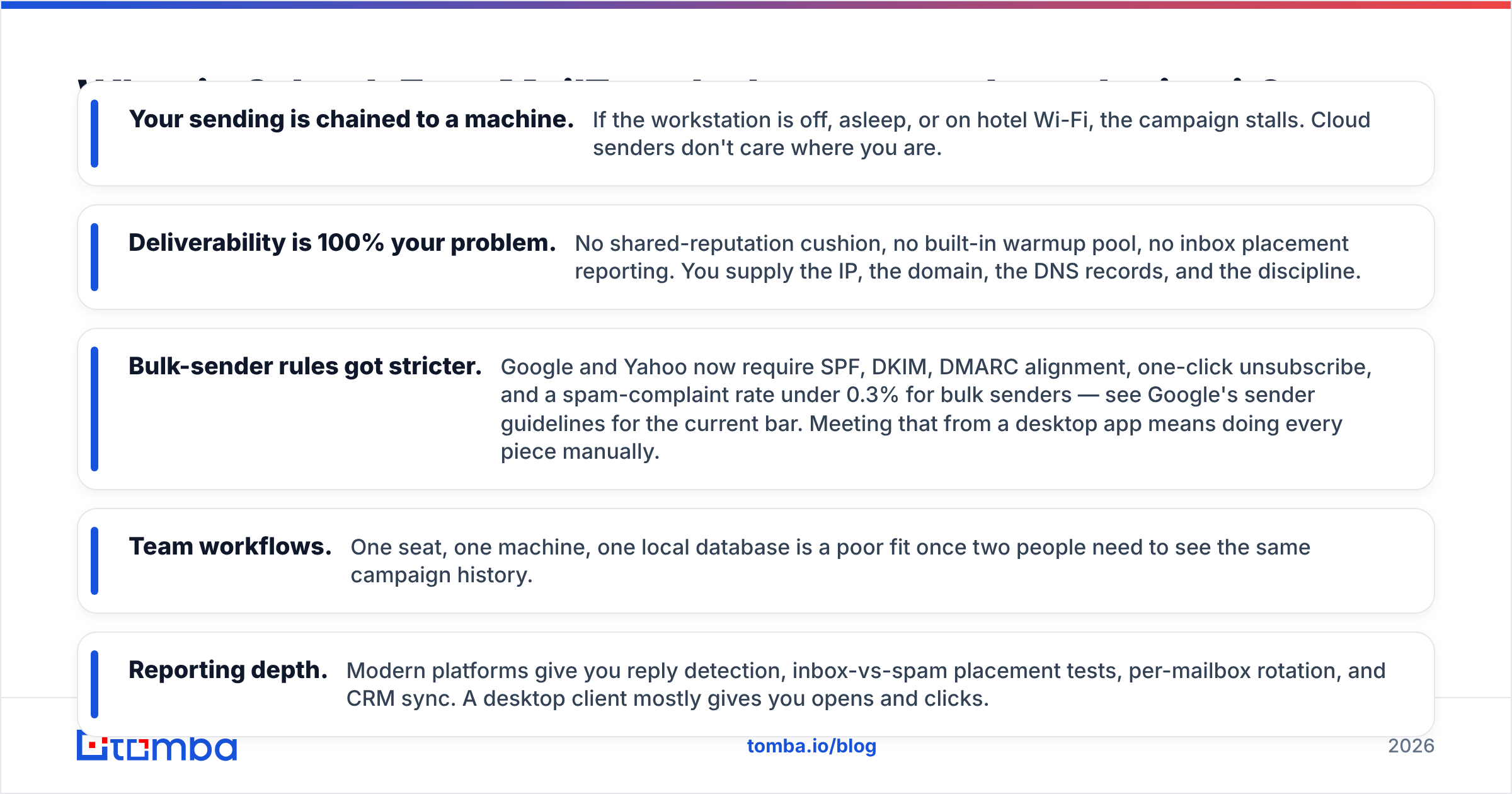
- Your sending is chained to a machine. If the workstation is off or asleep, the campaign stalls. Cloud senders don't care where you are.
- Deliverability is your problem. No shared-reputation cushion, no warmup pool, no placement reports. You supply the IP, the domain, the DNS records, and the discipline.
- Bulk-sender rules got stricter. Google and Yahoo now require SPF, DKIM, DMARC alignment, one-click unsubscribe, and a complaint rate under 0.3% — see Google's sender guidelines. A desktop app makes you do each piece by hand.
- Team workflows. One seat, one machine, one local database is a poor fit once two people share a campaign history.
- Reporting depth. Modern platforms show reply detection, inbox-vs-spam placement, mailbox rotation, and CRM sync. A desktop client gives you opens and clicks.
None of that makes EasyMail7 broken. It makes it a specialist tool for a technical operator who wants file-level control and will own deliverability end to end.
What should G Lock EasyMail7 alternatives actually do?#
Before you compare logos, decide which of these five jobs you are buying. Most people pick the wrong replacement because they match the interface instead of the use case.
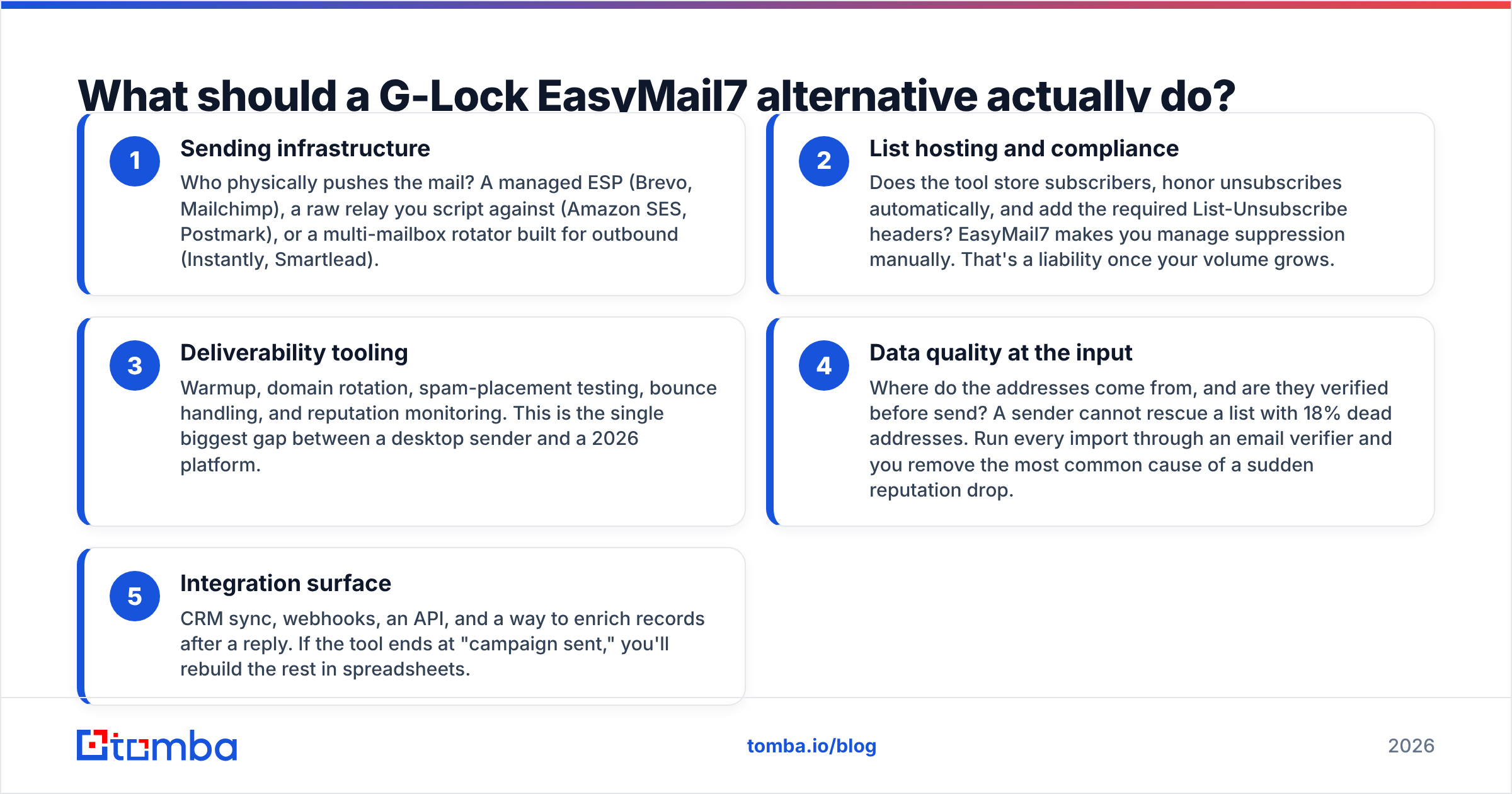
- Sending infrastructure — Who pushes the mail? A managed ESP (Brevo, Mailchimp), a raw relay you script against (Amazon SES, Postmark), or a multi-mailbox rotator built for outbound (Instantly, Smartlead).
- List hosting and compliance — Does the tool store subscribers, honor unsubscribes, and add List-Unsubscribe headers for you? EasyMail7 makes you manage suppression by hand. That becomes a liability as volume grows.
- Deliverability tooling — Warmup, domain rotation, spam-placement testing, bounce handling, reputation monitoring. This is the biggest gap between a desktop sender and a 2026 platform.
The first three jobs decide whether your mail arrives. The last two decide whether the switch pays off.
- Data quality at the input — Where do the addresses come from, and are they verified before send? No sender can rescue a list with 18% dead addresses. Run every import through an email verifier first.
- Integration surface — CRM sync, webhooks, an API, and a way to enrich records after a reply. If the tool stops at "campaign sent," you rebuild the rest in spreadsheets.
Need only jobs 1 and 2? A $10/month ESP replaces EasyMail7 comfortably. Need job 3? Look at a dedicated cold-email platform. Weak on job 4? Nothing else matters.
What are the best G Lock EasyMail7 alternatives in 2026?#
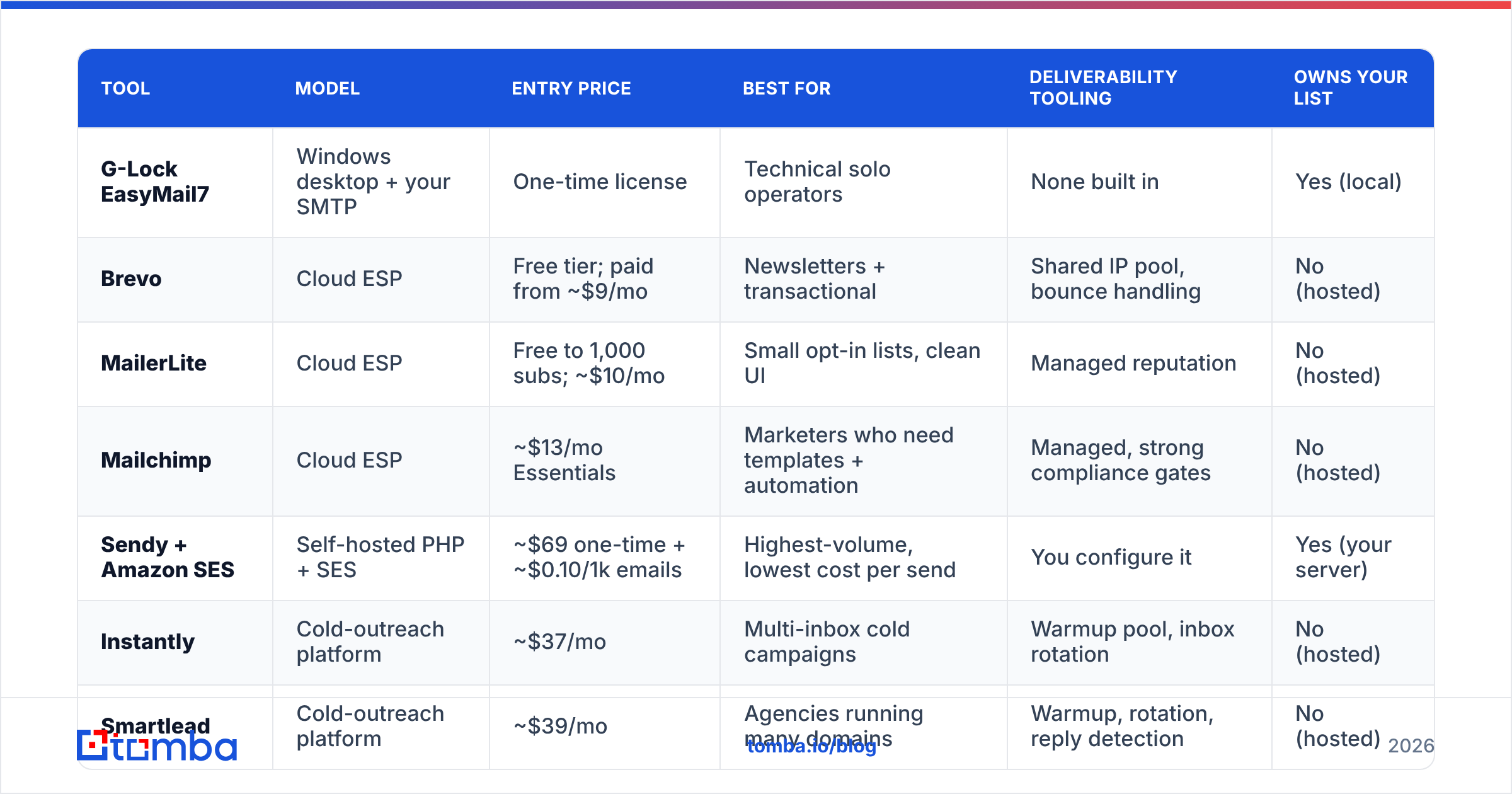
Here is the head-to-head. Prices are entry-level list prices seen in early 2026. Always confirm on the vendor's own page, because tiers shift.
| Tool | Model | Entry price | Best for | Deliverability tooling | Owns your list |
|---|---|---|---|---|---|
| G-Lock EasyMail7 | Windows desktop + your SMTP | One-time license | Technical solo operators | None built in | Yes (local) |
| Brevo | Cloud ESP | Free tier; paid from ~$9/mo | Newsletters + transactional | Shared IP pool, bounce handling | No (hosted) |
| MailerLite | Cloud ESP | Free to 1,000 subs; ~$10/mo | Small opt-in lists, clean UI | Managed reputation | No (hosted) |
| Mailchimp | Cloud ESP | ~$13/mo Essentials | Marketers who need templates + automation | Managed, strong compliance gates | No (hosted) |
| Sendy + Amazon SES | Self-hosted PHP + SES | ~$69 one-time + ~$0.10/1k emails | Highest-volume, lowest cost per send | You configure it | Yes (your server) |
| Instantly | Cold-outreach platform | ~$37/mo | Multi-inbox cold campaigns | Warmup pool, inbox rotation | No (hosted) |
| Smartlead | Cold-outreach platform | ~$39/mo | Agencies running many domains | Warmup, rotation, reply detection | No (hosted) |
| Saleshandy | Cold-outreach platform | ~$36/mo | Sequences + built-in prospect data | Warmup, sequence throttling | No (hosted) |
Brevo — the closest "just works" swap#
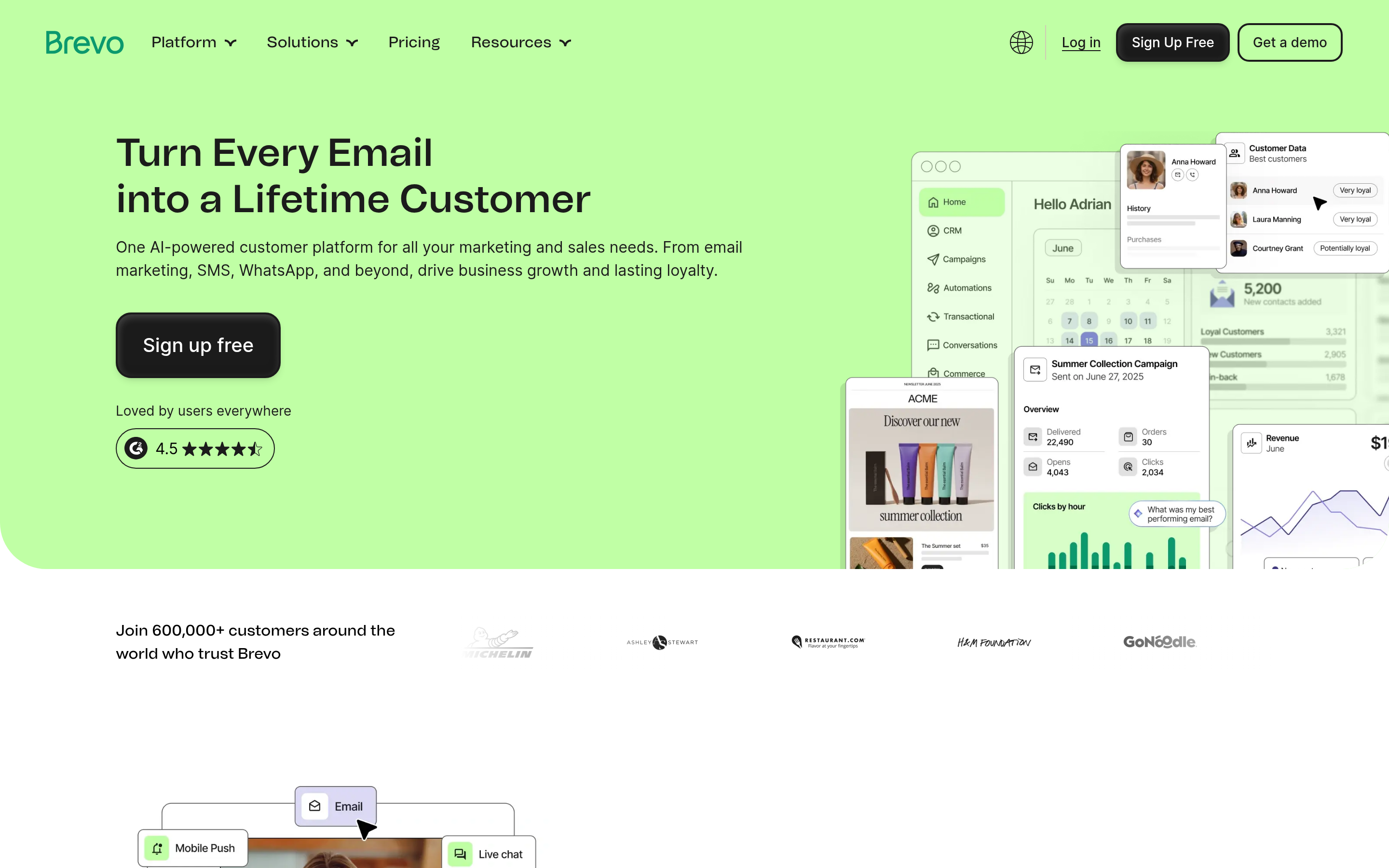
Brevo (formerly Sendinblue) is what most EasyMail7 refugees actually want: a hosted ESP with a generous free tier, a transactional API, and automation. You give up infrastructure ownership. In return you get a shared reputation pool that inbox providers already trust. Good fit for opt-in newsletters, product updates, and receipts. Bad fit for cold outreach — like every mainstream ESP, Brevo requires permission-based lists.
MailerLite — cheapest clean start#
If your EasyMail7 list is small and genuinely opted in, MailerLite is the lowest-friction move. It is free up to 1,000 subscribers, the drag-and-drop builder is clean, and a review process keeps the shared pool healthy. That review is a feature, not an obstacle. It is why the pool works.
Sendy + Amazon SES — for people who liked EasyMail7's philosophy#
This is the truest spiritual successor. Sendy is a self-hosted PHP app you install on your own server. It sends through Amazon SES at roughly $0.10 per 1,000 emails. You keep the database, you keep the control, and you pay a one-time license instead of a subscription. You also inherit every deliverability duty EasyMail7 gave you. SES suspends accounts fast when bounces climb, so verification is not optional here.
Instantly and Smartlead — if you're honest about doing cold email#
Most people running a desktop bulk sender are not sending newsletters. If your real use case is outbound to prospects who never opted in, mainstream ESPs will suspend you and Sendy will burn your domain. Cold-outreach platforms exist for this job: many sending mailboxes, automatic rotation, built-in warmup, throttled daily volume, and reply-based stop rules. Instantly leans consumer-friendly. Smartlead is built for agencies juggling dozens of domains. Our breakdown of the Instantly alternative landscape covers the trade-offs in detail.
Saleshandy — sequences plus a data layer#
Saleshandy sits between the two camps: multi-step sequences, warmup, and an included prospect database. That is convenient if you want fewer vendors. Check the data coverage against your own ICP before you count on the bundled list.
And the data layer, which is not a sender at all#
Two of the tools above bundle contact data. Most don't. If you source prospects instead of emailing an existing subscriber base, you need a dedicated data source. Providers like BookYourData sell curated, verified B2B lists — a solid option when you want a ready-made file for a defined segment.
Tomba works the other way around. You supply a domain, a name, or a company, and pull verified addresses on demand via domain search or the API. That suits ongoing, targeted prospecting rather than one-time list buys. Both approaches are legitimate. The question is whether you want a list or a lookup.
Is a desktop sender still viable in 2026?#
Yes — for a narrow profile. Keep EasyMail7 (or move to Sendy) if all of these are true:
- You control your own IP or a dedicated SES account with a clean history.
- SPF, DKIM, and DMARC are configured and aligned, and you can read a DMARC report.
- Your list is opt-in and you process unsubscribes within 48 hours.
- Your volume justifies the savings per send — realistically 100k+ emails a month.
- Nobody else on your team needs access at the same time.
Move to a cloud platform if any of these are true:
- You've had a domain flagged or a sudden delivery drop and couldn't diagnose it.
- You send from more than one mailbox or domain.
- Your list came from anywhere other than a signup form.
- You need reply detection, not just open tracking.
That second list describes most teams. Reviews on G2 tell the same story: buyers rarely leave desktop senders over features. They leave after the first deliverability incident they could not fix.
How do you migrate off EasyMail7 without torching your domain?#
Order matters more than tool choice. Most G Lock EasyMail7 alternatives will deliver fine if you follow this sequence.
Before your first send:
- Export and audit. Pull your EasyMail7 database to CSV. Split it into three buckets: engaged in the last 90 days, dormant, and never-opened. Don't migrate bucket three.
- Verify everything. Run the full file through verification before it touches the new platform. Dead addresses are the top cause of a new domain getting throttled in week one. A bulk email finder and verifier handles six-figure lists without manual work.
- Deduplicate and suppress. Merge your unsubscribe and complaint history into the new tool's suppression list before the first send. People forget this step, and it generates complaints from readers who already opted out.
- Authenticate the new domain. SPF, DKIM, DMARC. If outbound runs on a fresh domain, keep it separate from your primary corporate domain.
Then ramp up:
- Warm up before volume. Start near 20 emails a day and climb over 3–4 weeks. An email warmup calculator plans the ramp for you. The failure mode is always sending too much too early.
- Send to your engaged bucket first. Early positive engagement does more for reputation than any technical setting.
- Watch bounce and complaint rates daily for a month. Above 2% bounces or 0.3% complaints, stop and fix the list.
Which of these G Lock EasyMail7 alternatives should you pick?#
Match the tool to an honest description of what you send.
- Opt-in newsletter, under 5,000 subscribers → MailerLite or Brevo. Free tiers cover you, and managed reputation removes the hardest work.
- Opt-in newsletter, 100,000+ subscribers, cost-sensitive → Sendy + Amazon SES. Lowest cost per send, and you keep the self-hosted control.
- Team that needs templates, segments, and automations → Mailchimp or Brevo. Pricier, far less DIY.
- Cold outbound to prospects → Instantly, Smartlead, or Saleshandy. Mailbox rotation and warmup are not optional here.
- Transactional mail (receipts, resets) → A relay like Amazon SES or Postmark. Keep it off your marketing domain.
- You need better contacts, not a new sender → Fix the data layer and keep your current sender another quarter.
That last line deserves a pause. Teams spend six weeks migrating platforms when the real problem was a list with a 20% bounce rate. A new sender changes nothing if the input data stays the same.
What does the total cost actually look like?#
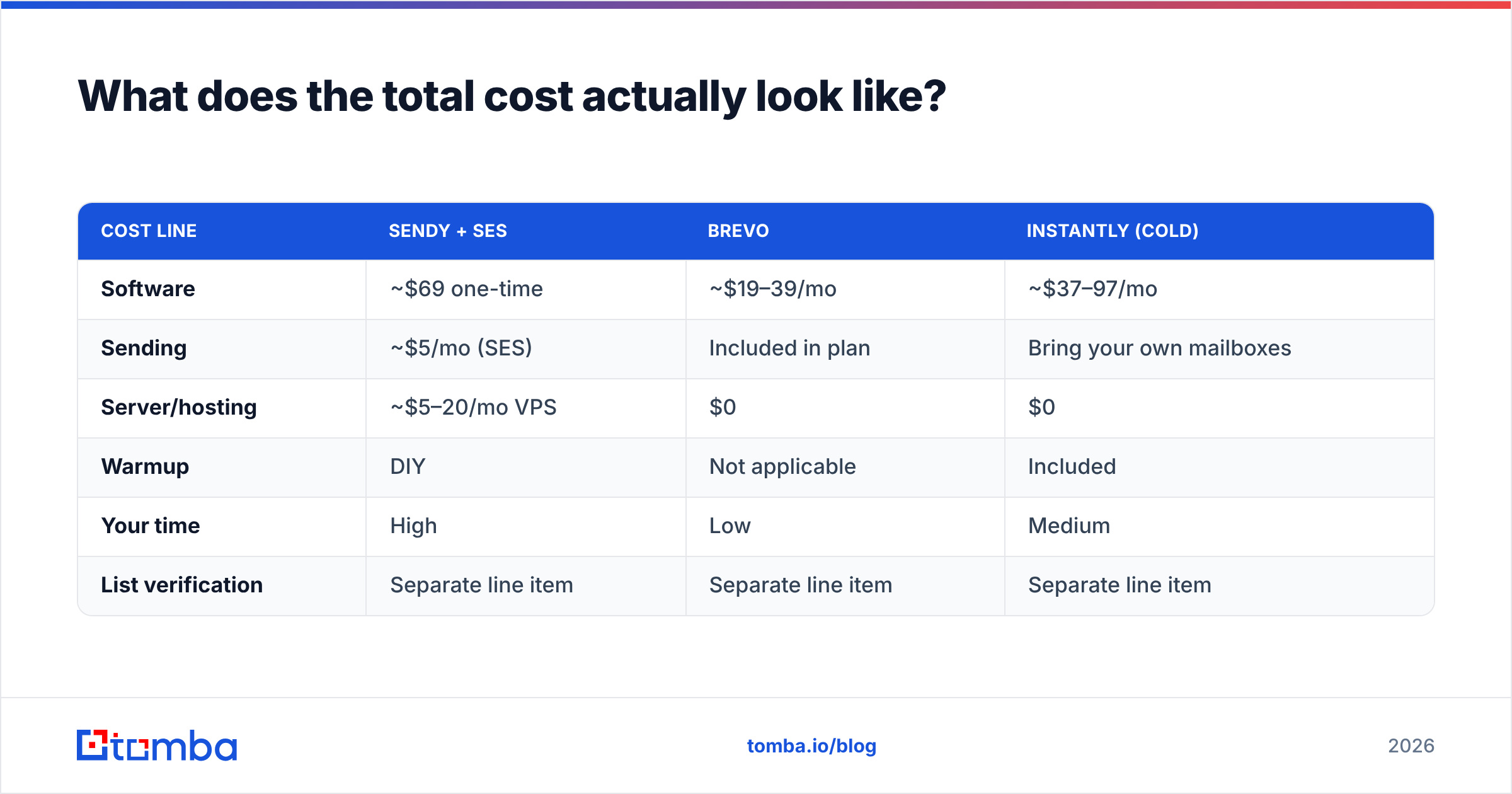
Sticker price hides the real math. Here is a rough 50,000-email/month comparison across three G Lock EasyMail7 alternatives.
| Cost line | Sendy + SES | Brevo | Instantly (cold) |
|---|---|---|---|
| Software | ~$69 one-time | ~$19–39/mo | ~$37–97/mo |
| Sending | ~$5/mo (SES) | Included in plan | Bring your own mailboxes |
| Server/hosting | ~$5–20/mo VPS | $0 | $0 |
| Warmup | DIY | Not applicable | Included |
| Your time | High | Low | Medium |
| List verification | Separate line item | Separate line item | Separate line item |
Verification shows up in all three columns because no sender includes it in a meaningful way. Budget for it as its own line. Tomba pricing starts free at 25 searches a month, with Starter at $49/mo and Growth at $99/mo. The finder and verifier share one credit pool, so you don't pay twice to source and clean.
Fix the list before you fix the sender#
Every migration story follows the same pattern: the sender gets blamed, but the data was the problem. G-Lock EasyMail7 did not put those dead addresses in your database, and Brevo won't remove them for you.
So start with the data. Find correct, current addresses for the people you actually want to reach. Tomba Email Finder pulls verified professional emails by domain, name, or company, with confidence scoring and SMTP-level verification built in. The file you hand your new platform is clean on day one. The free tier is 25 searches a month, no card — enough to test your ICP before you commit to any of these G Lock EasyMail7 alternatives.
Related guides#
Ready to find emails that actually work?
Join 150,000+ professionals who stopped guessing and started sending. Free credits on signup — no credit card required.
Get the Tomba newsletter
Practical outbound tactics and product updates — once every two weeks.
About the author