G-Lock EasyMail7 vs LeadEngineAI: Full 2026 Comparison
One is desktop sending software you own outright. The other is an AI lead engine you rent. Here's how G-Lock EasyMail7 and LeadEngineAI actually differ on cost, control, deliverability, and data — plus where both leave a gap.
G-Lock EasyMail7 vs LeadEngineAI is a build-or-rent decision. One is desktop software you own. The other is an AI platform you rent by the month. Here is the short version.
TL;DR
- They solve different halves of the same problem. G-Lock EasyMail7 is desktop sending software you install and control. LeadEngineAI finds the leads, writes the copy, and runs the sequence for you.
- EasyMail7 wins on ownership and cost per send. Buy the license, plug in your own SMTP or Amazon SES relay, and the cost per email drops to near zero at volume. No seats. No credit meter.
- LeadEngineAI wins on speed. Lists, copy, and sending sit behind one login. You pay monthly for that convenience, and you inherit the list quality the vendor has.
Both share the same blind spot:
- Neither is a data source you should trust blindly. Bundled AI lead lists cause most of the bounces in this category. Verify the addresses before you send, whichever tool you pick.
- Check LeadEngineAI pricing with the vendor. Tiers in this class of tool change often, and most are quote-gated. Treat any number you read in a blog post, this one included, as a starting point.
What is G-Lock EasyMail7?#
G-Lock EasyMail7 is a Windows-based email marketing application from G-Lock Software, a vendor that has been shipping email tooling since the early 2000s. It follows a client-server model. A server component runs on a machine you control, and the desktop client connects to it to build lists, write messages, and send campaigns.
The design decision that matters most: EasyMail7 does not send email for you. It hands your message to a delivery channel you configure — your own SMTP server, a Google Workspace or Microsoft 365 mailbox, or a relay like Amazon SES, SendGrid, or Mailgun. The software is the cockpit; you supply the engine.
That has three consequences you should weigh before anything else:
- Your data stays local. Subscriber lists live in your database on your hardware, not in a vendor's multi-tenant cloud. For teams with procurement or GDPR constraints, this is often the entire buying rationale.
- Your sender reputation is yours alone. You are not sharing IP space with whoever else signed up this week. That cuts both ways — nobody else can poison your reputation, and nobody else's good behavior protects you.
- You do the operations work. DNS records, warmup, bounce processing, suppression hygiene, and SMTP throttling are your job. The software helps; it does not babysit.
What is LeadEngineAI?#
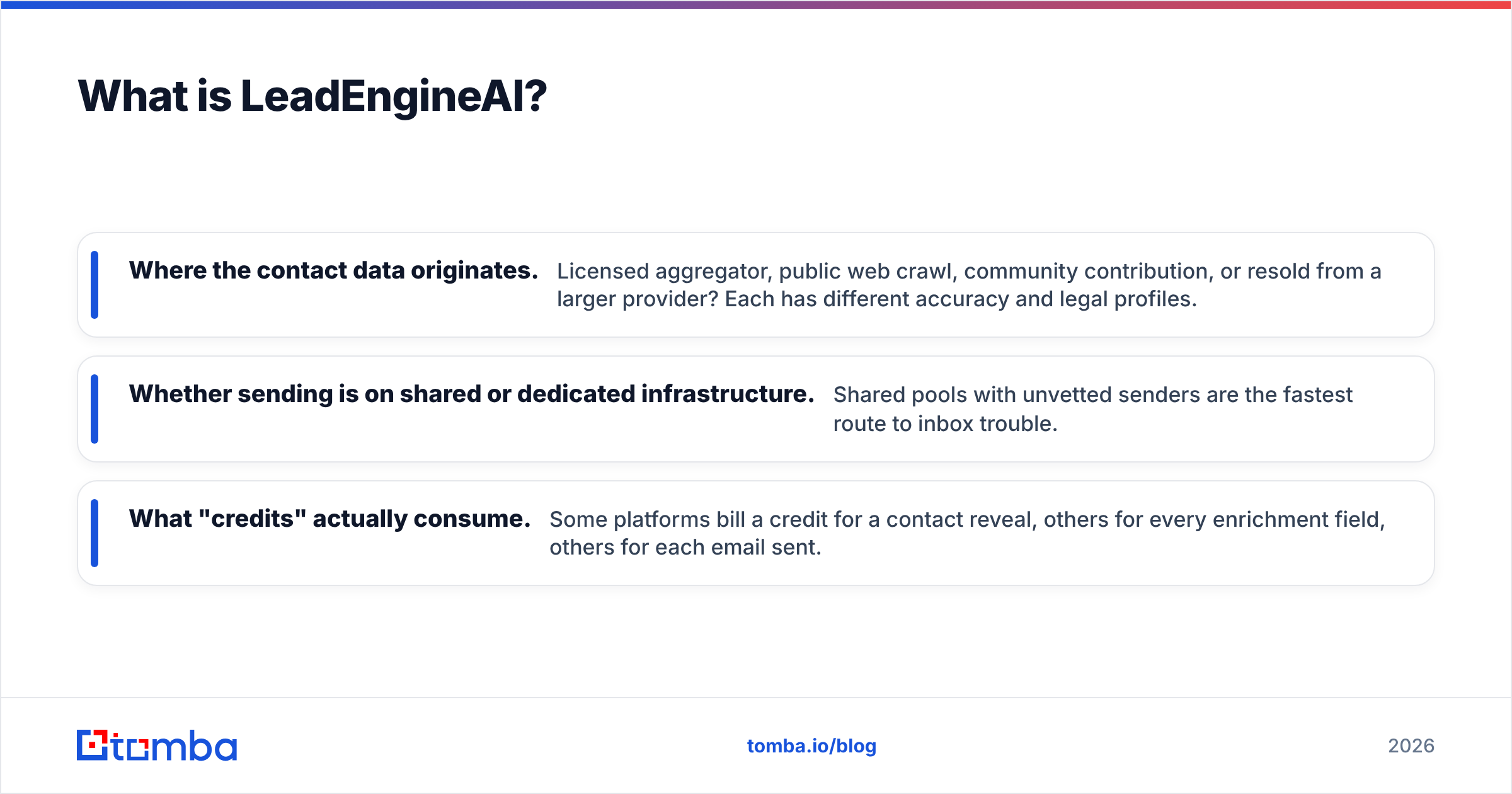
LeadEngineAI belongs to the newer wave of AI-first outbound platforms. These tools promise to spot your ideal customer, pull matching contacts from a bundled B2B database, write personalized copy with an LLM, and run the sequence — all in one subscription.
Be honest about what you can and cannot verify here. Products in this category iterate fast, rebrand often, and hide pricing behind a demo call. Before committing budget, confirm three things directly with the vendor rather than from any third-party writeup:
- Where the contact data originates. Licensed aggregator, public web crawl, community contribution, or resold from a larger provider? Each has different accuracy and legal profiles.
- Whether sending is on shared or dedicated infrastructure. Shared pools with unvetted senders are the fastest route to inbox trouble.
- What "credits" actually consume. Some platforms bill a credit for a contact reveal, others for every enrichment field, others for each email sent.
The value proposition is real: one login, one bill, list-to-inbox in an afternoon. The tradeoff is that you rent the whole stack, including the parts you'd rather own.
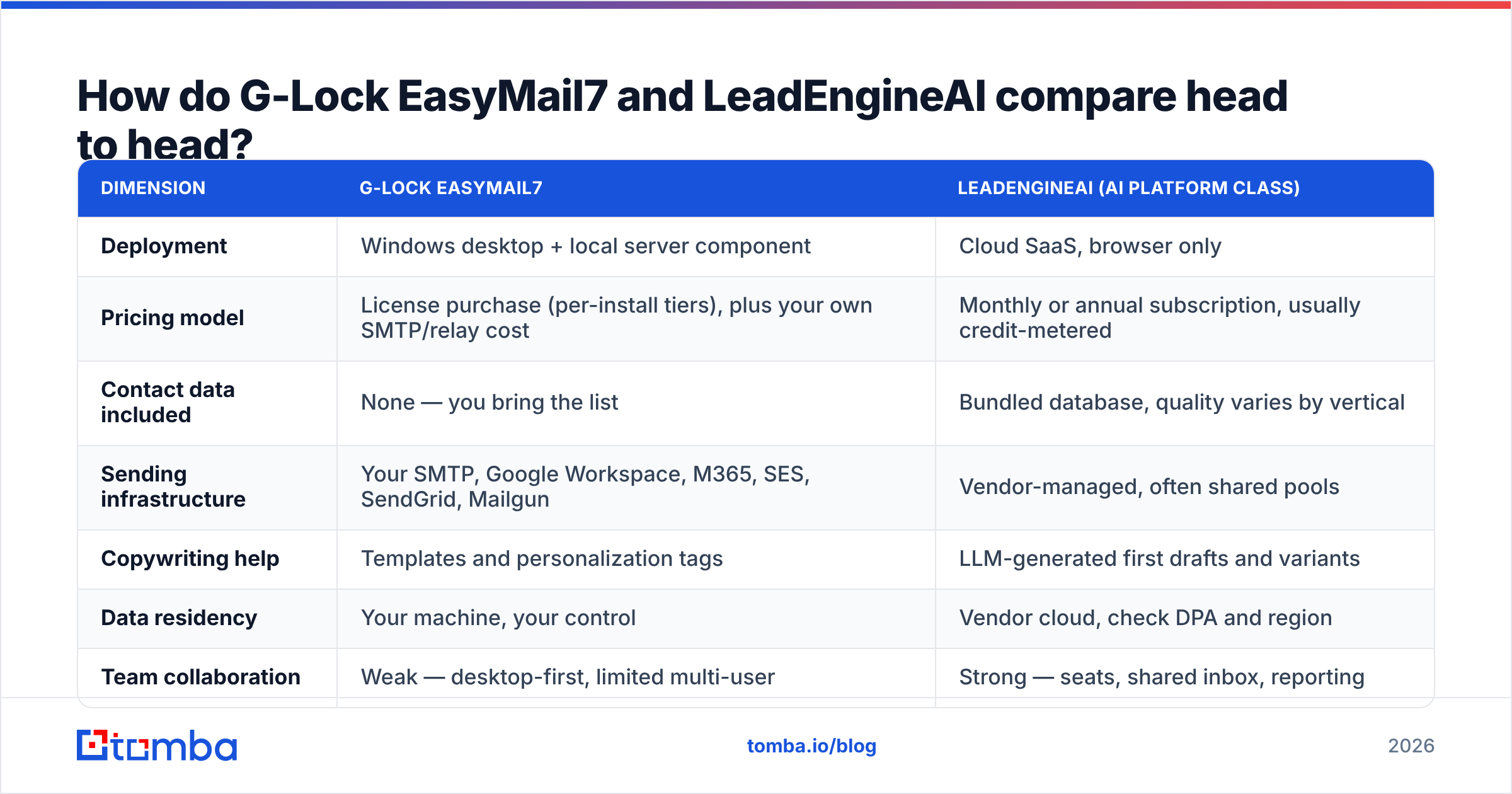
G-Lock EasyMail7 vs LeadEngineAI: how do they compare head to head?#
| Dimension | G-Lock EasyMail7 | LeadEngineAI (AI platform class) |
|---|---|---|
| Deployment | Windows desktop + local server component | Cloud SaaS, browser only |
| Pricing model | License purchase (per-install tiers), plus your own SMTP/relay cost | Monthly or annual subscription, usually credit-metered |
| Contact data included | None — you bring the list | Bundled database, quality varies by vertical |
| Sending infrastructure | Your SMTP, Google Workspace, M365, SES, SendGrid, Mailgun | Vendor-managed, often shared pools |
| Copywriting help | Templates and personalization tags | LLM-generated first drafts and variants |
| Data residency | Your machine, your control | Vendor cloud, check DPA and region |
| Team collaboration | Weak — desktop-first, limited multi-user | Strong — seats, shared inbox, reporting |
| Marginal cost at 100k sends/mo | Very low (relay cost only, often under $10 via SES) | Scales with plan tier and credits |
| Best for | Newsletters, owned lists, privacy-sensitive orgs | Fast cold outbound, small teams without a data source |
| Weakest point | No list source, manual ops burden | Data accuracy and shared-IP reputation risk |
The table makes the real question obvious: you are not choosing between two versions of the same product. You are choosing which parts of the outbound stack you want to own.
Which one costs less over 12 months?#
Do this math with your own volumes, because the crossover point moves fast.
EasyMail7's cost structure is front-loaded. You pay for the license once (G-Lock has historically sold tiered editions rather than a single SKU — check the current list on their site, since editions and update policies have changed over the years), then your ongoing spend is whatever your relay charges. Amazon SES at fractions of a cent per message means a 200,000-email month can cost less than a team lunch.
The AI platform's cost structure is flat-then-cliff. You pay a predictable monthly fee that covers a credit allotment. Stay inside it and budgeting is trivial. Blow past it and overage pricing decides your quarter.
A rough decision rule:
- Under 5,000 emails/month to a list you already own — the subscription usually wins on total effort, even if it costs more in cash.
- Over 50,000 emails/month to an owned list — self-hosted sending wins decisively on cost.
- Any volume of genuine cold outbound — cost is the wrong lens. Deliverability and data accuracy determine your outcome, and both tools need help there.
Does either tool actually solve deliverability?#
No. And this is where most comparison articles quietly mislead you.
Email deliverability is decided by four things: authentication (SPF, DKIM, DMARC), sending reputation, engagement signals, and list hygiene. A desktop sender gives you full control over the first two but zero automation for the last. A cloud platform automates authentication setup but often puts you on infrastructure shared with senders you cannot audit.
What each demands from you:
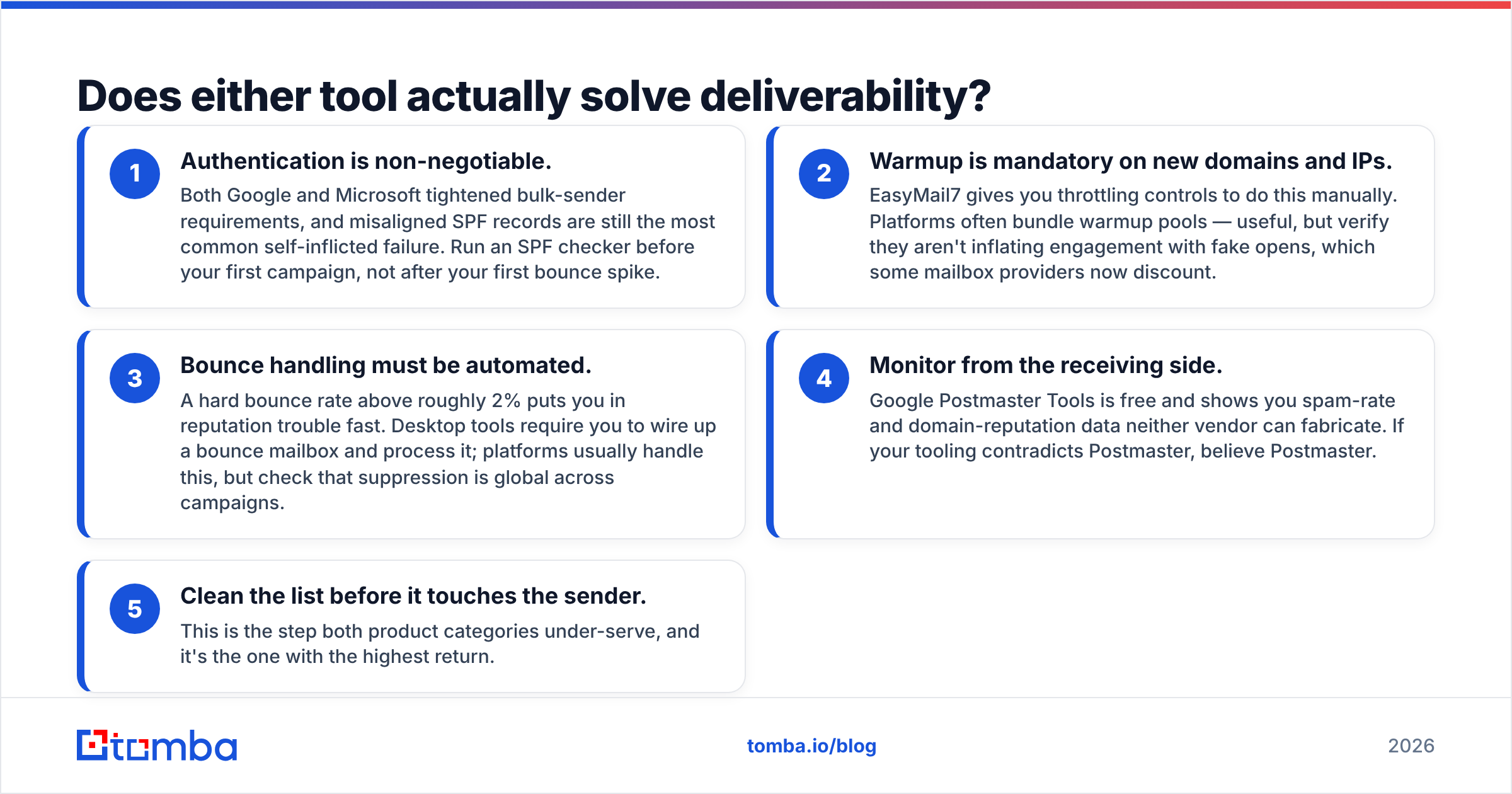
- Authentication is non-negotiable. Google and Microsoft both tightened their bulk-sender rules. A misaligned SPF record is still the most common own goal. Run an SPF checker before your first campaign, not after your first bounce spike.
- Warmup is mandatory on new domains and IPs. EasyMail7 gives you throttling controls, so you do it by hand. Platforms often bundle warmup pools. That is useful, but check they are not padding engagement with fake opens, which some mailbox providers now discount.
- Bounce handling must be automated. A hard bounce rate above roughly 2% puts you in reputation trouble fast. Desktop tools make you wire up a bounce mailbox and process it. Platforms usually handle this, but confirm that suppression is global across campaigns.
Then watch the results from outside the tool:
- Monitor from the receiving side. Google Postmaster Tools is free. It shows spam-rate and domain-reputation data neither vendor can fabricate. If your tooling contradicts Postmaster, believe Postmaster.
- Clean the list before it touches the sender. This is the step both product categories under-serve, and it's the one with the highest return.
If you take one operational habit from this comparison, make it the last one. Running your list through an email verifier before import strips out the invalid addresses. Those addresses drive the bounce spikes that wreck your sender reputation, and no amount of AI copywriting repairs that.
Where does the contact data actually come from?#
This is the sharpest split between the two.
EasyMail7 is honest about it: it has no data. You import from CSV, from your CRM, from a form, from wherever. The tool assumes you already solved sourcing. For a newsletter to opted-in subscribers, that's exactly right. For cold outbound, it means you still need a data layer.
The AI platform bundles data, which feels like a solved problem until you audit a sample. Common failure modes across this whole category:
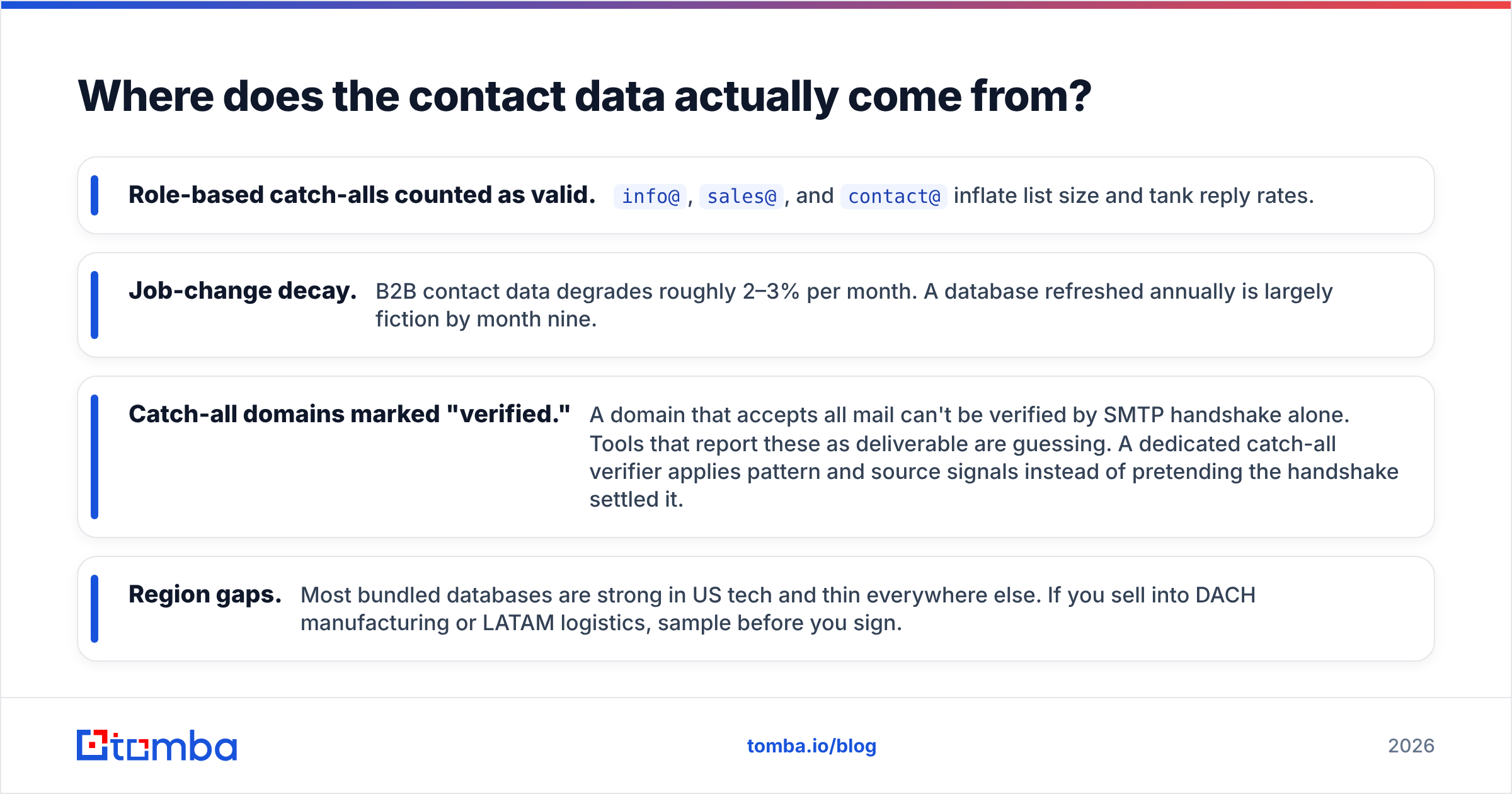
- Role-based catch-alls counted as valid.
info@,sales@, andcontact@inflate list size and tank reply rates. - Job-change decay. B2B contact data degrades roughly 2–3% per month. A database refreshed annually is largely fiction by month nine.
- Catch-all domains marked "verified." A domain that accepts all mail can't be verified by SMTP handshake alone. Tools that report these as deliverable are guessing. A dedicated catch-all verifier applies pattern and source signals instead of pretending the handshake settled it.
- Region gaps. Most bundled databases are strong in US tech and thin everywhere else. If you sell into DACH manufacturing or LATAM logistics, sample before you sign.

The practical answer for most teams is to decouple sourcing from sending. Use a purpose-built email finder for the data layer, verify it, then feed clean contacts into whichever sender you chose. That way a bad month from one vendor doesn't take your whole pipeline with it. Tomba's bulk email finder exists for exactly this handoff — upload a company or name list, get verified addresses back, import them into EasyMail7 or any platform.
Which should you pick for your use case?#
The G-Lock EasyMail7 vs LeadEngineAI call comes down to what you already have.
Pick G-Lock EasyMail7 if:
- You send to an owned, opted-in list — newsletters, customer updates, event invites.
- Data residency or "no third-party cloud" is a hard requirement from legal or IT.
- Your volume is high enough that per-message SaaS pricing hurts.
- You have someone comfortable with DNS, SMTP relays, and Windows server maintenance.
- You want a one-time cost you can depreciate rather than a subscription line item.
Pick LeadEngineAI or a comparable AI platform if:
- You need to go from zero to first campaign this week, with no existing list.
- Your team is non-technical and nobody wants to own DNS records.
- You value one vendor, one bill, one support queue over best-of-breed components.
- Your target market matches the vendor's data strength — ask for a sample export in your exact ICP before you buy.
Pick neither as your data source if:
- Accuracy determines your pipeline. Both categories treat contact data as a feature, not a core product. Tools built specifically for finding and verifying addresses maintain their databases differently because that database is the product. That's the argument for keeping data enrichment separate from sending.
What does a sensible 2026 stack look like?#
The teams getting consistent results aren't picking a winner between these two. They're assembling three layers:
- Data layer — a dedicated finder and verifier. Source contacts, validate them, enrich with role and company signals. Cost scales with contacts, not seats.
- Sending layer — either self-hosted (EasyMail7 plus SES) for cost control, or a cloud platform for convenience. This is genuinely a preference call.
- Measurement layer — Postmaster Tools, a blacklist checker, and reply tracking in your CRM. Independent of both vendors, so neither can grade its own homework.
Layered this way, switching senders becomes a weekend project instead of a migration. And when a vendor raises prices or degrades its data, you replace one layer rather than rebuilding the whole machine. If you want a second opinion on either vendor before you commit, category reviews on G2 are a reasonable sanity check — filter to reviewers at your company size, and read the two-star reviews first.
The bottom line#
The bottom line on G-Lock EasyMail7 vs LeadEngineAI: EasyMail7 is the better choice when you already have the list and want to own the pipes. LeadEngineAI-class platforms are the better choice when you need the list, the copy, and the sending in one purchase and are willing to rent all three. Neither one removes your obligation to verify data and monitor reputation.
Before you send your next campaign through either tool, fix the input. Run your target companies through the Tomba Email Finder — search by domain, name, or company, get verified professional addresses back, and export straight into whichever sender you picked. The free tier covers 25 searches a month. Starter is $49/mo and Growth is $99/mo. Full Tomba pricing is public, with no demo call required. Clean data first, then argue about senders.
Related guides#
Ready to find emails that actually work?
Join 150,000+ professionals who stopped guessing and started sending. Free credits on signup — no credit card required.
Get the Tomba newsletter
Practical outbound tactics and product updates — once every two weeks.
About the author