Generect vs Lusha 2026: Which B2B Data Tool Wins?
Generect and Lusha both promise verified B2B contacts, but they solve different problems. Here's an honest breakdown of accuracy, pricing, coverage, and which one actually fits your outbound motion in 2026.
TL;DR
- Generect is a LinkedIn-centric lead database and API built for teams that want scraped-fresh company and people data, with lead lists generated from LinkedIn search URLs. It leans technical and API-first.
- Lusha is a mature, seat-based prospecting platform best known for its Chrome extension, direct-dial phone numbers, and CRM-native workflows. It leans sales-team-first.
- Pricing model is the real dividing line. Lusha charges per seat with credit pools that reset monthly; Generect prices around lead volume and API access. Seat-heavy teams get punished by one, low-volume teams by the other.
- Neither is a pure email finder. If your bottleneck is verified work emails at low cost per contact, a dedicated finder like Tomba Email Finder at $49/mo beats paying platform prices for data you only partially use.
- Our pick: Lusha for SDR teams that live in the browser and need phones. Generect for engineering-led GTM that wants programmatic list building. Tomba as the accuracy-and-cost layer underneath either.
What is Generect and who is it for?#
Generect is a B2B data provider that positions itself around LinkedIn-sourced leads. You paste a LinkedIn Sales Navigator or standard search URL, and Generect returns a structured lead list with enriched contact fields — company, title, location, and where available, work email and phone.
The angle is freshness. Instead of serving records from a static warehouse that was compiled 18 months ago, Generect emphasizes pulling against live profile signals. For teams whose ICP shifts constantly — new funding rounds, new job titles, headcount thresholds — that matters more than raw database size.
Generect also ships an API, which is where it gets interesting for RevOps and growth engineers. If your motion looks like "trigger fires in our warehouse → enrich → route to sequence," an API-first vendor removes a lot of CSV shuffling. You can read more about how data enrichment fits into that pipeline before you commit to any single vendor.
Who Generect suits:
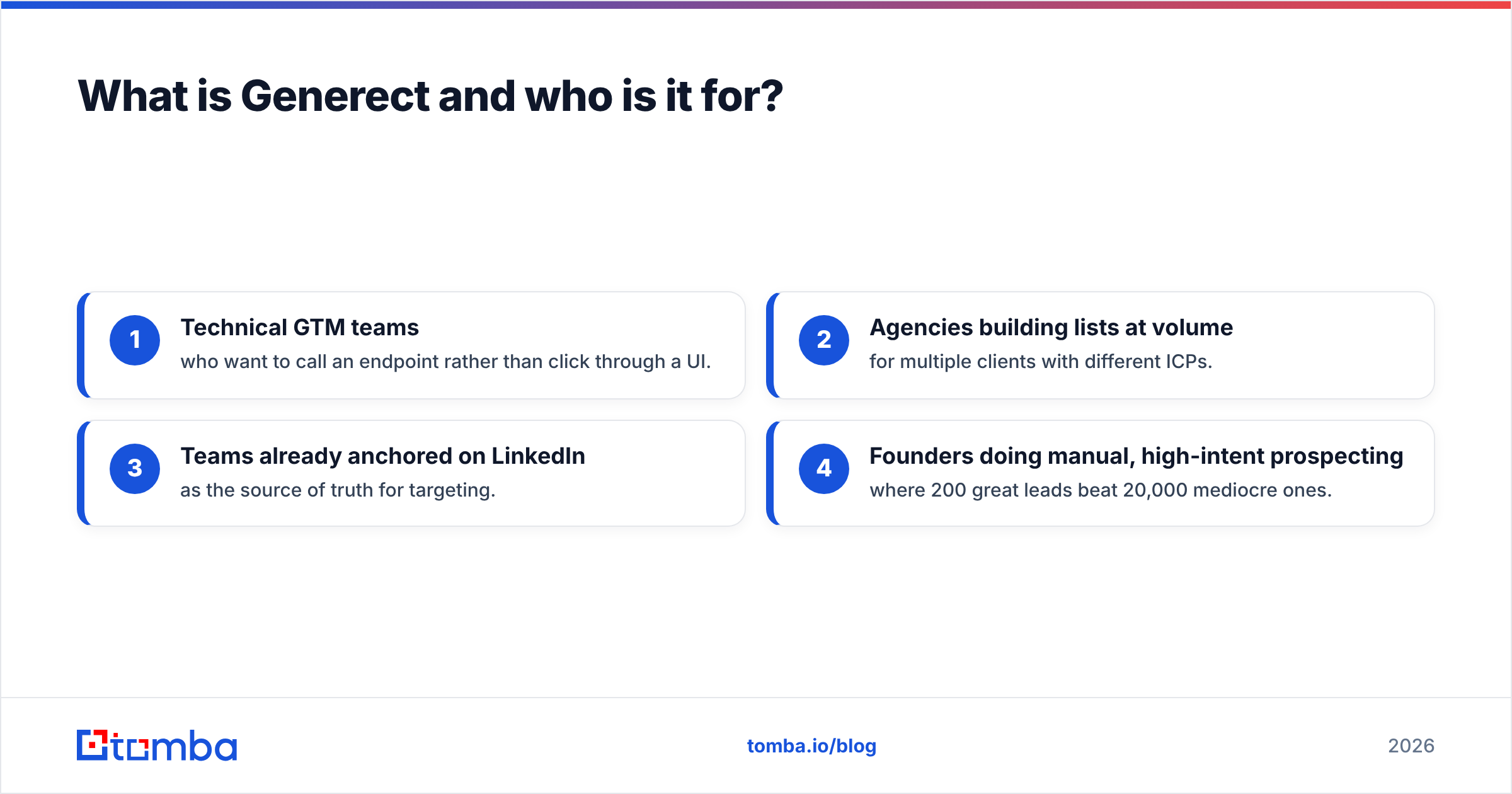
- Technical GTM teams who want to call an endpoint rather than click through a UI.
- Agencies building lists at volume for multiple clients with different ICPs.
- Teams already anchored on LinkedIn as the source of truth for targeting.
- Founders doing manual, high-intent prospecting where 200 great leads beat 20,000 mediocre ones.
Who it does not suit: a 15-person SDR floor that wants a one-click extension, a manager dashboard, and native Salesforce sync out of the box.

What is Lusha and what does it actually do well?#
Lusha has been in market far longer and shows it. The product is a full prospecting platform: a browser extension that overlays contact data on LinkedIn and company websites, a searchable database with filters, bulk enrichment, list management, and integrations into Salesforce, HubSpot, and Pipedrive.
Lusha's genuine differentiator is phone data. Direct dials are expensive to source and hard to verify, and Lusha has invested heavily there. If your team runs a cold-calling motion alongside email, that's not a nice-to-have — it's the whole reason to pay. Vendors that only ship emails leave your callers with switchboard numbers.
The second strength is compliance posture. Lusha publishes a fairly detailed privacy and CCPA/GDPR stance, which matters when procurement at an enterprise buyer asks where your data came from. You can review their positioning directly on lusha.com and cross-check user sentiment on G2 before buying.
The weakness is the same as every seat-based platform: cost scales with headcount, not with value delivered. Five reps who each need 200 contacts a month pay five seat fees. And credits typically expire monthly, so unused capacity evaporates.
How do Generect and Lusha compare head-to-head?#
Here's the practical comparison. Pricing figures move — always confirm on the vendor's own page before signing — but the structural differences are stable.
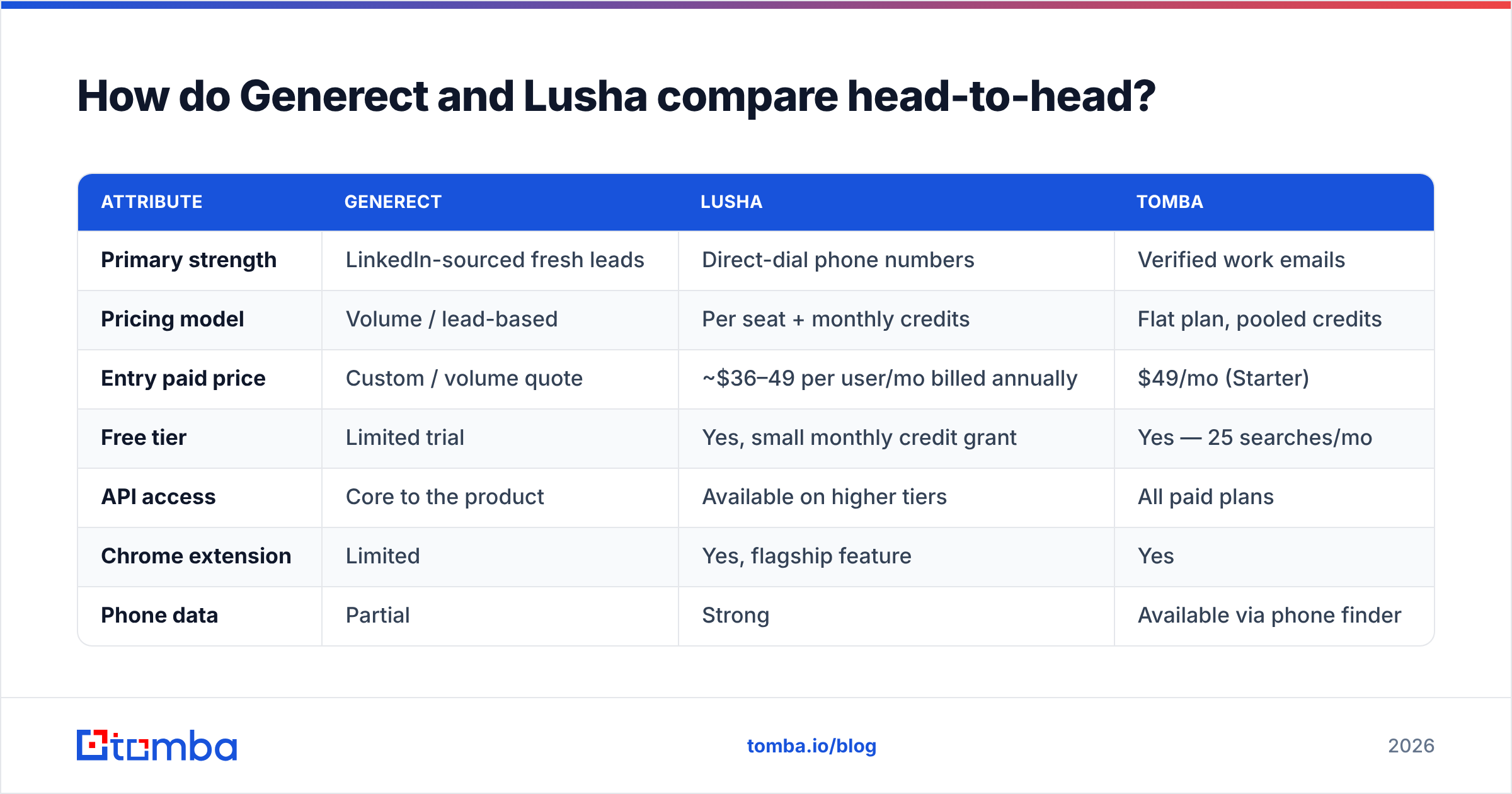
| Attribute | Generect | Lusha | Tomba |
|---|---|---|---|
| Primary strength | LinkedIn-sourced fresh leads | Direct-dial phone numbers | Verified work emails |
| Pricing model | Volume / lead-based | Per seat + monthly credits | Flat plan, pooled credits |
| Entry paid price | Custom / volume quote | ~$36–49 per user/mo billed annually | $49/mo (Starter) |
| Free tier | Limited trial | Yes, small monthly credit grant | Yes — 25 searches/mo |
| API access | Core to the product | Available on higher tiers | All paid plans |
| Chrome extension | Limited | Yes, flagship feature | Yes |
| Phone data | Partial | Strong | Available via phone finder |
| Email verification | Basic | Basic | Dedicated verifier + catch-all |
| Best for | Programmatic list building | Browser-first SDR teams | Cost-efficient email discovery |
| Credit rollover | Volume-based, plan dependent | Typically expires monthly | Plan dependent |
The table makes the trade obvious. Generect optimizes for list generation at volume. Lusha optimizes for rep productivity per seat. They are not really substitutes — they are different layers of the same stack, which is why so many teams end up buying one and still paying for a second tool to fill the gap.
Which one is more accurate?#
Accuracy is the question everyone asks and almost nobody measures properly. Two rules before you compare any vendor's claim:
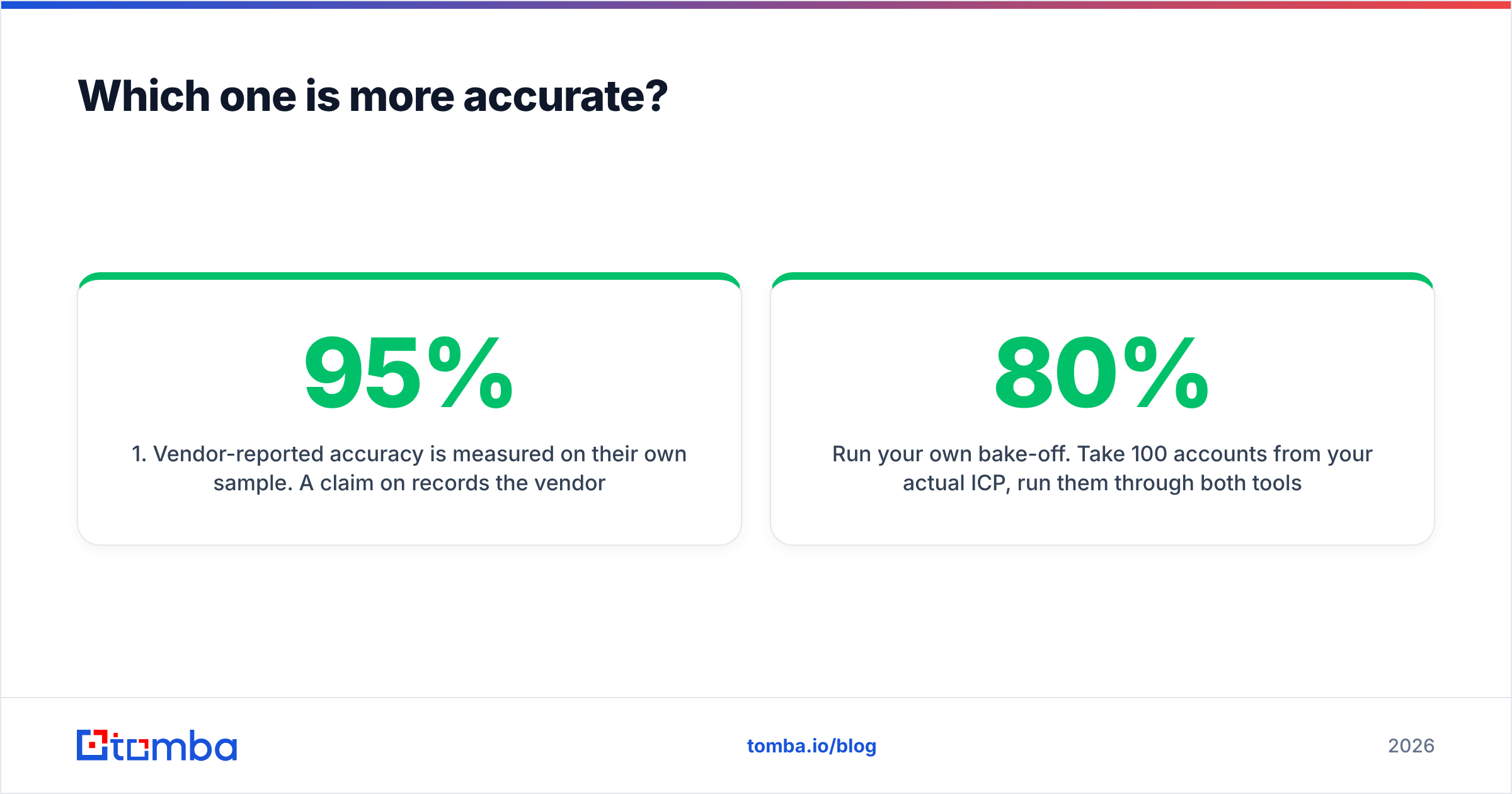
- Vendor-reported accuracy is measured on their own sample. A 95% claim on records the vendor selected is not a 95% claim on your ICP.
- "Verified" means different things. Some vendors verify syntax and MX record only. Real verification includes SMTP-level checks and catch-all handling.
Run your own bake-off. Take 100 accounts from your actual ICP, run them through both tools, then push every returned address through an independent email verifier. Measure three things: coverage rate (how many of the 100 returned any contact), valid rate (how many survive verification), and bounce rate after send. A tool with 80% coverage and 95% valid beats a tool with 95% coverage and 70% valid, every time — because bounces damage sender reputation, and reputation damage costs you far more than a few missing records.
In our experience with LinkedIn-derived sources like Generect, coverage on mid-market and startup targets is strong, but drops on enterprise where corporate email policies are less predictable. Lusha's database skews toward North American mid-market, with phone coverage noticeably better in the US than in EMEA or APAC.
For catch-all domains — where the mail server accepts everything and tells you nothing — neither platform handles the edge case well. That's a specialist job; a catch-all verifier resolves records that both generalist tools return as "unknown" and your rep silently discards.
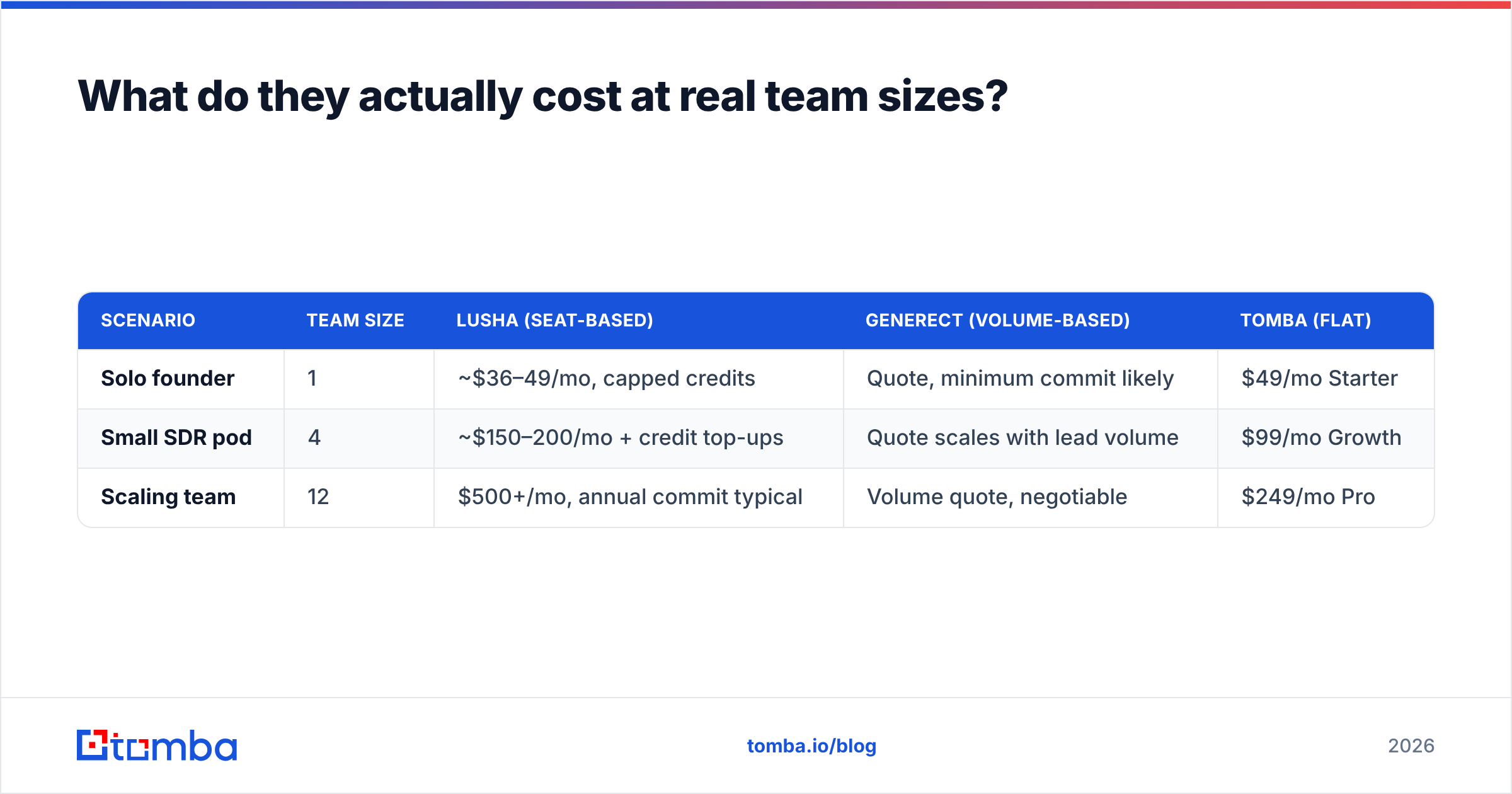
What do they actually cost at real team sizes?#
Let's model three teams. Assume each rep needs roughly 500 contacts a month.
| Scenario | Team size | Lusha (seat-based) | Generect (volume-based) | Tomba (flat) |
|---|---|---|---|---|
| Solo founder | 1 | ~$36–49/mo, capped credits | Quote, minimum commit likely | $49/mo Starter |
| Small SDR pod | 4 | ~$150–200/mo + credit top-ups | Quote scales with lead volume | $99/mo Growth |
| Scaling team | 12 | $500+/mo, annual commit typical | Volume quote, negotiable | $249/mo Pro |
Two things fall out of this.
First, seat-based pricing punishes you for adding people who use the tool lightly. A sales manager who pulls 30 contacts a month costs the same as a full-time SDR pulling 800. If half your seats are light users, you're subsidizing them.
Second, volume-based pricing punishes you for spiky usage. A quarter where you build one big list and then go quiet still costs you the commit.
Flat-rate pooled-credit pricing sits between the two. Tomba pricing runs $49/mo Starter, $99/mo Growth, $249/mo Pro, with a free tier at 25 searches/month for testing — credits pool across the whole team instead of being fenced per seat. That structure is not universally better; it's better specifically when usage is uneven across your reps, which describes most teams under 20 people.

Should you buy a platform or assemble a stack?#
This is the decision under the decision. Platforms like Lusha sell you a bundle: database, extension, enrichment, CRM sync, phone. You pay a premium for integration, and you accept that each component is decent rather than best-in-class.
A stack means you buy the best component for each job and glue them with an API or an automation layer. It's cheaper per unit and more accurate, but it costs you setup time and a person who owns the plumbing.
Use this rule: buy a platform when rep time is your scarcest resource; assemble a stack when data cost or accuracy is.
A typical assembled stack in 2026 looks like:
- Targeting — LinkedIn Sales Navigator or a firmographic filter set
- Contact discovery — a dedicated email finder or domain search to get every address at a target company
- Verification — SMTP-level validation before anything enters a sequence
- Phone layer — a specialist source when you run calls, not just emails
- Sequencing — Instantly, Smartlead, or your existing sales engagement tool
- CRM sync — Zapier, Make, or direct API writes
That stack frequently lands under $200/month for a team of five, versus $500+ for equivalent platform seats. The gap widens as you grow. Independent research from Gartner has consistently shown that B2B sales tech consolidation saves less than teams expect once you account for the features you pay for and never turn on.
Is there a third option worth considering?#
Yes — and being honest about it is the point of this post. Neither Generect nor Lusha is the cheapest path to verified work emails, because for both, email is one feature inside a broader product.
Two categories worth evaluating alongside them:
Dedicated email finders. Tools whose entire engineering effort goes into email discovery and validation. You get better cost-per-verified-contact and usually better catch-all handling, but no phone database and no rep dashboard. Tomba, plus alternatives in the same lane, sit here. If you're evaluating specific swaps, the Lusha alternative and broader Apollo alternative comparisons cover the trade-offs in more depth.
Curated B2B databases. BookYourData takes a different approach entirely — pay-as-you-go, prebuilt lists with a bounce guarantee, no subscription. For teams that need a one-time list of 5,000 contacts in a specific vertical rather than an ongoing subscription, that model can be materially cheaper than either Generect or Lusha, and the guarantee shifts verification risk onto the vendor. It's a genuinely strong option when your need is episodic rather than continuous.
The honest framing: these are three different purchase shapes — subscription platform, volume API, and pay-per-record list. Your cash flow and usage pattern should pick the shape before brand comparison picks the vendor.
How should you run the evaluation?#
Don't take anyone's word for it, including ours. Run a two-week bake-off:
- Define the sample. 100 accounts and 200 named contacts from your live ICP. Not a random sample — the accounts you actually want.
- Run all candidates against the same list. Same inputs, same day. Log coverage, format, and confidence score per record.
- Verify independently. Push every returned email through a neutral verifier so no vendor grades its own homework.
- Send a controlled batch. 50 contacts per source through the same warmed inbox and same template. Measure hard bounce rate and reply rate.
- Compute cost per replied contact, not cost per credit. That's the only number that maps to pipeline.
- Check the API and integration path before you sign. A tool that can't write to your CRM cleanly will cost you in ops hours what it saved you in license fees.
Most teams skip step 5 and buy on list price. Cost per credit is a vanity metric; a $0.02 credit that returns a bounced address costs more than a $0.10 credit that returns a reply, once you price in the deliverability damage.
Before you send anything at scale, confirm your SPF record and authentication are in order. The best data in the world can't rescue a domain that lands in spam.
The verdict#
Choose Lusha if you have a browser-native SDR team, you run calls as well as emails, and you need CRM-native workflows with minimal setup. The seat cost is real, but so is the rep-hours saved.
Choose Generect if you have technical resources, your targeting lives in LinkedIn search URLs, and you'd rather call an API than click a UI. It's the better fit for programmatic, high-volume list generation.
Choose neither as your only tool. Both are broad platforms, and breadth costs money. If your actual bottleneck is verified work email addresses at a predictable monthly price, put a dedicated finder underneath whichever platform you pick.
Start with the free tier — 25 searches a month, no card — and run Tomba Email Finder against the same 100 accounts you're testing Generect and Lusha on. Compare coverage and post-verification validity side by side. If Tomba returns more valid addresses at $49/mo than a stack of seats does at $500, that answers the question better than any comparison post can — including this one.
Related guides#
Ready to find emails that actually work?
Join 150,000+ professionals who stopped guessing and started sending. Free credits on signup — no credit card required.
Get the Tomba newsletter
Practical outbound tactics and product updates — once every two weeks.
About the author