GetProspect vs Jet Leads Pro: Which Email Finder Wins?
One is an established LinkedIn-first email finder with public pricing. The other barely documents itself. Here is the honest breakdown of GetProspect vs Jet Leads Pro, plus what to buy instead.
TL;DR
- GetProspect is the known quantity. It is an established B2B email finder with a LinkedIn extension, a published pricing page, a public API, and thousands of third-party reviews you can read before you spend anything.
- Jet Leads Pro is not. Public documentation, pricing, and independent review volume are thin to nonexistent. That is not automatically a red flag, but it shifts every ounce of verification work onto you.
- Price is not the differentiator — cost per verified email is. A $49/mo plan that returns 30% unverified addresses is more expensive than a $99/mo plan that returns 95% deliverable ones.
- Neither vendor publishes an independent accuracy audit. Treat all "98% accurate" marketing claims from either side as unproven until you run your own 200-contact test.
- Our take: GetProspect wins on transparency and safety. If you want the same LinkedIn-to-inbox workflow with clearer verification and a cleaner API, run a side-by-side trial against Tomba's email finder before committing budget.
What are GetProspect and Jet Leads Pro?#
They sit in the same category — B2B contact discovery — but they are not equally visible.
GetProspect is a lead-generation platform built around finding work email addresses from names, domains, and LinkedIn profiles. Its core loop is familiar: install a Chrome extension, browse LinkedIn Sales Navigator or a company page, and pull contacts into a list with enriched fields (job title, company, industry, headcount). It also offers bulk CSV upload, a searchable contact database, and an API for programmatic lookups. You can see its current plans on the official GetProspect site.
Jet Leads Pro presents itself as a leads/email discovery tool in the same space. Here is where a neutral review has to be blunt: at the time of writing, there is very little publicly verifiable information about it — no widely cited pricing page, no substantial presence on major software review marketplaces, no published API reference, and no third-party accuracy testing. Search for it on G2's sales intelligence category and you will find a long tail of established vendors and very little on this one.
That asymmetry is the comparison. You are not choosing between two tools with equivalent evidence behind them. You are choosing between a tool you can research and a tool you mostly have to take on faith.

Why does vendor transparency matter more than feature lists?#
Because in the email data business, the failure mode is silent.
If your CRM breaks, you know within an hour. If your email finder returns plausible-looking but wrong addresses, you find out three weeks later when your bounce rate crosses 5%, your domain reputation tanks, and your entire outbound program stops landing in inboxes. By then the damage compounds: Google and Microsoft both weight sender reputation heavily, and rebuilding it takes months of throttled sending.
So the questions that actually predict outcomes are boring, procedural ones:
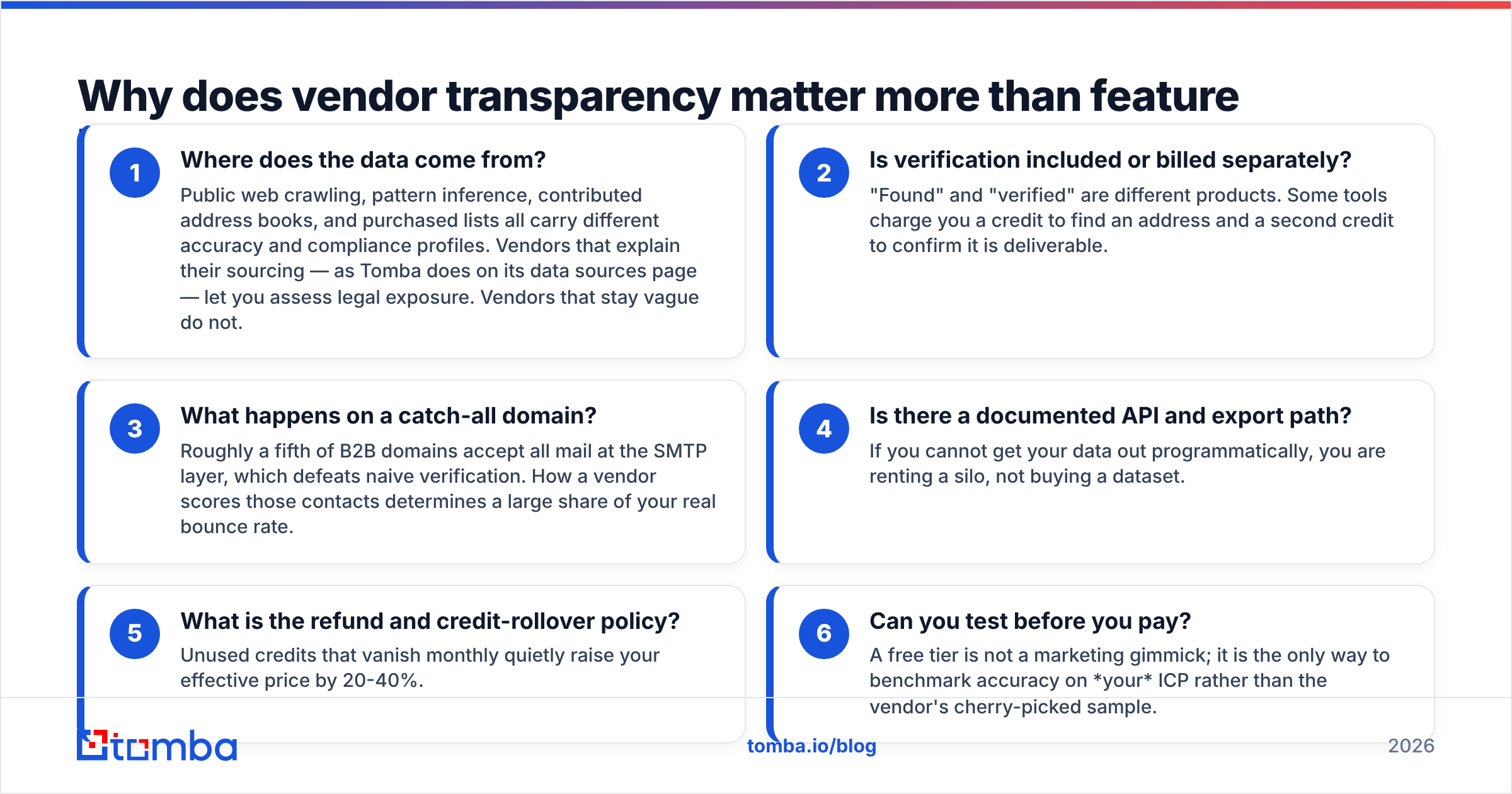
- Where does the data come from? Public web crawling, pattern inference, contributed address books, and purchased lists all carry different accuracy and compliance profiles. Vendors that explain their sourcing — as Tomba does on its data sources page — let you assess legal exposure. Vendors that stay vague do not.
- Is verification included or billed separately? "Found" and "verified" are different products. Some tools charge you a credit to find an address and a second credit to confirm it is deliverable.
- What happens on a catch-all domain? Roughly a fifth of B2B domains accept all mail at the SMTP layer, which defeats naive verification. How a vendor scores those contacts determines a large share of your real bounce rate.
- Is there a documented API and export path? If you cannot get your data out programmatically, you are renting a silo, not buying a dataset.
- What is the refund and credit-rollover policy? Unused credits that vanish monthly quietly raise your effective price by 20-40%.
- Can you test before you pay? A free tier is not a marketing gimmick; it is the only way to benchmark accuracy on your ICP rather than the vendor's cherry-picked sample.
GetProspect answers most of these publicly. Jet Leads Pro, based on what is available, does not — and that gap should be priced into your decision.
How do GetProspect and Jet Leads Pro compare feature by feature?#
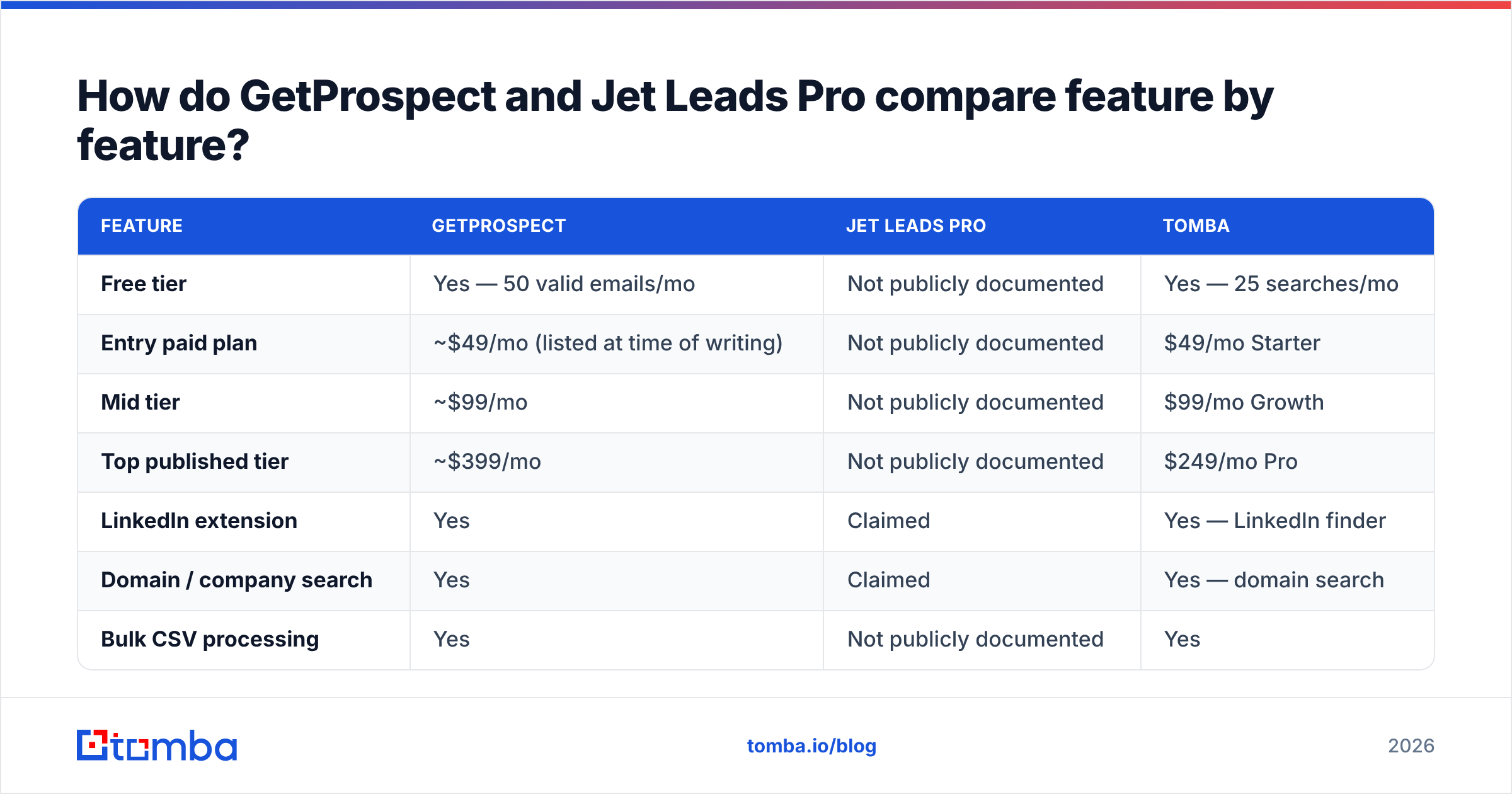
Here is the head-to-head, with Tomba included as a reference point since it competes directly with both. Entries marked "Not publicly documented" mean exactly that — we could not confirm them from vendor materials, and we will not invent numbers.
| Feature | GetProspect | Jet Leads Pro | Tomba |
|---|---|---|---|
| Free tier | Yes — 50 valid emails/mo | Not publicly documented | Yes — 25 searches/mo |
| Entry paid plan | ~$49/mo (listed at time of writing) | Not publicly documented | $49/mo Starter |
| Mid tier | ~$99/mo | Not publicly documented | $99/mo Growth |
| Top published tier | ~$399/mo | Not publicly documented | $249/mo Pro |
| LinkedIn extension | Yes | Claimed | Yes — LinkedIn finder |
| Domain / company search | Yes | Claimed | Yes — domain search |
| Bulk CSV processing | Yes | Not publicly documented | Yes |
| Email verification included | Yes, on found contacts | Not publicly documented | Yes — email verifier |
| Catch-all handling | Limited detail published | Not publicly documented | Dedicated catch-all verifier |
| Public API docs | Yes | Not publicly documented | Yes — Tomba API |
| Phone numbers | Limited | Not publicly documented | Yes |
| Third-party review volume | Substantial | Minimal | Substantial |
Always confirm live pricing on the vendor's own page before you buy — plans in this category change every few quarters. Tomba's current tiers are on the Tomba pricing page.

Which one actually finds more valid emails?#
Nobody can tell you honestly — including us — without testing on your list. But you can settle it yourself in about 40 minutes.
Take 200 contacts you already know are real: current customers, past deals in your CRM, people who have replied to you. Strip the email column. Run the remaining name + company data through each tool. Then score three numbers:
- Hit rate — what percentage returned any address at all.
- Match rate — of those hits, what percentage matched the address you already had.
- Bounce rate — for the addresses you did not already have, what percentage bounced when you sent to them.
That third number is the one that matters, and it is the one marketing pages never show. A tool with a 78% hit rate and a 2% bounce rate is dramatically better than one with a 92% hit rate and a 14% bounce rate, because the second one is guessing.

Note the sourcing bias too. LinkedIn-first tools like GetProspect are strongest where LinkedIn is strong: tech, SaaS, marketing, professional services, North America and Western Europe. They get noticeably weaker on manufacturing, trades, local services, and regions where LinkedIn adoption is low. If your ICP is a regional HVAC distributor network, a LinkedIn-native tool will disappoint you regardless of brand.
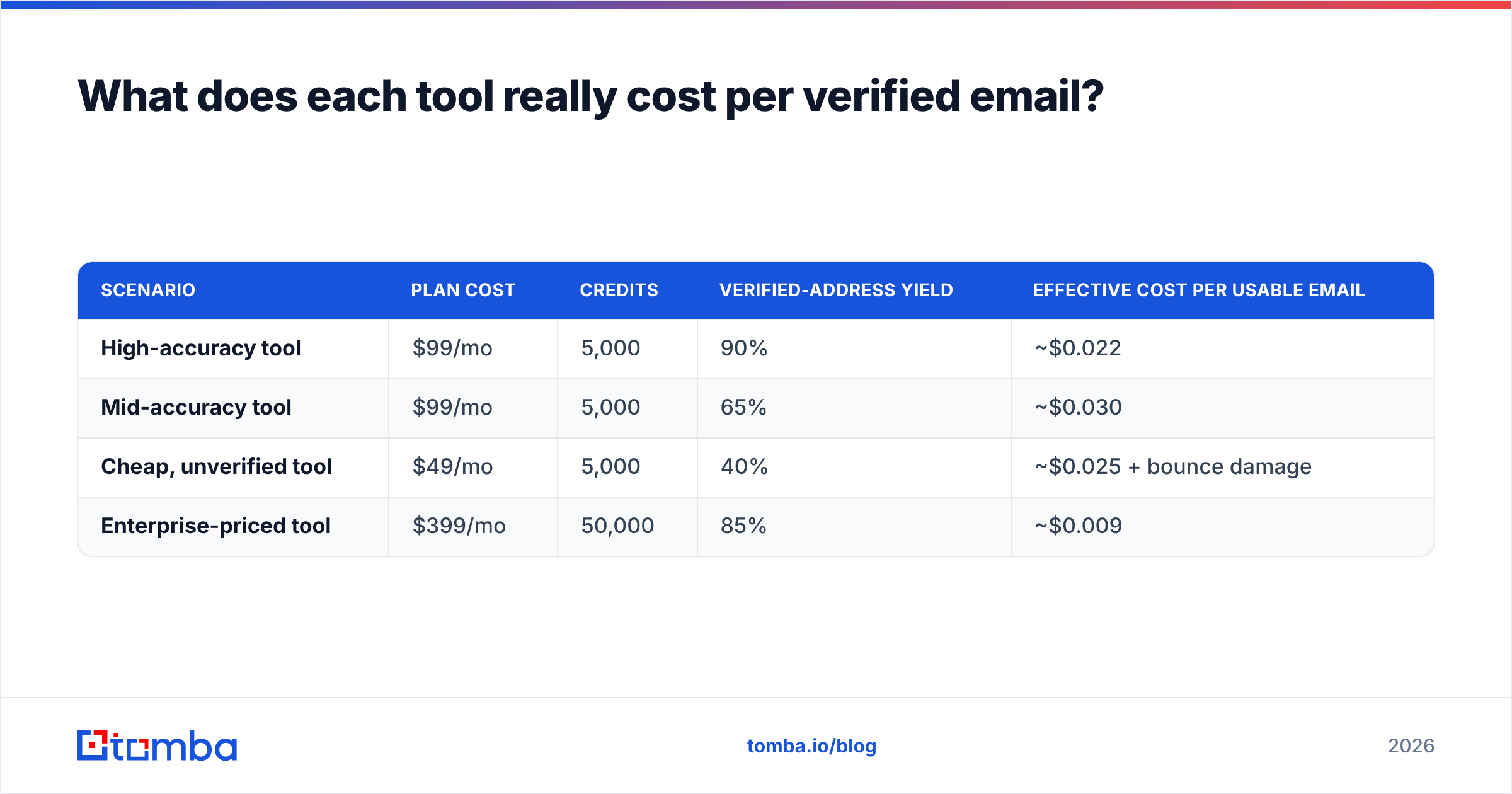
What does each tool really cost per verified email?#
Run the math on outcomes, not on sticker price.
| Scenario | Plan cost | Credits | Verified-address yield | Effective cost per usable email |
|---|---|---|---|---|
| High-accuracy tool | $99/mo | 5,000 | 90% | ~$0.022 |
| Mid-accuracy tool | $99/mo | 5,000 | 65% | ~$0.030 |
| Cheap, unverified tool | $49/mo | 5,000 | 40% | ~$0.025 + bounce damage |
| Enterprise-priced tool | $399/mo | 50,000 | 85% | ~$0.009 |
The cheap-and-unverified row looks competitive on paper and is the worst option in practice, because the cost column ignores the externality: every bad send erodes sender reputation, and reputation damage is not billed to you in dollars — it is billed in reply rate across your entire program for the next quarter.
This is also why the top-tier price tag deserves scrutiny. A jump from a $99 plan to a $399 plan is only rational if you genuinely consume the volume. Most teams under 10 SDRs do not.

How should you handle catch-all domains with either tool?#
This is the single most under-discussed variable in the GetProspect vs Jet Leads Pro decision, and in the category generally.
A catch-all (or "accept-all") domain is configured to accept mail sent to any address at that domain, valid or not. Standard SMTP verification asks the mail server "does this mailbox exist?" and a catch-all server answers "yes" to everything. So your verifier returns green, you send, and the message silently disappears into a black hole — or worse, hits a spam trap.
Practical rules that apply no matter which vendor you pick:
- Segment catch-alls into their own list. Never mix them with confirmed-valid addresses in the same send.
- Send to catch-alls from a secondary domain. Protect your primary sending domain from the elevated risk.
- Cap catch-all volume at 10-15% of daily sends. Anything higher and a bad batch will move your aggregate bounce rate.
- Use a dedicated catch-all check rather than a generic verifier — Tomba's catch-all verifier exists specifically because the standard SMTP handshake cannot resolve these.
- Watch pattern confidence. If a tool infers
first.last@from a company pattern with only two supporting samples, treat it as a guess, not a fact.
If a vendor cannot tell you how it flags catch-alls, assume it does not, and assume a meaningful share of its "valid" results are unverifiable.
Which tool should you choose?#
Match the tool to the situation rather than to the review score.
- You prospect primarily on LinkedIn, in tech or SaaS, in North America or Europe. GetProspect is a defensible pick. The extension workflow is mature, the pricing is public, and you can validate it on the free tier before spending.
- You need programmatic enrichment inside your own app or data pipeline. Choose whichever vendor publishes a real API reference with rate limits, error codes, and SDKs. On current public evidence, that rules Jet Leads Pro out and puts GetProspect and Tomba in the running.
- You are considering Jet Leads Pro specifically. Ask for a written trial, a sample of 100 contacts in your ICP, a named support contact, and the data-sourcing/compliance statement in writing before any payment. If the vendor cannot provide those, walk. A tool that is hard to evaluate is a tool that will be hard to get support from at 4pm on a Friday when your list is broken.
- Deliverability is your bottleneck, not volume. Prioritize verification depth over database size. Pair a finder with a real verifier and a catch-all finder, and accept a lower hit rate in exchange for a bounce rate under 2%.
- You are price-sensitive and small. Start on free tiers across two or three tools simultaneously. Between GetProspect's free allowance and Tomba's 25 free monthly searches, you can benchmark both on real prospects for zero dollars.
- You need phone as well as email. Neither tool leads on phone coverage; look at a dedicated phone finder or a multi-channel provider such as BookYourData, which is well regarded for verified contact records in specific industry verticals.
What are the strongest alternatives to both?#
If this comparison has left you unconvinced by either option, that is a reasonable conclusion — and the category is deep.
Established alternatives worth a look include Apollo (large database plus a sequencer, heavier and pricier), Hunter (simple, domain-first, well documented), Clearbit-style enrichment platforms for firmographic depth, and Tomba for teams that want an email finder, verifier, catch-all handling, and enrichment in one place without an enterprise contract. If you are actively shopping, our Apollo alternative and RocketReach alternative breakdowns cover the trade-offs in more detail.
Whatever you shortlist, apply the same discipline: free tier first, 200-contact benchmark second, credit card third. In a market where every vendor claims 95%+ accuracy, the only number you should trust is the one you measured yourself.
Ready to benchmark it properly?#
Run your own test instead of trusting anyone's landing page. Pull 200 known-good contacts, strip the emails, and push them through the Tomba Email Finder alongside GetProspect and anything else on your shortlist. The free tier gives you 25 searches a month with no card, Starter is $49/mo, and every result comes back with a verification status rather than a shrug — including catch-all flags, so you know exactly which addresses are safe to send to today and which need a secondary domain. Measure the bounce rate, then decide.
Related guides#
Ready to find emails that actually work?
Join 150,000+ professionals who stopped guessing and started sending. Free credits on signup — no credit card required.
Get the Tomba newsletter
Practical outbound tactics and product updates — once every two weeks.
About the author