Google Maps Data Extractor Alternatives: 9 Tools Compared
Google Maps scrapers hand you phone numbers and website URLs but almost never a decision-maker's email. Here are 9 alternatives, what each one actually returns, and how to build a local-business list that converts.
TL;DR
- Google Maps data extractors are great at one thing: pulling business name, category, address, phone, rating, and website URL from map listings. They are bad at the thing you actually need — a verified email for a named decision-maker.
- The realistic stack is two layers: a listing source (Maps scraper, Places API, or a prebuilt local database) and an enrichment layer that turns each website domain into real contacts.
- Nine alternatives worth considering: Google Places API, Outscraper, Apify Google Maps Scraper, PhantomBuster, ScrapingBee, BookYourData, Data Axle / local B2B databases, browser extensions, and Tomba's domain search + email finder for the enrichment half.
- Expect 20-40% of Maps listings to have no website at all. Those rows are phone-only leads — plan a calling motion for them instead of pretending email will work.
- Budget check: scraping 10,000 listings costs roughly $20-$100. Turning those domains into verified, named contacts is where the real cost and the real value sit.
Why do people look for Google Maps data extractor alternatives?#
Because the tool they started with hit one of four walls.
Wall one: it got blocked. Free Chrome extensions that scrape the Maps DOM break every time Google ships a layout change. You get a half-populated CSV and no error message.
Wall two: the data is thin. A Maps listing gives you the business, not the buyer. "Riverside Dental — (512) 555-0142 — riversidedental.com" is a start, not a lead. Nobody replies to info@.
Wall three: ToS and legal nerves. Google's Terms of Service restrict automated scraping of Maps results. The Google Places API is the sanctioned path, but it has per-request pricing and field masks that surprise people who budgeted for "free."
Wall four: volume ceilings. A tool that works for 200 listings in one city falls over at 50,000 across 40 metros.
Whatever wall you hit, the fix is usually not "find a better scraper." It's "split the job into sourcing and enrichment, then pick the best tool for each half."
What does a Google Maps extractor actually return?#
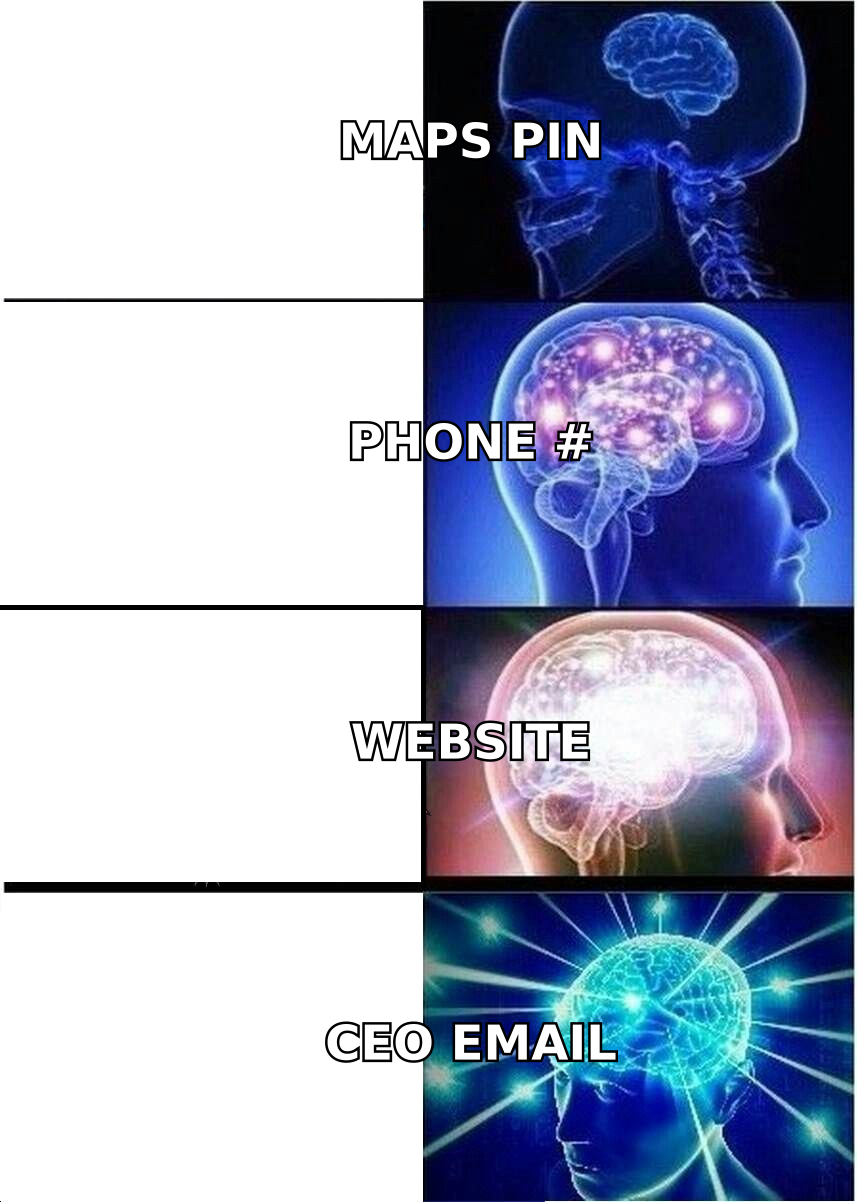
Here's the honest field list from a typical Maps scrape, and what it's worth for outbound:
- Business name — useful for personalization, useless for targeting on its own.
- Category and subcategory — the single most valuable field. "Orthodontist" beats "healthcare" for segmentation.
- Full address, city, state, ZIP — good for territory assignment and for local-proof lines in your opener.
- Phone number — the highest-intent field on a Maps listing, because it's the one businesses actively maintain. Route these to a calling motion, not a drip sequence.
- Website URL — the bridge field. This is what feeds your enrichment step.
- Rating, review count, and hours — trigger data. "You're at 4.9 with 312 reviews and still not showing up for X" is a real opener.
Notice what's missing: no owner name, no title, no email, no company size, no tech stack. That gap is the entire reason this article exists. A Maps row is a place, and you sell to people.
Which Google Maps data extractor alternatives are worth using?#
Nine options, grouped by what job they actually do.
Sourcing tools (get the listings)#
Google Places API — the official route. Text Search and Nearby Search endpoints, pay per request with field-mask-based pricing tiers. Compliant, stable, and rate-limited by your own budget rather than by anti-bot systems. Downside: you pay per call, results cap at 60 per query (20 per page, 3 pages), and you'll write real code to paginate across a grid of coordinates.
Outscraper — a hosted Maps scraper with a UI and an API. Handles pagination, emails-from-website discovery, and review scraping. Popular with agencies because non-engineers can run it.
Apify Google Maps Scraper — an actor on the Apify platform. Highly configurable, scales to hundreds of thousands of places, exports to JSON/CSV/webhook. You pay for compute units, so cost scales with how deep you crawl (reviews and photos get expensive fast).
ScrapingBee / proxy-API layers — you write the scraper, they handle proxies, headless Chrome, and CAPTCHA. Right choice only if you already have engineers and want control over the parse logic.
PhantomBuster — cloud automation "phantoms" including a Maps extractor, plus LinkedIn and other sources. Best when Maps is one input among several in a multi-channel workflow.
Browser extensions — free, fast, and fine for 100-500 rows in one city. They break constantly and they run on your IP, which is a real risk if you're logged into a Google account you care about.
Database tools (skip the scrape entirely)#
BookYourData — a pay-as-you-go B2B contact database with strong local and industry segmentation. Instead of scraping listings and then hunting for contacts, you filter by industry, geography, and title and download contacts that already have verified emails attached. If your ICP maps cleanly to standard industry codes and titles, this collapses two steps into one and is often the fastest path to a usable list.
Data Axle, Dun & Bradstreet, and similar local-business databases — legacy providers with deep SMB coverage, firmographics, and sometimes owner names. Enterprise pricing and annual contracts. Coverage of very small or very new businesses is patchy, because these files are built from filings and directories that lag reality.
Enrichment tools (turn a domain into a person)#
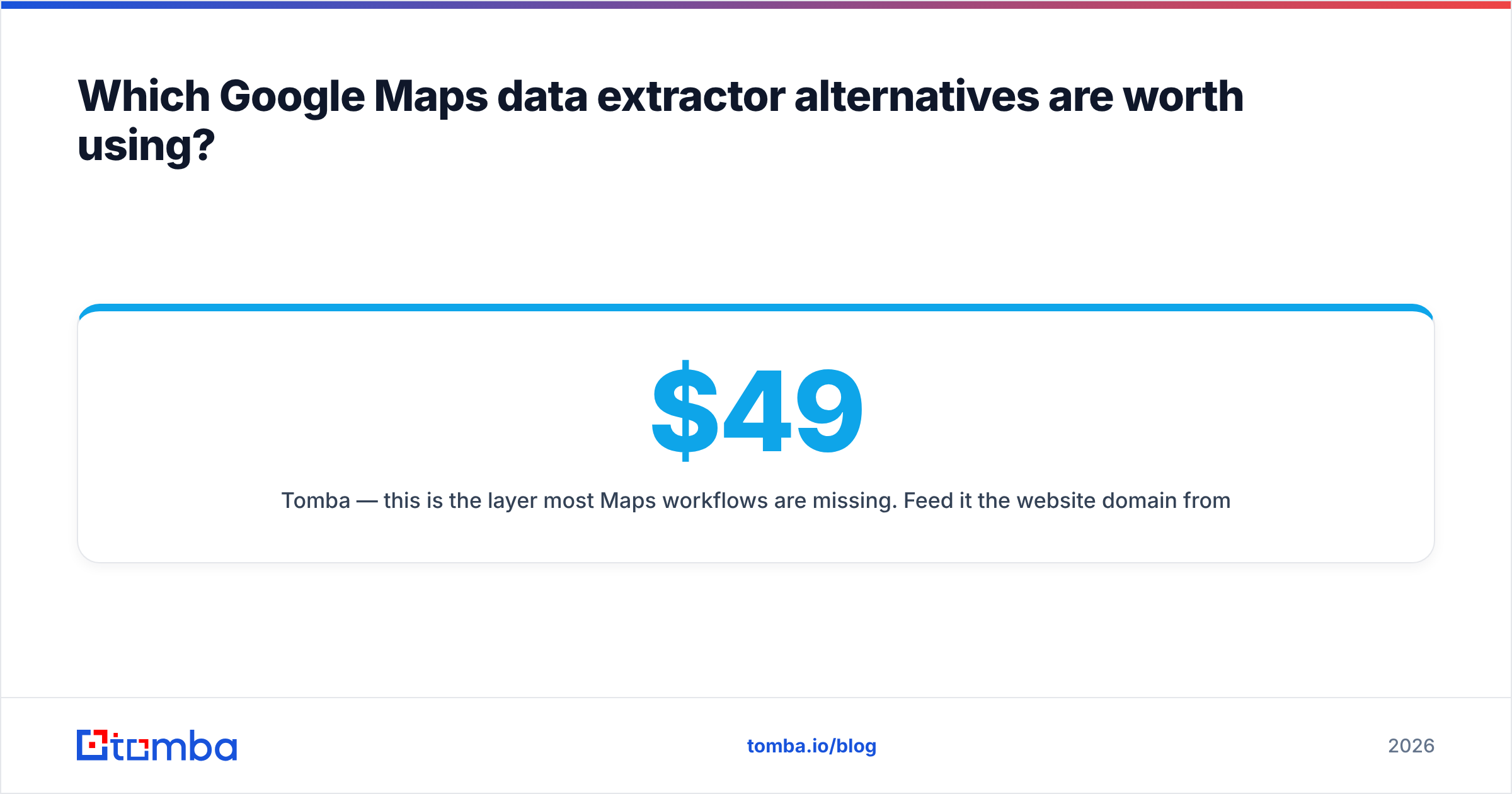
Tomba — this is the layer most Maps workflows are missing. Feed it the website domain from each listing and domain search returns the email addresses and roles associated with that domain; the email finder resolves a specific first name + last name + domain into a deliverable address. Because Maps gives you thousands of domains and nothing else, this is the step that converts a scrape into a sendable list. Free tier is 25 searches/month; Starter is $49/mo, Growth $99/mo, Pro $249/mo — see Tomba pricing for the full credit breakdown.
How do these tools compare on price, output, and effort?#
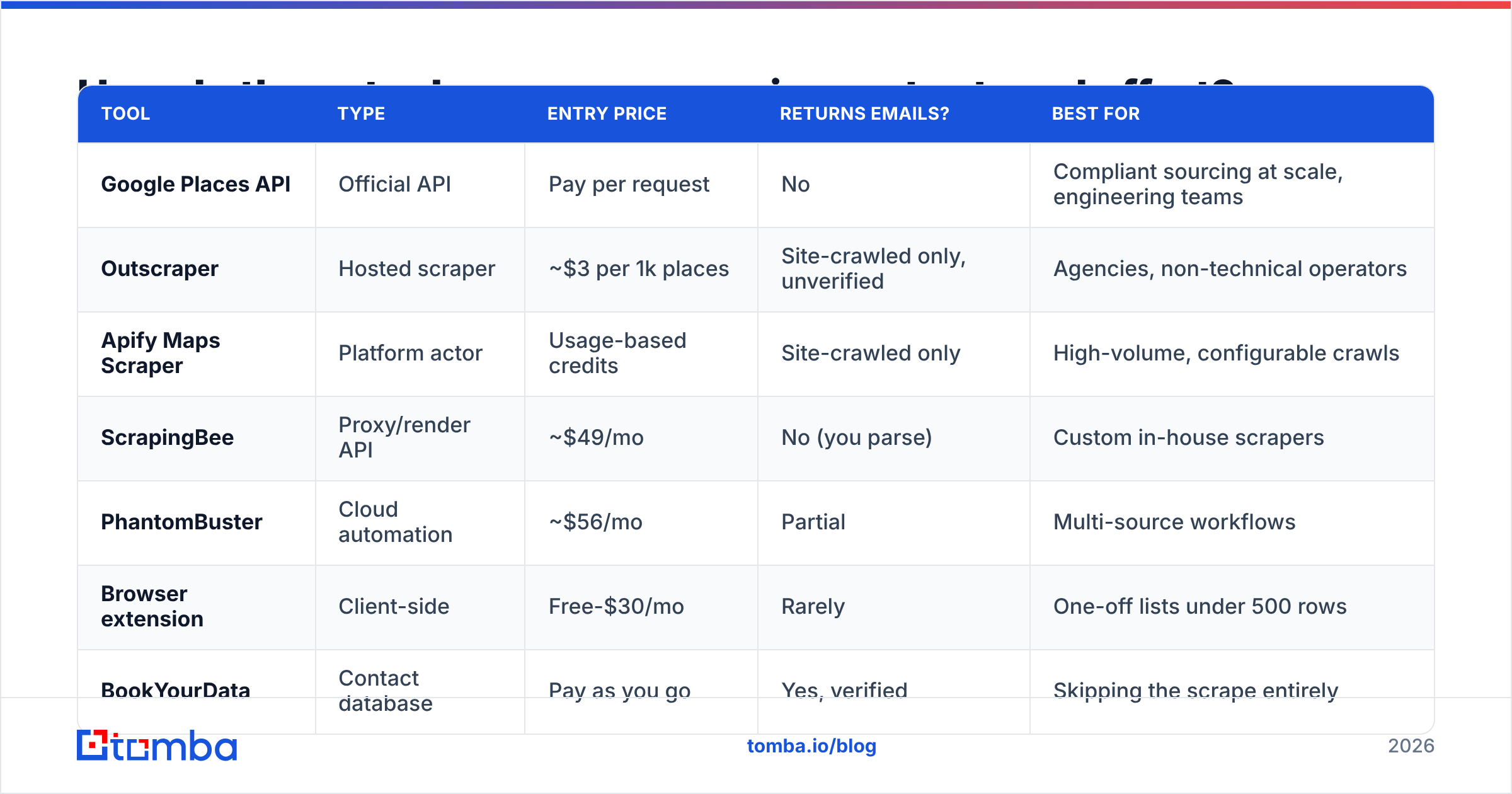
| Tool | Type | Entry price | Returns emails? | Best for |
|---|---|---|---|---|
| Google Places API | Official API | Pay per request | No | Compliant sourcing at scale, engineering teams |
| Outscraper | Hosted scraper | ~$3 per 1k places | Site-crawled only, unverified | Agencies, non-technical operators |
| Apify Maps Scraper | Platform actor | Usage-based credits | Site-crawled only | High-volume, configurable crawls |
| ScrapingBee | Proxy/render API | ~$49/mo | No (you parse) | Custom in-house scrapers |
| PhantomBuster | Cloud automation | ~$56/mo | Partial | Multi-source workflows |
| Browser extension | Client-side | Free-$30/mo | Rarely | One-off lists under 500 rows |
| BookYourData | Contact database | Pay as you go | Yes, verified | Skipping the scrape entirely |
| Data Axle | Legacy database | Enterprise annual | Yes, varies | Large SMB territory builds |
| Tomba | Enrichment + verify | Free / $49/mo | Yes, verified + scored | Turning domains into named contacts |
The pattern is obvious once it's in a table: the sourcing tools are cheap and email-poor, the database tools are email-rich and less flexible, and enrichment is what bridges them. Most teams that complain their Maps list "didn't work" bought only the first column.
Is scraping Google Maps legal?#
Short answer: scraping public Maps data sits in a contested grey zone, and Google's Terms of Service prohibit it regardless of what any court has said about the CFAA.
Three things to keep straight:
- ToS violation ≠ criminal offense. hiQ v. LinkedIn narrowed the Computer Fraud and Abuse Act around public data, but violating a site's terms can still get your accounts terminated and can support a breach-of-contract claim. Read the Google Maps Platform terms rather than a forum summary.
- Personal data rules still apply. Under GDPR, a business owner's name attached to a business email can be personal data. If you're emailing EU contacts, you need a lawful basis, a working opt-out, and honest sender identification. CAN-SPAM in the US is looser but still requires a physical address and a functioning unsubscribe.
- The API exists for a reason. If compliance matters to your legal team, the Places API removes the ToS argument entirely. You trade money for defensibility.
None of this is legal advice — it's the checklist to hand your counsel before you buy anything.
How do you turn a Maps scrape into a list you can actually email?#
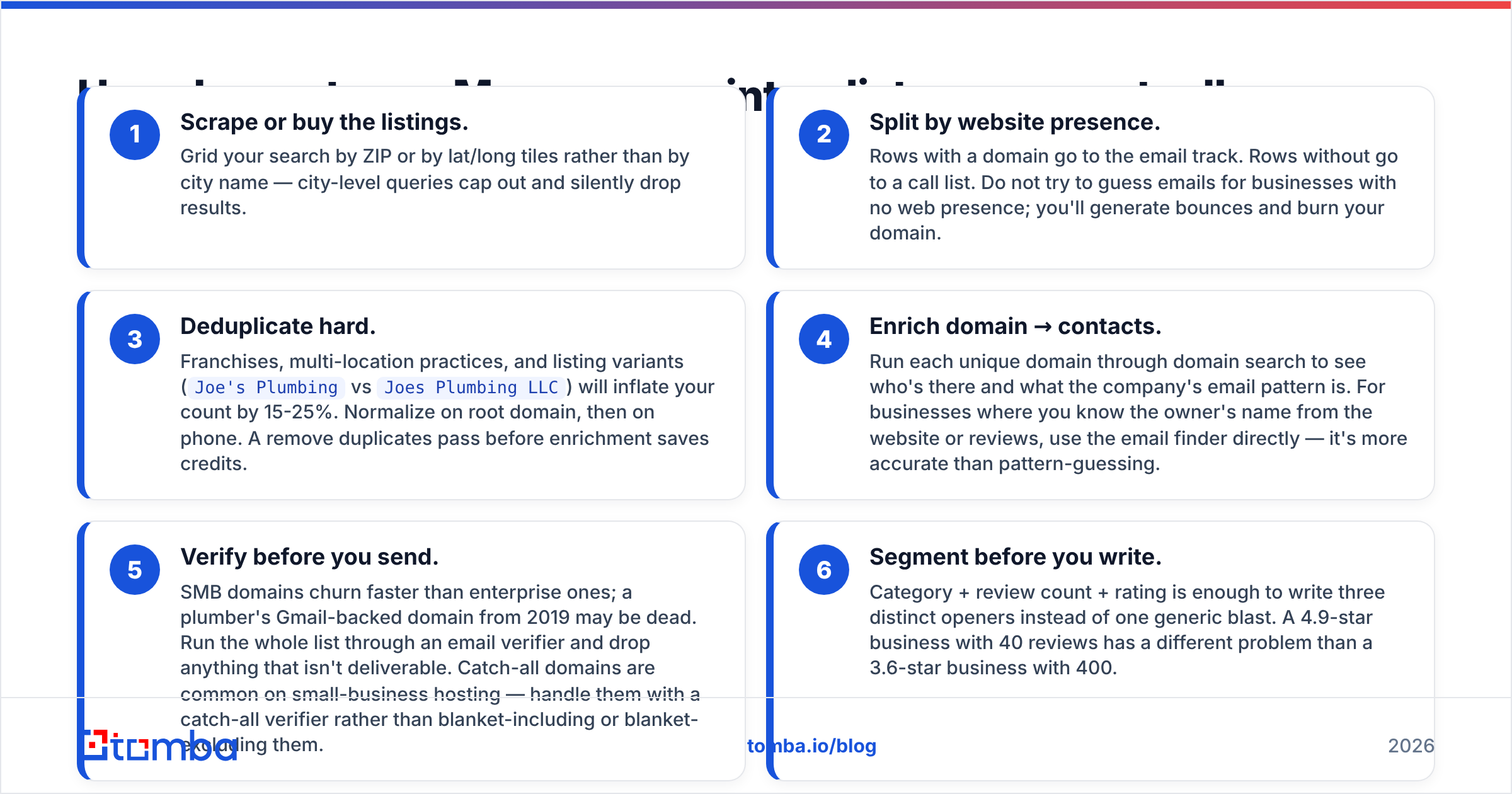
Six steps. Skipping any of them is why most local-business campaigns land at a 0.4% reply rate.
- Scrape or buy the listings. Grid your search by ZIP or by lat/long tiles rather than by city name — city-level queries cap out and silently drop results.
- Split by website presence. Rows with a domain go to the email track. Rows without go to a call list. Do not try to guess emails for businesses with no web presence; you'll generate bounces and burn your domain.
- Deduplicate hard. Franchises, multi-location practices, and listing variants (
Joe's PlumbingvsJoes Plumbing LLC) will inflate your count by 15-25%. Normalize on root domain, then on phone. A remove duplicates pass before enrichment saves credits. - Enrich domain → contacts. Run each unique domain through domain search to see who's there and what the company's email pattern is. For businesses where you know the owner's name from the website or reviews, use the email finder directly — it's more accurate than pattern-guessing.
- Verify before you send. SMB domains churn faster than enterprise ones; a plumber's Gmail-backed domain from 2019 may be dead. Run the whole list through an email verifier and drop anything that isn't deliverable. Catch-all domains are common on small-business hosting — handle them with a catch-all verifier rather than blanket-including or blanket-excluding them.
- Segment before you write. Category + review count + rating is enough to write three distinct openers instead of one generic blast. A 4.9-star business with 40 reviews has a different problem than a 3.6-star business with 400.
What accuracy should you expect from each stage?#
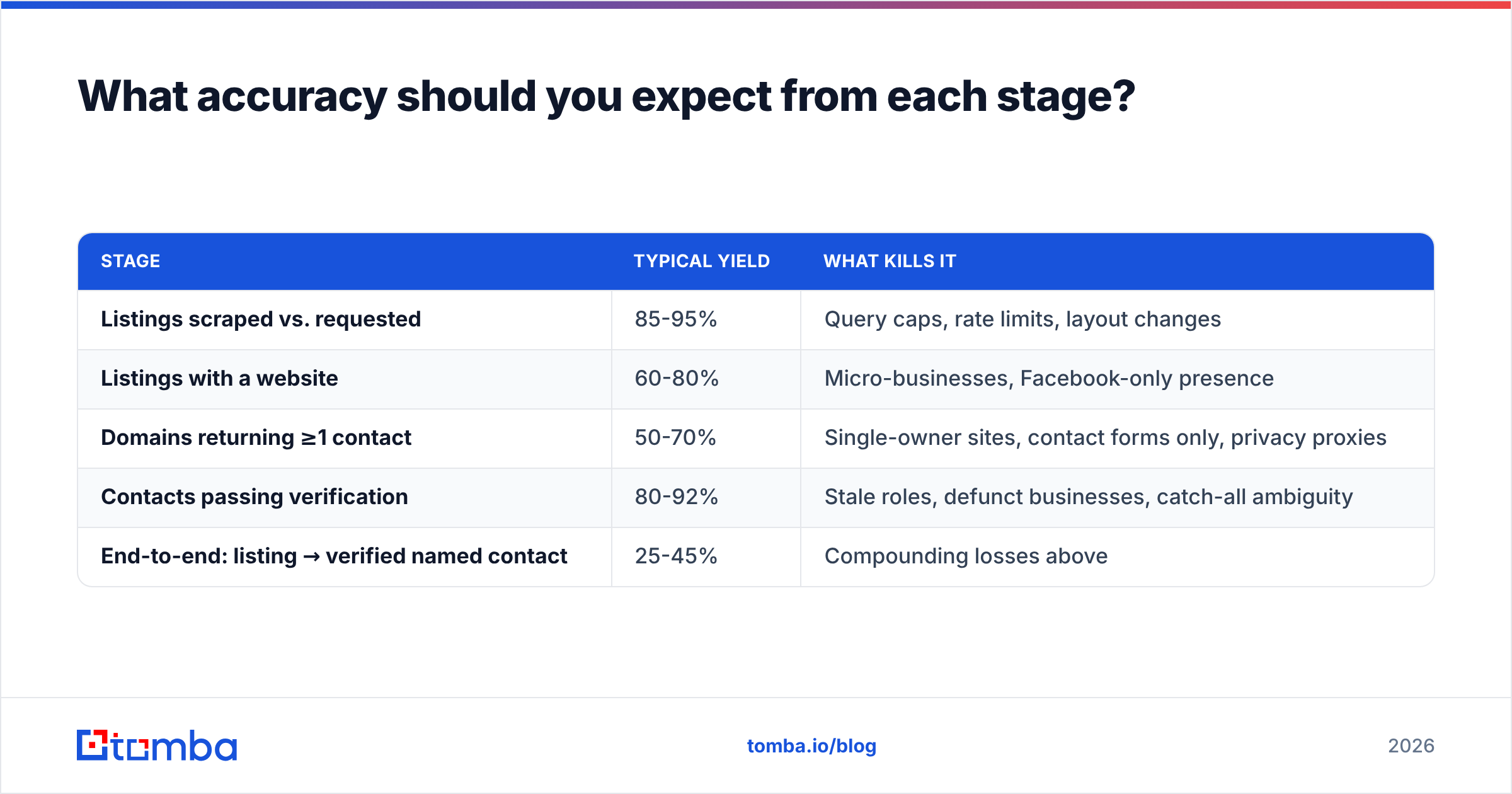
Set expectations by stage, because a single "accuracy" number for the whole pipeline is meaningless.
| Stage | Typical yield | What kills it |
|---|---|---|
| Listings scraped vs. requested | 85-95% | Query caps, rate limits, layout changes |
| Listings with a website | 60-80% | Micro-businesses, Facebook-only presence |
| Domains returning ≥1 contact | 50-70% | Single-owner sites, contact forms only, privacy proxies |
| Contacts passing verification | 80-92% | Stale roles, defunct businesses, catch-all ambiguity |
| End-to-end: listing → verified named contact | 25-45% | Compounding losses above |
That last row is the one to plan around. If you scrape 10,000 listings, budget on roughly 2,500-4,500 verified, sendable contacts — not 10,000. Anyone promising 90% end-to-end on local-business data is measuring something else, usually "we found an address string that looked like an email."
Two things move that number the most: how tightly you segment before scraping (dentists in three metros beats "all businesses in Texas"), and whether you verify or just send. Skipping verification doesn't save you money — it costs you sender reputation, which is far more expensive to rebuild than a verification credit.
Which alternative should you pick for your situation?#
- You need 500 leads in one metro this week, no engineering help. Outscraper or a browser extension for the listings, then Tomba domain search on the resulting domains. Total spend under $100.
- You're building a repeatable pipeline for a sales team. Places API for compliant sourcing, Apify if you need fields the API doesn't expose, and the Tomba API wired into your enrichment step so new listings get contacts automatically.
- You care more about titles than about map coverage. Buy from a contact database like BookYourData and skip scraping entirely. You lose the Maps-specific signals (ratings, review counts, hours) but you gain named contacts on day one.
- You're targeting businesses that mostly have no website. Stop optimizing email. Build a call list from the phone field and use a phone validator to strip disconnected numbers before your reps waste dials.
- You're an agency selling local SEO or web design. Rating and review-count fields are your qualification criteria. Scrape wide, filter to the 3.0-4.2 band, enrich only those. Your enrichment bill drops by 70% and your reply rate goes up.
What mistakes should you avoid?#
Guessing emails instead of finding them. owner@, info@, and contact@ feel free. They're not — role-based addresses have lower engagement, higher complaint rates, and they're often the exact addresses on spam-trap lists. Use a real email finder or don't email that row.
Scraping reviews you'll never read. Review text multiplies your Apify compute cost by 5-10x. Pull review counts and ratings — the aggregate signals — unless you have a specific plan for the text.
Ignoring listing freshness. Maps data reflects what the business last updated, which for a lot of SMBs was three years ago. Cross-check against the website before a rep calls a business that closed.
Sending from your primary domain. Local-business outbound has higher bounce and complaint rates than enterprise outbound, full stop. Use a separate sending domain, warm it properly, and keep an eye on email deliverability fundamentals — SPF, DKIM, DMARC — before volume goes up.
Treating one Maps pull as an asset. Local business data decays roughly 2-3% per month. Re-scrape and re-verify quarterly or your list quietly becomes a bounce generator.
Ready to turn map listings into real contacts?#
The scraper you pick matters less than what you do with the domains it returns. Every option in this comparison — Places API, Outscraper, Apify, extensions, even a purchased database — ends in the same place: a column of website URLs that need to become named, verified, deliverable contacts before anyone on your team hits send.
That's what Tomba Email Finder is built for. Feed it the domains from your Maps export, get back real addresses with confidence scores and sources, and verify the whole list before it touches your sequencer. Start free with 25 searches a month, or move to Starter at $49/mo when you're running volume — and check Tomba pricing if you need bulk credits for a multi-metro build.
Related guides#
Ready to find emails that actually work?
Join 150,000+ professionals who stopped guessing and started sending. Free credits on signup — no credit card required.
Get the Tomba newsletter
Practical outbound tactics and product updates — once every two weeks.
About the author