GrowMeOrganic Pros and Cons: An Honest 2026 Review
GrowMeOrganic bundles LinkedIn scraping, email finding, and cold email sequences into one flat-rate plan. Here is where that bundle genuinely saves money — and where it quietly costs you deliverability and data accuracy.
The GrowMeOrganic pros and cons come down to one trade. You save money on tools. You pay for it in data quality. Here is the full picture, based on how the product works in 2026.
TL;DR
- The main draw is flat pricing. One plan covers LinkedIn scraping, email finding, and cold email sending. You do not buy credits for each step.
- The trade-off is depth. Each module is fine rather than great. The email data is the weak link. Plan on a cleanup pass before you send.
- It fits solo founders, agencies, and small outbound teams who want one bill. It struggles for RevOps teams that need API-grade data, audit trails, or clean CRM records.
- Scraping runs through a Chrome extension tied to your LinkedIn session. That is a real account risk, and a continuity risk too.
- The common 2026 setup: keep GrowMeOrganic for sequencing, and swap the data layer for a dedicated finder and verifier.
What is GrowMeOrganic?#
GrowMeOrganic is an all-in-one B2B prospecting tool. It bundles four things you normally buy apart. A LinkedIn and Sales Navigator scraper runs as a Chrome extension. An email finder attaches addresses to names. A verifier checks them. A sequencer sends the cold email and the follow-ups. There is also a B2B contact database, plus scrapers for Google Maps and other public sources.
The pitch is clear. A normal outbound stack in 2026 costs real money. A data vendor runs $99 a month. A verifier runs $49. A sequencer runs $97. A LinkedIn tool runs $59. That is about $300 before anyone sends an email. GrowMeOrganic says you can drop all four and pay for one plan.
The pitch is honest about what it is. The rest of this post covers what it costs you elsewhere.
How the platform is built#
- Chrome extension layer — pulls profiles, search results, and Sales Navigator lists from your logged-in browser. Most lists start here.
- Data layer — a contact database, plus pattern-based email finding that attaches emails to scraped names.
- Verification layer — a built-in bounce check that runs before export or send.
- Sending layer — SMTP or Gmail sequences with follow-ups, unsubscribes, and simple reply detection.
- Automation layer — LinkedIn requests and messages, plus handoffs to your CRM.
Those five layers explain the whole review. The wins sit in layers 1, 4, and 5. Almost every serious complaint sits in layers 2 and 3.
What are the real pros of GrowMeOrganic?#
Flat pricing that does not punish volume. Credit-metered tools create a bad habit. You ration searches. You skip experiments. You leave a stale list alone because refreshing it costs money twice. A flat plan removes that friction. For an agency running ten client campaigns, that predictability is worth real money.
One login for the whole motion. You build a list at 9am. Emails attach at 9:15. The sequence goes live at 9:30. There is no CSV shuttle between four tools, no field-mapping mistakes, and no guessing which export is current. For a two-person team, that saves hours each week.
Sales Navigator extraction that works. The extension handles Sales Nav search results and lead lists well, and it pages through them without much fuss. If your ICP lives in LinkedIn filters, this is the fastest route from filter to list.
Low learning curve. Most people are sending within an hour of signup. Setting up a sequencer, a data provider, and a verifier on their own takes far longer.
Extractors beyond LinkedIn. Google Maps scraping is underrated for local and SMB prospecting. Think plumbing distributors, dental practices, and regional logistics firms. Most email-finder-first tools skip that market.
What are the real cons of GrowMeOrganic?#
Data accuracy is the weak point. Bundled finders lean hard on pattern guessing. They try first.last@domain.com, run a light SMTP check, and ship it. That works on companies with clean, well-known patterns. It works badly on everything else. Catch-all domains break it. So do role inboxes, odd mail routing, and firms that changed domains after a merger. User reports and G2 reviews keep citing bounce rates high enough to matter. If your list has 5,000 contacts and 12% bounce, you have burned a domain, not just a list.
The built-in check is not a real verifier. Flagging bad syntax and dead MX records is the easy half. It is not the same as multi-stage validation with catch-all handling. You need to tell "valid" from "risky" from "catch-all — unknown." Without that split, you cannot make a good send decision. That is why a separate email verifier and catch-all verifier still earn a slot in most stacks.
Chrome-extension dependency. Scraping runs from your browser session. So your pipeline inherits every LinkedIn rate limit, session timeout, and UI change. It also means LinkedIn sees the volume you pull as activity on your account. Heavy use carries account risk. LinkedIn has tightened detection every year since 2023. Read LinkedIn's own user agreement before you scale this.
API and integration depth. There is an API, but it is not built for a RevOps team. It does not give you the surface you want for enrichment in a warehouse or a nightly CRM job. If the job is "enrich 40,000 rows in Snowflake on a schedule," this is the wrong shape of tool.
Support and roadmap speed. Reviews split. Some users get fast, human answers. Others wait a long time on data-quality tickets. That gap is common in bundled tools, where each module has fewer engineers behind it.
Deliverability tooling is thin. There is no real warmup reporting, little inbox-placement insight, and only basic reputation checks. If you send at volume, you will want outside tools anyway. Start with a sender reputation checker and an SPF checker.
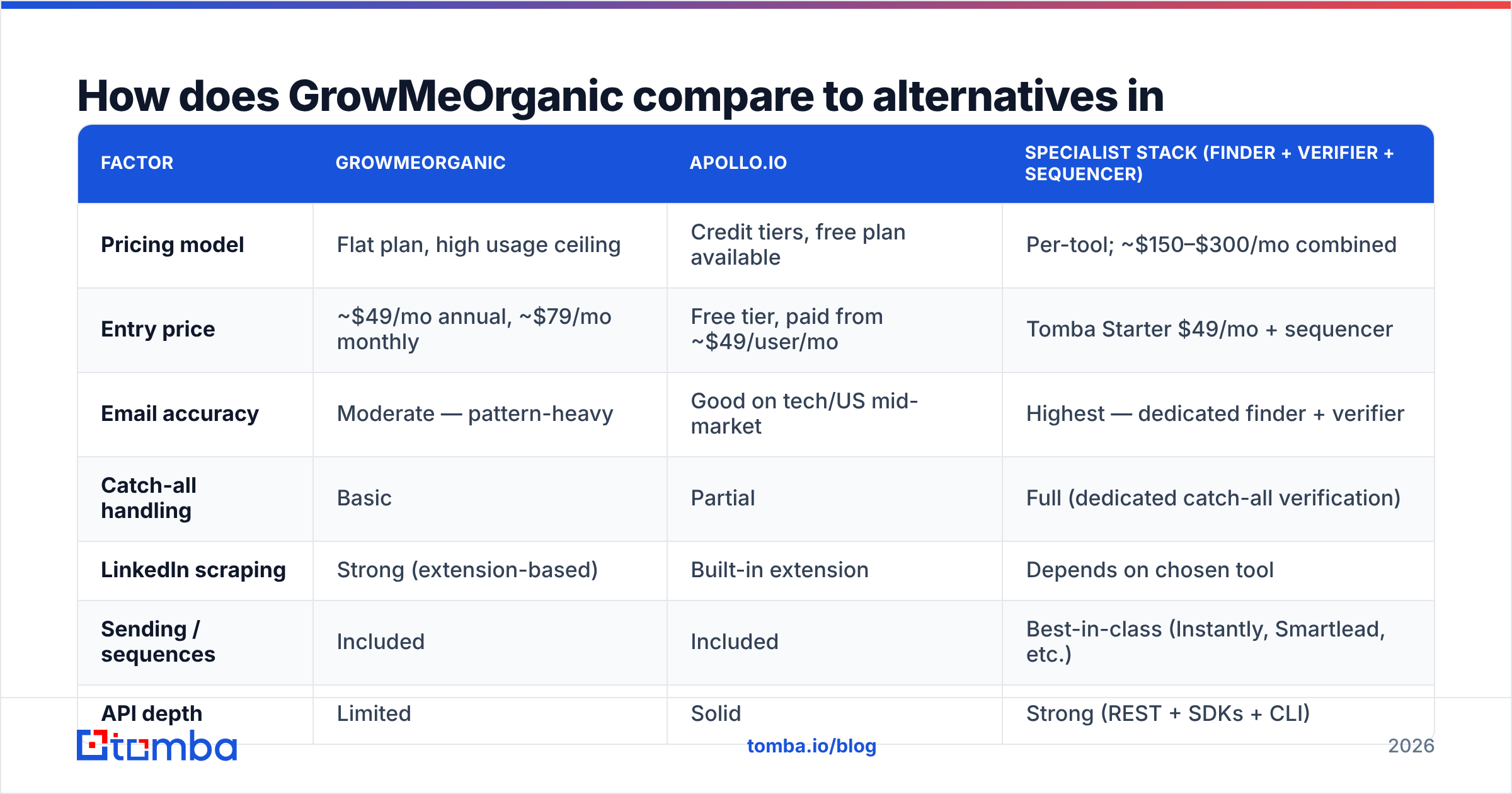
How does GrowMeOrganic compare to alternatives in 2026?#
| Factor | GrowMeOrganic | Apollo.io | Specialist stack (finder + verifier + sequencer) |
|---|---|---|---|
| Pricing model | Flat plan, high usage ceiling | Credit tiers, free plan available | Per-tool; ~$150–$300/mo combined |
| Entry price | ~$49/mo annual, ~$79/mo monthly | Free tier, paid from ~$49/user/mo | Tomba Starter $49/mo + sequencer |
| Email accuracy | Moderate — pattern-heavy | Good on tech/US mid-market | Highest — dedicated finder + verifier |
| Catch-all handling | Basic | Partial | Full (dedicated catch-all verification) |
| LinkedIn scraping | Strong (extension-based) | Built-in extension | Depends on chosen tool |
| Sending / sequences | Included | Included | Best-in-class (Instantly, Smartlead, etc.) |
| API depth | Limited | Solid | Strong (REST + SDKs + CLI) |
| Best for | Solo founders, agencies, SMB outbound | Mid-market SDR teams | Teams where bounce rate is a KPI |
Three honest notes on that table.
First, GrowMeOrganic and Apollo are not the same product with different logos. Apollo is a database first, with a sequencer bolted on. GrowMeOrganic is a scraper first, with a sequencer bolted on. If Apollo's database covers your ICP well, Apollo's data will usually be cleaner. If your ICP is niche, regional, or outside tech, scraping your own list often wins. A database that never indexed those firms cannot help you. Teams that outgrow Apollo's credit math often shop for an Apollo alternative for this exact reason.
Second, the specialist stack wins on data. It loses on price and simplicity. That is the whole trade, and nobody has found a way around it.
Third, most comparison posts skip a fourth option: buy a verified list outright. Vendors like BookYourData sell pre-checked B2B contacts with bounce guarantees. That skips the build-and-verify cycle. For a one-off campaign into a set segment, it can be cheaper and faster than any subscription. For ongoing prospecting against a moving ICP, subscriptions win. Know which one you are doing.
Who should actually buy GrowMeOrganic?#
Good fit:
- Solo founders doing founder-led sales. You need volume, one bill, and no ops work. Bounce rate matters. Shipping 300 emails this week matters more.
- Small agencies running client campaigns. Flat pricing across client workspaces saves real money. Clients rarely audit your tooling.
- Regional and non-tech prospecting. Google Maps and LinkedIn scraping reach ICPs that big databases miss, such as trades, local services, and EMEA SMBs.
- Teams sold on LinkedIn-first outbound. If every list starts in Sales Navigator, extension-based pulls are the shortest path.
Poor fit:
- RevOps and data teams. You need an API you can schedule against, stable response shapes, and enrichment you can audit. Look at a proper email finder API instead.
- Anyone sending 20k+ a month. At that volume, a 10% bounce rate is not an annoyance. It is a reputation hit that takes six weeks to undo.
- Regulated industries. GDPR and CCPA papers, clear data sources, and a solid DPA matter more than feature count. Check where the data comes from before you buy.
- Teams that already like their sequencer. You would pay twice for the biggest module in the bundle.
Can you fix the data-quality gap without leaving GrowMeOrganic?#
Yes. This is the setup many teams land on after their first burned domain.
Keep GrowMeOrganic for what it does well, which is scraping and sequencing. Then replace the data layer:
- Scrape the list in GrowMeOrganic or Sales Navigator. Export names, titles, and company domains. Leave the guessed emails behind.
- Find emails properly. Run the domain and name pairs through a dedicated email finder. Use domain search when you want every reachable contact at a company instead of one named person.
- Verify before import. Push the results through a verifier that splits valid, risky, and catch-all. Drop or park anything that is not clearly valid.
- Enrich what survives. Add titles, seniority, company size, and phone numbers if you work several people per account. Data enrichment and phone finder cover that.
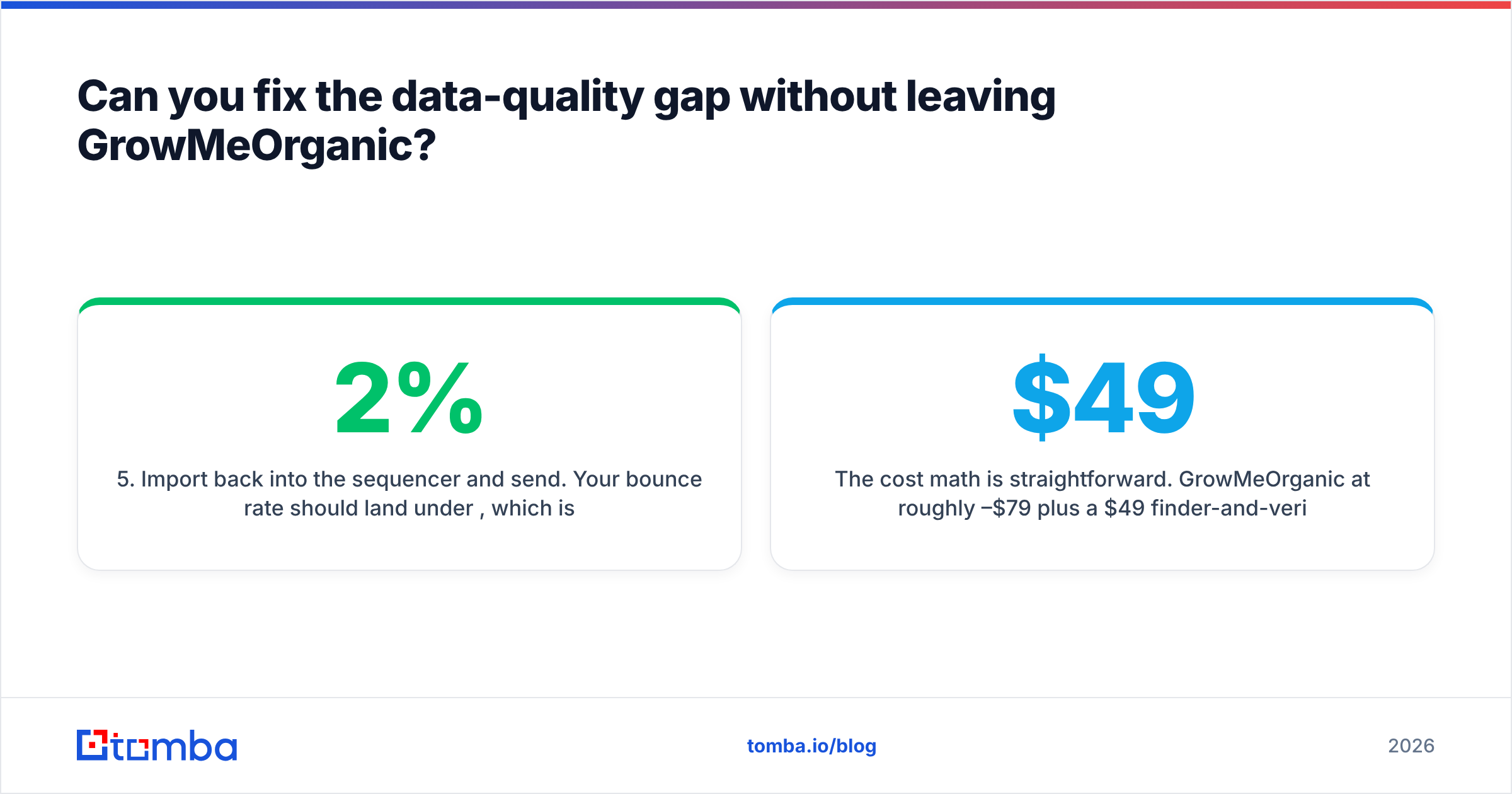
- Import back into the sequencer and send. Your bounce rate should land under 2%. Most inbox providers treat that as normal sender behavior.
The math is simple. GrowMeOrganic costs about $49 to $79 a month. A finder-and-verifier layer adds about $49. Call it $100 to $130 a month. That is still cheaper than a full specialist stack, and you have fixed the one failure mode that kills campaigns. If you are comparing line items, Tomba pricing starts free at 25 searches a month. That is enough to test the accuracy claim yourself.
Run that test honestly. Take 100 contacts. Get emails from GrowMeOrganic and from a dedicated finder. Send both through a neutral verifier. Compare the valid-rate. It takes an afternoon, and it settles the argument with numbers instead of review-site vibes. Check vendor claims against user reviews on G2 rather than vendor landing pages. The gap between the two usually tells you something.
What do the GrowMeOrganic pros and cons mean for your 2026 stack?#
The verdict: GrowMeOrganic saves small teams real money, and it is a real risk for anyone whose domain reputation is a business asset.
Buy it if you are one or two people. Buy it if you want one subscription, your ICP lives in LinkedIn filters, and you send a few thousand emails a month. The bundle math is real, and the tool does what it says.
Do not make it your only data source if you send at volume. Skip it if bounce rate sits on someone's dashboard, or if you need enrichment you can schedule. Savings on the data layer are the most expensive savings in outbound. A burned sending domain costs weeks of pipeline, not dollars.
If you are mid-decision, split the question in two. "Do I like this sequencer?" and "do I trust this data?" are separate questions with separate answers. Most teams answer yes and then no. That points straight at the hybrid setup above.
Test the data layer before you commit. Tomba Email Finder gives you 25 free searches a month. That is enough to run the same 100 contacts through both tools and see the valid-rate gap yourself. Paid plans start at $49/mo for Starter and $99/mo for Growth. Each includes domain search, catch-all verification, and a documented API. If GrowMeOrganic's data holds up in your test, keep it. If it does not, you will know before your domain does.
Related guides#
Ready to find emails that actually work?
Join 150,000+ professionals who stopped guessing and started sending. Free credits on signup — no credit card required.
Get the Tomba newsletter
Practical outbound tactics and product updates — once every two weeks.
About the author