How Do You Find Out Someone's Email Address in 2026?
Nine methods to find anyone's professional email address, ranked by hit rate, speed, and cost — plus the verification step most people skip and pay for later.
TL;DR
- Manual methods (site footers, X bios, GitHub commits, WHOIS) are free and still work — but they cap out around a 20-30% hit rate on a typical B2B list.
- Pattern-based guessing plus SMTP verification is the highest-leverage free approach: find the company's format once, apply it to every contact at that domain.
- Dedicated email finders (Tomba, Hunter, Apollo, RocketReach, BookYourData) trade money for coverage — expect 60-85% hit rates depending on region and company size.
- Never send to an unverified address. A single 5% bounce rate can cost you inbox placement for months.
- Fastest realistic workflow: LinkedIn or domain search → email finder → verifier → send. Ten seconds per contact once it's set up.
You need to reach one specific person. Maybe it's a hiring manager, a journalist who covered your competitor, a VP of Ops at a 200-person logistics company. Their email exists. It's just not on a page Google indexed.
This guide walks through every method that actually returns an address in 2026, ranked by hit rate and effort. Some are free and manual. Some cost $49/month and take four seconds. Most people should use a mix.
What are the fastest ways to find someone's email address?#
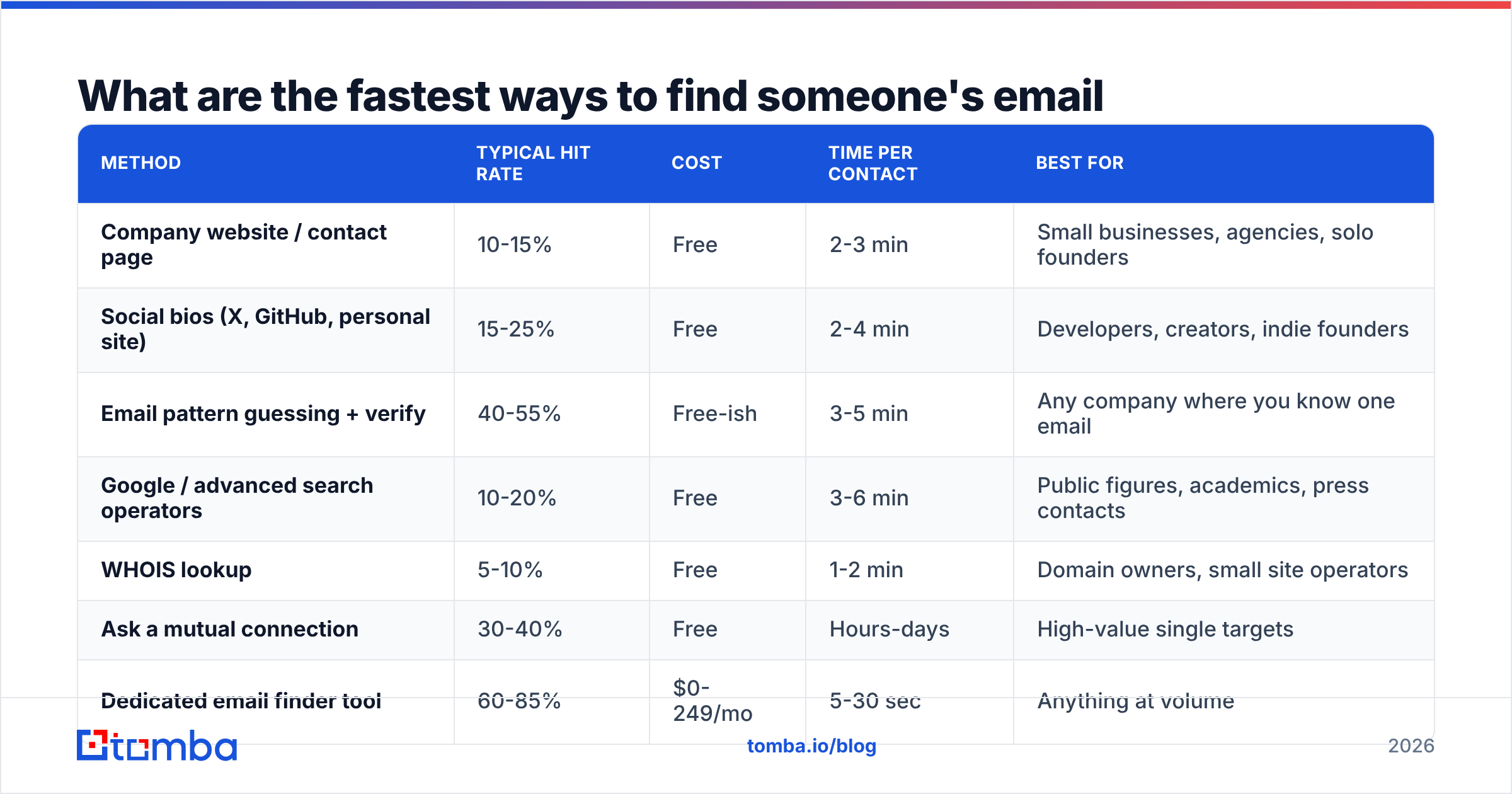
Here's the full landscape before we go deep on each one. "Hit rate" means: out of 100 real B2B contacts you try this on, roughly how many addresses you walk away with.
| Method | Typical hit rate | Cost | Time per contact | Best for |
|---|---|---|---|---|
| Company website / contact page | 10-15% | Free | 2-3 min | Small businesses, agencies, solo founders |
| Social bios (X, GitHub, personal site) | 15-25% | Free | 2-4 min | Developers, creators, indie founders |
| Email pattern guessing + verify | 40-55% | Free-ish | 3-5 min | Any company where you know one email |
| Google / advanced search operators | 10-20% | Free | 3-6 min | Public figures, academics, press contacts |
| WHOIS lookup | 5-10% | Free | 1-2 min | Domain owners, small site operators |
| Ask a mutual connection | 30-40% | Free | Hours-days | High-value single targets |
| Dedicated email finder tool | 60-85% | $0-249/mo | 5-30 sec | Anything at volume |
| Bulk/list upload to a finder | 55-80% | Per-credit | Seconds | Enriching an existing lead list |
| Buying a prebuilt contact list | Varies wildly | $99+ | Instant | Broad ICP coverage, fast starts |
Everything below expands on those rows. If you only read one section, read the verification one — it's the step that decides whether any of this actually works.

How do you find someone's email address for free?#
Free methods are slower but genuinely effective when you're chasing one or two people rather than five hundred.
1. Check the obvious pages first. /contact, /about, /team, /press, and the site footer. Roughly one in eight B2B sites still lists a direct address for at least one employee. Press pages are especially good — PR contacts publish real inboxes because being reachable is their job.
2. Read their public writing. Newsletter sign-offs, conference speaker bios, PDF whitepapers, and podcast show notes routinely contain an address the person handed out themselves. If they've published articles, an author finder pulls the byline email straight from the article page.
3. Mine GitHub. If your target has ever pushed code, run git log on any repo they contributed to. Commit metadata contains the author email unless they enabled GitHub's privacy setting. This is close to a 100% hit rate for active engineers and near zero for everyone else.
4. Use search operators. In Google, try:
site:company.com "@company.com"
"firstname lastname" + "@company.com"
"firstname" "lastname" email -site:linkedin.com
You're looking for leaked addresses in conference agendas, SEC filings, university directories, and old press releases. It works, it's slow, and it fails on anyone with a common name.
5. Run a WHOIS lookup. For domain owners who never enabled privacy protection, whois example.com returns a registrant email. GDPR gutted this in Europe, so treat it as a bonus rather than a plan.
6. Just ask. A LinkedIn message, an X DM, or a request through a mutual contact gets you the address and warms the introduction at the same time. It's the slowest method and the one with the best downstream reply rate. For high-value single targets, this beats everything else on this page.
What is email pattern guessing and does it still work?#
Email pattern guessing is the single highest-leverage free method, and yes, it still works — because companies standardize.
Almost every organization uses one format across all employees. Find it once, and you can construct an address for anyone at that domain. The common patterns, ranked by prevalence in B2B:
- first.last@company.com — the most common corporate format by a wide margin, especially at companies over 200 employees.
- first@company.com — dominant at startups and small teams under ~50 people.
- flast@company.com — common in finance, legal, healthcare, and older enterprises.
- firstl@company.com — less common but shows up in tech and consulting.
- first_last@company.com — rare, mostly legacy systems and some Japanese and German firms.
- f.last@company.com — occasional, usually European.
The workflow: find any one known email at the domain (a support address won't help, but a published sales rep's will), infer the pattern, then apply it. A company email pattern checker does the inference step for you in one lookup, and an email permutator generates every plausible variation when you're not sure.
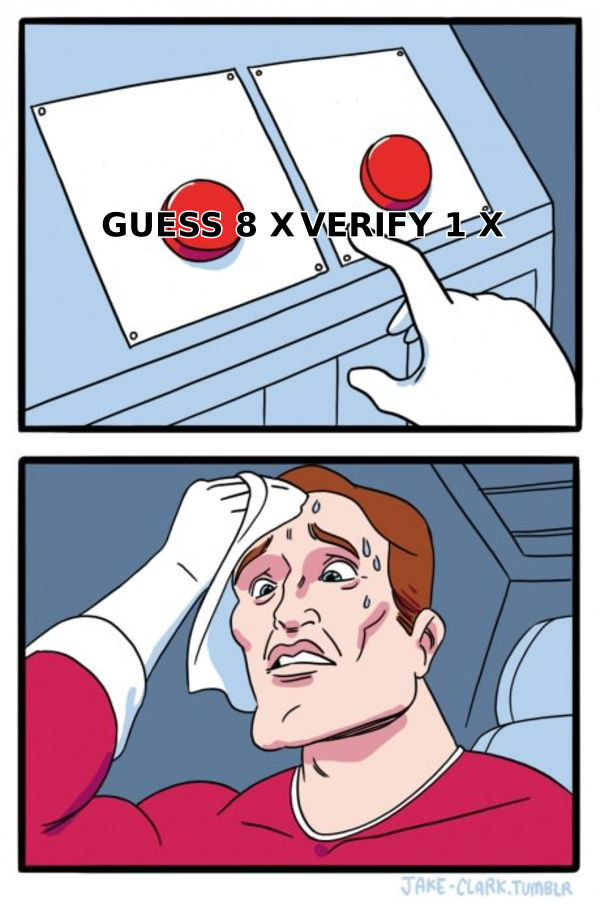
Where guessing breaks down: companies with multiple concurrent formats (post-acquisition orgs are notorious), people with hyphenated or non-Latin names, and anyone whose address predates a rebrand. That's why guessing without verification is worse than useless — you generate ten candidates, send to all ten, and burn your domain on nine bounces.
Which email finder tools have the highest hit rate?#
Once you're finding more than about ten addresses a week, manual methods stop making economic sense. A dedicated finder queries a database of previously validated addresses, cross-references public sources, and runs live SMTP checks — in one call.

Accuracy claims from vendors are marketing numbers measured on their own favorable samples. What matters more is your sample: the regions, company sizes, and job titles you actually sell into. Every serious tool has a free tier or trial — run your own 50-contact test list through two or three before committing.
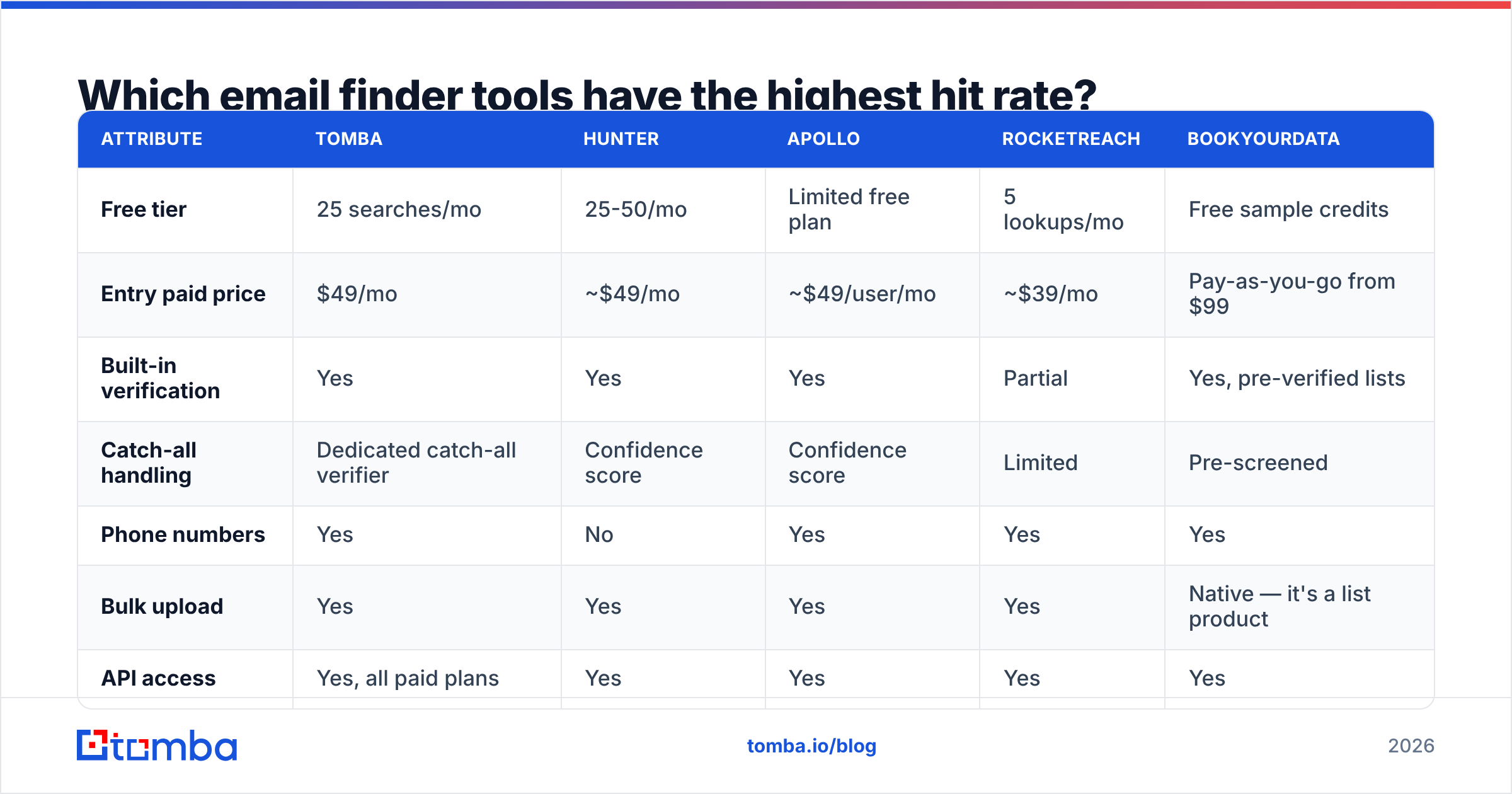
Here's how the main options compare on the attributes that drive the decision:

| Attribute | Tomba | Hunter | Apollo | RocketReach | BookYourData |
|---|---|---|---|---|---|
| Free tier | 25 searches/mo | 25-50/mo | Limited free plan | 5 lookups/mo | Free sample credits |
| Entry paid price | $49/mo | ~$49/mo | ~$49/user/mo | ~$39/mo | Pay-as-you-go from $99 |
| Built-in verification | Yes | Yes | Yes | Partial | Yes, pre-verified lists |
| Catch-all handling | Dedicated catch-all verifier | Confidence score | Confidence score | Limited | Pre-screened |
| Phone numbers | Yes | No | Yes | Yes | Yes |
| Bulk upload | Yes | Yes | Yes | Yes | Native — it's a list product |
| API access | Yes, all paid plans | Yes | Yes | Yes | Yes |
| Best fit | Domain-first prospecting + verification in one stack | Simple domain lookups | All-in-one sequencing + data | Recruiter-style people search | Buying targeted prebuilt lists |
A few honest notes on that table. Apollo bundles data with a sequencer, so you're comparing a database to a platform — if you already own an outreach tool, you're paying twice. RocketReach indexes people rather than domains, which makes it strong for recruiting and weaker for "give me everyone in marketing at these 40 accounts." BookYourData takes a different shape entirely: instead of searching contact by contact, you filter an ICP and buy a pre-verified list, which is genuinely faster when you need 2,000 contacts today rather than 20. Tomba's advantage is that finding, verifying, catch-all checking, and enrichment sit in the same account, so you're not stitching three vendors together.
If you're starting from a company rather than a person, domain search is the right entry point — one domain in, every discoverable address out, with roles and confidence scores attached. Starting from a LinkedIn profile instead? The LinkedIn finder maps profile URLs to work emails.
Why does verification matter more than finding?#
Because bounces are permanent damage and found addresses are only a guess until proven otherwise.
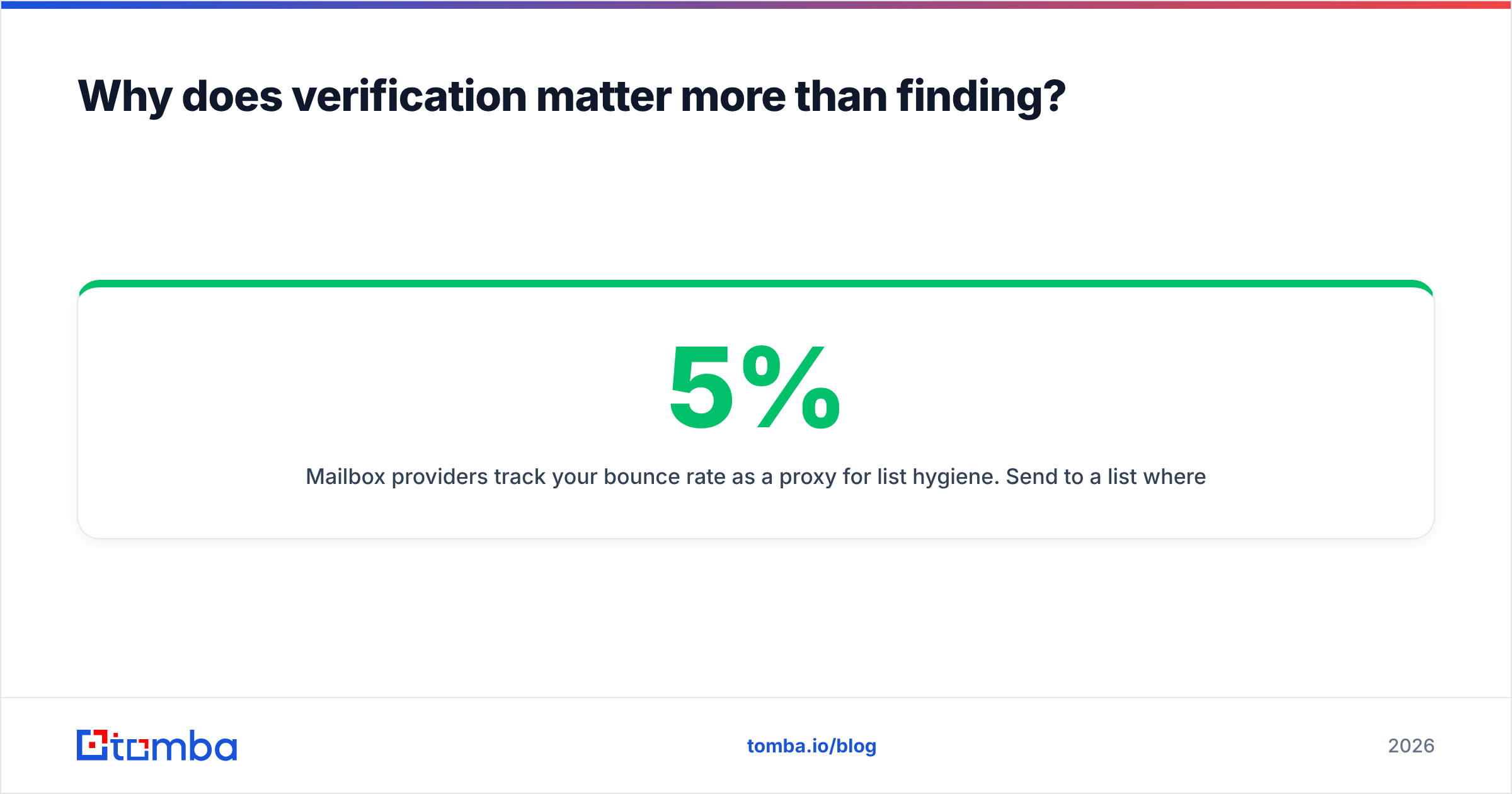
Mailbox providers track your bounce rate as a proxy for list hygiene. Send to a list where 5% of addresses don't exist and Google and Microsoft read that as "this sender scraped a list," which is functionally what you did. Sender reputation degrades within days and takes weeks to recover. The industry-accepted safe ceiling is around 2%, and under 1% is where you want to live.
Verification runs four layers of checks:
- Syntax — is it a structurally valid address? Catches typos and malformed entries instantly.
- Domain and MX records — does the domain exist and accept mail at all? Filters out dead companies and parked domains.
- SMTP handshake — the verifier opens a connection to the mail server and asks whether that specific mailbox exists, without sending anything.
- Risk flags — is it a disposable address, a role account (
info@,sales@), or a known spam trap? All three should be excluded from cold outreach.
The layer that trips people up is catch-all domains. These accept mail to any address at the domain, so an SMTP check returns "valid" for asdfgh@company.com just as readily as for a real person. Roughly a fifth of B2B domains are configured this way. Standard verifiers return "unknown" and leave you guessing; a catch-all verifier uses additional signals to score whether the mailbox is genuinely in use.
Run every found address through an email verifier before it enters a sequence. If you're working from an existing spreadsheet, bulk verify the whole file at once rather than one at a time.
Is it legal to find someone's email address?#
Finding a business email address is legal in most jurisdictions. What you do next is where the rules bite.
United States (CAN-SPAM): Cold commercial email to business addresses is legal. You must not use deceptive headers or subject lines, must identify the message as an ad where applicable, must include a physical postal address, and must honor opt-outs within 10 business days.
EU and UK (GDPR / PECR): Business email addresses are personal data. B2B outreach can rely on legitimate interest as a lawful basis, but you need a documented balancing assessment, you must disclose your data source on request, and you must honor deletion requests promptly. Individual sole traders in some member states get consumer-level protection.
Canada (CASL): The strictest of the three. It requires express or implied consent before sending — implied consent covers a published business address where the message relates to that person's role, which is narrower than most senders assume.
Practical guardrails regardless of jurisdiction: use business addresses only, make relevance obvious in the first line, keep a working unsubscribe link, delete on request without argument, and document where each contact came from. The FTC's CAN-SPAM compliance guide is the primary source worth reading if you send at any volume in the US, and reputable providers publish their data sources openly — if a vendor won't tell you where the data came from, that's your answer.
What does the fastest end-to-end workflow look like?#
Here's the sequence that gets you from "I know the company" to "the email is in my sequence" in under a minute per contact.
- Identify the person and company. LinkedIn Sales Navigator, a G2 category page, a conference attendee list, or your own website's visitor data.
- Find the address. Feed the name plus domain into an email finder, or feed just the domain in if you want the whole team. Use a Chrome extension to do this from the LinkedIn profile without switching tabs.
- Verify before it moves. Anything below high confidence goes to the verifier. Anything that comes back catch-all goes to the catch-all check. Anything still unresolved gets dropped — a 3% smaller list beats a damaged domain.
- Enrich for personalization. Job title, company size, tech stack, funding stage. Data enrichment turns an address into a reason to write.
- Push to your stack. Sync straight to HubSpot, Salesforce, or your sequencer rather than exporting CSVs by hand.
- Send from a warmed domain. A perfect list still lands in spam if your sending domain is cold. Ramp volume gradually and check your SPF record before your first send.
Steps 2 and 3 are the ones worth automating first. They're mechanical, they're the highest-volume part of the process, and they're where manual work produces the most errors.
If you'd rather not use a UI at all, the Tomba API does find-plus-verify in a single call, and there are add-ins for Google Sheets and Excel if your list already lives in a spreadsheet.
How many contacts do you actually need?#
Fewer than you think, if the data is clean.
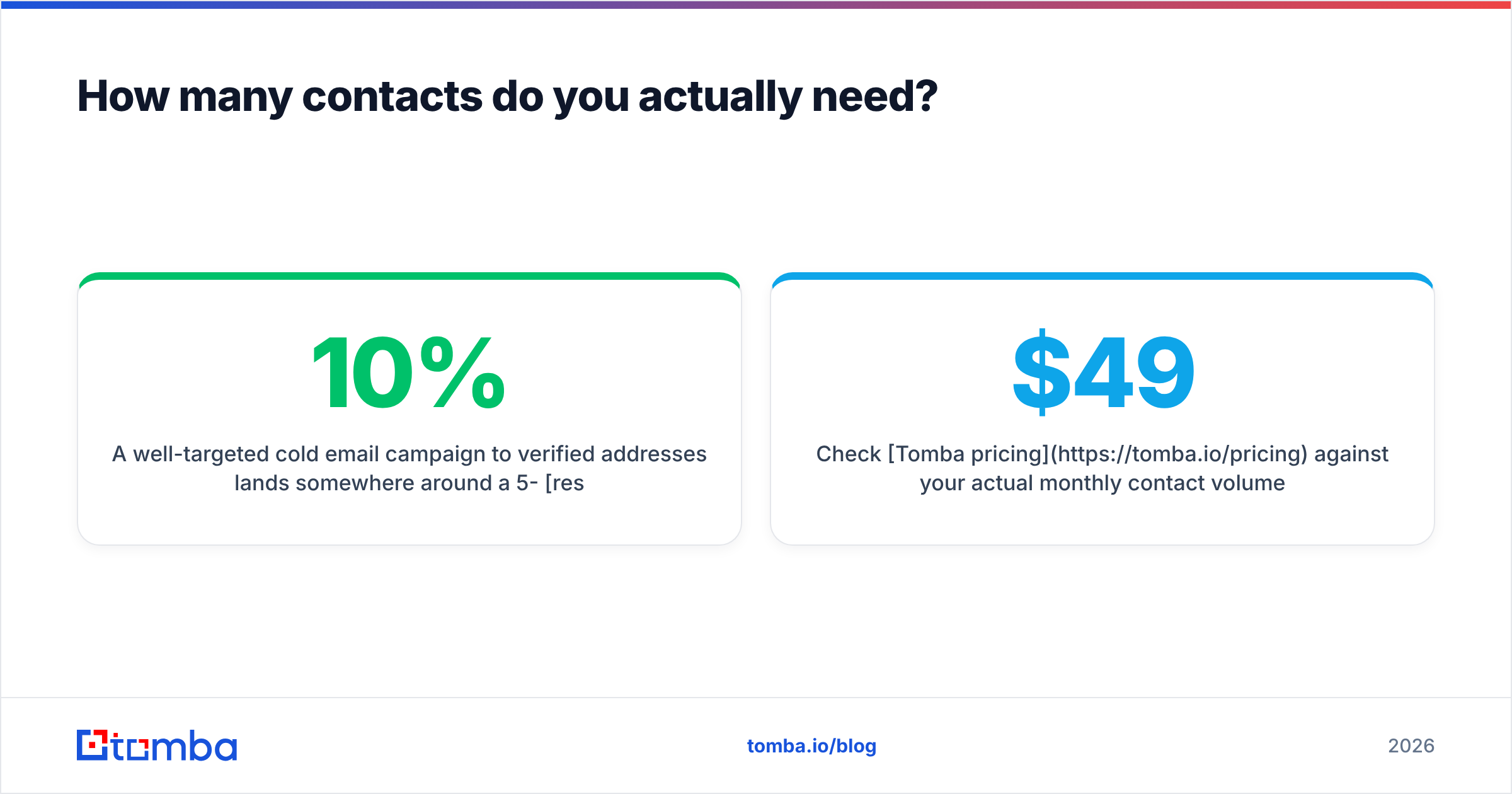
A well-targeted cold email campaign to verified addresses lands somewhere around a 5-10% response rate when the message is relevant. The same message to a list with 15% bad addresses gets throttled by spam filters, and your effective response rate drops toward 1% — not because the copy got worse, but because half the messages never reached an inbox.
That math is the whole argument for paying for accuracy. Three hundred verified contacts outperform three thousand guessed ones, cost less to send to, and don't put your domain at risk. Data quality compounds; volume doesn't.
Check Tomba pricing against your actual monthly contact volume. The free tier covers 25 searches a month, which is enough to test whether the hit rate holds on your specific market before you commit to anything. Starter is $49/month, Growth $99/month, and Pro $249/month if you're running outbound at scale.
Start with your next ten contacts#
Pick ten people you genuinely need to reach this week. Run them through the Tomba Email Finder — name plus domain, or just the domain if you want the whole team — verify what comes back, and see how many resolve. That single test tells you more about which method fits your market than any comparison table, including this one. The free tier covers it, and if the hit rate holds, you already know what to do next.
Related guides#
Ready to find emails that actually work?
Join 150,000+ professionals who stopped guessing and started sending. Free credits on signup — no credit card required.
Get the Tomba newsletter
Practical outbound tactics and product updates — once every two weeks.
About the author