How Do You Look Up Someones Email Address? 7 Methods
Seven working methods to look up someone's email address in 2026 — from free manual tricks to bulk lookup tools — plus how to verify the result before you hit send.
So how do you look up someones email address? You need two things: the person's full name and their company domain. Feed both to an email finder and you get a verified address in about two seconds. This guide ranks seven ways to do it, from free manual tricks to bulk tools.
TL;DR
- The fastest reliable method is a domain-based email finder. Give it a full name plus a company domain and it returns a verified address in under two seconds.
- Free manual methods work — Google operators, company footers, WHOIS, GitHub commits, newsletter replies. But hit rates sit around 20–40%, and they eat real time.
- Pattern guessing plus verification (
first.last@domain.com) is the best zero-budget route. Roughly 70% of B2B domains use one of four predictable formats. - Never send to an unverified address. Bounce rates above 3% start to damage your sending domain, and one bad list can burn a mailbox for weeks.
- Budget picture: free tiers cover 25–100 lookups a month. Serious volume starts around $49/mo with most vendors.
What does "looking up someone's email address" actually mean?#
Two very different questions hide inside this one. The first is "what is this person's work email?" You know the name and the company. You just need the string. The second is "who at this company should I email?" You know the target account, but not the human.
Your method depends on which one you are solving. Person-first lookups reward name-plus-domain tools and reverse search. Company-first lookups reward domain search, which returns every mailbox found on a domain at once, ranked by department.
Everything below assumes you want a work address at a company domain. Personal Gmail addresses are a different problem. They are not published, they do not follow patterns, and harvesting them is legally risky in most places. If your target only has a personal inbox, a LinkedIn DM or a contact form is the honest path.
How do you look up someones email address? The 7 methods#
Here they are, ordered by hit rate rather than convenience. The first four do the heavy lifting:
- Email finder tool (name + domain) — you type "Jane Cooper" and "stripe.com". The tool checks a crawled index, runs SMTP validation, and returns a scored result. Hit rate is 65–90% on established B2B domains. This is the default for a reason.
- Domain search — skip the name. Pull every public mailbox on the domain, then filter by role. Best when you do not yet know who owns the problem you are selling into. Tomba's domain search lists positions and departments next to each address.
- Pattern guess + verify — work out the company format from one known employee, apply it to your target, then run the candidate through an email verifier. Free, slow, and surprisingly effective.
- Google search operators — try
site:company.com "@company.com"or"jane cooper" email -site:linkedin.com. This finds addresses leaked in PDFs, press releases, conference agendas, and job postings.
The last three are fallbacks. Save them for the handful of accounts the tools cannot crack:
- Public code and docs —
git logon a public repo shows commit author emails. So do package.json maintainer fields, npm registry pages, and academic paper footers. - WHOIS and DNS records — mostly privacy-shielded since GDPR. Small businesses and older domains still leak an admin contact.
- Just ask — reply to a newsletter, use the contact form, or ask a mutual connection for an intro. Lowest volume, highest response rate.

How accurate is each method?#
Accuracy is the whole game. Say a method returns an address 90% of the time but is wrong half of those times. It is worse than one that answers 50% of the time and is nearly always right. Bounces are expensive. Non-answers are free.

Two numbers matter, and people mix them up constantly:
- Coverage (hit rate) — of 100 people you search, how many produce any result?
- Precision (accuracy) — of the results returned, how many actually deliver?
Vendors love to quote the second and stay quiet about the first. A tool that only answers when it is sure will show 98% accuracy and 40% coverage. That is not dishonest. But it is not the same product as one that answers 85% of the time at 92% precision.
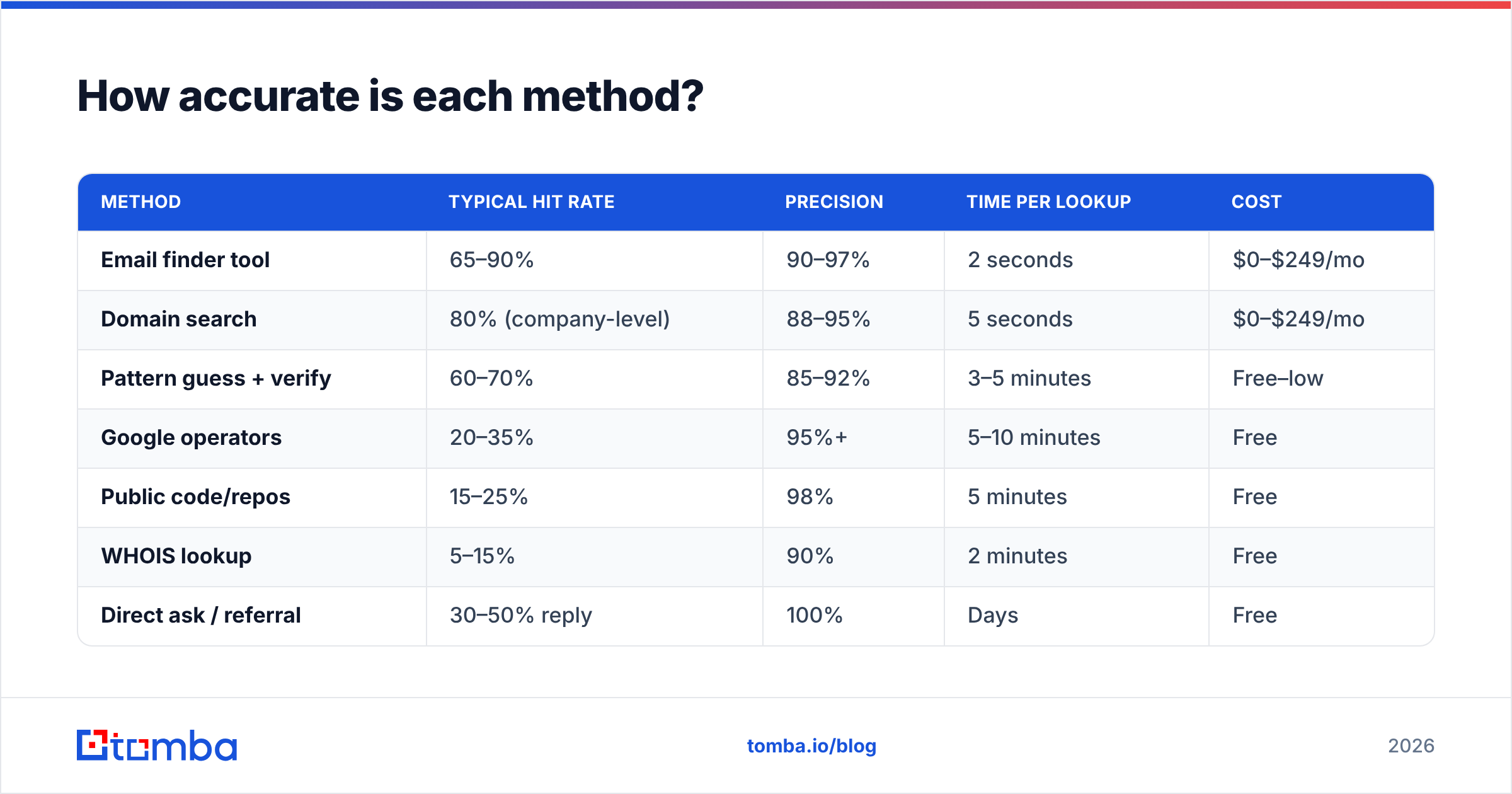
| Method | Typical hit rate | Precision | Time per lookup | Cost |
|---|---|---|---|---|
| Email finder tool | 65–90% | 90–97% | 2 seconds | $0–$249/mo |
| Domain search | 80% (company-level) | 88–95% | 5 seconds | $0–$249/mo |
| Pattern guess + verify | 60–70% | 85–92% | 3–5 minutes | Free–low |
| Google operators | 20–35% | 95%+ | 5–10 minutes | Free |
| Public code/repos | 15–25% | 98% | 5 minutes | Free |
| WHOIS lookup | 5–15% | 90% | 2 minutes | Free |
| Direct ask / referral | 30–50% reply | 100% | Days | Free |
Read that table as a workflow, not a menu. Start at the top. Fall through when the tool returns nothing. Save the free methods for your 20 highest-value accounts.
Can you look up an email address for free?#
Yes, at low volume. Every serious vendor runs a free tier, because lookups are cheap to serve and the upsell is obvious. Tomba's free plan includes 25 searches a month. Hunter and Snov.io sit in the same range. If you need ten emails a week for a partnership push, you never have to pay anyone.
So how do you look up someones email address without paying? Pattern inference is the free path that actually scales. Roughly 70% of B2B domains use one of four formats:
first.last@domain.com— the most common by a wide margin, especially at companies over 200 peoplefirst@domain.com— startups, agencies, anything under ~50 headcountflast@domain.com— common in finance, legal, healthcare, and older enterprisesfirstlast@domain.com— a distant fourth, mostly US mid-market
Find one confirmed address at the company — a press release, a support signature, a GitHub commit — and you have the format for everyone else. Then run your candidates through a free checker before you send. Tomba's free email checker and email permutator cover both halves of that loop, no account needed.
The limit shows up fast. At 200 prospects a week, manual patterning is a part-time job. Catch-all domains break verification too. They accept every address at the SMTP layer, whether the mailbox exists or not. That is where a dedicated catch-all verifier earns its keep. It uses signals beyond SMTP acceptance to score whether a mailbox is really active.
Which email lookup tool should you use?#
The market splits into three shapes: finders (find and verify addresses), databases (pre-built records you search), and platforms (finding bundled with a sequencer and CRM). Paying platform prices for a finding problem is the most common overspend in outbound.

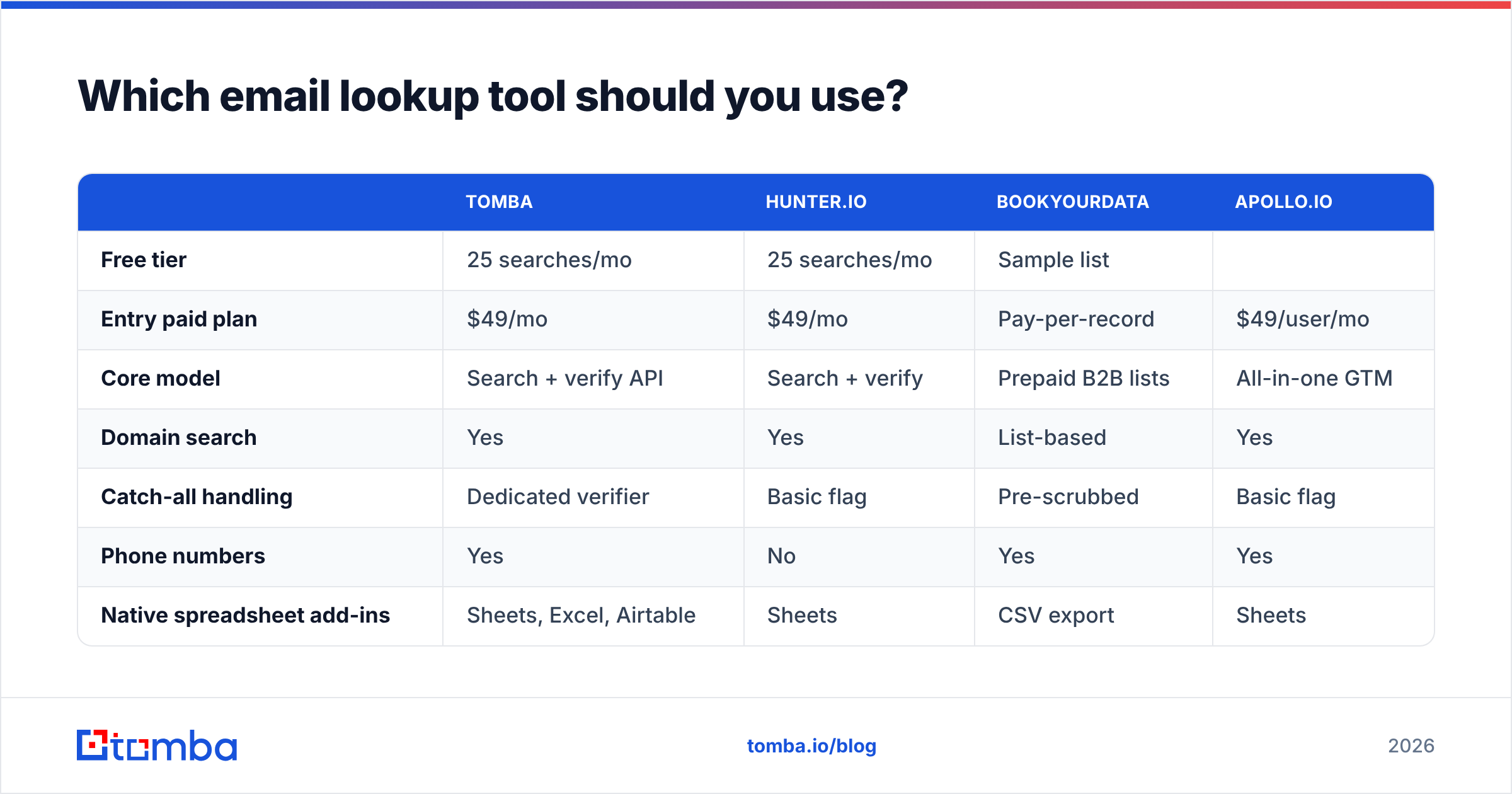
| Tomba | Hunter.io | BookYourData | Apollo.io | |
|---|---|---|---|---|
| Free tier | 25 searches/mo | 25 searches/mo | Sample list | |
| Limited credits | ||||
| Entry paid plan | $49/mo | $49/mo | Pay-per-record | $49/user/mo |
| --- | --- | --- | --- | --- |
| Core model | Search + verify API | Search + verify | Prepaid B2B lists | All-in-one GTM |
| Domain search | Yes | Yes | List-based | Yes |
| Catch-all handling | Dedicated verifier | Basic flag | Pre-scrubbed | Basic flag |
| Phone numbers | Yes | No | Yes | Yes |
| Native spreadsheet add-ins | Sheets, Excel, Airtable | Sheets | CSV export | Sheets |
| Best for | Volume finding + verification | Simple domain lookups | Buying a clean list outright | Teams wanting sequencing included |
Honest read on each. Hunter is the most recognizable name, and its domain search UI is excellent for one-off checks. BookYourData takes a different route. You buy pre-verified records outright with no subscription, which suits teams that want a fixed list at a fixed cost instead of a monthly seat. Apollo bundles finding with sequencing. That is efficient if you want one vendor, and less precise if finding is your real bottleneck. Tomba optimizes for the find-and-verify loop, with a documented API, a CLI, and add-ins that run lookups where your list already lives.
Comparing against a specific incumbent? Tomba keeps side-by-side breakdowns like the Apollo alternative and RocketReach alternative pages. Cross-check anything you read there against third-party review data on G2 before you commit budget.
How do you verify an email before you send?#
Finding is half the job. Send to an address you have not checked and you can torch a domain you spent months warming.

Verification runs in four layers, cheapest first:
- Syntax check — is the address structurally valid? This catches typos like
jane@@stripe.cominstantly, and costs nothing. - Domain and MX check — does the domain exist, and does it have mail exchange records? A domain with no MX record cannot receive mail at all.
- SMTP handshake — the verifier opens a conversation with the receiving server and asks whether the mailbox exists. Nothing is delivered. This is the decisive test on most domains.
- Catch-all and risk scoring — when a domain accepts everything, layer 3 returns a false positive. Good verifiers fall back to past engagement data, role-account detection, and disposable-domain lists. You get a risk score instead of a yes or no.
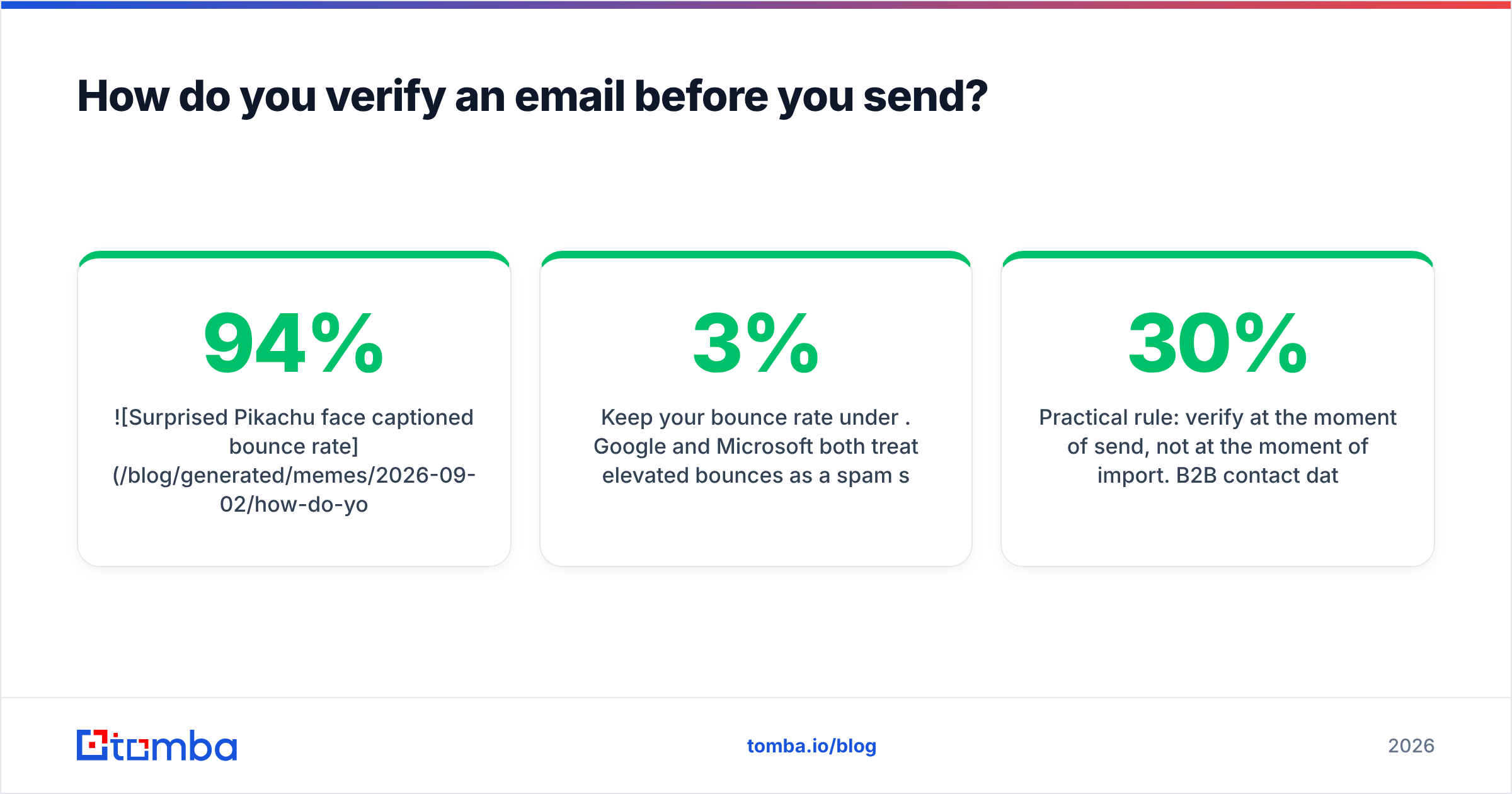
Keep your bounce rate under 3%. Google and Microsoft both read high bounces as a spam signal. Google's bulk sender guidelines say plainly that mail to non-existent addresses hurts your reputation. Repairing a wrecked sender reputation takes weeks of reduced volume. That costs far more than verification credits.
Practical rule: verify at the moment you send, not at the moment you import. B2B contact data goes stale at roughly 22–30% a year as people change jobs. A list you checked in March is already dated by September.
What about LinkedIn and reverse lookups?#
LinkedIn is where you identify the person. It is almost never where you get the address. Profiles rarely show contact info outside first-degree connections. Scraping profiles at scale also breaks LinkedIn's user agreement and gets accounts restricted.
The safe pattern is to use LinkedIn for identification — name, title, company — then resolve the address from the company domain. A LinkedIn finder does exactly that: profile URL in, work email out, resolved through the domain rather than by scraping the page.
The reverse direction helps too. An unfamiliar address lands in your inbox and you want context before you reply. A reverse email lookup maps the address back to a name, company, and role. Sales teams use it to qualify inbound. Security teams use it to check unexpected senders.
Is looking up someone's email address legal?#
Generally yes for B2B in most countries, with real conditions attached. This is not legal advice. Check with counsel for your own situation.
- GDPR (EU/UK) — work email addresses count as personal data. You can process them under legitimate interest for B2B outreach. But you must justify it, identify yourself clearly, name your data source on request, and honor deletion requests right away.
- CAN-SPAM (US) — no opt-in is needed for commercial email. You must avoid deceptive headers and subject lines, include a physical postal address, and honor unsubscribes within 10 business days.
- CASL (Canada) — the strictest of the three. Consent is usually required. A business address published without a restriction notice, and relevant to the person's role, can count as implied consent.
Two habits keep you out of trouble anywhere. Only chase role-relevant business addresses, never personal Gmail. And process opt-outs on the first request, with no retention sequence. Reputable vendors publish where their data comes from — Tomba documents its data sources — and a vendor that will not tell you is a vendor to skip.
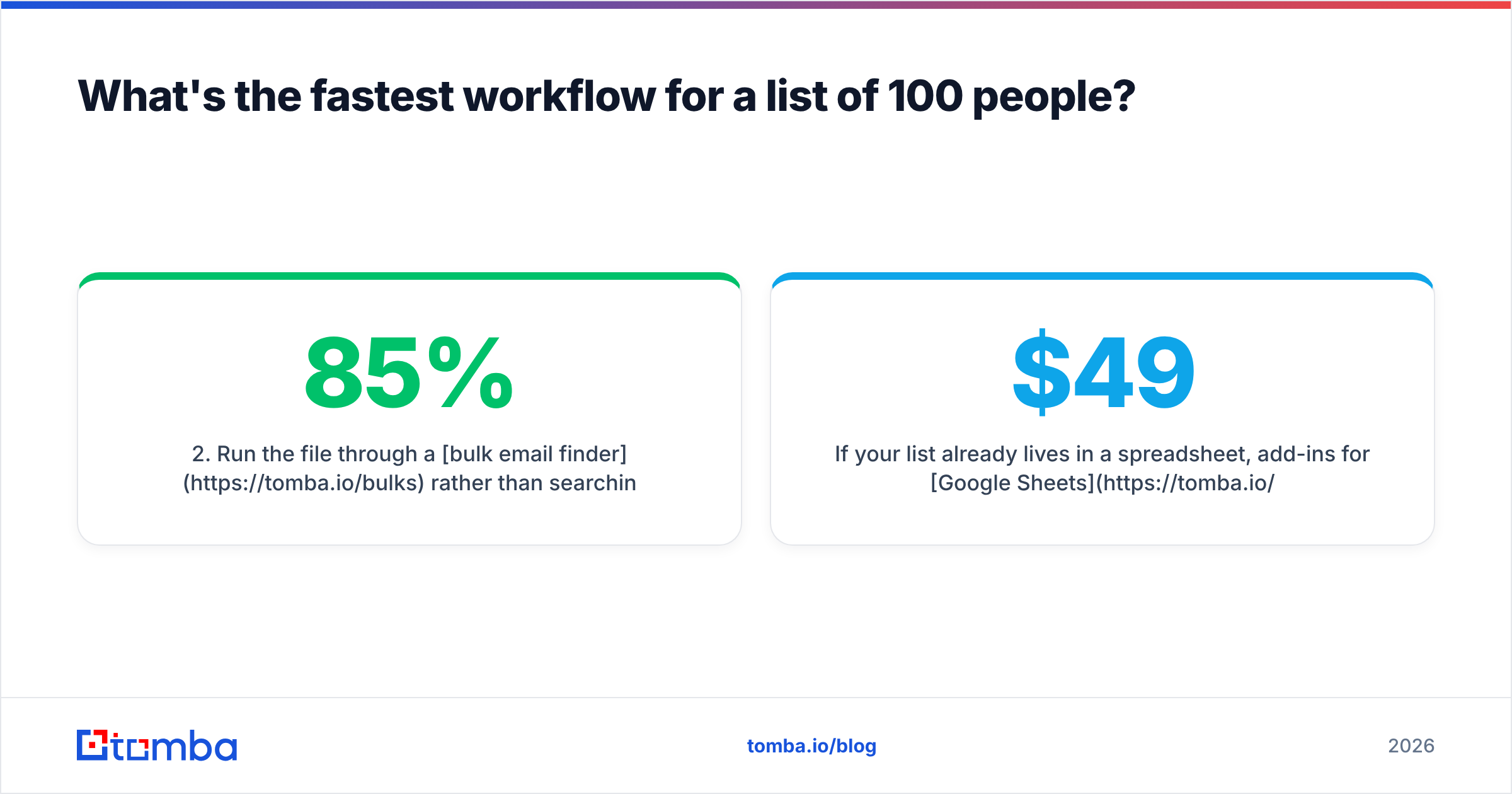
What's the fastest workflow for a list of 100 people?#
Skip one-at-a-time lookups. Here is the efficient sequence:
- Build a CSV with
first_name,last_name,company_domain. Domain is the critical column, because names alone resolve poorly. - Run the file through a bulk email finder instead of searching one by one. Expect 60–85% resolution, depending on company size and region.
- Verify everything that comes back, including results the finder already marked valid. Re-checking at send time catches job changes.
- Segment by confidence score. Send to high-confidence addresses first. Hold risky and catch-all results for a second pass or a LinkedIn touch.
- Route the leftovers to manual methods, but only for accounts worth 5–10 minutes of your time.
If your list already lives in a spreadsheet, the add-ins for Google Sheets and Excel resolve addresses in place with a formula. No export, no reimport. For engineering-owned pipelines, the API does the same job in a batch run. Either way, Tomba pricing runs Free (25 searches/mo), Starter $49/mo, Growth $99/mo, Pro $249/mo, and Enterprise custom. Size the plan to your real monthly volume rather than guessing at seats.
Start with the lookup, finish with the verify#
So how do you look up someones email address in 2026? Get the company domain. Feed name plus domain to a finder. Verify the result. Then fall back to Google operators and public code for the few contacts that do not resolve. Everything else is a variation on that loop.
Try it on a real target rather than a demo. The Tomba Email Finder gives you 25 free searches a month with no card. That is enough to test hit rate and precision on your own accounts before you commit to any vendor, including this one.
Related guides#
Ready to find emails that actually work?
Join 150,000+ professionals who stopped guessing and started sending. Free credits on signup — no credit card required.
Get the Tomba newsletter
Practical outbound tactics and product updates — once every two weeks.
About the author