How Does a Cold Email Work? The Full Mechanics Explained
A cold email is four systems working together: identity, data, delivery, and copy. Here is exactly what happens between hitting send and landing in a stranger's inbox — and where most sequences break.
TL;DR
- A cold email works through five stages: identity setup (DNS), list building, verification, delivery, and reply handling. Skip one and the other four stop mattering.
- Roughly 30-40% of a purchased or scraped B2B list is dead within a year. Bouncing that list is what actually kills your domain, not your subject line.
- Authentication (SPF, DKIM, DMARC) is not optional in 2026 — Google and Yahoo enforce it for bulk senders, and Microsoft joined in 2025.
- Volume per mailbox matters more than total volume. 20-30 sends per inbox per day across several domains beats 500 from one.
- Copy is the last 20% of the problem. Fix data and delivery first, then worry about your opening line.
What is a cold email, actually?#
A cold email is a one-to-one business message sent to someone who has not asked to hear from you, from a real mailbox, with a specific commercial ask. That definition matters because each clause maps to a technical requirement.
Think of it like mailing a physical letter to a building with a very aggressive doorman. The doorman checks three things before letting the envelope upstairs: is the return address real (authentication), has this sender dumped junk here before (reputation), and does the recipient actually live here (data quality). Only after all three pass does the person inside decide whether to open it.
Most people asking "how does a cold email work" are really asking about the last part — the copy. But the copy is the only stage that never runs if the first three fail. A perfectly written email to a bounced address at an unauthenticated domain has a 0% reply rate, and your subject line had nothing to do with it.
Cold email is also distinct from three things it gets confused with:
- Email marketing — sent to a list that opted in, usually from a platform like Mailchimp, usually one-to-many with images and unsubscribe footers.
- Spam — untargeted bulk mail with no relevance filter and often forged headers. Legally, in the US, CAN-SPAM permits unsolicited commercial email if you identify yourself, use a real physical address, and honor opt-outs. In the EU and UK, GDPR and PECR require a legitimate-interest basis and tighter rules for B2C.
- Sales sequences to warm leads — someone downloaded your whitepaper. That is a follow-up, not a cold email, and it should read differently.
How does a cold email work, step by step?#
Here is the full path from your keyboard to a stranger's reply, with the failure point at each stage.
Stage 1 — Domain and identity setup. You buy a secondary domain (not your main company domain), point MX records at a provider, and publish SPF, DKIM, and DMARC records. This tells receiving servers that mail claiming to be from you is genuinely from you. Failure point: sending from your primary domain and torching it.
Stage 2 — Mailbox warmup. A brand-new mailbox with zero send history looks identical to a burner used by a spammer. Warmup gradually ramps volume over 2-4 weeks while generating positive engagement signals (opens, replies, moves out of spam). Failure point: sending 200 emails on day one.
Stage 3 — List building and verification. You identify accounts, find the right contact, and resolve their work email. Then you verify each address before it enters a sequence. Failure point: sending to guessed or stale addresses, driving bounce rate above 3%.
Stage 4 — Send and route. Your sending tool spaces messages out, rotates across mailboxes, and stops on reply. The receiving server runs the message through authentication checks, reputation lookups, and content filters, then routes it to Primary, Promotions, or Spam. Failure point: identical templates at high volume, link-heavy bodies, and spam-trigger formatting.
Stage 5 — Reply, follow-up, and suppression. Most replies come from follow-ups two through four, not the first touch. Every bounce, unsubscribe, and "not interested" needs to hit a suppression list permanently. Failure point: no follow-up sequence, or follow-ups that ignore replies already received.
Why does verification decide whether the whole thing works?#
Because bounce rate is the single loudest negative signal you send a mailbox provider.
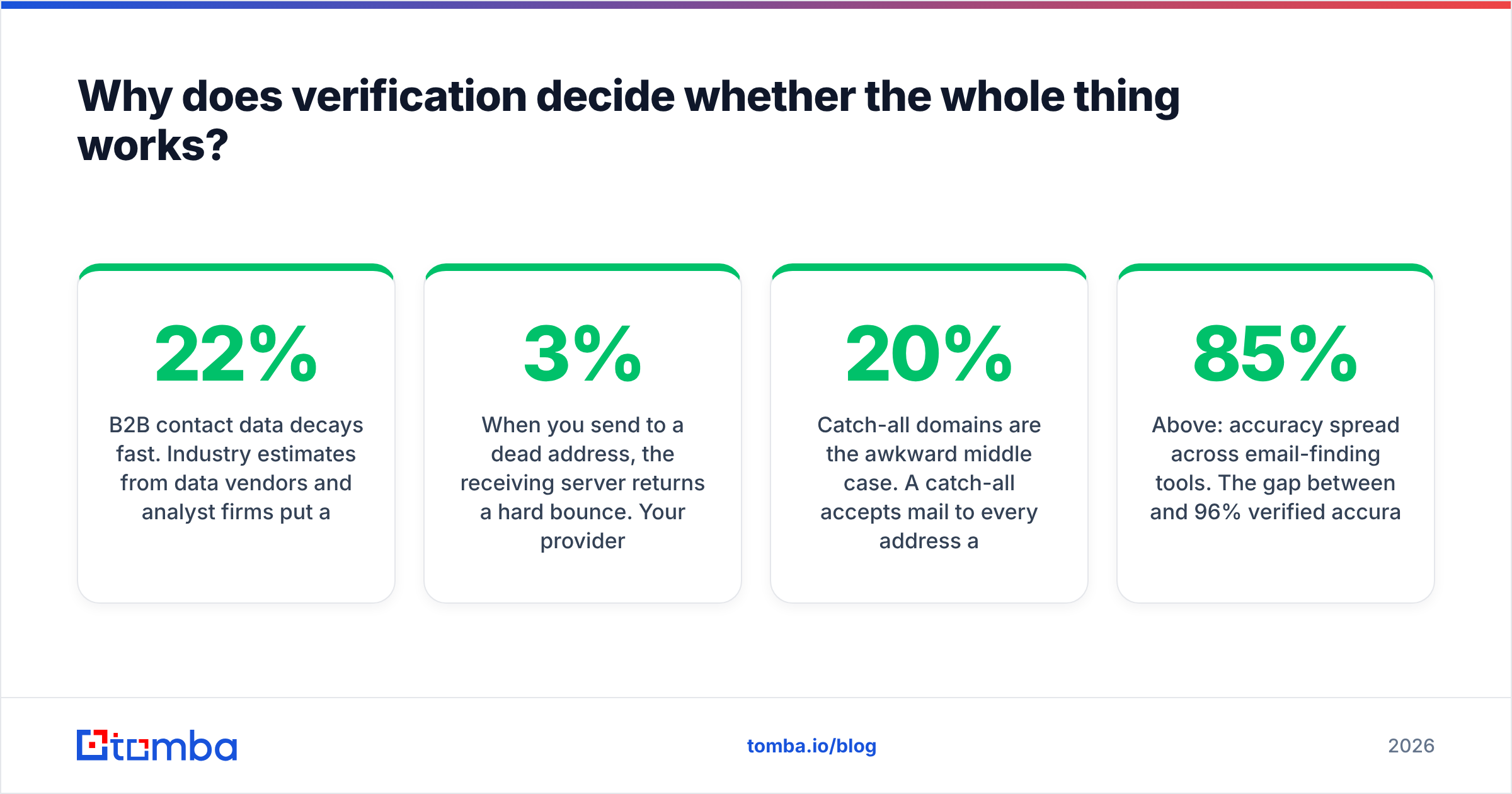
B2B contact data decays fast. Industry estimates from data vendors and analyst firms put annual B2B database decay somewhere between 22% and 30% — people change jobs, companies get acquired, domains consolidate. A list you bought eighteen months ago is meaningfully broken today, even if it was accurate when you got it.
When you send to a dead address, the receiving server returns a hard bounce. Your provider logs it. A handful is normal. A pattern is a signature — legitimate senders know who their recipients are; spammers do not. Cross roughly 3% hard bounces and inbox placement starts degrading across your entire domain, including the messages going to valid addresses.
This is why the sequence is: find, then verify, then send. An email finder resolves a name and company domain into a likely address. An email verifier then confirms the mailbox actually accepts mail via SMTP handshake, MX lookup, and syntax checks — before you spend a send on it.
Catch-all domains are the awkward middle case. A catch-all accepts mail to every address at the domain, valid or not, so standard SMTP verification returns "unknown" rather than a clean yes or no. Roughly 15-20% of B2B domains are configured this way. You need a catch-all verifier that uses pattern confidence and secondary signals, or you either throw away good leads or gamble on bad ones.

Above: accuracy spread across email-finding tools. The gap between 85% and 96% verified accuracy is the difference between a healthy sending domain and a burned one at 5,000 sends/month.
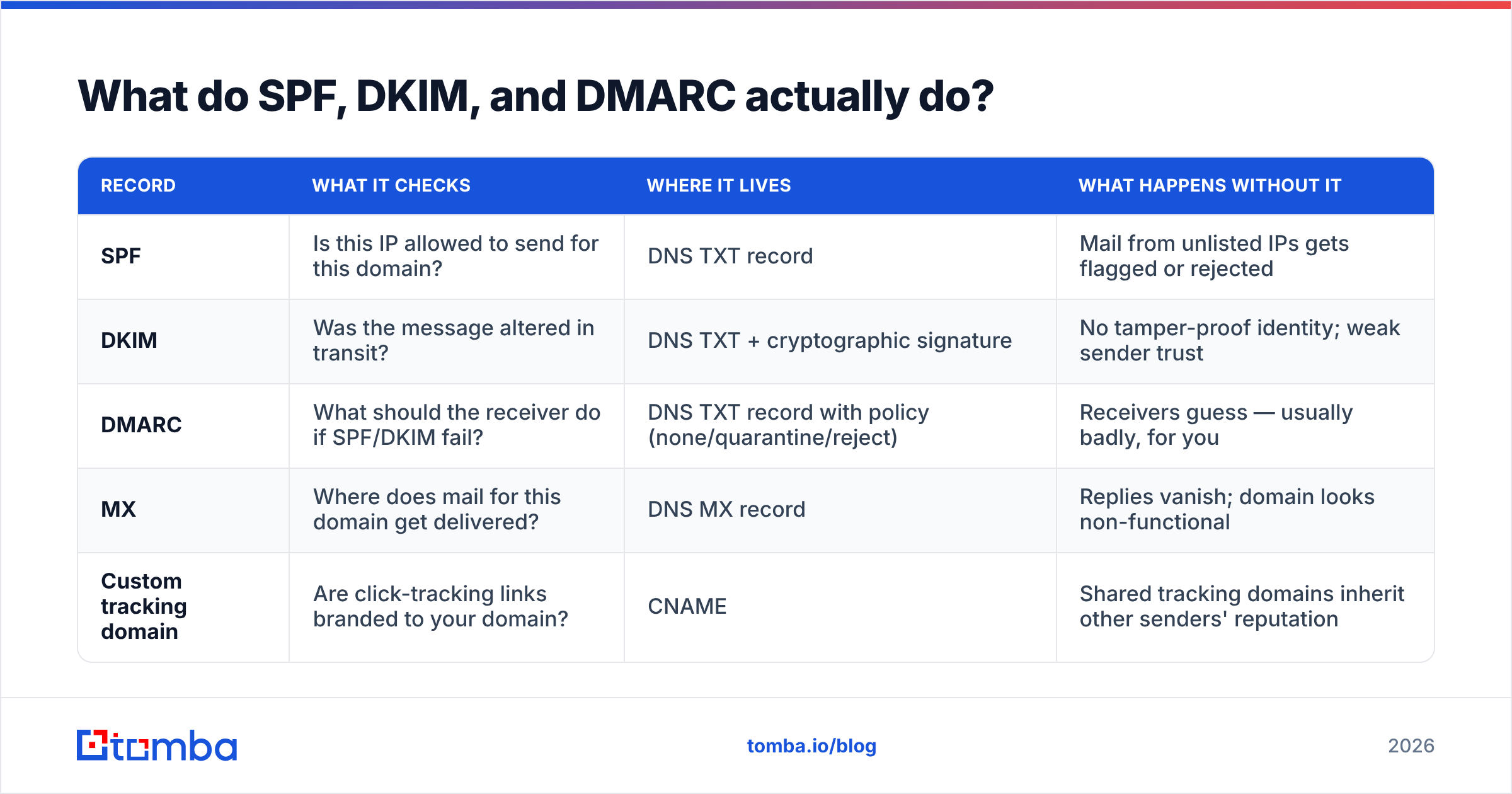
What do SPF, DKIM, and DMARC actually do?#
They are three separate answers to "is this sender who they claim to be?"
| Record | What it checks | Where it lives | What happens without it |
|---|---|---|---|
| SPF | Is this IP allowed to send for this domain? | DNS TXT record | Mail from unlisted IPs gets flagged or rejected |
| DKIM | Was the message altered in transit? | DNS TXT + cryptographic signature | No tamper-proof identity; weak sender trust |
| DMARC | What should the receiver do if SPF/DKIM fail? | DNS TXT record with policy (none/quarantine/reject) | Receivers guess — usually badly, for you |
| MX | Where does mail for this domain get delivered? | DNS MX record | Replies vanish; domain looks non-functional |
| Custom tracking domain | Are click-tracking links branded to your domain? | CNAME | Shared tracking domains inherit other senders' reputation |
Since February 2024, Google and Yahoo have required SPF, DKIM, DMARC, one-click unsubscribe, and a spam complaint rate under 0.3% for bulk senders. Microsoft rolled out equivalent requirements for high-volume Outlook senders in 2025. These are published, enforced thresholds — not best-practice suggestions. Google's official sender requirements documentation is the authoritative reference.
You can check your own setup in about two minutes with an SPF checker and confirm your domain hasn't landed on a public blocklist using a blacklist checker.
How is cold email different from spam, technically and legally?#
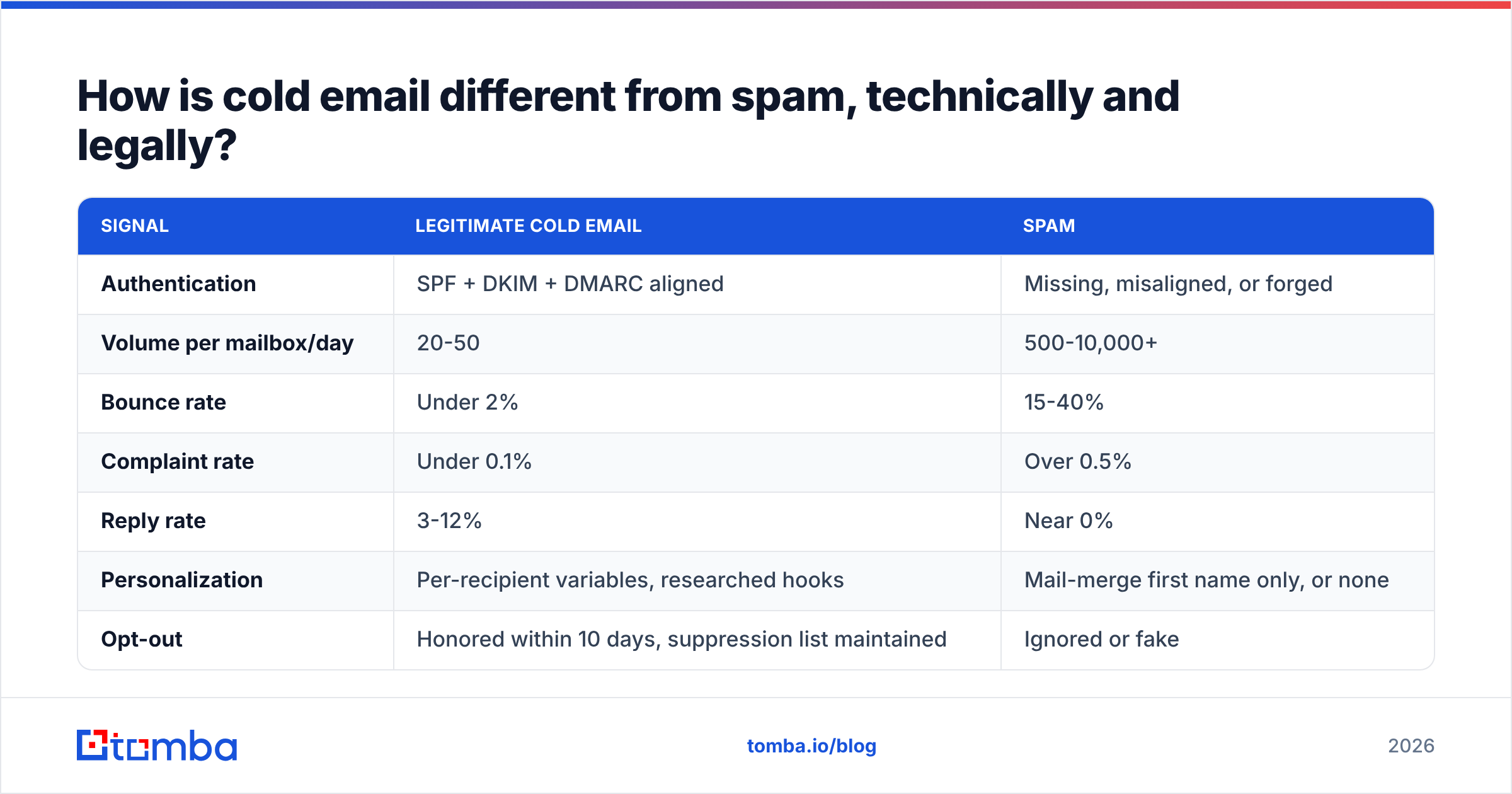
The receiving server does not care about your intent. It cares about measurable signals. Here is how the two profiles actually diverge:
| Signal | Legitimate cold email | Spam |
|---|---|---|
| Authentication | SPF + DKIM + DMARC aligned | Missing, misaligned, or forged |
| Volume per mailbox/day | 20-50 | 500-10,000+ |
| Bounce rate | Under 2% | 15-40% |
| Complaint rate | Under 0.1% | Over 0.5% |
| Reply rate | 3-12% | Near 0% |
| Personalization | Per-recipient variables, researched hooks | Mail-merge first name only, or none |
| Opt-out | Honored within 10 days, suppression list maintained | Ignored or fake |
| Sender identity | Real person, real company, real address | Rotating aliases, no physical address |
The legal picture varies by geography. In the United States, CAN-SPAM allows unsolicited commercial email to business addresses provided you do not use deceptive headers or subject lines, you identify the message as an advertisement where relevant, you include a valid physical postal address, and you process opt-outs within ten business days. The FTC's own CAN-SPAM compliance guide is short and worth reading directly.
In the EU, GDPR requires a lawful basis. For B2B, legitimate interest is generally workable if the message is relevant to the recipient's professional role, you can document the reasoning, and you honor objections immediately. B2C cold email in the EU effectively requires prior consent. Canada's CASL is stricter still — express or implied consent is required in most cases.
What does the data-sourcing layer look like in practice?#
You need three things per contact: a company that fits your ICP, a person in the right role, and a deliverable address for that person.
There are four common routes, and most teams end up combining two:
- Database platforms — you filter a pre-built contact database by industry, headcount, title, and tech stack, then export. Fast, but records are shared with every other customer and decay silently between refreshes. A B2B database with dated records beats one without.
- Domain search — you have a target account list and need the humans. Domain search returns known addresses at a company plus the detected email pattern (
first.last@,finitial+last@, etc.), which lets you construct and verify addresses for people not yet in any database. - Enrichment on trigger — you capture a signal (funding round, job change, hiring post, site visit) and resolve the contact just in time. Freshest data, lowest waste, more engineering effort. Data enrichment via API fits here.
- Manual research — LinkedIn, conference attendee lists, podcast guests, GitHub contributors. Slowest per contact, highest relevance, best for enterprise deals where 40 accounts is the entire quarter.
For teams comparing providers on data specifically, both G2's lead intelligence category and vendor-published accuracy benchmarks are useful — but treat any single vendor's self-reported number with the skepticism it deserves and run a 100-contact sample test yourself before committing budget.

What does the pricing landscape look like for the tooling?#
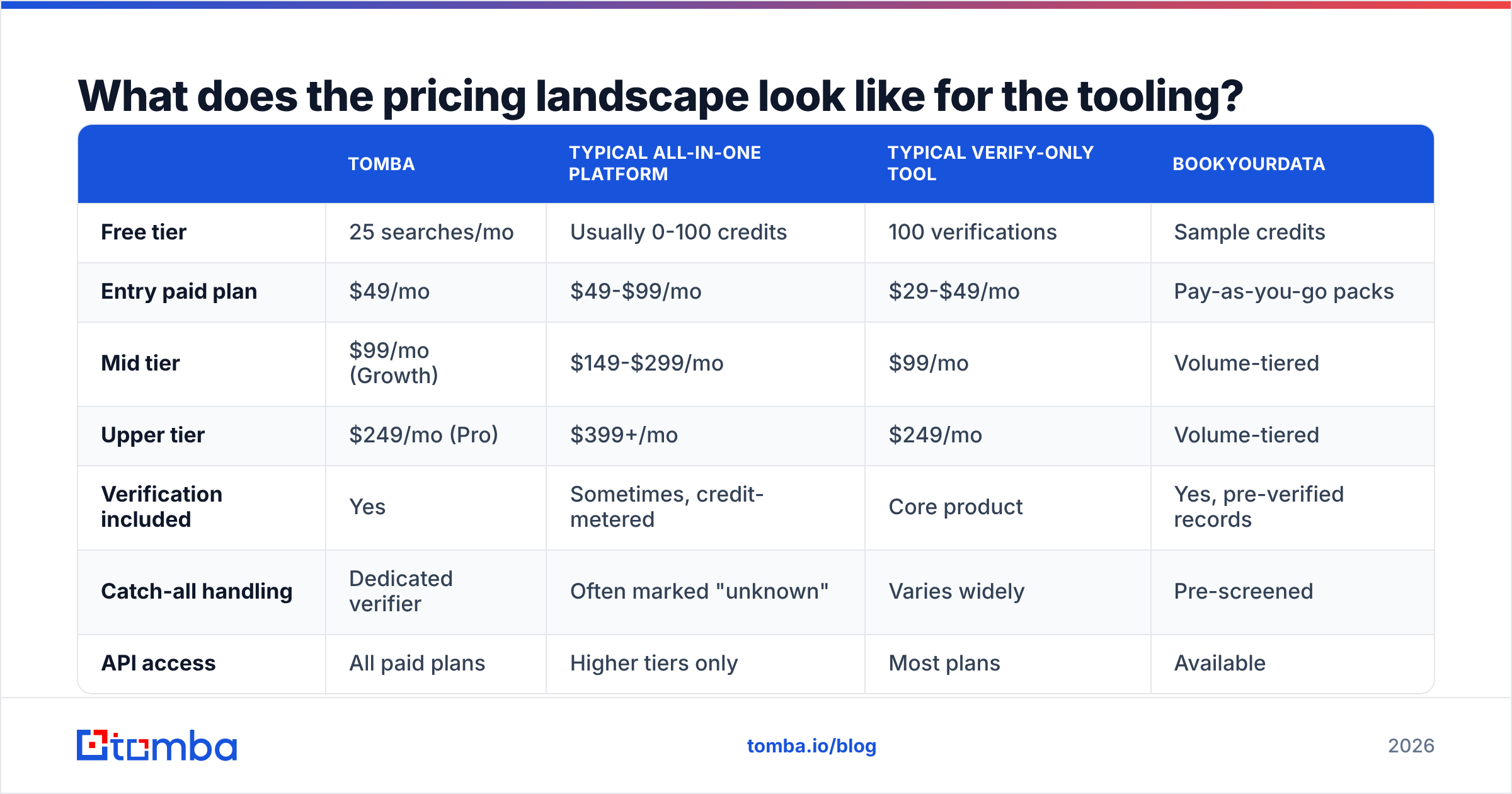
A functioning cold email stack has three cost centers: data, sending infrastructure, and mailboxes. Here is how the data layer prices out across common options:
| Tomba | Typical all-in-one platform | Typical verify-only tool | BookYourData | |
|---|---|---|---|---|
| Free tier | 25 searches/mo | Usually 0-100 credits | 100 verifications | Sample credits |
| Entry paid plan | $49/mo | $49-$99/mo | $29-$49/mo | Pay-as-you-go packs |
| Mid tier | $99/mo (Growth) | $149-$299/mo | $99/mo | Volume-tiered |
| Upper tier | $249/mo (Pro) | $399+/mo | $249/mo | Volume-tiered |
| Verification included | Yes | Sometimes, credit-metered | Core product | Yes, pre-verified records |
| Catch-all handling | Dedicated verifier | Often marked "unknown" | Varies widely | Pre-screened |
| API access | All paid plans | Higher tiers only | Most plans | Available |
| Best fit | Teams wanting find + verify in one stack | Teams wanting sequencing bundled in | Teams that already have data | Teams buying pre-built, verified lists |
Full Tomba pricing is public, and the free tier is enough to run a real accuracy test rather than a demo. BookYourData takes a different shape — you buy pre-verified records rather than running searches, which suits teams who want a finished list rather than an enrichment workflow. Neither model is universally better; it depends on whether your ICP is stable enough to buy in bulk or shifts often enough to need on-demand lookup.
Budget the sending side separately: mailbox costs (roughly $6-$7 per Google Workspace seat), sequencing software ($30-$100/mo), and warmup (often bundled). A realistic floor for a working two-domain, six-mailbox setup is around $150-$250/mo all in.
How do you structure the email itself so it gets a reply?#
Once delivery is solved, copy decides the outcome. Four structural rules do most of the work:
- Under 120 words. Longer emails get skimmed and archived. If your ask needs three paragraphs of setup, your ask is wrong.
- One specific, low-friction ask. "Worth a quick look?" outperforms "Do you have 30 minutes Tuesday?" because it asks for a yes, not a calendar slot.
- A first line that could not be copy-pasted to anyone else. Reference something they published, shipped, hired for, or announced. Generic flattery reads as automation.
- No images, no more than one link, no formatting. Plain text looks like a person. HTML templates look like marketing.
Follow-ups are where the volume of replies actually lives. Send three to four, spaced three to five business days apart, each adding new information rather than saying "just bumping this." Track your response rate per step so you can see which touch is doing the work.
Benchmarks for calibration: a well-targeted B2B cold sequence lands somewhere between 3% and 12% reply rate. Below 1% means your targeting or your deliverability is broken — and you diagnose which by checking bounce rate and inbox placement before you rewrite a single sentence.
What breaks most often, and how do you diagnose it?#
Work the funnel backwards. Each symptom has a distinct cause:
- High bounce rate (>3%) — data problem. Verify before sending, and re-verify any list older than 90 days.
- Low open rate with low bounce rate — placement problem. You are landing in spam. Check authentication, warmup age, and per-mailbox volume.
- Good opens, near-zero replies — targeting or offer problem. You are reaching the wrong people, or the right people with an irrelevant ask.
- Replies that are all "wrong person" — persona problem. Your title filters are too broad.
- Sudden drop across all metrics at once — infrastructure problem. Check blocklists, DMARC reports, and whether someone raised daily volume.
Do not change two variables at once. If you rewrite the copy and switch data providers in the same week, you learn nothing from the result.
Getting started#
The mechanics of cold email are not mysterious — they are just five systems that each fail independently. Set up authentication properly, warm your mailboxes, verify every address before it enters a sequence, keep per-mailbox volume boring, and write like a human with one specific question.
The stage most teams under-invest in is the one that quietly determines everything downstream: contact data. If you want to test that layer without committing budget, start with the Tomba Email Finder — the free tier gives you 25 searches a month, enough to pull a real sample from your actual ICP, verify it, and see your true bounce rate before you scale. Paid plans start at $49/mo, and every tier includes API access if you want enrichment running on triggers rather than in batches.
Fix the data. The rest of the funnel gets easier.
Related guides#
Ready to find emails that actually work?
Join 150,000+ professionals who stopped guessing and started sending. Free credits on signup — no credit card required.
Get the Tomba newsletter
Practical outbound tactics and product updates — once every two weeks.
About the author