How Does Apollo Work? A Practical Breakdown for 2026
Apollo bundles a 200M+ contact database, email finding, and sequencing into one platform. Here's how each layer actually works, what credits really cost, and where you still need a dedicated verifier.
TL;DR — how does Apollo work?
- Apollo works in three layers: a shared B2B contact database, a search and enrichment engine that spends credits, and a sequencer that sends the emails you found.
- Most of its data comes from users. They install the extension, and Apollo reads and cleans the contact signals it sees. Web crawling, partner feeds, and user edits fill the rest.
- Credits are the real price. Seats look cheap. Export and mobile-number credits are where the budget goes.
- Email accuracy is fine for common patterns at mid-size firms. It gets shaky on catch-all domains, small firms, and new job titles. Verify before you send.
- Need clean emails and phone numbers, but not another sequencer? A focused finder plus a strict verifier costs less and bounces less.
What is Apollo and what does it actually do?#
Apollo (apollo.io) is a sales intelligence and outreach platform. Think of it as a phone book, a research assistant, and a mail room in one. You look up who to contact. You pull their details. You send the email. All in one login.
That bundle is the whole pitch. Most outbound stacks need three tools: a data provider, an enrichment tool, and a sequencer. Apollo folds them into one subscription. That is why it spread so fast through SDR teams and young startups. You can see the current packaging on Apollo's own pricing page. For a wide sample of user opinion, read the reviews on G2.
The trade-off is the one you would expect. Each layer is good. None is best in class. So the real question is which layer you lean on. That answer tells you whether Apollo is the right spend for your team.
How does Apollo work, step by step?#
Here is the flow, from empty screen to reply. The first three steps are the data product.
- You build a filter, not a list. Apollo's search runs a query against its database. You pick job title, seniority, headcount, industry, tech used, funding stage, and location. Apollo returns every match in its index. Nothing is charged yet.
- Apollo reveals contact data on demand. Names and companies are visible in the index. Emails and mobile numbers stay hidden until you spend a credit. That gate is on purpose. It stops anyone from copying the whole database in one afternoon.
- Enrichment fills the gaps. Sometimes Apollo has no stored email. It then guesses one from the company pattern (first.last@, f.last@, first@) and checks it against the mail server. Any email finder uses that same logic. The only difference is the data behind it and how strict the checks are.
The next three steps are the engagement product.
- You push the contacts somewhere. Export to CSV, sync to HubSpot or Salesforce, or drop them into an Apollo sequence. CRM sync is the step most teams set up wrong. It is where duplicate contacts start to breed.
- Sequences do the sending. You connect a mailbox and write a multi-step cadence with delays and rules. Apollo sends from your domain. It tracks opens, clicks, and replies, and it pauses the sequence when someone answers.
- Signals feed back into the loop. Bounces, replies, and engagement scores update the record. Apollo then suggests contacts that look like the ones who converted before.
So how does Apollo work as a purchase? Most teams buy it for one half and tolerate the other.

Where does Apollo get its data?#
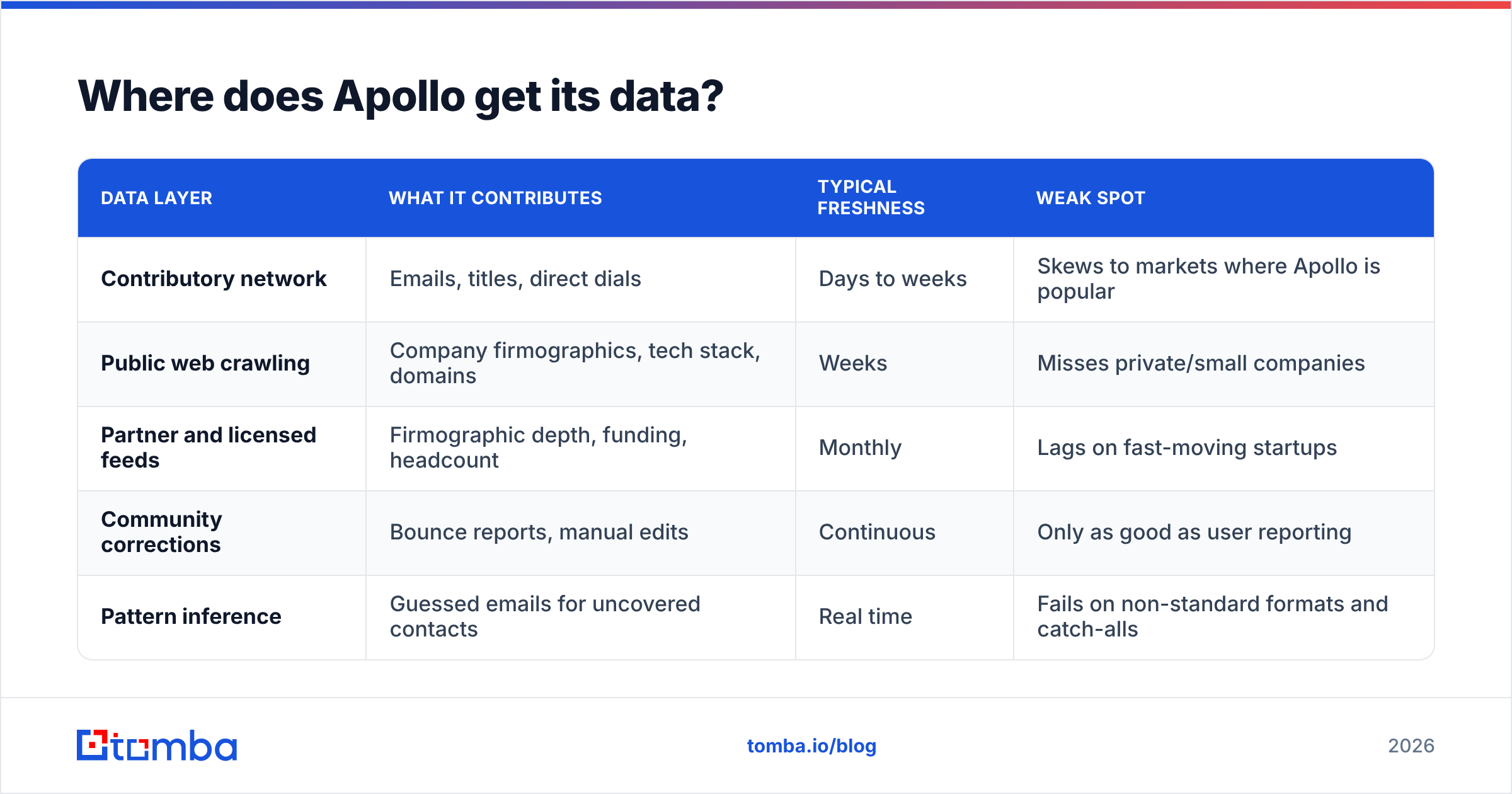
How does Apollo work at the data layer? It runs a contributory model. This is the part to understand before you sign anything.
A user installs the Apollo Chrome extension and connects a mailbox. Apollo then sees contact signals from that user's environment: signatures, profiles viewed, company records touched. Those signals get cleaned, matched against existing records, and folded into the shared database. Millions of users do this. The result is huge coverage at a very low cost.
Layered on top:
| Data layer | What it contributes | Typical freshness | Weak spot |
|---|---|---|---|
| Contributory network | Emails, titles, direct dials | Days to weeks | Skews to markets where Apollo is popular |
| Public web crawling | Company firmographics, tech stack, domains | Weeks | Misses private/small companies |
| Partner and licensed feeds | Firmographic depth, funding, headcount | Monthly | Lags on fast-moving startups |
| Community corrections | Bounce reports, manual edits | Continuous | Only as good as user reporting |
| Pattern inference | Guessed emails for uncovered contacts | Real time | Fails on non-standard formats and catch-alls |
Here is the practical result. Coverage is strong for North American tech and SaaS roles at firms with 50–5,000 staff. It is much thinner for European mid-market, non-English markets, agencies, and any firm under 20 people. If your ICP sits in that thin zone, you will feel it in week one.
Want to compare how another provider sources records? Tomba publishes its data sources in the open. Read them side by side. How a tool sources data predicts where its coverage breaks.
How accurate are Apollo's emails?#
Accurate enough to send. Not accurate enough to send blind. That is the honest summary.
How does Apollo work on accuracy? Two things drive it, on Apollo and everywhere else.
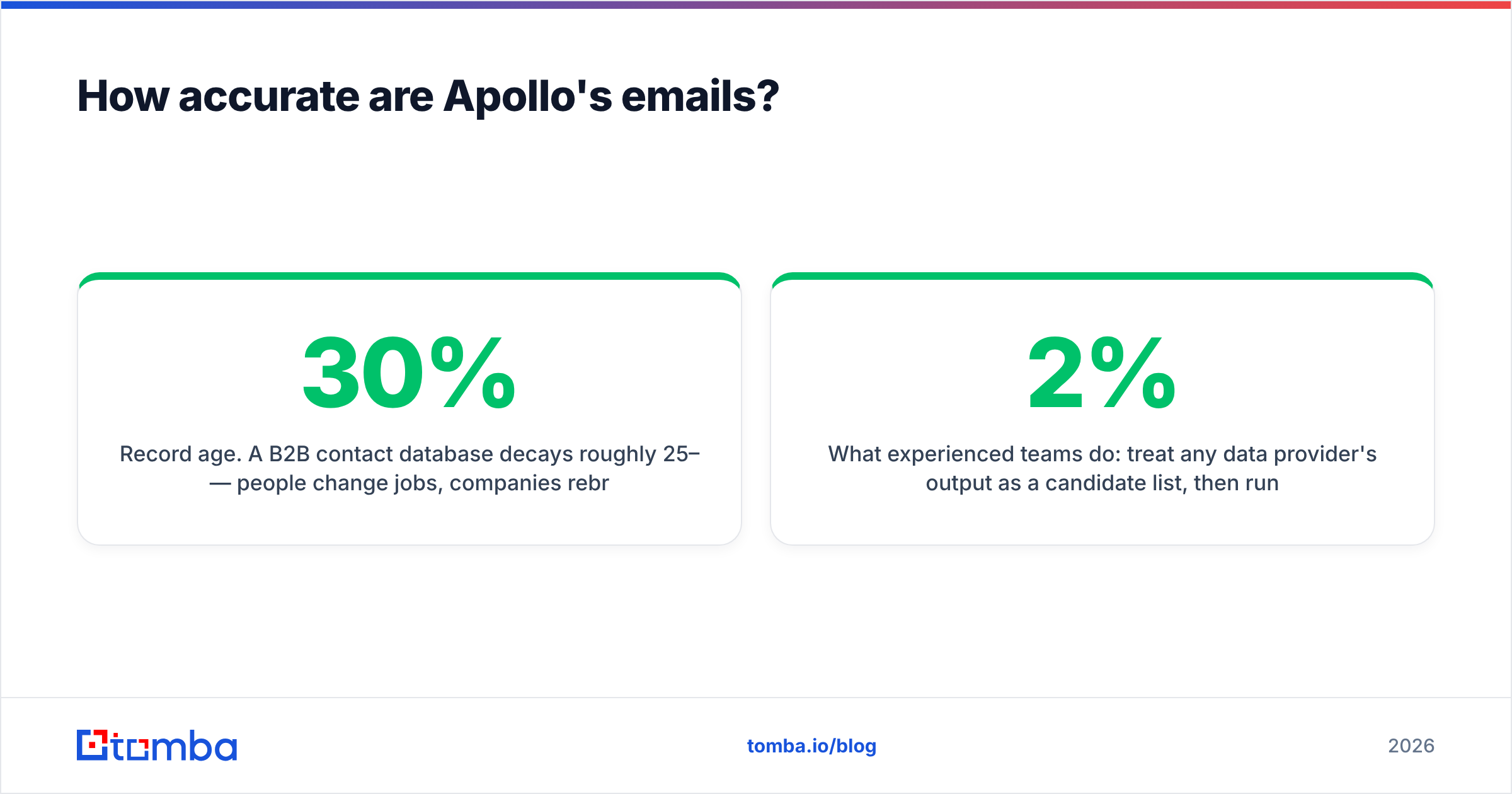
Record age. A B2B contact database decays about 25–30% per year. People change jobs. Companies rebrand. Mail servers move. A record captured 14 months ago and never touched since is a coin flip. Apollo marks confidence levels. But a "verified" flag shows the last time the address was checked, not today.
Catch-all domains. Many business domains accept mail for every address, then drop the invalid ones in silence. No tool can confirm a single mailbox on those domains with a standard SMTP handshake. Apollo returns the guessed address and lets you decide. That is not dishonest. It is how the protocol works. But it does mean some of your "found" emails are guesses with a badge on them.
Here is what strong teams do. Treat any provider's output as a candidate list. Then run it through a strict email verifier before it touches your sending domain. A real catch-all verifier flags risky addresses instead of passing them through. That is the gap between a 2% bounce rate and a 9% one. At 9% you are no longer judging tools. You are rebuilding a burned domain.

How does Apollo's credit system work?#
Most Apollo confusion lives here. So do the surprise bills. How does Apollo work when the invoice lands? Start with the split between seats and credits.
A seat is a person who can log in. Credits are units you spend to reveal or export data. The two scale on their own. Both are billed per user. So a five-person team pays five seat fees, plus any credit overage the team burns.
Credit types usually split like this:
- Email credits — spent when you reveal or export a business email. Usually the biggest pool.
- Mobile and phone credits — a separate, much smaller pool. Direct dials are the pricey item in B2B data everywhere, not just at Apollo.
- Export credits — some plans count how many records leave the platform, apart from reveals.
- Enrichment and API credits — spent when you push records through the API or a CRM sync job. One nightly job can quietly eat a month's budget.
Here is the classic blowup. A team buys the entry tier at a comfortable per-seat rate. Then it bulk-enriches a 40,000-row CRM. Credits vanish faster than any human could click. The annual contract gets renegotiated upward in month two.
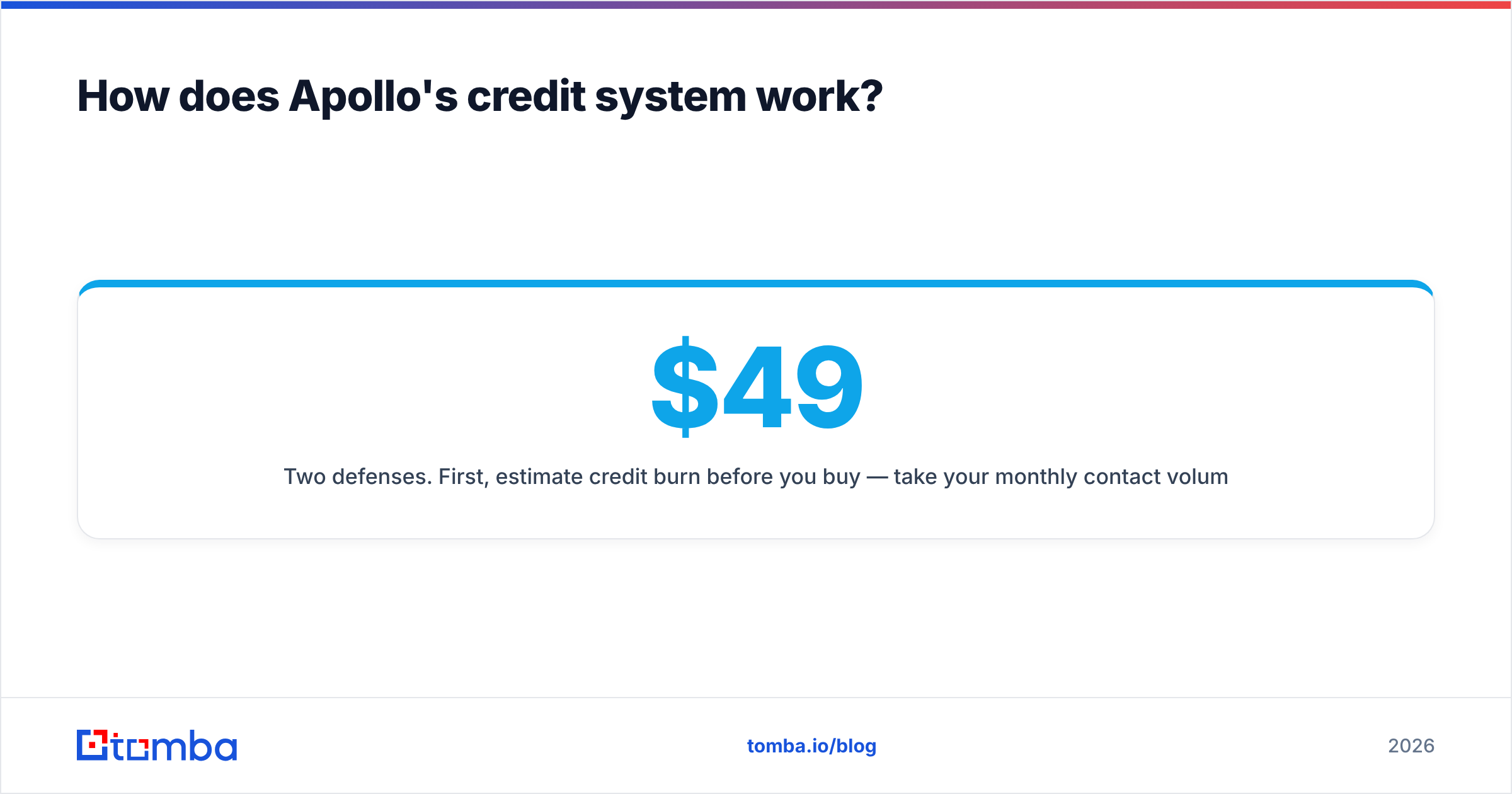
You have two defenses. First, estimate credit burn before you buy. Take your monthly contact volume, multiply by 1.3 for retries and re-enrichment, then check that number against the tier allowance. Second, ask whether you need per-seat billing at all. If three people share one prospecting workflow, a credit-pooled tool bills you once instead of three times. Tomba's pricing works that way: Free at 25 searches a month, Starter $49/mo, Growth $99/mo, Pro $249/mo, and Enterprise on request. Credits are shared across the workspace, not fenced per user.
How does Apollo compare to the alternatives?#
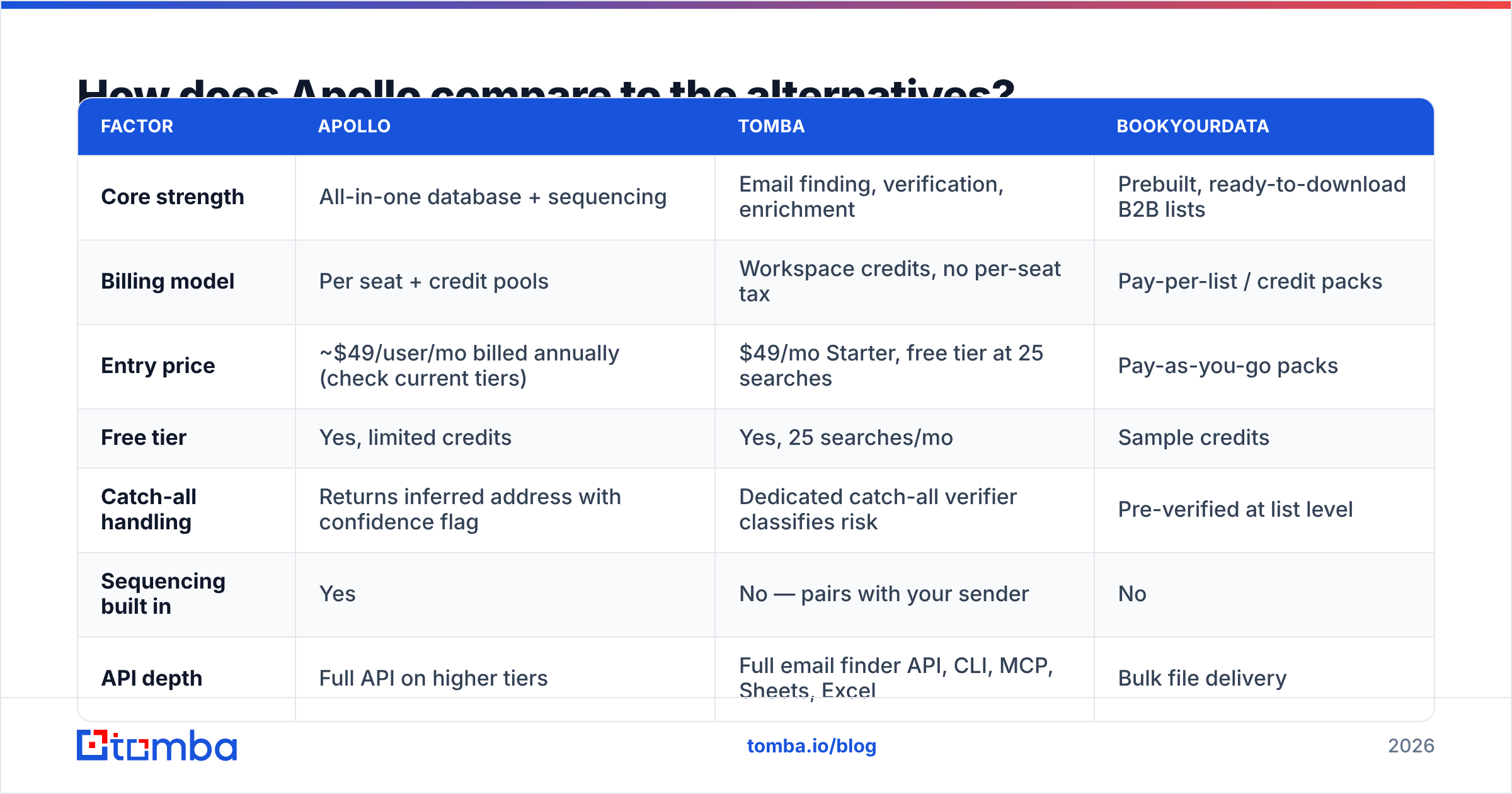
Different tools solve different slices. Here is the honest map:
| Factor | Apollo | Tomba | BookYourData |
|---|---|---|---|
| Core strength | All-in-one database + sequencing | Email finding, verification, enrichment | Prebuilt, ready-to-download B2B lists |
| Billing model | Per seat + credit pools | Workspace credits, no per-seat tax | Pay-per-list / credit packs |
| Entry price | ~$49/user/mo billed annually (check current tiers) | $49/mo Starter, free tier at 25 searches | Pay-as-you-go packs |
| Free tier | Yes, limited credits | Yes, 25 searches/mo | Sample credits |
| Catch-all handling | Returns inferred address with confidence flag | Dedicated catch-all verifier classifies risk | Pre-verified at list level |
| Sequencing built in | Yes | No — pairs with your sender | No |
| API depth | Full API on higher tiers | Full email finder API, CLI, MCP, Sheets, Excel | Bulk file delivery |
| Best for | SDR teams wanting one tool | Teams that need clean data feeding an existing stack | Teams who want a list handed to them today |
Read that table as three fair answers, not a ranking. BookYourData is strong if you want a curated, pre-verified list and no query building. It removes the research step. Apollo wins when you want research, data, and sending under one roof, and you accept per-seat pricing. Tomba wins when the sequencer, CRM, and workflow already exist, and only the data is broken.
Weighing a switch? The detailed Apollo alternative breakdown covers the migration specifics: API mapping, credit conversion, and what you give up when you drop the built-in sequencer.
Who should use Apollo, and who shouldn't?#
Apollo fits you if:
- You run a 2–20 person sales team selling into North American tech, and you want one bill instead of four.
- Your reps live in the tool all day, so per-seat pricing maps cleanly to value.
- You do not own a sequencer yet, and you would rather not shop for one.
- Your ICP is mid-market and well indexed on LinkedIn.
Look elsewhere if:
- You already run Outreach, Salesloft, Instantly, or Smartlead. You would pay twice for sending.
- Your ICP is European mid-market, non-English, under 20 staff, or in catch-all heavy fields like law and healthcare.
- You need data through an API for a product, not a UI for reps. Per-seat pricing punishes that.
- Deliverability is already fragile, so you need strict checks more than raw volume.
How does Apollo work best in practice?#
Staying on Apollo? Start here.
- Narrow filters before you reveal anything. Every reveal is money. A tight 300-contact list beats a sloppy 3,000-contact one on reply rate and on cost.
- Never send straight from search results. Export, verify with an outside verifier, then load. Two checks catch what one confidence flag misses.
- Set a hard monthly credit ceiling per rep. Seats have a natural brake. Credits do not.
Then protect the spend and the domain.
- Re-enrich each quarter, not all the time. Always-on enrichment jobs are the top silent credit drain.
- Put catch-all domains in their own campaign. Send those at low volume from a second domain. A bad batch then cannot hurt your main sender.
- Watch bounce rate weekly, not monthly. By the time a monthly report shows 8%, the damage to sender reputation is already done.
Point five deserves emphasis. Copy is rarely the cause of a deliverability failure. List quality is. And list quality is a data problem you fix upstream, not a subject-line problem you fix later.
The bottom line#
So, how does Apollo work in one sentence? It pools contact signals from its own users into a searchable database, gates the reveals behind credits, and lets you send from the same screen. It is a good product for teams that want the whole outbound stack in one place and can absorb per-seat billing.
It is not a substitute for verification. And it is not the cheapest path if all you need is accurate contact data flowing into tools you already own.
If that is your case — the sequencer is fine, the CRM is fine, the data is what breaks — start with the Tomba Email Finder. The free tier gives you 25 searches a month, so you can test against your own known-good contacts before you spend anything. Starter is $49/mo with workspace-wide credits and no per-seat tax. Run 100 of your contacts through both tools, compare the bounce rates, and let the numbers pick your stack.
Related guides#
Ready to find emails that actually work?
Join 150,000+ professionals who stopped guessing and started sending. Free credits on signup — no credit card required.
Get the Tomba newsletter
Practical outbound tactics and product updates — once every two weeks.
About the author