How Sender Score Is Calculated: The 2026 Breakdown
Sender Score is a 0-100 reputation grade Validity assigns your sending IP. Here is exactly which signals feed the model, what a good score looks like, and how to move yours in 30 days.
TL;DR
- Sender Score is a 0-100 percentile rank that Validity assigns to a sending IP address, not to your domain, your ESP, or your individual campaigns.
- It is calculated on a rolling 30-day window from a global panel of mailbox and filtering data: complaint rate, unknown-user (bounce) rate, spam-trap hits, volume consistency, blocklist appearances, message filtering, infrastructure hygiene, and rejection rate.
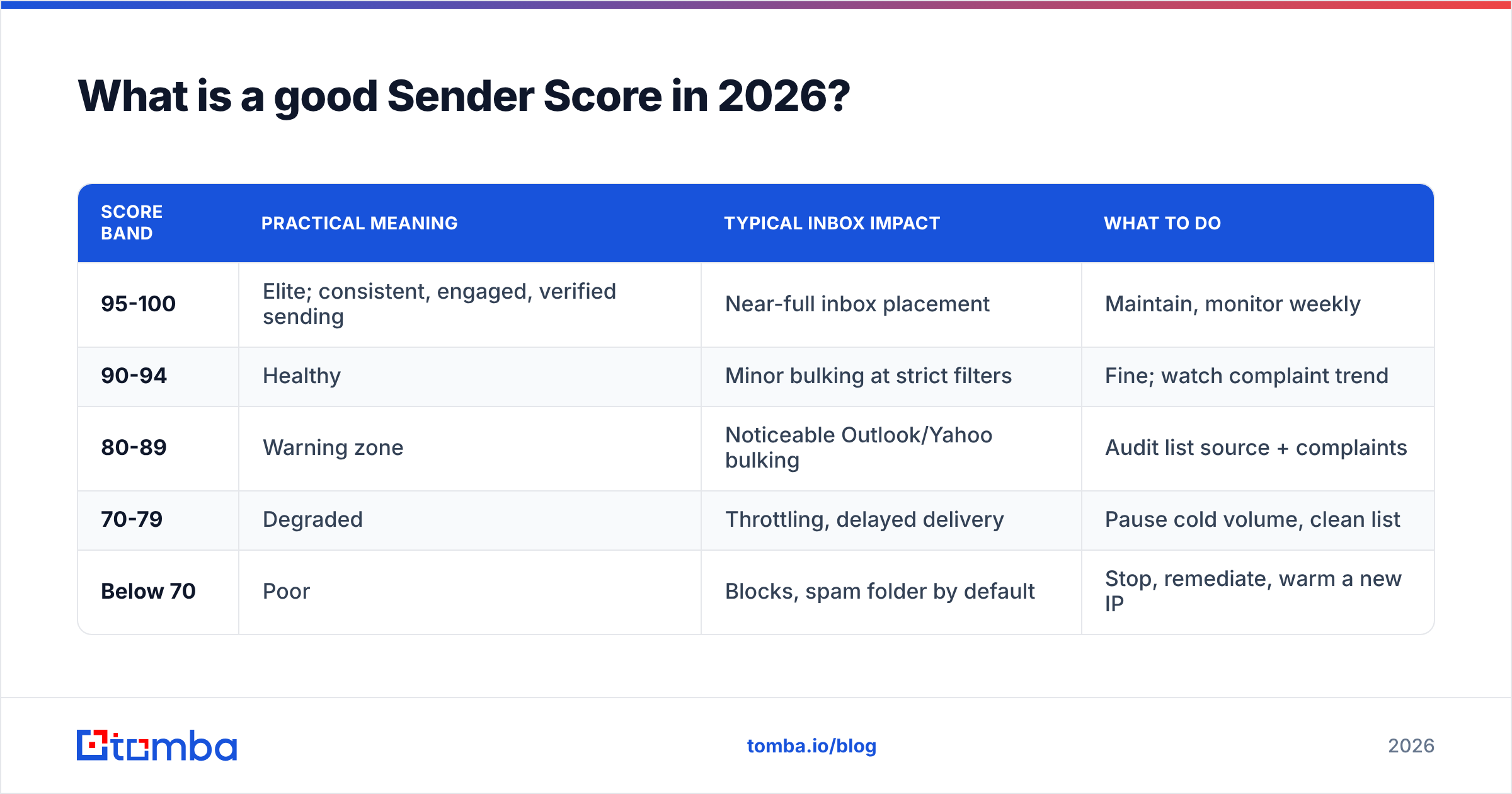
- A score of 90+ is healthy, 70-89 needs attention, and below 70 usually means you are already being throttled or bulked at Gmail, Outlook, and Yahoo.
- The single biggest lever most senders control is list quality — unknown users and spam traps are the two fastest ways to drop 30 points in a week.
- You cannot "fix" Sender Score directly. You fix the sending behavior it measures, then wait 2-4 weeks for the rolling window to catch up.
What is Sender Score, exactly?#
Sender Score is a free reputation metric published by Validity (the company that acquired Return Path, the original creator). It gives every IP address that sends meaningful volume a number from 0 to 100.
The number is a percentile rank, which is the part most people get wrong. A score of 75 does not mean "you got 75% of the points." It means your IP's reputation is better than roughly 75% of the IPs in Validity's sample and worse than the other 25%. So the bar moves as the rest of the sending world improves or degrades. In 2026, with Gmail and Yahoo's bulk-sender rules fully enforced, the median sender is cleaner than in 2022 — which means a score that would have been fine three years ago now lands you in the bottom third.
Think of it like a credit score. No single late payment defines you, the formula is not fully published, it lags real behavior by weeks, and lenders (mailbox providers) use their own internal scoring anyway — but they correlate strongly enough that yours is worth watching.
How is Sender Score calculated, signal by signal?#
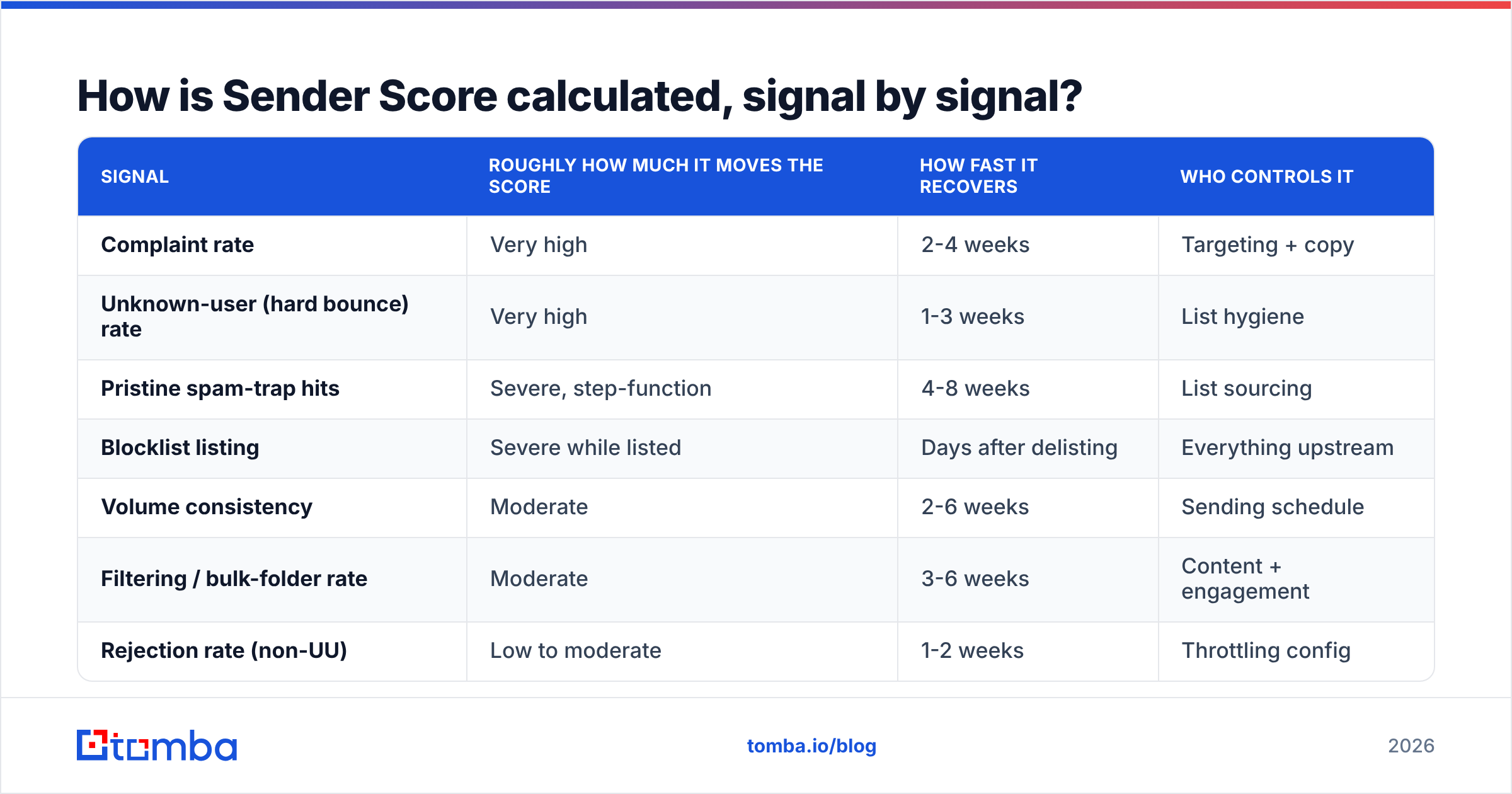
Validity does not publish exact weights. What is documented, and what a decade of practitioner testing confirms, is the signal set below and its rough order of impact.
- Complaint rate — the share of delivered messages marked as spam by recipients. Feedback loops at Microsoft, Yahoo, and other providers report this back. Above 0.3% you are in trouble; Google's own threshold is 0.3% with a 0.1% target.
- Unknown-user rate — hard bounces to addresses that do not exist. This is the loudest "this list was not verified" signal in the entire model, and it is fully preventable.
- Spam-trap hits — mail delivered to pristine traps (addresses never used by a human) or recycled traps (abandoned mailboxes reactivated by providers). Pristine hits are the most damaging single event.
- Volume and consistency — erratic sending (0 for three weeks, then 400,000 in a day) reads as a compromised account or a rented IP. Steady, predictable ramp scores better than the same total sent in bursts.
- Blocklist appearances — presence on Spamhaus, SURBL, SpamCop, Barracuda, and similar lists. A Spamhaus SBL listing tanks a score almost immediately.
- Message filtering rate — how often mail from that IP lands in spam folders across the panel rather than the inbox.
- Rejection rate — 5xx SMTP rejections beyond unknown-user, including throttling and policy blocks.
- Infrastructure hygiene — valid reverse DNS, aligned SPF/DKIM/DMARC, no open relay, consistent HELO. These are gating checks more than scored ones: fail them and nothing else you do matters much.
| Signal | Roughly how much it moves the score | How fast it recovers | Who controls it |
|---|---|---|---|
| Complaint rate | Very high | 2-4 weeks | Targeting + copy |
| Unknown-user (hard bounce) rate | Very high | 1-3 weeks | List hygiene |
| Pristine spam-trap hits | Severe, step-function | 4-8 weeks | List sourcing |
| Blocklist listing | Severe while listed | Days after delisting | Everything upstream |
| Volume consistency | Moderate | 2-6 weeks | Sending schedule |
| Filtering / bulk-folder rate | Moderate | 3-6 weeks | Content + engagement |
| Rejection rate (non-UU) | Low to moderate | 1-2 weeks | Throttling config |
| rDNS / SPF / DKIM / DMARC | Pass-fail gate | Immediate on fix | DNS + ESP setup |
Where does the underlying data come from?#
Validity aggregates from three sources: a cooperative data panel of mailbox providers and filtering appliances covering a large share of global inbox volume, feedback-loop complaint streams, and its own trap network. That panel is why your Sender Score can differ from what your ESP's dashboard shows — the ESP sees only its own delivery events, while Sender Score sees a cross-provider sample.
Two consequences worth internalizing:
- Low-volume senders may not get a score at all. If your IP sends fewer than a few thousand messages in the 30-day window, there is not enough panel data. Cold-email teams on shared or rotated IPs often see this.
- Shared IPs give you a neighbor's score. If you send through a shared pool at your ESP, the score reflects every tenant on that IP. You can do everything right and still read 68 because someone else imported a scraped list.
What is a good Sender Score in 2026?#
| Score band | Practical meaning | Typical inbox impact | What to do |
|---|---|---|---|
| 95-100 | Elite; consistent, engaged, verified sending | Near-full inbox placement | Maintain, monitor weekly |
| 90-94 | Healthy | Minor bulking at strict filters | Fine; watch complaint trend |
| 80-89 | Warning zone | Noticeable Outlook/Yahoo bulking | Audit list source + complaints |
| 70-79 | Degraded | Throttling, delayed delivery | Pause cold volume, clean list |
| Below 70 | Poor | Blocks, spam folder by default | Stop, remediate, warm a new IP |
The bands are not a promise. Mailbox providers weigh their own domain-level reputation more heavily than any third-party IP score, and Google Postmaster Tools is the closer proxy for Gmail specifically. Treat Sender Score as a cross-provider smoke alarm, not the fire itself. For the underlying concept, see this primer on email deliverability and how it interacts with sender reputation.
How do you check your Sender Score?#
- Find your sending IP. Send yourself a message, open the raw headers, and read the last
Received:hop that belongs to your infrastructure. On a shared ESP pool you may see several across a week — check each. - Look it up. Enter the IP at senderscore.org (free, requires an account) for the 0-100 number plus a 30-day trend chart.
- Cross-reference Google Postmaster Tools. Add your DMARC-authenticated domain and read domain reputation, IP reputation, spam rate, and authentication pass rates. This is Gmail's own view and it is more actionable than any third-party score.
- Check blocklists. Run the IP and the sending domain through a blacklist checker before assuming the score drop is behavioral.
- Validate your auth records. An SPF checker catches the >10 DNS lookup limit, which silently breaks alignment on plenty of otherwise well-run domains.
Do all five before you change anything. Roughly half the "my Sender Score crashed" cases turn out to be a Spamhaus listing or a broken SPF record after a vendor migration, not a gradual reputation slide.

Why does list quality dominate the calculation?#
Because two of the three heaviest signals — unknown-user rate and spam-trap hits — are pure list-quality outputs. Neither has anything to do with your subject line, your send time, or your template.
Here is the mechanic. Providers recycle abandoned mailboxes into traps after a dormancy period (typically 6-12 months at the major providers). They usually hard-bounce first for months, then start accepting mail silently as a trap. So an unverified list does damage twice: bounces first, then trap hits from the same addresses after the bounce phase ends. If you scraped or bought a list 18 months ago and never cleaned it, you are almost certainly hitting recycled traps right now.
The fix is unglamorous and it works:
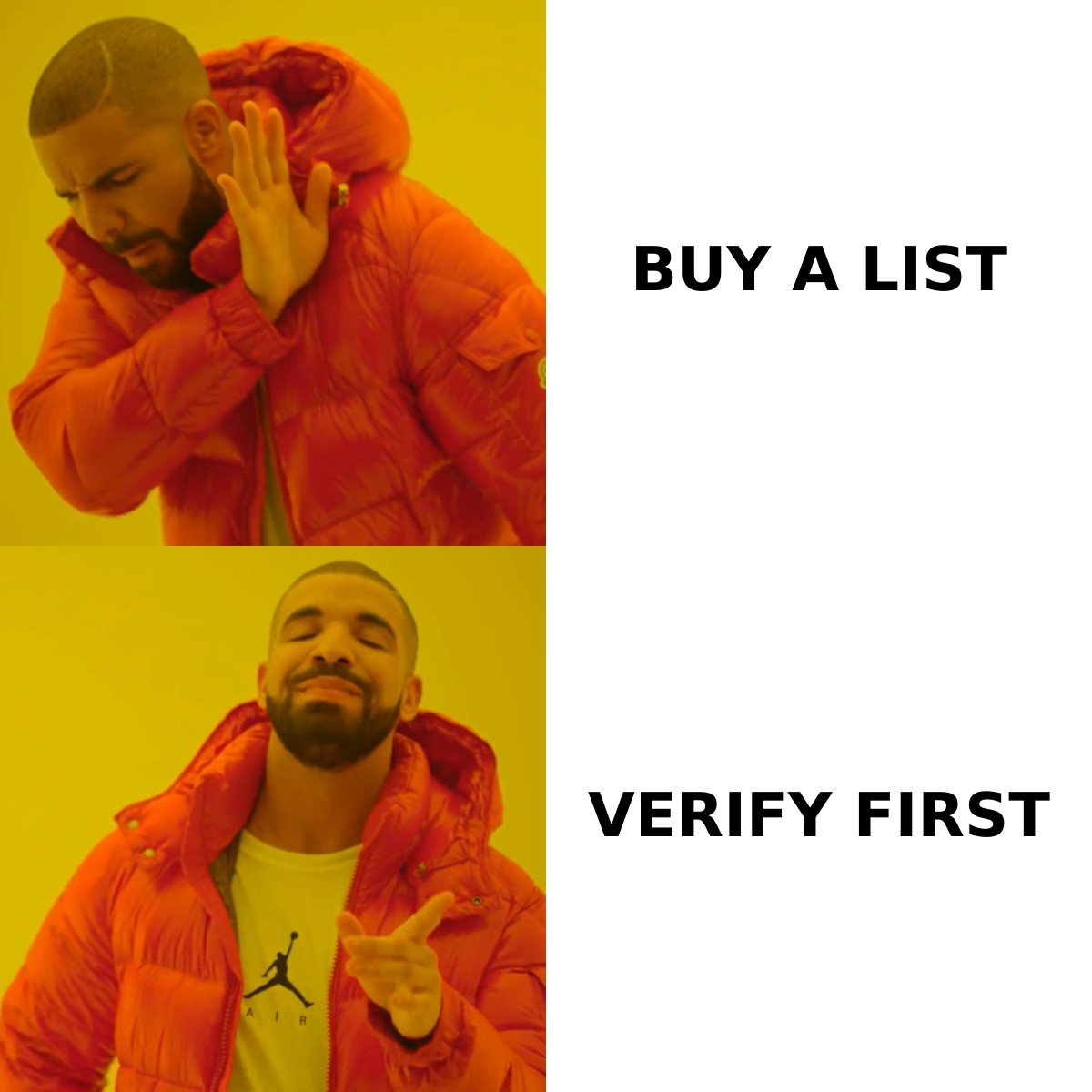
- Verify before the first send. Run every new list through an email verifier so syntax errors, role accounts, disposables, and dead mailboxes never reach your MTA.
- Handle catch-all domains deliberately. A catch-all accepts everything, so standard SMTP verification returns "unknown." Use a catch-all verifier to score likelihood rather than guessing, and cap what share of a send is catch-all.
- Source, don't guess. Pattern-guessed addresses (
first.last@,f.last@,firstl@) generate unknown-user bounces at a punishing rate. Finding the verified address with an email finder or a domain search is cheaper than the reputation damage from a 12% bounce rate. - Re-verify quarterly. B2B data decays roughly 2-2.5% per month through job changes alone, per HubSpot's long-running database-decay research. A list verified in January is measurably worse by April.
- Suppress aggressively. Anyone who has not opened in 6-9 months is a future complaint or trap. Remove them, don't "re-engage" them at scale.
How do you actually raise a low Sender Score?#
There is no button. You change the inputs and wait for the rolling 30-day window to reflect it. A realistic 30-day remediation sequence:
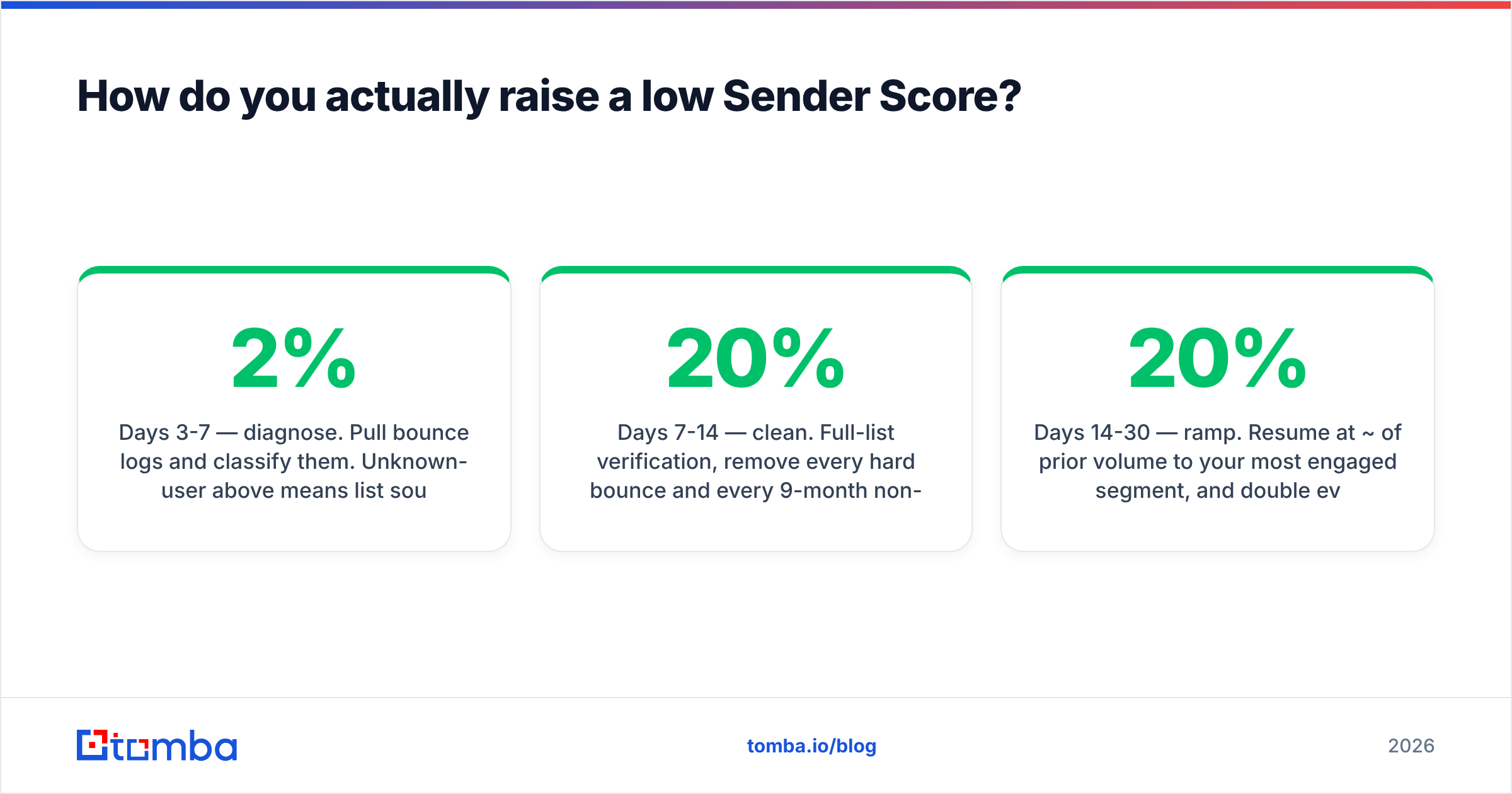
Days 1-3 — stop the bleeding. Pause all cold and low-engagement sending on the affected IP. Keep transactional and high-engagement mail flowing; going fully silent hurts the volume-consistency signal.
Days 3-7 — diagnose. Pull bounce logs and classify them. Unknown-user above 2% means list sourcing. Complaint rate above 0.2% means targeting or consent. Blocklist listing means remediate and request delisting immediately — that alone can restore 15-25 points.
Days 7-14 — clean. Full-list verification, remove every hard bounce and every 9-month non-opener, and deduplicate. A bulk verify run on a 100k list typically removes 8-20% on a first pass for lists that have never been cleaned.
Days 14-30 — ramp. Resume at ~20% of prior volume to your most engaged segment, and double every 2-3 days if complaint rate stays under 0.1% and bounces under 1%. This is the same warm-up discipline you would use on a new IP; an email warmup calculator gives you a concrete daily ladder.
Ongoing. Weekly score checks, monthly verification, quarterly full re-verification. Set an alert at any 10-point drop.
Expect the score to lag your fixes by 2-3 weeks. Teams panic in week two and change five more variables, which makes the next diagnosis impossible. Change one thing, hold, measure.
Sender Score vs the alternatives — which reputation metric should you trust?#
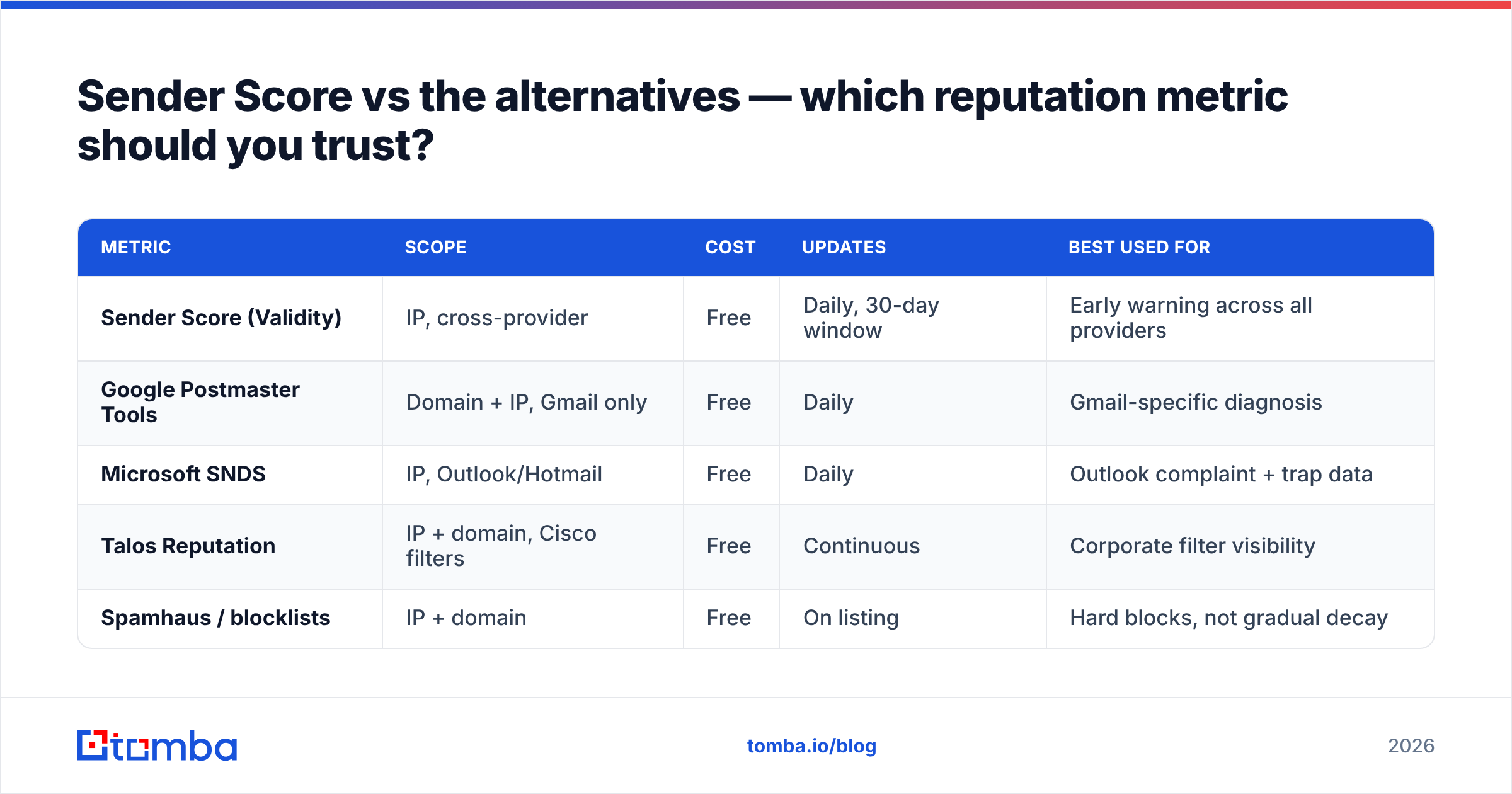
| Metric | Scope | Cost | Updates | Best used for |
|---|---|---|---|---|
| Sender Score (Validity) | IP, cross-provider | Free | Daily, 30-day window | Early warning across all providers |
| Google Postmaster Tools | Domain + IP, Gmail only | Free | Daily | Gmail-specific diagnosis |
| Microsoft SNDS | IP, Outlook/Hotmail | Free | Daily | Outlook complaint + trap data |
| Talos Reputation | IP + domain, Cisco filters | Free | Continuous | Corporate filter visibility |
| Spamhaus / blocklists | IP + domain | Free | On listing | Hard blocks, not gradual decay |
Use Sender Score as the cross-provider trend line and Postmaster Tools plus SNDS as the diagnostic detail. If they disagree, believe the provider-specific data — that is the system actually deciding where your mail lands. Peer reviews on G2 consistently show teams running two or three of these in parallel rather than relying on one.
What does Sender Score NOT measure?#
Worth naming, because misplaced effort here is common:
- Your domain reputation. Sender Score is IP-level. Since 2023, Gmail and Yahoo have leaned harder on domain reputation, which follows you across IP changes. Switching IPs does not launder a burned domain.
- Content quality. Subject lines, spam-word density, and image ratio affect filtering outcomes, which feed the score indirectly — but there is no content scoring in the model. Run a separate spam checker for that.
- Engagement depth. Opens, clicks, replies, and folder moves matter enormously to Gmail. They are not direct Sender Score inputs.
- Per-campaign performance. The score is a 30-day IP aggregate. One brilliant campaign will not lift it; one disastrous one will.
Common mistakes that quietly wreck the calculation#
- Rotating IPs to escape a bad score. New IPs have no reputation, which means throttling from day one, and the domain-level signal follows you anyway.
- Sending from a shared pool and expecting control. If deliverability is core to revenue, move to a dedicated IP once you can sustain 100k+ messages/month — below that, a shared pool's aggregate reputation is usually better than what you would build alone.
- Treating a purchased list as a verified list. Vendors vary enormously. Reputable providers like BookYourData verify at the point of purchase and are a legitimate sourcing path; a scraped CSV from a marketplace is not. Either way, re-verify at import — data ages between the vendor's check and your send.
- Ignoring the unsubscribe path. A hard-to-find unsubscribe converts would-be opt-outs into spam complaints, and complaints weigh far more than unsubscribes weigh nothing.
- Warming up too fast after remediation. Doubling daily volume from 500 to 50,000 in a week re-triggers every throttle you just escaped.
Start with the input you actually control#
Sender Score is a lagging indicator of decisions you made weeks ago. The highest-leverage of those decisions is where your addresses come from and whether they were verified before they touched your MTA — because unknown users and spam traps are the two signals with the steepest penalties and the cleanest prevention.
If your list is built from pattern guesses, scraped exports, or a CSV nobody has cleaned since last year, fix that first and the rest of the score follows. Tomba's Email Finder returns verified professional addresses with a confidence score and source attribution, so bounces and trap hits stay off your IP in the first place. The free tier covers 25 searches a month; paid plans start at $49/mo with bulk processing and API access — see Tomba pricing for the full breakdown. Clean inputs, boring score, mail in the inbox.
Related guides#
// get started
Find, verify and enrich your first contacts today
Start on the free plan with 25 searches a month, then scale when your team is ready.
Free plan · No credit card required · GDPR & CCPA
// about the author