How to Ask for an Appointment in an Email That Gets a Yes
Most appointment request emails fail on the ask, not the pitch. Here is the exact structure, timing, and wording that turns a cold contact into a booked calendar slot.
TL;DR
- The ask is the highest-leverage sentence in the email. Vague asks ("let me know if you'd like to chat") convert far worse than a specific one ("Tuesday 10:00 or Thursday 14:00?").
- Keep appointment request emails under 120 words. The reader decides in the first two lines whether the rest is worth reading.
- Give a reason the meeting exists that is about them, not about your demo. One observed trigger beats three paragraphs of positioning.
- Two time options beat an open calendar link for cold contacts; a link is fine once they've replied.
- None of this matters if the address bounces. Verify before you send — a bounced appointment request costs you the contact and your sender reputation.
Why do most appointment request emails get ignored?#
Because they ask the reader to do work.
An email that ends with "let me know your availability" pushes the scheduling burden onto a stranger who owes you nothing. They have to check their calendar, decide how much time you deserve, propose slots, and wait for you to confirm. That is four decisions. Most people default to the cheapest option: not replying.
The fix is to collapse those four decisions into one binary choice. "Does Tuesday at 10:00 work, or is Thursday at 14:00 easier?" is a yes/no/counter-offer question. It takes eight seconds to answer.
The second reason these emails die is that the meeting has no stated purpose beyond the sender's pipeline. "I'd love to show you our platform" is a request for the reader's time on behalf of your quota. "You're hiring three SDRs this quarter — I want to show you how two teams in your position cut ramp time" is a request tied to something happening in their world.
What is the anatomy of an appointment request email?#
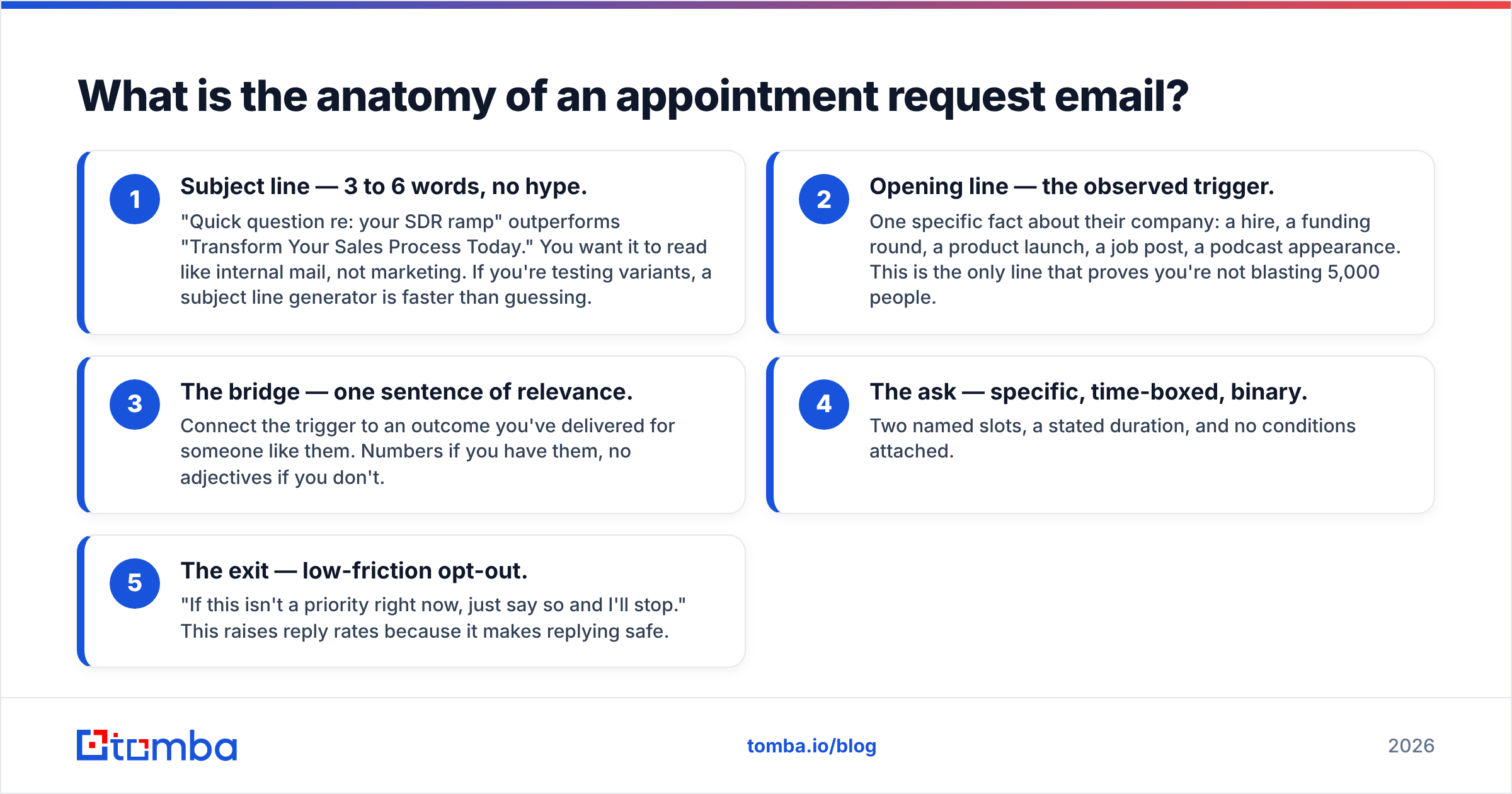
Every high-converting appointment email has five parts. Cut any of them and reply rates drop.
- Subject line — 3 to 6 words, no hype. "Quick question re: your SDR ramp" outperforms "Transform Your Sales Process Today." You want it to read like internal mail, not marketing. If you're testing variants, a subject line generator is faster than guessing.
- Opening line — the observed trigger. One specific fact about their company: a hire, a funding round, a product launch, a job post, a podcast appearance. This is the only line that proves you're not blasting 5,000 people.
- The bridge — one sentence of relevance. Connect the trigger to an outcome you've delivered for someone like them. Numbers if you have them, no adjectives if you don't.
- The ask — specific, time-boxed, binary. Two named slots, a stated duration, and no conditions attached.
- The exit — low-friction opt-out. "If this isn't a priority right now, just say so and I'll stop." This raises reply rates because it makes replying safe.
That's roughly 90 words. Anything longer and you're negotiating before they've agreed to talk.
How should you phrase the ask itself?#
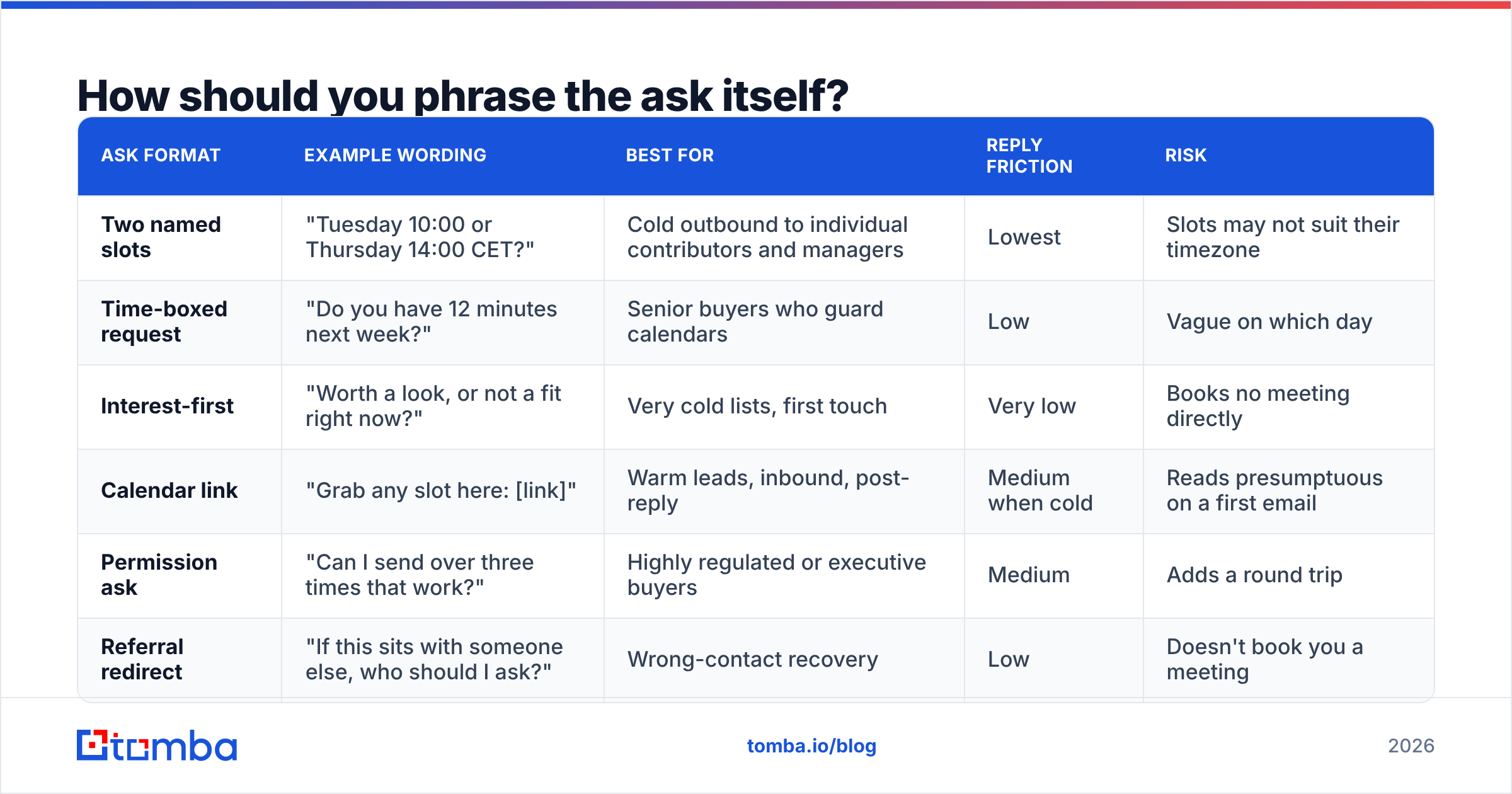
Here are the six ask formats that actually get used in the field, with the trade-offs of each.
| Ask format | Example wording | Best for | Reply friction | Risk |
|---|---|---|---|---|
| Two named slots | "Tuesday 10:00 or Thursday 14:00 CET?" | Cold outbound to individual contributors and managers | Lowest | Slots may not suit their timezone |
| Time-boxed request | "Do you have 12 minutes next week?" | Senior buyers who guard calendars | Low | Vague on which day |
| Interest-first | "Worth a look, or not a fit right now?" | Very cold lists, first touch | Very low | Books no meeting directly |
| Calendar link | "Grab any slot here: [link]" | Warm leads, inbound, post-reply | Medium when cold | Reads presumptuous on a first email |
| Permission ask | "Can I send over three times that work?" | Highly regulated or executive buyers | Medium | Adds a round trip |
| Referral redirect | "If this sits with someone else, who should I ask?" | Wrong-contact recovery | Low | Doesn't book you a meeting |
A note on the "12 minutes" phrasing: odd, specific durations work because they signal you've actually planned the call. "15 minutes" is the default everyone types; "12 minutes" reads like a real agenda exists. Don't overuse it — once per sequence.
Avoid these three phrases entirely:
- "Just following up" — signals you have nothing new to say.
- "Touch base" — no stated outcome, so no reason to accept.
- "At your earliest convenience" — polite filler that removes urgency without adding warmth.
What does a good appointment request email look like end to end?#
Three templates, each for a different temperature of contact.
Cold, first touch (89 words)
Subject: your Q1 SDR hires
Hi Marta,
Saw you're adding three SDRs in Berlin this quarter — that usually means ramp time becomes the bottleneck by month two.
We helped Fintory cut new-rep ramp from 11 weeks to 6 by fixing how their prospecting data was sourced, not their scripts.
Worth 12 minutes to see whether the same gap exists on your team? Tuesday 10:00 or Thursday 14:00 CET both work on my side.
If it's not a priority this quarter, tell me and I'll close the loop.
— Ben
Warm follow-up after content engagement (72 words)
Subject: the pipeline math from your comment
Hi Daniel,
You mentioned on Priya's post that your reply rates fell off a cliff after the Google bulk-sender changes. That matches what we're seeing across roughly 40 accounts.
I mapped what actually moved the needle for the ones that recovered. Happy to walk you through it — Wednesday 15:00 or Friday 09:30?
— Ben
Re-engagement after silence (61 words)
Subject: closing your file?
Hi Marta,
I've sent two notes about SDR ramp and haven't heard back, which usually means one of three things: wrong timing, wrong person, or wrong problem.
Which is it? One word is enough. If it's wrong person, point me at the right one and I'll leave you alone.
— Ben
The third one works because it costs the reader almost nothing and gives them a graceful exit. Expect a meaningful share of your total replies from this pattern alone.
When should you send an appointment request?#
Timing decisions rank behind wording, but they're cheap to get right.
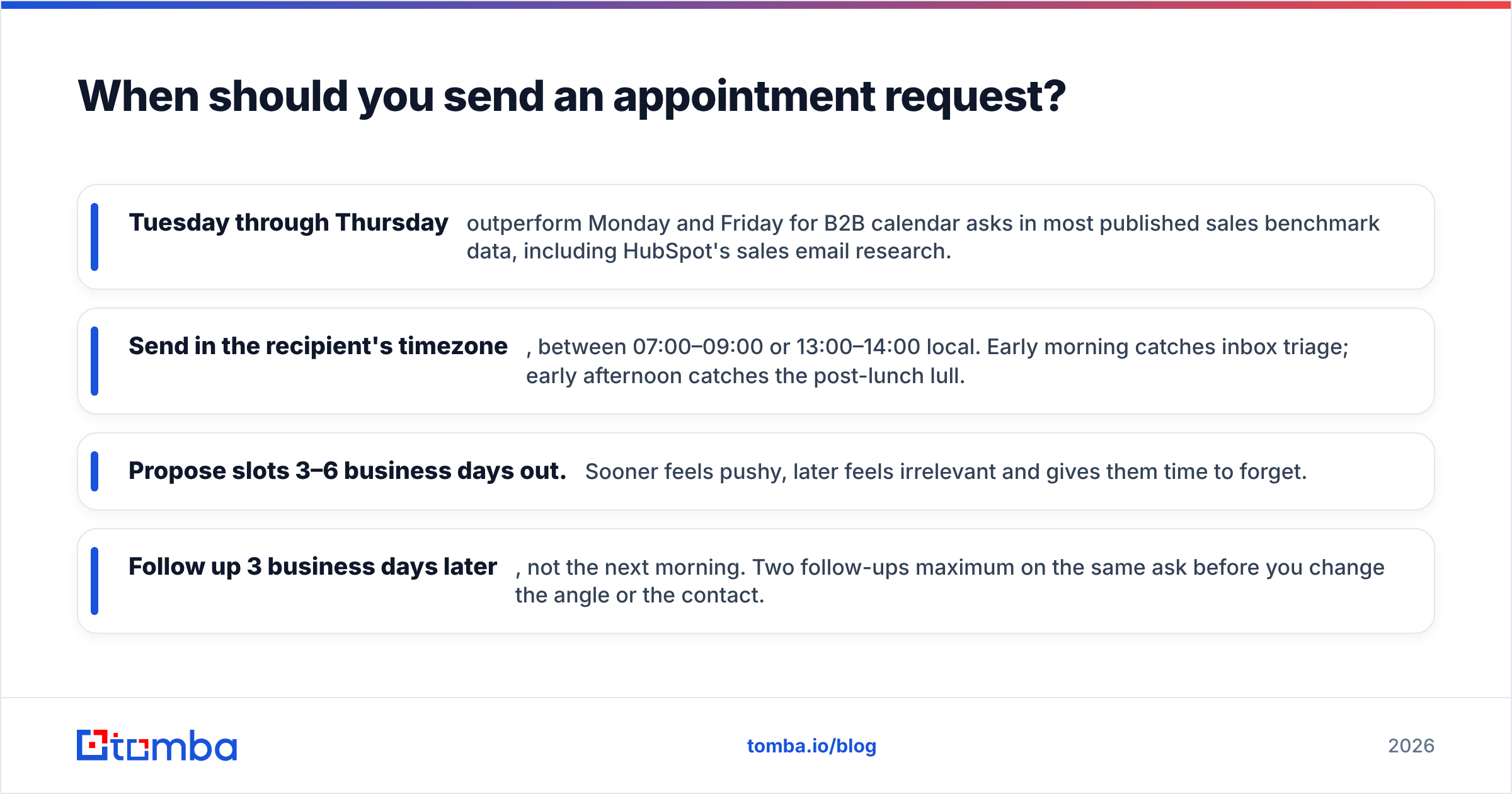
- Tuesday through Thursday outperform Monday and Friday for B2B calendar asks in most published sales benchmark data, including HubSpot's sales email research.
- Send in the recipient's timezone, between 07:00–09:00 or 13:00–14:00 local. Early morning catches inbox triage; early afternoon catches the post-lunch lull.
- Propose slots 3–6 business days out. Sooner feels pushy, later feels irrelevant and gives them time to forget.
- Follow up 3 business days later, not the next morning. Two follow-ups maximum on the same ask before you change the angle or the contact.
One more rule: never propose a slot you can't honor. Double-booking after someone accepts costs you more credibility than never having asked.
How do you make sure the email actually arrives?#
The best-written appointment request in the world converts at zero percent if it lands in spam or bounces.
Three checks before any send:
1. Verify the address. Bounce rates above 2–3% signal to mailbox providers that you're sending to a stale list, and your email deliverability degrades across every domain you contact. Run addresses through an email verifier before they enter a sequence, and use a catch-all verifier for domains that accept everything at the SMTP layer — those are the ones that silently eat your meeting requests.
2. Confirm authentication. SPF, DKIM, and DMARC must all pass. Google and Yahoo have enforced this for bulk senders since 2024; the requirements are documented in Google's sender guidelines. A quick SPF checker run takes under a minute.
3. Check the copy for spam triggers. Appointment emails are usually safe — they're short and link-light — but a calendar link plus a tracking pixel plus an image signature starts to look like marketing. Strip what you don't need.
Also worth noting: personal aliases and shared inboxes behave differently. An email to marta@company.com reaches a person; sales@company.com reaches a queue where meeting requests go to die. When you're sourcing contacts, prefer verified individual addresses over role accounts. A domain search will show you both, and the pattern data tells you which format the company actually uses.
What should you do after they say yes?#
Half the meetings booked by cold email never happen. No-shows are the silent killer of outbound pipelines.
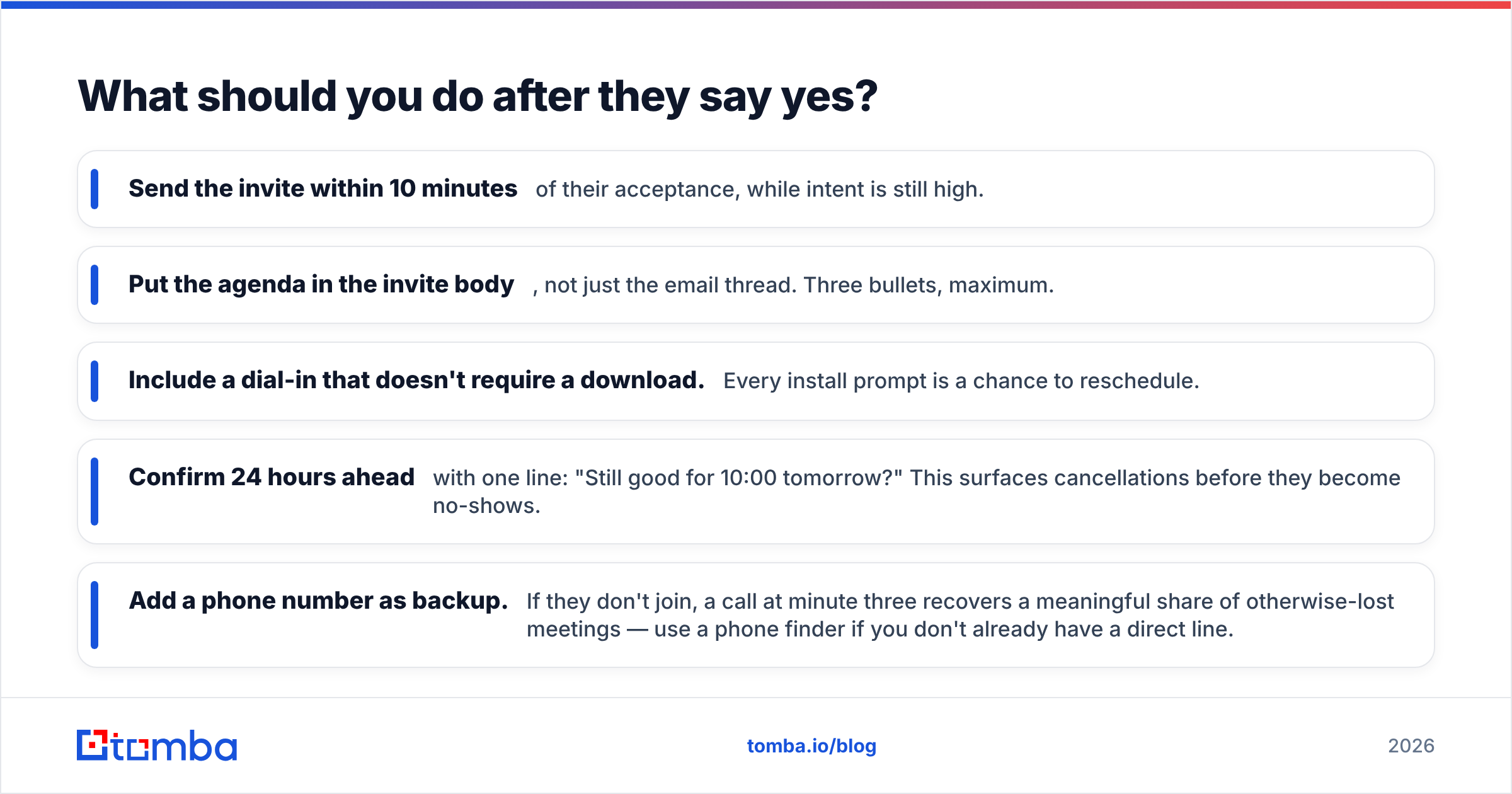
- Send the invite within 10 minutes of their acceptance, while intent is still high.
- Put the agenda in the invite body, not just the email thread. Three bullets, maximum.
- Include a dial-in that doesn't require a download. Every install prompt is a chance to reschedule.
- Confirm 24 hours ahead with one line: "Still good for 10:00 tomorrow?" This surfaces cancellations before they become no-shows.
- Add a phone number as backup. If they don't join, a call at minute three recovers a meaningful share of otherwise-lost meetings — use a phone finder if you don't already have a direct line.
Track your show rate separately from your booking rate. A team booking 20 meetings a month at a 55% show rate has the same output as a team booking 12 at 90% — but the second team is spending far less on outreach volume.
What separates a 2% reply rate from a 12% one?#
Three things, in order of impact.
Targeting. A perfect email to the wrong person loses to a mediocre email to the right one. Before you write anything, confirm the person owns the problem you're solving. Job title alone isn't enough — check what they've posted, hired for, or shipped in the last 90 days.
Specificity of the trigger. "I saw your company is growing" is not a trigger. "I saw you posted three SDR roles in Berlin on the 14th" is. The first is generated; the second required 40 seconds of research, and readers can tell the difference instantly.
The ask. Everything above collapses into that one sentence. Make it binary, time-boxed, and low-risk to decline.
Everything else — subject line tweaks, sign-off variations, emoji tests — moves your numbers by fractions of a point. These three move them by multiples. If you want to benchmark where you currently sit, start by measuring response rate per sequence step rather than per campaign; the drop-off usually tells you exactly which of the three is broken.
Ready to send appointment requests that reach a real inbox?#
Great copy needs a real, verified, individual address behind it. The Tomba Email Finder locates professional email addresses by name, company, or domain, and every result comes back with a confidence score and the sources it was found in — so you know before you send whether that meeting request has a chance of landing.
Start free with 25 searches per month, or scale up on the Starter plan at $49/mo. Full Tomba pricing is public, and there's an email finder API if you'd rather build verification into your sequencing tool directly. Write the ask well — then make sure it arrives.
Related guides#
Ready to find emails that actually work?
Join 150,000+ professionals who stopped guessing and started sending. Free credits on signup — no credit card required.
Get the Tomba newsletter
Practical outbound tactics and product updates — once every two weeks.
About the author