How to Confirm an Email Address Is Valid: 7 Methods
Guessing whether an email is real costs you bounces, domain reputation, and replies. Here are seven methods to confirm an email address is valid — from free syntax checks to SMTP and catch-all handling.
TL;DR
- There is no single check that proves an email address is valid. Validation is a stack: syntax → domain/MX → mailbox (SMTP) → risk scoring.
- Free syntax and MX checks catch maybe 30-40% of bad addresses. The expensive failures — dead mailboxes, spam traps, catch-all domains — need mailbox-level verification.
- Never use "send a test email and see what happens" as your verification method. Hard bounces are what you are trying to avoid, not a diagnostic tool.
- Catch-all domains (roughly 15-20% of B2B domains) accept everything at SMTP time. Only tools with dedicated catch-all logic give you a usable answer.
- For one-off checks, a free email checker is fine. For lists above a few hundred rows, use a bulk verifier with an API and keep bounce rate under 2%.
What does "valid email address" actually mean?#
Three different things, and people conflate them constantly.
- Syntactically valid — the string follows RFC 5322 formatting rules.
jane.doe@acme.compasses;jane doe@acmedoes not. This tells you nothing about whether anyone reads that inbox. - Deliverable — a mail server exists for the domain, accepts connections, and acknowledges that specific mailbox. This is what most people mean by "valid."
- Safe to email — deliverable and not a spam trap, not a disposable address, not a role account that will get you flagged, not an address that has been dormant for four years.
An address can pass step 1 and 2 and still torch your sender reputation at step 3. Recycled spam traps are old real mailboxes that mailbox providers reactivated specifically to catch senders using stale lists. They accept mail. They also report you.
So when you ask how to confirm an email address is valid, the honest answer is: pick the level of confidence your use case needs, and know what each layer does and does not tell you.

How do the validation layers stack up?#
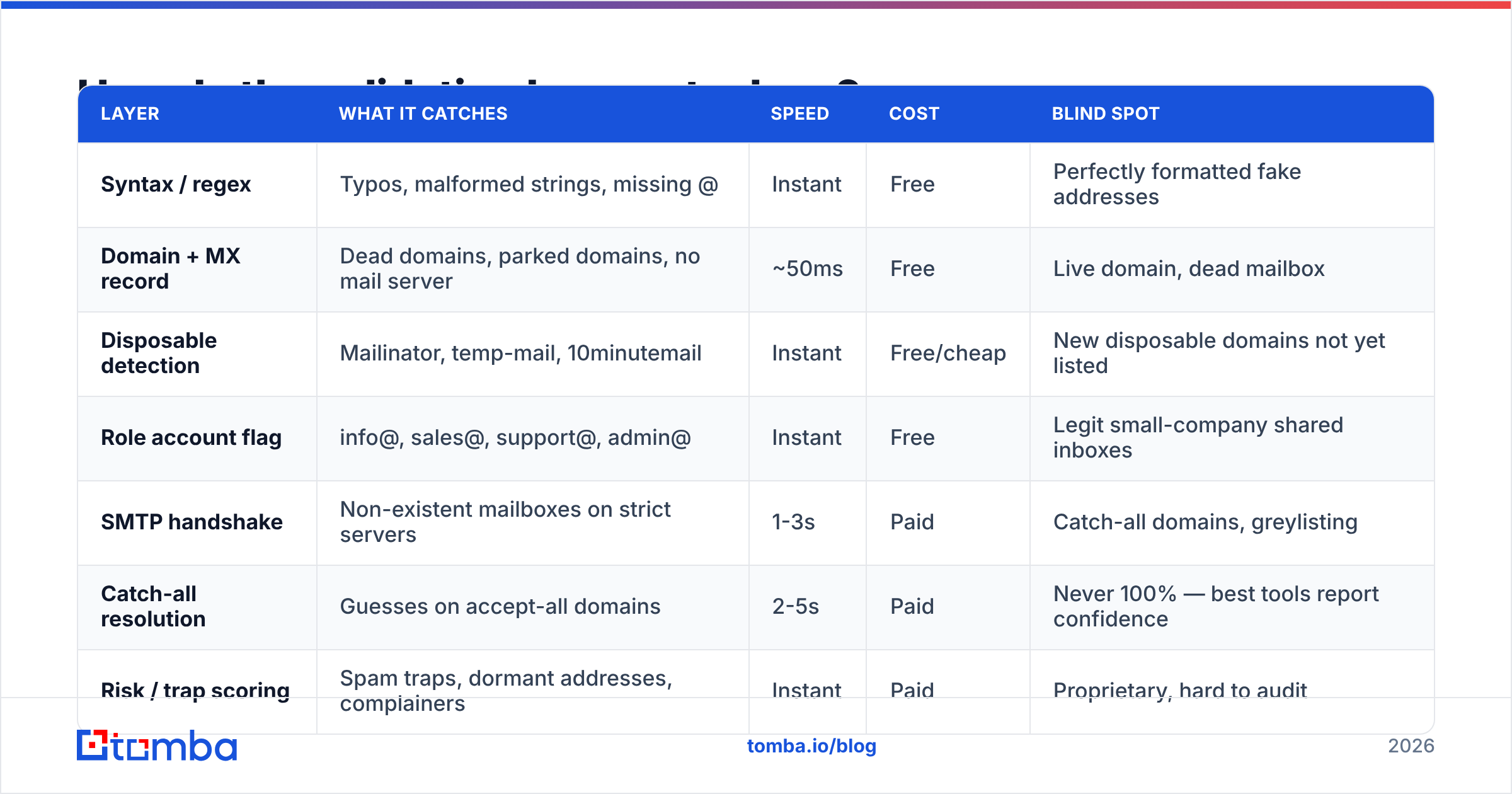
Here is what each layer catches, what it costs, and where it fails.
| Layer | What it catches | Speed | Cost | Blind spot |
|---|---|---|---|---|
| Syntax / regex | Typos, malformed strings, missing @ | Instant | Free | Perfectly formatted fake addresses |
| Domain + MX record | Dead domains, parked domains, no mail server | ~50ms | Free | Live domain, dead mailbox |
| Disposable detection | Mailinator, temp-mail, 10minutemail | Instant | Free/cheap | New disposable domains not yet listed |
| Role account flag | info@, sales@, support@, admin@ | Instant | Free | Legit small-company shared inboxes |
| SMTP handshake | Non-existent mailboxes on strict servers | 1-3s | Paid | Catch-all domains, greylisting |
| Catch-all resolution | Guesses on accept-all domains | 2-5s | Paid | Never 100% — best tools report confidence |
| Risk / trap scoring | Spam traps, dormant addresses, complainers | Instant | Paid | Proprietary, hard to audit |
The pattern to notice: everything free happens before the mailbox check, and everything that actually saves you from a bounce happens after it. Free tools are not useless — they cheaply remove the garbage so you pay to verify a smaller list — but they are not verification.
How do you check an email address manually (free)?#
You can do a surprising amount with no budget. Here is the sequence, in order of effort.
- Eyeball the syntax. Look for double dots, trailing periods,
.coninstead of.com, and spaces. Typo domains are the single most common cause of bounces on manually built lists. - Check the MX records. Run
dig MX acme.com +short(ornslookup -type=mx acme.comon Windows). If it returns nothing, no mail server accepts mail for that domain and every address there will bounce. If it returnsgoogle.comoroutlook.comhosts, you know which provider's rules you are dealing with. - Verify the domain resolves and has a website. A domain with MX records but no site is often a parked or abandoned asset. Cross-check the company on LinkedIn — if the last post was 2021, treat the whole domain as suspect.
- Check the email pattern against known employees. If every other contact at the company is
first.last@, an address formattedflast@is probably a guess someone made. A company email pattern lookup answers this in seconds. - Run it through a free checker. A free email checker does syntax, MX, disposable, and role detection in one pass. This is the right stopping point for a handful of addresses.
- Search the address in quotes on Google. If the exact string appears on a conference page, a GitHub commit, or a press release, that is real-world evidence the mailbox existed at some point.
What you should not do: send a "just checking this works" email. Hard bounces are recorded against your sending domain. Mailbox providers do not care that your intent was diagnostic. Two or three percent bounce rate is the ceiling most ESPs tolerate before throttling you; a manual test-send strategy blows past that fast on any list of size.
How does SMTP verification actually work?#
An SMTP check is a conversation your verifier opens with the recipient's mail server without ever delivering a message.
The verifier connects on port 25, says HELO, declares a sender with MAIL FROM, then asks RCPT TO: <jane.doe@acme.com>. The server responds with a code. 250 means the mailbox is accepted. 550 typically means no such user. The verifier then sends QUIT and drops the connection — no DATA command, so no email is ever sent.
That is the clean case. Three things break it in practice:
- Greylisting. The server returns a temporary
4xxdeferral to any unfamiliar sender, expecting a retry. A single-pass verifier reads this as "unknown." - Catch-all configuration. The server returns
250for every address, real or not.ceo@acme.comandasdkjhaskdjh@acme.comboth get accepted. - Provider-level blocking. Microsoft 365 and several large hosts throttle or refuse verification traffic entirely, so verifiers have to infer from other signals. This is why two reputable tools can disagree on the same Outlook-hosted address.
Because of this, mailbox-level verification is not a solved binary problem — it is a confidence estimate. Any vendor claiming 100% accuracy across all providers is describing marketing, not SMTP. Google's own bulk sender guidelines make the underlying point plainly: keep your spam complaint rate low and your lists clean, or delivery degrades regardless of what any verifier told you.
What do you do about catch-all domains?#
Catch-all is where most verification workflows quietly fail.
A catch-all (or accept-all) domain is configured to accept mail for every address at the domain and sort it out internally — often forwarding unknown recipients to a single admin inbox, sometimes silently discarding them. Roughly one in six B2B domains runs this way, and it skews toward larger enterprises.
Standard SMTP verification cannot distinguish a real mailbox from a fabricated one on these domains. Your options:
- Skip them. Safest, and you throw away a meaningful chunk of your best-fit accounts. Rarely the right call.
- Send anyway, at low volume. Accept the risk, segment catch-all addresses into their own campaign, and watch bounce and engagement separately so a bad batch does not contaminate your main sending domain's reputation.
- Use a dedicated catch-all resolver. Tools with a catch-all verifier combine pattern analysis, historical delivery data, and secondary signals to produce a confidence score instead of a shrug. It is probabilistic — but a 90%-confidence address is a very different bet than an unverified guess.
The practical rule: segment catch-all addresses, never blend them into your primary list, and cap them at a small fraction of any single send.

Which email verification tools should you compare?#
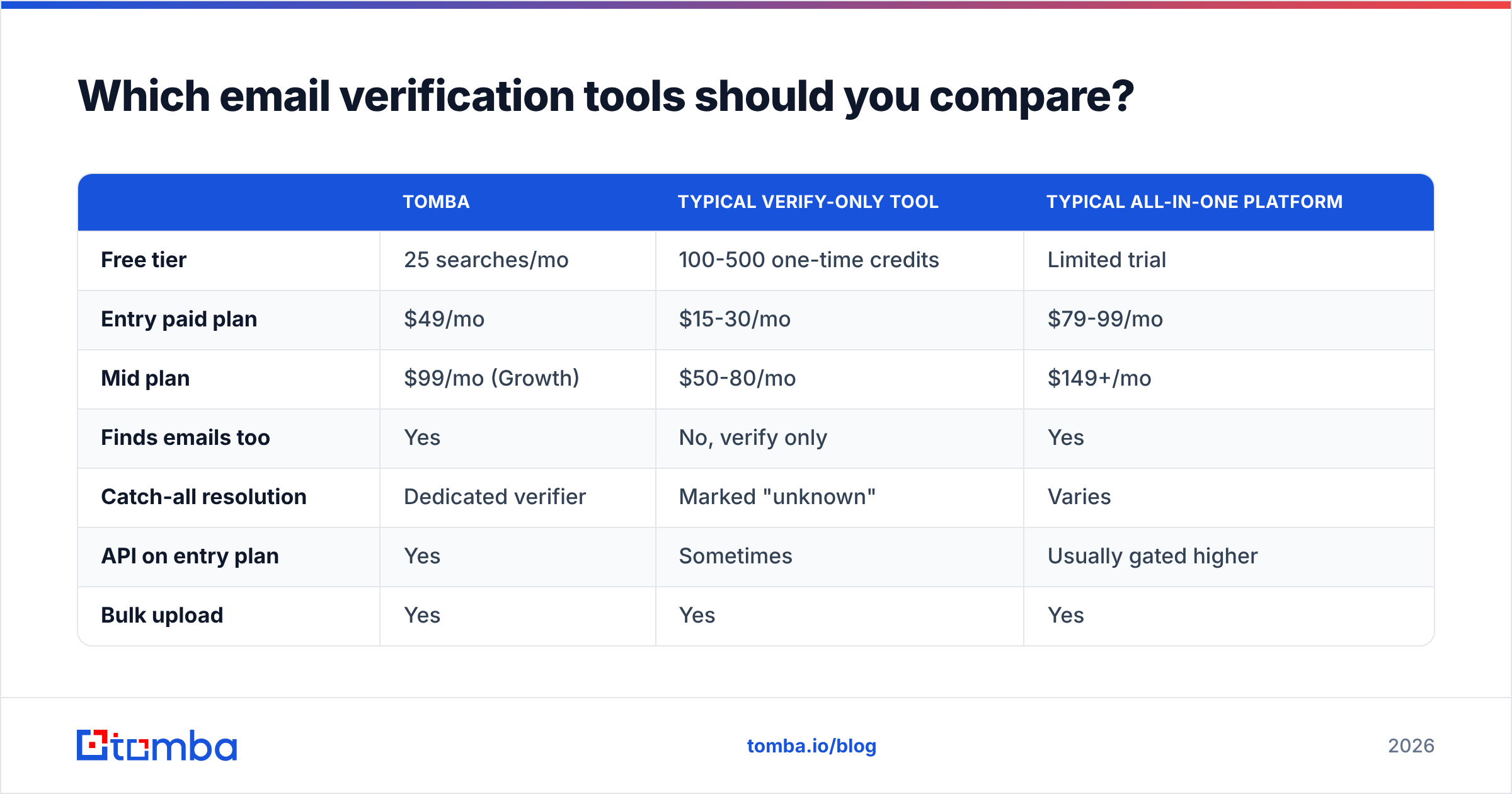
Feature sets look identical on landing pages. The differences that matter are catch-all handling, API access on entry-level plans, and what happens to your bounce rate in production.
| Tomba | Typical verify-only tool | Typical all-in-one platform | |
|---|---|---|---|
| Free tier | 25 searches/mo | 100-500 one-time credits | Limited trial |
| Entry paid plan | $49/mo | $15-30/mo | $79-99/mo |
| Mid plan | $99/mo (Growth) | $50-80/mo | $149+/mo |
| Finds emails too | Yes | No, verify only | Yes |
| Catch-all resolution | Dedicated verifier | Marked "unknown" | Varies |
| API on entry plan | Yes | Sometimes | Usually gated higher |
| Bulk upload | Yes | Yes | Yes |
| Spreadsheet add-ons | Sheets, Excel, Airtable | Rare | Common |
Full Tomba pricing sits between the cheap single-purpose verifiers and the enterprise suites, which is the honest position: you pay more than a verify-only tool because finding and verifying happen in one place, and you pay less than a platform whose real product is a sequencer.
If your only job is scrubbing an existing list you already own, a dedicated verifier is cheaper and completely reasonable. Providers like BookYourData take a different route — selling pre-verified contact data with accuracy guarantees, so verification happens before you ever receive the record. That is a legitimate model and a good fit if you would rather buy clean data than clean it yourself. Check independent reviews on G2 before committing to any annual contract.
Where the "find + verify in one tool" model pays off is net-new prospecting, where you are generating addresses and need them confirmed in the same step rather than exporting to a second vendor and re-importing.
How do you verify a large list without wrecking your sender reputation?#
Order of operations matters more than tool choice here.
- Deduplicate first. Duplicates inflate your credit spend and, worse, mean the same person gets your campaign twice. Run a remove duplicates pass before anything else.
- Strip obvious garbage locally. Malformed strings, disposable domains, and role accounts you have decided not to target. Free, instant, and it shrinks the list you pay to verify.
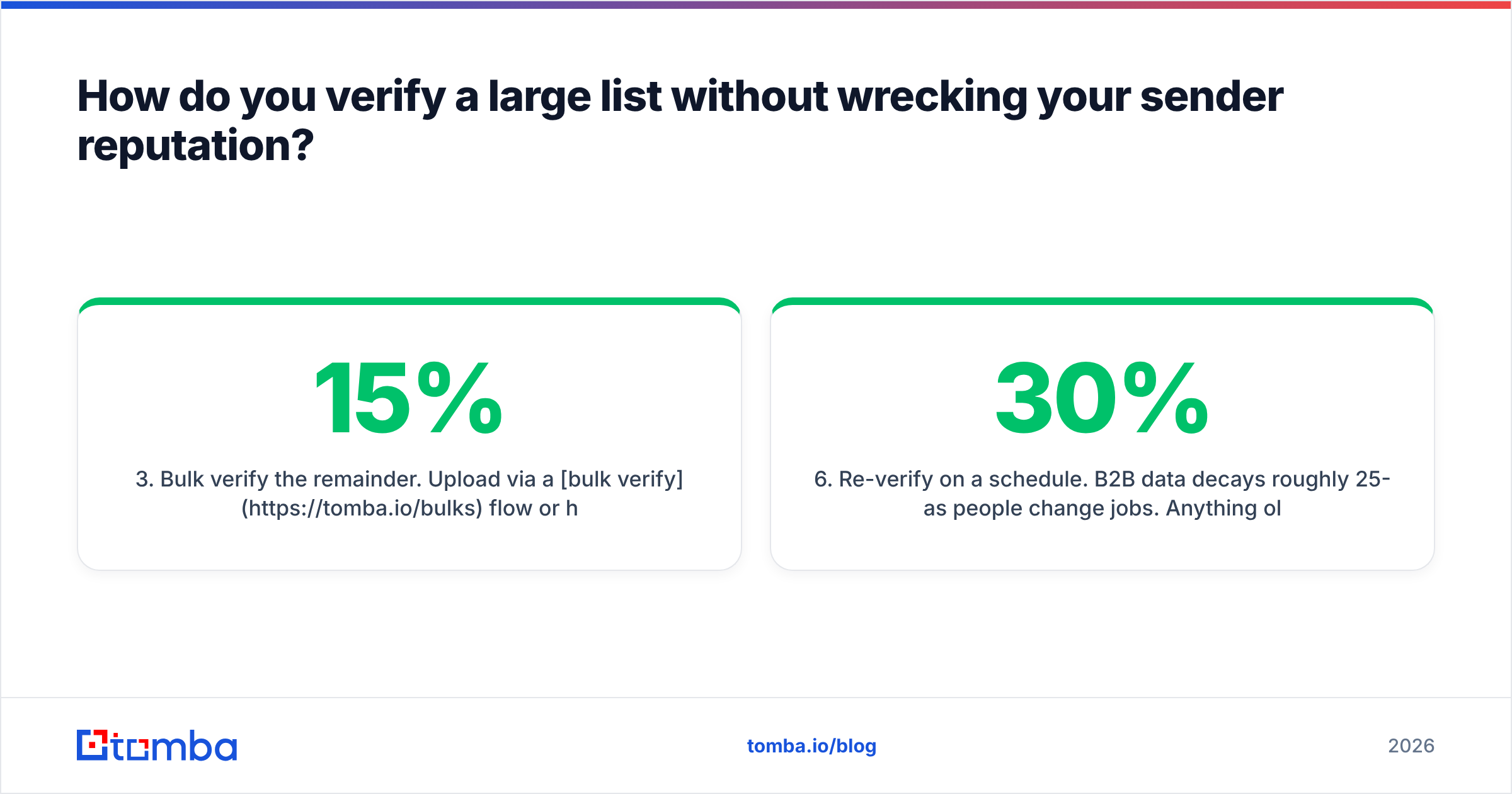
- Bulk verify the remainder. Upload via a bulk verify flow or hit the email verification API if you want it inside your own pipeline. Expect 5-15% of a six-month-old list to come back invalid; 25%+ means the list source is bad.
- Segment by result. Valid goes to your main send. Catch-all goes to a separate, smaller send. Invalid and risky get suppressed permanently — not "maybe later," permanently.
- Warm up before volume. A clean list on a cold domain still lands in spam. Run the numbers with an email warmup calculator and ramp gradually.
- Re-verify on a schedule. B2B data decays roughly 25-30% per year as people change jobs. Anything older than 90 days should be re-checked before a send.
That last point is the one teams skip. Verification is not a one-time cleanup — it is maintenance. A list you verified in January is measurably worse in June, and its email deliverability impact compounds because mailbox providers weight recent sending behavior heavily.
What accuracy should you actually expect?#
Be skeptical of headline accuracy numbers, including favorable ones.
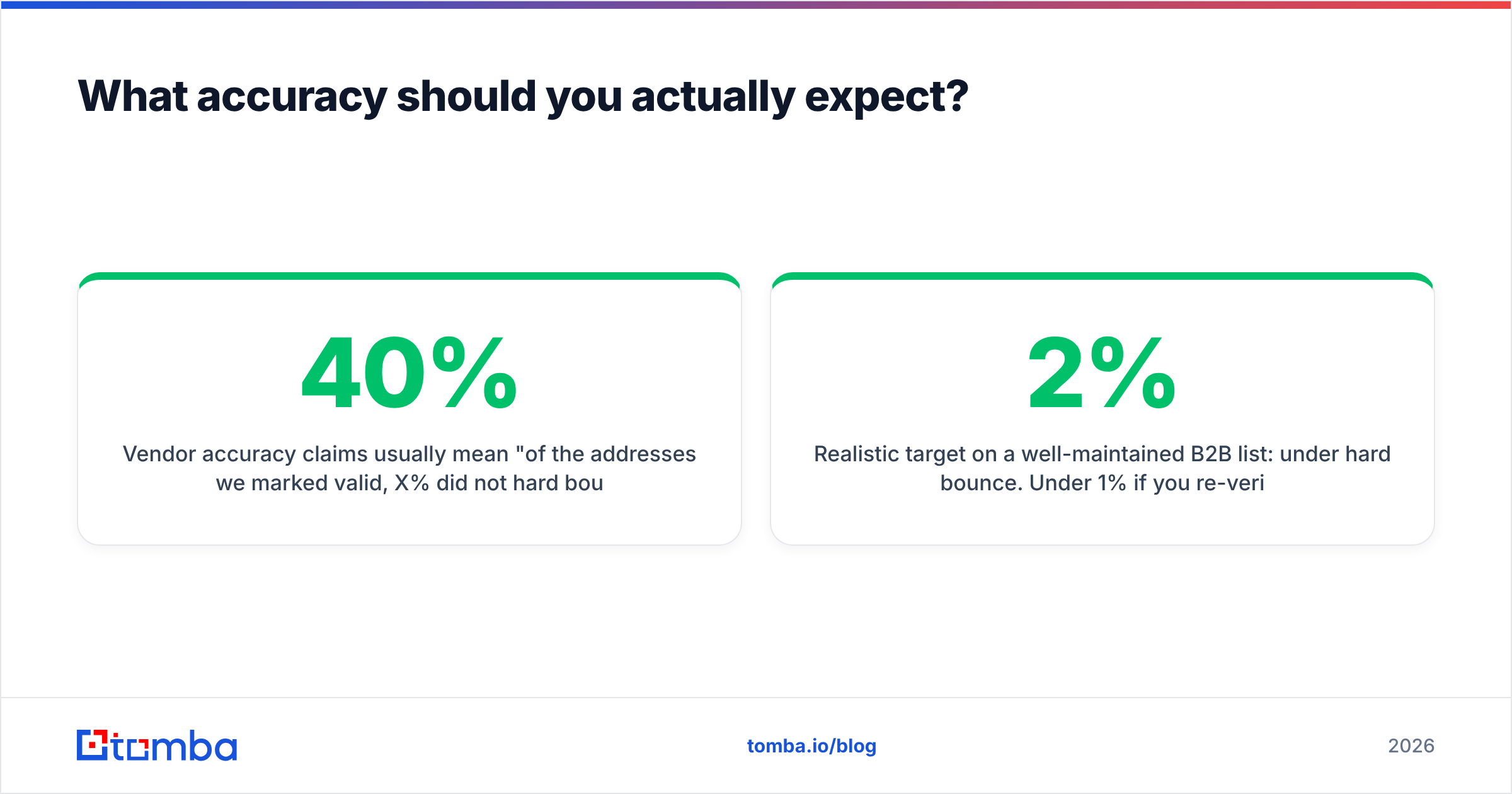
Vendor accuracy claims usually mean "of the addresses we marked valid, X% did not hard bounce." That excludes everything the tool marked unknown or catch-all — which is exactly the hard part. A tool that marks 40% of your list "unknown" can post a stellar accuracy number on the remaining 60% while being useless to you.
Better questions to ask any vendor:
- What percentage of a real list comes back conclusive? Coverage matters as much as precision.
- How are catch-alls reported? "Unknown" is an abdication; a confidence score is an answer.
- Is there a bounce guarantee, and what does it refund? Credits or money.
- Can you test on your own data before paying? Any vendor confident in their data will let you.
Run the same 100-address sample — including addresses you know are dead — through two or three tools before committing. Fifteen minutes of testing beats any comparison table, including this one. If you want to understand where the underlying records come from, most serious vendors publish their data sources; the ones that do not are usually reselling scraped lists.
Realistic target on a well-maintained B2B list: under 2% hard bounce. Under 1% if you re-verify before every major send. If you are sitting at 5%+, the problem is almost always list age or source, not the verifier.
Where should you start?#
Match the method to the volume:
- One address, right now — free checker plus a manual MX lookup. Zero cost, 30 seconds.
- A few dozen — free checker, then spot-verify the ones that matter with a paid single check.
- Hundreds to thousands — bulk verification, segmented by result, re-verified quarterly.
- Continuous, inside a product or workflow — API integration so every address is checked at capture time, before it ever enters your CRM.
The last one is where most of the value is. Verifying at capture is dramatically cheaper than cleaning up a polluted database eighteen months later, and it keeps your reporting honest from day one.
If you are finding addresses as well as checking them, Tomba Email Finder handles both in one pass — search by domain, name, or company, get the address, and get its verification status in the same response, with the free tier covering 25 searches a month so you can test against your own known-good contacts before spending anything. Start there, measure your bounce rate on the next send, and scale the workflow that holds under 2%.
Related guides#
// get started
Find, verify and enrich your first contacts today
Start on the free plan with 25 searches a month, then scale when your team is ready.
Free plan · No credit card required · GDPR & CCPA
// about the author