How to Find a Person Email Address: 9 Methods That Work
Nine tested ways to find anyone's professional email address in 2026 — from free manual tricks to bulk API lookups — plus how to verify each one before you hit send.
TL;DR
- The fastest reliable path is a domain-plus-name lookup: get the company domain, feed it the person's first and last name, and let an email finder return the pattern-matched address with a confidence score.
- Free manual methods (Google operators, GitHub commits, WHOIS, Twitter/X bios, newsletter footers) still work — they're just slow and cap out around a 30-50% hit rate.
- Never send to an unverified address. A single SMTP check before send is the difference between a 0.4% bounce rate and a 12% one.
- Catch-all domains break most tools. You need a dedicated catch-all check, not a generic "valid/invalid" verdict.
- Budget matters less than you think: Tomba's free tier covers 25 searches/month, and paid plans start at $49/mo — cheaper than one bounced campaign's reputation damage.
Why is finding a person's email address harder in 2026?#
Three things changed. LinkedIn tightened scraping enforcement and started rate-limiting profile views aggressively. Google deprecated a chunk of the operators that used to surface contact pages. And a large share of mid-market companies moved to catch-all mail servers, which accept every address you throw at them — including asdfgh@company.com — so the old "does the server say yes?" test now returns a false positive on roughly a third of B2B domains.
The result: guessing works less often, and when it fails it fails silently. You don't find out until your bounce rate spikes and your domain reputation tanks two weeks later.
What still works is a layered approach. Start with the cheapest method that fits your volume, escalate when it misses, and verify everything before it enters a sequence.

What information do you actually need before you start?#
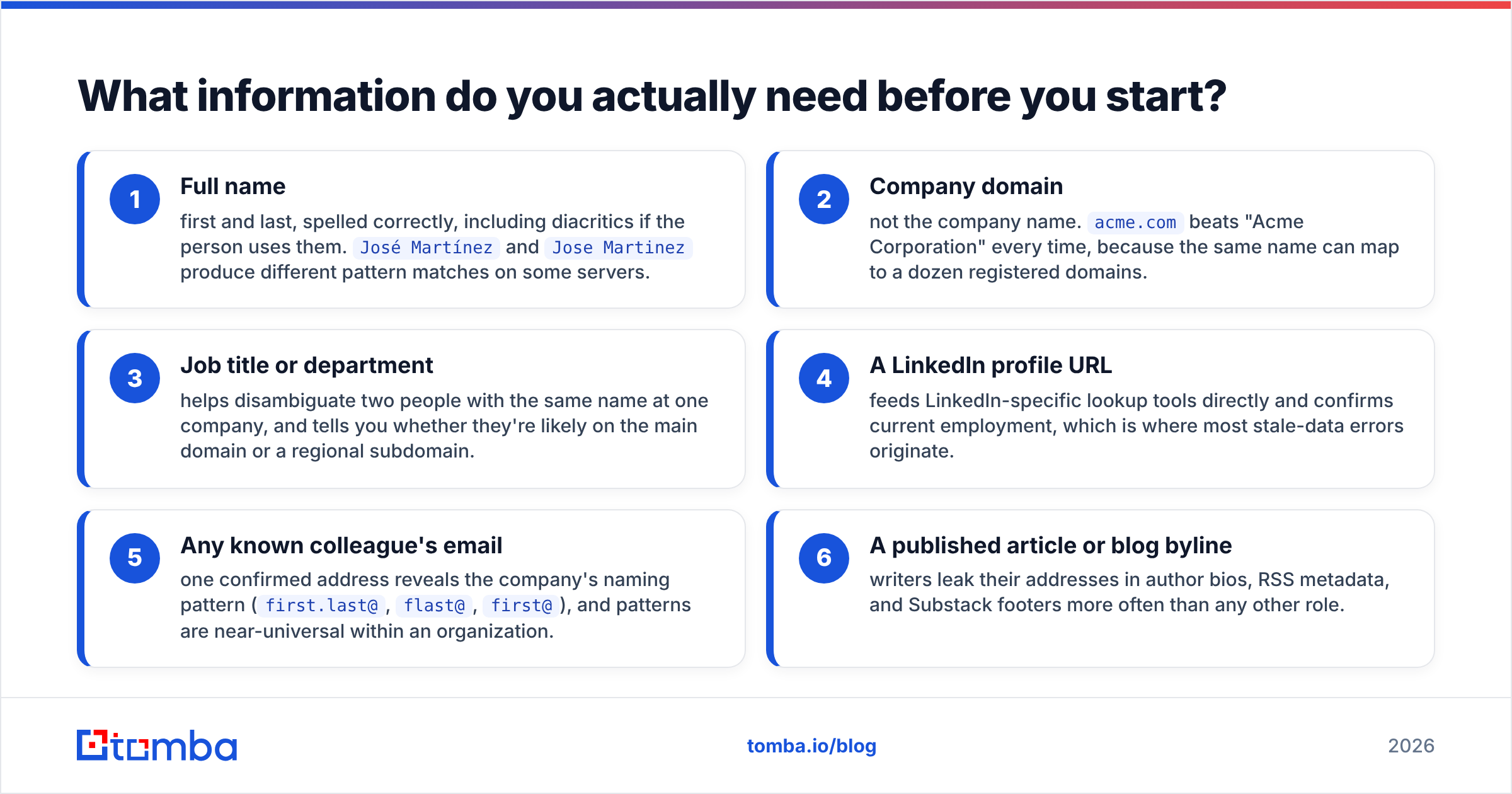
You need less than most people assume. Two data points get you most of the way:
- Full name — first and last, spelled correctly, including diacritics if the person uses them.
José MartínezandJose Martinezproduce different pattern matches on some servers. - Company domain — not the company name.
acme.combeats "Acme Corporation" every time, because the same name can map to a dozen registered domains.
Everything else is a bonus that raises your hit rate:
- Job title or department — helps disambiguate two people with the same name at one company, and tells you whether they're likely on the main domain or a regional subdomain.
- A LinkedIn profile URL — feeds LinkedIn-specific lookup tools directly and confirms current employment, which is where most stale-data errors originate.
- Any known colleague's email — one confirmed address reveals the company's naming pattern (
first.last@,flast@,first@), and patterns are near-universal within an organization. - A published article or blog byline — writers leak their addresses in author bios, RSS metadata, and Substack footers more often than any other role.
If you have items 1 and 2, skip to the tool-based methods. If you only have a name, your first job is finding the domain — a company website finder resolves that in one step.
How do you find a person's email address for free?#
These cost nothing but your time. Expect a 30-50% success rate, heavily skewed toward technical and media roles.
Google search operators. Search "firstname lastname" + "@company.com" and site:company.com "firstname". Also try "firstname lastname" email -jobs -careers to strip recruiting noise. This surfaces conference speaker pages, PDF press releases, and academic listings — all of which publish addresses in plain text.
GitHub commit history. If your target has ever pushed code, their address is in the commit metadata. Open any repo they contributed to, append .patch to a commit URL, and the From: line shows the address Git was configured with. This is the single highest-precision free method for engineering and dev-tools buyers.
WHOIS records. For small companies and personal projects, domain registration still exposes an admin contact. GDPR redaction killed this for EU registrants, but US and APAC domains often remain readable.
Newsletter and blog footers. Subscribe to the company newsletter. Reply-to addresses on marketing sends are frequently a real human's inbox, not noreply@. Author bios on company blogs work the same way — a author finder automates exactly this by resolving a byline to a contact.
Twitter/X and personal sites. Bios, pinned posts, and about pages. People who write publicly usually want to be reachable.
Pattern inference. Confirm one address at the company, then apply the same pattern. If sarah.chen@acme.com is real, david.park@acme.com almost certainly is too. An email permutator generates every plausible variant so you can test them in bulk rather than one at a time.
The catch with all six: you still have to verify. A pattern that worked for Sarah may not work for David if he joined post-acquisition and kept a legacy alias.
Which email finder tools are worth paying for?#
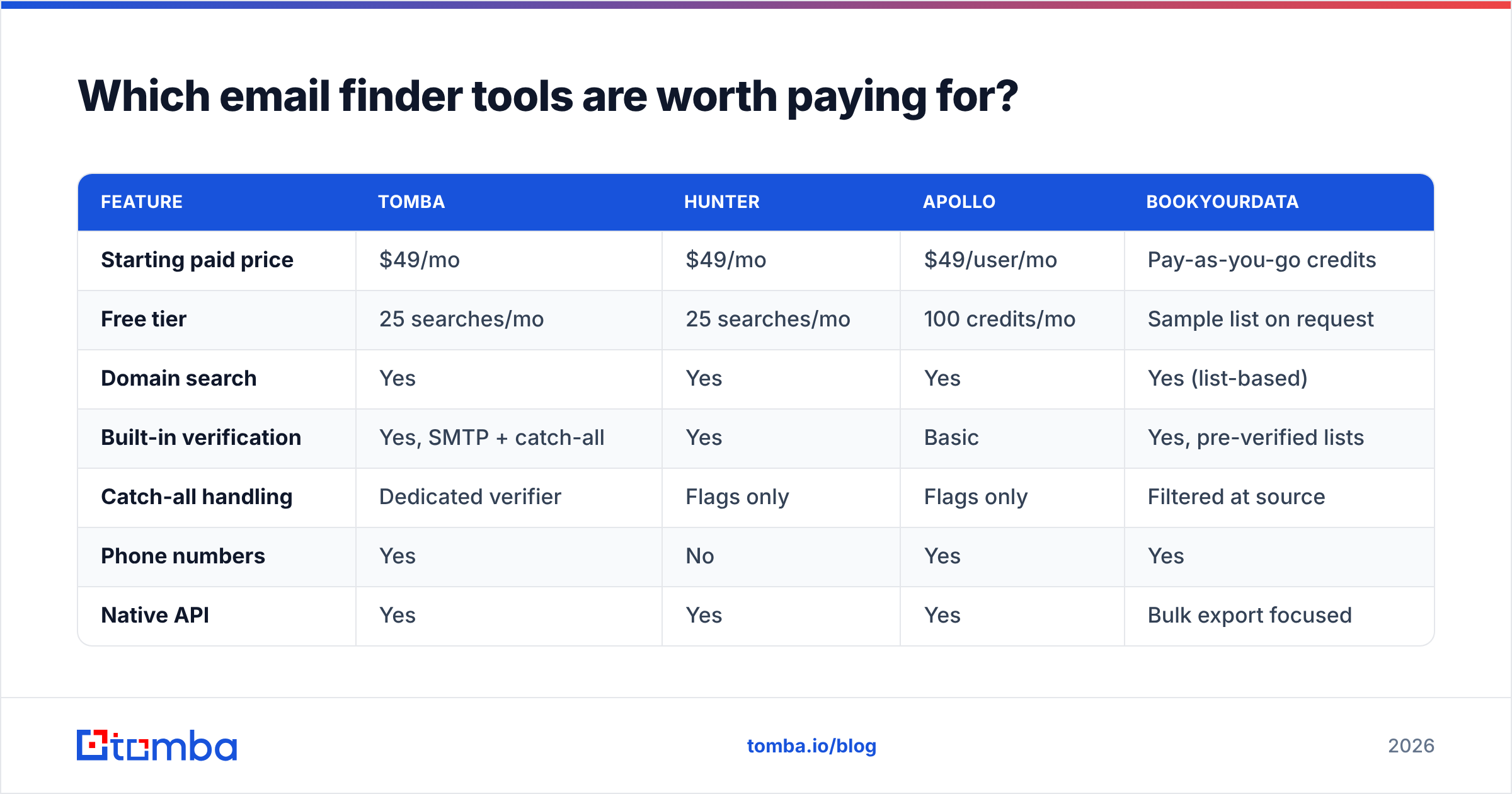
Once you're doing more than about 20 lookups a week, manual methods cost more in salary than a subscription does in cash. Here's how the main options compare on the attributes that actually affect a workflow.

Accuracy claims in this category are self-reported and measured on different test sets, so treat any vendor's headline number as directional. What you can compare directly is coverage model, verification depth, and price per confirmed contact.
| Feature | Tomba | Hunter | Apollo | BookYourData |
|---|---|---|---|---|
| Starting paid price | $49/mo | $49/mo | $49/user/mo | Pay-as-you-go credits |
| Free tier | 25 searches/mo | 25 searches/mo | 100 credits/mo | Sample list on request |
| Domain search | Yes | Yes | Yes | Yes (list-based) |
| Built-in verification | Yes, SMTP + catch-all | Yes | Basic | Yes, pre-verified lists |
| Catch-all handling | Dedicated verifier | Flags only | Flags only | Filtered at source |
| Phone numbers | Yes | No | Yes | Yes |
| Native API | Yes | Yes | Yes | Bulk export focused |
| Best for | Blended find + verify at API scale | Simple domain lookups | All-in-one sales engagement | Buying targeted lists outright |

A few honest notes on that table. Apollo bundles a sequencer and dialer, so if you want one vendor for everything and don't mind per-seat pricing, it's a legitimate choice — Apollo alternatives only make sense if you're paying for seats you don't use. BookYourData takes a genuinely different approach: instead of resolving contacts one at a time, you specify a target profile and buy a pre-verified list, which suits teams doing large single-shot campaigns rather than continuous prospecting. Hunter is the closest direct comparison to Tomba on the find-and-verify axis, and for simple single-domain lookups the two are hard to separate.
Where Tomba tends to pull ahead is the combination of find plus verify plus catch-all resolution in one API call, which matters when you're enriching thousands of rows and can't afford a manual review step. Check the pricing details against your actual monthly volume — the Growth plan at $99/mo is where most teams doing 2,000-5,000 lookups land.
How do you find an email address from a LinkedIn profile?#
LinkedIn is where most B2B prospecting starts and where most of it stalls, because LinkedIn deliberately hides contact info from non-connections.
Three routes work:
Connect and check the contact card. First-degree connections often expose an email under "Contact info." Slow, but free and zero-risk.
Export your own network. LinkedIn's data export includes email addresses for your existing connections. If you've been networking for years, you may already own a list you forgot about.
Use a resolution tool. A LinkedIn finder takes a profile URL and returns the professional address associated with that person's current employer. This is the method that scales, and it's what browser extensions do under the hood when you see a "reveal email" button on a profile.
One warning: LinkedIn's terms of service prohibit automated scraping of the platform itself. Tools that resolve a profile to an address using their own datasets operate differently from tools that scrape the page in your browser session. If account safety matters to you, ask any vendor which approach they use before you install their extension.
How do you verify an email address before you send?#
This is the step people skip, and it's the one that decides whether the whole exercise was worth doing.
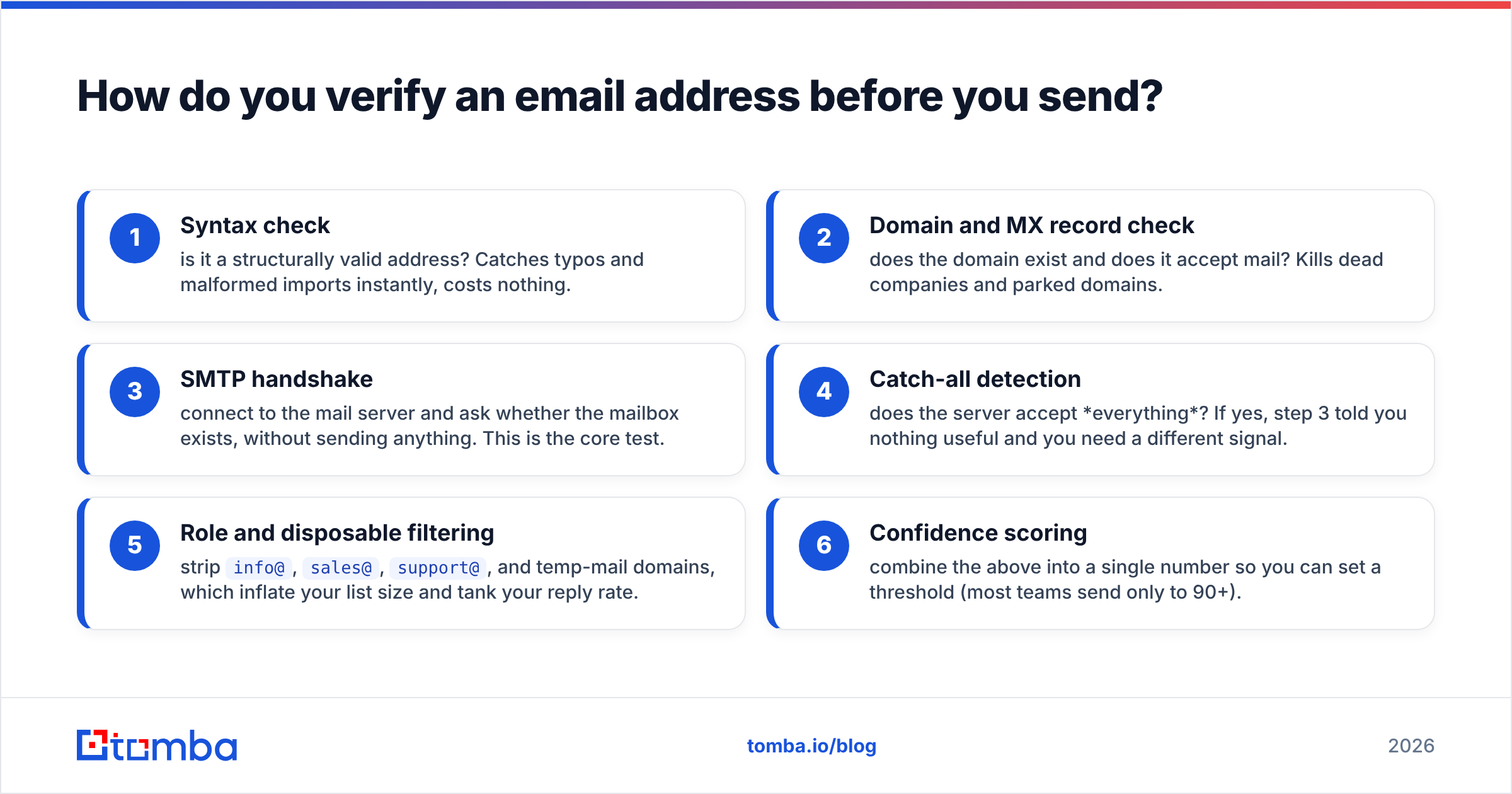
Verification runs in layers, cheapest first:
- Syntax check — is it a structurally valid address? Catches typos and malformed imports instantly, costs nothing.
- Domain and MX record check — does the domain exist and does it accept mail? Kills dead companies and parked domains.
- SMTP handshake — connect to the mail server and ask whether the mailbox exists, without sending anything. This is the core test.
- Catch-all detection — does the server accept everything? If yes, step 3 told you nothing useful and you need a different signal.
- Role and disposable filtering — strip
info@,sales@,support@, and temp-mail domains, which inflate your list size and tank your reply rate. - Confidence scoring — combine the above into a single number so you can set a threshold (most teams send only to 90+).
A email verifier runs all six in one pass. For catch-all domains specifically, a dedicated catch-all verifier uses pattern confidence and historical deliverability data to produce a real verdict instead of a shrug.
The numbers justify the step. Mailbox providers start throttling senders above roughly a 2% bounce rate, and Google's bulk sender guidelines explicitly list high bounce rates and spam complaints as reasons for filtering or blocking. Recovering a burned sending domain takes weeks. Verifying 5,000 addresses takes minutes.

What's the fastest workflow for finding emails at scale?#
If you're finding one address, do it manually. If you're finding a hundred a week, build a pipeline. Here's the shape that works:
Step 1 — Assemble the input list. Name plus company domain, in a spreadsheet. Nothing else is required. Deduplicate first with a remove duplicates pass so you're not paying for the same contact twice.
Step 2 — Run domain search where you don't have names. If you know you want "three people in marketing at Acme" but not who, a domain search returns every discoverable address on that domain with role labels. Filter from there.
Step 3 — Bulk find. Feed the list to a bulk email finder rather than looping single lookups. Batch endpoints are faster and usually cheaper per credit.
Step 4 — Verify in the same pass. Don't treat verification as a separate project you'll get to later. You won't.
Step 5 — Enrich what survives. Job title, company size, tech stack, and location turn a raw address into something you can personalize against. Data enrichment fills those columns automatically.
Step 6 — Push to your CRM. A HubSpot integration or Salesforce sync means the enriched record lands where your reps already work, instead of in a CSV nobody opens.
Teams running this continuously wire it through the Tomba API so new leads get resolved and verified the moment they enter the system. If you live in a spreadsheet instead, the Google Sheets add-on runs the same logic against a column of names.
Is it legal to find someone's email address?#
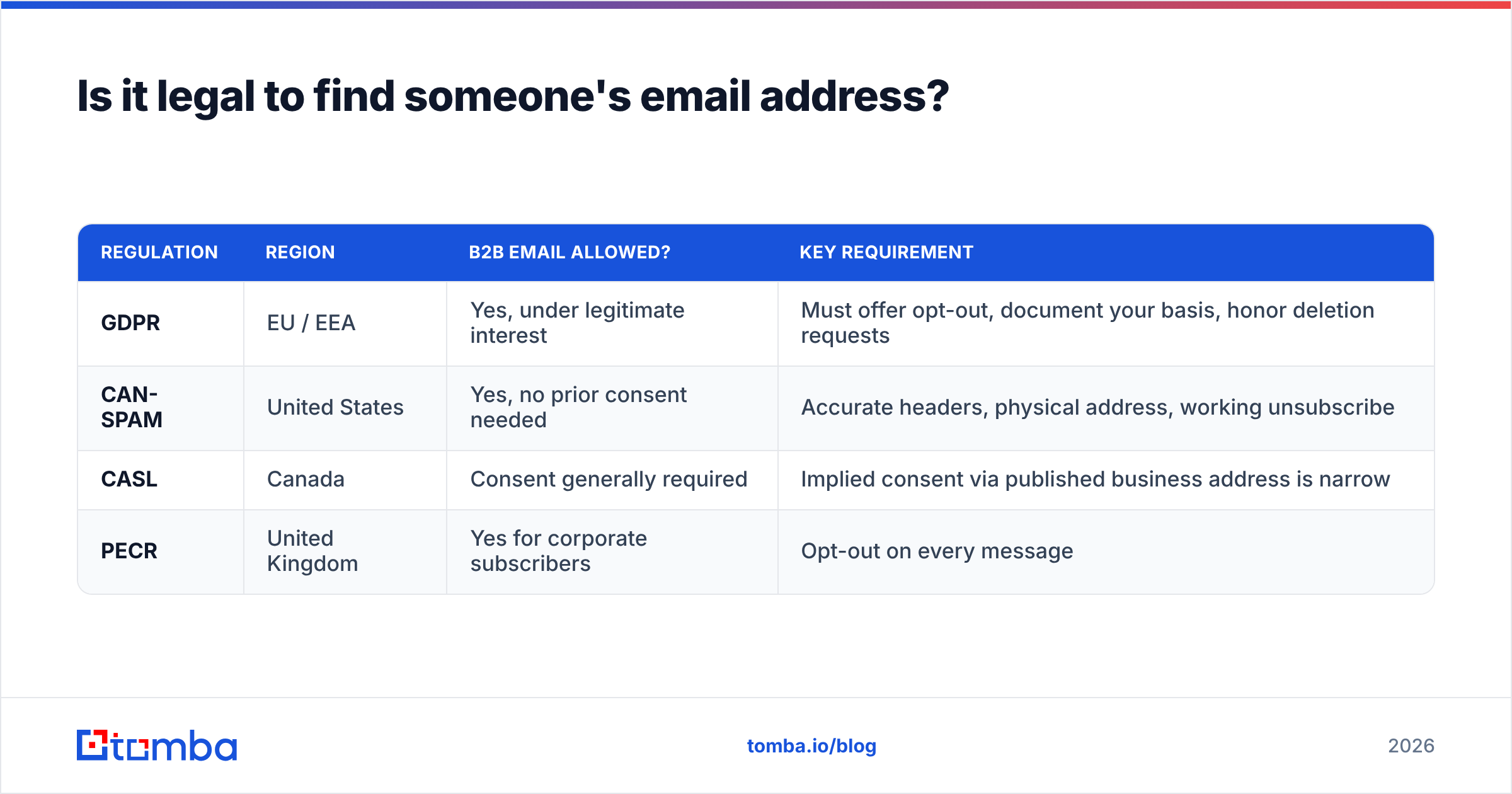
Short answer: yes, with conditions that vary by jurisdiction.
Business email addresses are generally treated as business contact data, not private personal data, in most B2B contexts. But the rules differ:
| Regulation | Region | B2B email allowed? | Key requirement |
|---|---|---|---|
| GDPR | EU / EEA | Yes, under legitimate interest | Must offer opt-out, document your basis, honor deletion requests |
| CAN-SPAM | United States | Yes, no prior consent needed | Accurate headers, physical address, working unsubscribe |
| CASL | Canada | Consent generally required | Implied consent via published business address is narrow |
| PECR | United Kingdom | Yes for corporate subscribers | Opt-out on every message |
Practical guidance: send to business addresses at business domains, keep messages relevant to the recipient's job, include a real unsubscribe link, and honor removals immediately. The ICO's direct marketing guidance is the clearest public reference if you're operating into the UK or EU. If you're sending high volume into Canada, get a lawyer to read your process — CASL penalties are real and enforcement is active.
Avoid scraping personal email addresses (@gmail.com, @outlook.com) for cold outreach. Legally murkier, and commercially worse — personal inboxes have brutal spam filtering and near-zero B2B reply rates.
How do you know if the address you found is the right person?#
Finding an address is easy. Finding the correct address for the correct person is where most lists fall apart.
Three checks catch most errors:
Reverse the lookup. Take the address you found and run a reverse email lookup to see which name and company it resolves back to. If it returns a different person, you've matched a namesake.
Cross-reference current employment. People change jobs roughly every 2-3 years, and B2B contact databases decay at around 25-30% annually according to industry analyses published on G2. An address that was correct 14 months ago is a coin flip today. Check the LinkedIn profile date or the company's team page.
Check the pattern against known-good colleagues. If every other address at the company is first.last@, and yours came back flast@, treat it as suspect until verified. Run the domain through a company email pattern check to see the dominant format.
When all three agree, you're safe to send. When they disagree, spend the extra credit re-running the lookup rather than burning a first impression on the wrong inbox.
Which method should you use?#
Match the method to the volume:
- 1-5 addresses, one-off — Google operators plus a free email checker. Costs nothing, takes ten minutes.
- 20-100/month — Free tier of a proper tool (25 searches on Tomba) plus manual fallback for misses.
- 100-2,000/month — A paid plan at $49-99/mo. The time saved pays for it in the first week.
- 2,000+/month or automated — API integration with find, verify, and enrich in a single call, wired to your CRM.
- One large targeted campaign, no ongoing need — A pre-verified list purchase from a specialist like BookYourData is often more economical than a subscription you'll cancel in month two.
The mistake to avoid at every tier is the same: treating discovery as the finish line. An unverified address is a liability, not an asset. Build verification into the step where you find the address, not into a cleanup project you'll schedule for next quarter.
Ready to stop guessing?#
Start with the Tomba Email Finder. Give it a name and a company domain and it returns the verified professional address with a confidence score and the sources behind it — no permutation spreadsheets, no bounce-rate surprises. The free tier gives you 25 searches a month to test it against contacts you already know the answer for, which is the only honest way to evaluate an email finder. If the hit rate holds on your own data, scale it up from there.
Related guides#
// get started
Find, verify and enrich your first contacts today
Start on the free plan with 25 searches a month, then scale when your team is ready.
Free plan · No credit card required · GDPR & CCPA
// about the author