How to Find Business Email Addresses: 9 Methods That Work
Nine tested ways to find business email addresses in 2026 — from free manual tricks to bulk API lookups — plus which methods actually survive verification and which quietly burn your domain.
TL;DR
- The fastest reliable path is a domain-first lookup: get the company's email pattern, apply it to your target's name, then verify before you send. Two minutes per contact manually, two seconds at scale.
- Free methods (Google operators, GitHub commits, WHOIS, LinkedIn "Contact info") still work in 2026, but hit rates sit around 20-40% and none of them verify anything.
- Paid finders — Tomba, Hunter, Apollo, BookYourData, Findymail — trade price for coverage and verification. Starter tiers run roughly $39-$99/mo depending on credit model.
- Verification is not optional. A 5% bounce rate is the line where Google and Microsoft start throttling your domain, and unverified guessed emails bounce at 15-30%.
- Never buy a static list and blast it. Enrich a list you built, verify it fresh, and send in small batches.
Why is finding business email addresses harder in 2026?#
Three things changed. LinkedIn tightened scraping enforcement and now rate-limits aggressively on Sales Navigator exports. GDPR and the growing patchwork of US state privacy laws made brokers prune records rather than risk fines. And mailbox providers — Google and Yahoo in particular — enforced the bulk-sender rules that landed in 2024, which means a sloppy list now costs you deliverability instead of just wasting sends.
The practical effect: the "spray 10,000 guessed addresses" era is over. What works now is smaller, verified, correctly-sourced lists. That reframes the whole question. You are not trying to find the most business email addresses. You are trying to find the right ones and prove they're deliverable before your sending domain pays for the mistake.

What are the fastest ways to find a business email address?#
Here are nine methods, ordered roughly from cheapest-manual to fastest-at-scale.
- Check the company website directly. Contact, About, Team, and Press pages often list real addresses. Press pages are the underrated one — PR contacts are almost always real humans with working inboxes.
- Use Google search operators.
site:company.com "@company.com"surfaces indexed addresses. Add-wwwand tryfiletype:pdf— investor decks and conference PDFs leak contact data constantly. - Mine GitHub commit history. For any company with engineers,
https://api.github.com/users/<username>/events/publicfrequently exposes the commit email. Works disproportionately well for dev-tools buyers. - Read the email pattern, then apply it. If you know one address at the company, you know the pattern.
first.last@,flast@, andfirst@cover roughly 80% of B2B domains. A company email pattern checker resolves this in one lookup. - Run a domain search. Point a domain search at the company URL and get every public address on that domain plus the dominant pattern, sorted by department. This is the single highest-leverage manual method.
- Use a name + domain email finder. You have "Priya Raman" and "acme.com" — an email finder returns the address with a confidence score. This is the workhorse for named-account prospecting.
- Go from LinkedIn profile to email. A LinkedIn finder or Chrome extension converts a profile URL into a work address without exporting anything LinkedIn forbids.
- Reverse-lookup from a partial signal. Got an email but no name, or a personal address and need the work one? Reverse email lookup closes that gap.
- Bulk enrich a CSV. Upload a list of names and domains, get emails and verification statuses back. A bulk email finder turns a 500-row account list into a campaign-ready file in minutes.
Methods 1-3 cost nothing but time. Methods 4-9 cost credits and give you a confidence score, which is what actually determines whether you should hit send.
How do you find an email address manually, step by step?#
Say you need to reach the VP of Marketing at Northwind Analytics.
Step 1 — Confirm the domain. Not the marketing microsite, the actual mail domain. Check the sender address on their newsletter, or the MX records. Companies acquired in the last two years often still route mail through the parent domain.
Step 2 — Find one known address. Search site:northwind.com "@northwind.com" or check the press page. You find sarah.chen@northwind.com.
Step 3 — Extract the pattern. first.last@. Confidence is decent but not certain — some companies mix patterns after acquisitions or when names collide.
Step 4 — Apply it to your target. VP of Marketing is Daniel Okafor, so daniel.okafor@northwind.com. Generate alternates too: d.okafor@, dokafor@, daniel@.
Step 5 — Verify each candidate. Run them through an email verifier. One returns valid, the rest return invalid or unknown. That's your address.
Step 6 — Handle catch-all domains. If the domain accepts everything, standard SMTP verification returns "accept-all" and tells you nothing. That's where a catch-all verifier matters — it uses signals beyond the SMTP handshake to score whether the mailbox is real. Roughly one in five B2B domains is catch-all, so this is not an edge case.
Steps 2-6 take about three minutes per contact once you have the rhythm. At 50 contacts that's two and a half hours, which is exactly when you stop doing it manually.

How accurate are email finders, really?#
Vendor-claimed accuracy and real-world accuracy are different numbers, and the gap comes from how each tool counts.
Some tools count a result as a "hit" if they return anything, including a pattern-guessed address they never verified. Others only return addresses that passed SMTP validation, which lowers their apparent hit rate but raises your actual deliverability. When you evaluate a finder, run the same 100-contact test list through each and measure two things: coverage (what percent returned an address) and bounce rate (what percent of those actually bounced when you sent).
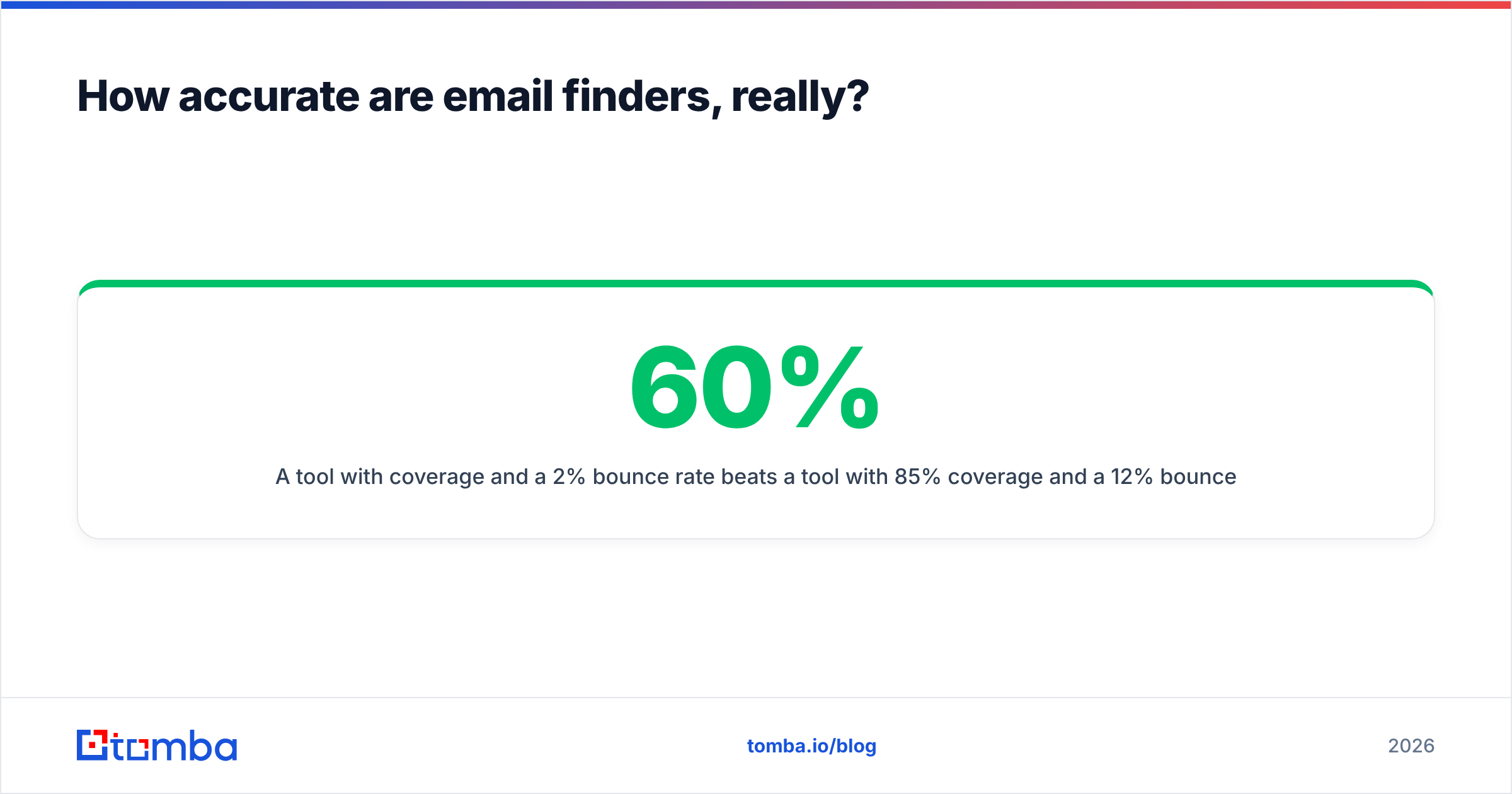
A tool with 60% coverage and a 2% bounce rate beats a tool with 85% coverage and a 12% bounce rate every time. The second one is handing you guesses wearing a confidence score.
Watch out for these accuracy killers:
- Stale records. Someone changed jobs 8 months ago; the database still has the old employer. Check whether the vendor timestamps records and how often they refresh.
- Role addresses passed off as personal.
info@andsales@inflate coverage numbers and tank reply rates. - Catch-all domains scored as valid. If a vendor marks every catch-all address "valid," their accuracy number is fiction.
- Free-mail contamination. Gmail and Outlook addresses in a B2B result set usually mean the vendor scraped a consumer source.
Ask any vendor where their data comes from. Tomba publishes its data sources — that transparency is a reasonable bar to hold everyone to.
Which email finder tool should you use?#
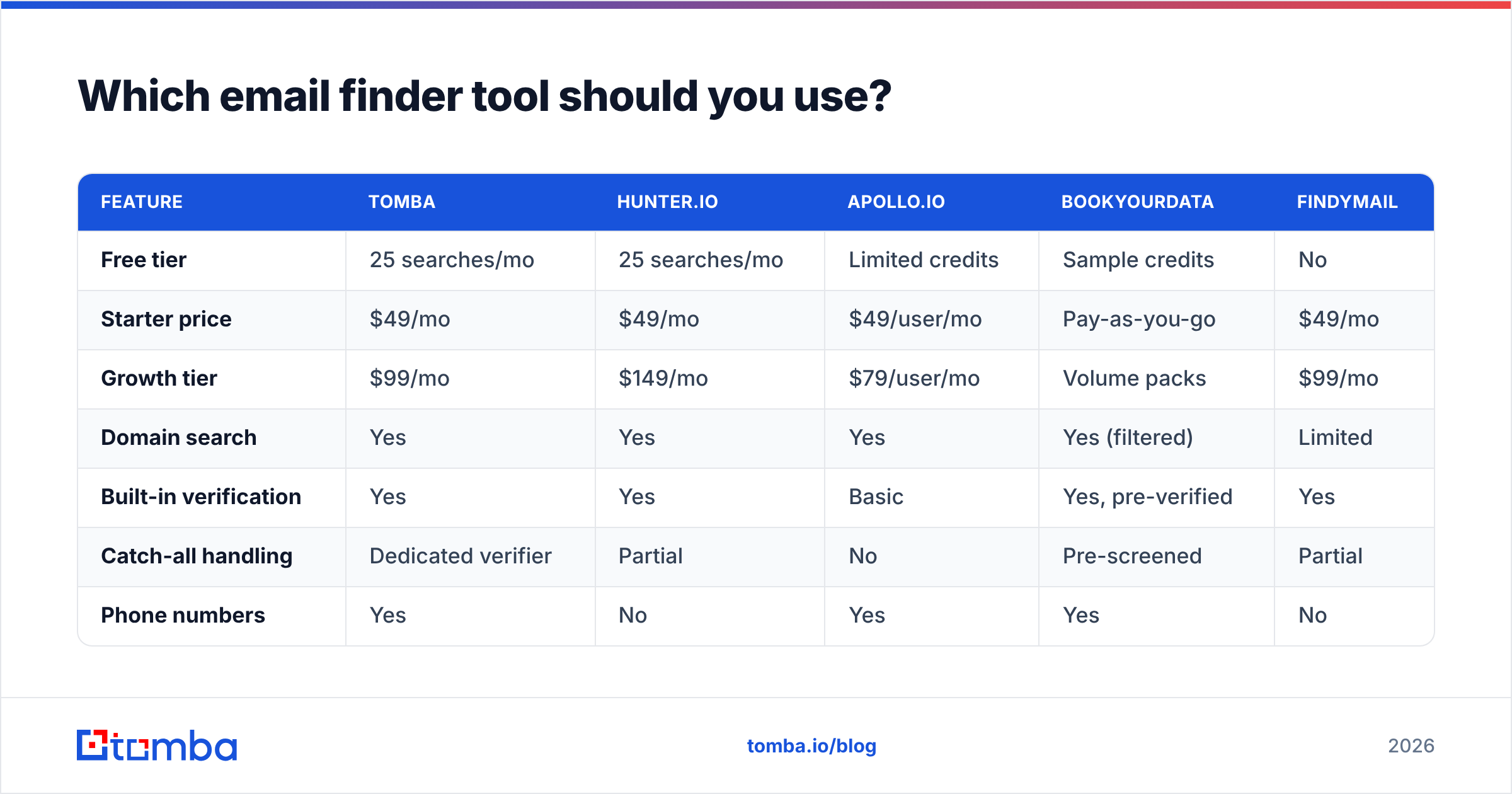
Here's how the main options compare on the dimensions that decide the purchase. Prices reflect published entry-level plans as of early 2026; check each vendor's page before you commit, since credit models shift.
| Feature | Tomba | Hunter.io | Apollo.io | BookYourData | Findymail |
|---|---|---|---|---|---|
| Free tier | 25 searches/mo | 25 searches/mo | Limited credits | Sample credits | No |
| Starter price | $49/mo | $49/mo | $49/user/mo | Pay-as-you-go | $49/mo |
| Growth tier | $99/mo | $149/mo | $79/user/mo | Volume packs | $99/mo |
| Domain search | Yes | Yes | Yes | Yes (filtered) | Limited |
| Built-in verification | Yes | Yes | Basic | Yes, pre-verified | Yes |
| Catch-all handling | Dedicated verifier | Partial | No | Pre-screened | Partial |
| Phone numbers | Yes | No | Yes | Yes | No |
| Bulk CSV enrichment | Yes | Yes | Yes | Yes | Yes |
| Public API | Yes | Yes | Yes | Yes | Yes |
| Best for | Finder + verifier in one stack | Simple domain lookups | All-in-one sales engagement | Pre-built targeted lists | Agency prospecting |
Reading it practically:
- Building lists from named accounts you already have? A finder + verifier combo is the right shape. See Tomba pricing for the credit math.
- Want a database you filter rather than a lookup you query? BookYourData and Apollo both start from a stocked database, which suits top-of-funnel volume plays where you don't yet know the names.
- Running an agency across many client ICPs? Prioritize API access and per-seat cost over raw database size.
- Just need occasional one-off lookups? Free tiers genuinely cover this. Don't buy a plan for 10 emails a month.

Independent review aggregators are worth a scan before you commit — G2's email-finder category shows how each tool's users actually rate accuracy versus support, which is where marketing pages are least useful.
Can you find business emails at scale without wrecking deliverability?#
Yes, but the sequence matters more than the tool.
The failure mode is predictable: someone finds 5,000 addresses on Monday, imports them Monday afternoon, sends Tuesday morning, and watches their domain reputation collapse by Thursday. The finding wasn't the problem. The absence of everything between finding and sending was.
Here's the sequence that holds up:
- Build the account list first, contacts second. Define the ICP, list the companies, then find people. Reversing this produces lists full of people who can't buy from you.
- Enrich, don't guess. Run names and domains through data enrichment so you get title, seniority, and company signals alongside the email. Those fields are what make personalization possible later.
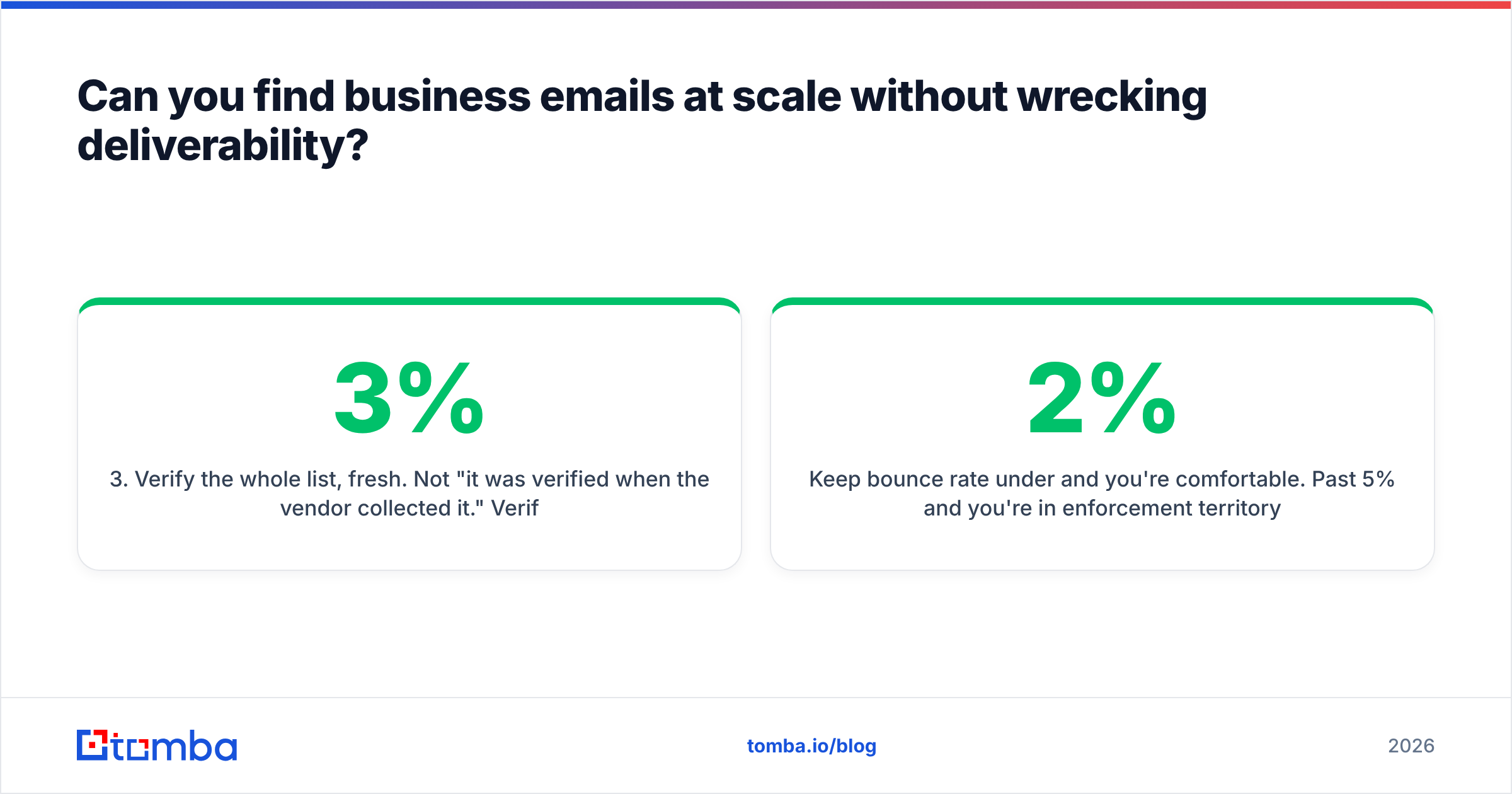
- Verify the whole list, fresh. Not "it was verified when the vendor collected it." Verified this week. Records decay at roughly 2-3% per month as people change jobs.
- Segment out risky records. Catch-all, accept-all, and role-based addresses go into a separate bucket. Send to them last, or not at all, on a warm domain.
- Check your own sending setup. Confirm SPF, DKIM, and DMARC pass before the first send — an SPF checker takes ten seconds and prevents a week of debugging. Google's own bulk sender requirements spell out the thresholds you're being graded against.
- Ramp volume. New domain, new mailbox, new list — all three want a slow ramp. 20-30 sends a day for the first two weeks, then scale.
Keep bounce rate under 2% and you're comfortable. Past 5% and you're in enforcement territory with Gmail and Outlook, which affects every email your domain sends, including invoices and support replies.

Is it legal to find and email business addresses?#
Mostly yes, with real conditions — and this is not legal advice.
In the US, CAN-SPAM permits cold B2B email as long as you don't use deceptive headers or subject lines, you disclose that it's an ad, you include a physical postal address, and you honor opt-outs promptly. Notably, CAN-SPAM does not require prior consent.
In the EU and UK, GDPR governs. Business email addresses are still personal data when they identify an individual (daniel.okafor@northwind.com does; info@northwind.com generally doesn't). Most B2B cold outreach relies on legitimate interest as the lawful basis, which requires that your message is genuinely relevant to the recipient's professional role, that you can document your sourcing, and that you honor deletion requests. Some member states layer stricter rules on top — Germany and Italy in particular are less forgiving.
Practical guardrails that keep you out of trouble in either regime:
- Keep a record of where each contact came from and when.
- Target by role relevance, not by "everyone at this company."
- Include a working unsubscribe in every message, even where not strictly required.
- Delete on request, immediately and completely.
- Prefer role-relevant business addresses over anything that looks personal.
The ICO's guidance on direct marketing is the clearest free reference if you're sending into the UK.
What mistakes should you avoid when finding business emails?#
- Sending to guessed addresses without verifying. The single most expensive mistake. Guessed patterns bounce at 15-30%.
- Treating role addresses as prospects.
info@goes to a shared inbox nobody owns. Reply rates are near zero and complaint rates are high. - Buying a static list. Purchased lists are stale on arrival, shared across hundreds of buyers, and frequently seeded with spam traps. Build and enrich instead.
- Ignoring catch-all status. Sending blind into catch-all domains inflates your bounce rate invisibly, because the server accepts then silently discards.
- Skipping deduplication. The same person appears twice under two domains after an acquisition; they receive your sequence twice and mark it spam. Remove duplicates before import.
- Scaling before validating the message. If 50 verified sends get zero replies, 5,000 will get zero replies at 100x the domain risk. Fix the offer first.
How do you automate this into your existing stack?#
Once the manual flow works, wire it in. The integration layer is where most of the time savings actually live.
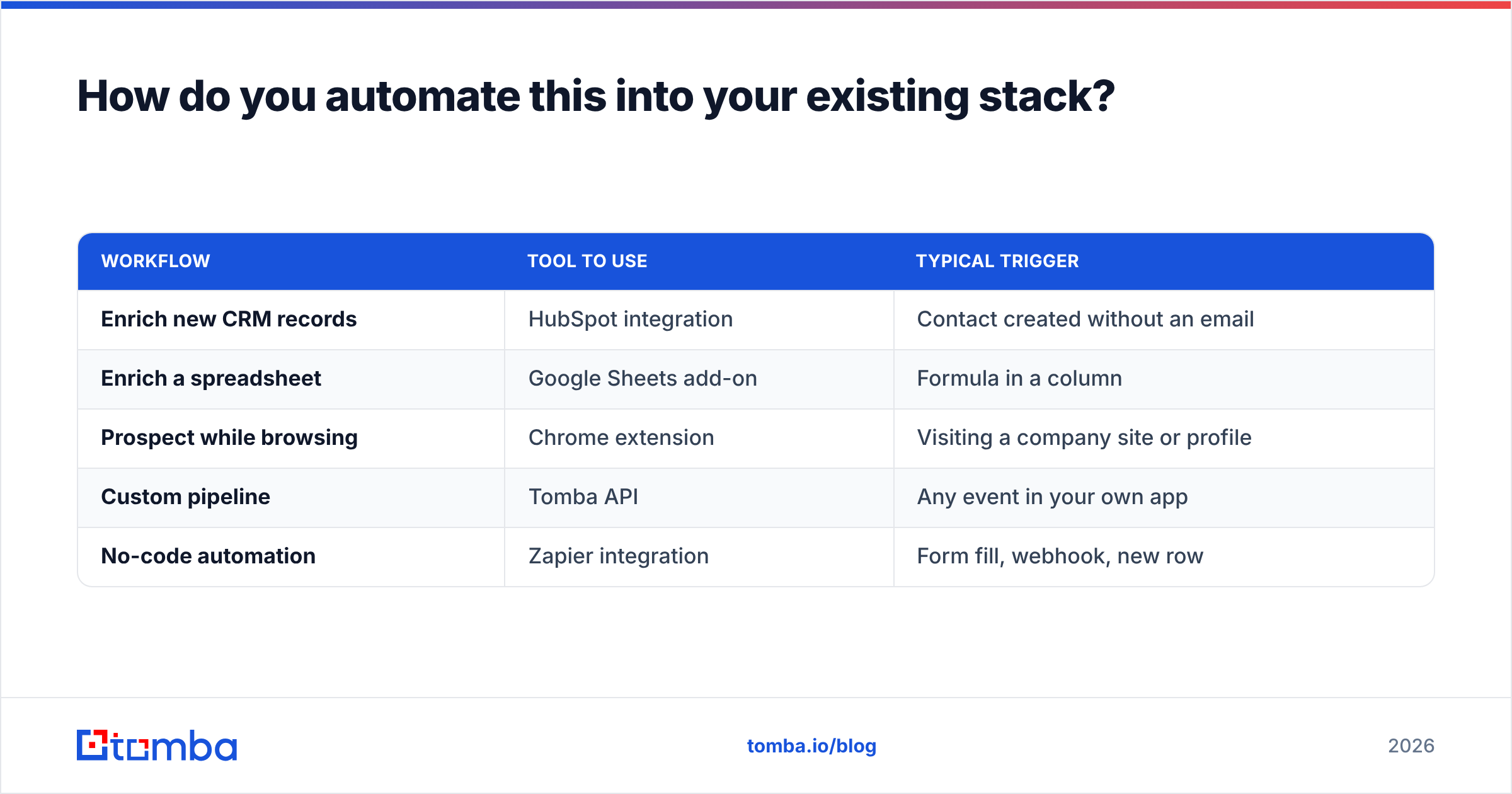
| Workflow | Tool to use | Typical trigger |
|---|---|---|
| Enrich new CRM records | HubSpot integration | Contact created without an email |
| Enrich a spreadsheet | Google Sheets add-on | Formula in a column |
| Prospect while browsing | Chrome extension | Visiting a company site or profile |
| Custom pipeline | Tomba API | Any event in your own app |
| No-code automation | Zapier integration | Form fill, webhook, new row |
The pattern that works: keep finding and verifying as two distinct steps in the automation, not one. When they're fused, you lose the ability to route uncertain results to a human review queue — and that queue is where your bounce rate actually gets controlled.
Get started#
If you're finding emails one account at a time, start with the free tier and the manual pattern method — 25 searches a month covers a lot of targeted outreach. If you're building lists in the hundreds, the Starter plan at $49/mo with bulk enrichment and verification in the same stack will save you more hours than it costs.
Either way, run Tomba Email Finder against your next 20 target accounts, verify what comes back, and compare the bounce rate to whatever you're doing today. That test takes an afternoon and settles the question better than any comparison table — including this one.
Related guides#
// get started
Find, verify and enrich your first contacts today
Start on the free plan with 25 searches a month, then scale when your team is ready.
Free plan · No credit card required · GDPR & CCPA
// about the author