How to Generate Buyer Leads: A 2026 Playbook That Works
Buyer leads are not the same as browsers. Here is a step-by-step system for finding, verifying, and contacting people who actually have budget and buying authority in 2026.
TL;DR
- A buyer lead is not a form fill. It is a named person with budget authority, an active problem, and a verified way to reach them. Most "leads" fail at least two of those three tests.
- The highest-yield channels in 2026 are website visitor identification, intent-signal monitoring, referral loops, and targeted outbound built on verified contact data — in that order of conversion rate.
- Scoring beats volume. A 200-lead list scored on fit + intent will out-produce a 5,000-row scraped export nearly every time.
- Verification is the step everyone skips. Bounce rates above 5% wreck sender reputation and quietly kill the whole program.
- Build one repeatable loop — signal, identify, verify, contact, score — instead of chasing a new tactic every quarter.
What is a buyer lead, and why is it different from a regular lead?#
A buyer lead is a contact who has demonstrated a purchase-shaped behavior, sits in a company that fits your ideal customer profile, and holds or influences the budget for what you sell. Everything else is an audience member.
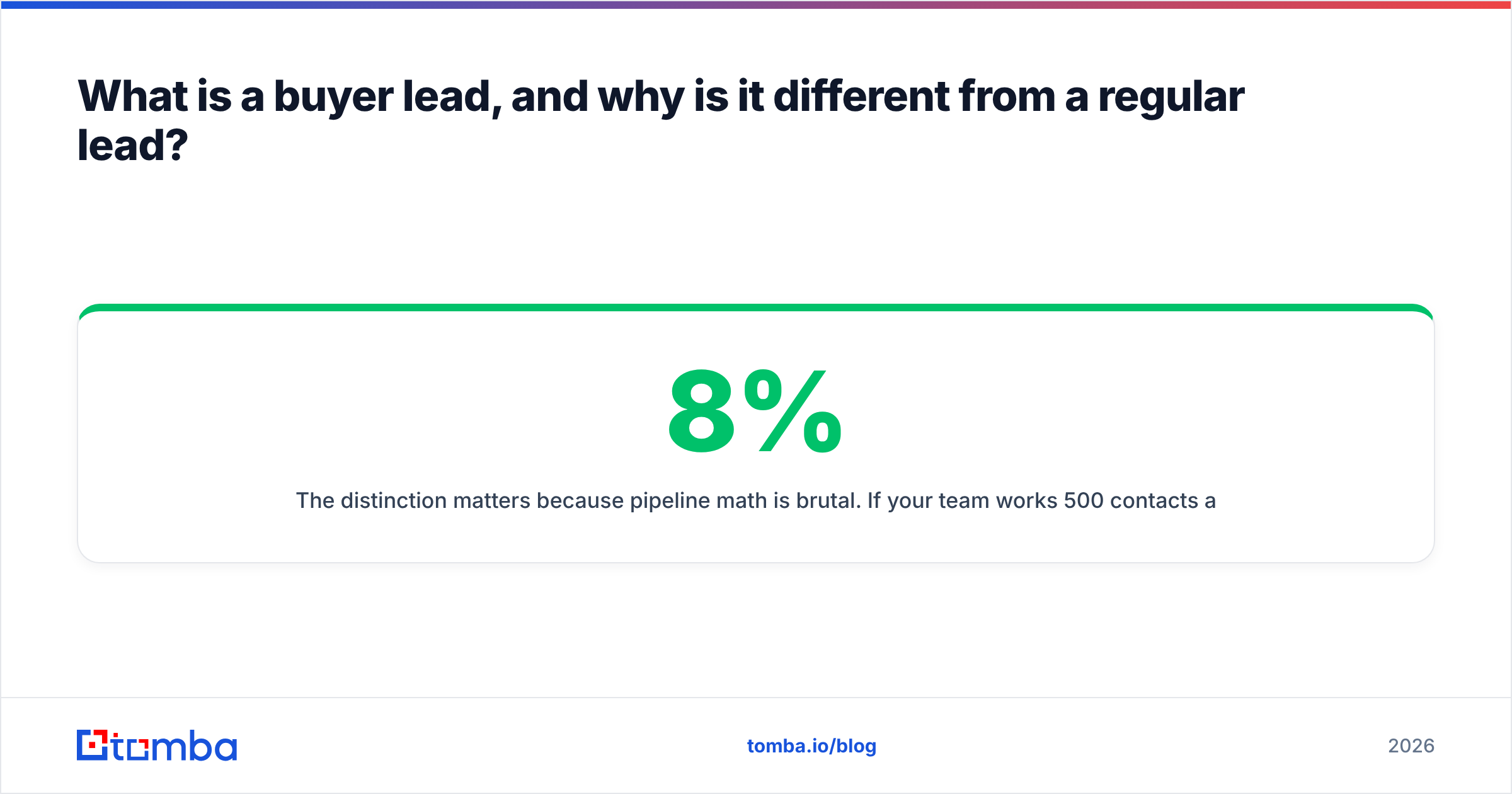
The distinction matters because pipeline math is brutal. If your team works 500 contacts a month and 8% are real buyers, you have 40 real conversations available. Doubling your list size does not double that number if the added rows are the same quality — it just doubles the work. Improving the buyer ratio from 8% to 20% does more for your quarter than any volume play.
Three tests separate a buyer lead from a contact record:
- Authority — Can this person sign, or directly influence the person who signs? A junior analyst who downloaded your whitepaper is a research signal, not a buyer.
- Active problem — Is there evidence of a live need? Job postings for roles that use your category, funding rounds, tech-stack changes, and pricing-page visits all qualify.
- Reachability — Do you have a deliverable email or a valid direct phone number? A perfect-fit prospect you cannot reach is worth exactly zero.
Miss any one of the three and the lead stalls. Most CRM hygiene problems trace back to teams counting rows that only pass one test.
How do you find buyer leads that already exist on your site?#
Start with the traffic you already paid for. Somewhere between 95% and 98% of B2B website visitors never fill out a form, according to widely cited benchmarks across the martech industry. Those anonymous sessions include your best buyer leads — people comparing you against alternatives right now.
Visitor identification resolves an anonymous session to a company (and sometimes a person) using IP-to-company mapping and reverse DNS. Tools like Tomba's website visitor reveal turn a raw session log into "Acme Corp viewed your pricing page four times this week." That is a buyer signal you can act on the same day.
A practical workflow:
- Tag high-intent pages — pricing, comparison pages, docs, and demo pages. Not the blog.
- Set a session threshold — one visit is noise; three visits in seven days from the same company is intent.
- Resolve company to people — run a domain search against the identified company to pull the roles that match your buying committee.
- Verify before you send — push every address through an email verifier so your first touch actually lands.
- Reference the behavior obliquely — "Saw your team was evaluating options in this space" reads better than "I noticed you visited our pricing page nine times."
[Screenshot placeholder: visitor identification dashboard showing company sessions, page paths, and visit counts]
Which channels actually produce buyer leads in 2026?#
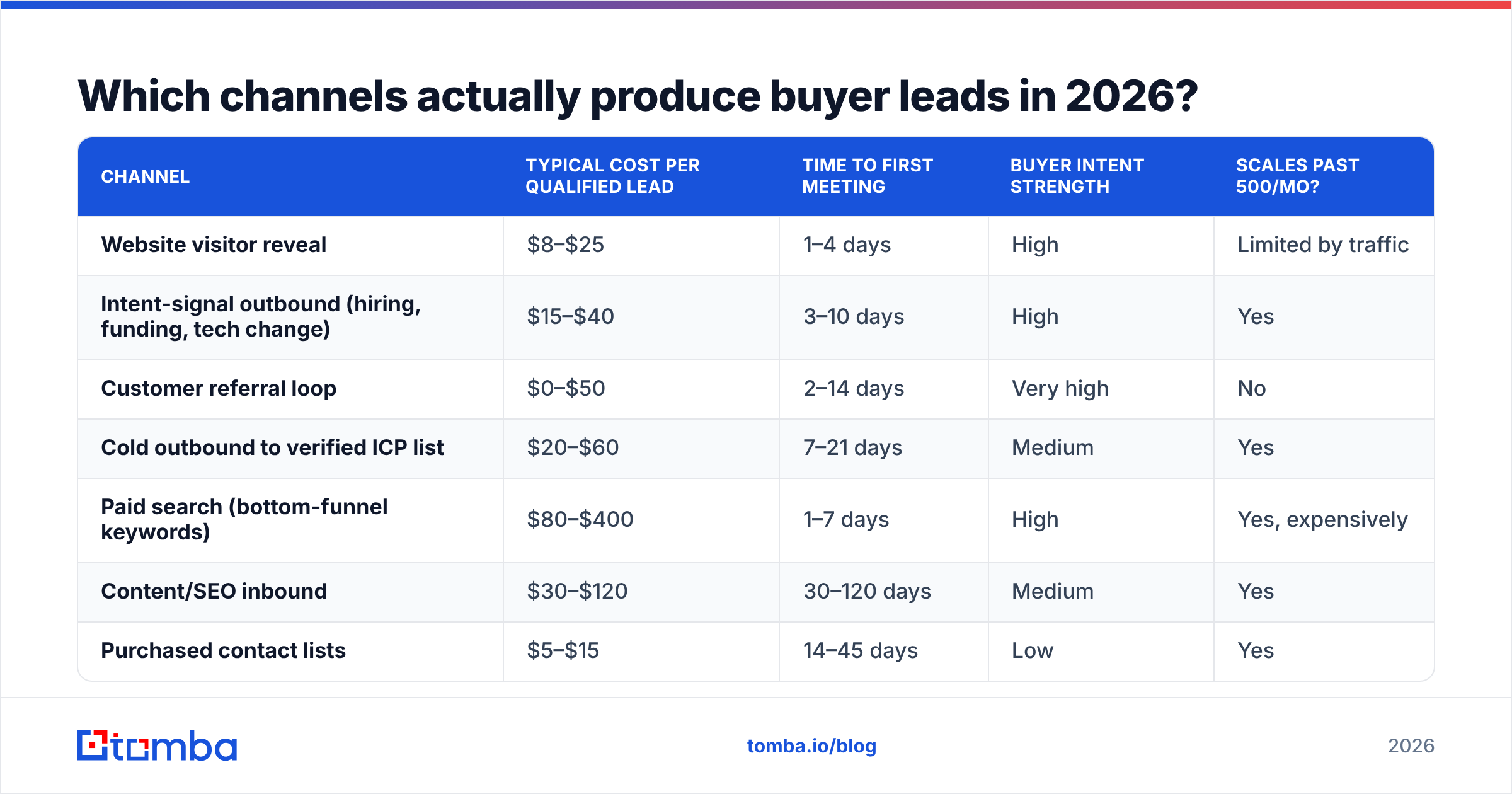
Not all lead sources convert at the same rate, and the gap is wider than most dashboards show because attribution flatters paid channels. Here is how the main options compare on the dimensions that matter to a working rep.
| Channel | Typical cost per qualified lead | Time to first meeting | Buyer intent strength | Scales past 500/mo? |
|---|---|---|---|---|
| Website visitor reveal | $8–$25 | 1–4 days | High | Limited by traffic |
| Intent-signal outbound (hiring, funding, tech change) | $15–$40 | 3–10 days | High | Yes |
| Customer referral loop | $0–$50 | 2–14 days | Very high | No |
| Cold outbound to verified ICP list | $20–$60 | 7–21 days | Medium | Yes |
| Paid search (bottom-funnel keywords) | $80–$400 | 1–7 days | High | Yes, expensively |
| Content/SEO inbound | $30–$120 | 30–120 days | Medium | Yes |
| Purchased contact lists | $5–$15 | 14–45 days | Low | Yes |
| Event and webinar capture | $60–$250 | 14–60 days | Medium | No |
Two things stand out. Referrals convert best but do not scale, so treat them as a margin booster, not a growth engine. Purchased lists look cheapest per row and are usually the most expensive per meeting once you count deliverability damage and rep time burned on dead records.
The channels worth building infrastructure around are visitor reveal, intent-signal outbound, and verified cold outbound. All three depend on the same underlying capability: turning a company or a name into a contact you can actually reach.
How do you turn a company name into a reachable buyer?#
This is the mechanical part, and it is where most teams lose days of rep time to manual work.
Say your intent monitoring flags that a mid-market logistics company just posted three job listings for revenue ops roles. You have a company name and a domain. You need the VP of Revenue Operations' email.
The manual path takes 10–15 minutes per contact: search LinkedIn, guess the email pattern, test it, hope. At 50 contacts a week that is a full day of a rep's time producing nothing but data entry.
The tooling path takes seconds:
- Pattern detection — a company email pattern lookup tells you whether the domain uses first.last@, flast@, or first@.
- Name-to-email resolution — an email finder takes the person's name plus the domain and returns the address with a confidence score.
- LinkedIn-sourced contacts — a LinkedIn finder resolves a profile URL to a work email without manual guessing.
- Bulk processing — when you have a list of 300 companies, bulk email finder runs the whole set in one job instead of 300 lookups.
- Phone as a second channel — a phone finder gives you a direct dial for the accounts that justify a call.
- Enrichment for scoring — data enrichment fills in headcount, funding, and tech stack so your scoring model has something to work with.
Accuracy varies more between providers than the marketing pages suggest. Verified-and-deliverable rates in the 90%+ range are achievable on common domains; catch-all domains and small companies with non-standard mail setups pull the average down for everyone. Check a provider's stated methodology — Tomba documents its data sources — and run your own sample of 100 known-good contacts before committing budget.
How do you score buyer leads so reps work the right ones first?#
A scoring model does one job: it decides the order of your rep's day. Keep it simple enough that a human can explain any score out loud.
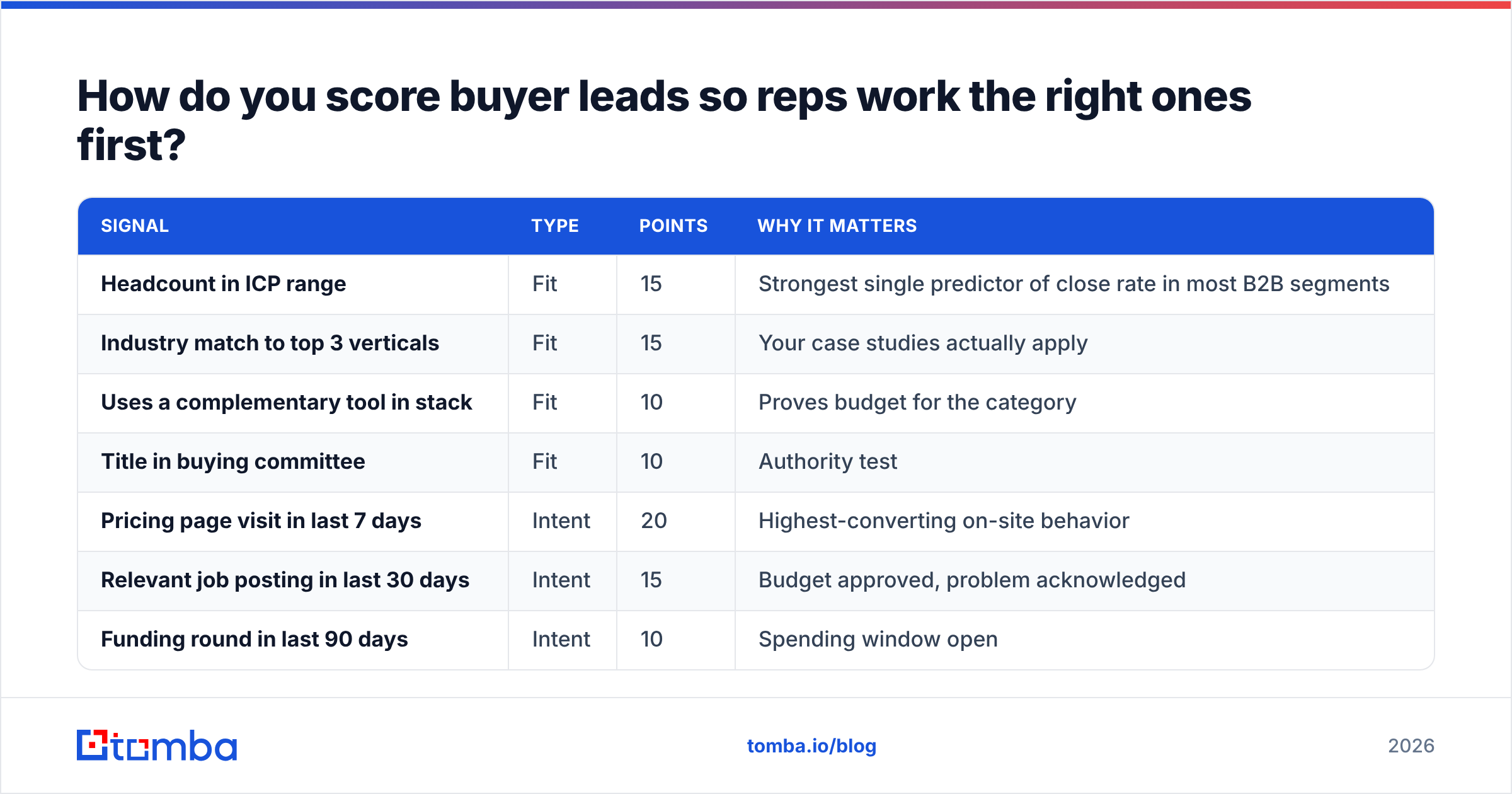
Use two axes — fit (does this company look like your best customers?) and intent (is something happening right now?). Score each 0–50 and add them.
| Signal | Type | Points | Why it matters |
|---|---|---|---|
| Headcount in ICP range | Fit | 15 | Strongest single predictor of close rate in most B2B segments |
| Industry match to top 3 verticals | Fit | 15 | Your case studies actually apply |
| Uses a complementary tool in stack | Fit | 10 | Proves budget for the category |
| Title in buying committee | Fit | 10 | Authority test |
| Pricing page visit in last 7 days | Intent | 20 | Highest-converting on-site behavior |
| Relevant job posting in last 30 days | Intent | 15 | Budget approved, problem acknowledged |
| Funding round in last 90 days | Intent | 10 | Spending window open |
| Replied to any prior touch | Intent | 5 | Channel works for this person |
Anything scoring 70+ gets a personalized, same-week sequence. 40–69 goes into a lighter-touch nurture. Below 40 does not get rep time at all — it gets a newsletter subscription and a re-score in 90 days.
Review the weights quarterly against actual closed-won data. If "funding round" never appears in your winners, drop it. Scoring models rot faster than anyone expects, and a model nobody has audited in a year is just superstition with a spreadsheet.

How do you reach buyer leads without destroying deliverability?#
You can do everything above correctly and still get nothing, because your messages land in spam.
The mechanics are not optional in 2026. Google and Yahoo's bulk-sender requirements — documented in Google's sender guidelines — made authentication a hard gate rather than a best practice. If your SPF record, DKIM, and DMARC are not aligned, volume sending fails regardless of message quality.
Baseline checklist before any outbound program:
- Authenticate fully — SPF, DKIM, and DMARC on every sending domain. Run an SPF checker to confirm the record resolves and stays under the 10-lookup limit.
- Use a separate sending domain — never burn your primary corporate domain on cold volume.
- Warm up gradually — 20–30 sends a day for the first two weeks, scaling over 4–6 weeks. An email warmup calculator gives you a ramp schedule.
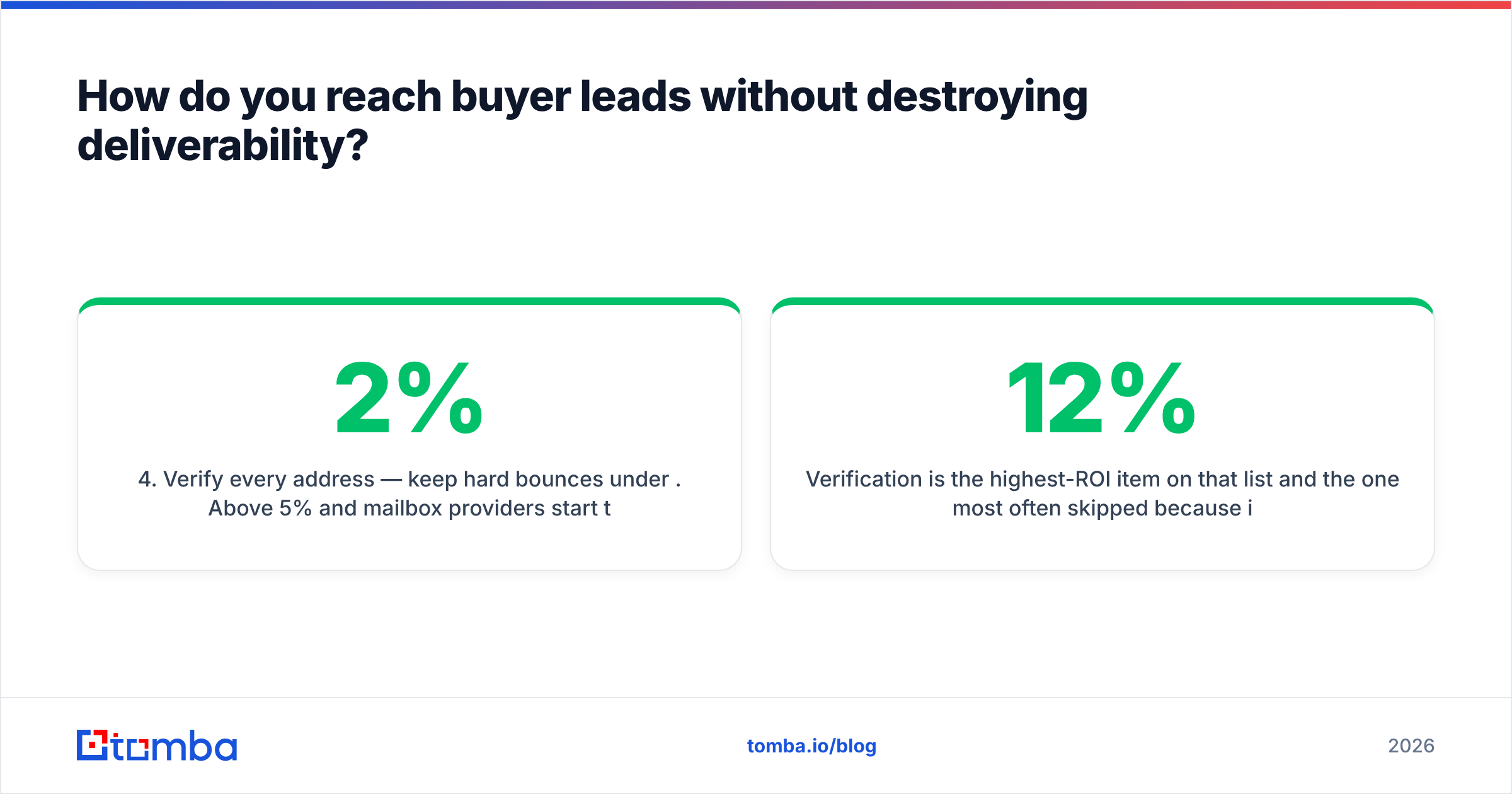
- Verify every address — keep hard bounces under 2%. Above 5% and mailbox providers start throttling you.
- Handle catch-all domains separately — they accept everything at SMTP and tell you nothing. A catch-all verifier applies additional signals so you are not flying blind on a third of your enterprise list.
- Cap daily volume per mailbox — 40–50 cold sends per inbox is the practical ceiling, no matter what your tool allows.
Verification is the highest-ROI item on that list and the one most often skipped because it costs money per credit. The math is straightforward: a 12% bounce rate on 2,000 sends is 240 hard bounces, which is enough to degrade sender reputation for months. The verification credits cost less than one lost month of pipeline.
[Screenshot placeholder: Google Postmaster Tools domain reputation graph showing recovery after list hygiene]
What does the full buyer-lead system look like end to end?#
Stop thinking in campaigns. Build one loop that runs continuously.
Step 1 — Define the signal set. Pick three to five observable events that correlate with buying in your market. Pricing-page visits, relevant job postings, funding, leadership changes in your buyer's function, and competitor-tool churn are the usual suspects. Write them down; vague "intent" that nobody can define produces vague lists.
Step 2 — Monitor continuously. Visitor reveal on your own site, job-board monitoring for the roles that matter, and funding databases. Weekly cadence is enough for most B2B cycles; daily if your deal cycle is under 30 days.
Step 3 — Resolve to people. Company-level signals are not actionable. Map each flagged company to two or three named humans in the buying committee — the economic buyer, the user champion, and one influencer.
Step 4 — Verify and enrich. Every address gets verified. Every record gets enriched with the fields your scoring model needs. Non-negotiable, and automatable via the Tomba API or a Google Sheets workflow if you would rather not write code.
Step 5 — Score and route. Apply the model. High scores go to reps with full context on why the lead surfaced. Low scores go to nurture.
Step 6 — Contact with the signal in hand. Reference the trigger event, not your product. "You're hiring three RevOps people" opens more doors than "we help companies like yours."
Step 7 — Feed results back. Every closed-won and closed-lost outcome updates the scoring weights. This is the part that compounds; skip it and you have a static list-building process, not a system.
Push the whole loop into your CRM so it survives rep turnover. A HubSpot integration or Salesforce integration keeps enriched, verified records flowing into the same objects your forecast runs on, which is the difference between a system and a side project.
What mistakes kill buyer-lead programs?#
Confusing volume with progress. A rep who sends 400 unverified emails a week and books one meeting is losing to a rep who sends 60 verified, signal-triggered emails and books four. Track meetings per 100 contacts, not contacts touched.
Treating every title as a buyer. Buying committees in B2B average six to ten people, per long-running Gartner research on the B2B buying journey. You need the committee, not just the highest title you can find.
Never cleaning the database. B2B contact data decays roughly 25–30% per year through job changes alone. A list you built 18 months ago is mostly fiction. Re-verify quarterly.
Personalizing the wrong thing. Mentioning someone's alma mater is not personalization; it is surveillance with a smile. Referencing their open job req for a role your product supports is relevant, and it converts.
Buying one giant list instead of building a repeatable source. Reputable providers like BookYourData do offer verified, pay-as-you-go B2B data and are a legitimate option when you need coverage quickly in a new segment. The mistake is not buying data — it is buying data instead of building the signal-monitoring loop that keeps producing after the list goes stale. Use purchased data to seed a segment, then let your own signals drive the ongoing work.
Ignoring the second channel. Email-only sequences leave meetings on the table. Adding a validated direct dial or a LinkedIn touch to the same account lifts connect rates meaningfully, and a phone validator keeps you from burning rep hours on disconnected numbers.
How do you measure whether it is working?#
Four metrics, reviewed weekly:
- Verified-contact rate — what percentage of resolved contacts came back deliverable. Below 85% and your data source is the problem.
- Meetings per 100 verified contacts — the single honest measure of list quality. 3–6 is healthy for cold outbound; visitor-reveal leads should run 2–3x higher.
- Score-to-close correlation — do your 70+ leads actually close at a higher rate than your 40–69s? If not, the model is wrong.
- Bounce rate trend — a rising line here predicts a deliverability collapse four to six weeks out.
Everything else — opens, clicks, list size — is a vanity metric that tells you how busy you were, not how much pipeline you built.
Where should you start this week?#
Pick the narrowest version of the loop and run it once. Turn on visitor identification, pull the top 20 companies that hit your pricing page, resolve each to two named contacts, verify the addresses, and send 40 signal-referencing emails. That is a two-hour build and it will tell you more about your market than a quarter of planning.
The bottleneck in that exercise is almost always the same: turning a company into a verified, reachable human. That is what Tomba Email Finder is built for — search by domain, name, or company, get a confidence-scored address, and verify it in the same workflow before it ever reaches a sequence. The free tier gives you 25 searches a month to test it against contacts you already know, and paid plans start at $49/mo on Starter with Growth at $99/mo when you are running volume. Check current Tomba pricing for the full breakdown, or start with the free tier and validate the accuracy yourself before spending anything.
Related guides#
// get started
Find, verify and enrich your first contacts today
Start on the free plan with 25 searches a month, then scale when your team is ready.
Free plan · No credit card required · GDPR & CCPA
// about the author