How To Send A Cold Email That Actually Gets Replies
Most cold emails fail before anyone reads them. Here is the exact 7-step sequence — domain setup, list building, verification, copy, send windows, and follow-ups — that separates a 1% reply rate from a 9% one.
TL;DR
- A cold email works or fails in three layers: infrastructure (can it land?), data (is the address real?), and copy (is it worth a reply?). Most people only work on the third.
- Buy a separate sending domain, authenticate it with SPF, DKIM and DMARC, and warm it for 2-4 weeks before you touch a prospect list.
- Verify every address before sending. A bounce rate over 3% is the fastest way to burn a domain you just spent a month warming.
- Keep the first email under 120 words, reference one specific thing about the recipient, and ask for a low-friction reply — not a 30-minute call.
- Send 2-3 follow-ups spaced 3-5 days apart. Roughly half of all replies to cold sequences arrive after the first message.
What does "sending a cold email" actually involve?#
Sending a cold email is not typing a message and pressing send. It is a five-part system, and skipping any one part quietly kills the other four.
Think of it like mailing a physical letter to someone who has never heard of you. The envelope has to survive the postal system (deliverability), the address has to be correct (data quality), the return address has to look legitimate (domain reputation), the letter has to be worth opening (subject line), and the contents have to earn a reply (copy). Anyone can write a good letter. Almost nobody gets all five right at once.
Here is the full stack you are actually building:
- Sending infrastructure — a secondary domain, authenticated mailboxes, and a warmup period. This is the plumbing, and it takes the longest.
- Target list — an ICP definition narrow enough that you can write one relevant sentence for every person on it.
- Contact data — real, verified business email addresses with the right person attached to them.
- Message sequence — one initial email plus 2-3 follow-ups, each of which stands on its own.
- Measurement — reply rate, positive reply rate, bounce rate, and spam complaints, tracked per campaign and per sending mailbox.
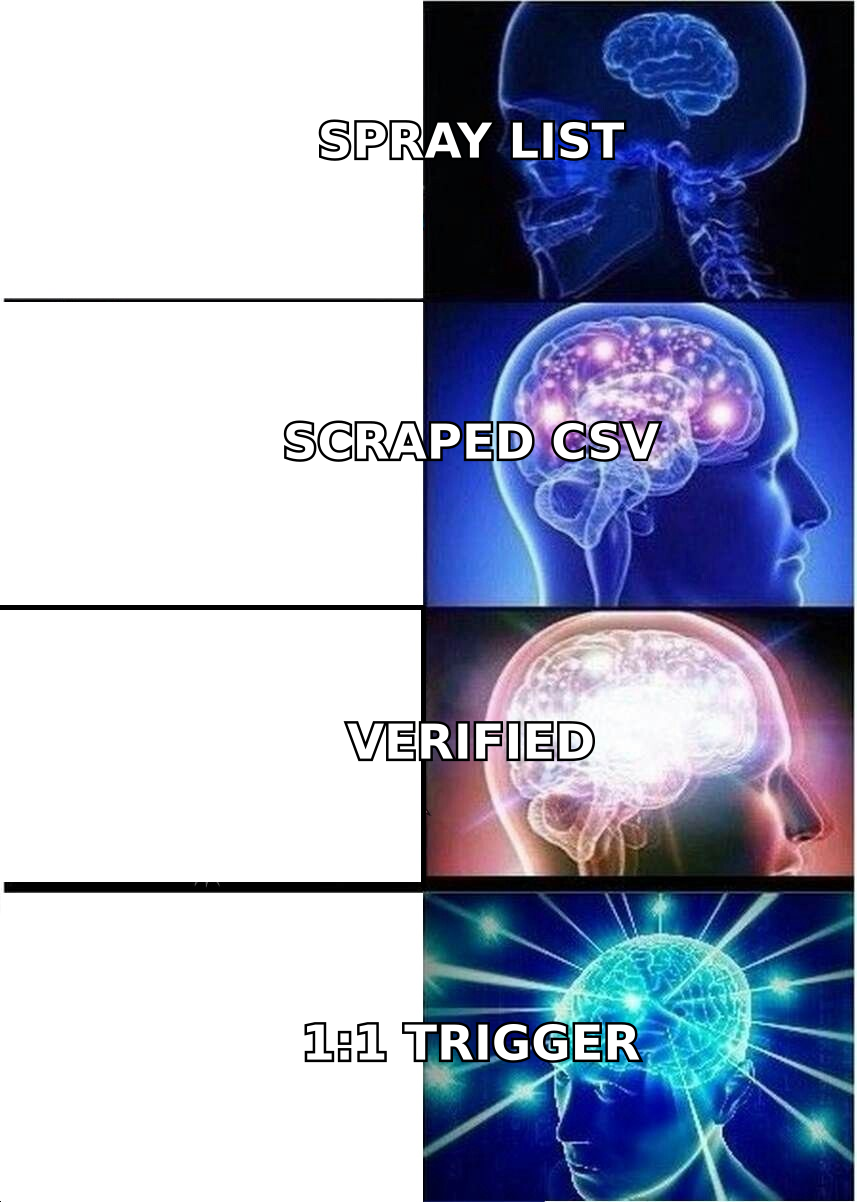
Do these in order. Building a beautiful sequence on top of an unwarmed domain and a scraped list is the most common failure mode in outbound, and it looks like a copy problem when it is really an infrastructure problem.
How do you set up a domain that lands in the inbox?#
Never send cold email from your primary company domain. If a campaign goes badly, you take your billing notifications, support threads, and invoices down with it.
The setup, in order:
- Buy a lookalike domain. If you are
acme.com, registergetacme.comoracme-hq.com. Point it at your main site with a 301 so it does not look abandoned. - Authenticate it. Publish an SPF record, enable DKIM signing on the mailbox, and add a DMARC record starting at
p=noneso you can read reports before enforcing. Google and Yahoo have required all three for bulk senders since February 2024, and the enforcement has only tightened. You can sanity-check yours with an SPF checker before you send anything. - Create 2-3 mailboxes per domain. Not ten. Volume per mailbox is the metric that matters, not mailboxes per domain.
- Warm up for 2-4 weeks. Start at 5-10 sends per day per mailbox and ramp gradually. Warmup tools automate the reciprocal opens and replies, but the ramp curve matters more than the tool. An email warmup calculator will tell you how long your target volume actually needs.
- Cap at 30-50 cold sends per mailbox per day. Forever. Scale by adding mailboxes, not by pushing individual ones harder.
Google's own bulk sender guidelines are the authoritative source here, and they are short enough to read in one sitting. Everything else you read about email deliverability is downstream of them.

How do you build a list worth emailing?#
Your list determines your ceiling. A perfect email to the wrong 500 people beats nothing; a mediocre email to the right 50 often beats both.
Start by writing your ICP as a filter you could hand to a junior researcher: industry, headcount band, geography, job title, and one trigger — a signal that makes right now the right time. Triggers are the difference between a cold email and a well-timed one. Common ones: new funding round, a role opening that implies a project, a technology added to their stack, a leadership change, or a public complaint about a problem you solve.
Then source the contacts. Four methods, ranked by quality:
- Domain-first sourcing — build a company list, then pull the people. A domain search returns every discoverable address on a company's domain plus the pattern it uses, which lets you predict addresses for people you have not found yet.
- Name plus domain lookup — you know who you want, you need the address. This is what an email finder is for, and it is the highest-accuracy path because you are confirming a specific human, not guessing.
- LinkedIn-sourced lists — export a Sales Navigator search, then resolve profiles to work addresses with a LinkedIn finder. Good coverage, slower.
- Purchased databases — fast and cheap per record, but staleness varies enormously by vendor. Providers like BookYourData sell verified B2B lists with bounce guarantees, which mitigates the biggest risk, but you should still re-verify anything older than 90 days.
Whatever the source, the rule is the same: no address enters a sequence unverified.
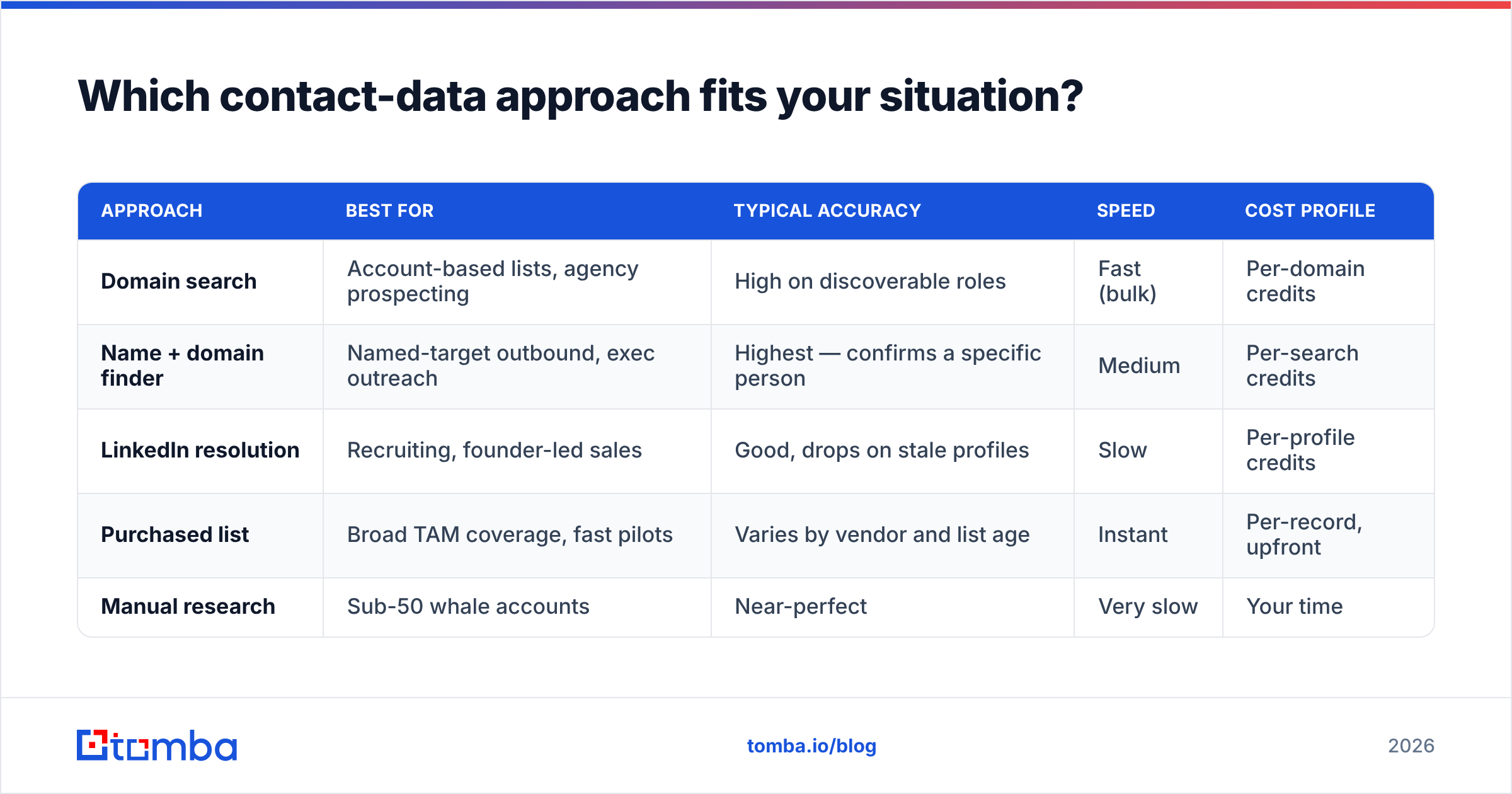
Which contact-data approach fits your situation?#
| Approach | Best for | Typical accuracy | Speed | Cost profile |
|---|---|---|---|---|
| Domain search | Account-based lists, agency prospecting | High on discoverable roles | Fast (bulk) | Per-domain credits |
| Name + domain finder | Named-target outbound, exec outreach | Highest — confirms a specific person | Medium | Per-search credits |
| LinkedIn resolution | Recruiting, founder-led sales | Good, drops on stale profiles | Slow | Per-profile credits |
| Purchased list | Broad TAM coverage, fast pilots | Varies by vendor and list age | Instant | Per-record, upfront |
| Manual research | Sub-50 whale accounts | Near-perfect | Very slow | Your time |
The economics matter more than they look. Fifteen percent of business email addresses go stale every year through job changes alone, so any list you bought or built six months ago is meaningfully worse than the day you got it. Re-running your list through an email verifier before each campaign costs a fraction of a cent per record and protects the domain you spent a month warming.
Catch-all domains deserve their own note. A catch-all server accepts everything, so standard SMTP verification returns "unknown" rather than valid or invalid. Roughly a fifth of B2B domains are configured this way. You either skip them, send to them at low volume and accept a higher bounce risk, or run them through a catch-all verifier that uses pattern and historical-engagement signals instead of a raw SMTP handshake.
What does the email itself look like?#
Short. Specific. One ask.
Subject line. Two to five words, lowercase, no punctuation gimmicks. It should look like an email a colleague would send: "quick question re: onboarding" beats "Transform Your Onboarding Today!!" every time. Skip merge tags in the subject — recipients have learned to read {{FirstName}} as spam.
Opening line. This is the whole email. It must prove you did not blast this to 4,000 people. Reference a specific job posting, a line from their careers page, a product change, a podcast appearance, a number from their last funding announcement. One sentence, no flattery.
The middle. One or two sentences connecting their situation to a result someone like them got. Use a number if you have one. "We got a 14-person SDR team from 4% to 9% reply rate in a quarter" is a claim; "we help companies scale outbound" is noise.
The ask. Low friction beats high intent. "Worth a look?" or "Should I send the two-line version?" gets more replies than "Do you have 30 minutes Thursday?" You are trying to start a conversation, not book a calendar slot on message one.
Signature. Plain text. Name, title, company, one link. No images, no tracking pixels, no six-line legal footer. Images and pixels are the two most common causes of an otherwise-clean email landing in Promotions.
Total length: 50-120 words. If you cannot say it in 120, you do not know what you are asking for yet. HubSpot's ongoing sales email research consistently finds the same thing — shorter emails outperform longer ones at nearly every stage.
When should you send, and how often should you follow up?#
Send Tuesday through Thursday, between 7-9am or 1-3pm in the recipient's local timezone. This is the most over-researched question in outbound and the least important one — timing moves reply rates by a percentage point or two. List quality moves them by five.
Follow-ups are where the real gains are. Roughly half the replies to a well-built sequence come from messages two through four, and yet most people send once and give up.
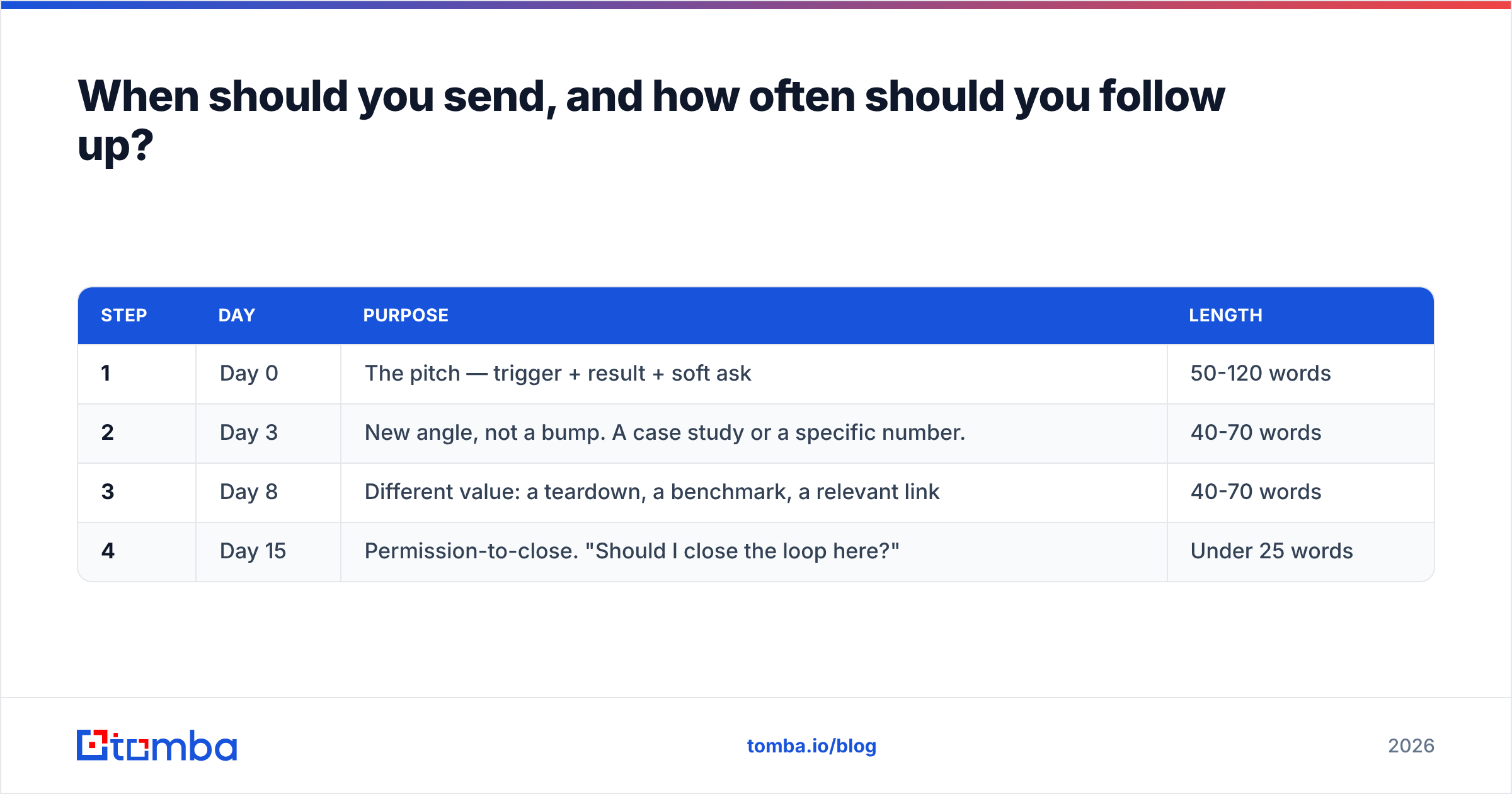
A sequence that works:
| Step | Day | Purpose | Length |
|---|---|---|---|
| 1 | Day 0 | The pitch — trigger + result + soft ask | 50-120 words |
| 2 | Day 3 | New angle, not a bump. A case study or a specific number. | 40-70 words |
| 3 | Day 8 | Different value: a teardown, a benchmark, a relevant link | 40-70 words |
| 4 | Day 15 | Permission-to-close. "Should I close the loop here?" | Under 25 words |
Rules for the follow-ups: never write "just bumping this to the top of your inbox," never reply on the same thread more than twice in a row, and always give the recipient a new reason to respond. A follow-up that adds nothing trains them to ignore you.
Stop at four. A fifth message converts almost nothing and materially raises your spam-complaint rate, which is the one metric that damages a domain faster than bounces.
How do you know if it is working?#
Track four numbers per campaign, per mailbox:
- Bounce rate — target under 2%, panic above 3%. This is a data problem, never a copy problem.
- Reply rate — 5-10% is healthy for a targeted list. Under 2% means your list or your first line is wrong.
- Positive reply rate — the only number tied to revenue. Anything above 30% of total replies is strong.
- Spam complaints — must stay under 0.1%. One bad campaign here undoes a month of warmup.
Deliberately ignore open rates. Apple Mail Privacy Protection has been auto-loading tracking pixels since 2021, which means a meaningful share of your "opens" are machines. Worse, the pixel itself slightly increases spam-filter risk. Turn open tracking off and measure replies.
If reply rate is low, diagnose in this order: bounces first (data), then spam placement (infrastructure), then first-line relevance (targeting), then the ask (copy). People almost always start at the bottom of that list and rewrite copy that was never the problem.
What tools do you actually need?#
Fewer than the market wants you to buy. Three categories cover it:
- Data — an email finder plus a verifier. This is where accuracy compounds; everything downstream inherits it. Compare options on G2's lead intelligence category if you want third-party review volume rather than vendor claims.
- Sending — a sequencer with per-mailbox throttling, inbox rotation, and automatic reply detection. Almost any modern tool does this competently.
- Warmup — either built into your sequencer or standalone. Non-negotiable for the first month.
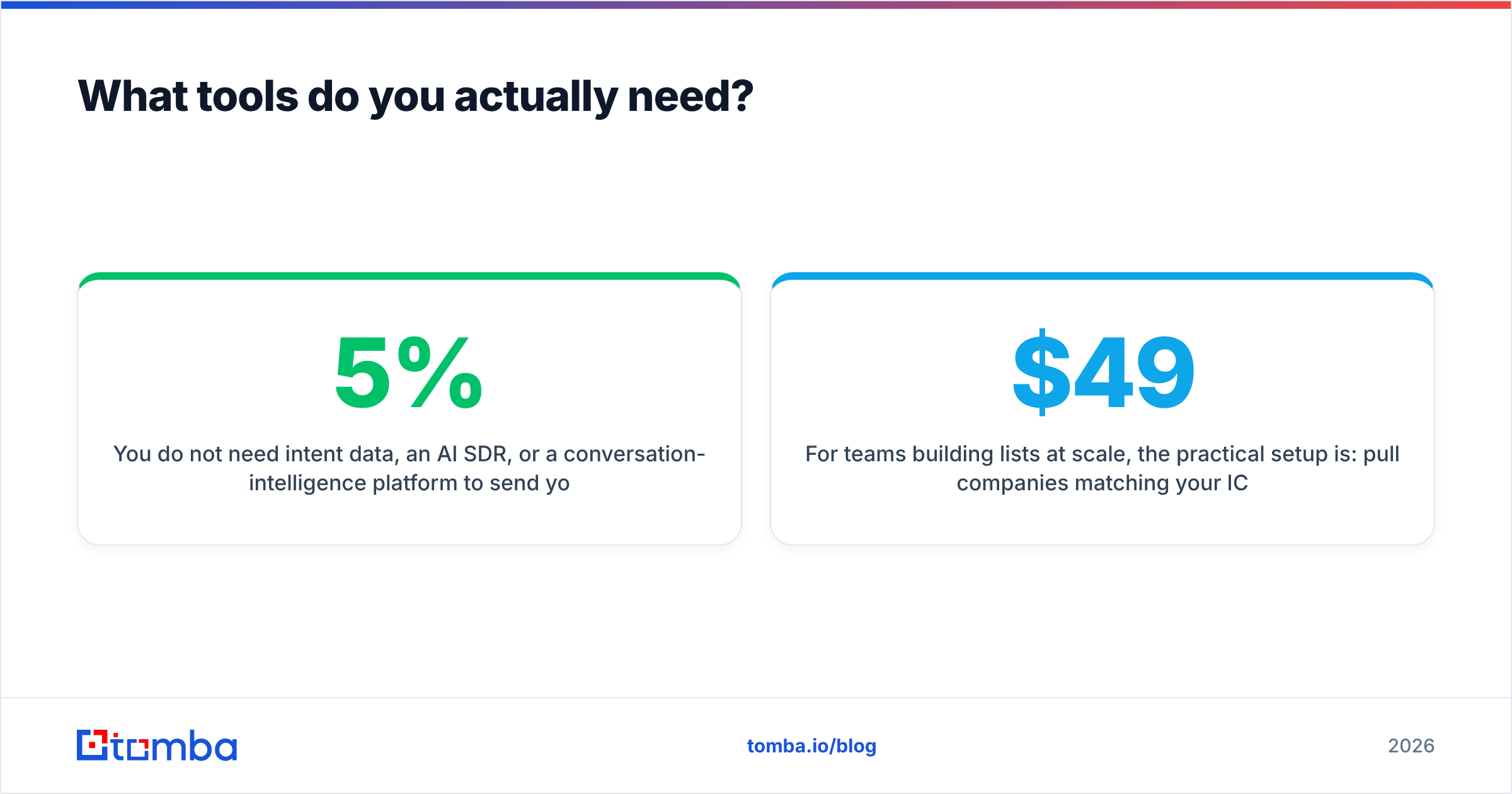
You do not need intent data, an AI SDR, or a conversation-intelligence platform to send your first thousand cold emails. Add those when your reply rate is already above 5% and the bottleneck is genuinely volume.
For teams building lists at scale, the practical setup is: pull companies matching your ICP, run bulk email finder jobs against those domains, verify the output, push to your sequencer. On Tomba pricing, that runs from free at 25 searches a month for testing, up to $49/mo on Starter and $99/mo on Growth for teams sending consistently. Test with 50 addresses before committing to any vendor's annual plan — accuracy claims are cheap and every provider's marketing page says 95%.
Get the data layer right first#
The uncomfortable truth about cold email is that the part everyone obsesses over — the copy — is the part with the smallest leverage. A verified list sent from a warmed, authenticated domain with mediocre copy will outperform brilliant copy sent to a 12%-bounce list from a cold domain. Every time.
Start with the address. The Tomba Email Finder returns verified professional addresses by name and domain, with a confidence score and the sources behind each result, so you know what you are sending to before you send it. Free tier gives you 25 searches a month — enough to build a test list, run your first sequence, and see your real bounce rate before you scale anything.
Related guides#
// get started
Find, verify and enrich your first contacts today
Start on the free plan with 25 searches a month, then scale when your team is ready.
Free plan · No credit card required · GDPR & CCPA
// about the author