How to Send Thousands of Emails at Once Without Getting Blocked
Sending thousands of emails at once is easy. Getting them delivered is not. Here is the infrastructure, warmup math, and list hygiene that separates a 95% inbox rate from a burned domain.
TL;DR
- You cannot send thousands of emails from one mailbox. Google and Microsoft cap free/business accounts far below that, and blowing past the cap gets you rate-limited or suspended within hours.
- Volume comes from spreading, not pushing: multiple sending domains, multiple mailboxes per domain, 20–50 sends per mailbox per day, staggered over hours.
- Two different jobs need two different stacks. Cold outreach to prospects needs a sequencer plus rotating mailboxes. Newsletters to opted-in subscribers need an ESP like Mailchimp or SendGrid.
- List quality decides everything. A 5% bounce rate on 10,000 sends is 500 hard bounces — enough to tank your sender reputation before the campaign finishes.
- Budget roughly 3–4 weeks of warmup before your first big push. There is no shortcut, and every tool that promises one is selling you a suspension.
What does "send thousands of emails at once" actually mean?#
It means two completely different things, and choosing the wrong interpretation is the most expensive mistake in this article.
Interpretation one: bulk marketing email. You have 8,000 people who subscribed to your newsletter. You want them all to get the same message today. This is a solved problem. Email service providers (ESPs) — Mailchimp, Brevo, SendGrid, Klaviyo — exist precisely for this. They own the IP reputation, handle the unsubscribe compliance, and can push 8,000 messages in under ten minutes.
Interpretation two: cold outbound. You have 8,000 prospects who have never heard of you. You want personalized-looking one-to-one emails landing in their primary inbox. ESPs will ban you for this — their terms of service require prior consent, and their shared IP pools are protected aggressively. You need a completely different setup: your own domains, your own mailboxes, and a sequencer that trickles sends out slowly.
Most people searching for how to send thousands of emails at once mean interpretation two but try to solve it with interpretation one's tools. That is why their accounts get closed.
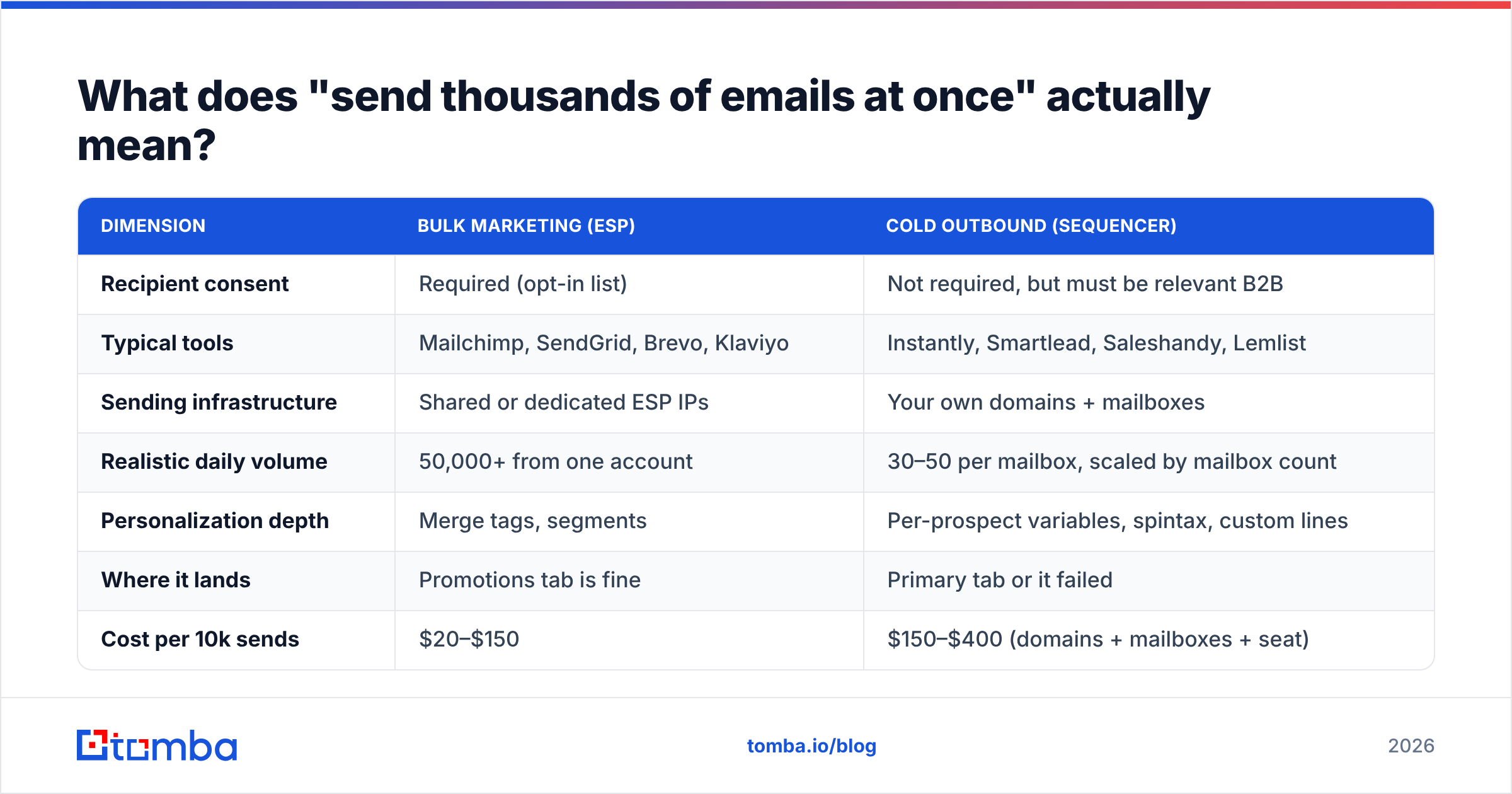
| Dimension | Bulk marketing (ESP) | Cold outbound (sequencer) |
|---|---|---|
| Recipient consent | Required (opt-in list) | Not required, but must be relevant B2B |
| Typical tools | Mailchimp, SendGrid, Brevo, Klaviyo | Instantly, Smartlead, Saleshandy, Lemlist |
| Sending infrastructure | Shared or dedicated ESP IPs | Your own domains + mailboxes |
| Realistic daily volume | 50,000+ from one account | 30–50 per mailbox, scaled by mailbox count |
| Personalization depth | Merge tags, segments | Per-prospect variables, spintax, custom lines |
| Where it lands | Promotions tab is fine | Primary tab or it failed |
| Cost per 10k sends | $20–$150 | $150–$400 (domains + mailboxes + seat) |
| Ramp time before first send | Hours | 3–4 weeks warmup |
If your answer to "did these people ask to hear from me?" is yes, stop reading and go set up an ESP. Everything below is about the harder path.
Why can't you just send 5,000 emails from your Gmail?#
Because the mailbox providers cap you, and the caps are not negotiable.
Google Workspace allows roughly 2,000 recipients per day for paid accounts and 500 for consumer Gmail — and those are the hard ceilings, not the safe ones. Microsoft 365 sits around 10,000 recipients per day with a 30-messages-per-minute throttle. Both providers apply a second, invisible layer of filtering: even if you stay under the published limit, a sudden jump from 20 sends a day to 1,200 triggers behavioral flags that route you straight to spam.
The published limit is what gets you an error message. The behavioral limit is what silently kills your campaign while the dashboard still says "delivered."
Real-world safe volumes look like this:
- A brand-new mailbox — 0 sends. Warm it up for 2–3 weeks first.
- A warmed mailbox, week 4 — 20 cold sends per day, spread across 8+ hours with randomized gaps.
- A mature mailbox, month 3+ — 40–50 cold sends per day, still spread out, still randomized.
- A mailbox with a reply rate above 5% — you can push toward 50–60, because engagement signals buy you headroom.
- A mailbox with a bounce rate above 4% — cut volume in half immediately and audit the list before resuming.
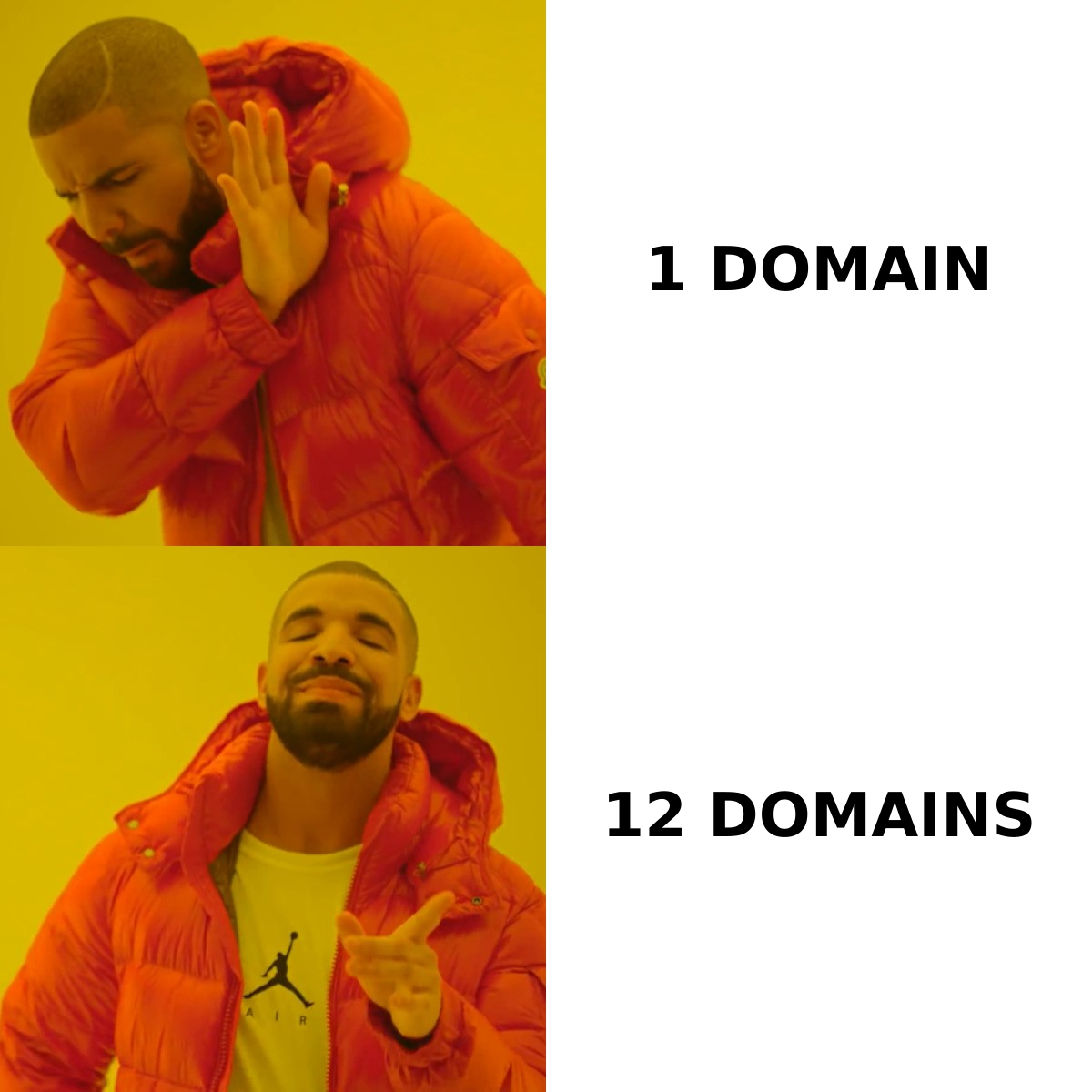
Do the arithmetic. Hitting 2,000 cold sends per day at 40 per mailbox means 50 mailboxes. At 3 mailboxes per domain — the ratio most practitioners settle on — that is roughly 17 sending domains. This is the actual answer to the question, and it is an infrastructure answer, not a software one.
How do you build the sending infrastructure?#
Five layers, in order. Skipping any one of them makes the others worthless.
Layer 1 — Buy secondary domains. Never send cold email from your primary domain. If acme.com gets blacklisted, your invoices and support replies stop arriving too. Buy lookalikes: getacme.com, acme-hq.com, tryacme.io. Budget $10–15 each per year. Point them at a simple redirect to your main site so they do not look abandoned.
Layer 2 — Authenticate every domain. Publish SPF, DKIM, and DMARC records before you create a single mailbox. Since Google and Yahoo tightened bulk-sender requirements in 2024, unauthenticated mail from a new domain is functionally undeliverable. Run each domain through an SPF checker and confirm DKIM signing is active in your provider's admin console. Set DMARC to p=none initially so you collect reports without bouncing legitimate mail, then tighten to p=quarantine once the reports are clean.
Layer 3 — Create 2–3 mailboxes per domain. More than three per domain concentrates risk. Give each a real human name, a real signature, and a profile photo. sarah@getacme.com outperforms sales@getacme.com by a wide margin because filters and humans both treat role addresses as broadcast.
Layer 4 — Warm every mailbox for 3–4 weeks. Warmup tools (Instantly, Smartlead, Warmbox, Mailreach) exchange real emails between a network of seeded accounts, opening them, replying, and dragging them out of spam. That builds an engagement history before your first prospect ever sees you. Use a warmup calculator to model your ramp — the standard curve starts at 2–4 emails per day and adds roughly 20% per day until you hit target volume.
Layer 5 — Connect a sequencer with rotation. The sequencer distributes one campaign across all your mailboxes, randomizes send intervals, respects per-mailbox daily caps, and pauses a mailbox automatically when its bounce rate spikes. This is the piece that makes 50 mailboxes behave like one campaign.
Skipping layer 4 is the single most common failure. People buy domains on Monday and blast on Wednesday, then blame the tool.
Which sending tools handle high volume best?#
The market splits cleanly by use case. Here is how the main options compare on the attributes that actually matter at volume.
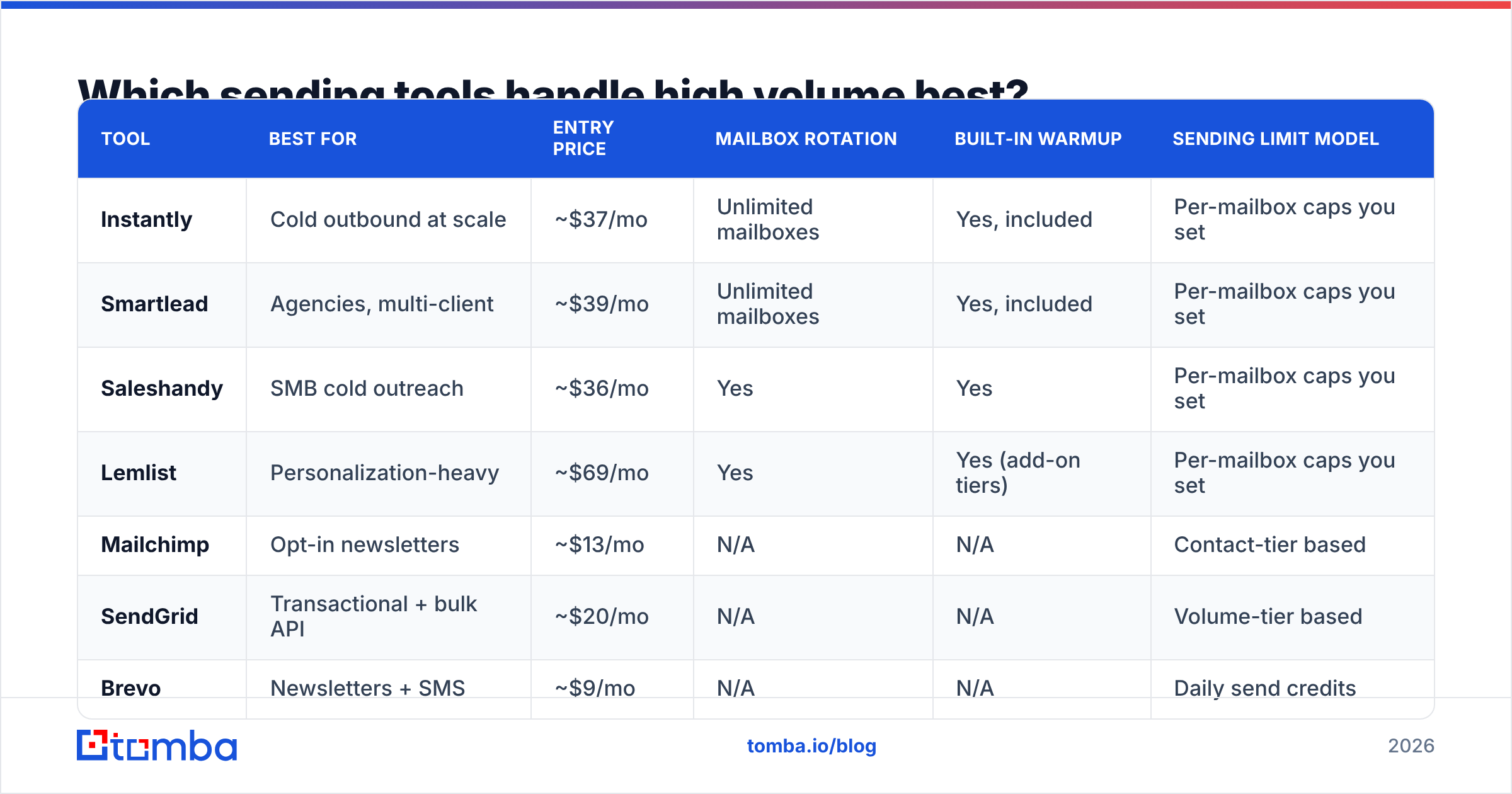
| Tool | Best for | Entry price | Mailbox rotation | Built-in warmup | Sending limit model |
|---|---|---|---|---|---|
| Instantly | Cold outbound at scale | ~$37/mo | Unlimited mailboxes | Yes, included | Per-mailbox caps you set |
| Smartlead | Agencies, multi-client | ~$39/mo | Unlimited mailboxes | Yes, included | Per-mailbox caps you set |
| Saleshandy | SMB cold outreach | ~$36/mo | Yes | Yes | Per-mailbox caps you set |
| Lemlist | Personalization-heavy | ~$69/mo | Yes | Yes (add-on tiers) | Per-mailbox caps you set |
| Mailchimp | Opt-in newsletters | ~$13/mo | N/A | N/A | Contact-tier based |
| SendGrid | Transactional + bulk API | ~$20/mo | N/A | N/A | Volume-tier based |
| Brevo | Newsletters + SMS | ~$9/mo | N/A | N/A | Daily send credits |
Two notes on reading this table. First, the "entry price" is the sequencer seat only — it excludes domains ($10–15/yr each), mailboxes ($6–7/mo each on Google Workspace, cheaper on Zoho or a dedicated cold-email mailbox provider), and the data source that fills your list. Real all-in cost for a 2,000-sends-per-day setup is $600–900 per month, mostly in mailboxes.
Second, unlimited mailbox connections is the pricing feature that matters most for cold outbound. A per-mailbox pricing model looks cheap at five mailboxes and becomes unusable at fifty. If you are evaluating an Instantly alternative or a Saleshandy alternative, check the mailbox pricing model before the feature list.
How does list quality change your sending capacity?#
More than any other variable. Your bounce rate is the throttle on your entire operation.
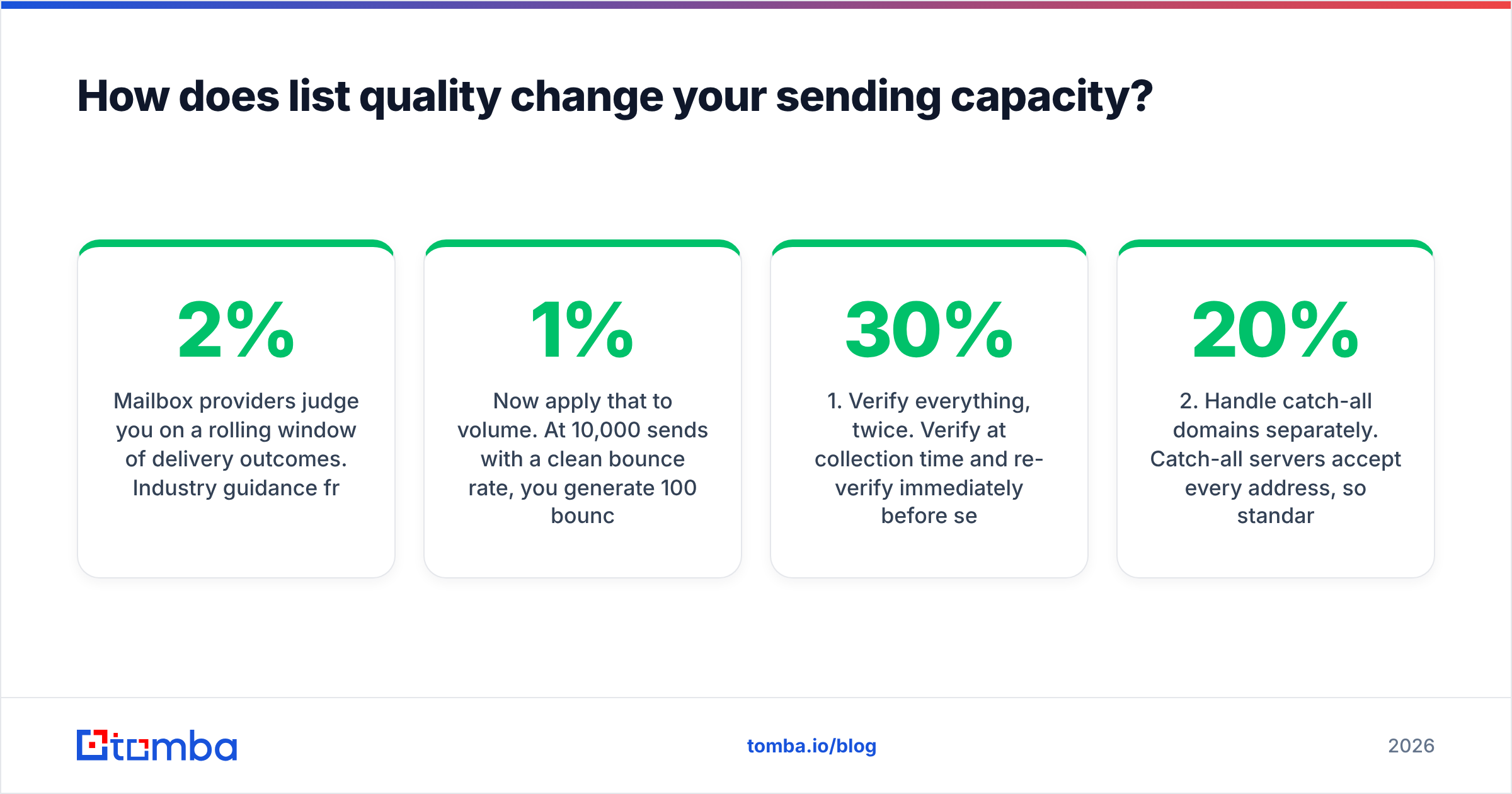
Mailbox providers judge you on a rolling window of delivery outcomes. Industry guidance from providers and deliverability vendors converges on the same numbers: keep hard bounces under 2%, and treat anything above 5% as an emergency. Spam complaints must stay under 0.3% — Google's bulk sender requirements name 0.3% explicitly as the threshold that triggers filtering.
Now apply that to volume. At 10,000 sends with a clean 1% bounce rate, you generate 100 bounces. Uncomfortable but survivable. At 10,000 sends with a scraped list running 12% invalid — which is normal for lists older than six months — you generate 1,200 hard bounces. Your domains are flagged inside 48 hours and every mailbox on them is compromised. You just burned $500 of infrastructure and four weeks of warmup on one campaign.
This is why list building and list verification are not preparatory chores. They are the volume constraint.
Three rules that hold up at scale:
- Verify everything, twice. Verify at collection time and re-verify immediately before send. B2B data decays at roughly 22–30% per year as people change jobs, so a list verified in January is meaningfully worse by June. Run the whole file through an email verifier before every campaign, not just once.
- Handle catch-all domains separately. Catch-all servers accept every address, so standard SMTP verification returns "unknown" rather than valid or invalid. Around 20% of B2B domains are catch-alls. Either use a dedicated catch-all verifier that infers validity from pattern and header data, or segment catch-alls into a low-volume test batch sent from a throwaway domain.
- Never buy a generic list. Lists sold in bulk have been sold before, meaning the addresses have already been hammered by other senders and many are now spam traps. If you must buy data, use a vendor with per-record verification and a bounce guarantee — BookYourData is one of the more transparent options here, with published accuracy commitments rather than vague claims.
Building the list yourself is slower and better. Pull target companies, then use a domain search to enumerate the verified addresses at each one, or an email finder to resolve specific names to addresses. For high-volume runs, the bulk email finder processes a CSV of names and companies in one pass and returns confidence scores per record, so you can drop anything below your threshold before it ever touches a mailbox.

What sending schedule keeps you out of spam?#
Volume is not the only signal. Pattern is.
A human does not send 40 emails in 40 consecutive seconds. Filters know this. Configure your sequencer with:
- Randomized intervals of 60–180 seconds between sends, never a fixed number.
- A daily window of 8–10 hours in the recipient's timezone, not a 3am burst.
- Weekday-only sending unless your data says otherwise — weekend sends have worse engagement and stand out as automated.
- A hard per-mailbox cap enforced by the tool, not by your discipline.
- Automatic pausing when a mailbox crosses 4% bounce or 0.2% complaint rate.
Then watch the right metrics. Open rate is increasingly unreliable thanks to Apple Mail Privacy Protection inflating it, so anchor on reply rate and bounce rate instead. A reply rate above 3% means your targeting and copy are working and your email deliverability is healthy. A reply rate under 1% with normal bounces usually means you are landing in spam, not that your copy is bad.
Set up Google Postmaster Tools for every sending domain before you start. It is free, it reports your domain reputation and spam rate directly from Google, and it is the only place you can see how Gmail actually perceives you. Microsoft's SNDS covers the Outlook side. Without both, you are flying blind — you will see sends leaving and no signal about where they land.
Finally, monitor blacklists. A single listing on Spamhaus or SpamCop can cut delivery across all your domains if they share infrastructure. Check weekly with a blacklist checker and delist promptly; most listings resolve within days if you fix the underlying cause first.
What does a realistic 30-day ramp look like?#
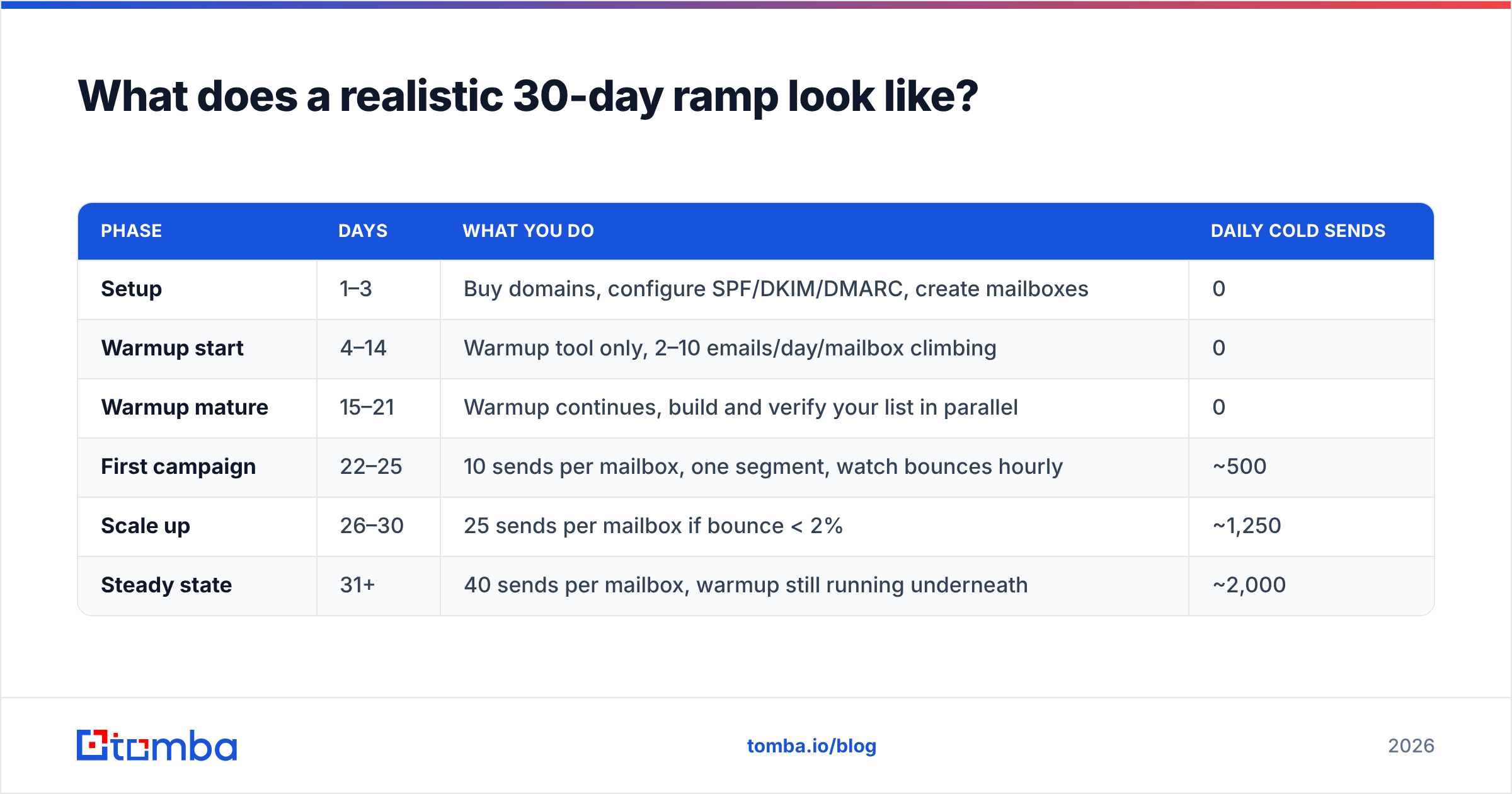
Here is the schedule that gets a new setup from zero to 2,000 daily sends without incident.
| Phase | Days | What you do | Daily cold sends |
|---|---|---|---|
| Setup | 1–3 | Buy domains, configure SPF/DKIM/DMARC, create mailboxes | 0 |
| Warmup start | 4–14 | Warmup tool only, 2–10 emails/day/mailbox climbing | 0 |
| Warmup mature | 15–21 | Warmup continues, build and verify your list in parallel | 0 |
| First campaign | 22–25 | 10 sends per mailbox, one segment, watch bounces hourly | ~500 |
| Scale up | 26–30 | 25 sends per mailbox if bounce < 2% | ~1,250 |
| Steady state | 31+ | 40 sends per mailbox, warmup still running underneath | ~2,000 |
Two things people get wrong here. Warmup does not stop when campaigns start — it runs underneath forever, at reduced volume, maintaining the positive engagement ratio. And the day-22 campaign should target your best segment, not your worst. Early engagement teaches the filters that mail from this domain gets replies. Starting with your weakest list teaches them the opposite, permanently.
Should you use a dedicated IP or shared?#
Shared, until you are sending consistently above 100,000 messages per month through an ESP.
A dedicated IP has no reputation at all when you get it, which means you have to warm the IP as well as the domains — weeks of additional ramp. Below 100k monthly volume you will never send enough to establish a stable reputation on it, and an IP with sparse, irregular traffic looks worse to filters than one riding a well-managed shared pool.
For cold outbound the question mostly does not apply: you are sending through Google Workspace or Microsoft 365 mailboxes, so you are on their IPs by definition. Your reputation lives at the domain level, which is exactly why domain count and domain hygiene matter more than anything you can configure at the IP layer.
Get the list right before you touch the send button#
Every hour you spend on infrastructure is wasted if the addresses are wrong. Bad data is what triggers bounces, bounces are what burn domains, and burned domains are what end campaigns.
Start with Tomba Email Finder to build a list that is verified at the source rather than cleaned up afterward. The free tier gives you 25 searches per month to test accuracy against contacts you can confirm, Starter runs $49/mo, and Growth is $99/mo when you need real volume — see Tomba pricing for the full breakdown including API access. Feed the verified output straight into your sequencer, keep bounce rates under 2%, and your domains will still be sending next quarter.
Related guides#
// get started
Find, verify and enrich your first contacts today
Start on the free plan with 25 searches a month, then scale when your team is ready.
Free plan · No credit card required · GDPR & CCPA
// about the author