How to Use AI to Write Emails That Actually Get Replies
AI writes cold emails in seconds — most of them get ignored. Here's the workflow that separates AI drafts that book meetings from the generic slop filling everyone's spam folder.
TL;DR
- AI is good at structure, variation, and speed. It is terrible at knowing why a specific prospect should care — that context has to come from you.
- The workflow that works: research input → constrained prompt → human edit pass → deliverability check → send. Skipping step 3 is why most AI email gets ignored.
- Generic "write me a cold email" prompts produce the same six sentences everyone else is sending. Prompts with real research variables produce replies.
- AI cannot fix a bad list. A perfectly written email to an invalid address still bounces and still damages your sender reputation.
- Budget roughly 60 seconds of human editing per AI draft. That ratio is where the reply-rate gains actually live.
What does "using AI to write emails" actually mean in 2026?#
It means one of three very different things, and people conflate them constantly.
One: full drafting. You give a model a prompt, it returns a complete email. Fastest, lowest quality, highest risk of sounding like every other AI-generated message in the inbox.
Two: assisted drafting. You write the core idea and the AI expands, tightens, or rewrites it in a different register. Slower, dramatically better output, because the insight is yours.
Three: variation at scale. You write one strong email manually, then use AI to generate personalized opening lines or value props for each prospect based on structured research data. This is what high-performing outbound teams actually do.
The third category is where the ROI is. It also requires something most people skip: clean, structured data about each recipient. A model given "write a cold email to a VP of Sales" has nothing to work with. A model given "VP of Sales at a 200-person logistics SaaS, they just posted three SDR roles, their pricing page added a self-serve tier last month" has something to say.
That distinction — data in, quality out — is the entire game.
Why do most AI-written emails get ignored?#
Because they read like they were written by someone who has never heard of the recipient's company. Which is exactly what happened.
Here are the failure patterns that show up in almost every unedited AI draft:
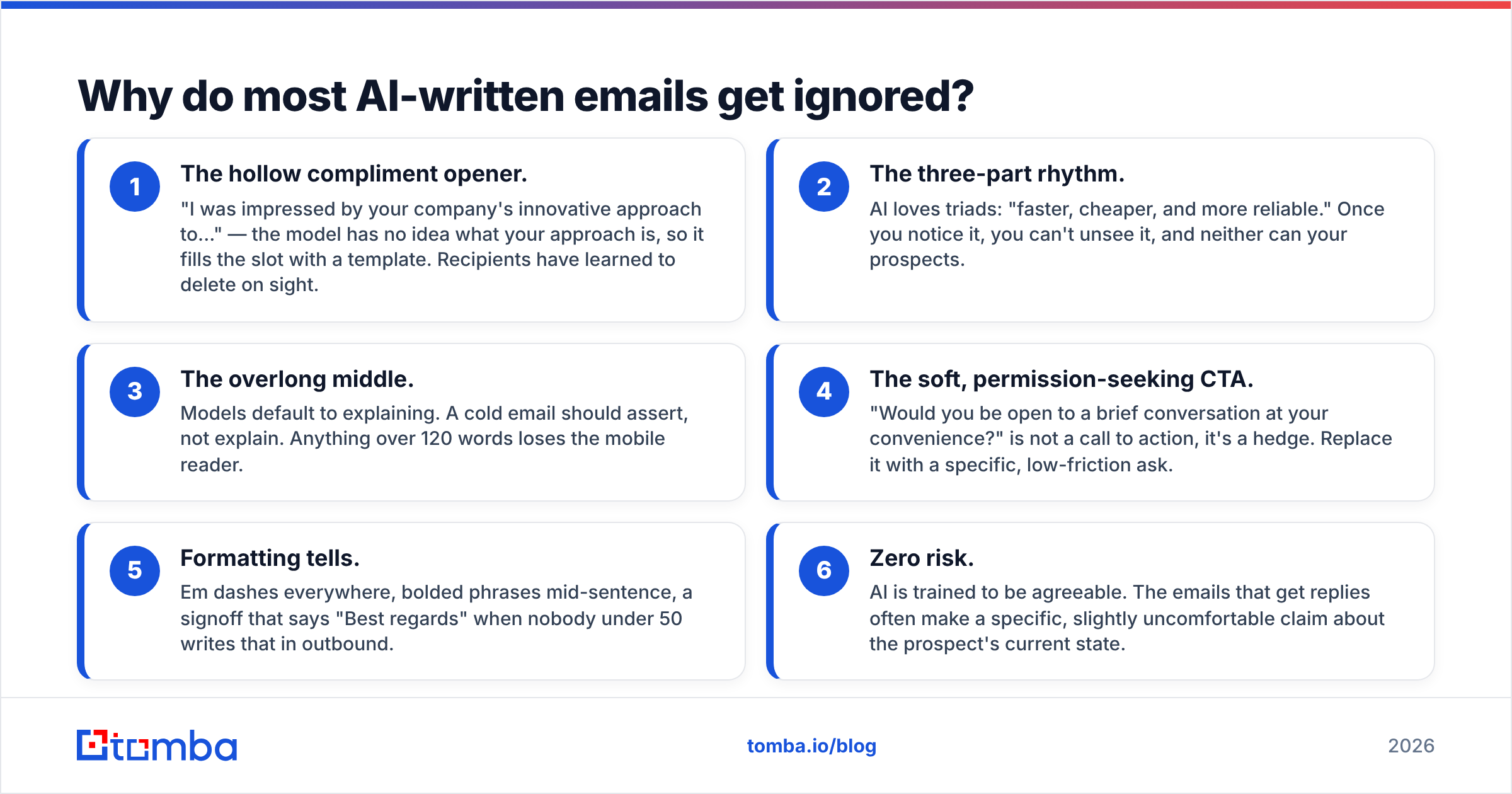
- The hollow compliment opener. "I was impressed by your company's innovative approach to..." — the model has no idea what your approach is, so it fills the slot with a template. Recipients have learned to delete on sight.
- The three-part rhythm. AI loves triads: "faster, cheaper, and more reliable." Once you notice it, you can't unsee it, and neither can your prospects.
- The overlong middle. Models default to explaining. A cold email should assert, not explain. Anything over 120 words loses the mobile reader.
- The soft, permission-seeking CTA. "Would you be open to a brief conversation at your convenience?" is not a call to action, it's a hedge. Replace it with a specific, low-friction ask.
- Formatting tells. Em dashes everywhere, bolded phrases mid-sentence, a signoff that says "Best regards" when nobody under 50 writes that in outbound.
- Zero risk. AI is trained to be agreeable. The emails that get replies often make a specific, slightly uncomfortable claim about the prospect's current state.
None of these are model failures. They're prompt failures compounded by skipped editing.
How do you actually write an email with AI, step by step?#
Here's the five-step workflow. Each step exists because removing it measurably drops reply rates.
Step 1 — Gather the input. Before you open any AI tool, collect three things per prospect: a verified email address, a role/company fact, and a trigger event (funding, hiring, product launch, leadership change). If you can't find a trigger, the prospect probably isn't worth a personalized email — put them in a lighter-touch sequence instead.
Step 2 — Write a constrained prompt. Constraints are what separate usable output from filler. Specify word count, banned phrases, reading level, the exact CTA, and the tone reference. More on the prompt template below.
Step 3 — Edit ruthlessly, always. Cut the first sentence (it's almost always throat-clearing). Replace one generic noun with a specific one. Read it out loud. If any clause sounds like a press release, delete it. This takes under a minute and is non-negotiable.
Step 4 — Check deliverability before sending. Run the copy through a spam checker and confirm your domain auth is intact with an SPF checker. AI drafts frequently include spam-trigger language ("guaranteed," "risk-free," "limited time") that a human writer would never reach for.
Step 5 — Verify the list, then send. AI can write a flawless email to a dead mailbox. Bounce rates above 3% start suppressing your inbox placement regardless of copy quality. Run the list through an email verifier first.
The sequencing matters. Teams that verify after sending are already paying a reputation cost they can't refund.
What does a good AI email prompt look like?#
Compare these two.
Weak prompt:
"Write a cold email to a VP of Marketing offering our analytics tool."
Strong prompt:
"Write a 75-word cold email. Recipient: Dana Ruiz, VP of Marketing at Corvex, a 140-person HR software company. Trigger: they launched a free tier three weeks ago and their careers page lists two new growth-marketing roles. My product: attribution tooling that shows which free-tier signups convert to paid. Constraints: no compliments, no rhetorical questions, no em dashes, no 'I hope this finds you well.' Reading level: 6th grade. CTA: ask if they're tracking free-to-paid attribution today, nothing else. Tone: a peer sending a quick observation, not a vendor pitching."
The second prompt produces something you can send after 30 seconds of editing. The first produces something you'd have to rewrite from scratch.
The pattern: recipient facts + trigger + specific offer + explicit bans + one CTA + tone reference. Keep a saved template with those six slots and fill them per prospect. If you want a running start, cold email templates and a cold email AI writer are useful as scaffolding — just don't ship the raw output.
Which AI tools should you use for email writing?#
The category splits into general-purpose models, embedded writing assistants, and sequencing platforms with AI baked in. They solve different problems.
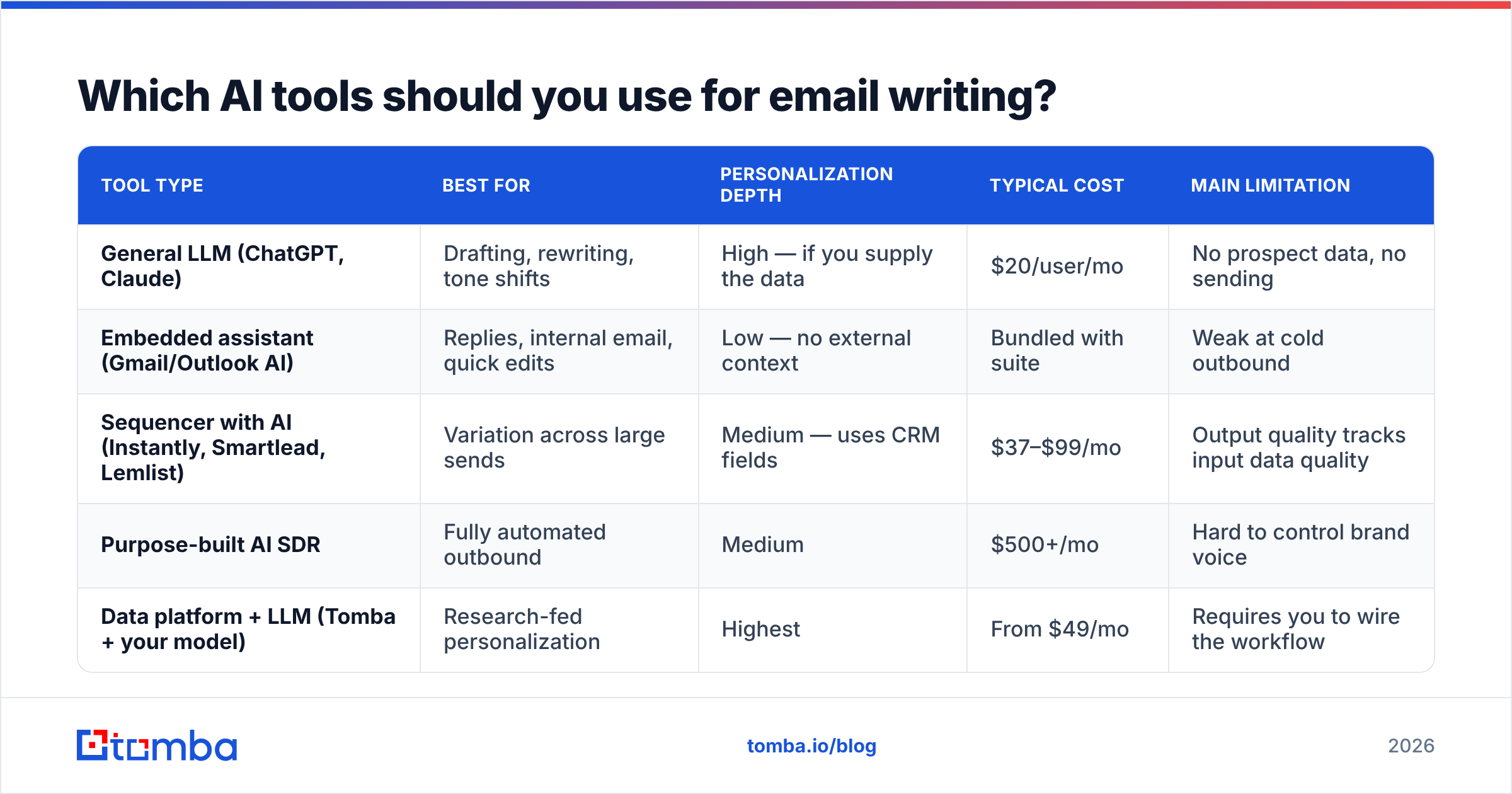
| Tool type | Best for | Personalization depth | Typical cost | Main limitation |
|---|---|---|---|---|
| General LLM (ChatGPT, Claude) | Drafting, rewriting, tone shifts | High — if you supply the data | $20/user/mo | No prospect data, no sending |
| Embedded assistant (Gmail/Outlook AI) | Replies, internal email, quick edits | Low — no external context | Bundled with suite | Weak at cold outbound |
| Sequencer with AI (Instantly, Smartlead, Lemlist) | Variation across large sends | Medium — uses CRM fields | $37–$99/mo | Output quality tracks input data quality |
| Purpose-built AI SDR | Fully automated outbound | Medium | $500+/mo | Hard to control brand voice |
| Data platform + LLM (Tomba + your model) | Research-fed personalization | Highest | From $49/mo | Requires you to wire the workflow |
The last row is the one most teams underestimate. An LLM with no data is a stylist. An LLM with verified contact data, company details, and enrichment fields is a research analyst that writes.
That's the honest case for pairing a data source with your model rather than paying for a bundled "AI writer" whose personalization comes from a {{first_name}} merge tag.
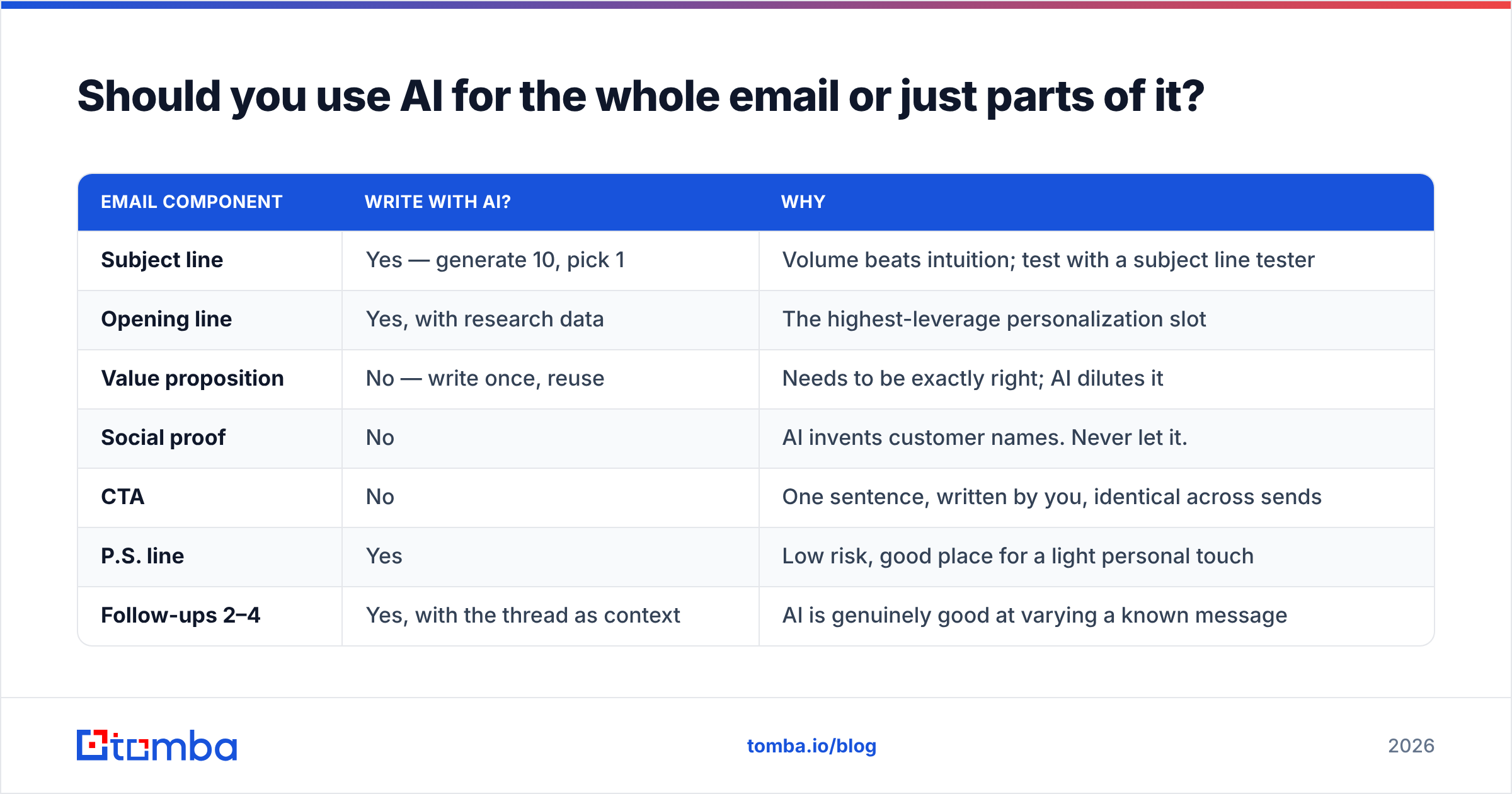
Should you use AI for the whole email or just parts of it?#
Just parts. Here's the split that consistently outperforms full automation.
| Email component | Write with AI? | Why |
|---|---|---|
| Subject line | Yes — generate 10, pick 1 | Volume beats intuition; test with a subject line tester |
| Opening line | Yes, with research data | The highest-leverage personalization slot |
| Value proposition | No — write once, reuse | Needs to be exactly right; AI dilutes it |
| Social proof | No | AI invents customer names. Never let it. |
| CTA | No | One sentence, written by you, identical across sends |
| P.S. line | Yes | Low risk, good place for a light personal touch |
| Follow-ups 2–4 | Yes, with the thread as context | AI is genuinely good at varying a known message |
The rule underneath: AI handles what varies, humans handle what must be exactly right. Your value prop and social proof are assets you refine over months. Regenerating them per prospect is destroying value, not creating it.
How does AI-written email affect deliverability?#
More than people expect, in three specific ways.
Sameness triggers filtering. Inbox providers cluster similar messages. If thousands of senders are pushing structurally identical LLM output, filters learn that shape. This is already happening — the "hope this finds you well / I noticed your company / would you be open to" skeleton is a recognizable fingerprint. Varying your structure isn't stylistic preference anymore, it's a deliverability control.
Volume temptation. AI removes the cost of writing, so people send more. Sending more without warming domains or verifying lists is the fastest route to a spam folder. If you're scaling volume, run the numbers through a warmup calculator before you increase daily send limits.
Spam vocabulary. Models trained partly on marketing copy reach for marketing words. "Unlock," "supercharge," "game-changing," "exclusive offer" — all elevate spam scores. Your prompt should ban them explicitly.
Google's own bulk sender guidelines are the baseline here: authenticate your domain, keep spam complaints under 0.3%, and make unsubscribing trivial. No amount of clever copy compensates for failing those. It's worth reading G2's cold email software category reviews too — the recurring complaint across AI outbound tools is deliverability degradation at scale, not writing quality.
For the underlying mechanics, our glossary entries on email deliverability and sender reputation cover what actually moves inbox placement.
What should you never let AI do in an email?#
Four hard limits.
- Invent facts. Models will confidently produce a customer name, a statistic, or a case study that does not exist. Every factual claim in a sent email must be one you can source. This is the single fastest way to destroy credibility with a prospect who checks.
- Guess contact details. AI does not know anyone's email address. Pattern-guessing produces bounces. Use a real email finder that returns a confidence score and sources, not a model that hallucinates
firstname.lastname@. - Write compliance-sensitive language. Pricing commitments, SLA claims, regulatory statements — human-written, legal-reviewed, always.
- Send unsupervised. Fully autonomous send loops fail silently. One bad prompt change can push 5,000 broken emails before anyone notices. Keep a human approval gate on anything above a few hundred sends.
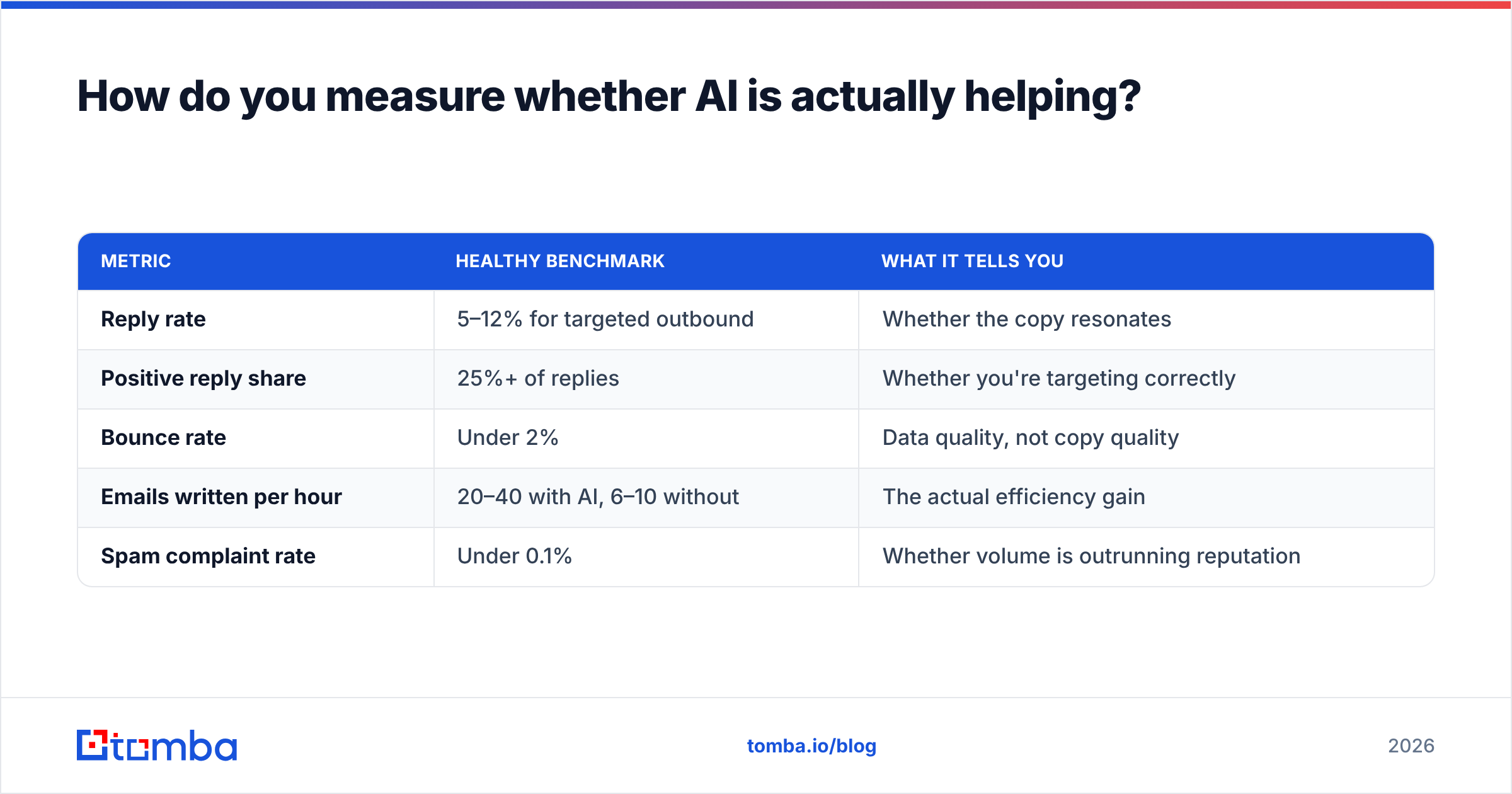
How do you measure whether AI is actually helping?#
Track three ratios before and after you introduce AI into the workflow.
| Metric | Healthy benchmark | What it tells you |
|---|---|---|
| Reply rate | 5–12% for targeted outbound | Whether the copy resonates |
| Positive reply share | 25%+ of replies | Whether you're targeting correctly |
| Bounce rate | Under 2% | Data quality, not copy quality |
| Emails written per hour | 20–40 with AI, 6–10 without | The actual efficiency gain |
| Spam complaint rate | Under 0.1% | Whether volume is outrunning reputation |
If reply rate drops while emails-per-hour triples, you haven't gained anything — you've just automated being ignored more efficiently. The goal is holding reply rate flat or improving it while output rises. Anything else is a false win.
A practical benchmark: teams that add AI drafting and keep a human edit pass typically see output roughly triple with reply rates within a point or two of manual writing. Teams that automate end-to-end usually see output rise 10x and reply rates fall by half or more. Do the arithmetic on which one books more meetings — it's often the first, because the second burns domain reputation as a side effect.
What does a complete AI email workflow look like?#
Putting it together for a 200-prospect campaign:
- Build the list — pull target companies, then run a domain search to get contacts by role at each one.
- Enrich — add job title, company size, tech stack, and recent news via data enrichment so your prompts have something to work with.
- Verify — run everything through verification. Drop anything risky or unknown.
- Generate — one prompt template, filled per prospect with the enriched fields. Batch it through the API or a spreadsheet.
- Edit — 60 seconds per email. Cut, sharpen, check for invented facts.
- Warm and send — respect daily limits, monitor bounce and complaint rates daily for the first week.
- Iterate — after 100 sends, look at which opening-line variants drove replies and feed the winners back into the prompt.
Steps 1–3 are where most AI email projects quietly fail. Nobody talks about them because "we fixed our data pipeline" is a less exciting story than "AI wrote our emails." But the data is what makes the AI output specific, and specificity is what gets replies.
If you're comparing data providers for this, both Tomba and peers like BookYourData are reasonable starting points depending on whether you need real-time lookup or a pre-built list — they solve slightly different halves of the problem, and plenty of teams use both.
Getting the data layer right#
AI writing tools are commoditized. Every model can produce a competent 80-word email. What they can't do is tell you who to write to, whether that address is real, or what's happening at that company this month.
That's the layer worth investing in. Tomba's Email Finder returns verified addresses with confidence scores and source attribution, so the contacts feeding your prompts are real people at real companies — not pattern guesses that bounce and drag your sender reputation down with them. Free tier gives you 25 searches a month to test the workflow; paid plans start at $49/mo, with full Tomba pricing laid out if you need volume. Wire it into your prompt template, keep the human edit pass, and let AI do the part it's actually good at.
Related guides#
// get started
Find, verify and enrich your first contacts today
Start on the free plan with 25 searches a month, then scale when your team is ready.
Free plan · No credit card required · GDPR & CCPA
// about the author