IP Warm Up: The Complete 2026 Guide to Warming a New IP
A new sending IP has no reputation — and mailbox providers treat no reputation as suspicious. Here is the 30-day IP warm up schedule, the metrics that decide whether it works, and the mistakes that quietly kill a domain.
TL;DR
- IP warm up is a reputation-building ramp, not a waiting period. You send small, predictable, high-engagement volumes from a new IP so mailbox providers can build a positive history before you scale.
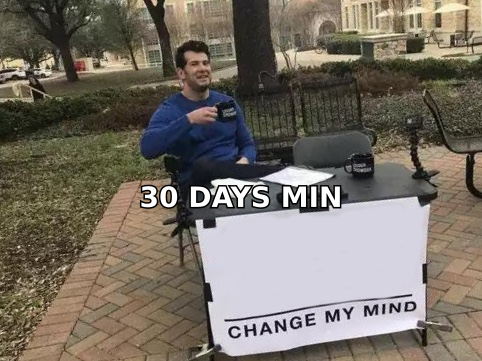
- 30 days is the realistic floor for a dedicated IP at meaningful volume. Gmail and Microsoft evaluate rolling windows, so a fast ramp resets your progress rather than accelerating it.
- Most warm ups fail on list quality, not schedule. Sending 50/day to unverified addresses is worse than sending 500/day to a clean, engaged list.
- You probably do not need a dedicated IP. Under roughly 50,000 sends/month, a reputable shared pool usually outperforms a solo IP you cannot keep warm.
- Domain reputation now outweighs IP reputation at Gmail. Warm the IP, but treat the sending domain and subdomain strategy as the primary asset.
What is IP warm up, and why does it exist?#
IP warm up is the practice of gradually increasing send volume from a new or dormant sending IP address so that mailbox providers can build a reputation profile for it before you send at full scale.
Think of it like opening a business bank account and immediately trying to wire $2 million. The bank does not know you. There is no history of normal behaviour to compare the transaction against, so the safest assumption the bank can make is that something is wrong. Mailbox providers reason identically: an IP with no sending history that suddenly emits 50,000 messages looks exactly like a compromised host or a snowshoe spammer.
Technically, providers like Gmail, Microsoft, and Yahoo maintain per-IP and per-domain reputation scores derived from engagement signals — opens in aggregate, replies, complaint rate, spam-folder rescues, deletions without reading, and hard bounces. A brand-new IP has a null score. Null gets treated closer to "suspicious" than to "neutral," which is why the first 2,000 messages you send from a new IP matter more than the next 200,000.
The warm up window is your chance to supply evidence: consistent volume, low complaints, near-zero bounces, and real human engagement.
Do you actually need a dedicated IP?#
Probably not — and this is the question most warm up guides skip because they are published by companies selling dedicated IPs.
A dedicated IP only helps if you can generate enough consistent volume to keep it warm. Reputation decays. If you send 8,000 emails in January and nothing in February, your March send is effectively a cold start again. Shared pools, by contrast, are kept warm continuously by the other senders in them — which is a benefit when those senders are well-behaved and a liability when they are not.
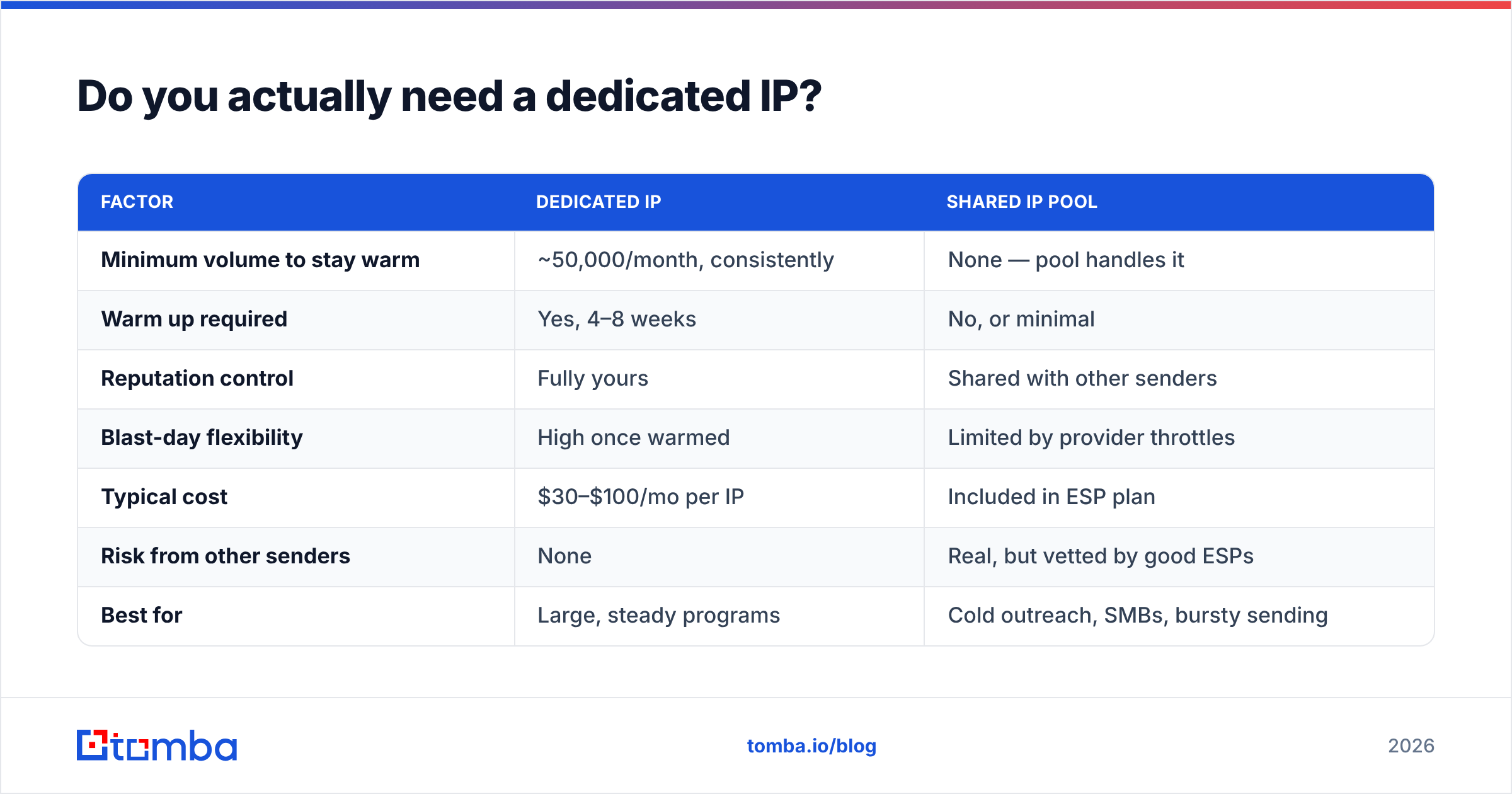
| Factor | Dedicated IP | Shared IP pool |
|---|---|---|
| Minimum volume to stay warm | ~50,000/month, consistently | None — pool handles it |
| Warm up required | Yes, 4–8 weeks | No, or minimal |
| Reputation control | Fully yours | Shared with other senders |
| Blast-day flexibility | High once warmed | Limited by provider throttles |
| Typical cost | $30–$100/mo per IP | Included in ESP plan |
| Risk from other senders | None | Real, but vetted by good ESPs |
| Best for | Large, steady programs | Cold outreach, SMBs, bursty sending |
The honest rule: if you cannot commit to sending at least 10,000–15,000 emails per week for the next six months, stay on a reputable shared pool and put your energy into list hygiene and content instead. A cold, poorly-maintained dedicated IP is strictly worse than a shared one.
For cold outbound specifically, the modern pattern is different again: many senders run multiple low-volume inboxes on separate sending domains through Google Workspace or Microsoft 365, where you do not control the IP at all. In that model, "IP warm up" becomes "mailbox warm up" — same principles, different lever.
How long does IP warm up take?#
Four weeks minimum for a dedicated IP at moderate volume. Six to eight weeks if your target is above 100,000 sends per day.
The number that matters is not calendar days but the rolling window providers evaluate. Gmail's filters weigh recent behaviour heavily, and abrupt volume changes are themselves a negative signal — a 10x jump on day 12 can undo the trust you built on days 1–11 even if your complaint rate is fine.
Three factors stretch or compress the timeline:
- Target volume. Warming to 5,000/day is a 3-week job. Warming to 500,000/day is a quarter-long project with provider-specific ramps.
- Recipient mix. A list that is 70% Gmail warms differently from one that is 70% Microsoft 365. Microsoft throttles aggressively and recovers slowly; Gmail responds faster to good engagement but punishes complaints harder.
- Engagement quality. If your first-week recipients reply and open, you can compress the ramp. If they ignore you, stretch it.
What does a real IP warm up schedule look like?#
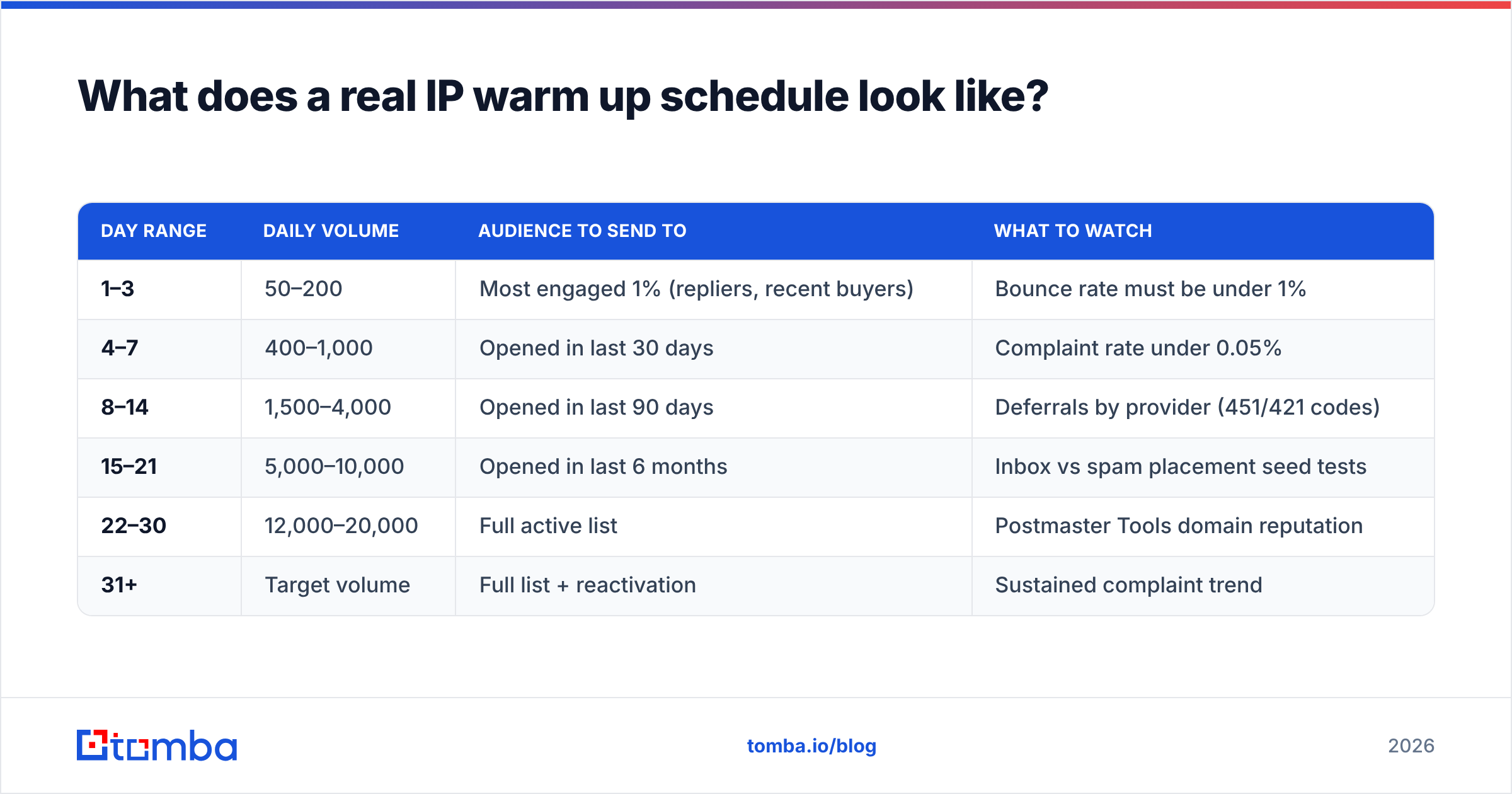
Here is a workable 30-day ramp for a target of roughly 20,000 sends per day. Scale the numbers proportionally to your own target, but keep the shape — slow start, geometric growth, plateau days.
| Day range | Daily volume | Audience to send to | What to watch |
|---|---|---|---|
| 1–3 | 50–200 | Most engaged 1% (repliers, recent buyers) | Bounce rate must be under 1% |
| 4–7 | 400–1,000 | Opened in last 30 days | Complaint rate under 0.05% |
| 8–14 | 1,500–4,000 | Opened in last 90 days | Deferrals by provider (451/421 codes) |
| 15–21 | 5,000–10,000 | Opened in last 6 months | Inbox vs spam placement seed tests |
| 22–30 | 12,000–20,000 | Full active list | Postmaster Tools domain reputation |
| 31+ | Target volume | Full list + reactivation | Sustained complaint trend |
Four rules that matter more than the exact numbers:
- Send at the same time every day. Predictability is itself a trust signal. A daily 9:00 a.m. send beats an erratic schedule at the same total volume.
- Never skip more than two days. Gaps read as dormancy and decay your progress.
- Segment by mailbox provider. Ramp Gmail, Microsoft, and Yahoo on separate curves if your ESP supports it. Microsoft typically needs a slower, longer ramp.
- If metrics degrade, hold — do not roll back. Repeat yesterday's volume for two or three days rather than cutting sharply. Sharp drops are also volume anomalies.
Use the warmup calculator to generate a day-by-day curve for your specific target volume instead of eyeballing it.
Which metrics tell you the warm up is working?#
Five signals, in priority order:
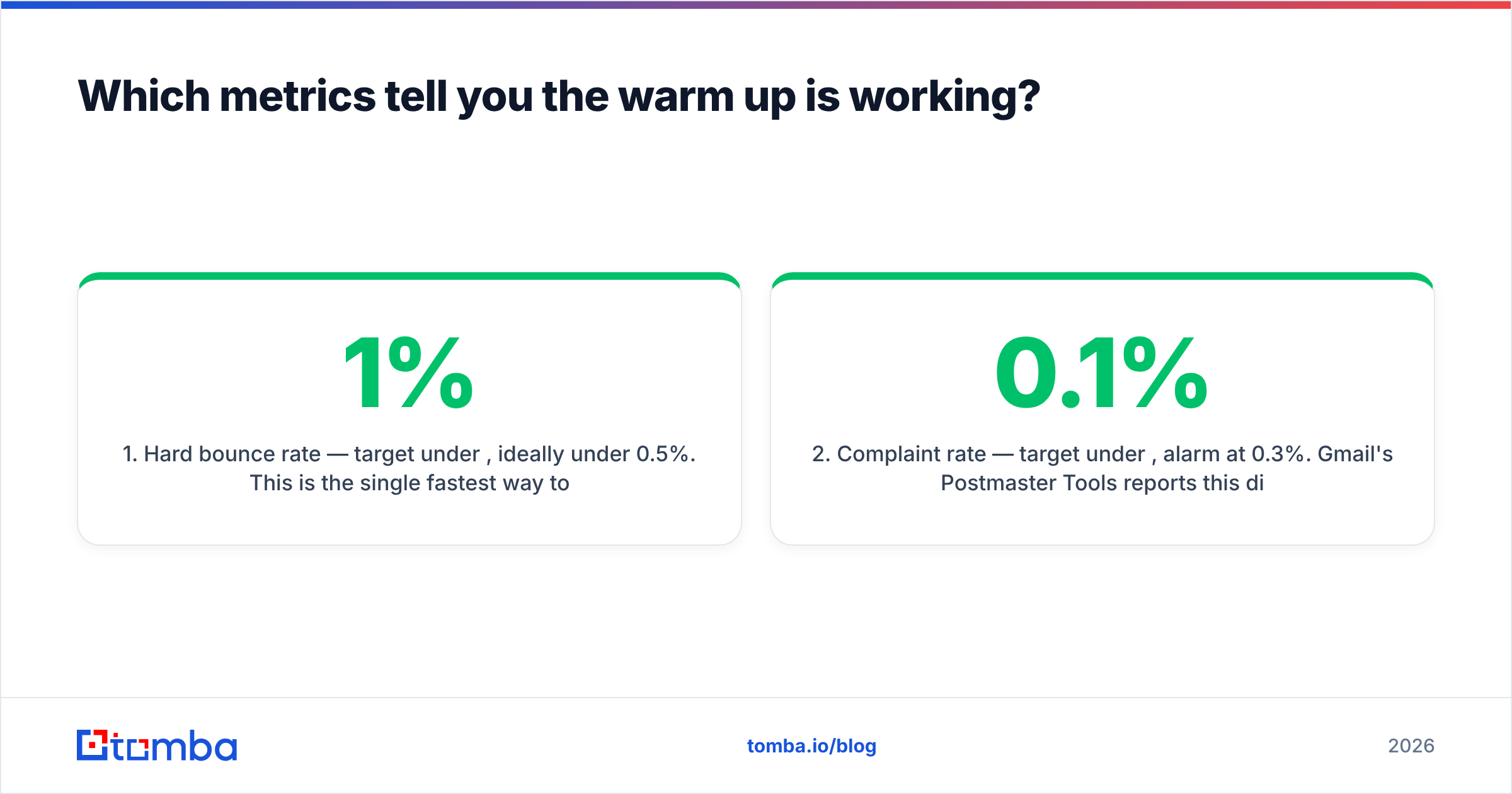
- Hard bounce rate — target under 1%, ideally under 0.5%. This is the single fastest way to burn a new IP, and it is entirely preventable with list verification.
- Complaint rate — target under 0.1%, alarm at 0.3%. Gmail's Postmaster Tools reports this directly; Microsoft requires SNDS enrollment.
- Domain and IP reputation in Postmaster Tools — you want to reach and hold "High." "Medium" during weeks 1–2 is normal; "Low" at any point means stop and diagnose.
- Deferral rate — 4xx responses mean the provider is throttling you. A rising deferral trend is the earliest warning you are ramping too fast.
- Reply and positive-engagement rate — the strongest positive signal available to you, and the reason cold outbound warm ups should prioritise messages that actually earn replies.
Google Postmaster Tools is non-negotiable for any serious warm up — it is the only place you see Gmail's own view of your reputation. Set it up before day 1, not on day 14 when something breaks.
Authentication has to be correct before you start, not fixed mid-ramp. SPF, DKIM, and a DMARC policy at minimum p=none with reporting enabled are baseline requirements at Gmail and Yahoo for bulk senders. Verify your records with an SPF checker and confirm the IP is not already listed anywhere using a blacklist checker — recycled IPs frequently arrive pre-poisoned by a previous tenant.
Why do most IP warm ups fail?#
Because the list was bad, not because the schedule was wrong.
A warm up amplifies whatever your data quality already is. Send 200 messages on day 1 to a list where 12% of addresses are dead, and you have handed the provider a 12% bounce rate as the first fact it ever learns about your IP. No schedule recovers from that. This is the failure mode behind the majority of "I followed the ramp and still landed in spam" complaints.

The other recurring failure modes:
- Warming with poor content. Providers evaluate the message, not just the volume. A warm up sequence full of image-heavy templates, link shorteners, and spam-trigger phrasing teaches the filter the wrong lesson. Run drafts through a spam checker first.
- Warming to your worst segment. Some senders start with their cheapest, coldest data to "protect" their good list. This is backwards. Your best contacts should absorb the first 2,000 sends because they generate the engagement that builds reputation.
- Ignoring catch-all domains. Catch-all servers accept everything, so they hide invalid addresses behind clean-looking acceptance rates while your real engagement collapses. Segment them out during warm up and validate them separately with a catch-all verifier.
- Treating IP reputation as the whole game. Gmail weights domain reputation heavily, and domain reputation travels with you across IPs. If you burn
yourcompany.com, buying a new IP does nothing. - Recycled IPs with history. Cloud providers reassign IPs constantly. Always check the address against major blocklists before the first send.
How do you keep a list clean enough to warm on?#
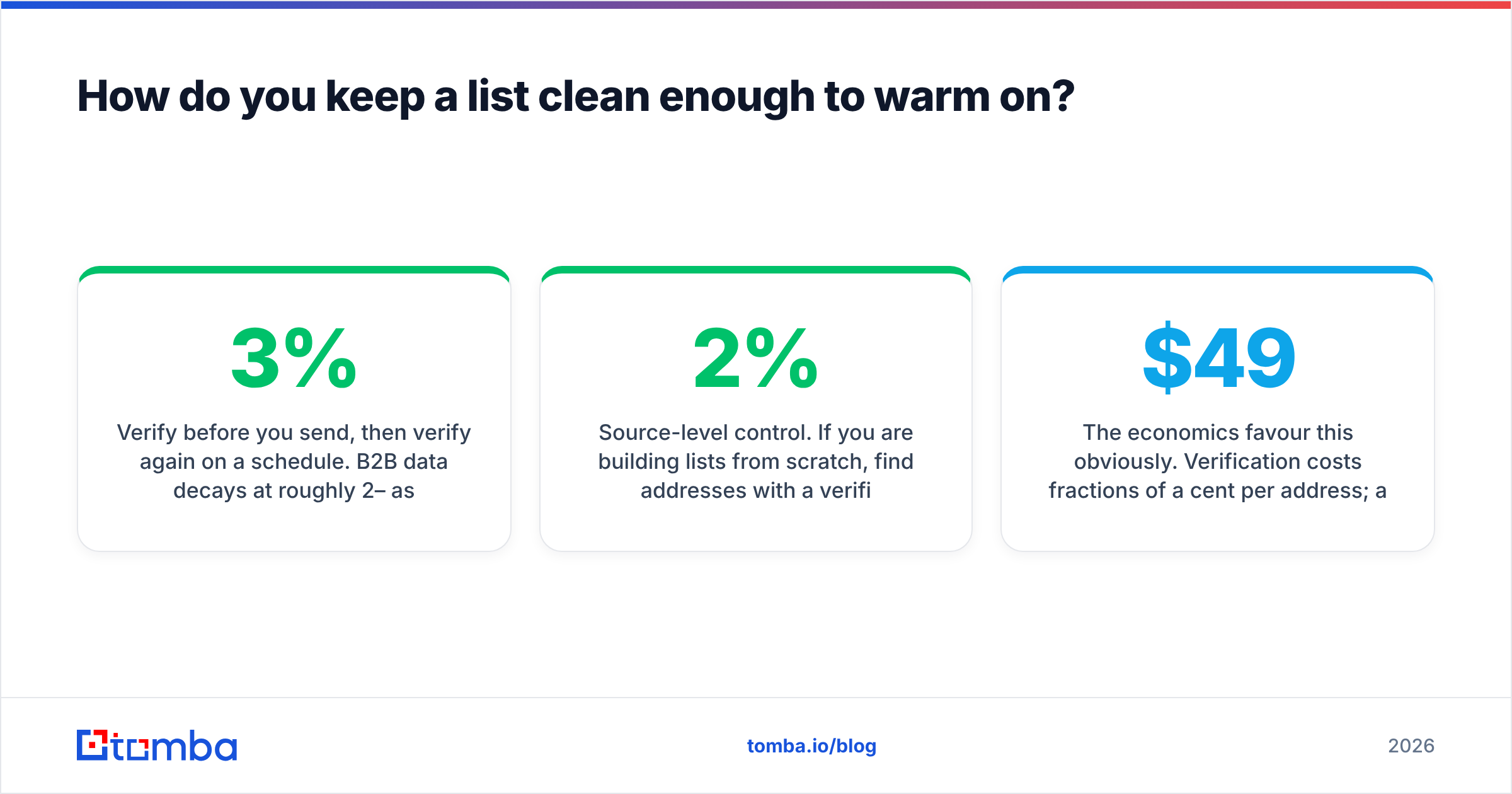
Verify before you send, then verify again on a schedule. B2B data decays at roughly 2–3% per month as people change jobs, which means a list verified twelve months ago is about a quarter wrong today.
A practical hygiene stack for warm up:
- Pre-send verification. Run the entire warm up list through an email verifier before day 1 and remove anything that is not a confirmed valid mailbox. Do not send to "risky" or "unknown" during a ramp — accept the smaller list.
- Bulk re-verification quarterly. Use bulk verify on your active list every 90 days so the next ramp (new IP, new subdomain, new region) starts from clean data.
- Suppression discipline. Hard bounces, complaints, and unsubscribes go into a global suppression list that applies across every tool you send from.
- Source-level control. If you are building lists from scratch, find addresses with a verified-at-source email finder rather than scraping or buying, so the verification step removes 2% rather than 20%.
The economics favour this obviously. Verification costs fractions of a cent per address; a damaged sending domain costs weeks of revenue. Tomba's plans start free at 25 searches/month, with Starter at $49/mo and Growth at $99/mo — cheaper than a single week of a throttled outbound program.
Is IP warm up still relevant in 2026?#
Yes, but its weight has shifted. Since the 2024 Gmail and Yahoo bulk-sender requirements, authentication, one-click unsubscribe, and complaint-rate thresholds under 0.3% have become hard gates. Miss those and no amount of careful ramping saves you. Get them right and the IP ramp becomes the tuning layer on top.
The bigger structural change is that sender reputation is increasingly evaluated at the domain and even the subdomain level. Practical consequence: separate your transactional mail (mail.yourcompany.com), your marketing mail (news.yourcompany.com), and your cold outbound (a distinct domain entirely) so a bad outbound quarter cannot take your password resets down with it. Each subdomain gets its own reputation and its own warm up.
For teams running cold outbound at scale, the discipline has shifted from one warmed IP to many small, well-behaved mailboxes — typically 20–50 sends per inbox per day across several domains, with automated warm-up conversations between them. The underlying logic has not changed at all: start small, stay consistent, prove you are wanted. Most modern ESPs, including SendGrid and similar platforms, now automate the ramp for you, which makes the schedule the easy part and list quality the only part you still control.
Your 10-day pre-warm-up checklist#
Before the first message leaves the new IP:
- SPF, DKIM, and DMARC published and validated on the exact sending domain.
- PTR/reverse DNS set on the IP and matching your sending hostname.
- IP checked against major blocklists — Spamhaus, SURBL, Barracuda.
- Postmaster Tools and Microsoft SNDS enrolled with domains verified.
- List fully verified, catch-alls segmented, suppressions applied.
- Warm up audience ranked by engagement, best-first.
- One-click unsubscribe (RFC 8058) implemented for bulk mail.
- Content reviewed for spam triggers, link shorteners, and image-to-text ratio.
- Daily volume curve written down with hold-and-diagnose thresholds.
- A named owner who checks metrics every single morning during the ramp.
Nine of those ten items are one-time infrastructure. Item five is the one you will redo forever, and the one that determines whether the other nine matter.
Where to start#
The schedule is the easy half of IP warm up — you can copy the table above and be 90% correct. The half that decides the outcome is whether the addresses you ramp on are real, current, and attached to people who want to hear from you.
Start there. Build your warm up list with Tomba Email Finder, which returns verified professional addresses with source attribution rather than pattern-guessed placeholders, then push the whole list through verification before day one. A free tier covers 25 searches a month if you want to test the accuracy against a list you already trust; Starter at $49/mo covers a full warm up cycle. Clean data first, then the ramp — never the other way around.
Related guides#
// get started
Find, verify and enrich your first contacts today
Start on the free plan with 25 searches a month, then scale when your team is ready.
Free plan · No credit card required · GDPR & CCPA
// about the author