Key Decision Makers: How to Find and Reach Them in 2026
Most B2B deals stall because the person who said yes never had budget authority. Here is how to map the buying committee, identify the real key decision makers, and reach them without burning your domain.
TL;DR
- A B2B purchase now involves 6–11 people on average, so "the key decision maker" is almost never one person — it is a committee with an economic buyer, a champion, a technical evaluator, and at least one blocker.
- The single most expensive prospecting mistake is booking a meeting with someone who can say "no" but cannot say "yes." That is a champion, not a decision maker.
- You can identify the real economic buyer from public signals: job title patterns, org-chart depth, funding stage, LinkedIn activity, and who signs off on the tools already in the stack.
- Multithreading — reaching 3+ stakeholders in the same account — correlates with materially higher close rates than single-threaded deals, and it is mostly a data problem, not a charisma problem.
- Getting contact details for VP- and C-level titles is where most workflows break. Verified email plus a direct phone number beats a generic info@ inbox every time.
What are key decision makers in B2B sales?#
Key decision makers are the people inside an account whose approval is required for a purchase to actually close — not the people who like your product, and not the people who fill out your demo form.
Think of a B2B purchase like getting a mortgage approved. The loan officer is friendly, answers your questions, and genuinely wants you to get the house. But the loan officer does not approve the loan. An underwriter you have never spoken to does, using criteria the loan officer only partially understands. If you spend eight weeks charming the loan officer and never learn what the underwriter cares about, you find out you were declined on week nine.
That is what happens in most stalled deals. Your contact was real, engaged, and responsive. They just were not the person holding the pen.
Gartner's B2B buying research has consistently found that a typical complex purchase involves six to ten decision makers, each bringing four or five independently gathered pieces of information to the group. The number climbs with deal size and with anything touching security, data, or procurement.

The five roles you are actually selling to#
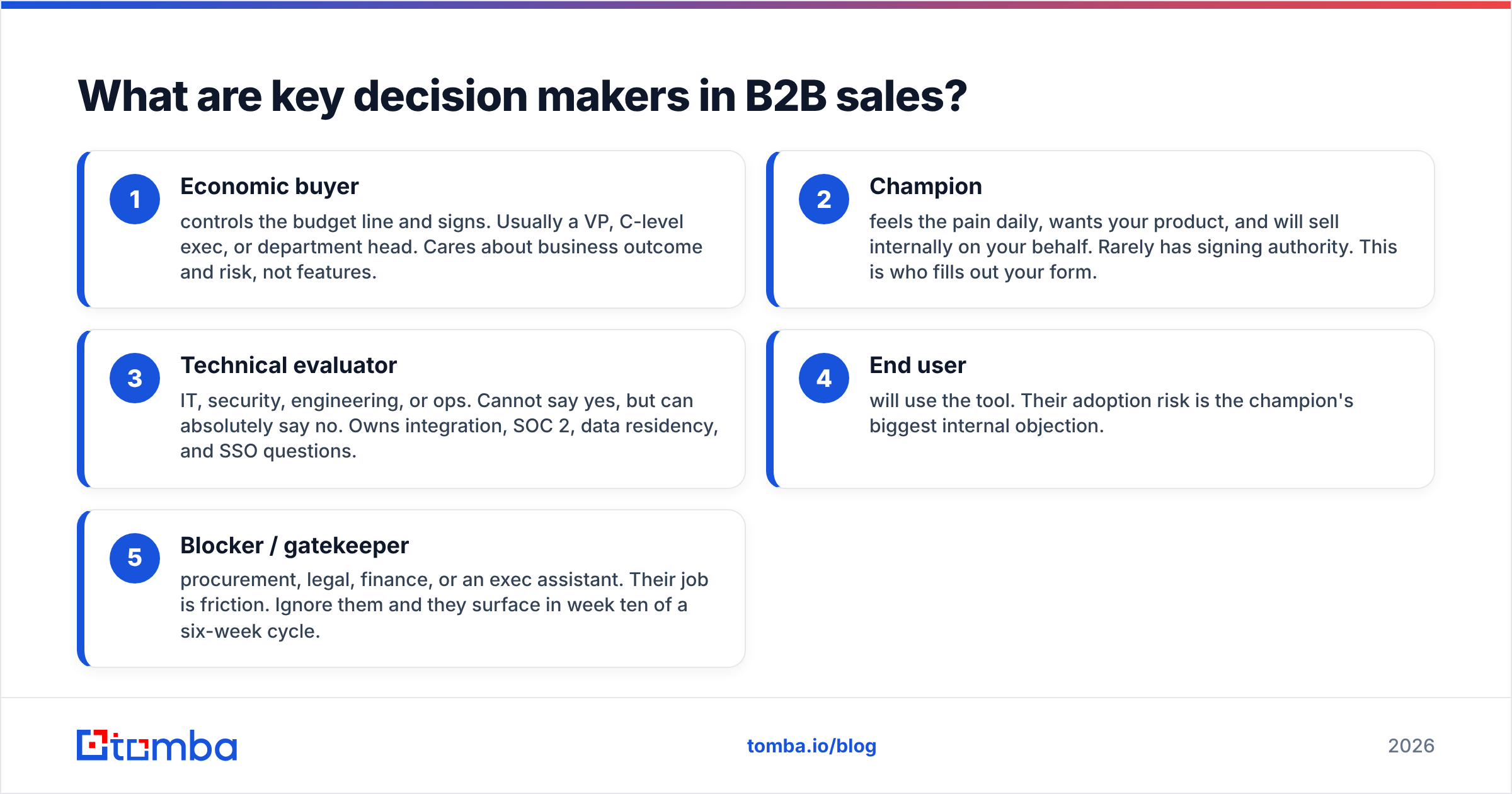
Every buying committee, regardless of company size, contains some version of these five roles. One person can hold two roles; in a 20-person startup the founder might hold all five.
- Economic buyer — controls the budget line and signs. Usually a VP, C-level exec, or department head. Cares about business outcome and risk, not features.
- Champion — feels the pain daily, wants your product, and will sell internally on your behalf. Rarely has signing authority. This is who fills out your form.
- Technical evaluator — IT, security, engineering, or ops. Cannot say yes, but can absolutely say no. Owns integration, SOC 2, data residency, and SSO questions.
- End user — will use the tool. Their adoption risk is the champion's biggest internal objection.
- Blocker / gatekeeper — procurement, legal, finance, or an exec assistant. Their job is friction. Ignore them and they surface in week ten of a six-week cycle.
Mislabeling a champion as an economic buyer is the most common and most expensive error in pipeline forecasting. It is also the easiest to catch: if your contact has never told you the budget number or the approval process, they probably do not own either.
How do you identify the key decision maker in an account?#
Start from the buying decision and work backwards, not from the org chart down.
The question is not "who is the most senior person here?" It is "whose budget does this come out of, and who does that person answer to?" A $30K/year sales tool in a 400-person company probably lands on a VP of Sales or a RevOps director. The CEO is not the decision maker; naming them in your outreach signals you did not do the work.
Here are the signals that actually predict authority, ranked by reliability:
- Budget-line titles over prestige titles. "Director of Demand Generation" outranks "Chief Growth Officer" for a marketing tool purchase if the director owns the MarTech line item. Look for functional ownership language in the title, not seniority theater.
- Company size bands. Under 50 employees: founder or department head signs. 50–500: VP level, with finance review above $25K. 500+: procurement gets involved, and you need a documented business case.
- Recent org changes. A newly hired VP in the first 90 days has budget and a mandate to change things. Track job-change signals — they are the strongest buying intent signal available for free.
- Funding and hiring velocity. A Series B announcement plus 12 open sales roles means someone just got a tooling budget. That someone is usually the person who requested the headcount.
- Existing stack ownership. Whoever approved the CRM usually approves things that plug into the CRM. A website tech stack check tells you what they already bought, which tells you who bought it.
- Public accountability. Who speaks at conferences about this problem? Who posts about it? Who is quoted in the company's own press releases about the relevant initiative?
A practical 5-step mapping workflow#
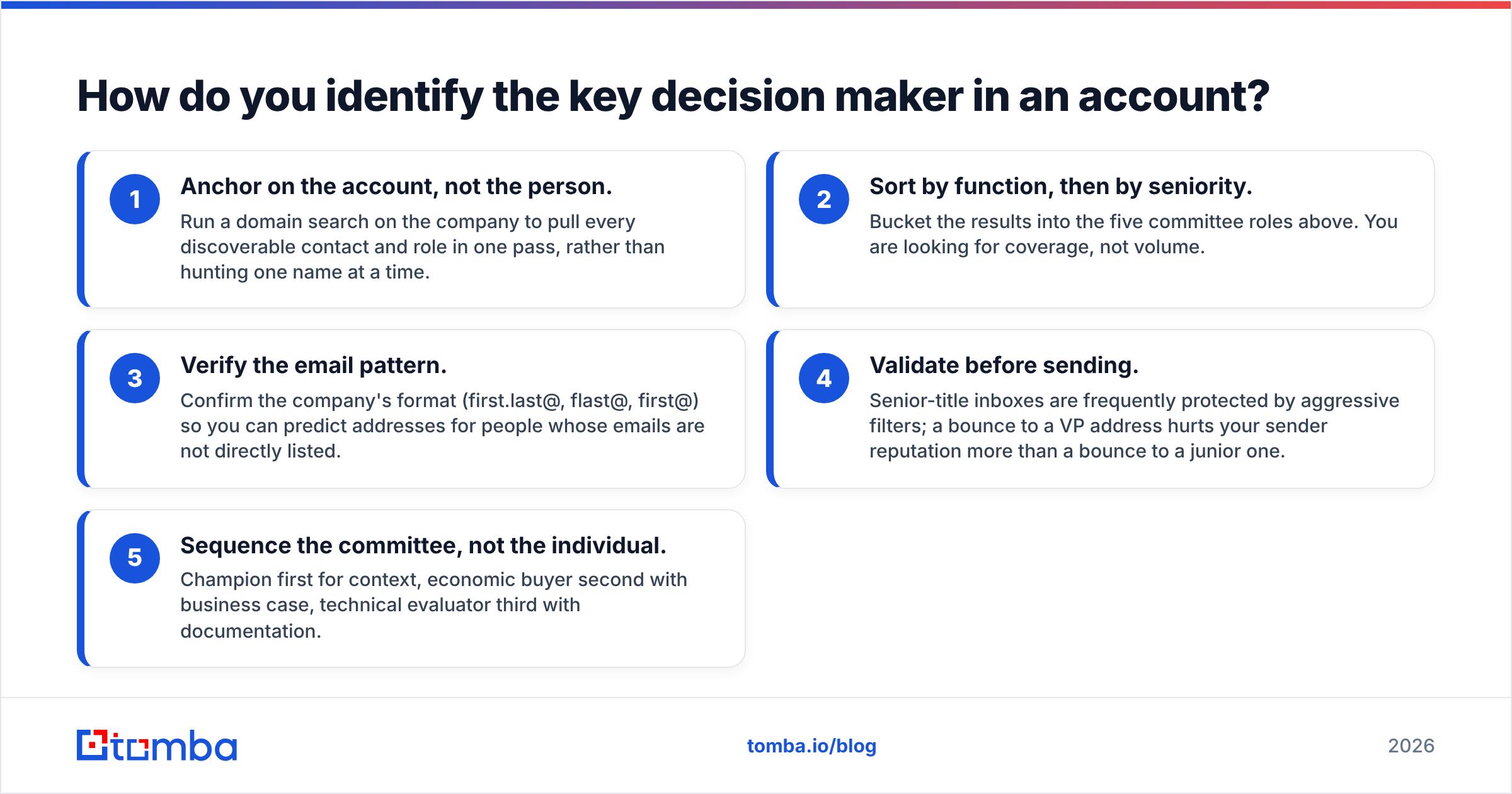
- Anchor on the account, not the person. Run a domain search on the company to pull every discoverable contact and role in one pass, rather than hunting one name at a time.
- Sort by function, then by seniority. Bucket the results into the five committee roles above. You are looking for coverage, not volume.
- Verify the email pattern. Confirm the company's format (first.last@, flast@, first@) so you can predict addresses for people whose emails are not directly listed.
- Validate before sending. Senior-title inboxes are frequently protected by aggressive filters; a bounce to a VP address hurts your sender reputation more than a bounce to a junior one.
- Sequence the committee, not the individual. Champion first for context, economic buyer second with business case, technical evaluator third with documentation.
Which roles should you contact first — and in what order?#
Contact the champion first, the economic buyer second, and never let more than ten days pass between the two.
Going straight to the CFO with a cold pitch fails because you have no context on their priorities. Going only to the champion fails because they will run out of internal capital. The sequence matters more than the individual message quality.
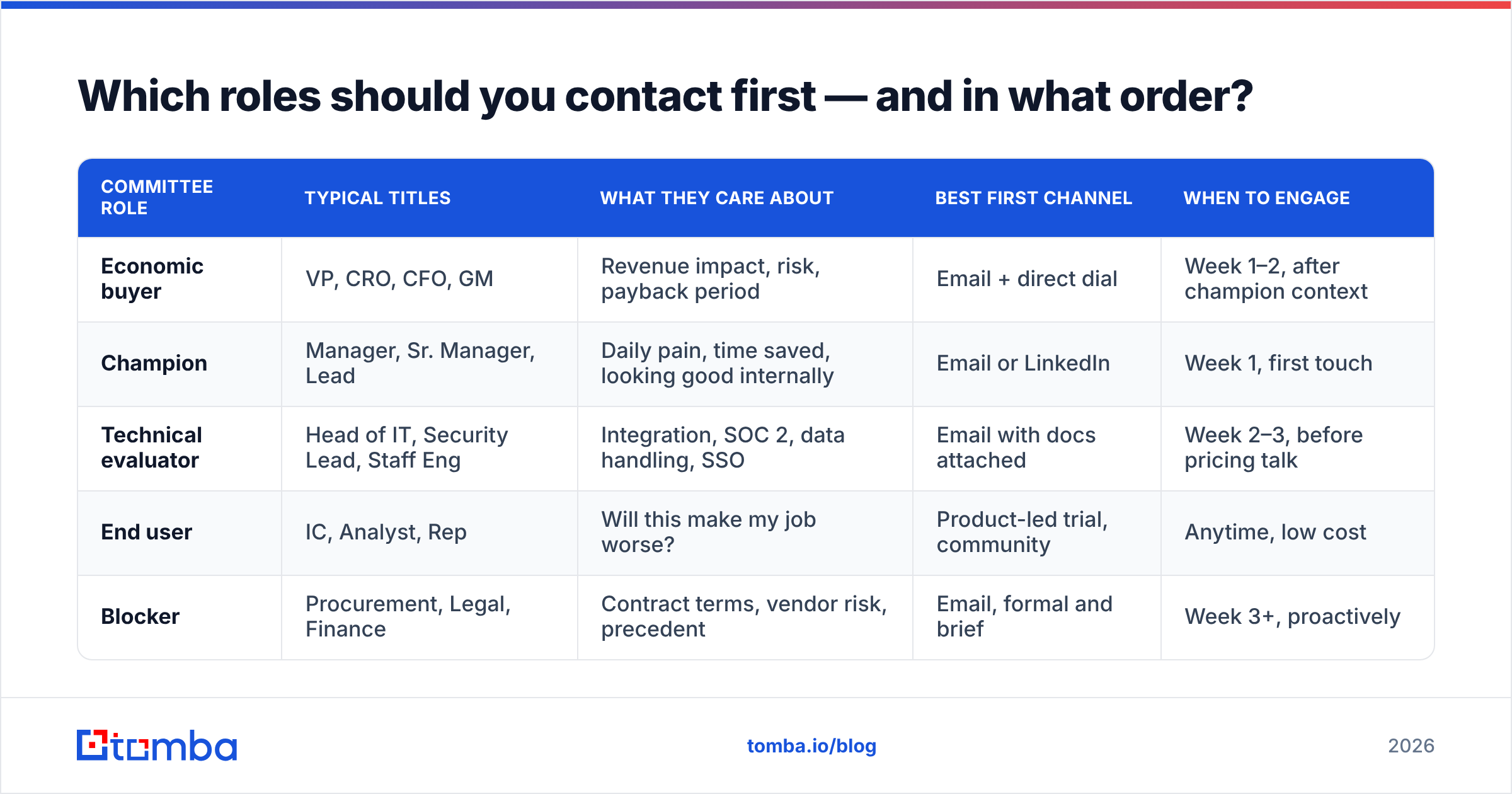
| Committee role | Typical titles | What they care about | Best first channel | When to engage |
|---|---|---|---|---|
| Economic buyer | VP, CRO, CFO, GM | Revenue impact, risk, payback period | Email + direct dial | Week 1–2, after champion context |
| Champion | Manager, Sr. Manager, Lead | Daily pain, time saved, looking good internally | Email or LinkedIn | Week 1, first touch |
| Technical evaluator | Head of IT, Security Lead, Staff Eng | Integration, SOC 2, data handling, SSO | Email with docs attached | Week 2–3, before pricing talk |
| End user | IC, Analyst, Rep | Will this make my job worse? | Product-led trial, community | Anytime, low cost |
| Blocker | Procurement, Legal, Finance | Contract terms, vendor risk, precedent | Email, formal and brief | Week 3+, proactively |
Two rules that come out of this table:
Engage the technical evaluator before the pricing conversation, not after. Security review is the single most common cause of a deal slipping a quarter. Bringing documentation unprompted in week two turns a blocker into a neutral party.
Never surprise the economic buyer. If the first time a VP hears your company name is in a forwarded internal email from their direct report, you have made your champion's job harder. A brief, direct, well-researched email to the VP in week two gives the champion cover.
Why do deals stall when you only talk to one person?#
Single-threaded deals die because the person you know leaves, gets reassigned, loses the internal argument, or simply goes quiet — and you have no second line into the account.
Roughly one in five B2B contacts changes jobs every year, and the rate is higher in sales and marketing functions. If your entire $60K opportunity depends on one email address, you are one resignation away from a closed-lost.
There is a second, subtler failure mode. Your champion is not a professional salesperson. When they carry your pitch into a budget meeting, it goes through a lossy compression: your three strongest differentiators become one vague sentence, and the ROI math you built together becomes "it seems like it'd help." You cannot control that compression unless you are also in the room with the people who matter.

Multithreading fixes both problems. The practical definition: at least three named contacts per open opportunity, each with a verified email, and at least two of whom have replied to you at least once. Anything less is a single-threaded deal wearing a disguise.
Worth stating plainly — multithreading is not "CC everyone on the same email." That reads as spray-and-pray and damages your credibility with all of them simultaneously. Each stakeholder gets a message written for their role, sent separately, referencing the shared business problem rather than the internal politics.
What tools help you find key decision makers?#
The workflow splits into three distinct jobs, and most teams try to buy one tool for all three, which is why their data is mediocre.
Job one: identify who exists. LinkedIn Sales Navigator, G2 buyer intent, and company websites tell you the org structure. This is discovery, not contact data.
Job two: get contact details. Email finders and B2B databases turn a name plus a domain into a working address and, ideally, a direct phone number.
Job three: verify before you send. Verification protects email deliverability, which matters disproportionately when you are targeting senior titles behind enterprise filters.
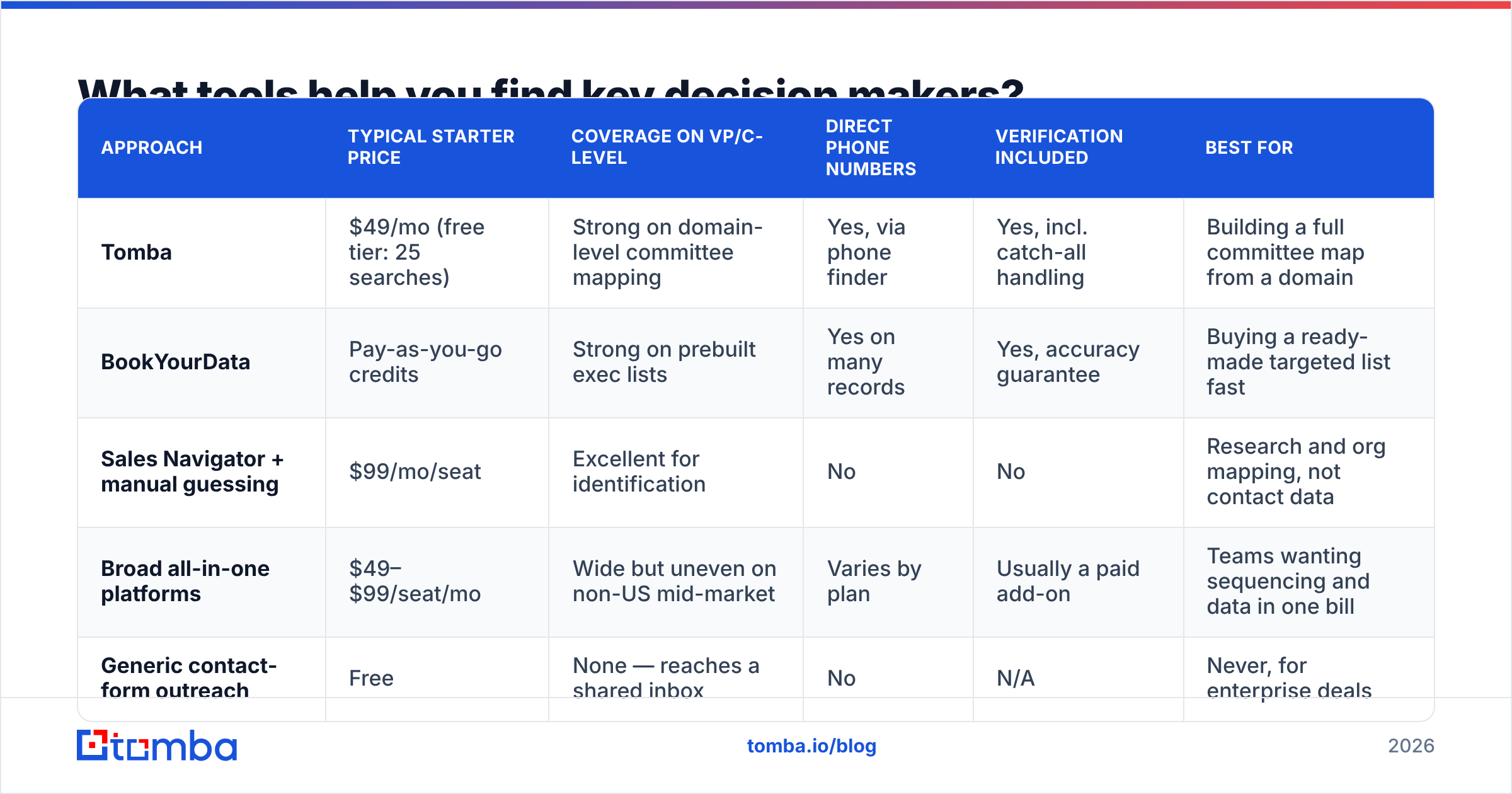
Here is how the common approaches compare for decision-maker prospecting specifically:
| Approach | Typical starter price | Coverage on VP/C-level | Direct phone numbers | Verification included | Best for |
|---|---|---|---|---|---|
| Tomba | $49/mo (free tier: 25 searches) | Strong on domain-level committee mapping | Yes, via phone finder | Yes, incl. catch-all handling | Building a full committee map from a domain |
| BookYourData | Pay-as-you-go credits | Strong on prebuilt exec lists | Yes on many records | Yes, accuracy guarantee | Buying a ready-made targeted list fast |
| Sales Navigator + manual guessing | $99/mo/seat | Excellent for identification | No | No | Research and org mapping, not contact data |
| Broad all-in-one platforms | $49–$99/seat/mo | Wide but uneven on non-US mid-market | Varies by plan | Usually a paid add-on | Teams wanting sequencing and data in one bill |
| Generic contact-form outreach | Free | None — reaches a shared inbox | No | N/A | Never, for enterprise deals |
Two honest notes on this table. First, no provider has complete coverage of every VP at every company — anyone claiming 99% coverage across all geographies is describing a match rate on their own favorable sample. Second, BookYourData and Tomba solve genuinely different starting problems: one is strongest when you want a curated list handed to you, the other when you already know the accounts and need to map every role inside them.
If you are evaluating swaps, the Apollo alternative and RocketReach alternative breakdowns cover the trade-offs in more depth than a summary row can.
How do you reach decision makers without getting ignored?#
Assume a VP gets 40+ cold emails a week and reads the first eight words of each. Your entire job in the first email is to earn a second one.
Four things that measurably change reply rates with senior titles:
- Reference a specific, verifiable trigger. "Saw you opened a second SDR pod in Austin" beats "I saw your company is growing." Triggers prove you did work; generic flattery proves the opposite.
- Lead with the business problem, not your category. A CRO does not care that you are an "AI-powered revenue intelligence platform." They care that reps spend nine hours a week on manual research. Name the cost in hours or dollars.
- Make the ask tiny and specific. "Worth a 12-minute call Thursday?" converts better than "Do you have time to chat this week?" Specificity signals you respect the calendar.
- Send from a warmed, authenticated domain. SPF, DKIM, and DMARC are table stakes in 2026; enterprise filters are stricter than consumer ones. Check your SPF record before you scale any decision-maker campaign.
For phone outreach, the same logic applies with less margin for error. A direct dial to a VP that goes to a switchboard is a wasted attempt and sometimes a flagged number. Validate the line before you dial — phone validation costs a fraction of a cent and saves your connect rate.
One more thing that practitioners consistently underrate: the follow-up cadence to a senior title should be longer and fewer than to a manager. Four touches over five weeks outperforms eight touches over two weeks at the VP level. Persistence reads as diligence at a slow cadence and as desperation at a fast one.
What does a good decision-maker list actually look like?#
A usable list has role coverage per account, verified contact points, and a recorded reason each person is on it.
Checklist for auditing your current list:
- Three or more roles covered per target account, not three names from the same team.
- Every email verified within the last 60 days — B2B data decays at roughly 2–2.5% per month.
- Catch-all domains flagged separately, not treated as valid. Run them through a catch-all verifier so you know which sends are genuinely risky.
- A one-line "why now" per account, tied to a trigger event. If you cannot write it, the account is not ready.
- Duplicate and role-address cleanup — no info@, sales@, or contact@ entries masquerading as decision makers.
Running this audit usually cuts a list by 30–50%. That is the point. A 400-contact list with real committee coverage outperforms a 4,000-contact list of scraped titles, because the smaller list lets you write messages worth reading.
For teams building this at scale, the bulk email finder workflow — upload a list of domains and target titles, get back verified contacts grouped by account — is the difference between a one-hour task and a one-week task. If you are pushing results into a CRM, the HubSpot integration and Salesforce integration paths keep enrichment in the system your reps already live in, which is the only way this gets maintained after week three.
Where should you start this week?#
Pick your ten highest-value open opportunities. For each one, write down every contact you have and label them with one of the five committee roles. Any opportunity with fewer than two roles covered is single-threaded and at risk — flag it.
Then fill the gaps. Run each account domain through Tomba Email Finder to surface the missing VP, the security lead, and the ops manager you never mapped, verify the addresses before sending, and write one role-specific message each. The free tier gives you 25 searches a month to test the workflow on your own pipeline before committing; Tomba pricing starts at $49/mo for Starter when you are ready to scale it across the full target list.
The teams that consistently hit quota are not better at persuasion. They are better at making sure the person being persuaded can actually sign.
Related guides#
// get started
Find, verify and enrich your first contacts today
Start on the free plan with 25 searches a month, then scale when your team is ready.
Free plan · No credit card required · GDPR & CCPA
// about the author