Kickbox vs Tami AI: Email Verification vs AI Prospecting
Kickbox cleans the list you already have. Tami AI tries to build the list in the first place. Here is where each one actually earns its cost — and where a dedicated email finder beats both.
TL;DR
- Kickbox and Tami AI are not really competitors. Kickbox is a list-hygiene tool that tells you whether an address you already have will bounce. Tami AI is a market-intelligence and prospecting layer that tries to tell you which companies and people to contact in the first place.
- If your problem is "my bounce rate is 9% and Google is throttling me," buy verification. If your problem is "I don't know who to email," verification will not help you at all.
- Kickbox's pay-as-you-go pricing is transparent and cheap at low volume (roughly $5 per 1,000 emails at the entry tier, dropping sharply with volume). Tami AI is quote-based and seat-based, which makes it a budget-cycle purchase, not a card-swipe.
- Most teams end up paying for a finder, a verifier, and an enrichment tool separately. A consolidated stack — one that does domain search, finding, and email verification under one credit pool — is usually cheaper than any two of the three.
- Our pick: Kickbox if verification is the only gap. Tami AI if you have budget and a defined territory to map. Tomba if you want find + verify + enrich without stitching three invoices together.
What are Kickbox and Tami AI, actually?#
They sit on opposite ends of the same pipeline.
Kickbox is an email verification service. You hand it an address — one at a time through the API, or a CSV with two million rows — and it returns a verdict: deliverable, undeliverable, risky, or unknown. It also returns a Sendex quality score, an attempt to rate how good an address is rather than just whether it exists. Kickbox has been in this niche for a long time and is one of the more conservative, less gimmicky vendors in it. It does not find emails. It does not enrich records with job titles or firmographics. It answers one question well.
Tami AI sits at the other end. It positions itself as an AI-assisted total-addressable-market and prospecting platform: map a market, filter companies by technology, size, geography or growth signal, then pull the contacts inside those companies. The pitch is less "here is a contact database" and more "here is your TAM, segmented, with the people attached." Depth of coverage varies sharply by region and vertical, which is true of every provider in this category and worth testing against your own ICP rather than taking on trust.
So the honest framing of Kickbox vs Tami AI is not "which is better." It is "which half of the problem do you have?"

How do Kickbox and Tami AI compare head-to-head?#
| Attribute | Kickbox | Tami AI | Tomba |
|---|---|---|---|
| Primary job | Verify existing addresses | Discover accounts + contacts | Find, verify, and enrich |
| Finds new emails | No | Yes | Yes |
| Bulk list cleaning | Yes, core feature | Secondary | Yes, via bulk email finder |
| Catch-all handling | Flags as risky/unknown | Varies | Dedicated catch-all verifier |
| Firmographic filters | No | Yes, strong | Yes, via B2B database |
| Pricing model | Pay-as-you-go + volume tiers | Quote-based, seat-based | Public tiers from $49/mo |
| Free entry point | 100 free verifications | Demo / trial on request | 25 searches/mo free |
| API | Mature, well documented | Available on higher plans | Tomba API, CLI, MCP |
| Best for | Deliverability teams, ESPs | Territory planning, ABM | SDR teams doing both |
The row that decides most purchases is the second one. If you already have 400,000 addresses from a decade of form fills and webinars, Kickbox is the correct tool and Tami AI is an expensive way to solve a problem you do not have. If your CRM is empty, Kickbox has nothing to verify.
How accurate is each one, and how would you know?#
Accuracy claims in this category are close to meaningless until you test them on your own data, because every vendor benchmarks on the sample that flatters it most.

Two different accuracy questions get conflated:
- Verification accuracy — of the addresses you submit, how many verdicts are correct? Kickbox is strong here. The standard failure mode across all verifiers is the accept-all (catch-all) domain, where the mail server accepts everything at SMTP time and tells you nothing. Kickbox marks those risky rather than guessing, which is the honest answer but leaves you to decide.
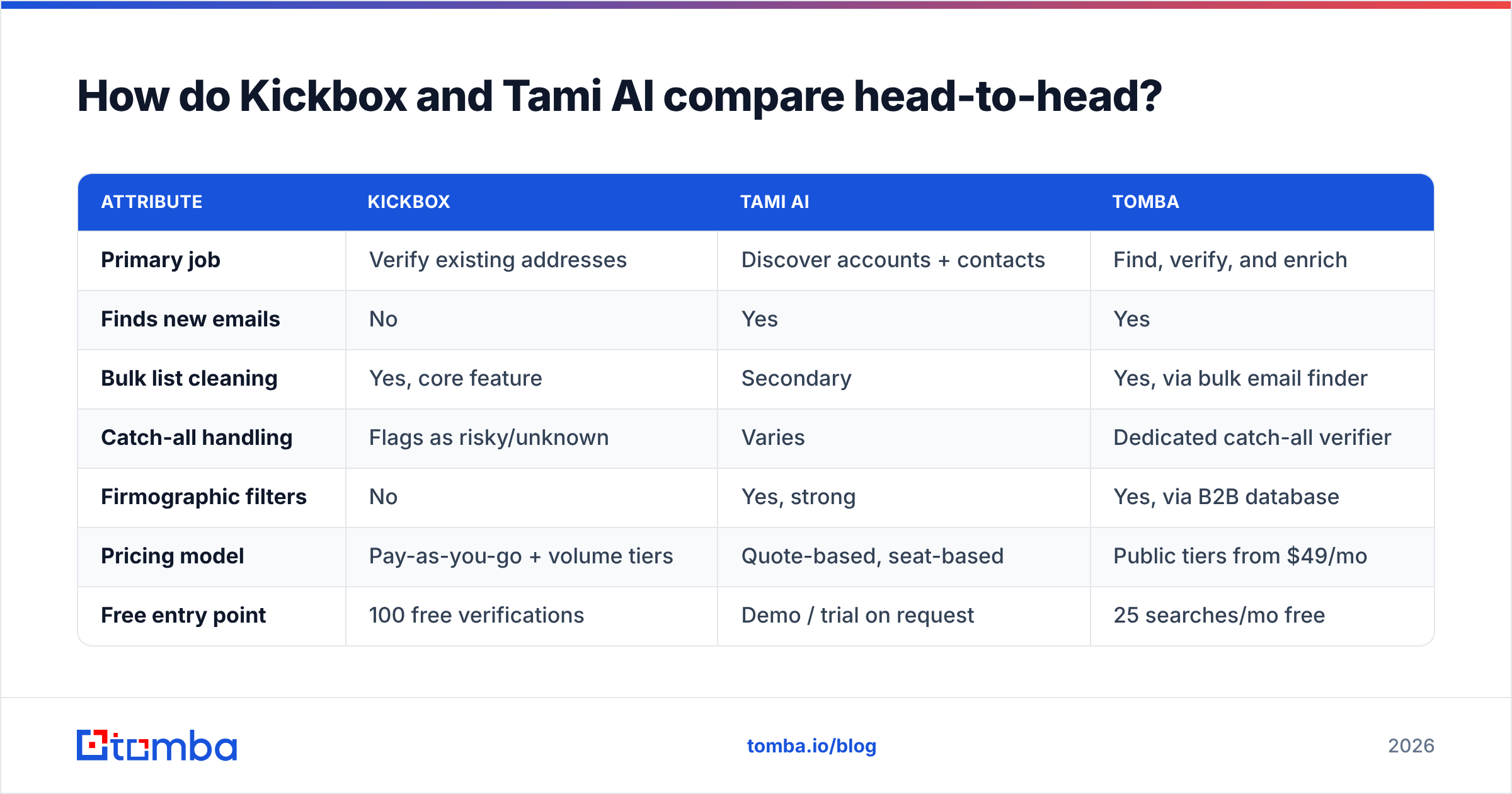
- Discovery accuracy — of the addresses a platform generates for a named person at a named company, how many are real and currently in use? This is where AI prospecting tools vary most. Pattern-guessed addresses (
first.last@) look plausible and pass syntax checks while bouncing at a 20–30% rate on domains that have migrated to a different convention.
Run the same test on both, and run it on your ICP, not a generic sample:
- Build a 200-row control set from contacts you have already emailed successfully in the last 90 days.
- Submit it to the verifier and count how many known-good addresses come back as risky or undeliverable. False negatives cost you pipeline silently.
- Pick 100 target people you know exist (from LinkedIn, conference lists, press pages) and ask the discovery tool to produce their addresses. Measure coverage — how many it returns at all — separately from accuracy.
- Send a small warm-up batch through your real sending domain and read the actual bounce rate. This is the only number that matters; everything before it is a proxy. If you need the mechanics of what a hard bounce actually means at the protocol level, the bounce message primer is a decent grounding.
- Price the miss, not just the hit. A tool with 95% coverage at $0.02 per contact and one with 70% coverage at $0.005 are not comparable on unit price alone.
Do not skip the last two. Most tool decisions are made on a vendor's own accuracy slide, and most of those slides measure syntax validity rather than inbox placement.
What does each one actually cost?#
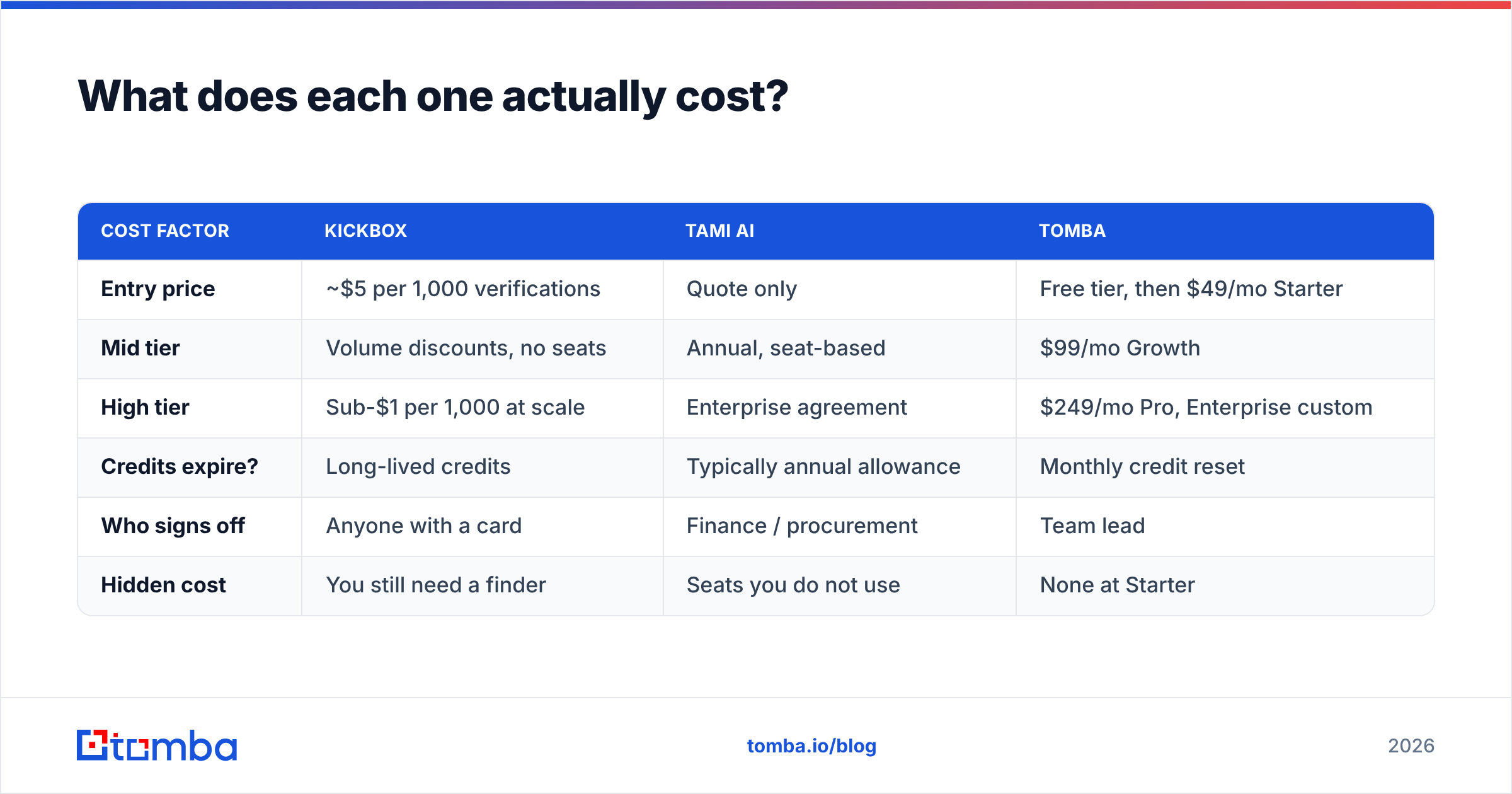
Kickbox publishes its pricing, which is more than most of this category does. The model is credit-based and pay-as-you-go: a small balance costs on the order of $5 per 1,000 verifications, and the per-thousand rate falls steeply as you move into the hundreds of thousands and millions. There is no seat charge. You buy credits, you burn credits, you stop. New accounts get 100 free verifications to test with. Check the current rate card before you budget — tiers shift.
Tami AI does not publish a rate card. Expect a scoped annual contract with seats, a credit or export allowance, and a sales conversation before you see a number. That is normal for market-intelligence platforms, and it is not automatically bad — you often get onboarding, data-coverage guarantees for your territory, and integrations included. But it changes who signs off. Kickbox is a corporate card purchase. Tami AI is a procurement cycle.
| Cost factor | Kickbox | Tami AI | Tomba |
|---|---|---|---|
| Entry price | ~$5 per 1,000 verifications | Quote only | Free tier, then $49/mo Starter |
| Mid tier | Volume discounts, no seats | Annual, seat-based | $99/mo Growth |
| High tier | Sub-$1 per 1,000 at scale | Enterprise agreement | $249/mo Pro, Enterprise custom |
| Credits expire? | Long-lived credits | Typically annual allowance | Monthly credit reset |
| Who signs off | Anyone with a card | Finance / procurement | Team lead |
| Hidden cost | You still need a finder | Seats you do not use | None at Starter |
Full Tomba pricing is public for the same reason Kickbox's is: if a vendor will not tell you the price before a demo, the price is a function of how much they think you can pay.
The cost trap is not either tool's rate card. It is the stack. A typical outbound team ends up with a finder, a verifier, an enrichment vendor, and a sequencer — four invoices to move one contact from "name on a list" to "email in an inbox." When you compare Kickbox vs Tami AI, compare the total line, not the line item.
Which should you pick for your use case?#
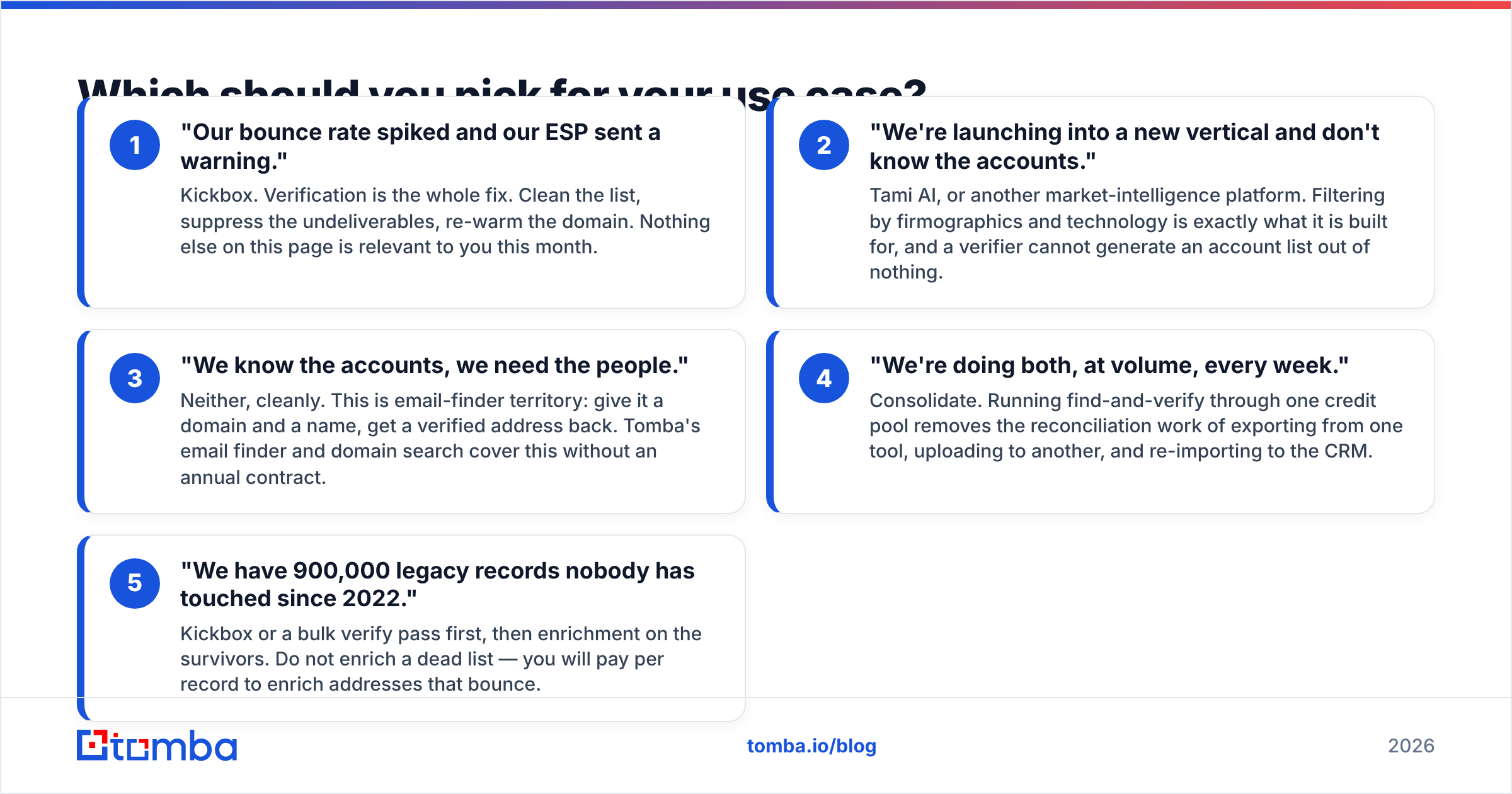
Pick based on which of these sentences describes your week:
- "Our bounce rate spiked and our ESP sent a warning." Kickbox. Verification is the whole fix. Clean the list, suppress the undeliverables, re-warm the domain. Nothing else on this page is relevant to you this month.
- "We're launching into a new vertical and don't know the accounts." Tami AI, or another market-intelligence platform. Filtering by firmographics and technology is exactly what it is built for, and a verifier cannot generate an account list out of nothing.
- "We know the accounts, we need the people." Neither, cleanly. This is email-finder territory: give it a domain and a name, get a verified address back. Tomba's email finder and domain search cover this without an annual contract.
- "We're doing both, at volume, every week." Consolidate. Running find-and-verify through one credit pool removes the reconciliation work of exporting from one tool, uploading to another, and re-importing to the CRM.
- "We have 900,000 legacy records nobody has touched since 2022." Kickbox or a bulk verify pass first, then enrichment on the survivors. Do not enrich a dead list — you will pay per record to enrich addresses that bounce.
Cross-reference this against independent review volume on G2's email verification category before committing. Review counts skew toward whoever runs the biggest incentive campaign, but the complaint patterns in one-star reviews are genuinely informative.
Where does Tomba fit between the two?#
In the gap neither covers alone.
Kickbox verifies but does not find. Tami AI finds accounts and contacts but is priced and scoped as an enterprise data platform. The middle case — a sales or growth team that needs to find a few thousand accurate addresses a month, verify them, and push them into a CRM without an annual commitment — falls between the two.
That middle is where Tomba sits. The core product is the email finder; the email verifier, catch-all verifier, phone finder, and data enrichment run on the same credits and the same API. Practically, that means one integration instead of three, and no situation where you have verification credits left but no finder credits.

It is not a replacement for everything either tool does. Kickbox's Sendex scoring and its deep focus on ESP-grade list hygiene are genuinely specialised — if you are an email service provider cleaning customer lists as a business function, that specialisation matters. Tami AI's territory mapping is a different job than contact lookup; if your quarterly planning depends on sizing a market, a finder will not do that for you.
What about deliverability after you have the data?#
Verification is necessary and not sufficient. A perfectly verified list still lands in spam if the sending domain is unauthenticated or the copy trips filters. Three things in order:
- Authenticate the domain. SPF, DKIM, and DMARC, all three. Run your record through an SPF checker before your first send, not after your first complaint.
- Ramp volume. New domains that jump to 500 sends a day get throttled. Use a warmup calculator to set a realistic curve.
- Suppress aggressively. Every risky and unknown verdict you send to is a coin flip against your sender reputation. At scale, that coin flip is the difference between 40% and 12% inbox placement.
Neither Kickbox nor Tami AI will do these for you. They are table stakes regardless of which you buy.
So which one wins?#
Neither, because they are answering different questions — and any comparison that declares a single winner is selling something.
The decision tree is short:
- Verification is your only gap, and you want transparent per-unit pricing: Kickbox.
- You need to map and segment a market, and you have the budget and procurement patience: Tami AI.
- You need accurate contact data found and verified, monthly, without an annual contract: a consolidated finder-plus-verifier.
If that third line is you, start on the free tier — 25 searches a month, no card — and run the 200-row control test described above against whatever you use today. Then move to Starter at $49/mo only if the numbers hold up. Try the Tomba Email Finder on your ten hardest target accounts first; the hard ones tell you more about a data provider than the easy ones ever will.
Related guides#
// get started
Find, verify and enrich your first contacts today
Start on the free plan with 25 searches a month, then scale when your team is ready.
Free plan · No credit card required · GDPR & CCPA
// about the author