LeadEngineAI vs Mailead (2026): Which Cold Email Tool Wins?
LeadEngineAI promises AI-sourced leads. Mailead promises unlimited sending. Here's an honest breakdown of where each one actually earns its money, where both fall short, and which fits your outbound motion in 2026.
LeadEngineAI vs Mailead is the wrong fight. One tool finds leads. The other sends email. Here is how to spot which half of the stack you are missing.
TL;DR
- These two tools are not real rivals. In LeadEngineAI vs Mailead, LeadEngineAI owns data and targeting. Mailead owns sending and inbox. A head-to-head only helps if you can fund one of them.
- Pick LeadEngineAI if your problem is "who do I email?" You have the sending setup. Your list is thin, stale, or typed by hand into a spreadsheet.
- Pick Mailead if your problem is "how do I send 5,000 emails a week without burning domains?" You have a list source. You need inboxes, rotation, warmup, and sequences.
- Neither tool replaces a separate email check. Bad data plus high volume equals a blocked domain. The two faults multiply each other.
- Teams that run both almost always spend more than planned. Budget the seats, the spare domains, the mailboxes, and the verify credits before you sign.
LeadEngineAI vs Mailead: what does each tool do?#
Short version: one finds people, the other emails them.
LeadEngineAI sells AI-assisted lead generation. You describe your ideal customer in plain words. The system reads that prompt, pulls matching companies and contacts from a B2B dataset, and adds firm and intent signals. The selling point is speed. You skip the filter-stacking rituals of older sales tools and get a usable list from a prompt.
Mailead sells cold email sending. You connect many mailboxes, warm them up, and rotate sends across them. Then you run multi-step sequences with reply detection and one shared inbox. The selling point is volume. You pay a flat price for very high sending limits, instead of per-seat pricing that punishes you for scaling.
That gap matters more than any feature scorecard. Buy LeadEngineAI and expect a sequencer, and you will be let down. Buy Mailead and expect a contact database, and you will be let down twice. Once at renewal. Once when your bounce rate hits 12%.
A note on specifics: both vendors ship fast and change prices often. Treat every number here as directional. Check the vendor site before you buy. Where I am not sure, I say so.

That image makes the comparison that decides outbound results. Not the sequencer. Not the AI copy. The list.
LeadEngineAI vs Mailead: the head-to-head table#
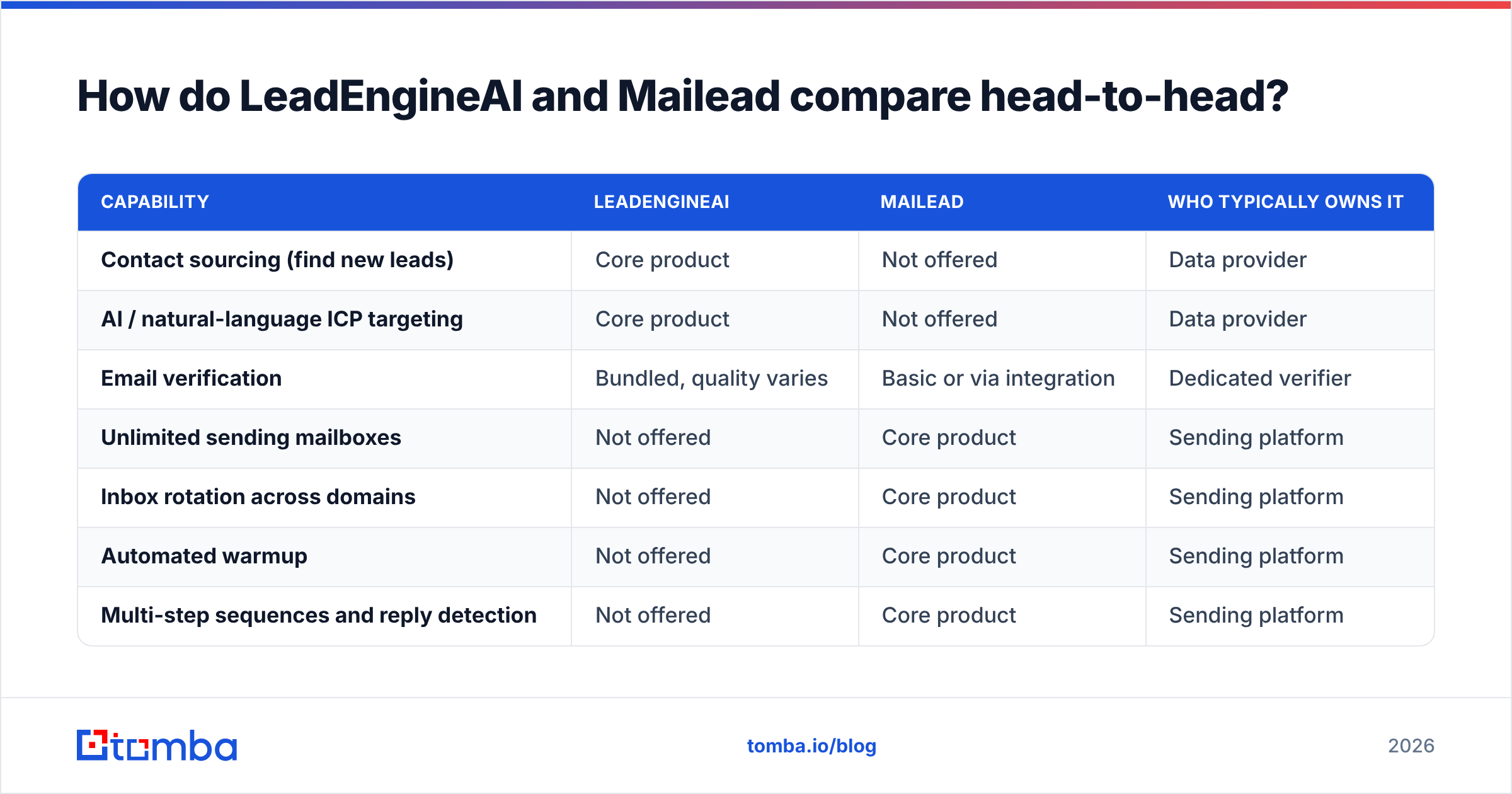
The LeadEngineAI vs Mailead split is clean. Here is what each tool owns, what it half covers, and what it leaves to you.
| Capability | LeadEngineAI | Mailead | Who typically owns it |
|---|---|---|---|
| Contact sourcing (find new leads) | Core product | Not offered | Data provider |
| AI / natural-language ICP targeting | Core product | Not offered | Data provider |
| Email verification | Bundled, quality varies | Basic or via integration | Dedicated verifier |
| Unlimited sending mailboxes | Not offered | Core product | Sending platform |
| Inbox rotation across domains | Not offered | Core product | Sending platform |
| Automated warmup | Not offered | Core product | Sending platform |
| Multi-step sequences and reply detection | Not offered | Core product | Sending platform |
| Unified master inbox | Not offered | Core product | Sending platform |
| CRM sync (HubSpot, Pipedrive, Salesforce) | Typically yes | Typically yes | Both |
| API access for custom workflows | Plan-dependent | Plan-dependent | Both |
| Phone numbers / multichannel data | Sometimes | No | Data provider |
Read down the last column and the answer writes itself. These two tools are halves of one stack. They are not two options in a bake-off. So the real question is not "LeadEngineAI vs Mailead." It is "which half is costing me pipeline right now?"
Which one gives you better lead data?#
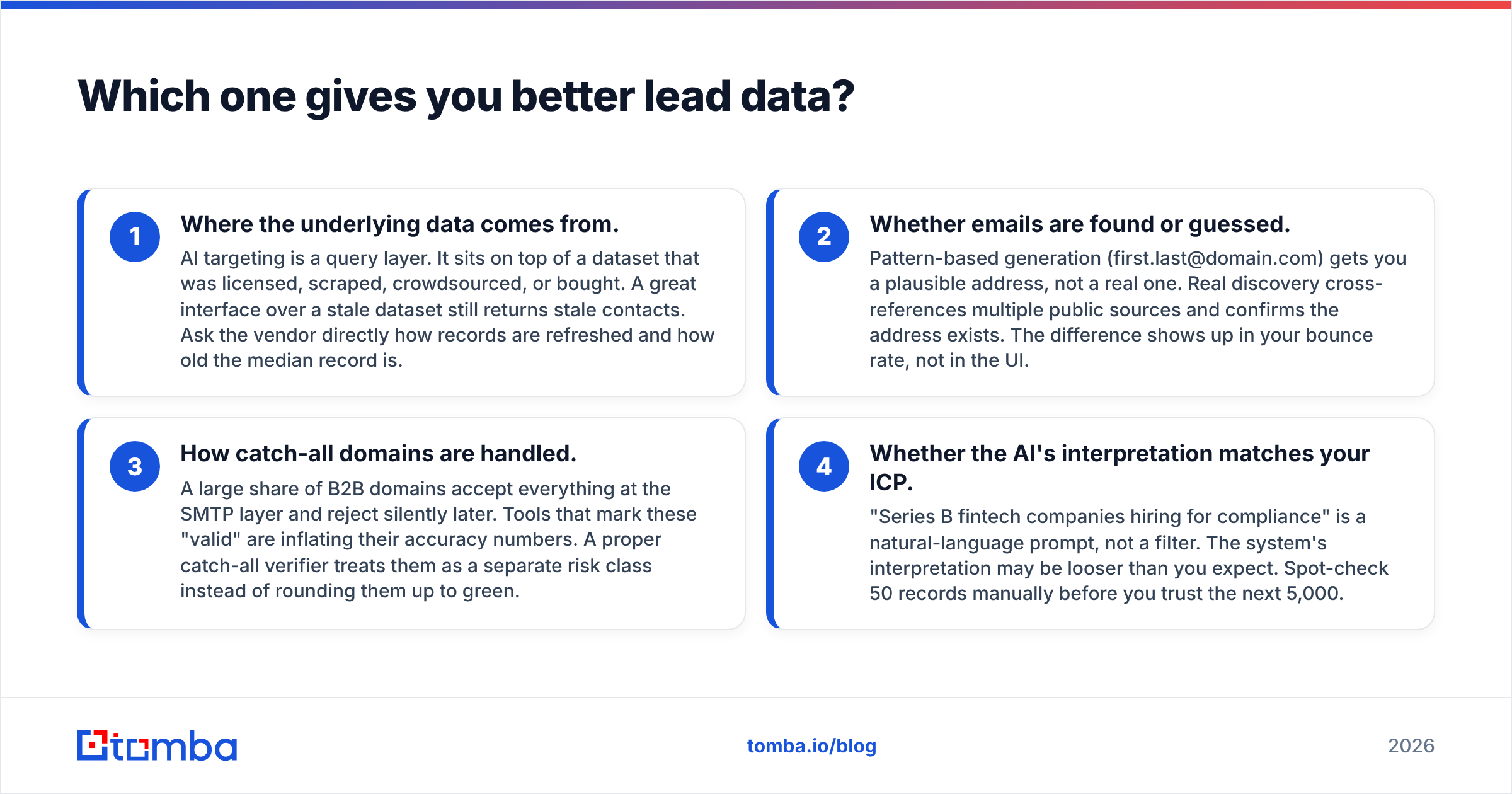
In LeadEngineAI vs Mailead, only one tool sources contacts. LeadEngineAI wins by default. The better question is whether that data is good enough to send to without a second opinion.
Four things decide that. They apply to every AI sourcing tool on the market.
- Where the data comes from. AI targeting is a query layer. Under it sits a dataset that was licensed, scraped, or bought. A slick interface over stale data still hands you stale contacts. Ask how often records refresh.
- Whether emails are found or guessed. Pattern guessing (first.last@domain.com) gives you a likely address, not a real one. Real discovery checks public sources and confirms the address exists. The gap shows up in your bounce rate, not in the UI.
- How catch-all domains are handled. Many B2B domains accept every address up front, then bounce it later. Tools that mark these "valid" inflate their accuracy. A proper catch-all verifier flags them as their own risk class.
- Whether the AI read your ICP correctly. "Series B fintech companies hiring for compliance" is a prompt, not a filter. Spot-check 50 records by hand before you trust the next 5,000.
None of that is a knock on LeadEngineAI. It is how the whole category works. That is why good outbound teams run sourced lists through a separate email verifier first. The vendor that found the contact has a reason to call it valid. A second check does not.
Which one protects your deliverability better?#
Mailead wins this one, and it is the best reason to buy it.
Send 3,000 cold emails a week from one Google Workspace mailbox and the domain gets blocked. Send the same 3,000 across twenty warm mailboxes on five spare domains. Cap each mailbox near 30 to 40 a day. That is how seasoned outbound teams work. Mailead and its peers exist to give you that rotation and warmup, and building it yourself is a slog.
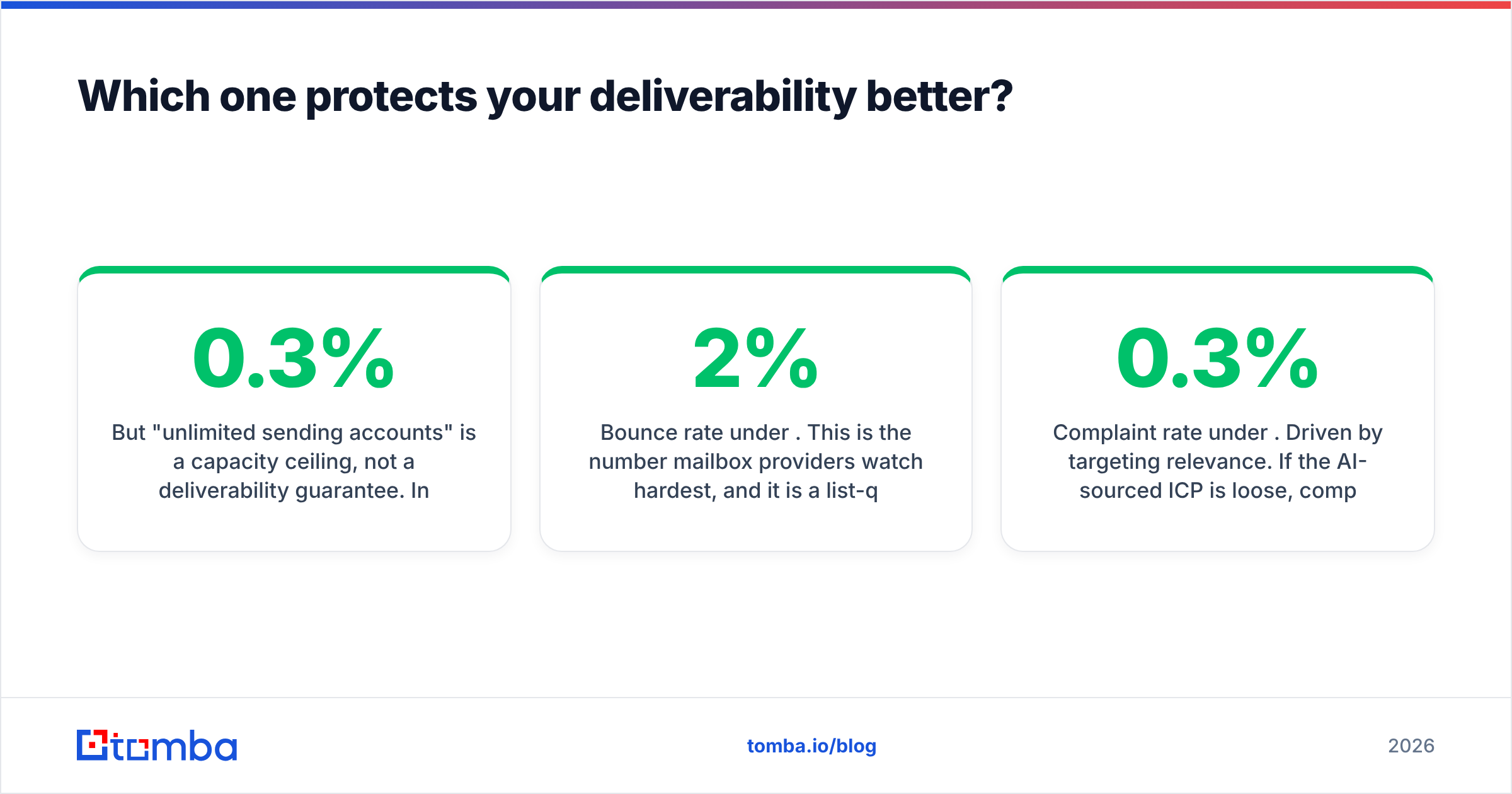
But "unlimited sending accounts" is a ceiling, not a promise. Inbox placement in 2026 rides on auth records and reader behavior, not on how many mailboxes you own. Google's bulk sender rules and Microsoft's own tighter rules now treat SPF, DKIM, DMARC, and a spam complaint rate under 0.3% as table stakes. Miss those and unlimited mailboxes just means unlimited ways to fail.
Here is the checklist neither tool fully covers for you:
- Auth on every sending domain. SPF, DKIM, and a DMARC policy. Run an SPF record check on each domain before it sends one email.
- A real warmup ramp. Two to three weeks per new mailbox, minimum. Plan the curve with a warmup calculator instead of guessing.
- Bounce rate under 2%. Mailbox providers watch this number hardest. It is a list problem, not a sending problem. Mailead cannot fix a list Mailead did not source.
- Complaint rate under 0.3%. This tracks how well you target. If the AI list is loose, complaints climb anyway.
- Spare domains. Never send cold volume from the domain that carries your invoices and support email.
Notice how many of those trace back to data, not to sending features. That is the theme of this whole LeadEngineAI vs Mailead comparison.

What do they actually cost?#
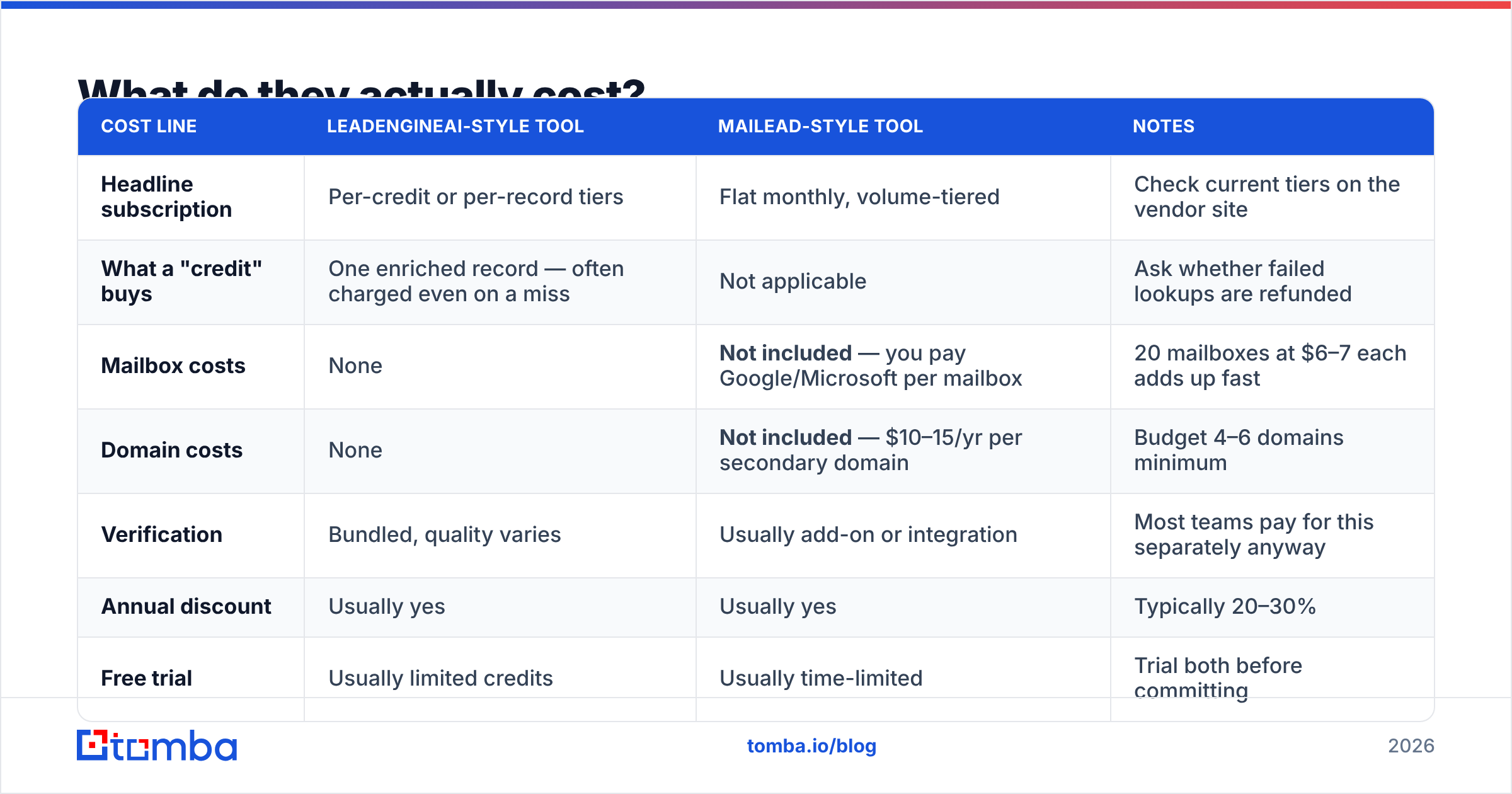
Cost is where LeadEngineAI vs Mailead gets slippery. Both sit in the mid-market price band. Both use pricing that looks cheaper on the page than on the invoice. Here is where the money goes.
| Cost line | LeadEngineAI-style tool | Mailead-style tool | Notes |
|---|---|---|---|
| Headline subscription | Per-credit or per-record tiers | Flat monthly, volume-tiered | Check current tiers on the vendor site |
| What a "credit" buys | One enriched record — often charged even on a miss | Not applicable | Ask whether failed lookups are refunded |
| Mailbox costs | None | Not included — you pay Google/Microsoft per mailbox | 20 mailboxes at $6–7 each adds up fast |
| Domain costs | None | Not included — $10–15/yr per secondary domain | Budget 4–6 domains minimum |
| Verification | Bundled, quality varies | Usually add-on or integration | Most teams pay for this separately anyway |
| Annual discount | Usually yes | Usually yes | Typically 20–30% |
| Free trial | Usually limited credits | Usually time-limited | Trial both before committing |
The line that catches people out is mailboxes. "Unlimited sending accounts" does not mean free ones. You still buy each mailbox from Google Workspace or Microsoft 365. A serious 20-mailbox setup adds roughly $120 to $140 a month, plus domains, on top of the software. Any cost math that skips this is not real math.
On the data side, the trap is credit burn on misses. Some tools charge a credit even when no verified email comes back. Your true cost per usable contact can then double. For reference, Tomba's pricing runs a free tier at 25 searches a month, Starter at $49, Growth at $99, and Pro at $249. Compare vendors on the cost per verified, deliverable contact, not on the sticker price.
Is LeadEngineAI better than Mailead for your team?#
Only in relation to your current bottleneck. So diagnose first:
- Great list, terrible open rates. Your problem is the sending setup. Buy Mailead. Nobody is seeing your email.
- Great inbox placement, no replies. Your problem is targeting or copy. Audit the message first. A better list cannot rescue a weak offer.
- One mailbox on your main domain. Stop. Fix the sending setup before you buy any data tool. You are one bad week from losing your work email.
- Bounce rate above 5%. Your problem is list hygiene, and neither tool fixes it alone. Add a check between sourcing and sending.
- Building outbound from zero on one budget line. Buy the sending tool. Source leads with a focused email finder plus manual ICP research.
- Ten or more SDRs with steady volume. Run both, add a separate verifier, and push for annual deals. At that size the tool cost is noise next to payroll.
Want a wider sanity check before you commit? Read current user reviews on G2's sales intelligence category rather than vendor case studies. Filter to reviews from companies your size. Enterprise reviews of SMB tools tell you very little.
What do both tools leave you to solve?#
Both sides of LeadEngineAI vs Mailead leave work on your desk. Three gaps, worst first.
A second opinion on data. Every vendor that sells you contacts grades its own homework. So run sourced data through a neutral check. It is the highest-payoff habit in outbound. It costs cents per record, and it guards your sending reputation, which takes months to rebuild.
Enrichment depth. AI sourcing gives you a name, a title, a company, and an email. It rarely gives you the direct dial, the confirmed LinkedIn profile, or the tech signal that makes a first line land. Closing that gap takes a second source, such as contact enrichment or a manual pass on your top 100 accounts.
List decay. B2B contact data goes stale at roughly 22% to 30% a year as people change jobs. A list sourced in January is much worse by July. Re-checking is upkeep, not a one-time buy, and neither tool will remind you to do it. For a free baseline on how outbound numbers shift each year, HubSpot's sales research is a fair start.
LeadEngineAI vs Mailead: which should you choose in 2026?#
If you can buy only one, buy the sending tool. Mailead's category solves a problem that is hard to build yourself: rotation, warmup, throttling, reply detection, one inbox. List building is cheaper to replace. A focused email finder plus tight ICP research gets you close. Sending setup cannot be faked.
If you can buy both, buy both and add a check between them. The order that works is source, verify, send. Most teams skip the middle step, and most of them regret it. It is also the cheapest of the three.
Unhappy with either tool's data? That is the normal outcome, not a flaw in one vendor. The fix is structural. Stop treating a "valid" label from your sourcing tool as final. Put your own check in front of your sending tool. One afternoon of bulk verification on your current list will teach you more than another month of subject-line tests.
Start with the data, not the sequencer. Is your bounce rate creeping up? Not sure which contacts on your list are real? Run them through the Tomba Email Finder. It finds and confirms work email addresses by domain, name, or company. The free tier covers 25 searches a month, so you can test the accuracy on your own list before you pay. Feed clean contacts into whichever sending tool you pick, and the rest of the stack gets easier.
Related guides#
// get started
Find, verify and enrich your first contacts today
Start on the free plan with 25 searches a month, then scale when your team is ready.
Free plan · No credit card required · GDPR & CCPA
// about the author