11 Best LeadGibbon Alternatives for B2B Email Data in 2026
LeadGibbon's LinkedIn-first workflow still works, but credits burn fast and verification is thin. Here are 11 alternatives compared on accuracy, pricing, and export limits.
TL;DR
- LeadGibbon is a LinkedIn-first list builder: you filter a search, export contacts, and get emails appended. It is fast for SMB prospecting but thin on verification depth, API access, and non-LinkedIn sourcing.
- The best alternative depends on what broke for you. Credit burn on bad data? Go verification-first. Need programmatic lookups? Go API-first. Need firmographic depth? Go database-first.
- For pure email discovery accuracy per dollar, Tomba, Findymail, and Prospeo lead the mid-market tier; Apollo and Cognism win on database breadth but cost far more.
- BookYourData is the strongest pick if you want pre-built, pay-as-you-go lists rather than a search-and-export workflow.
- Budget reality: most teams under 5,000 contacts/month do not need a $500/mo platform. A $49–$99/mo finder plus a verifier covers it.
What is LeadGibbon and who actually uses it?#
LeadGibbon is a B2B lead data tool built around LinkedIn Sales Navigator. You run a search, install the extension, and export the resulting profiles into a list with email addresses appended. It also sells segmented list downloads and offers a basic verification pass.
The typical user is a one-to-five person sales or agency team that lives in Sales Navigator and wants contact details without writing code or stitching together five tools. That is a real, well-served use case. LeadGibbon's UI is simple, exports are quick, and the learning curve is close to zero.
The friction shows up at scale. Three complaints come up repeatedly in review threads on G2 and Capterra-style directories:
- Credits deduct on low-confidence results. If the tool returns a guessed pattern rather than a sourced address, you still paid for it.
- LinkedIn dependency is a single point of failure. When Sales Navigator changes its DOM or rate limits your session, your pipeline stops. Tools that also do domain-level discovery keep working.
- Thin API and integration surface. If you want to enrich a CRM record automatically or run lookups from a script, you will hit a wall quickly.
None of these make LeadGibbon a bad product. They make it a specific product — and the moment your workflow stops matching that shape, you are shopping for LeadGibbon alternatives.

How should you evaluate LeadGibbon alternatives?#
Pick your evaluation criteria before you look at a single pricing page, or you will end up buying the tool with the nicest landing page. Five things matter, roughly in this order:
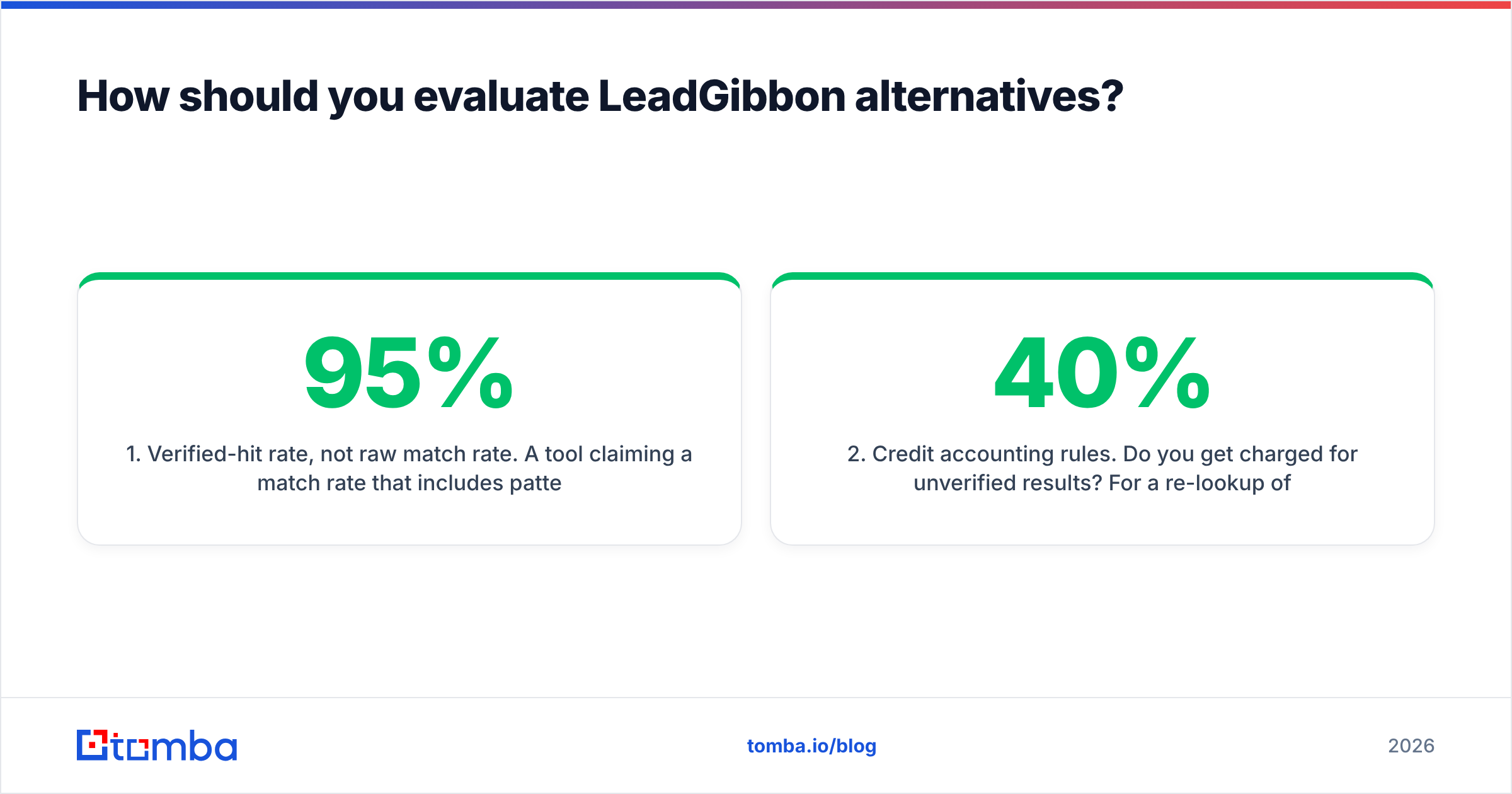
- Verified-hit rate, not raw match rate. A tool claiming a 95% match rate that includes pattern guesses is worse than one claiming 65% verified. Ask vendors to separate "found" from "verified deliverable." Anything that lands in a catch-all bucket needs its own catch-all verifier pass before you send.
- Credit accounting rules. Do you get charged for unverified results? For a re-lookup of the same contact? For bounces? The difference between "charge on found" and "charge on verified" can be 40% of your real cost.
- Sourcing breadth. LinkedIn-only, domain crawl, public web, partner data contributions, or a licensed database. Multi-source tools degrade more gracefully.
- Export and ownership terms. Some platforms cap CSV exports, throttle per-day downloads, or forbid loading data into a competing system. Read this before you sign annual.
- Automation surface. API, Zapier/Make, CRM-native sync, spreadsheet add-ons, CLI. If a human has to paste a CSV, the tool costs more than its sticker price.
A practical test: take 100 contacts you already know are valid — past customers, people who replied last quarter — and run them through each trial. Measure how many the tool returns and how many it returns correctly. That single test beats a month of feature-matrix reading.

What are the 11 best LeadGibbon alternatives in 2026?#
Here is the shortlist, grouped by what problem each one solves better than LeadGibbon.
Email-discovery specialists (best accuracy per dollar)#
1. Tomba — A discovery-and-verification stack rather than a single finder. Domain search, email finder, verifier, catch-all handling, phone lookup, and enrichment sit on the same credit pool, with a documented REST API, CLI, Chrome extension, and Sheets/Excel add-ins. Free tier gives 25 searches/mo; paid starts at $49/mo. Best for teams that want one vendor for find + verify instead of paying two.
2. Findymail — Strong on hard-to-find B2B addresses and explicit about not charging for unverified results. Narrower product surface than Tomba (no phone, lighter enrichment) but the core finder is reliable. See how it stacks up as a Findymail alternative comparison.
3. Prospeo — LinkedIn-adjacent finder with good waterfall logic and a straightforward credit model. Popular with agencies running high list volume.
Database platforms (best breadth, highest cost)#
4. Apollo.io — 200M+ contact database with sequencing, dialer, and basic CRM built in. The all-in-one pitch is genuinely useful, but data freshness varies sharply by region and seat pricing climbs fast. If you only need data, you are paying for a sequencer you will not use. Our full Apollo alternative breakdown covers the tradeoffs.
5. Cognism — Phone-verified contacts and strong EU/UK coverage with GDPR-focused compliance posture. Annual contracts, enterprise pricing, no meaningful self-serve tier.
6. ZoomInfo — The incumbent. Best firmographic and intent depth on the market, worst fit for anyone under 20 seats. Expect a $15k+ annual floor and a real procurement cycle.
7. RocketReach — Big aggregate index, consumer-friendly pricing, mixed verification quality. Good for occasional one-off lookups; see the RocketReach alternative comparison for where it lags.
Pre-built list providers (best for "I just need a list")#
8. BookYourData — A genuinely different model: buy targeted, pre-verified contact lists on a pay-as-you-go basis with a bounce guarantee, rather than running searches yourself. If your objection to LeadGibbon is "I don't want to build lists, I want to receive them," this is the closest fit on the list. Strong for teams doing periodic campaign pushes rather than continuous prospecting.
LinkedIn-workflow replacements (closest to LeadGibbon's shape)#
9. Wiza — Sales Navigator export with email and phone appends. The most direct like-for-like swap. Compare via the Wiza alternative page.
10. Lusha — Browser-extension-first, clean UI, good for reps enriching profiles one at a time. Weak for bulk.
11. ContactOut — Deep LinkedIn coverage including personal emails, which matters for recruiting more than for B2B sales. See the ContactOut alternative comparison.
How do the top LeadGibbon alternatives compare on price and features?#
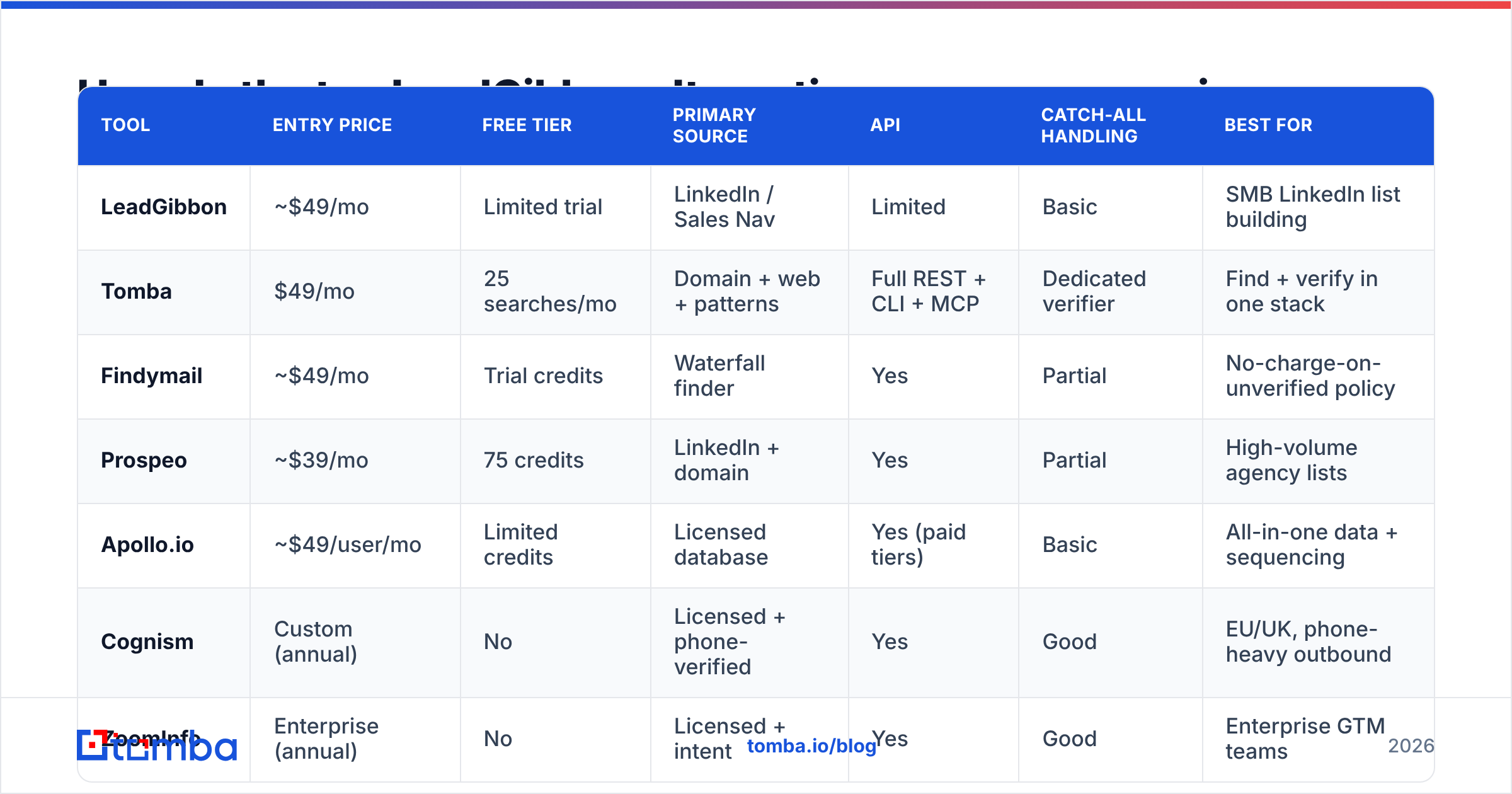
| Tool | Entry price | Free tier | Primary source | API | Catch-all handling | Best for |
|---|---|---|---|---|---|---|
| LeadGibbon | ~$49/mo | Limited trial | LinkedIn / Sales Nav | Limited | Basic | SMB LinkedIn list building |
| Tomba | $49/mo | 25 searches/mo | Domain + web + patterns | Full REST + CLI + MCP | Dedicated verifier | Find + verify in one stack |
| Findymail | ~$49/mo | Trial credits | Waterfall finder | Yes | Partial | No-charge-on-unverified policy |
| Prospeo | ~$39/mo | 75 credits | LinkedIn + domain | Yes | Partial | High-volume agency lists |
| Apollo.io | ~$49/user/mo | Limited credits | Licensed database | Yes (paid tiers) | Basic | All-in-one data + sequencing |
| Cognism | Custom (annual) | No | Licensed + phone-verified | Yes | Good | EU/UK, phone-heavy outbound |
| ZoomInfo | Enterprise (annual) | No | Licensed + intent | Yes | Good | Enterprise GTM teams |
| BookYourData | Pay-as-you-go | Sample list | Curated verified lists | Limited | Verified at source | Buying ready-made lists |
| Wiza | ~$49/mo | 20 credits | Sales Navigator export | Yes | Partial | Direct LeadGibbon swap |

Prices move. Treat the entry-price column as a starting point and confirm on each vendor's own page — for Tomba, the current Tomba pricing tiers run Free (25 searches/mo), Starter $49/mo, Growth $99/mo, Pro $249/mo, and custom Enterprise.
Is a cheaper alternative actually better than LeadGibbon?#
Sometimes — but "cheaper" is the wrong frame. Compare cost per usable contact, not cost per credit.
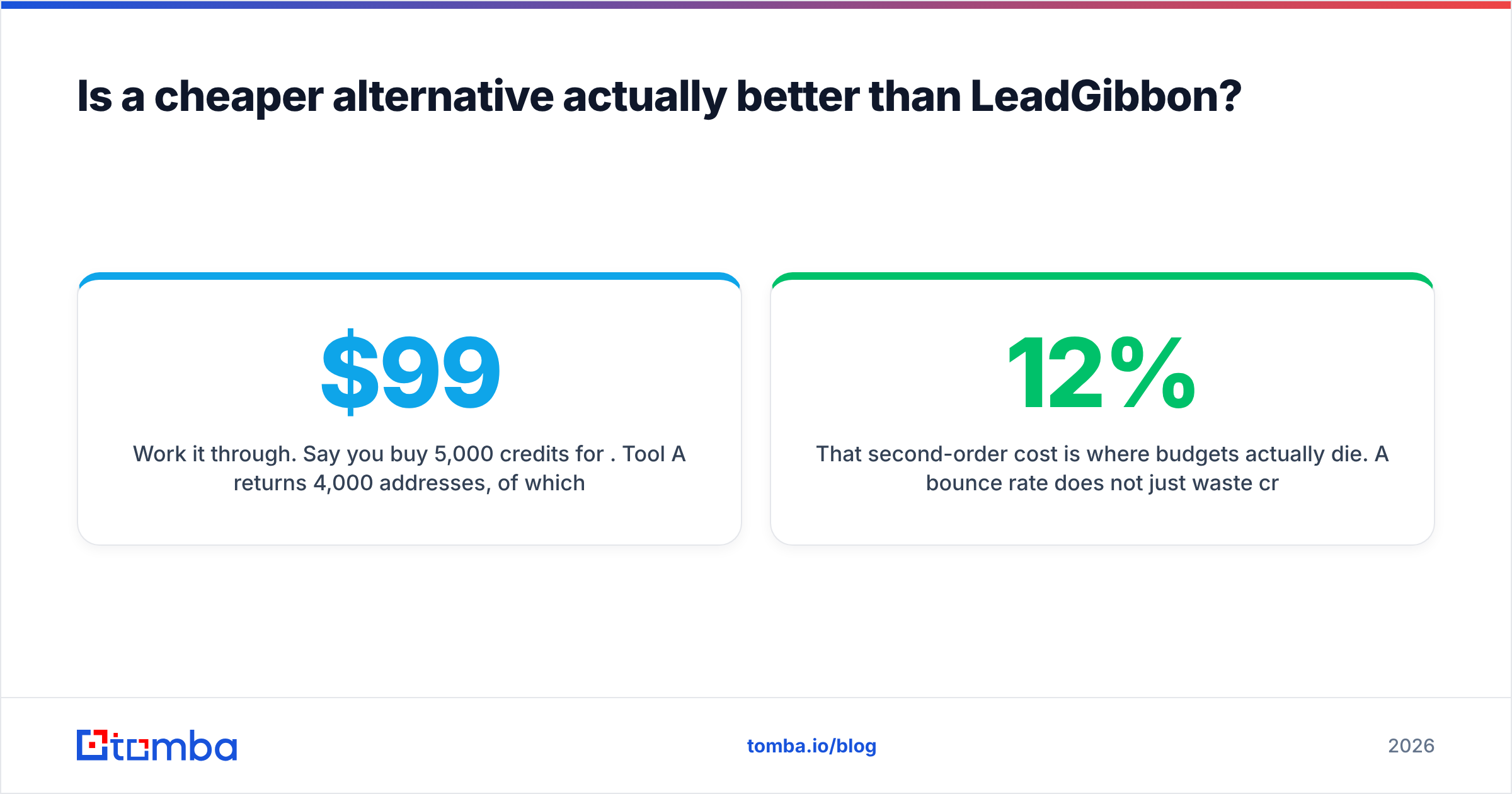
Work it through. Say you buy 5,000 credits for $99. Tool A returns 4,000 addresses, of which 2,800 are deliverable. Tool B returns 2,900 addresses, of which 2,600 are deliverable. Tool A looks better on match rate and worse on the only number that matters: you paid $0.035 per usable contact with A and $0.038 with B — nearly identical — except A also sent 1,200 bad addresses into your sequencer.
That second-order cost is where budgets actually die. A 12% bounce rate does not just waste credits; it degrades sender reputation, which suppresses inbox placement for the good addresses in the same campaign. HubSpot's research on email benchmarks has consistently put healthy hard-bounce rates under 2%. Anything above 3% and mailbox providers start treating your domain as a list-quality risk.
So the honest evaluation order is:
- First, check deliverable-rate, not match-rate.
- Second, check whether the vendor charges for non-deliverable results.
- Third, check whether verification is included or billed separately.
- Fourth, only then compare sticker prices.
Running every list through a dedicated email verifier before import is cheap insurance regardless of which finder you pick. It costs a fraction of a finder credit and removes the failure mode entirely.

Which LeadGibbon alternative fits your specific situation?#
You are a solo founder or small agency doing under 2,000 lookups/month. Start with a specialist finder on a $49/mo tier and add verification. Tomba, Findymail, or Prospeo all work. Skip the database platforms — you will pay for seats and modules you never touch.
You need programmatic enrichment inside your own product or CRM. API quality is the whole decision. Look for documented rate limits, batch endpoints, webhook support, and predictable error codes. The Tomba API and Apollo's enrichment endpoints are the two most commonly used at this tier. Check whether the vendor exposes bulk email finder endpoints — one-at-a-time lookups at 10,000 records is a bad time.
You sell into the EU/UK and compliance is a board-level concern. Cognism's positioning here is not marketing fluff; DNC-screened phone data and documented lawful-basis handling are genuinely hard to replicate. Pay for it.
You want lists delivered, not built. BookYourData's model removes the search step entirely. You specify the ICP, receive a verified file, and pay per record. For quarterly campaign pushes this is often less total work than maintaining a search-and-export habit.
You are replacing LeadGibbon like-for-like and want zero retraining. Wiza is the nearest shape. Same Sales Navigator entry point, same export flow.
Your bottleneck is phone numbers, not emails. Most email finders treat phone as an afterthought. Evaluate on connect rate, not database size, and validate the numbers you get — a phone validator pass catches disconnected lines before a rep burns a dial slot.
What should you check before you migrate off LeadGibbon?#
Migrations fail on logistics, not features. Handle these five things first.
- Export everything you own now. Pull your full contact history, list segments, and any tags or notes while your account is still active. Post-cancellation export windows are short and sometimes nonexistent.
- Deduplicate before import. Merging two vendors' data reliably produces duplicate records with conflicting job titles. Run a remove duplicates pass on email as the primary key before anything touches your CRM.
- Re-verify the legacy list. B2B contact data decays roughly 25–30% per year as people change jobs. A list exported 14 months ago is not a list; it is a bounce generator. Re-verify everything older than six months.
- Test the new tool against known-good records first. The 100-known-contact test described earlier. Do it in trial, not after you have paid annually.
- Rebuild your integrations before you cancel. If LeadGibbon exports feed a Zapier flow into HubSpot, confirm the replacement has an equivalent path. Most vendors publish an integrations directory — check it before, not after.
One more practical note: run the new tool in parallel with LeadGibbon for two weeks if your billing cycle permits. Overlapping cost for one cycle is far cheaper than discovering a coverage gap in your core vertical after the old account is gone. The Salesforce State of Sales research repeatedly finds data quality — not tool count — as the top blocker for rep productivity, which is exactly what a rushed migration damages.
Frequently asked questions#
Is LeadGibbon still worth using in 2026? Yes, for its niche. If your entire prospecting motion runs through Sales Navigator, you export a few hundred contacts a month, and you do not need an API, LeadGibbon does the job at a reasonable price. The alternatives win when you need verification depth, multi-source coverage, or automation.
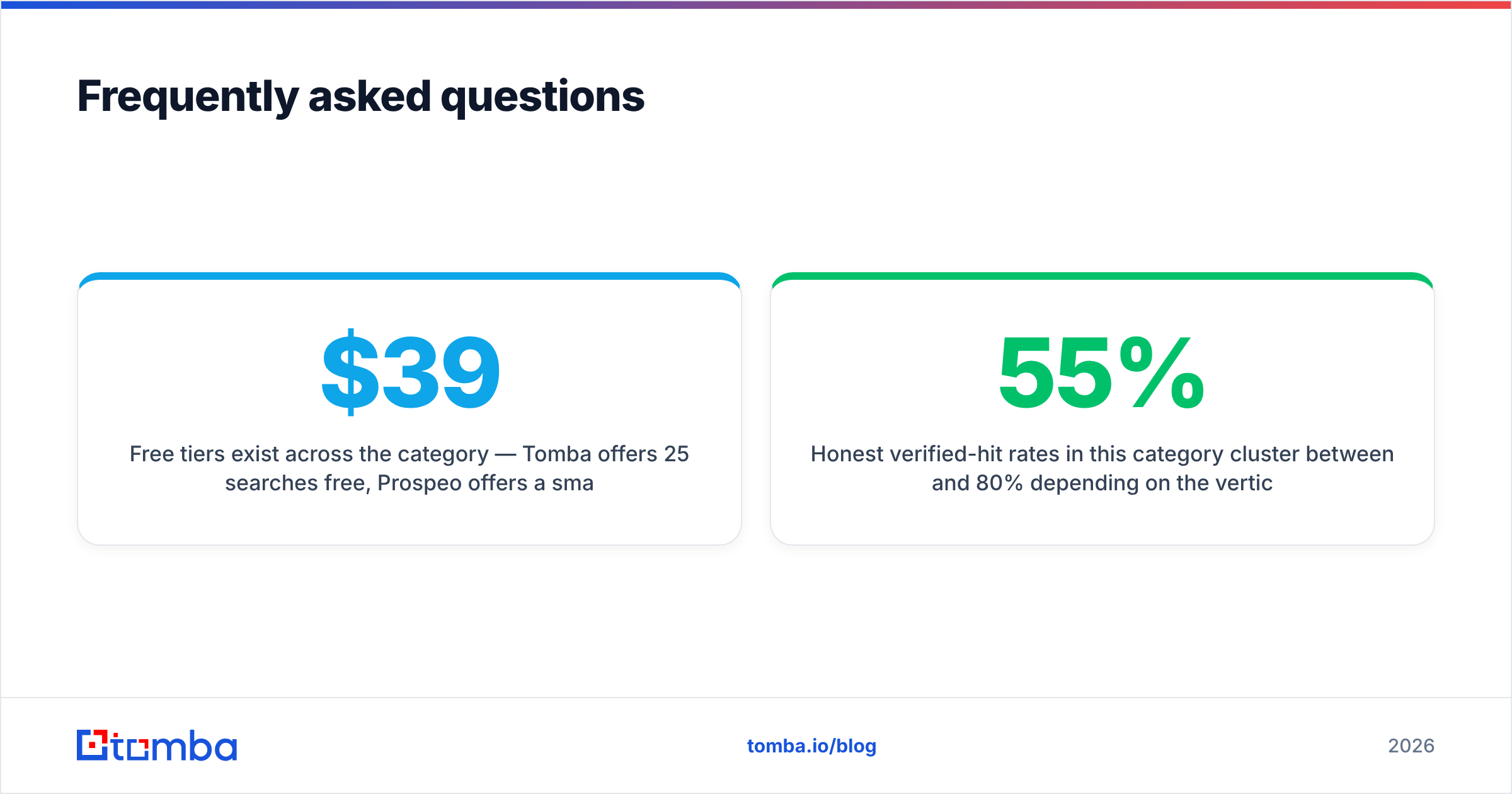
What is the cheapest LeadGibbon alternative? Free tiers exist across the category — Tomba offers 25 searches/mo free, Prospeo offers a small starting credit block. For sustained use, the $39–$49/mo entry tiers from specialist finders are the realistic floor. Free tools that promise unlimited lookups are typically reselling stale scraped data.
Do I need a separate email verifier? If your finder does not verify at source, yes. Even when it does, a second-pass verification on catch-all domains is worth it. A free email checker handles spot checks; bulk lists need a proper verifier run.
How accurate are these tools really? Honest verified-hit rates in this category cluster between 55% and 80% depending on the vertical and company size. Anyone claiming 95%+ across all segments is either counting pattern guesses as hits or has not been measured against a controlled sample. Test on your own ICP.
Where should you start?#
Pick based on your actual bottleneck, not the longest feature list. If the problem is that you are paying for addresses that bounce, the fix is a stack where discovery and verification share the same pipeline — find the address, verify it, and check whether the domain is catch-all before anything reaches your sequencer.
That is the case for starting with the Tomba Email Finder. Free tier covers 25 searches/mo so you can run the 100-known-contact test without a card, the $49/mo Starter tier handles most SMB volume, and the finder, verifier, catch-all check, domain search, and enrichment all draw from one credit pool with a documented API behind them. Run your real ICP through it, measure deliverable rate against whatever LeadGibbon returns this week, and let the numbers decide.
Related guides#
// get started
Find, verify and enrich your first contacts today
Start on the free plan with 25 searches a month, then scale when your team is ready.
Free plan · No credit card required · GDPR & CCPA
// about the author