Mailarrow vs Apolloio: Which Cold Email Stack Fits You?
Mailarrow is a low-cost sending engine with unlimited mailboxes. Apollo.io is a contact database with sequences bolted on. We compare their pricing, deliverability, data and fit so you pay for the job you actually need done.
Mailarrow vs Apolloio comes down to one question: do you need a sending engine or a data platform? This guide compares price, deliverability and data so you can pick the right one.
TL;DR
- Mailarrow is a sending engine and Apollo.io is a data platform. Mailarrow does cold email delivery: unlimited mailboxes, inbox rotation and warmup. Apollo.io sells a large B2B contact database with sequencing, a dialer and enrichment built on top.
- Mailarrow costs less for high sending volume. Paid plans run from about $39 to $99/month for the whole account. Apollo charges per user, about $49 to $119/user/month on annual billing, and more if you pay monthly.
- Apollo wins if you have no lead source. Mailarrow doesn't come with contacts, so you have to bring your own list.
- Many teams combine the two: an email finder for contacts, Mailarrow for sending, and Apollo only when a team needs one login for everything.
- Our pick: lean teams sending at volume should choose Mailarrow plus a separate data tool. Multi-rep teams that want database, sequences and calls in one place should choose Apollo.
What is the real difference between Mailarrow and Apollo.io?#
These two tools come at outbound from opposite directions. A feature-by-feature comparison can mislead you.
Mailarrow is a cold email delivery tool. Its job is to get messages into inboxes at scale. You connect as many sending mailboxes as you like and it warms them up. It spreads sends across them with inbox rotation and runs multi-step sequences with follow-ups. Mailarrow doesn't sell you contacts. You import the list.
Apollo.io began as a B2B contact database. It grew into a full sales engagement platform. You search hundreds of millions of contacts and filter by title, industry and headcount. You reveal emails and phone numbers with credits. Then you push those contacts into sequences that mix email, calls and LinkedIn tasks. You can see how Apollo packages it on the official Apollo pricing page.
Think of it this way. Mailarrow is a delivery fleet with no warehouse. Apollo is a warehouse with a few delivery vans attached. Your choice depends on whether your bottleneck is finding people or reaching them reliably at volume.
How do Mailarrow and Apollo.io compare side by side?#
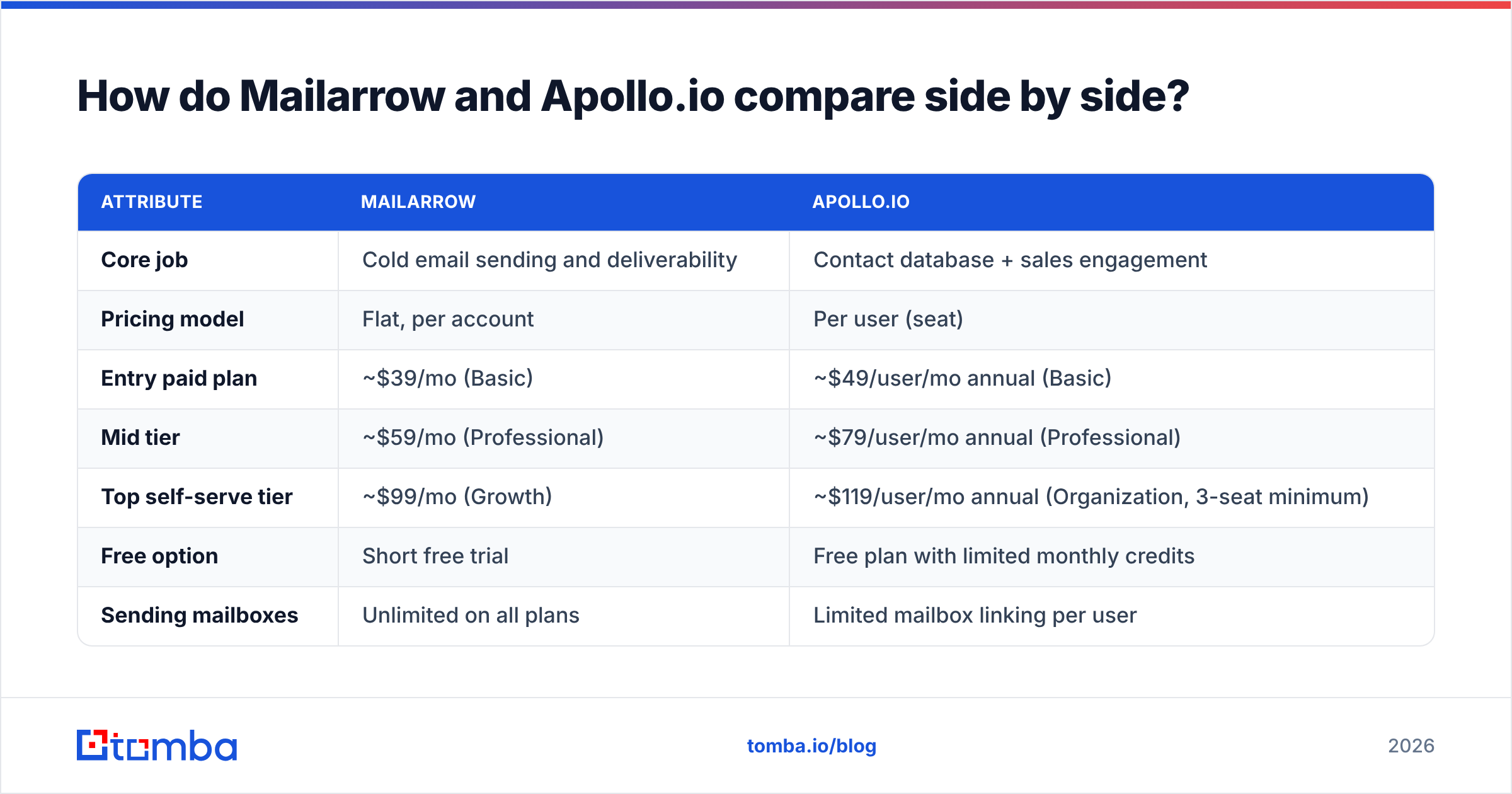
The Mailarrow vs Apolloio table below uses publicly listed pricing at the time of writing. Both vendors change plans often. Apollo in particular has changed monthly prices and free-tier credits several times in 2026. Check the live pages before you budget.
| Attribute | Mailarrow | Apollo.io |
|---|---|---|
| Core job | Cold email sending and deliverability | Contact database + sales engagement |
| Pricing model | Flat, per account | Per user (seat) |
| Entry paid plan | ~$39/mo (Basic) | ~$49/user/mo annual (Basic) |
| Mid tier | ~$59/mo (Professional) | ~$79/user/mo annual (Professional) |
| Top self-serve tier | ~$99/mo (Growth) | ~$119/user/mo annual (Organization, 3-seat minimum) |
| Free option | Short free trial | Free plan with limited monthly credits |
| Sending mailboxes | Unlimited on all plans | Limited mailbox linking per user |
| Email warmup | Unlimited, built in | Basic warmup, deliverability add-ons |
| Inbox rotation | Yes, core feature | Limited |
| Contact database | None (bring your own) | Large B2B database |
| Phone numbers | No | Yes, credit-based (mobile reveals cost more) |
| Dialer / calls | No | Yes |
| Best for | Agencies, lean outbound teams, high volume | Sales teams needing data + workflow in one tool |
Monthly volume on Mailarrow scales by plan. Basic covers roughly 2,000 active prospects and 6,000 emails. Growth covers about 50,000 prospects and 150,000 emails. Apollo's limits work differently. You run out of credits (email reveals, mobile reveals, exports) long before you run out of sending capacity.
Which tool is cheaper for your team size?#
The pricing model matters more than the sticker price.
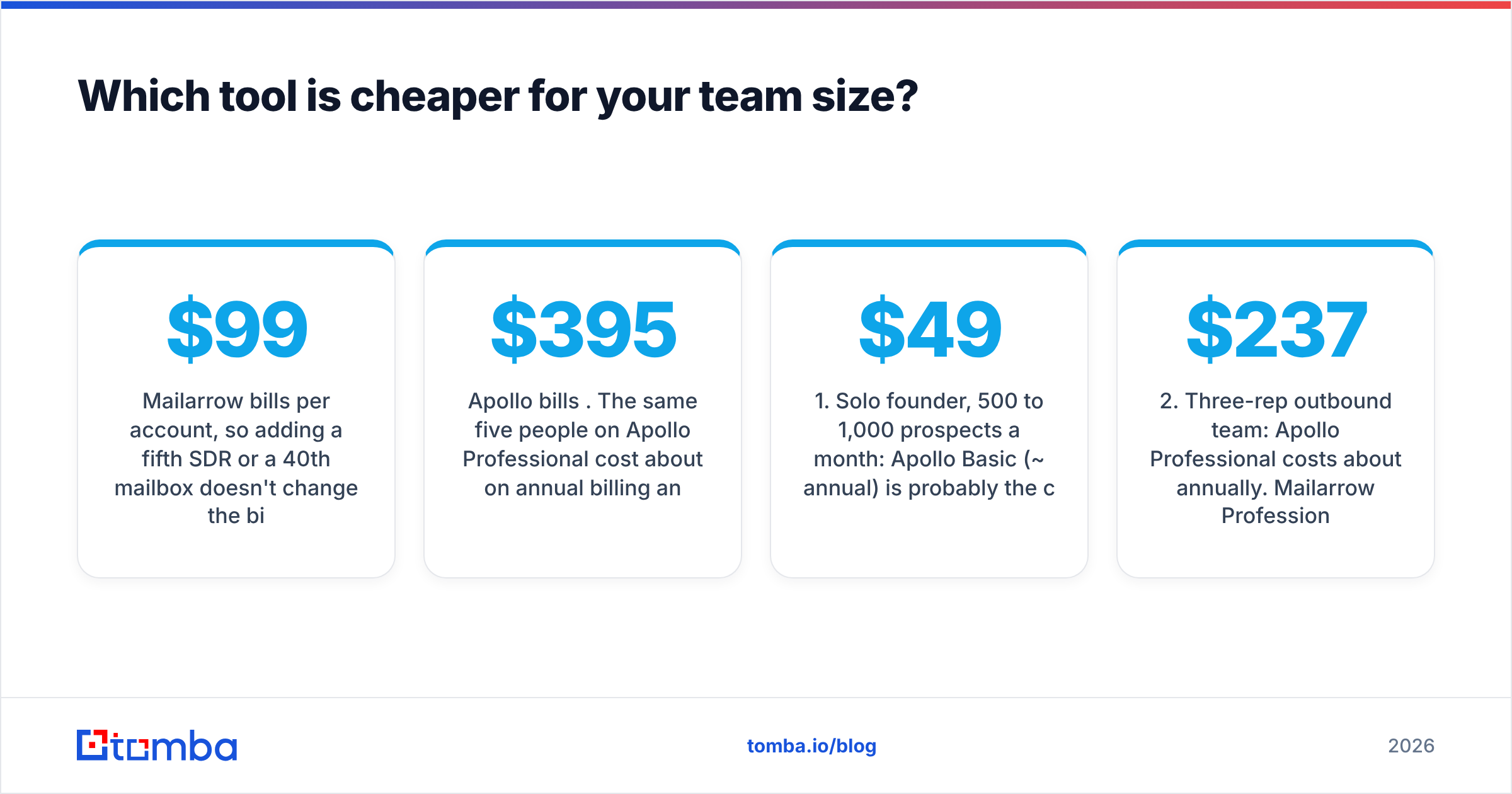
Mailarrow bills per account, so adding a fifth SDR or a 40th mailbox doesn't change the bill. A five-person agency on Mailarrow Growth pays about $99/month in total.
Apollo bills per seat. The same five people on Apollo Professional cost about $395/month on annual billing and noticeably more on monthly billing. The Organization tier also has a three-seat minimum. You do get a database for that money, which Mailarrow doesn't include.
Here's a fairer comparison across three common setups:
- Solo founder, 500 to 1,000 prospects a month: Apollo Basic (~$49 annual) is probably the cheapest single tool, because it covers both data and sending. Mailarrow Basic ($39) plus a data tool costs about the same or a little more.
- Three-rep outbound team: Apollo Professional costs about $237/month annually. Mailarrow Professional ($59) plus a dedicated email finder on a $49 to $99 plan costs about $108 to $158/month, with better sending infrastructure.
- Agency running 10+ client domains: Mailarrow is far cheaper here. Unlimited mailboxes and flat pricing suit multi-domain sending. Apollo's per-seat model and mailbox limits make agencies expensive.
Apollo also has a cost that's easy to miss: credits. An email reveal usually costs 1 credit, a mobile number costs several, and unused credits don't roll over. If you burn through your allowance mid-month, you either buy overage credits or stop prospecting.

Which one has better deliverability?#
Mailarrow has the better deliverability tooling. Deliverability is the whole product, and the feature set reflects that:
- Unlimited warmup on every mailbox, running continuously.
- Inbox rotation, so you send 30 to 50 emails a day from each of many mailboxes instead of 300 from one.
- Unlimited mailboxes, which lets you spread volume across secondary domains and keep your primary domain safe.
Apollo sends through your connected Google or Microsoft mailbox. It has added deliverability features over time. But its strength is still data and workflow, not multi-mailbox sending at scale. Teams that send several thousand cold emails a day from Apollo alone often hit reputation problems. Too much volume piles up on too few mailboxes.
No tool fixes bad data, though. Sender reputation drops fastest from bounces. If 8% of a list hard-bounces, warmup and rotation won't save you. Whichever tool sends, run your list through an email verifier first and keep bounces under 2%. If you're planning a new domain, a warmup calculator shows how long to ramp before you send at full volume.
Is Apollo's database worth the higher price?#
Apollo's database is the main reason to pick it. You can build a list of "VP of Finance at US SaaS companies with 50 to 200 employees" in a few minutes. You reveal emails and push them into a sequence without leaving the app. For a sales team with no data process, that saves a lot of time.
It has trade-offs:
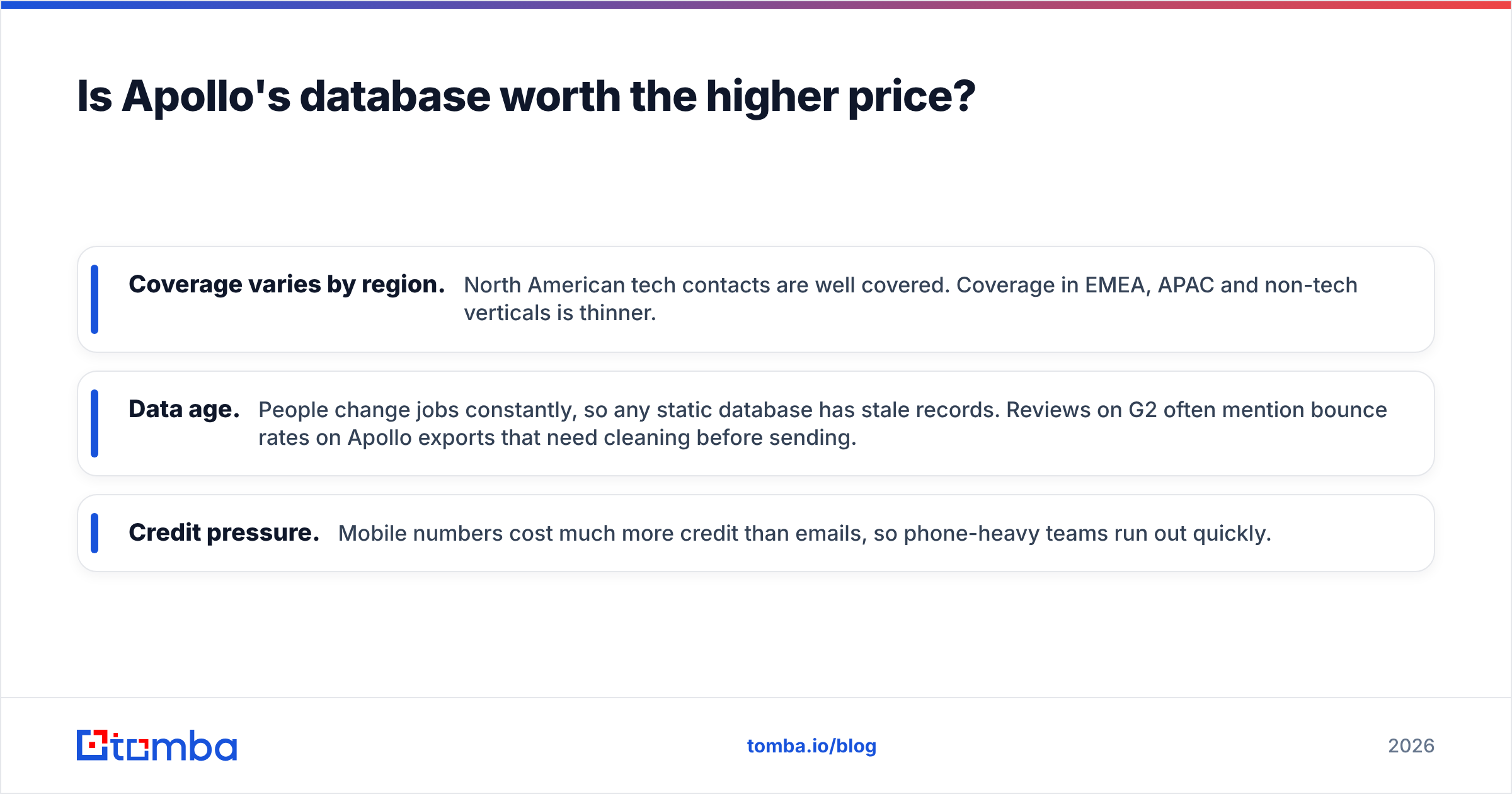
- Coverage varies by region. North American tech contacts are well covered. Coverage in EMEA, APAC and non-tech verticals is thinner.
- Data age. People change jobs constantly, so any static database has stale records. Reviews on G2 often mention bounce rates on Apollo exports that need cleaning before sending.
- Credit pressure. Mobile numbers cost much more credit than emails, so phone-heavy teams run out quickly.
If you go with Mailarrow, you need a list source. Options include LinkedIn Sales Navigator with an extraction tool, a dedicated email finder that searches by name and company domain, or a third-party B2B data vendor. This setup takes longer than Apollo. But you control data quality and can check each contact before sending. You also avoid paying per seat for data that only one person pulls.
What does each tool do better day to day?#
Pick Mailarrow if you:
- Send high volume across many domains. Unlimited mailboxes and rotation are built for this.
- Run an agency. Flat pricing and many client domains don't fit per-seat billing.
- Already have a data source and only need reliable sending, sequences and reply tracking.
- Care most about cost per email sent. At 50,000+ emails a month, Mailarrow is hard to beat on price.
Pick Apollo.io if you:
- Have no lead list and no data process. The database is the main reason to buy.
- Run multichannel sequences that mix email, calls and LinkedIn tasks, and want them in one tool.
- Need a dialer and phone numbers for cold calling as well as email.
- Manage several reps who need shared reporting, CRM sync and team-level analytics in one place.
Mailarrow's limits are clear: no contact data, no dialer, and fewer CRM and team-management features than a full engagement platform. Apollo's limits are also clear: per-seat cost, credit caps, and sending infrastructure that isn't built for high-volume multi-domain outreach.

Can you use Mailarrow and Apollo.io together?#
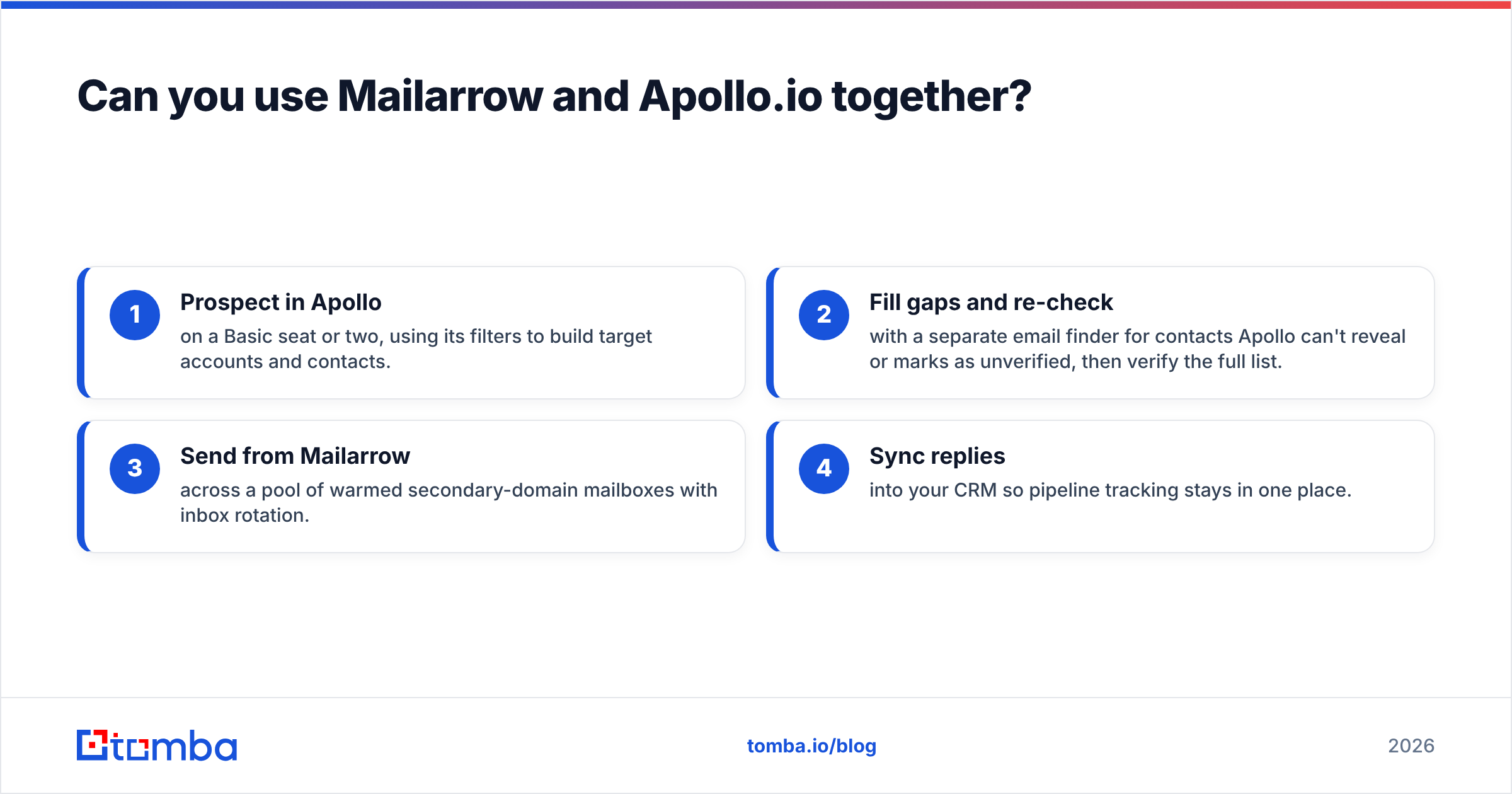
Yes, and plenty of teams do. A common setup:
- Prospect in Apollo on a Basic seat or two, using its filters to build target accounts and contacts.
- Fill gaps and re-check with a separate email finder for contacts Apollo can't reveal or marks as unverified, then verify the full list.
- Send from Mailarrow across a pool of warmed secondary-domain mailboxes with inbox rotation.
- Sync replies into your CRM so pipeline tracking stays in one place.
This uses Apollo for what it does best (search and filtering) and Mailarrow for what it does best (sending). You pay for one or two Apollo seats instead of a seat for every rep.
If cost is the main issue, you can drop Apollo and use a dedicated data tool. Our breakdown of each Apollo alternative covers options that bill per search instead of per seat.
How do they compare on setup, support and learning curve?#
Mailarrow is quick to set up. Connect mailboxes, turn on warmup, import a CSV and build a sequence. Most users are sending within a day. New mailboxes still need two to four weeks of warmup before they can handle real volume. The interface is narrow because the product is narrow.
Apollo.io takes longer to learn. Search filters, credit management, sequence settings, CRM sync, dialer configuration and team permissions all need setting up. A sales ops person can do it in a week. A solo founder may only ever use 20% of it.
On support, Apollo has a large help center and community. Mailarrow is smaller, so support is more direct but less documented. If your team relies on self-serve docs, Apollo is easier. If you'd rather message a person, smaller vendors often reply faster.
Mailarrow vs Apolloio: which should you choose?#
In the Mailarrow vs Apolloio decision, it comes down to where your outbound gets stuck.
- If you can't find the right people, the problem is data. Apollo addresses it directly, as does a dedicated email finder paired with any sending tool.
- If you know who to email but messages go to spam or you hit sending limits, the problem is deliverability. Mailarrow is built for that.
- If both are true, don't expect one tool to do everything well. Pair a data source with a sending engine.
Our verdict: lean outbound teams and agencies should use Mailarrow plus a separate email finder and verifier. Multi-rep in-house sales teams that value one login and built-in calling should use Apollo. Either way, verify every list before it reaches a sending mailbox. No warmup tool or database can make up for bounces.
Where does Tomba fit in this stack?#
If you choose Mailarrow, you need contacts. If you choose Apollo, you'll still run into contacts it can't reveal and records that have gone stale. In both cases, a separate email finder with built-in verification covers what's missing.
Tomba Email Finder finds professional email addresses by name and company domain and checks deliverability before export. The free tier includes 25 searches a month, and paid plans start at $49/month (see Tomba pricing), billed per account rather than per seat. Build the list in Tomba, verify it, and send it through Mailarrow or Apollo. Start with the free tier and test it on your next 25 prospects.
Related guides#
// start free
See who Tomba finds at any company
Type a company's domain to see its people, their roles and verified work emails, each with the pages it was found on. Free account, no card.
Free plan · No credit card required · GDPR & CCPA
// about the author