Company Email Address Finder: How to Get Business Emails
A company email address finder turns a name and a domain into a verified business inbox in seconds. Here's how the tools work, what accuracy really means, and how the top options compare on price and reliability.
Finding one buyer's email is easy. Finding the right person at 500 target accounts, with addresses that don't bounce, is the job a company email address finder is built for. This guide explains how these tools actually work, what "95% accuracy" means once you strip the marketing, and how the leading options stack up so you can pick the one that fits your workflow and budget.
TL;DR#
- A company email address finder maps a person's name and a company domain to their real work email, then verifies it before you send.
- The two things that matter are coverage (does it find the contact at all?) and accuracy (is the address deliverable?). A tool can be strong at one and weak at the other.
- Pattern-guessing is free but bounces; verified data from a real provider protects your sender reputation.
- Pricing ranges from free tiers (25–50 lookups/mo) to $49–$249/mo for teams doing real volume.
- Tomba's email finder and domain search cover single-contact and whole-company use cases, with a free tier to test accuracy on your own list first.
What is a company email address finder?#
A company email address finder is a tool that takes what you already know — usually a person's full name and the company they work at — and returns their professional email address, verified so it won't bounce.
Think of it like a phone book for business inboxes, except the book is rebuilt every day from live signals instead of printed once a year. You feed it "Jane Doe at Acme Corp," and it returns jane.doe@acme.com along with a confidence score.
Under the hood, most finders combine three data layers:
- Known-good records — addresses already observed and confirmed from public sources, crawls, and contributed data.
- Pattern inference — if the tool knows Acme uses
first.last@acme.comfor 40 other employees, it can construct Jane's address with high confidence. - Real-time verification — an SMTP-level check that confirms the mailbox exists before the address is handed to you.
The last layer is what separates a real tool from a free "email permutator" that just spits out every possible combination and hopes one lands. You can see the difference yourself with a free email verifier run against a list you already trust.
How does a company email finder actually work?#
Here's the flow from input to a send-ready address:
- Input — you provide a name + domain, a domain alone (for company email search), or a LinkedIn URL.
- Match — the engine looks for an exact record. Found? It moves straight to verification.
- Infer — no exact record, so it detects the company's dominant email pattern from other known addresses on that domain.
- Verify — it pings the mail server to confirm the mailbox accepts mail, flags catch-all domains, and returns a status: valid, risky, or invalid.
- Score — you get a confidence percentage so you can decide whether to send, double-check, or skip.

That verification step is non-negotiable for cold outreach. Mailbox providers punish senders whose bounce rate climbs, and a high bounce rate is the fastest way to wreck your sender reputation. Every address you send to should be verified first — either by the finder itself or by a separate pass through a catch-all verifier for the trickier domains.
What separates a good finder from a bad one?#
Two metrics, and vendors love to blur them.
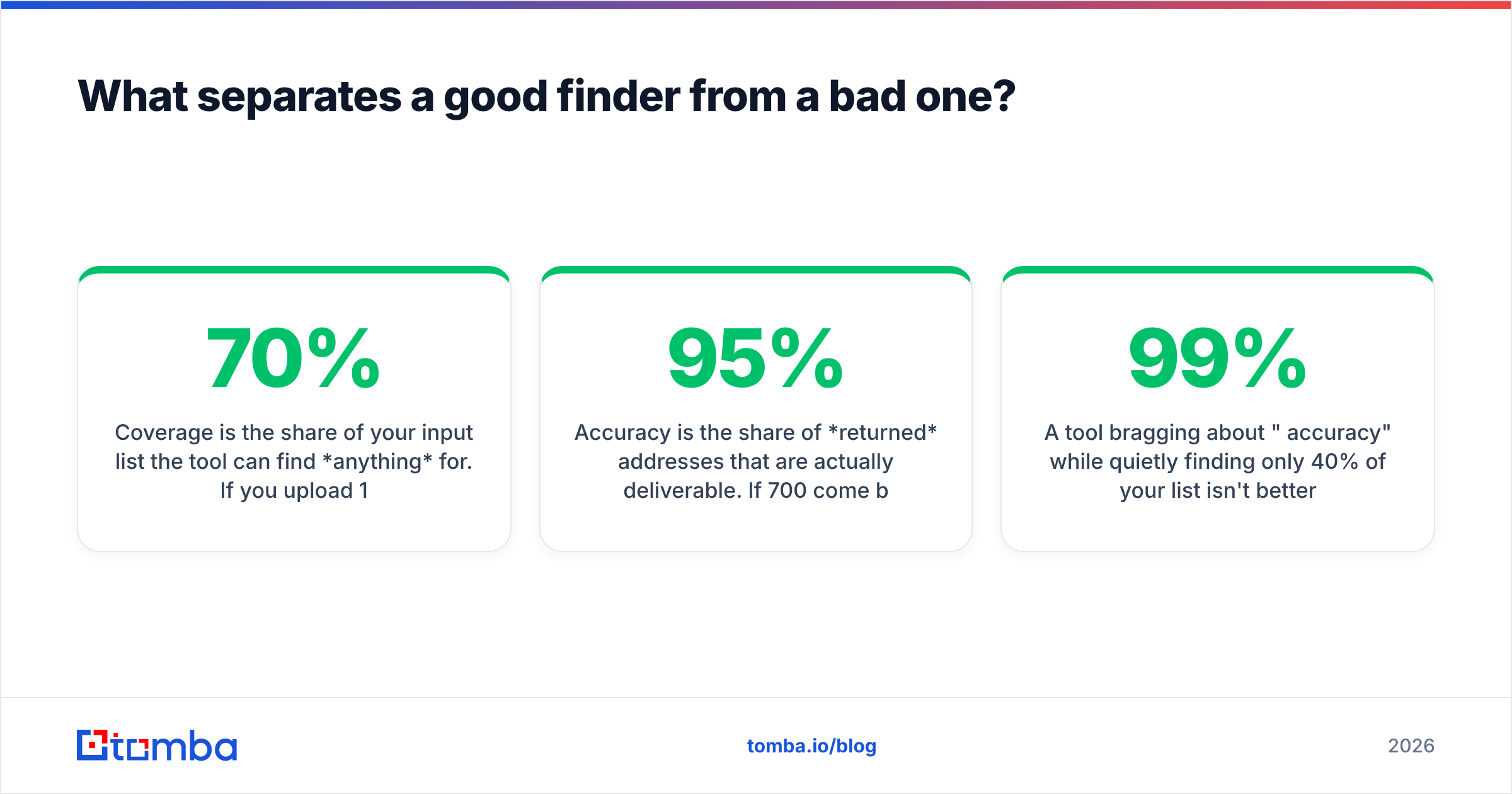
Coverage is the share of your input list the tool can find anything for. If you upload 1,000 contacts and it returns 700 addresses, that's 70% coverage.
Accuracy is the share of returned addresses that are actually deliverable. If 700 come back and 665 land, that's 95% accuracy.
A tool bragging about "99% accuracy" while quietly finding only 40% of your list isn't better than one at 92% accuracy and 75% coverage — it's just cherry-picking the easy contacts. When you evaluate, always measure both on the same sample list.

Other factors that matter in practice:
- Catch-all handling. Many company domains accept every address ("catch-all"), which fools naive verifiers into marking guesses as valid. A good tool tells you the domain is catch-all rather than pretending it's confident. Tomba's catch-all finder exists specifically for this.
- Freshness. People change jobs. Data more than a year stale returns addresses that route to nobody.
- Bulk throughput. Finding one email is trivial; processing a 10,000-row CSV without rate-limit headaches is where tools diverge. Look at the bulk email finder workflow before committing.
- Where the data comes from. Reputable vendors publish their data sources and stay GDPR/CCPA-aware. Treat opaque providers with caution.
Which company email address finder should you use?#
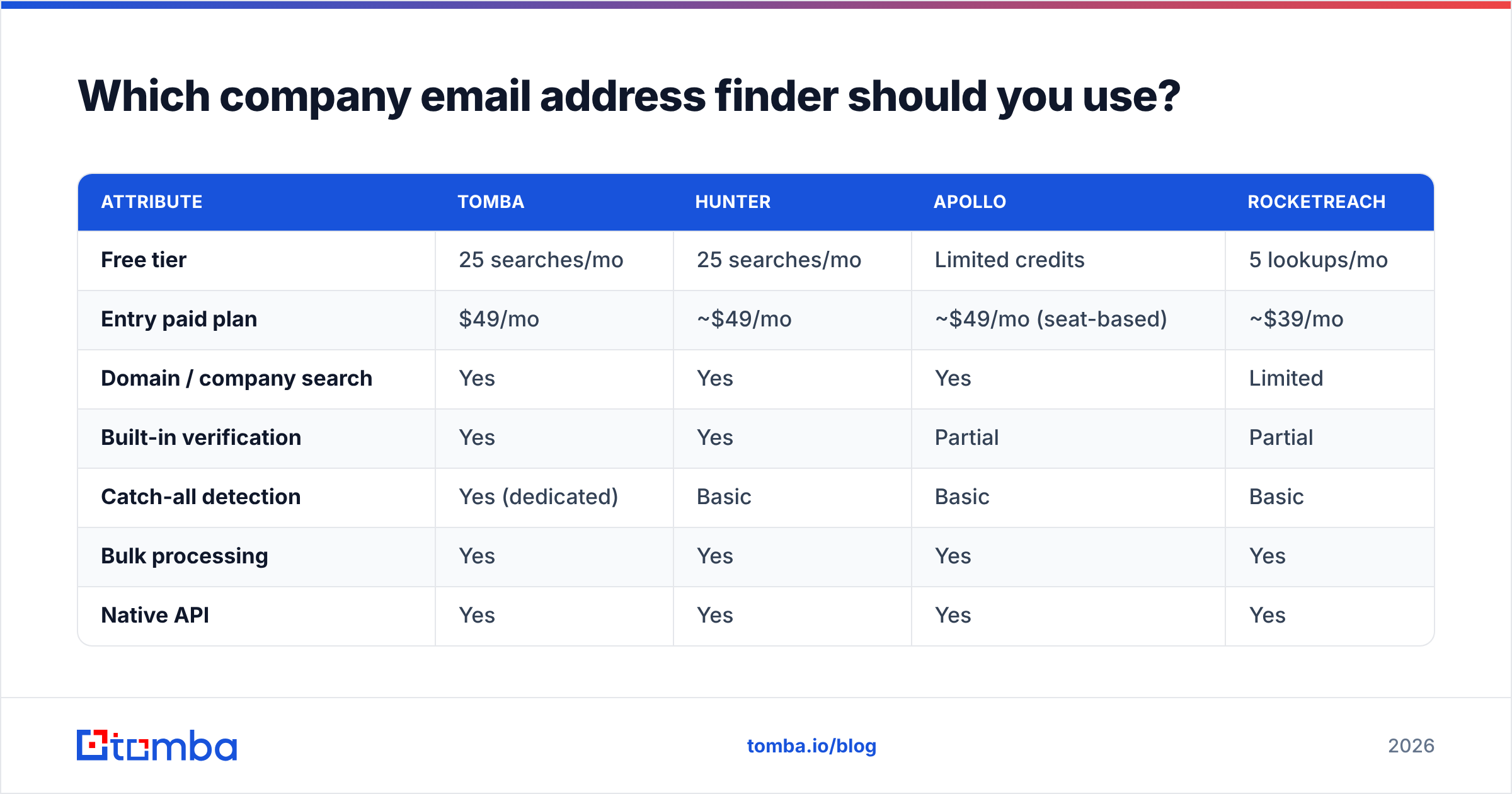
Here's a head-to-head on the attributes that decide real purchases. Prices reflect published entry and mid-tier plans as of 2026.

| Attribute | Tomba | Hunter | Apollo | RocketReach |
|---|---|---|---|---|
| Free tier | 25 searches/mo | 25 searches/mo | Limited credits | 5 lookups/mo |
| Entry paid plan | $49/mo | ~$49/mo | ~$49/mo (seat-based) | ~$39/mo |
| Domain / company search | Yes | Yes | Yes | Limited |
| Built-in verification | Yes | Yes | Partial | Partial |
| Catch-all detection | Yes (dedicated) | Basic | Basic | Basic |
| Bulk processing | Yes | Yes | Yes | Yes |
| Native API | Yes | Yes | Yes | Yes |
| Phone numbers | Yes | No | Yes | Yes |
A few honest notes on this table:
- Tomba leans hard into verification and catch-all accuracy, and bundles a phone finder plus data enrichment so one workflow covers email and phone. See full Tomba pricing for the Growth ($99/mo) and Pro ($249/mo) tiers.
- Hunter is the category veteran with a clean UI; strong for domain search, lighter on phone data.
- Apollo is a full sales platform — the finder is one feature inside a CRM-plus-sequencer, which is great if you want everything in one seat and overkill if you just need emails. If that's your read, compare the Apollo alternative angle.
- RocketReach has broad contact coverage but verification is less transparent; check the RocketReach alternative breakdown before you standardize on it.
You can validate any vendor's claims independently on G2, where reviewers report real-world hit rates rather than marketing numbers.

Is a paid finder worth it over free tricks?#
Short answer: yes, the moment you send at volume.
Free tactics — the LinkedIn "About" section, an email permutator, or guessing firstname@company.com — work for a handful of contacts. They fall apart at scale for one reason: no verification. You end up sending to addresses that bounce, and every bounce tells Gmail and Outlook you might be a spammer.
Here's the cost math sales teams miss. Say you send 2,000 cold emails a month:
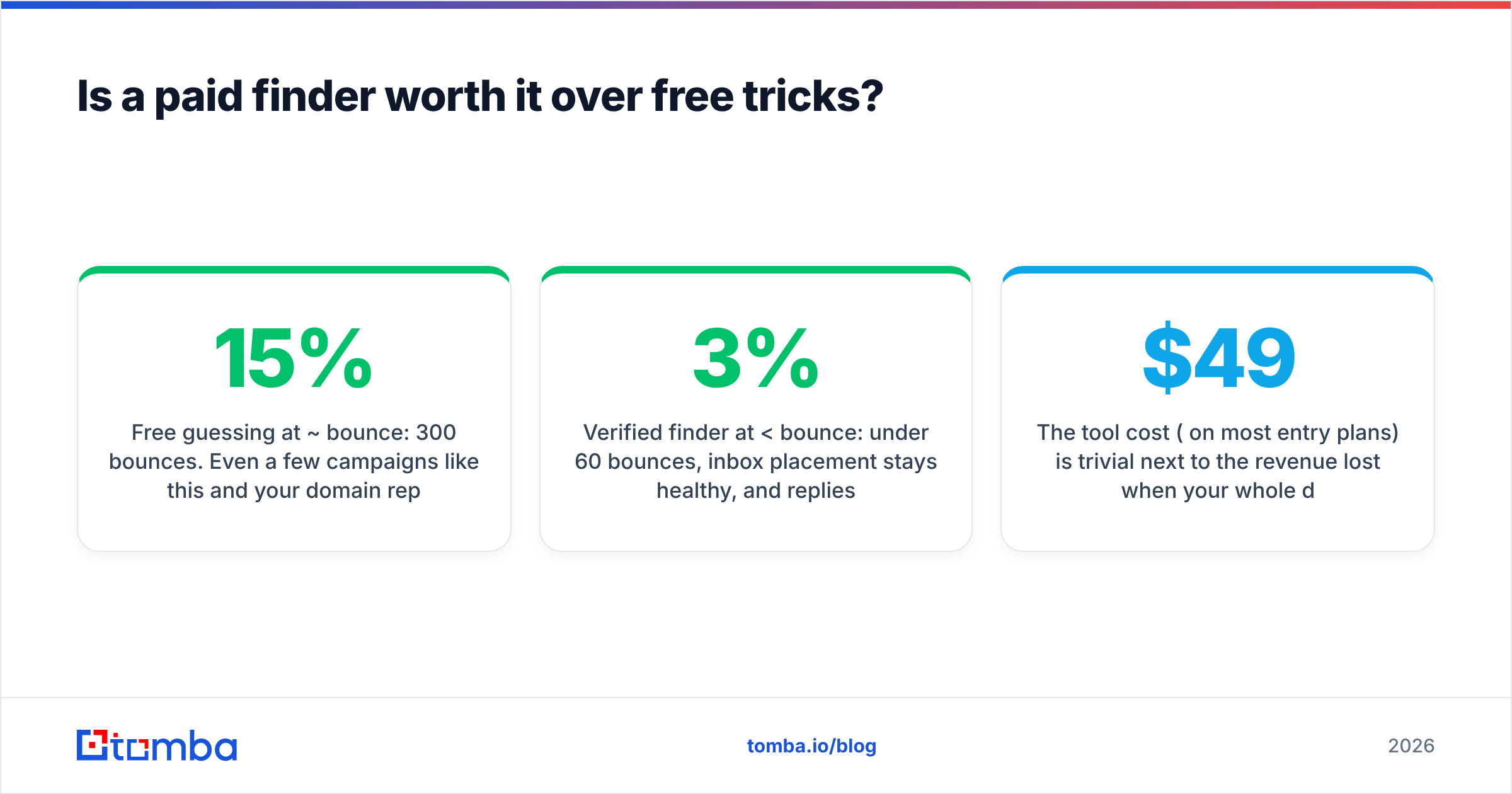
- Free guessing at ~15% bounce: 300 bounces. Even a few campaigns like this and your domain reputation tanks, dragging deliverability on the good addresses too.
- Verified finder at <3% bounce: under 60 bounces, inbox placement stays healthy, and replies actually come in.
The tool cost ($49/mo on most entry plans) is trivial next to the revenue lost when your whole domain gets throttled. Protecting email deliverability is the real product you're buying — the addresses are almost a side effect.
How do you get the most out of a company email finder?#
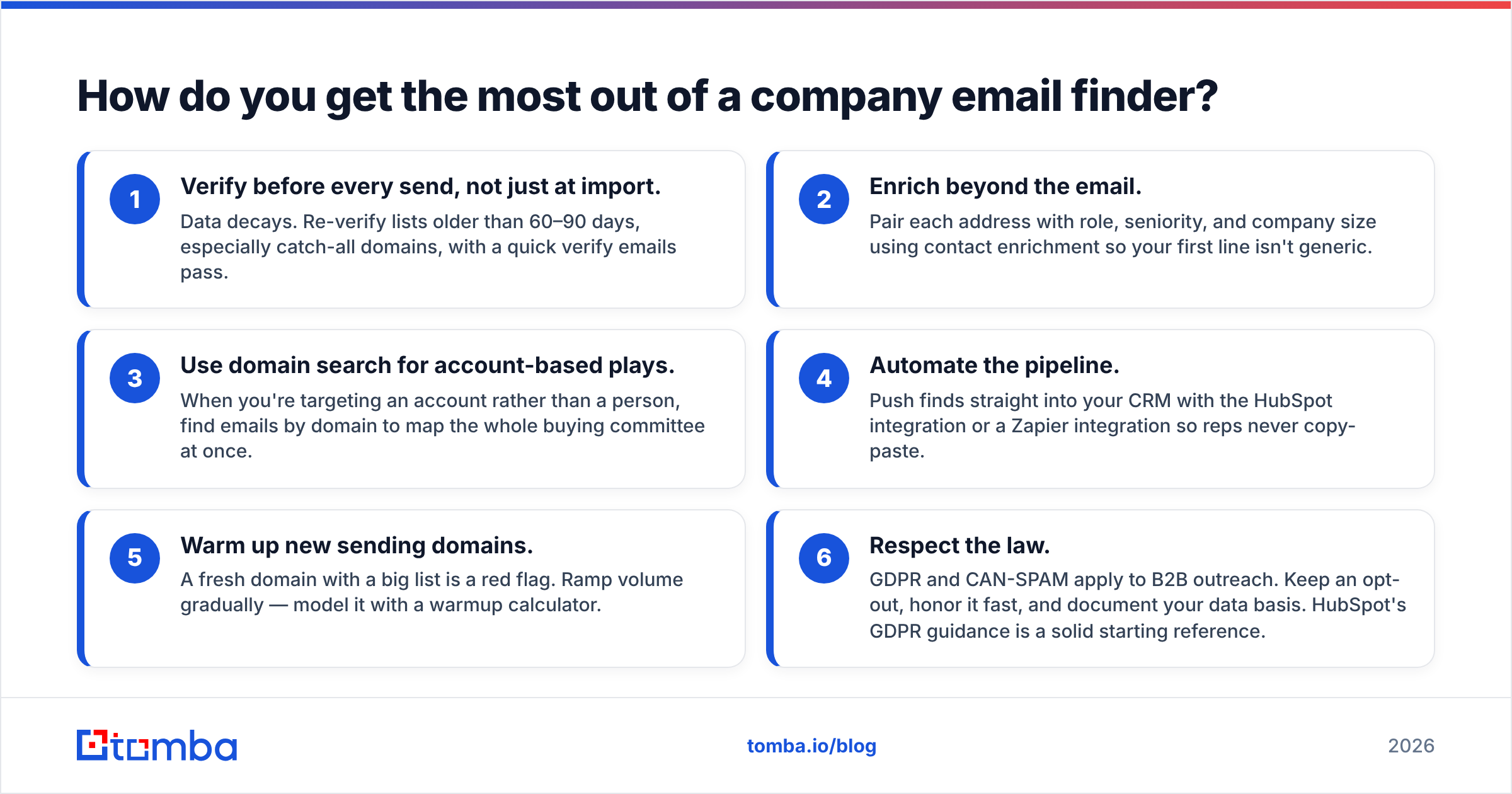
Buying the tool is step one. These habits separate teams that get 30% reply rates from teams that get flagged as spam.
- Verify before every send, not just at import. Data decays. Re-verify lists older than 60–90 days, especially catch-all domains, with a quick verify emails pass.
- Enrich beyond the email. Pair each address with role, seniority, and company size using contact enrichment so your first line isn't generic.
- Use domain search for account-based plays. When you're targeting an account rather than a person, find emails by domain to map the whole buying committee at once.
- Automate the pipeline. Push finds straight into your CRM with the HubSpot integration or a Zapier integration so reps never copy-paste.
- Warm up new sending domains. A fresh domain with a big list is a red flag. Ramp volume gradually — model it with a warmup calculator.
- Respect the law. GDPR and CAN-SPAM apply to B2B outreach. Keep an opt-out, honor it fast, and document your data basis. HubSpot's GDPR guidance is a solid starting reference.
When should you use domain search instead of a name lookup?#
Use a name + domain lookup when you already know exactly who you want to reach — a named champion, a referral, a specific hiring manager.
Use domain search when you know the company but not the person, or when you want everyone in a function. Feed it acme.com and get back the addresses on that domain, grouped by department and seniority, so you can pick the VP of Sales and their two directors in one pass. For account-based marketing and multi-threaded deals, domain search is the faster route to a full buying committee.
Most serious teams use both, plus a LinkedIn finder when the only handle they have is a profile URL.
Frequently asked questions#
Is using a company email address finder legal? Finding publicly available business contact data is legal in most jurisdictions, but how you use it is regulated. Under GDPR you need a lawful basis (legitimate interest for B2B, documented), and under CAN-SPAM every message needs a working opt-out. The tool is neutral; your compliance practices make it lawful.
How accurate are these tools really? Top tools return 90–97% deliverable addresses on the contacts they find — but coverage varies more, often 50–80%, depending on how obscure the company is. Always test accuracy and coverage together on your own sample before you buy an annual plan.
Do free email finders work? For a handful of contacts, yes. For volume outreach, unverified free tools cause bounces that damage your domain reputation. A free tier from a real vendor (Tomba gives you 25 verified searches/mo) is a better test than a random permutator.
What's a catch-all domain and why does it matter? A catch-all domain accepts mail to any address, so standard verification can't confirm a specific mailbox exists. Naive tools mark these "valid" and you bounce anyway. Use a dedicated catch-all verifier to handle them properly.
Can I find phone numbers too? Some finders, including Tomba, return B2B phone numbers alongside emails so you can multi-channel. Verify them with a phone validator before dialing.
The bottom line#
A company email address finder is only as good as the addresses it returns after verification. Judge tools on coverage and accuracy measured on your own list, insist on real catch-all handling, and treat your sender reputation as the asset you're actually protecting.
If you want to test that on your own data before spending a dollar, start with the Tomba Email Finder — the free tier gives you 25 verified searches a month, domain search and catch-all detection are built in, and you can push results straight into your CRM. Find the right person, verify the address, and send with confidence — no guessing, no wrecked deliverability.
Related guides#
Ready to find emails that actually work?
Join 150,000+ professionals who stopped guessing and started sending. Free credits on signup — no credit card required.
Get the Tomba newsletter
Practical outbound tactics and product updates — once every two weeks.
About the author