CRM Data Enrichment Tools in 2026: The Complete Buyer's Guide
CRM data enrichment tools quietly fill the gaps in your database — missing emails, job titles, firmographics — so reps stop guessing. Here's how they work, what to compare, and how to choose in 2026.
Your CRM is only as good as the data inside it. And right now, a big chunk of that data is wrong, missing, or decaying while you read this sentence. CRM data enrichment tools exist to fix that — automatically topping up empty fields, correcting stale records, and appending the context your reps need to actually close.
This guide breaks down what these tools do, how they differ, what to look for in 2026, and how to pick one without overpaying for data you'll never use.
TL;DR#
- CRM data enrichment tools append missing or outdated fields — emails, phone numbers, job titles, company size, tech stack — to records you already own.
- The three big use cases: cleaning legacy data, enriching new leads at capture, and keeping records fresh as people change jobs.
- B2B contact data decays ~2.5% per month, so enrichment is a maintenance job, not a one-time cleanup.
- Compare tools on match rate, field coverage, verification, CRM-native sync, and price-per-record — not just database size.
- Budget-friendly picks like Tomba start at $49/mo, while enterprise platforms like ZoomInfo run into five figures a year.
What are CRM data enrichment tools?#
CRM data enrichment tools are software that takes a thin record in your CRM — say, just a name and a company — and fills in everything else: work email, direct dial, LinkedIn URL, job title, seniority, department, company revenue, headcount, industry, and technologies used.
Think of it like a mechanic topping up every fluid in your car during a service. You drove in with an engine that technically runs, but half the systems were low. You drive out with everything at the right level. Enrichment does that to a database — it doesn't create the record, it completes it.
Technically, these tools match your existing record against one or more data sources (public web, business directories, verified contributor networks), find the same person or company, and write the missing attributes back into your CRM fields.

There are two flavors worth knowing:
- Contact enrichment — completes the person: verified email, phone, title, social profiles.
- Company (firmographic) enrichment — completes the account: industry, size, revenue, location, funding, tech stack.
Most serious workflows need both. A verified email with no title tells a rep who to reach but not how to pitch; firmographics without a contact tell you the company is a fit but give you nobody to call.
Why does CRM data enrichment matter in 2026?#
Because bad data is expensive, and it's getting worse. Gartner has long estimated that poor data quality costs organizations millions per year in wasted effort and lost opportunities, and the problem compounds inside a CRM where reps make decisions off every field they see.
Three forces make enrichment non-optional now:
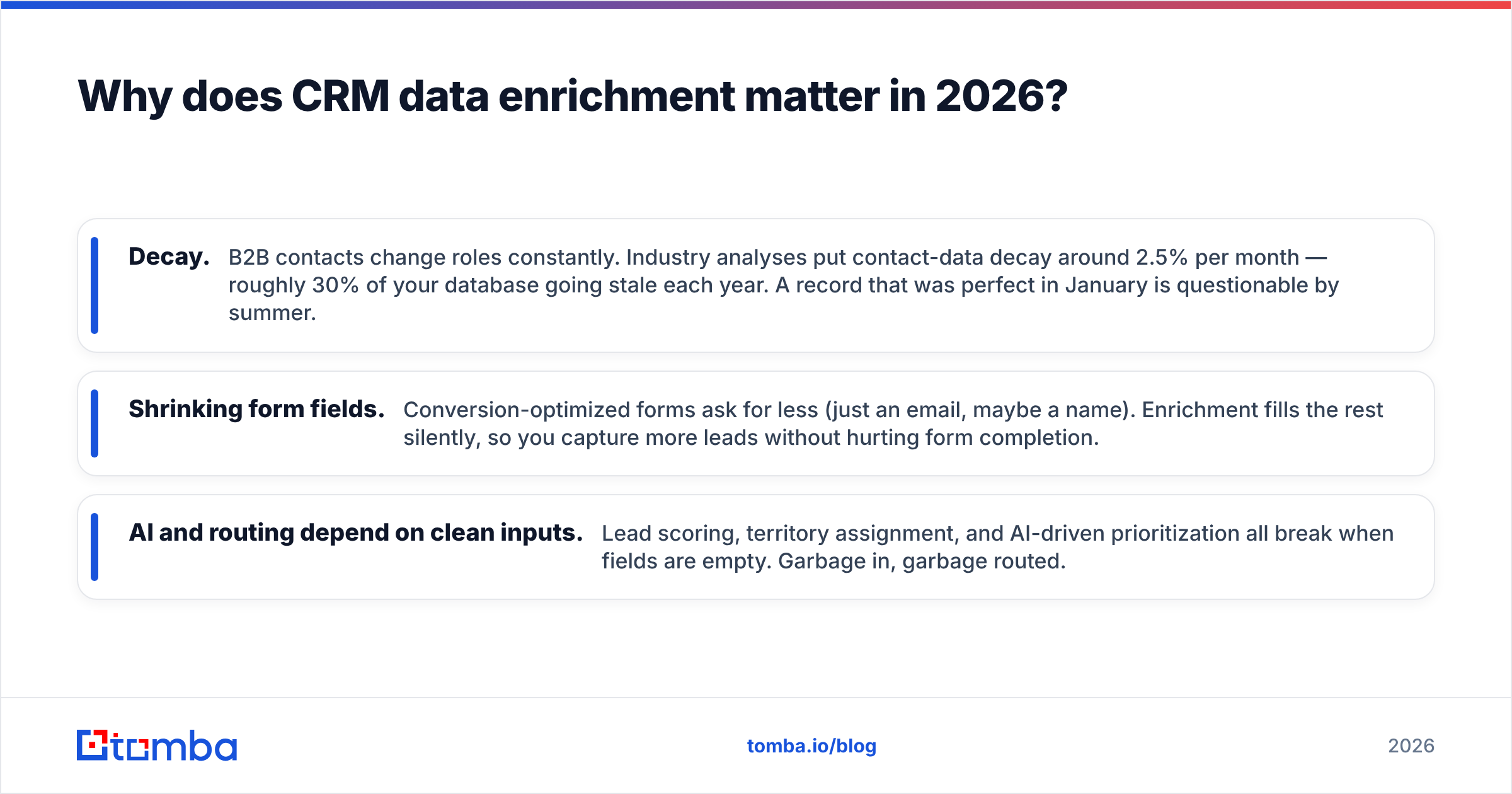
- Decay. B2B contacts change roles constantly. Industry analyses put contact-data decay around 2.5% per month — roughly 30% of your database going stale each year. A record that was perfect in January is questionable by summer.
- Shrinking form fields. Conversion-optimized forms ask for less (just an email, maybe a name). Enrichment fills the rest silently, so you capture more leads without hurting form completion.
- AI and routing depend on clean inputs. Lead scoring, territory assignment, and AI-driven prioritization all break when fields are empty. Garbage in, garbage routed.
The payoff is concrete: reps spend less time researching and more time selling, marketing qualified lead scoring gets accurate, and segmentation actually reflects reality.
How do CRM data enrichment tools work?#
Under the hood, every enrichment tool runs the same basic loop — the differences are in source quality and verification rigor.
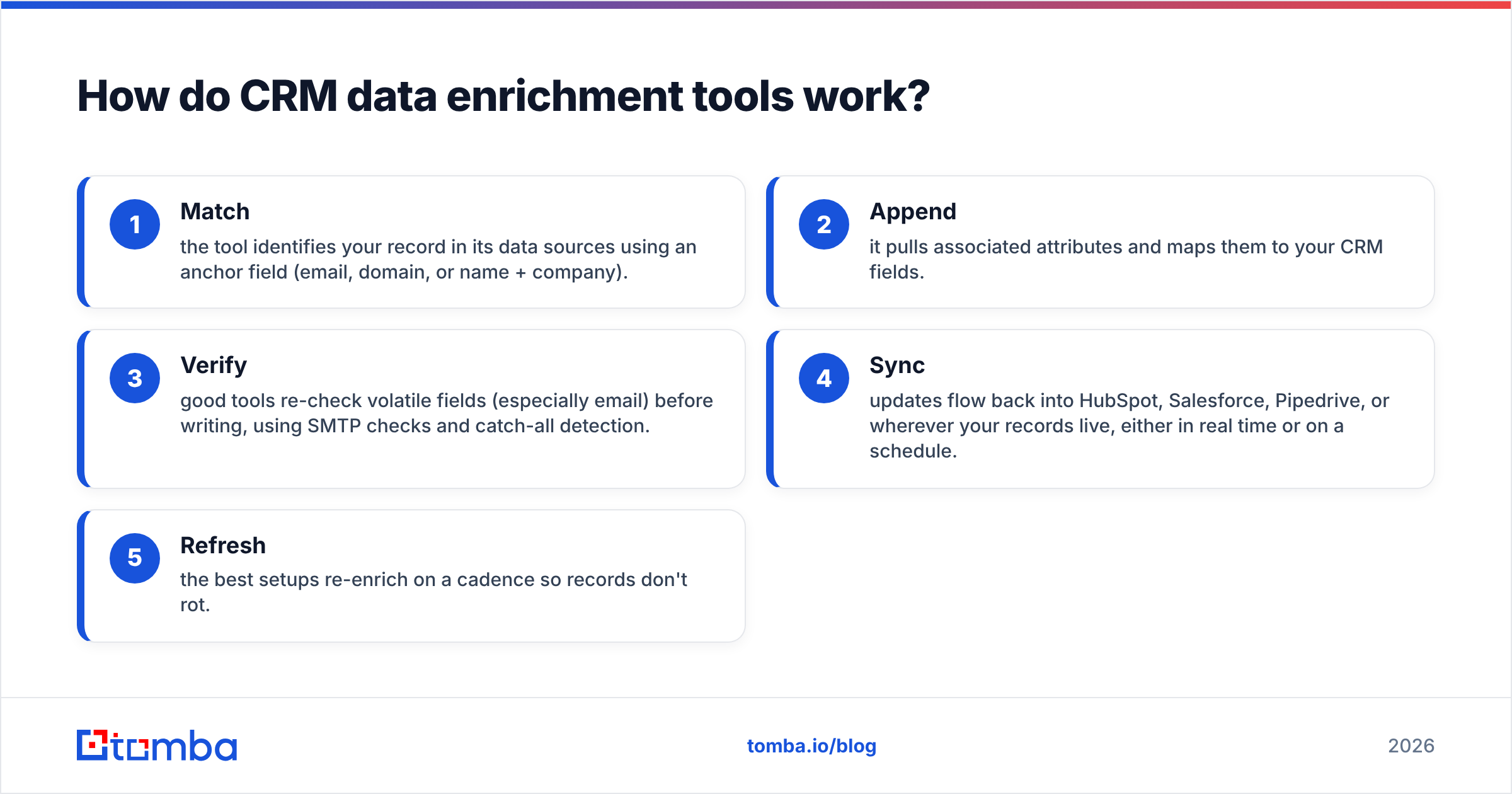
- Match — the tool identifies your record in its data sources using an anchor field (email, domain, or name + company).
- Append — it pulls associated attributes and maps them to your CRM fields.
- Verify — good tools re-check volatile fields (especially email) before writing, using SMTP checks and catch-all detection.
- Sync — updates flow back into HubSpot, Salesforce, Pipedrive, or wherever your records live, either in real time or on a schedule.
- Refresh — the best setups re-enrich on a cadence so records don't rot.
That verification step is where cheap tools cut corners. Appending an unverified email inflates your bounce rate and hurts email deliverability, which is why pairing enrichment with a real email verifier matters more than raw database size.
What should you compare in CRM data enrichment tools?#
Don't get sold on "we have 700 million contacts." A giant database with a low match rate on your accounts is useless. Compare on the metrics that touch your workflow:
- Match rate — what percentage of your records the tool can actually complete. Test it on a sample of your own data before committing.
- Field coverage — does it fill the fields you route and score on, or just email?
- Verification — are emails and phones checked before they're written, or dumped in raw?
- CRM-native sync — real-time enrichment on record creation beats manual CSV round-trips.
- Price per record — normalize everyone to cost-per-enriched-record, not monthly sticker price.
- Compliance — GDPR/CCPA-aware sourcing and clear opt-out handling.
Which CRM data enrichment tools compare best in 2026?#
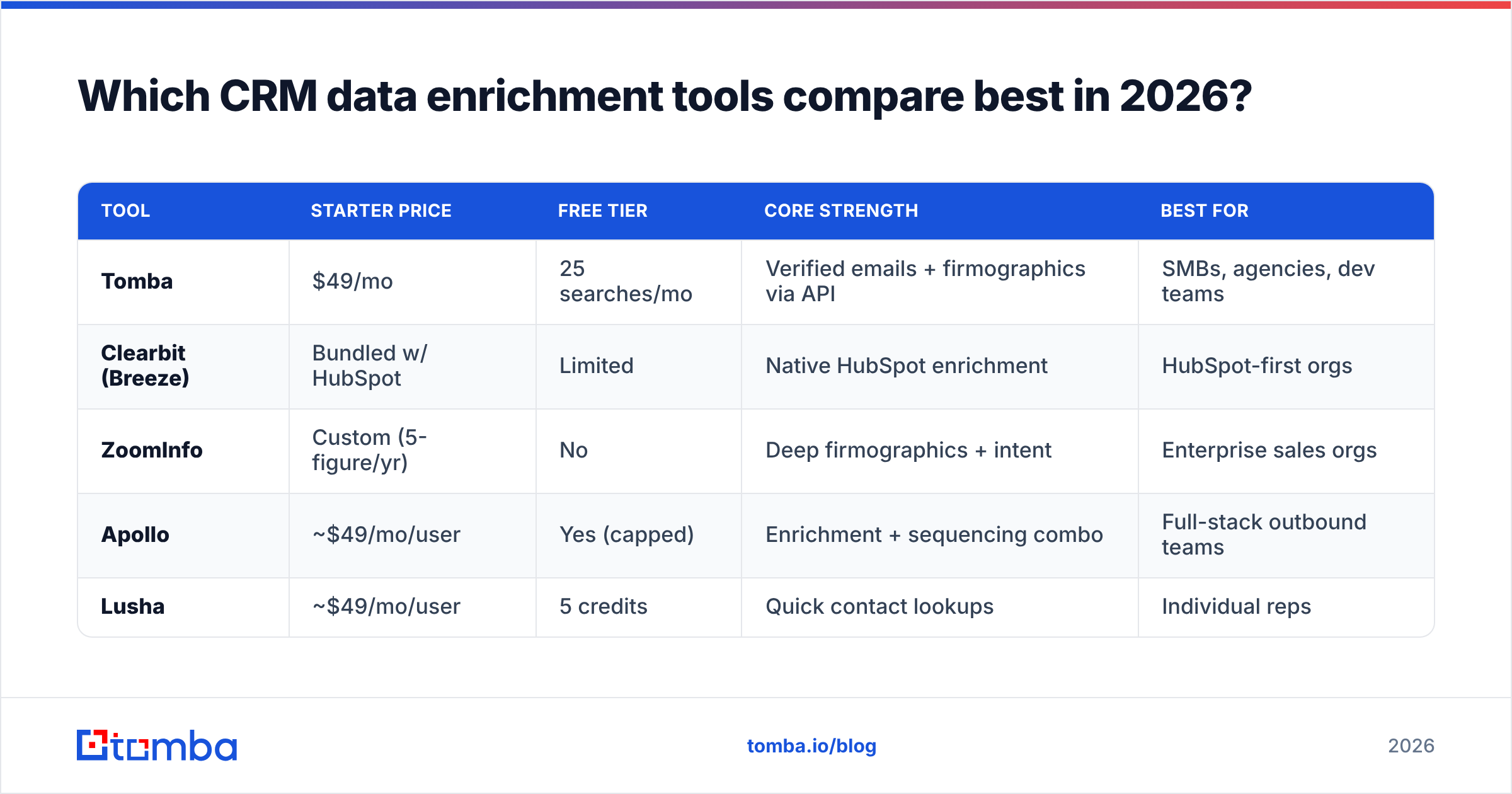
Here's a practical comparison of common approaches, from budget-friendly APIs to enterprise suites. Prices are entry-level published rates as of 2026 and change often — verify before buying.
| Tool | Starter price | Free tier | Core strength | Best for |
|---|---|---|---|---|
| Tomba | $49/mo | 25 searches/mo | Verified emails + firmographics via API | SMBs, agencies, dev teams |
| Clearbit (Breeze) | Bundled w/ HubSpot | Limited | Native HubSpot enrichment | HubSpot-first orgs |
| ZoomInfo | Custom (5-figure/yr) | No | Deep firmographics + intent | Enterprise sales orgs |
| Apollo | ~$49/mo/user | Yes (capped) | Enrichment + sequencing combo | Full-stack outbound teams |
| Lusha | ~$49/mo/user | 5 credits | Quick contact lookups | Individual reps |
A few honest notes. HubSpot's acquisition of Clearbit folded enrichment into its Breeze Intelligence layer, which is excellent if you live in HubSpot and painful if you don't. ZoomInfo has the deepest enterprise dataset but prices to match and locks you into annual contracts. Apollo bundles enrichment with outreach, which is convenient until you want best-of-breed in each layer.
If you need enrichment as a clean, affordable API you can wire into any stack — or a Chrome extension and spreadsheet add-on for reps — a focused tool like Tomba covers the contact + firmographic basics without an enterprise contract. See Tomba pricing for the full tier breakdown.

Should you enrich in bulk or in real time?#
Both — they solve different problems.
Real-time enrichment fires the moment a record is created (a form fill, a new deal, an imported list). It's what keeps new data clean at the point of entry and prevents reps from ever seeing a half-empty record. This is where CRM-native and API-based tools shine.
Bulk enrichment is the cleanup pass over your existing database — the 40,000 records that predate your enrichment tool. You run it once to fix the backlog, then quarterly to catch decay. A bulk email finder or bulk enrichment endpoint handles this efficiently without hand-processing CSVs.
The mistake teams make is doing one and skipping the other. Real-time only keeps new data clean while your legacy pile rots. Bulk only means new leads still arrive half-empty. You want both running.
How do you set up a CRM enrichment workflow?#
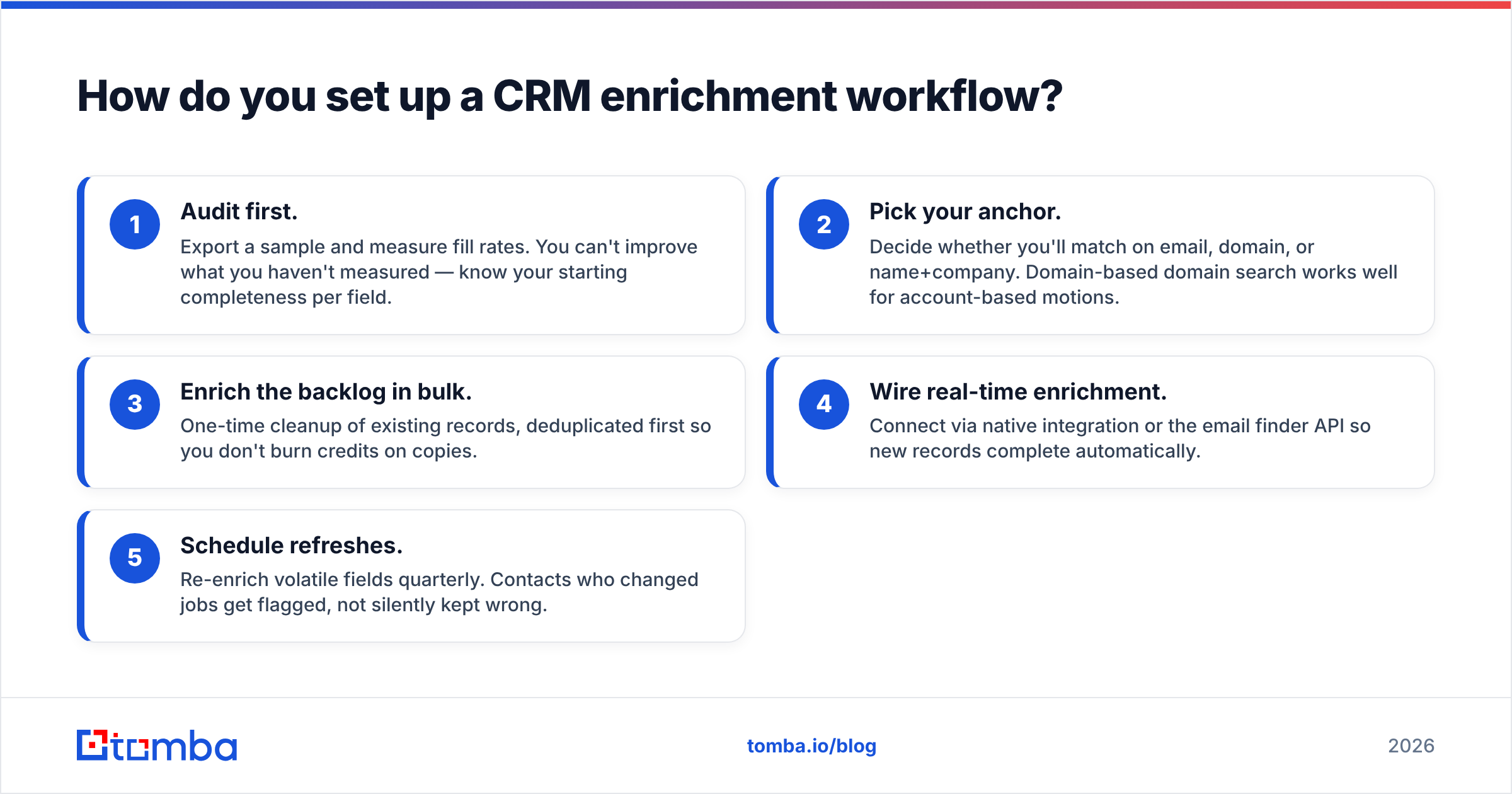
A workable setup in five steps:
- Audit first. Export a sample and measure fill rates. You can't improve what you haven't measured — know your starting completeness per field.
- Pick your anchor. Decide whether you'll match on email, domain, or name+company. Domain-based domain search works well for account-based motions.
- Enrich the backlog in bulk. One-time cleanup of existing records, deduplicated first so you don't burn credits on copies.
- Wire real-time enrichment. Connect via native integration or the email finder API so new records complete automatically.
- Schedule refreshes. Re-enrich volatile fields quarterly. Contacts who changed jobs get flagged, not silently kept wrong.
Connect the output to your existing tools through an integrations layer — Zapier, Make, or native HubSpot/Salesforce/Pipedrive connectors — so enriched data lands where reps already work instead of in a separate export.
What are the common pitfalls?#
- Chasing database size over match rate. The only number that matters is how many of your records get completed. Always run a sample test.
- Skipping verification. Appending unverified emails torches your sender reputation. Enrich, then verify — or use a tool that does both.
- Enriching duplicates. Dedupe before you enrich, or you'll pay to complete the same person three times. A remove duplicates pass first saves credits.
- One-and-done thinking. Data decays. An annual cleanup isn't enough when 2.5% goes stale monthly.
- Ignoring compliance. Make sure your provider sources data lawfully and honors opt-outs — regulators and inboxes both punish sloppiness.
Is CRM data enrichment worth the cost?#
For almost any B2B team with a real pipeline, yes — the math is straightforward. If a rep spends even 20 minutes a day manually researching contacts, that's real, recurring cost. Enrichment reclaims that time and improves the accuracy of every downstream system that reads your CRM.
The trick is matching spend to need. A five-person startup doesn't need a five-figure ZoomInfo contract; a $49/mo API or a per-seat tool covers it. A 200-rep enterprise with complex intent-based routing may genuinely need the deep suite. Buy for the workflow you have, not the one a sales demo imagines for you. Peer reviews on G2 are useful for sanity-checking real-world match rates before you commit.
Getting started#
If you want reliable, verified data flowing into your CRM without an enterprise contract, start with the Tomba Email Finder and its enrichment endpoints. You get verified professional emails, firmographic append, catch-all detection, and an API and Chrome extension that plug into HubSpot, Salesforce, Pipedrive, Sheets, and Zapier — on a free tier of 25 searches to test on your own data, then $49/mo when you're ready to scale.
Enrich once to clean the backlog, wire it to run in real time, and schedule quarterly refreshes. That's the whole playbook. Your reps stop guessing, your scoring gets honest, and your CRM finally reflects the customers you actually have.
Related guides#
Ready to find emails that actually work?
Join 150,000+ professionals who stopped guessing and started sending. Free credits on signup — no credit card required.
Get the Tomba newsletter
Practical outbound tactics and product updates — once every two weeks.
About the author