Does Email Warmup Work? What the Data Actually Shows in 2026
Warmup tools promise inbox placement, but the data says they only fix half the problem. Here's what warmup actually does, where it fails, and what to run instead.

TL;DR
- Email warmup works, but only as a reputation signal amplifier — it cannot rescue bad authentication, a dirty list, or spammy copy.
- Mailbox providers weigh recipient engagement heavily. Warmup networks manufacture engagement, which helps a cold domain leave the "unknown sender" bucket faster.
- Google and Microsoft have both tightened bulk-sender rules since 2024; automated warmup traffic is easier to detect and discount than it was in 2021.
- The single biggest deliverability lever is still list quality. A 4% bounce rate will sink you no matter how many warmup emails you send.
- The right sequence: authenticate → verify your list → warm up → ramp volume slowly → monitor Postmaster data. Skip a step and warmup becomes theater.
What is email warmup, exactly?#
Email warmup is the practice of sending a small, gradually increasing volume of email from a new domain or mailbox, engineered so that a high percentage of those emails get opened, replied to, and dragged out of spam. The point is to build a positive sending history before you ever touch a real prospect list.
Think of it like a credit score. A brand-new domain has no credit history — not bad credit, just no credit. Mailbox providers treat unknown senders conservatively: low volume tolerance, itchy spam filters, aggressive throttling. Warmup is the equivalent of opening a small secured card and paying it off every month until the bureau has enough data to trust you with a bigger limit.
Mechanically, most warmup tools do this by enrolling your mailbox in a peer network. Your mailbox sends emails to thousands of other mailboxes in the pool; those mailboxes auto-open, auto-reply, mark as important, and rescue anything that landed in spam. You do the same for them. Over 2–6 weeks, the engagement ratio on your domain looks fantastic.
That's the mechanism. Whether it works depends on what you think "works" means.
Does email warmup work, or is it a placebo?#
Short answer: it works, partially, and only in combination with the fundamentals.
Here's the honest breakdown of what warmup can and cannot influence:
- Sender reputation on a brand-new domain — warmup genuinely helps. A domain with zero history and a sudden 500-email/day burst is one of the loudest spam signals that exists. Gradual ramping is not optional, and warmup automates the ramp.
- Engagement ratios — warmup helps, with an asterisk. Providers do measure opens, replies, and spam-folder rescues. Warmup networks generate these artificially. It counts, until the provider fingerprints the network.
- Authentication failures — warmup does nothing. Missing or broken SPF, DKIM, or DMARC records get you filtered regardless of how warm your mailbox is. Fix the DNS first.
- Bounce rate — warmup does nothing. Sending to dead addresses tanks reputation faster than warmup can rebuild it. This is the most common reason a "warmed" domain still lands in spam.
- Spam complaints — warmup actively cannot save you. Google's bulk sender rules put a hard ceiling on complaint rates. Cross it and warmup traffic is irrelevant.
- Content and link quality — warmup does nothing. Shortened links, tracking domains with poor reputation, and aggressive copy get filtered on their own merits.
So when someone says "I ran warmup for 3 weeks and I'm still in spam," they're almost always describing a failure in items 3–6 that no amount of item 1–2 activity will fix.
How do mailbox providers actually decide?#
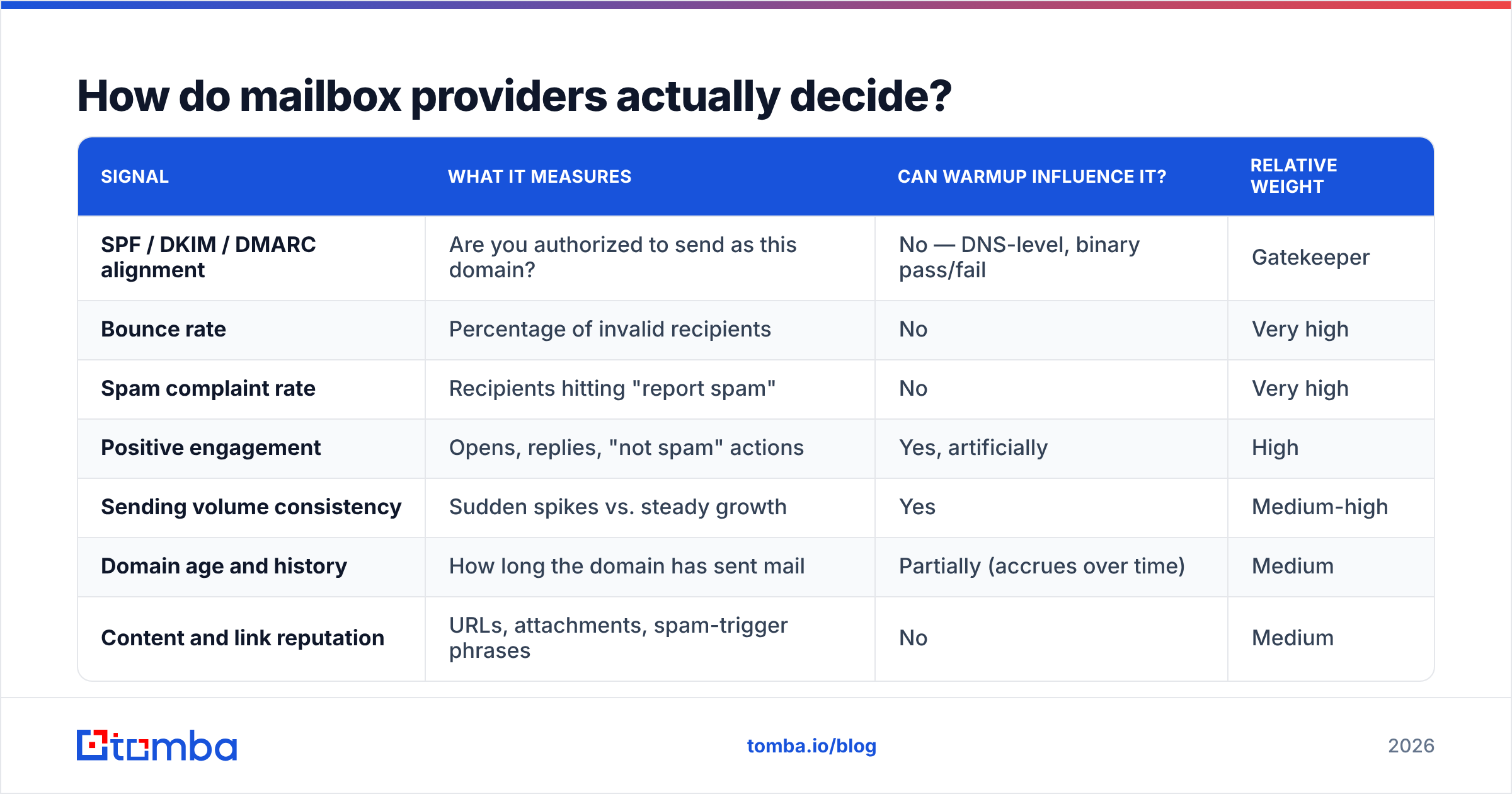
Gmail, Outlook, and the major providers score inbound mail on a bundle of signals. No provider publishes exact weights, but the categories are well documented in Google's sender guidelines and Microsoft's equivalent policy pages.
The signals that consistently matter:
| Signal | What it measures | Can warmup influence it? | Relative weight |
|---|---|---|---|
| SPF / DKIM / DMARC alignment | Are you authorized to send as this domain? | No — DNS-level, binary pass/fail | Gatekeeper |
| Bounce rate | Percentage of invalid recipients | No | Very high |
| Spam complaint rate | Recipients hitting "report spam" | No | Very high |
| Positive engagement | Opens, replies, "not spam" actions | Yes, artificially | High |
| Sending volume consistency | Sudden spikes vs. steady growth | Yes | Medium-high |
| Domain age and history | How long the domain has sent mail | Partially (accrues over time) | Medium |
| Content and link reputation | URLs, attachments, spam-trigger phrases | No | Medium |
| IP reputation | Shared vs. dedicated, neighbor behavior | Indirectly | Medium |
Read that column of "No" answers again. Warmup influences two rows out of eight. It's a real lever, but it's not the lever most people think they're pulling.
The 2024 Google and Yahoo bulk-sender requirements made this sharper. If you send more than 5,000 messages a day to Gmail addresses, you need DMARC, one-click unsubscribe, and a spam complaint rate under 0.3%. Those are pass/fail gates. A warmed domain that fails them is a warmed domain in the spam folder.
Is warmup still effective in 2026, or have providers caught on?#
Both. Warmup still works for the ramp-up problem. It works measurably less well as a reputation-laundering trick than it did five years ago.
The reason is pattern detection. Warmup networks produce traffic with statistical fingerprints that don't look like human correspondence:
- Reply latency clustered in an unnaturally tight band
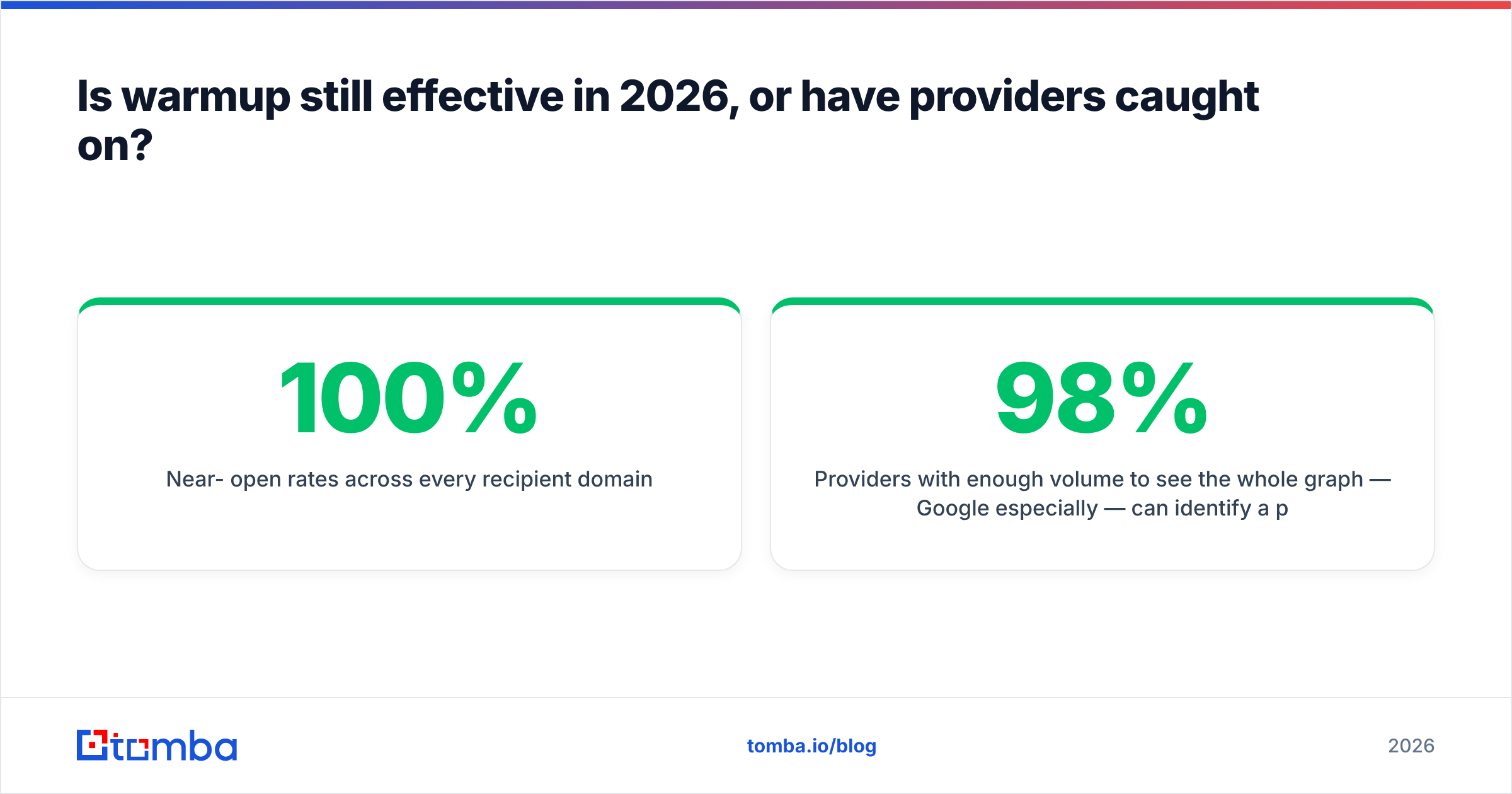
- Near-100% open rates across every recipient domain
- Reciprocal sending graphs (A always emails B, B always emails A)
- Message bodies drawn from a small template pool with light spinning
- Engagement from mailboxes that never initiate conversations with anyone outside the pool
Providers with enough volume to see the whole graph — Google especially — can identify a pool and discount its engagement. That doesn't mean they penalize you; mostly it means the artificial engagement stops counting toward your positive score. Your warmup dashboard still shows 98% inbox placement while your real campaign shows 40%, because the dashboard is measuring the pool, not the market.
This is the single most important thing to understand about warmup tools: your warmup score is not your deliverability score. One measures a closed network you paid to join. The other measures strangers.
What does a warmup tool comparison look like?#
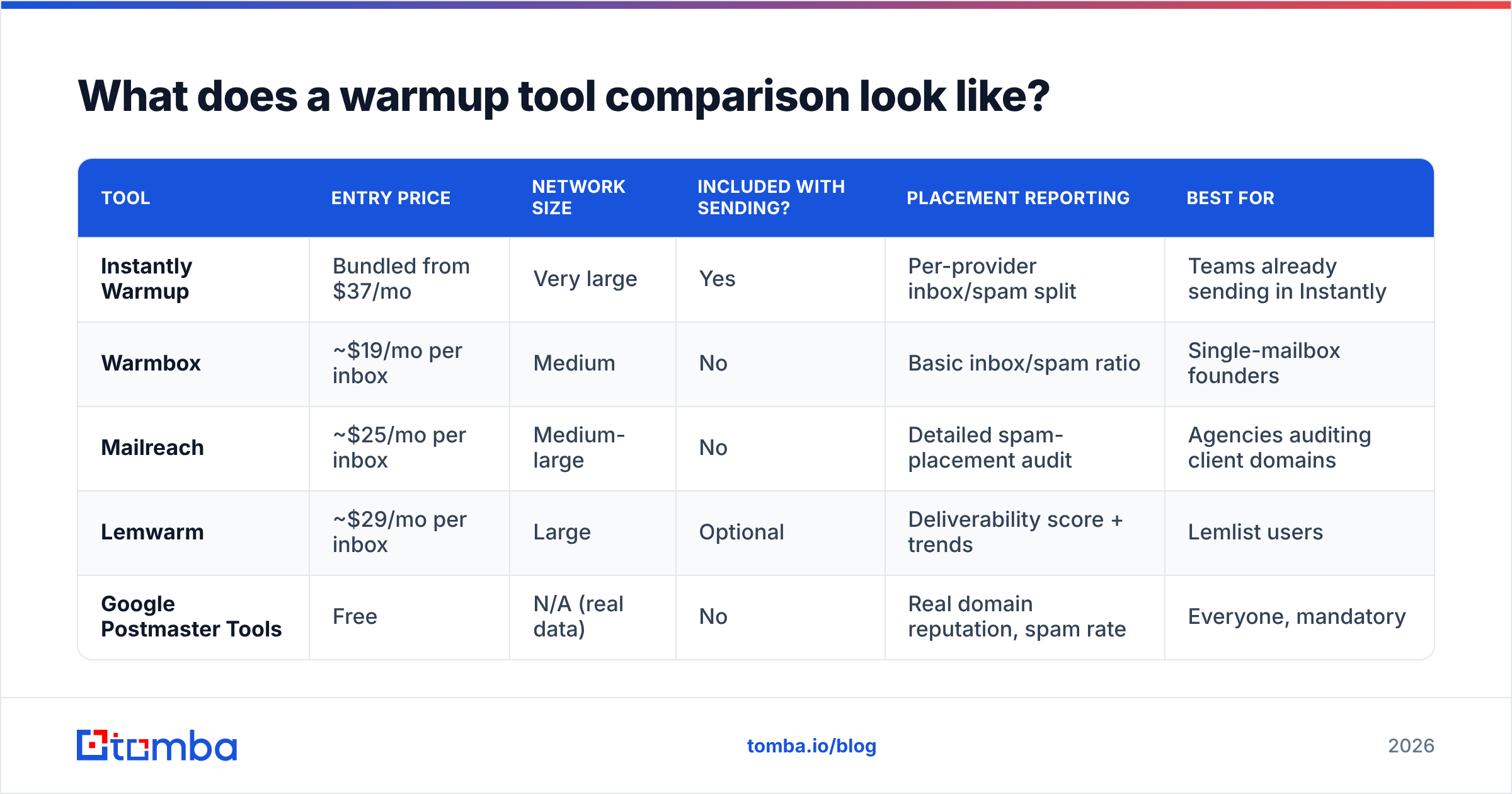
Most teams evaluating warmup are choosing between a standalone tool and a bundled feature inside a sending platform. Here's how the common options stack up on the attributes that actually matter.
| Tool | Entry price | Network size | Included with sending? | Placement reporting | Best for |
|---|---|---|---|---|---|
| Instantly Warmup | Bundled from $37/mo | Very large | Yes | Per-provider inbox/spam split | Teams already sending in Instantly |
| Warmbox | ~$19/mo per inbox | Medium | No | Basic inbox/spam ratio | Single-mailbox founders |
| Mailreach | ~$25/mo per inbox | Medium-large | No | Detailed spam-placement audit | Agencies auditing client domains |
| Lemwarm | ~$29/mo per inbox | Large | Optional | Deliverability score + trends | Lemlist users |
| Google Postmaster Tools | Free | N/A (real data) | No | Real domain reputation, spam rate | Everyone, mandatory |
Notice the last row. Postmaster Tools is free, reports on your actual mail to Gmail, and is the only entry in that table that isn't measuring a synthetic network. If you run one thing from this list, run that one alongside whatever else you pick.
Price differences between the paid options are mostly noise. What separates them is per-inbox cost at scale (10 mailboxes at $25 each is $250/month, which changes the math) and whether the placement report tests against real seed lists rather than pool members.
What should you do instead of relying on warmup alone?#
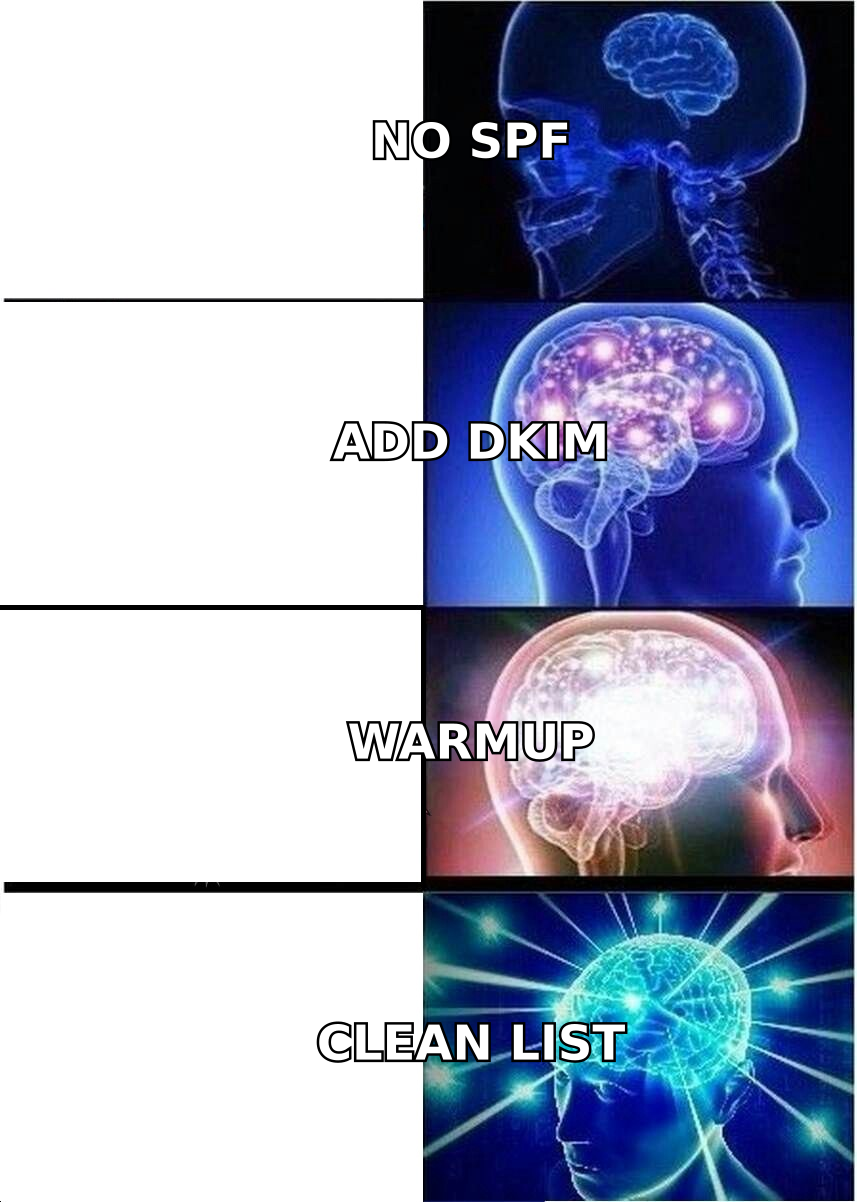
Run warmup as step three of five, not as a standalone solution.
Step 1 — Authenticate properly. Publish SPF, DKIM, and DMARC before you send anything. Start DMARC at p=none for monitoring, then move to quarantine once alignment reports look clean. Verify your records with a free SPF checker and confirm your sending IP isn't listed on a blacklist checker before you begin.
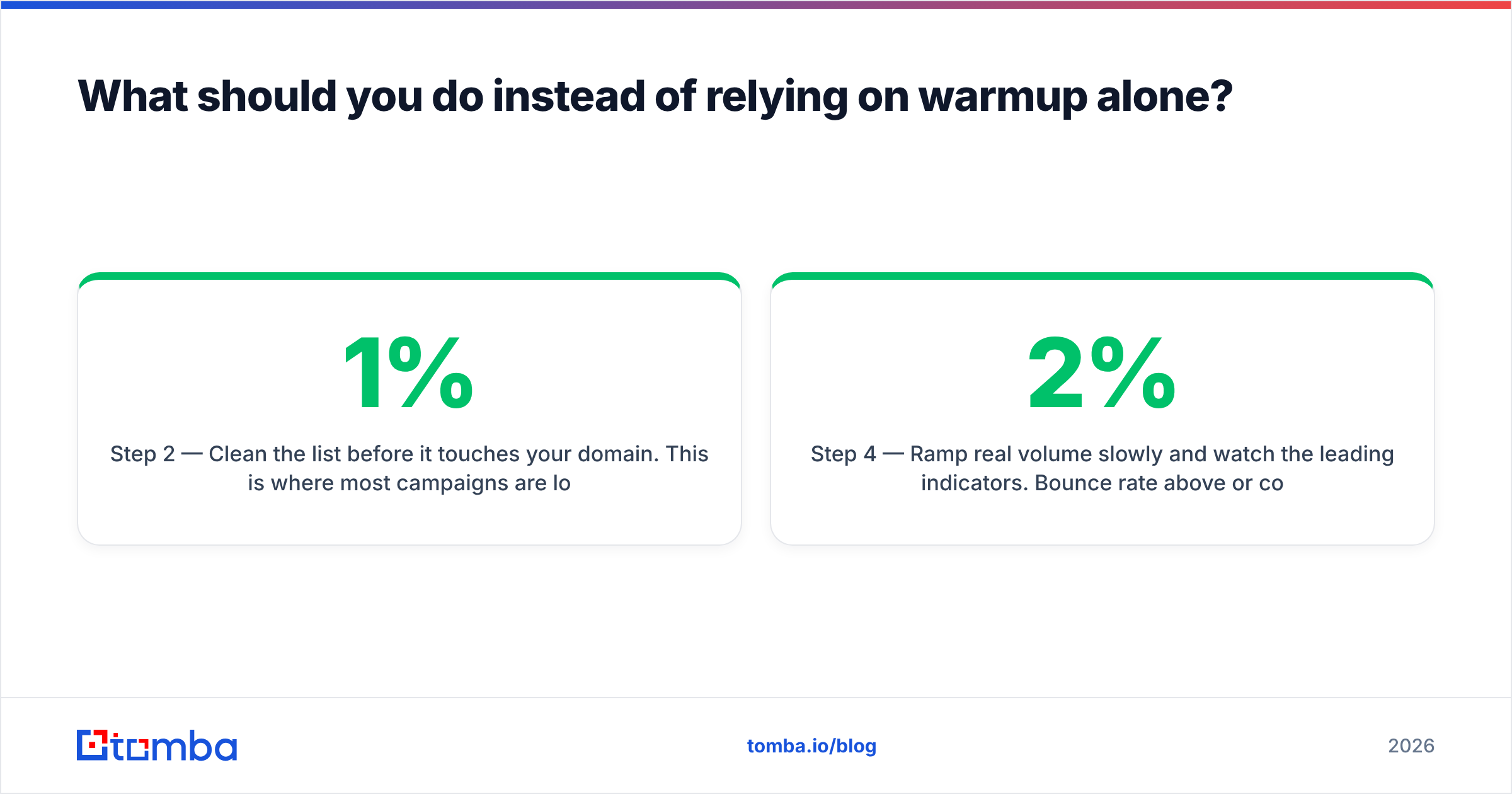
Step 2 — Clean the list before it touches your domain. This is where most campaigns are lost. Every invalid address is a bounce, and bounces compound. Run every address through an email verifier and handle catch-all domains explicitly with a catch-all verifier rather than guessing. A list at 1% bounce behaves completely differently from a list at 5%.
Step 3 — Warm up on a schedule you can defend. Two to four weeks on a new domain, starting at 5–10 sends per day and roughly doubling weekly. Use a warmup calculator to model the ramp rather than eyeballing it. Keep warmup running at low volume even after you go live — reputation decays.
Step 4 — Ramp real volume slowly and watch the leading indicators. Bounce rate above 2% or complaint rate above 0.1% means stop, diagnose, and fix. Don't push through it.
Step 5 — Monitor with real data. Google Postmaster Tools for Gmail, Microsoft SNDS for Outlook. These show what providers actually think of you.

How do you know if warmup is actually working?#
Stop looking at the warmup dashboard. Measure these instead:
- Bounce rate on live campaigns. Under 2% is healthy, under 1% is good. If this number is bad, warmup is irrelevant — you have a data problem.
- Reply rate to real prospects. Warmup replies don't count. If real reply rate is under 1% on a targeted list, either your placement or your copy is broken.
- Domain reputation in Postmaster Tools. "High" or "Medium" is fine. "Low" or "Bad" means stop sending immediately.
- Spam complaint rate. Keep it under 0.1%. The 0.3% figure in Google's rules is the ceiling, not the target.
- Seed-list placement tests against real mailboxes you control across Gmail, Outlook, and a corporate Microsoft 365 tenant — not against warmup pool members.
If bounce rate is clean, sender reputation is Medium or High, and you're still landing in spam, the problem is content or targeting. Rewrite before you spend another dollar on warmup.
Does warmup matter more for shared or dedicated infrastructure?#
Dedicated infrastructure — your own domain, your own IP — makes warmup more important, because you carry your reputation alone. There's no pool of other senders averaging out your mistakes, and no pool dragging you down either.
On shared sending infrastructure (most SMTP relays and sequencers), IP reputation is partly out of your hands. Domain reputation still tracks to you, so warmup still helps, but your ceiling is set by your neighbors. This is why agencies running many client domains through one relay sometimes see identical warmup routines produce wildly different results.
A practical rule: if you're sending under 2,000 emails a month, use a reputable shared setup and focus your effort on list quality. Above that, move to dedicated domains — one per sending persona, all secondary to your primary corporate domain so a burn doesn't take down your main email.
What's the honest verdict?#
Email warmup works as an accelerant, not as a cure. It compresses the time a new domain spends in the "unknown sender" penalty box, and it maintains a baseline of positive engagement between campaigns. Those are real benefits worth $20–30 a month per mailbox.
What it does not do is make a bad list good, a broken DNS record valid, or a generic pitch welcome. Teams that treat warmup as the solution keep paying subscriptions while landing in spam. Teams that treat it as one line item in a five-step deliverability process — authentication, verification, warmup, gradual ramp, monitoring — see the inbox rates that make outbound worth running.
If your placement is bad today, the odds strongly favor a list problem over a warmup problem. Start there. It's cheaper to check and faster to fix.
Where should you start?#
Fix your data before you buy another month of warmup. Use the Tomba Email Finder to source verified, deliverable addresses at the point of discovery rather than scraping a list and hoping the verifier catches the damage afterward. Every address comes back with a confidence score and source attribution, so your bounce rate stays low and your warmed domain stays warm.
The free tier includes 25 searches a month so you can benchmark accuracy against your current source. Paid plans start at $49/mo (Starter), $99/mo (Growth), and $249/mo (Pro) — see Tomba pricing for credit allocations and API limits. Pair it with the email verifier before every send, and warmup finally gets to do the job it's good at.
Related guides#
Ready to find emails that actually work?
Join 150,000+ professionals who stopped guessing and started sending. Free credits on signup — no credit card required.
Get the Tomba newsletter
Practical outbound tactics and product updates — once every two weeks.
About the author