Domain Verification in 2026: The Complete Setup Guide
Domain verification decides whether your cold email lands in the inbox or the spam folder. Here's how SPF, DKIM, DMARC, and BIMI actually work, what Google and Microsoft now require, and how to verify a domain end to end.
TL;DR
- Domain verification is the process of proving to mailbox providers, platforms, and vendors that you actually control a domain — usually via DNS records (TXT, CNAME, MX) or a file uploaded to your web root.
- For email specifically, verification means four records: SPF, DKIM, DMARC, and optionally BIMI. Google and Yahoo have enforced all three core records for bulk senders since February 2024; Microsoft extended similar rules to Outlook.com in May 2025.
- The single most common failure is an SPF record with more than 10 DNS lookups. It silently returns
permerror, and most free checkers still show a green tick. DMARC p=noneis not verification. It's monitoring. If you never move toquarantineorreject, you get the reports and none of the protection.- Verification protects your sending identity. It does not clean your list — that's what an email verifier is for. You need both.
What is domain verification?#
Domain verification is proof of control. A third party — Google, Microsoft, Meta, Stripe, your email platform — asks you to place something at a location only the domain owner can reach. You place it, they check it, and from that point they treat requests from that domain as legitimately yours.
Think of it like a landlord asking for proof you live in the apartment before handing over a package. They don't want your word. They want a piece of mail with your name and that address on it.
There are three practical mechanisms:
- DNS TXT record — you add a string like
google-site-verification=abc123to your domain's DNS. The verifier queries DNS and looks for it. Most common, hardest to fake, survives site redesigns. - DNS CNAME record — you point a subdomain (
s1._domainkey.yourdomain.com) at the vendor's host. Used heavily for DKIM key rotation, because the vendor can rotate the key without touching your DNS again. - HTML file or meta tag — you upload
verify-abc123.htmlto your web root or drop a<meta>tag in<head>. Fast, but breaks the moment someone redeploys the site or moves to a new CMS.
For anything email-related, DNS is the only one that matters. A meta tag proves you control a website. It proves nothing about who is allowed to send mail using your domain in the From header.
Why does domain verification matter more in 2026 than it did in 2023?#
Because the rules stopped being optional.
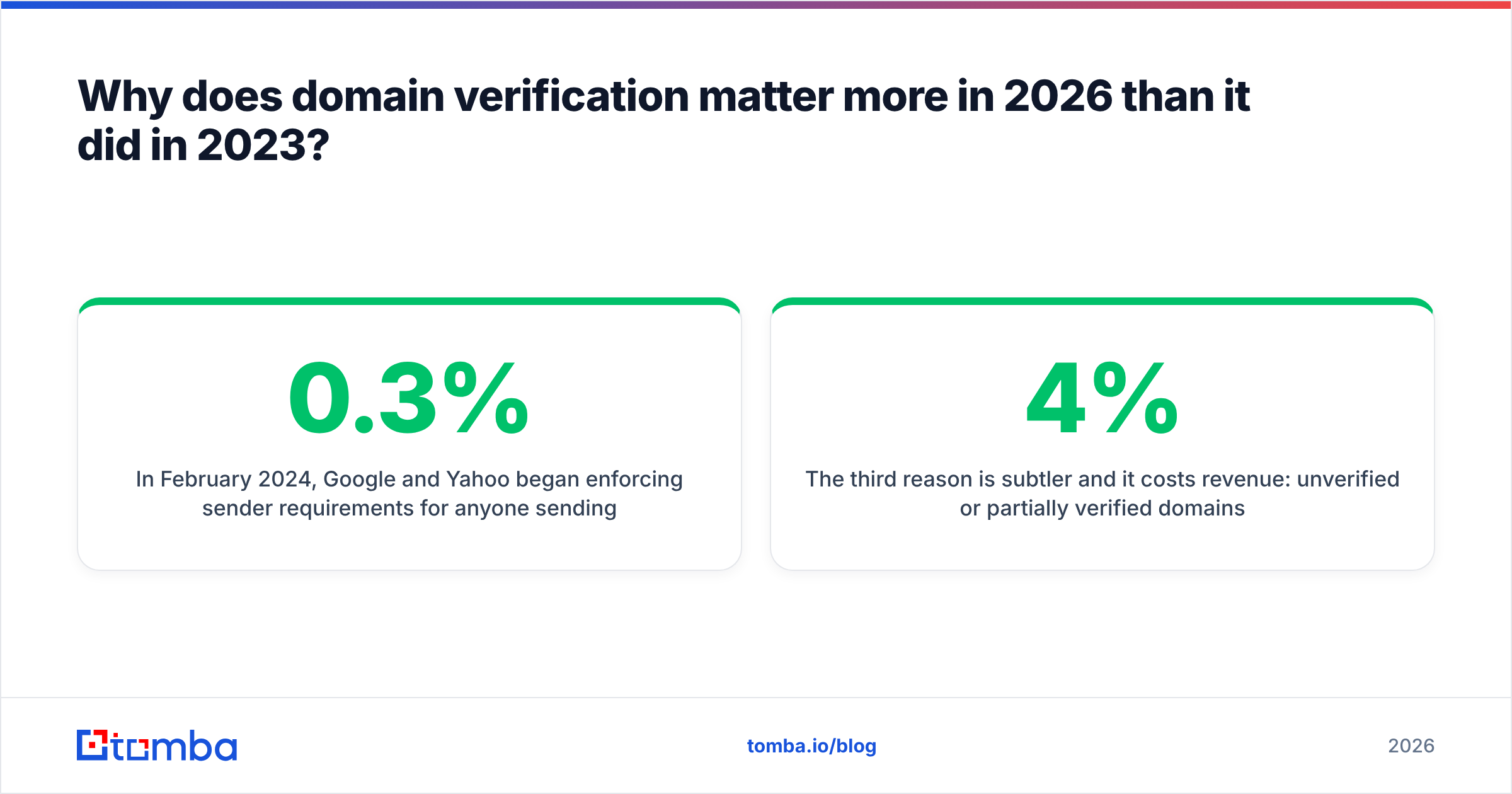
In February 2024, Google and Yahoo began enforcing sender requirements for anyone sending more than 5,000 messages a day to their users: authenticate with SPF and DKIM, publish a DMARC record, keep spam complaints under 0.3%, and support one-click unsubscribe. Microsoft followed with equivalent requirements for Outlook.com, Hotmail, and Live.com addresses starting May 2025. In practice, all three now apply pressure well below the stated volume thresholds — a cold outbound program sending 300 emails a day from a fresh domain gets scrutinised harder than a newsletter sending 50,000 from a ten-year-old one.
The second reason is that spoofing got cheap. Domains without a DMARC policy at quarantine or reject can be impersonated by anyone with an SMTP server and twenty minutes. Your prospects get a phishing email that appears to come from your CEO. You find out when someone forwards it to you.
The third reason is subtler and it costs revenue: unverified or partially verified domains land in Promotions and Spam at rates that make outbound math stop working. If your reply rate drops from 4% to 1.2%, that isn't a copy problem. Check your authentication before you rewrite the sequence.
What are the four email domain verification records?#
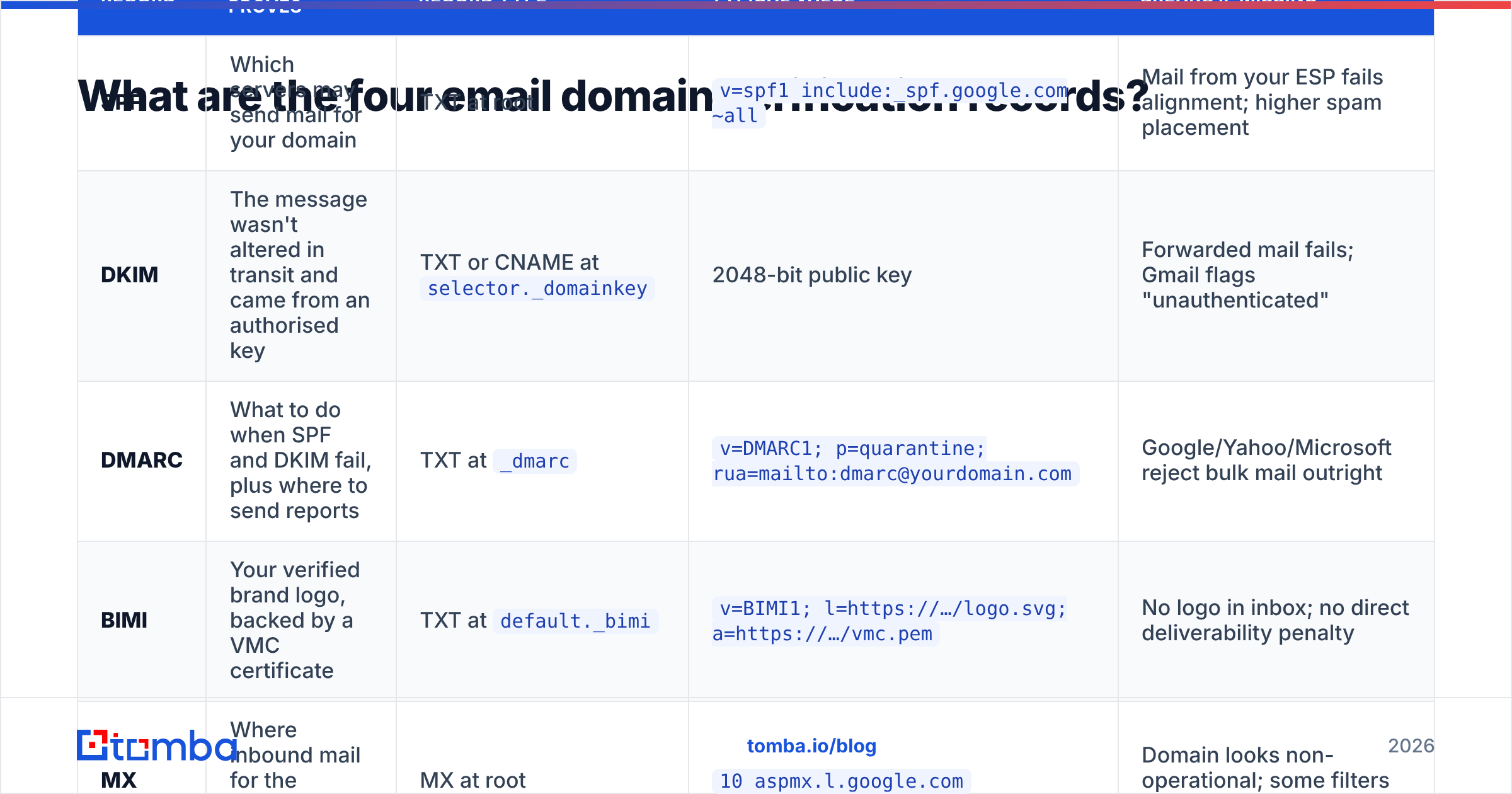
Here's the complete set, what each one actually does, and what happens if you skip it.
| Record | What it proves | Record type | Typical value | Breaks if missing |
|---|---|---|---|---|
| SPF | Which servers may send mail for your domain | TXT at root | v=spf1 include:_spf.google.com ~all |
Mail from your ESP fails alignment; higher spam placement |
| DKIM | The message wasn't altered in transit and came from an authorised key | TXT or CNAME at selector._domainkey |
2048-bit public key | Forwarded mail fails; Gmail flags "unauthenticated" |
| DMARC | What to do when SPF and DKIM fail, plus where to send reports | TXT at _dmarc |
v=DMARC1; p=quarantine; rua=mailto:dmarc@yourdomain.com |
Google/Yahoo/Microsoft reject bulk mail outright |
| BIMI | Your verified brand logo, backed by a VMC certificate | TXT at default._bimi |
v=BIMI1; l=https://…/logo.svg; a=https://…/vmc.pem |
No logo in inbox; no direct deliverability penalty |
| MX | Where inbound mail for the domain is delivered | MX at root | 10 aspmx.l.google.com |
Domain looks non-operational; some filters penalise it |
A few things this table can't fit:
SPF has a hard limit of 10 DNS lookups. Every include:, a, mx, ptr, and exists mechanism costs a lookup, and nested includes count too. Google Workspace's include alone can consume three or four. Add HubSpot, an ESP, a ticketing system, and a payroll tool, and you blow through the limit. The result is permerror — treated as a hard fail by strict receivers. Flatten your record or use an SPF macro service.
DKIM key length should be 2048-bit. 1024-bit is still accepted but increasingly flagged by security scanners, and some providers now warn on it. Rotate keys at least annually; CNAME-delegated DKIM makes this painless.
DMARC alignment is where most setups quietly fail. SPF can pass while DMARC still fails, because DMARC requires the domain in the Return-Path (SPF) or the d= tag (DKIM) to align with the visible From domain. If your ESP uses its own bounce domain and you never set up a custom Return-Path, SPF passes for the ESP and fails for you.
How do you verify a domain step by step?#
Do these in order. Skipping ahead is how people end up with a p=reject policy that blocks their own invoices.
- Inventory every sending source. Marketing platform, CRM, transactional service, helpdesk, billing, HR system, calendar invites, and every cold outbound inbox. Missing one is the number-one cause of self-inflicted delivery failures at enforcement time.
- Publish a single SPF record. One TXT record at the root. Never two — multiple SPF records is a permanent error, not a merge. Count your lookups, keep the total at 10 or below, and end with
~all(softfail) while you're still testing. - Enable DKIM on every source. Each platform gives you a selector and a key. Add all of them; they coexist fine. Verify each one signs with
d=yourdomain.com, not the vendor's domain. - Publish DMARC at
p=nonewith aruaaddress. Collect reports for two to four weeks. Read them. You will find sending sources you forgot about. - Move to
p=quarantine, thenp=reject. Use thepct=tag to ramp —pct=25, then 50, then 100. Only advance when your reports show 100% alignment for legitimate traffic. - Verify with the receiving side, not just a checker. Send to a Gmail account, open "Show original," and confirm SPF, DKIM, and DMARC all read PASS with your domain in the mailed-by and signed-by fields.
For step 6, you can pre-flight the DNS side with a free SPF checker and confirm you're not on a blocklist with a blacklist checker before you send a single campaign. Google's own Postmaster Tools is the authoritative view of how Gmail sees your domain — set it up on day one, not after the reputation drops.
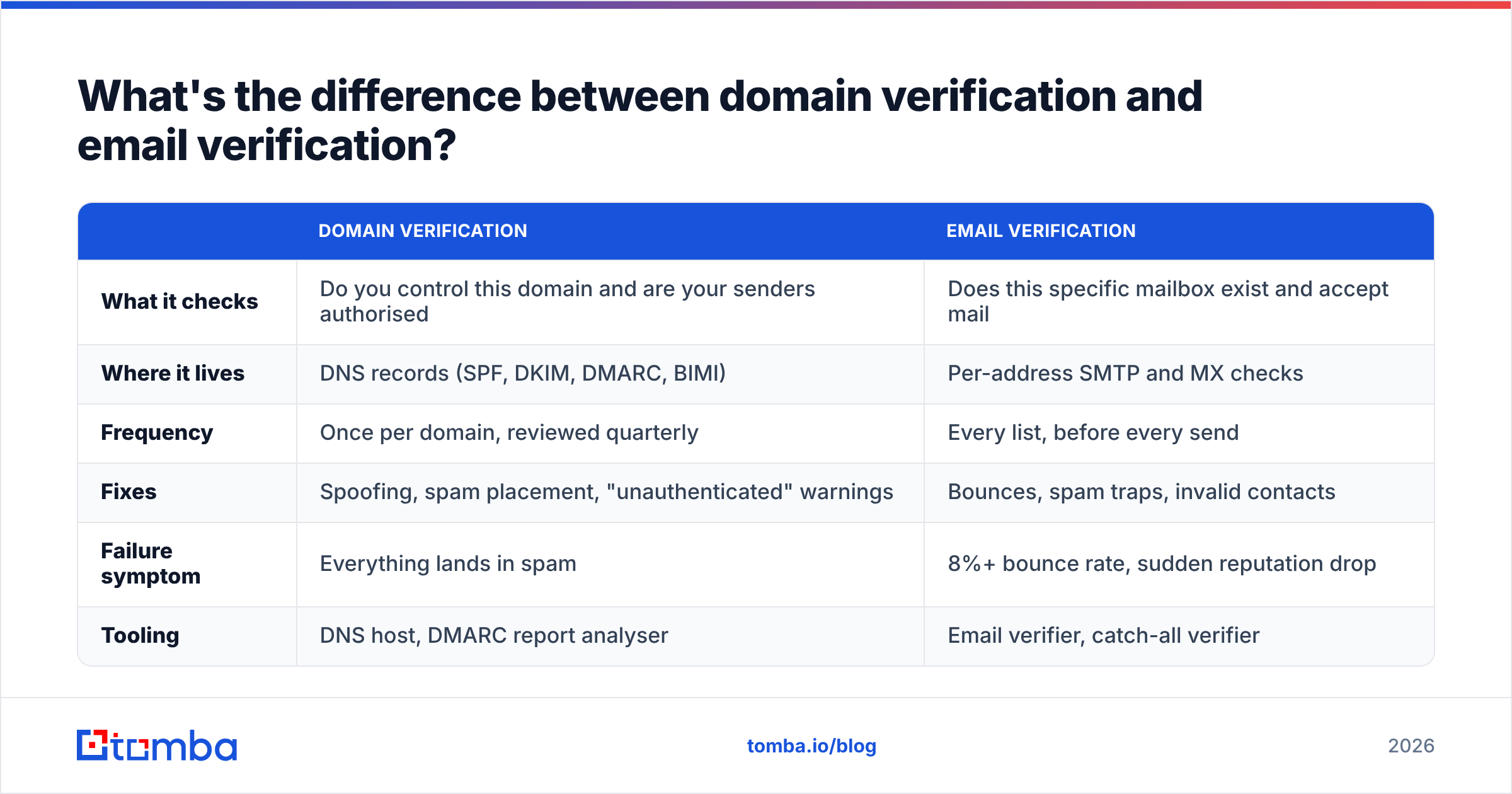
What's the difference between domain verification and email verification?#
They sound similar and solve opposite problems. This is worth getting straight because teams frequently fix one and wonder why deliverability didn't move.
| Domain verification | Email verification | |
|---|---|---|
| What it checks | Do you control this domain and are your senders authorised | Does this specific mailbox exist and accept mail |
| Where it lives | DNS records (SPF, DKIM, DMARC, BIMI) | Per-address SMTP and MX checks |
| Frequency | Once per domain, reviewed quarterly | Every list, before every send |
| Fixes | Spoofing, spam placement, "unauthenticated" warnings | Bounces, spam traps, invalid contacts |
| Failure symptom | Everything lands in spam | 8%+ bounce rate, sudden reputation drop |
| Tooling | DNS host, DMARC report analyser | Email verifier, catch-all verifier |
The relationship is multiplicative, not additive. Perfect authentication on a list with a 12% bounce rate still tanks your sender reputation — mailbox providers read hard bounces as a signal you bought a list. A pristine, verified list sent from an unauthenticated domain gets filtered before anyone reads the subject line. You need both, and the order matters: authenticate first, then clean the list, then send.
What breaks domain verification most often?#
From auditing sending setups, the same handful of problems account for most failures.
- Two SPF records. Someone adds a second one for a new tool instead of merging includes. RFC 7208 says this is a permanent error. Both records get ignored.
- The 10-lookup ceiling. Silent, common, and invisible to basic checkers that only test syntax. Count your lookups explicitly.
p=noneforever. More than half of domains with DMARC published never leave monitoring mode. You get reports and zero enforcement — spoofers are unaffected.- Subdomain drift. DMARC at the root doesn't automatically cover subdomains the way people assume. The
sp=tag controls subdomain policy; unset, it inheritsp=, which surprises teams who send frommail.yourdomain.comvia a separate tool. - Return-Path misalignment. SPF passes for the ESP's bounce domain, DMARC fails because it doesn't align with your
From. Set a custom Return-Path/CNAME with your ESP. - DNS propagation impatience. TTLs of 3600 seconds mean an hour. People re-add records, create duplicates, and make it worse. Change once, wait, then check.
- Verifying the domain but not warming it. A brand-new domain with flawless DNS still has no sending history. Ramp volume over three to four weeks — an email warmup calculator will give you a realistic schedule instead of a guess.
Which tools should you use to verify and monitor a domain?#
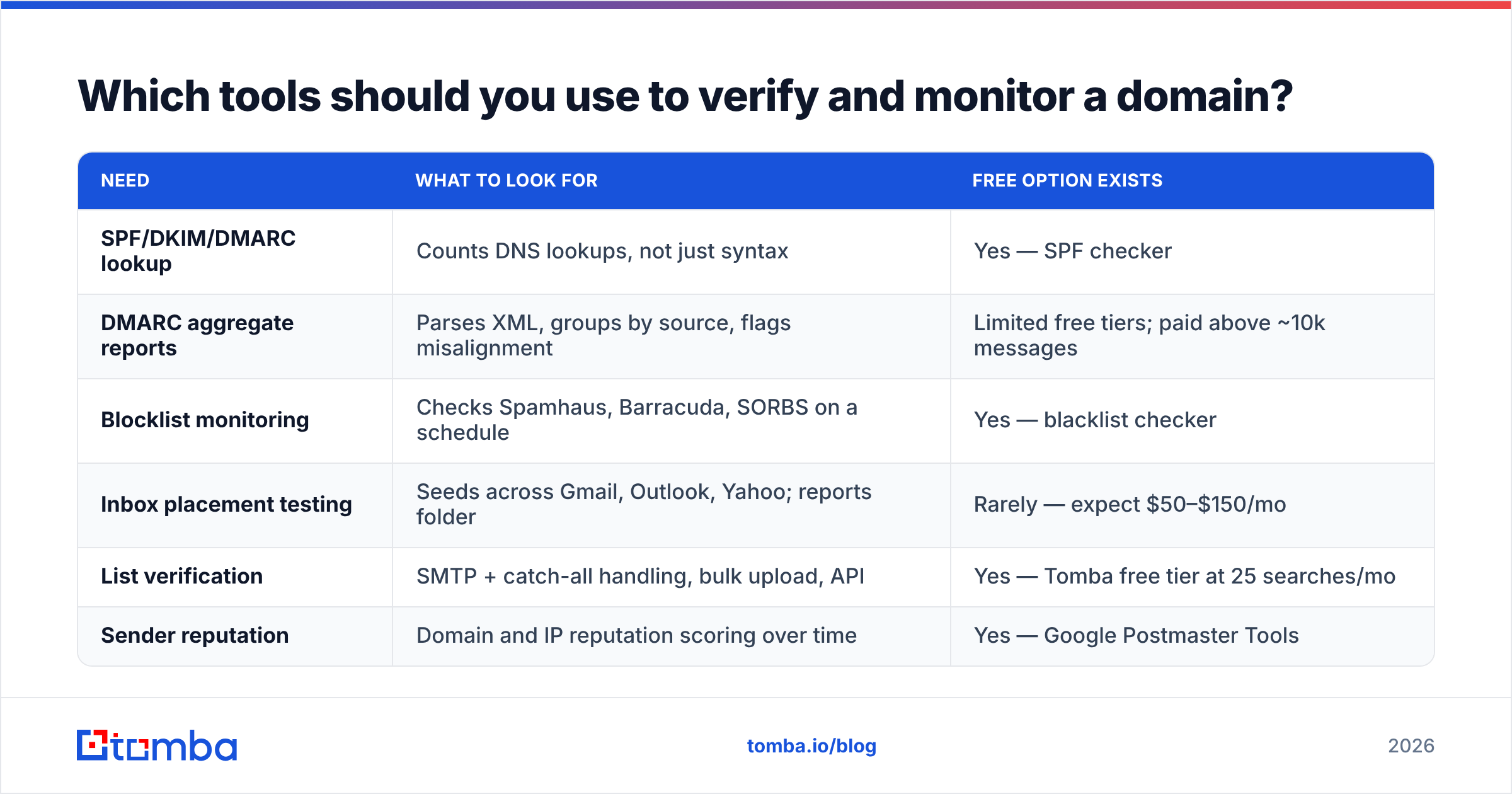
You need three categories: a DNS checker for setup, a DMARC report analyser for ongoing monitoring, and a list-hygiene tool so authentication isn't wasted on bad data.
| Need | What to look for | Free option exists |
|---|---|---|
| SPF/DKIM/DMARC lookup | Counts DNS lookups, not just syntax | Yes — SPF checker |
| DMARC aggregate reports | Parses XML, groups by source, flags misalignment | Limited free tiers; paid above ~10k messages |
| Blocklist monitoring | Checks Spamhaus, Barracuda, SORBS on a schedule | Yes — blacklist checker |
| Inbox placement testing | Seeds across Gmail, Outlook, Yahoo; reports folder | Rarely — expect $50–$150/mo |
| List verification | SMTP + catch-all handling, bulk upload, API | Yes — Tomba free tier at 25 searches/mo |
| Sender reputation | Domain and IP reputation scoring over time | Yes — Google Postmaster Tools |
On the list-hygiene side, you're choosing between dedicated verification vendors and platforms that bundle finding and verifying. If your workflow is "find contacts, then verify them," a combined tool removes a CSV round-trip: Tomba's email finder and verifier share the same credit pool, with a free tier at 25 searches/mo, Starter at $49/mo, Growth at $99/mo, and Pro at $249/mo — full Tomba pricing breaks down the per-credit math. If you already have lists from another source and just need bulk verification, a specialist like BookYourData or a dedicated verifier is a reasonable fit — they're built around list purchase and hygiene rather than discovery, and that's a genuinely different job.
Whatever you pick, check how it treats catch-all domains. A large share of B2B domains accept all mail at the SMTP layer, which means a naive verifier returns "valid" for addresses that don't exist. Tools that flag catch-alls separately — or run deeper checks against them, like a catch-all verifier — save you from a bounce spike two weeks later.
How do you know verification actually worked?#
Green ticks on a checker aren't evidence. Here's what evidence looks like:
- Gmail "Show original" shows three PASS lines — SPF, DKIM, DMARC — with your domain, not your vendor's, in mailed-by and signed-by.
- DMARC aggregate reports show 100% alignment for known sources across a full week, with no unexplained IPs.
- Google Postmaster Tools shows domain reputation at High or Medium and spam rate consistently under 0.10%. The 0.3% figure is the enforcement threshold, not a target.
- Your bounce rate sits under 3%. Above 5%, stop sending and clean the list. Above 8%, assume reputation damage is already underway.
- Seed tests land in Primary, not Promotions, across at least Gmail, Outlook, and one corporate Microsoft 365 tenant.
Re-run this quarterly. DNS drifts — someone adds a tool, a vendor rotates a key, a contractor edits the zone file. Authentication is not a one-time task; it's a standing check, the same as any other part of email deliverability.
What should you do first?#
If you're starting from zero: publish SPF and DKIM today, add DMARC at p=none with a reporting address, and give yourself two weeks of report data before touching enforcement. If you already have all three: check your SPF lookup count and your DMARC policy value. Those two fields catch most of what's actually broken in the wild.
Then look at the data going into your campaigns. Authentication gets your mail accepted at the door; the quality of your list determines whether it converts or burns your reputation. Find contacts you can actually reach with the Tomba Email Finder — 25 free searches a month, no card, with verification built into the same workflow so every address you export has already been checked against the receiving server. Get the DNS right, then give it a list worth sending to.
Related guides#
Ready to find emails that actually work?
Join 150,000+ professionals who stopped guessing and started sending. Free credits on signup — no credit card required.
Get the Tomba newsletter
Practical outbound tactics and product updates — once every two weeks.
About the author