Email Cleaner Guide 2026: How to Clean Your Email List
A bad email list burns your domain before your copy ever gets read. Here's how email cleaners actually work, what they cost in 2026, and how to pick one without wasting credits.
TL;DR
- An email cleaner removes invalid, duplicate, disposable, and role-based addresses from a list before you send — the single cheapest way to protect your sender reputation.
- Syntax checks are free and nearly worthless on their own. Real cleaning is MX lookup + SMTP handshake + risk scoring, and that's what you pay for.
- Target under 2% bounce rate. Google and Yahoo's bulk sender rules put the hard ceiling at 3% before filtering kicks in — cleaning is what keeps you under it.
- Expect $0.0004–$0.008 per verified email in 2026 depending on volume. Prepaid credits beat subscriptions for one-off list cleanups.
- Catch-all domains are where every vendor's "99% accuracy" claim quietly breaks. Ask how a tool handles them before you buy.
What is an email cleaner?#
An email cleaner is a tool that takes a list of email addresses and tells you which ones are safe to send to. Think of it like a bouncer checking IDs at the door: some are obviously fake, some are expired, some belong to people who left the building years ago, and a few are genuinely uncertain. The cleaner sorts them so you only mail the ones that will actually land.
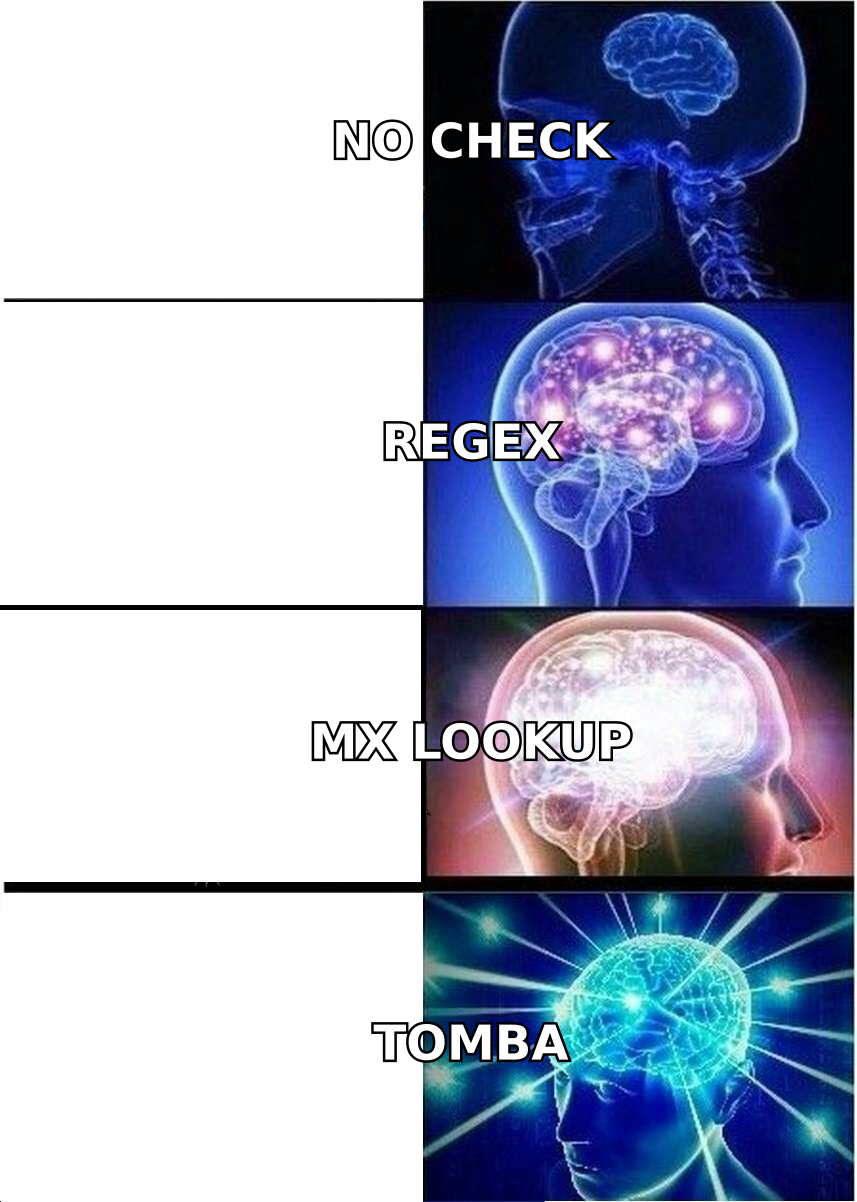
The terminology is muddy because vendors use "email cleaner," "email verifier," "list scrubber," and "email validation" interchangeably. Functionally, they're the same category. Where they differ is depth — a cheap tool runs regex and calls it a day, while a serious one opens an SMTP conversation with the receiving mail server and interprets the response.
Here's what a full-pass cleaner actually checks, in order of increasing cost to run:
- Syntax validation — Is
john@@acmeeven a legal address per RFC 5322? Free, instant, catches maybe 3% of a typical dirty list. - Domain and MX record check — Does
acme.comexist, and does it have mail exchanger records? Catches dead companies, typo'd domains (gmial.com), and parked domains. - Disposable and role-based detection — Is this a 10-minute-mail burner, or a shared
info@/support@inbox that no individual owns? Both hurt engagement metrics. - SMTP handshake — The cleaner connects to the mail server and asks whether the mailbox exists without sending anything. This is where real deliverability signal comes from.
- Catch-all and risk scoring — Some domains accept every address at the SMTP layer, so the handshake tells you nothing. Good tools flag these separately and score the likelihood based on pattern data.
If a vendor doesn't tell you which of these five it runs, assume it stops at step three.

Why does a dirty list cost you more than wasted credits?#
The credit cost is the smallest number in the equation. The real cost is what a high bounce rate does to your sending domain.
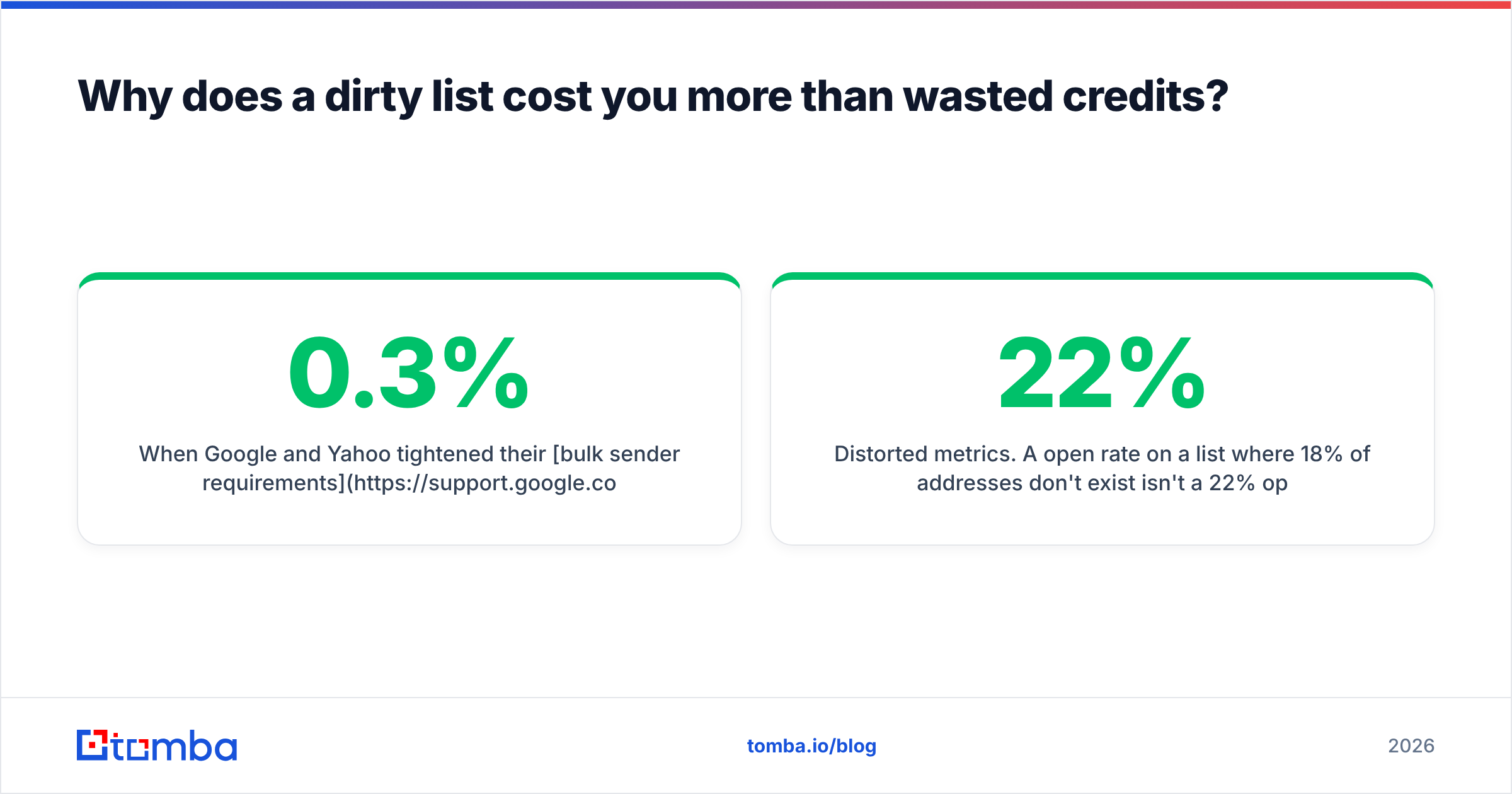
When Google and Yahoo tightened their bulk sender requirements in 2024, they published a hard number: keep spam complaint rates below 0.3% and keep your list hygiene tight or your mail gets filtered. Mailbox providers read a bounce spike as a signal that you either bought a list or scraped one badly — both are strong spam predictors.
The damage compounds:
- Reputation decay. Your domain's sender reputation is scored over a rolling window. One bad send takes weeks of clean volume to recover from.
- Blacklisting risk. Spam traps — recycled addresses that mailbox providers repurpose specifically to catch stale-list senders — sit in old lists. Hitting one can land your IP on Spamhaus.
- Distorted metrics. A 22% open rate on a list where 18% of addresses don't exist isn't a 22% open rate. You're optimizing subject lines against noise.
- ESP account suspension. Mailchimp, Klaviyo, and most sending platforms will throttle or suspend accounts that consistently bounce above threshold.
Run a blacklist checker before and after any large send to see whether the damage already started.
How do email cleaners compare in 2026?#
The market splits into three shapes: pure verification services, finder-plus-verifier platforms, and prepaid B2B data providers that clean as a bundled feature. Pick based on whether you already have a list or still need to build one.
| Feature | Tomba | ZeroBounce | NeverBounce | BookYourData |
|---|---|---|---|---|
| Entry price | Free (25/mo), then $49/mo | $18 for 2,000 credits | $0.008/email, pay-as-you-go | Prepaid credit packs |
| Stated accuracy | 96%+ on verified sends | 99% claimed | 99.9% claimed | 97% delivery guarantee |
| Catch-all handling | Dedicated catch-all verifier | Flagged as "catch-all" | Flagged as "unknown" | Pre-verified at source |
| Finds new emails | Yes — finder + domain search | No | No | Yes — prebuilt database |
| Bulk upload | CSV, up to millions of rows | CSV / integrations | CSV / integrations | Instant list download |
| API access | Full REST API on all paid plans | Yes | Yes | Yes |
| Free tier | 25 searches/mo, no card | 100 credits/mo | 1,000 free trial | Sample data available |
| Best for | Build + clean in one workflow | Deep validation of owned lists | High-volume one-off scrubs | Buying pre-cleaned B2B lists |
A few honest reads on this table.
Accuracy claims are not comparable across vendors. A "99.9% accuracy" figure usually means "99.9% of the addresses we marked valid were valid" — which is easy to hit if you aggressively mark everything ambiguous as risky. The metric that matters is coverage-weighted: what percentage of your total list got a confident answer, and how many of those held up in a real send. Run a 500-address sample through two tools and compare bounces. That test costs under $10 and beats every marketing page.
BookYourData takes a different approach worth understanding: instead of cleaning a list you already own, it sells lists that were verified at collection time with a delivery guarantee attached. If your problem is "I don't have contacts yet," that's a legitimate shortcut. If your problem is "my CRM has 80,000 stale records," you need a scrubber, not a data source.
NeverBounce and ZeroBounce are specialists. They do one thing — validate existing addresses — and do it well. Neither will find you a new contact.
Tomba sits in the middle: the email verifier cleans what you have, while the finder and domain search build what you don't. For teams whose list problem is really a "we don't have enough good contacts" problem, that consolidation saves a subscription.

What does an email cleaner actually cost?#
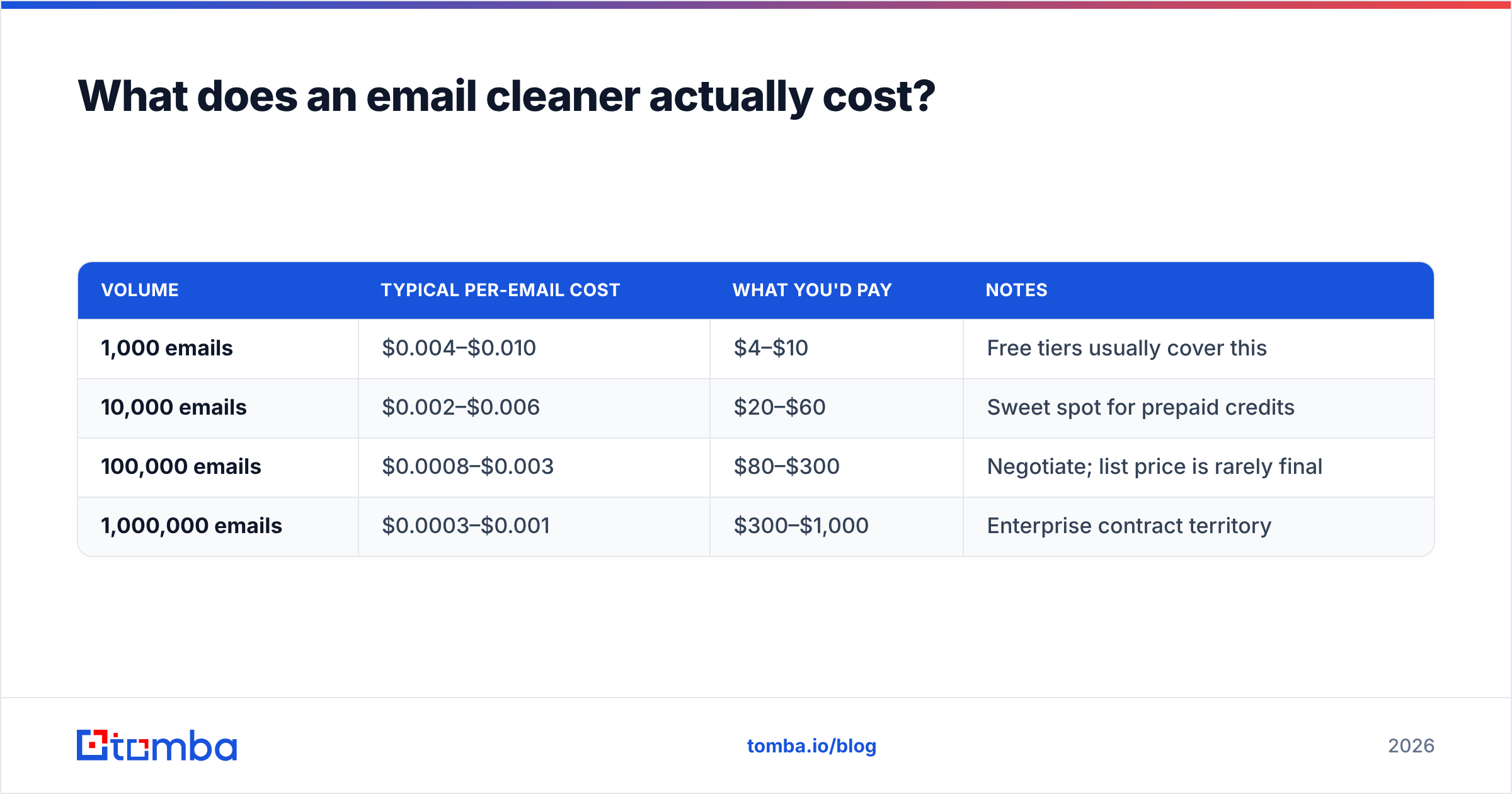
Pricing in this category is deliberately confusing because vendors mix subscription seats, prepaid credits, and per-email rates. Here's the normalized view.
| Volume | Typical per-email cost | What you'd pay | Notes |
|---|---|---|---|
| 1,000 emails | $0.004–$0.010 | $4–$10 | Free tiers usually cover this |
| 10,000 emails | $0.002–$0.006 | $20–$60 | Sweet spot for prepaid credits |
| 100,000 emails | $0.0008–$0.003 | $80–$300 | Negotiate; list price is rarely final |
| 1,000,000 emails | $0.0003–$0.001 | $300–$1,000 | Enterprise contract territory |
Two structural things to watch.
Credits expire. Most subscription plans reset monthly and don't roll over. If you clean quarterly, prepaid credits with no expiry are cheaper even at a higher unit rate. Check Tomba pricing and any competitor's terms for rollover language before committing to annual.
Re-verification is a recurring cost, not one-time. B2B email decays at roughly 22–30% per year — people change jobs, companies get acquired, domains get retired. A list you cleaned in January is measurably dirty by July. Budget for two to four cleaning passes per year on any list you actively mail.
How do you clean a list step by step?#
This is the workflow that produces the best result per dollar spent. Do it in this order — skipping ahead wastes credits on addresses you were going to delete anyway.
- Deduplicate first, before you spend a single credit. Most CRM exports have 5–15% exact or near duplicates. Run them through a deduplicate email list pass. This is free and shrinks your billable volume immediately.
- Strip obvious junk with rules. Remove role accounts (
info@,admin@,noreply@,sales@) unless your offer genuinely targets shared inboxes. Remove free-mail domains if you sell B2B only. Remove anything that hasn't engaged in 24+ months — old inactive addresses are the most likely spam traps. - Run the verification pass. Upload the survivors to a bulk verify job. Expect results bucketed as valid / invalid / catch-all / unknown.
- Decide your catch-all policy. Catch-all domains accept every address at the SMTP layer, so no tool can definitively confirm the mailbox. You have three choices: exclude them entirely (safest, costs you real contacts), send to them in a separate low-volume segment (balanced), or run a catch-all verifier that uses pattern and enrichment signals to score them. On typical B2B lists, catch-alls are 15–25% of addresses — excluding them wholesale is expensive.
- Segment by risk before sending. Mail your "valid" bucket first at normal volume. Mail catch-alls in a small batch and measure the bounce rate before scaling. Never mix an unverified segment into a warm sending pattern.
- Re-verify on a schedule. Set a quarterly recurring job via the Tomba API or your platform's equivalent so decay never accumulates past one quarter's worth.
Is an email cleaner enough to fix deliverability?#
No — and this is the most common misdiagnosis in cold email. Cleaning fixes bounces. It does not fix spam folder placement.
The two problems have different causes:
- Bounces come from addresses that don't exist. An email cleaner solves this directly.
- Spam placement comes from authentication gaps, poor sending reputation, bad content signals, and low engagement. A clean list is necessary but not sufficient.
If your bounce rate is under 2% and mail still isn't landing, look at your authentication stack first. Verify your SPF record with an SPF checker, confirm DKIM signing is active, and check that DMARC is published with at least p=none for monitoring. Google Postmaster Tools will show you domain reputation directly for Gmail traffic — it's free and it's the only first-party reputation data you'll get.
After authentication, the levers are content and engagement: shorter emails, no link shorteners, no image-only bodies, and a real unsubscribe path. Run drafts through a spam checker to catch obvious trigger patterns before they cost you a domain.
Worth reading G2's email verification category for how buyers actually rate these tools versus how vendors position them — the review deltas between marketing claims and reported bounce rates are instructive.
What should you look for when choosing a tool?#
Six criteria, ranked by how much they'll matter six months in:
- Catch-all handling. Ask directly: "What do you return for a catch-all domain?" A vendor that says "we mark it valid" is inflating its accuracy number at your expense. A vendor that says "we mark it unknown and don't charge you" is being honest.
- Credit policy on unknowns. You should not pay full price for an inconclusive result. Some vendors charge, some don't. It's a real cost difference at scale.
- API quality and rate limits. If verification is going to live inside your signup flow or CRM sync, the API matters more than the dashboard. Check documented rate limits, not just "we have an API."
- Data residency and compliance. GDPR obligations don't disappear because a third party did the processing. Confirm where the vendor stores uploaded lists and how long they retain them.
- Native integrations. Cleaning that requires a CSV round-trip gets skipped. Direct connections to your CRM — HubSpot, Salesforce, Pipedrive — mean it actually happens on schedule.
- Where the underlying data comes from. For any tool that also finds addresses, ask about sourcing. Tomba publishes its data sources; many competitors don't, which becomes an uncomfortable question during a compliance review.
What does a realistic result look like?#
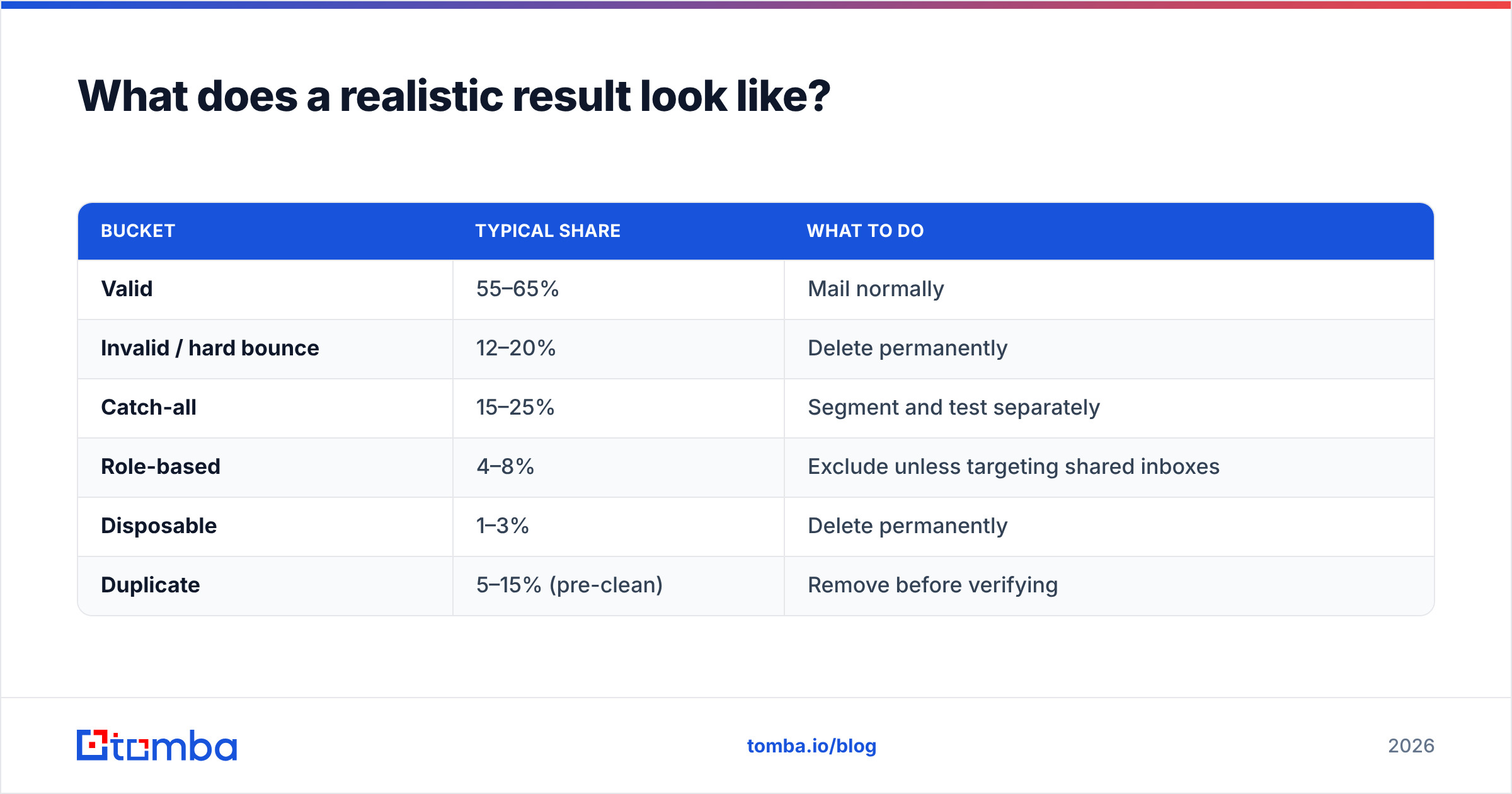
Set expectations from real distributions, not vendor case studies. On a typical two-year-old B2B list of 50,000 addresses:
| Bucket | Typical share | What to do |
|---|---|---|
| Valid | 55–65% | Mail normally |
| Invalid / hard bounce | 12–20% | Delete permanently |
| Catch-all | 15–25% | Segment and test separately |
| Role-based | 4–8% | Exclude unless targeting shared inboxes |
| Disposable | 1–3% | Delete permanently |
| Duplicate | 5–15% (pre-clean) | Remove before verifying |
If a vendor's output says 95% of your two-year-old list is valid, be skeptical rather than relieved. That distribution is not consistent with known B2B data decay rates, and it usually means catch-alls got quietly bucketed as valid.
The realistic win from a proper clean: bounce rate drops from 8–15% to under 2%, response rate rises by a third to a half — mostly because your reputation stops suppressing inbox placement — and your reporting finally reflects reality.
Where should you start?#
If your list is already built and just stale, start with verification alone — upload a sample, measure, then commit.
If the real problem is that your list is small, stale, and built from a source you no longer trust, cleaning it only tells you how bad it is. You need new contacts alongside the scrub. The Tomba Email Finder covers both sides: find verified professional addresses by domain, name, or company, and verify what you already have in the same workflow — starting free at 25 searches a month, with the Starter plan at $49/mo when you're ready to scale. Run your worst 500 records through it, compare the bounce rate against your current tool, and let the numbers decide.
Related guides#
Ready to find emails that actually work?
Join 150,000+ professionals who stopped guessing and started sending. Free credits on signup — no credit card required.
Get the Tomba newsletter
Practical outbound tactics and product updates — once every two weeks.
About the author