Email Deliverability Glossary: 60+ Terms Explained (2026)
SPF, DMARC, spam traps, seed lists, catch-alls, complaint rate. A plain-English email deliverability glossary that explains what each term means, which ones actually move inbox placement, and which ones are vendor noise.

TL;DR
- Deliverability ≠ delivery rate. Delivery rate says the server accepted your mail. Deliverability says a human saw it. You can hit 99% delivery and 30% inbox placement at the same time.
- Six terms carry most of the weight: authentication (SPF/DKIM/DMARC), complaint rate, bounce rate, spam traps, engagement, and sending volume consistency. Everything else in this glossary is context.
- The 2024–2025 mailbox provider rules changed the floor. Gmail, Yahoo, and Outlook now enforce authentication, one-click unsubscribe, and a complaint-rate ceiling for bulk senders. These are pass/fail, not best practices.
- List hygiene is the cheapest lever. Bounce rate is the one metric fully under your control before you press send — verify first, send second.
- Ignore "deliverability score" dashboards that aren't tied to a real seed test or Postmaster Tools data. They're vibes with a number attached.
Deliverability vocabulary is a mess because three groups invented it separately: mailbox providers (Gmail, Microsoft), the standards bodies (IETF RFCs), and ESP marketing teams. The result is that "reputation," "score," and "placement" mean four different things depending on who's talking.
This email deliverability glossary fixes that. Terms are grouped by the decision they affect, not alphabetically, so you can read it as a map of the system rather than a dictionary. Each entry tells you what it means and whether you should act on it.
What is email deliverability, and how is it different from delivery rate?#
Deliverability is the percentage of your sent emails that land in the recipient's primary inbox rather than spam, promotions purgatory, or a silent quarantine.
Delivery rate is the percentage of emails the receiving mail server accepted — that is, didn't bounce.
The gap between them is where campaigns die. A list that returns 99.2% delivery can still be sitting at 40% inbox placement because the receiving server accepted the message and then routed it to spam. Your ESP reports the first number. Only seed testing or Google Postmaster Tools shows you the second.
Two related terms you'll see used loosely:
- Inbox placement rate (IPR) — the share of delivered mail that reached the inbox folder specifically. This is the number that matters.
- Sender score — a 0–100 reputation estimate published by Validity for a sending IP. Useful as a directional signal, not as ground truth. Mailbox providers do not use it.
If you only track one thing, track inbox placement per mailbox provider. Aggregate numbers hide the fact that you're fine at Gmail and blocked at Outlook.
Which deliverability terms actually decide inbox placement?#
Most of this glossary is background. These six are the load-bearing walls:
- Authentication alignment — Does your visible From domain match what SPF and DKIM authorize? Misalignment fails DMARC, and failing DMARC in 2026 means you're gambling with every send.
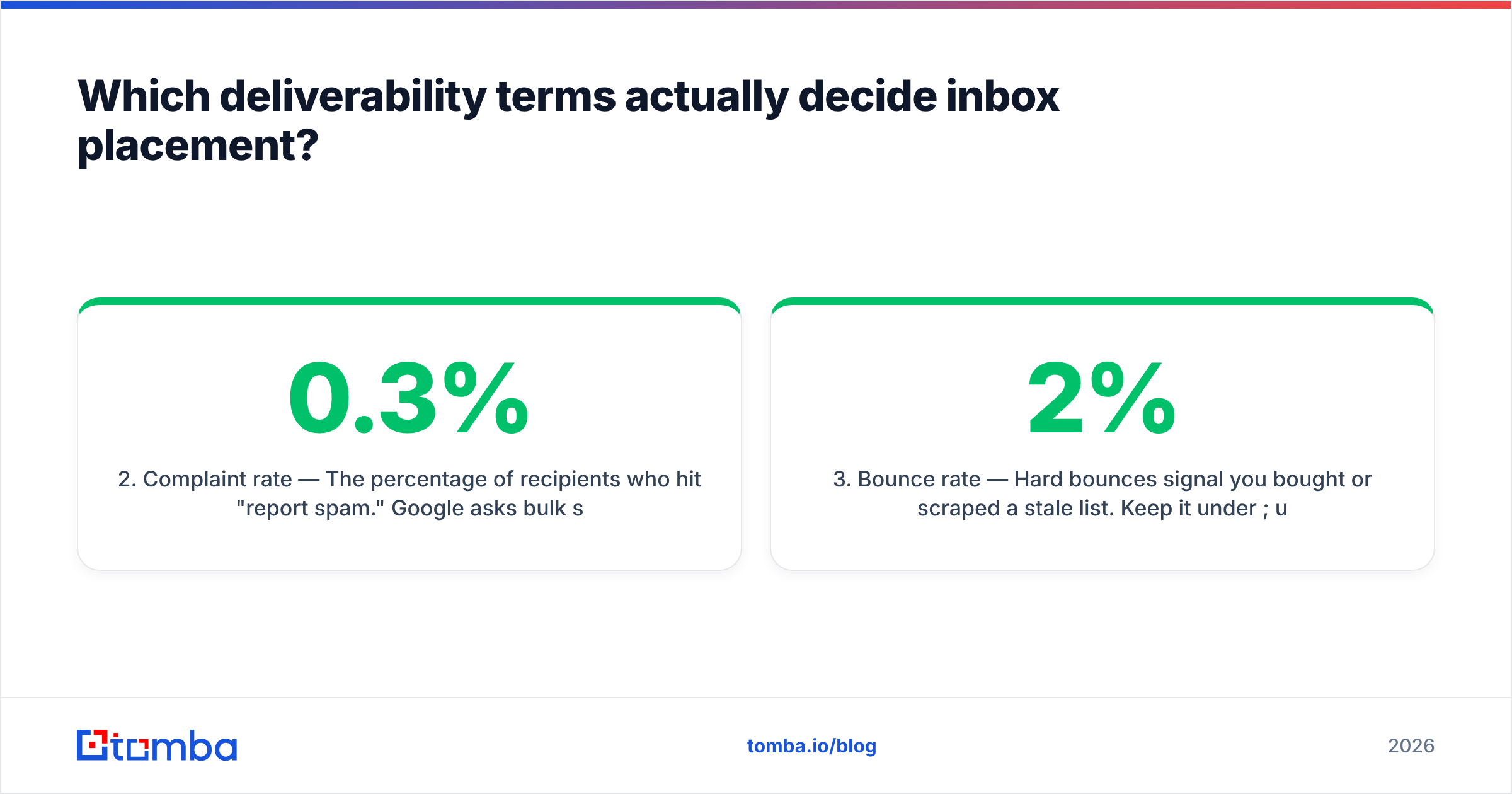
- Complaint rate — The percentage of recipients who hit "report spam." Google asks bulk senders to stay under 0.3% and targets below 0.1%. This is the single fastest way to torch a domain.
- Bounce rate — Hard bounces signal you bought or scraped a stale list. Keep it under 2%; under 1% if you're ramping a new domain.
- Engagement signals — Opens, replies, moves-to-inbox, and deletions-without-reading. Gmail weights recipient behavior heavily. Sending to people who never engage is a slow poison.
- Spam trap hits — Recycled or pristine addresses that exist only to catch senders with bad acquisition practices. One pristine trap hit can blocklist a domain.
- Volume consistency — Sudden spikes (0 → 5,000/day) look like a compromised account. Ramp instead.

Everything below explains the machinery behind those six.
What do the email authentication terms mean?#
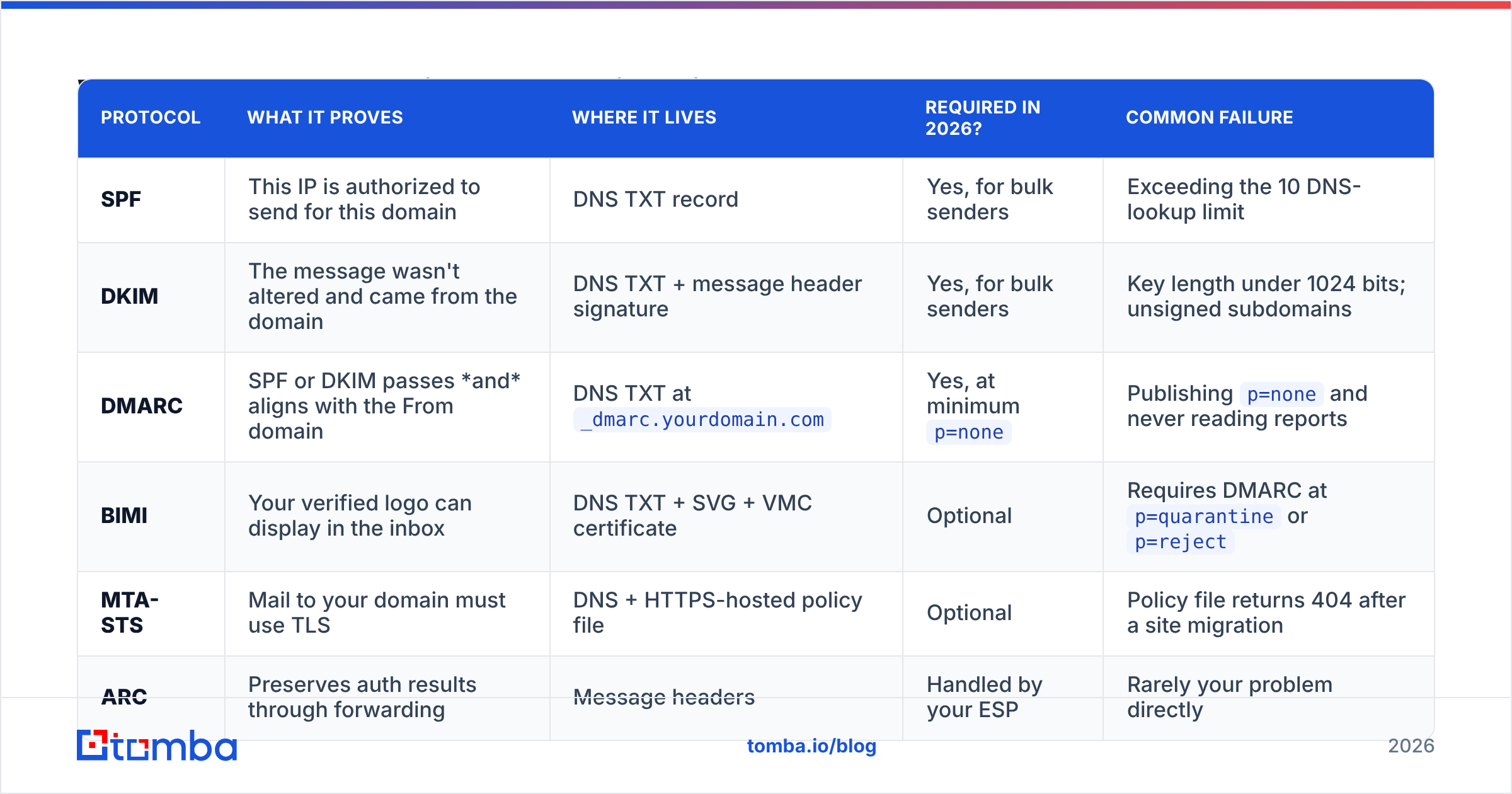
Authentication answers one question for the receiving server: is this sender allowed to use this domain? Here's how the protocols stack up.
| Protocol | What it proves | Where it lives | Required in 2026? | Common failure |
|---|---|---|---|---|
| SPF | This IP is authorized to send for this domain | DNS TXT record | Yes, for bulk senders | Exceeding the 10 DNS-lookup limit |
| DKIM | The message wasn't altered and came from the domain | DNS TXT + message header signature | Yes, for bulk senders | Key length under 1024 bits; unsigned subdomains |
| DMARC | SPF or DKIM passes and aligns with the From domain | DNS TXT at _dmarc.yourdomain.com |
Yes, at minimum p=none |
Publishing p=none and never reading reports |
| BIMI | Your verified logo can display in the inbox | DNS TXT + SVG + VMC certificate | Optional | Requires DMARC at p=quarantine or p=reject |
| MTA-STS | Mail to your domain must use TLS | DNS + HTTPS-hosted policy file | Optional | Policy file returns 404 after a site migration |
| ARC | Preserves auth results through forwarding | Message headers | Handled by your ESP | Rarely your problem directly |
Key sub-terms:
- Alignment — The domain in the From header must match the SPF-authenticated return-path domain (relaxed or strict) or the DKIM
d=domain. Passing SPF with an unaligned domain still fails DMARC. - Return-path / envelope sender / MAIL FROM — The hidden address bounces go to. Not the same as your From address.
p=policy — DMARC's instruction to the receiver:none(monitor),quarantine(spam folder),reject(refuse). Start atnone, read reports for 30 days, then tighten.- DMARC aggregate reports (RUA) — Daily XML summaries from receivers showing who's sending as you. This is how you find shadow IT and spoofers.
If you're not sure your records are correct, run them through a free SPF checker before you diagnose anything else. Roughly a third of "our emails go to spam" tickets end at a malformed DNS record. The official DMARC.org overview is the canonical spec explainer if you want the raw protocol detail.
What do the bounce and list-hygiene terms mean?#
This is the vocabulary that decides whether your list helps or hurts you.
- Hard bounce — Permanent failure. The mailbox doesn't exist (SMTP 550 "user unknown") or the domain has no mail server. Remove immediately, never retry.
- Soft bounce — Temporary failure: mailbox full, server down, message too large. Retry a few times, then suppress after 3–5 consecutive fails.
- Block bounce — The server accepted the connection but refused the message for reputation reasons. Reads like a soft bounce, behaves like a warning shot. Look for "blocked," "spamhaus," or "policy" in the SMTP string.
- Catch-all domain — A domain configured to accept mail for any address, valid or not. SMTP verification can't confirm individual mailboxes here, which is why a naive verifier marks them "unknown." A dedicated catch-all verifier uses pattern data and secondary signals to make a real call instead of shrugging.
- Role account —
info@,sales@,support@,admin@. Multiple readers, higher complaint risk, low reply rate. Suppress them for cold outbound. - Disposable / temporary address — Mailinator, 10minutemail, and friends. Nearly always a signup-form artifact.
- Spam trap (honeypot) — An address that exists solely to catch bad senders. Two flavors:
- Pristine trap — Never belonged to a human; published where only scrapers find it. Hitting one implies you scraped or bought data. Severe penalty.
- Recycled trap — A real address abandoned for 12+ months, then reactivated as a trap by the provider. Hitting one implies you never clean your list.
- Greylisting — The receiving server temporarily rejects a first-time sender and waits to see if you retry properly. Legitimate mail servers retry; most spam doesn't.
- Suppression list — Your permanent do-not-send list: unsubscribes, complaints, hard bounces. Never rebuild a list without it.
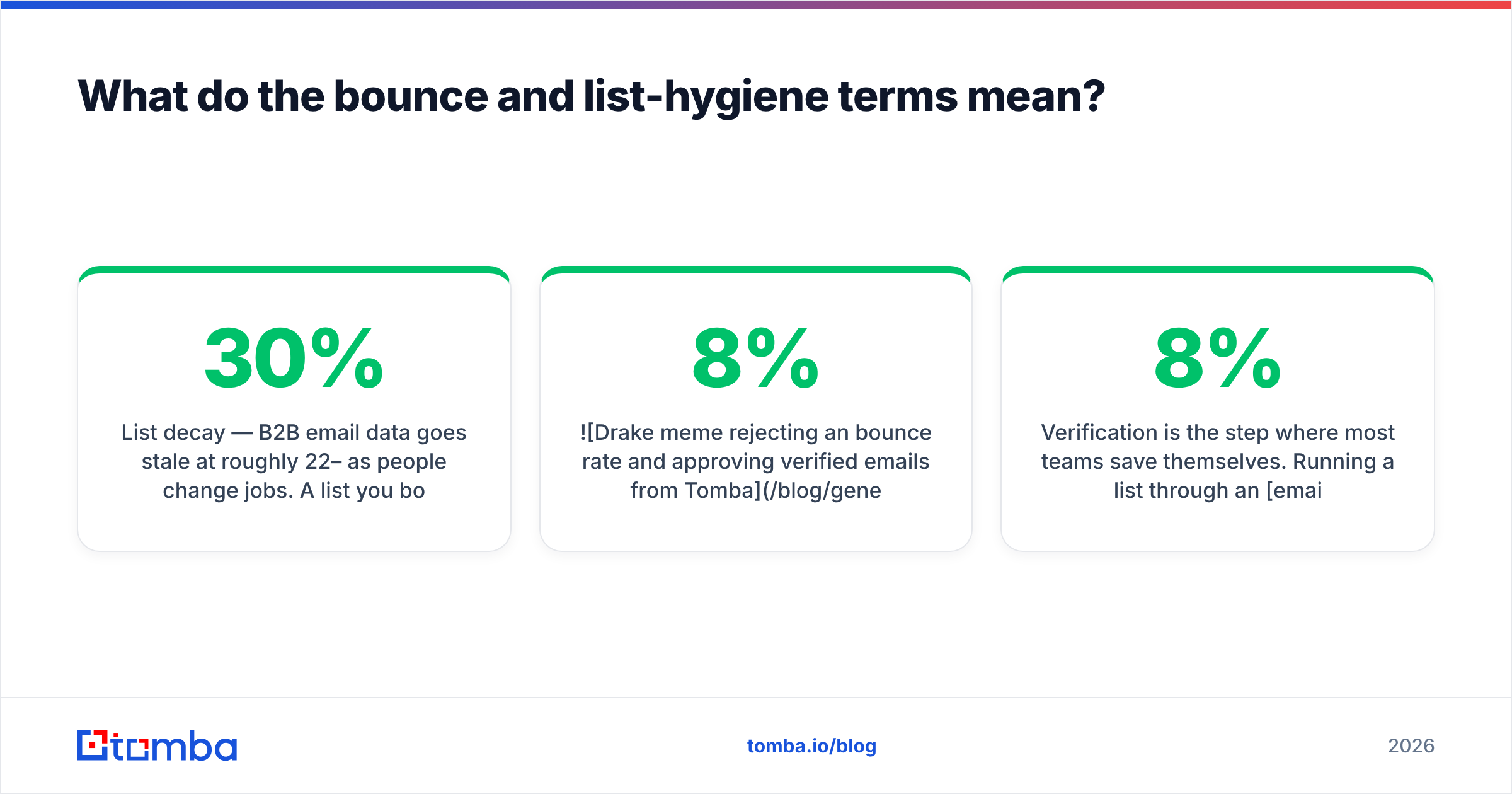
- List decay — B2B email data goes stale at roughly 22–30% per year as people change jobs. A list you bought 18 months ago is now mostly a liability.
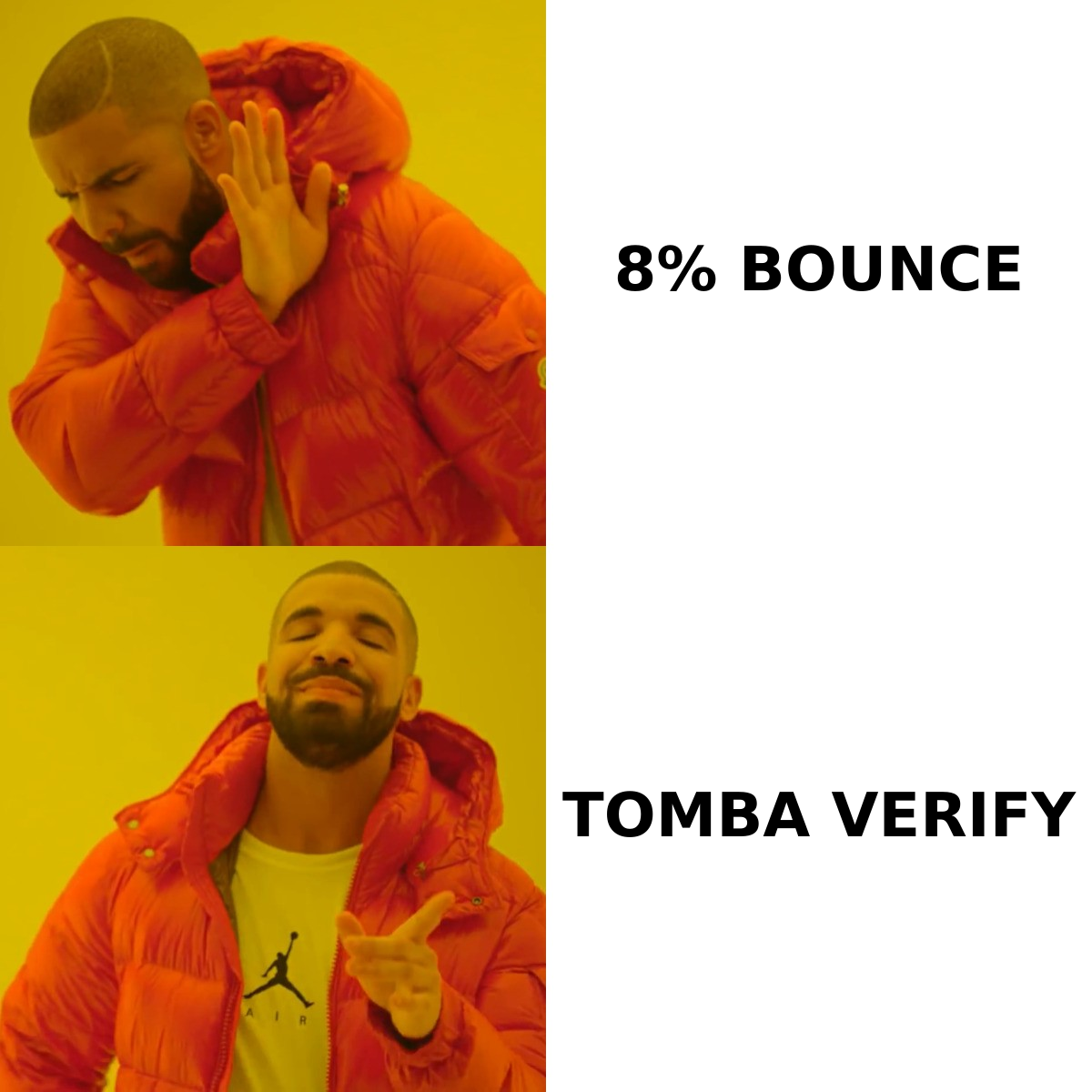
Verification is the step where most teams save themselves. Running a list through an email verifier before import turns an unknown 8% bounce risk into a known sub-1% one, and it costs a fraction of the domain reputation you'd otherwise spend finding out the hard way.
What do the reputation and filtering terms mean?#
- Sender reputation — The receiving provider's running judgment of you, built from complaints, bounces, engagement, spam trap hits, and authentication history. It is per-provider and not published as a single number. Our sender reputation entry breaks down the individual inputs.
- Domain reputation vs IP reputation — Gmail leans heavily on domain reputation; older filters and corporate gateways weight IP more. Domain reputation follows you across ESPs. IP reputation doesn't.
- Blocklist (RBL/DNSBL) — A published list of IPs or domains known for spam. Spamhaus SBL/XBL/DBL, SURBL, and Barracuda are the ones that hurt. Being on a niche list nobody queries is cosmetic.
- Feedback loop (FBL) — A provider agreement that forwards you a copy of every complaint so you can auto-suppress the complainer. Available at Microsoft (SNDS/JMRP), Yahoo, and several others; Gmail offers aggregated data instead.
- Google Postmaster Tools — Free Gmail-side dashboard showing domain reputation, IP reputation, spam rate, authentication pass rates, and encryption. If you send meaningful volume to Gmail, this is not optional. See Google's bulk sender guidelines for the enforced requirements.
- SNDS / JMRP — Microsoft's equivalents: Smart Network Data Services (IP-level data) and the Junk Mail Reporting Program (complaint feed).
- Seed list testing — Sending to a set of real test mailboxes across providers to measure actual folder placement. The only reliable way to see inbox vs spam vs promotions before a full send.
- Content filtering — Bayesian and ML scoring of the message body: link-to-text ratio, URL shorteners, image-only emails, spammy phrases, mismatched display domains. Modern filters weight this less than reputation, but a single shortened link on a fresh domain still gets you flagged.
- Spam score — Usually a SpamAssassin-style number. Useful as a pre-flight check for obvious mistakes; don't optimize past a passing grade.
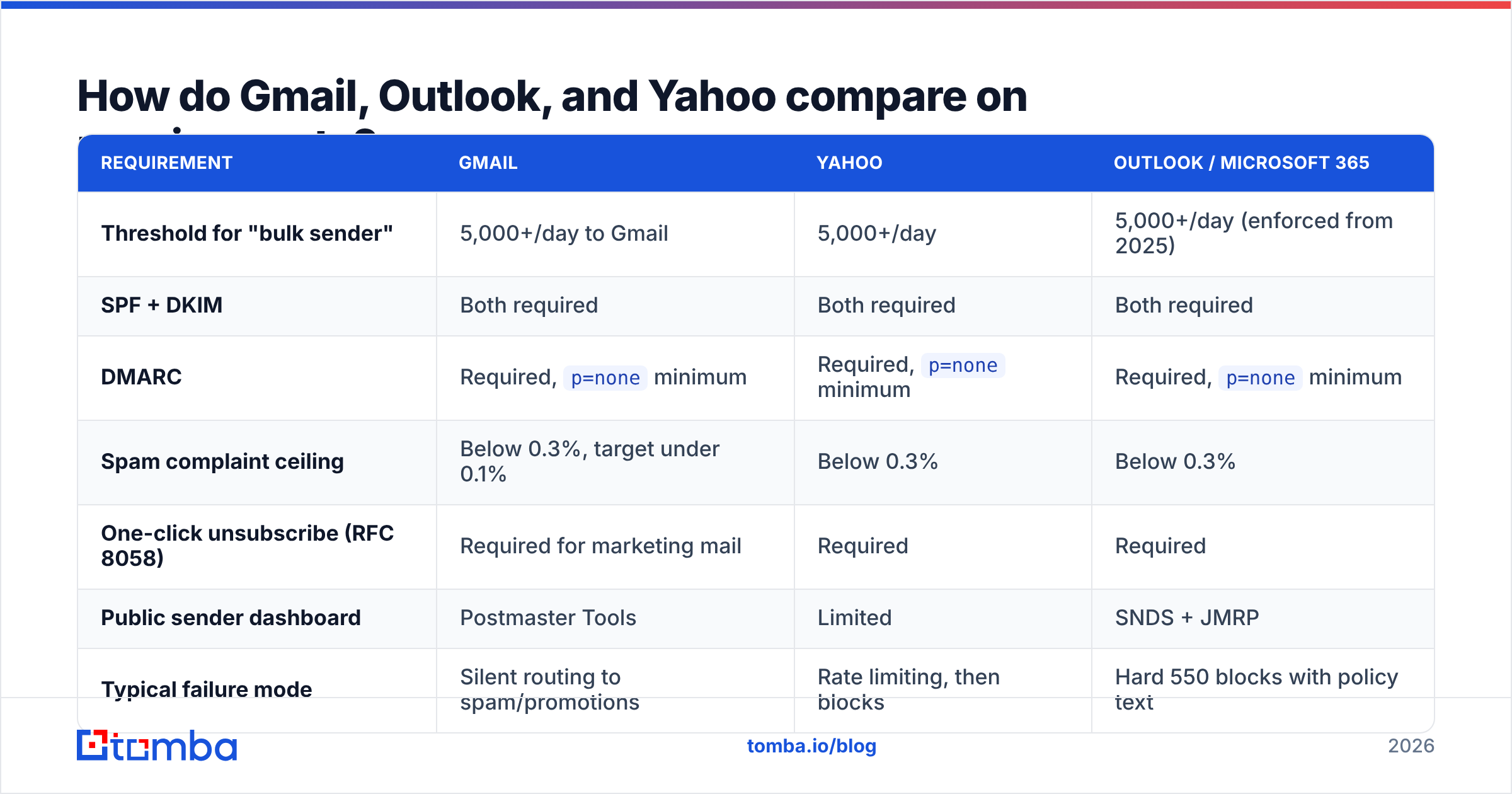
How do Gmail, Outlook, and Yahoo compare on requirements?#
The 2024–2025 rule changes narrowed the differences, but enforcement style still varies.
| Requirement | Gmail | Yahoo | Outlook / Microsoft 365 |
|---|---|---|---|
| Threshold for "bulk sender" | 5,000+/day to Gmail | 5,000+/day | 5,000+/day (enforced from 2025) |
| SPF + DKIM | Both required | Both required | Both required |
| DMARC | Required, p=none minimum |
Required, p=none minimum |
Required, p=none minimum |
| Spam complaint ceiling | Below 0.3%, target under 0.1% | Below 0.3% | Below 0.3% |
| One-click unsubscribe (RFC 8058) | Required for marketing mail | Required | Required |
| Public sender dashboard | Postmaster Tools | Limited | SNDS + JMRP |
| Typical failure mode | Silent routing to spam/promotions | Rate limiting, then blocks | Hard 550 blocks with policy text |
The practical takeaway: Gmail punishes you quietly, Microsoft punishes you loudly. If your Outlook delivery drops off a cliff overnight, read the SMTP rejection text — Microsoft usually tells you exactly which policy you tripped.
What do the infrastructure and sending terms mean?#
- ESP (Email Service Provider) — The platform that sends your mail (Mailchimp, SendGrid, Instantly, Smartlead).
- MTA (Mail Transfer Agent) — The software actually relaying messages. Postfix, Momentum, or your ESP's proprietary stack.
- Shared IP — Your mail leaves from a pool used by many senders. Fine at low volume; you inherit the pool's reputation, good or bad.
- Dedicated IP — Yours alone. Only worth it above roughly 50,000 sends/month with consistent volume. Below that you can't generate enough traffic to build reputation, and idle IPs decay.
- Warmup — Gradually increasing daily volume on a new domain or IP so providers can build a reputation profile. Typical ramp: 20–50/day in week one, roughly doubling weekly, with engagement-heavy recipients first. An email warmup calculator turns that into a concrete daily schedule instead of a guess.
- Sending subdomain — Using
mail.yourdomain.comorgo.yourdomain.comfor bulk mail so a reputation hit doesn't take down your corporate email atyourdomain.com. Do this before you need it. - Throttling / rate limiting — Providers cap how fast they'll accept from a given sender. Exceeding it produces 421 deferrals, not permanent failures.
- Message-ID, List-Unsubscribe, Precedence — Headers that signal you're a legitimate, well-configured sender. Missing
List-Unsubscribeon bulk mail is now a hard fail at the major providers. - TLS / opportunistic encryption — Encrypted transport between servers. Gmail flags unencrypted mail in Postmaster Tools; it's a small but free trust signal.
Which deliverability terms are mostly noise?#
Not everything with a dashboard deserves your attention:
- "Deliverability score" with no methodology. If a tool won't tell you whether the number comes from seed tests, Postmaster data, or content heuristics, it's a content heuristic.
- Open rate as a deliverability proxy. Apple Mail Privacy Protection pre-fetches images, inflating opens by 15–40% depending on your audience mix. Replies and clicks survived; opens didn't.
- Obscure blocklist alerts. Getting listed on a blocklist no major provider queries generates a scary email and zero impact. Check whether Spamhaus, SURBL, or the provider's own filter is involved before you panic.
- Spam-word lists. "Free," "guarantee," and "act now" won't sink a well-authenticated message from a reputable domain in 2026. Reputation dominates content scoring. Write clearly, don't write defensively.
- Perfect DMARC at
p=rejecton day one. Jumping straight to reject without reading aggregate reports blocks your own legitimate third-party senders. Wikipedia's DMARC article covers the deployment sequence well.
How should you use this glossary in practice?#
Work in this order, because each step makes the next one measurable:
- Fix authentication. SPF, DKIM, DMARC at
p=none, aligned. Verify with a checker, not by eye. - Clean the list. Verify every address, drop role accounts, kill catch-alls you can't confirm, and honor your suppression list.
- Set up measurement. Postmaster Tools for Gmail, SNDS for Microsoft, plus a seed list if you send at volume.
- Ramp volume slowly on a dedicated sending subdomain.
- Watch complaint rate weekly. It's the earliest warning signal you get, and it moves before placement does.
- Re-verify quarterly. List decay is continuous, not an event.
Steps 1 through 3 take an afternoon. Step 2 is the one teams skip, and it's the one that determines whether the other five matter.
Start with clean data. Most deliverability problems trace back to a list that was never verified — stale contacts, guessed patterns, and role accounts that generate bounces and complaints before your authentication setup ever gets a chance to work. Tomba's Email Finder returns verified professional addresses with a confidence score and source attribution, so the contacts entering your sequences are ones that actually exist. The free tier gives you 25 searches a month to test it against a list you already have; paid plans start at $49/mo. Fix the input, and the deliverability metrics tend to fix themselves.
Related guides#
Ready to find emails that actually work?
Join 150,000+ professionals who stopped guessing and started sending. Free credits on signup — no credit card required.
Get the Tomba newsletter
Practical outbound tactics and product updates — once every two weeks.
About the author