Email Deliverability Tool: How to Pick the Right One in 2026
Most teams buy an email deliverability tool to fix a problem it can't touch. Here's what each category actually does, what it costs, and how to sequence your stack.

TL;DR
- An email deliverability tool is not one product. It's five distinct categories — authentication checkers, seed-list testers, inbox-placement monitors, warmup networks, and list hygiene — and they fix different failures.
- Most inbox problems trace back to list quality and sending behavior, not to a missing tool. Buy hygiene and authentication first; warmup and seed testing are the last 20%.
- Google and Yahoo's bulk-sender rules (5,000+ recipients/day) made SPF, DKIM, DMARC, one-click unsubscribe, and a sub-0.3% spam-complaint rate table stakes, not optional.
- Expect $0–$50/mo for authentication and hygiene basics, $30–$99/mo for warmup, and $100–$400/mo for full placement monitoring. Stacking all three before you've diagnosed the problem is how teams waste budget.
- Free diagnostics get you further than you'd think. Run an SPF check, a blacklist lookup, and a spam-score test before spending anything.
What is an email deliverability tool, actually?#
An email deliverability tool is any software that measures or improves whether your messages reach the inbox instead of the spam folder or a hard bounce. That definition is broad on purpose, because the market is broad — and vendors exploit the vagueness.
Think of it like car maintenance. A tire-pressure gauge, an oil-change service, a wheel alignment, and a diagnostic scanner are all "car tools," but if your problem is a flat tire, the diagnostic scanner is a $200 way to learn nothing. Deliverability software works the same way. The tool has to match the failure.
Here are the five categories, and what each one is genuinely good at:
- Authentication and DNS checkers — Confirm your SPF, DKIM, and DMARC records are published and aligned. This is the single highest-ROI check because a missing record blocks mail at the gateway regardless of how good your copy is. Usually free.
- List hygiene and verification — Remove invalid, role-based, disposable, and catch-all addresses before you send. Bounces above roughly 2–3% signal a bought or stale list to mailbox providers, and reputation damage from a single bad send takes weeks to unwind.
- Seed-list and spam-score testers — Send a test message to a panel of real accounts across Gmail, Outlook, Yahoo, and corporate filters, then report where each landed. Good for diagnosing content and formatting problems; blind to how real recipients behave.
- Warmup networks — Automated peer-to-peer sending that opens, replies to, and rescues your mail from spam to build positive engagement signals on a new domain or mailbox. Legitimate for ramping new infrastructure, useless as a fix for a bad list.
- Inbox-placement monitoring and reputation tracking — Ongoing panel data, Google Postmaster Tools integration, blacklist watching, and DMARC aggregate report parsing. This is the category that tells you when something broke, which matters more than a one-time score.
Only the second and fifth categories require ongoing spend for most teams. The rest are project purchases.

Why do most teams buy the wrong email deliverability tool?#
Because the symptom is generic and the diagnosis is not.
"My open rates dropped" has at least eight plausible causes: a domain blacklisting, an expired DKIM key, Apple Mail Privacy Protection inflating and then deflating your baseline, a spike in spam complaints from one bad segment, a shared IP neighbor going rogue, a sudden volume jump that tripped throttling, a list you bought six months ago finally catching up with you, or Gmail simply reclassifying you into Promotions.
A warmup tool addresses exactly one of those. Yet warmup is the most-purchased category, because it's the most heavily marketed and because it feels active — something is happening on your behalf. Meanwhile the actual cause is usually upstream, in the data.
The order of operations that works:
- Verify your DNS is correct. Run a free SPF checker and confirm DKIM signing is live on every sending domain and subdomain. Then publish DMARC, even at
p=none, so you start collecting reports. - Check whether you're blacklisted. A blacklist checker against Spamhaus, SORBS, and Barracuda takes two minutes and rules out the loudest failure mode.
- Clean the list you're about to send to. This is where most of the improvement lives.
- Test the message itself with a spam checker for trigger phrases, image-to-text ratio, link count, and missing plain-text alternatives.
- Only then buy warmup or placement monitoring — and buy them for what they actually measure.
Skipping straight to step 5 is why teams end up with a $99/mo subscription and the same reply rate.
What do the major email deliverability tool categories cost?#
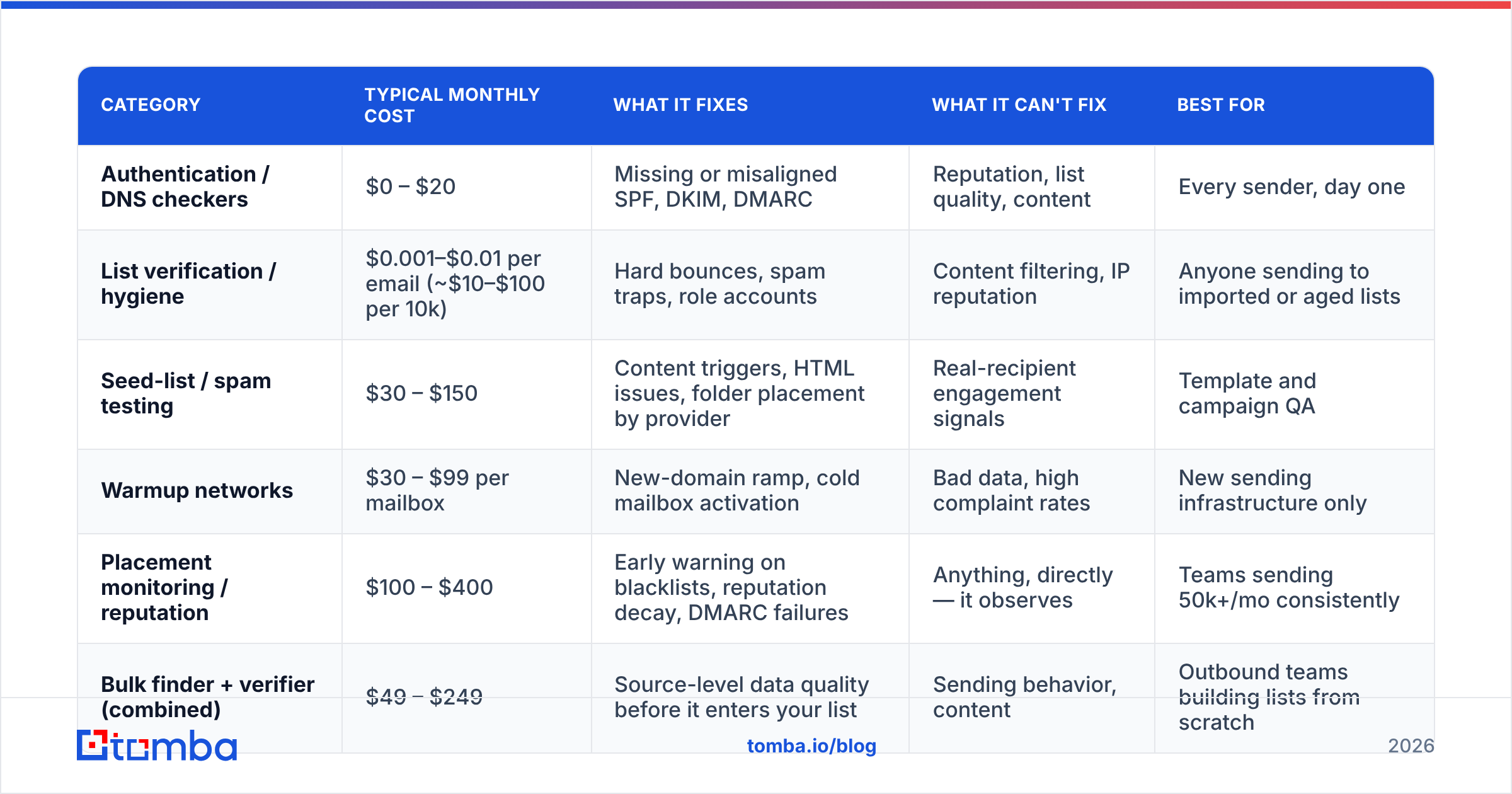
Pricing varies by volume, but the shape of the market is consistent. Here's how the categories compare on what matters:
| Category | Typical monthly cost | What it fixes | What it can't fix | Best for |
|---|---|---|---|---|
| Authentication / DNS checkers | $0 – $20 | Missing or misaligned SPF, DKIM, DMARC | Reputation, list quality, content | Every sender, day one |
| List verification / hygiene | $0.001–$0.01 per email (~$10–$100 per 10k) | Hard bounces, spam traps, role accounts | Content filtering, IP reputation | Anyone sending to imported or aged lists |
| Seed-list / spam testing | $30 – $150 | Content triggers, HTML issues, folder placement by provider | Real-recipient engagement signals | Template and campaign QA |
| Warmup networks | $30 – $99 per mailbox | New-domain ramp, cold mailbox activation | Bad data, high complaint rates | New sending infrastructure only |
| Placement monitoring / reputation | $100 – $400 | Early warning on blacklists, reputation decay, DMARC failures | Anything, directly — it observes | Teams sending 50k+/mo consistently |
| Bulk finder + verifier (combined) | $49 – $249 | Source-level data quality before it enters your list | Sending behavior, content | Outbound teams building lists from scratch |
Two honest observations about this table.
First, the cheapest row is the most valuable. Authentication is free and blocks the largest category of catastrophic failure. If you do nothing else this quarter, publish DMARC.
Second, the most expensive row is observational. Placement monitoring doesn't improve anything — it tells you when something has degraded. That's genuinely valuable at scale, and close to worthless if you send 2,000 emails a month and would notice a problem anyway.
Is list hygiene really more important than warmup?#
Yes, and the mechanism is straightforward.
Mailbox providers score you on aggregate behavior: bounce rate, complaint rate, engagement rate, and spam-trap hits. A dirty list poisons all four simultaneously. Every invalid address is a hard bounce. Every recycled spam trap is a direct reputation hit that no amount of warmup traffic offsets. Every disengaged contact drags your engagement average down, which pushes Gmail to route you to Promotions and then to Spam.
Warmup traffic, by contrast, generates artificial engagement from a closed network of accounts. It builds a positive baseline on a fresh domain — real value when you're ramping — but it does not remove the bad addresses that are actively hurting you. You end up with a mailbox that looks warm and a list that keeps burning it.
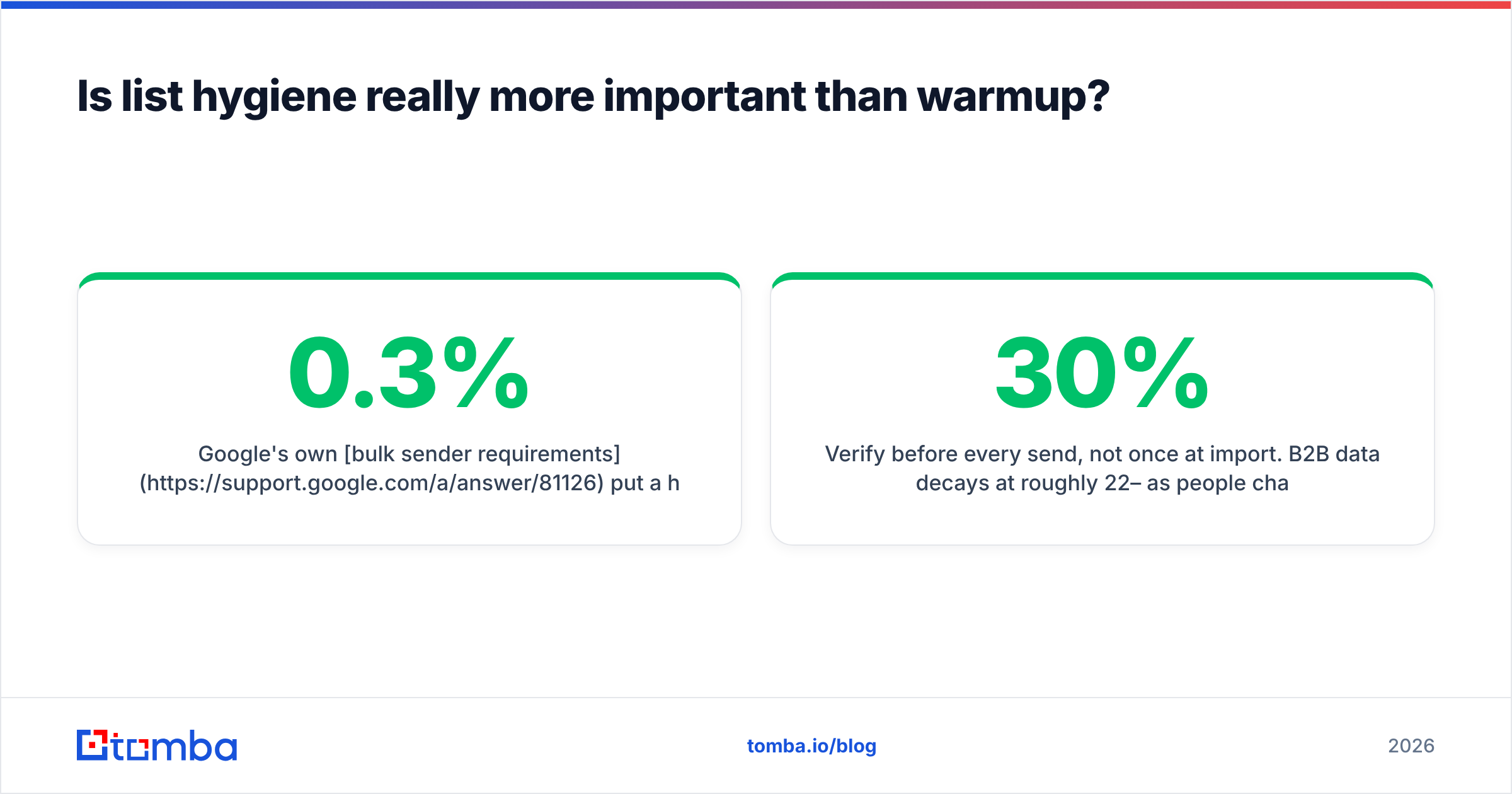
Google's own bulk sender requirements put a hard number on this: keep spam complaints below 0.3%, with 0.1% as the target. At 0.3% you're throttled. A single send to a stale 20,000-contact list can blow past that in an afternoon.
The practical sequence for outbound teams:
- Source clean. Pull contacts from a provider that verifies at the point of discovery rather than dumping raw guesses into your CRM. A quality email finder returns a confidence score with each result, so you can gate on it.
- Verify before every send, not once at import. B2B data decays at roughly 22–30% per year as people change jobs; a list verified in January is meaningfully stale by July. Run an email verifier pass on anything older than 60 days.
- Handle catch-all domains explicitly. Many corporate domains accept all mail at the SMTP layer, so standard verification returns "unknown." A dedicated catch-all verifier uses pattern and historical-signal analysis to separate probable-valid from probable-invalid instead of forcing you to guess.
- Deduplicate and segment by engagement. Suppress anyone who hasn't opened in 180 days before you send to the whole file.

Which email deliverability tool should you buy for your situation?#
Match the tool to the stage you're in.
You're launching a new sending domain. Buy warmup for 3–4 weeks and nothing else. Set up SPF, DKIM, and DMARC first, then ramp from 10–20 sends per mailbox per day upward. An email warmup calculator will give you a realistic schedule; the common mistake is ramping too fast and hitting throttles in week two. Cancel the warmup subscription once you're at target volume — it's a ramp tool, not a permanent tax.
Your reply rates fell off a cliff on an established domain. Skip warmup entirely. Check blacklists, then check Google Postmaster Tools for your domain reputation, then audit the last 30 days of sends for a segment with an outsized complaint rate. Nine times out of ten it's one bad list or one bad campaign, not systemic decay.
You send high volume to a maintained list. Placement monitoring earns its keep here. You need to know within hours, not weeks, if a provider starts filtering you. Pair it with DMARC report parsing so you can see spoofing attempts and alignment failures.
You're building outbound lists from scratch. Your deliverability problem is a data problem. Invest in finding and verification quality upstream. Tools like BookYourData are a solid option when you want pre-built, verified B2B lists with coverage guarantees and prefer to buy contacts rather than build them — a reasonable trade when speed matters more than niche precision. If you'd rather assemble lists yourself from domains and named prospects, a finder-plus-verifier stack gives you tighter control over targeting. Both approaches work; they fail differently. Bought lists fail on relevance, self-built lists fail on volume.
You're a small team sending under 5,000/month. You probably need zero paid deliverability tooling. Free authentication checks, free blacklist lookups, and disciplined list hygiene will cover you. Revisit when volume or complaint rates change.
How do you measure whether the tool worked?#
Set a baseline before you buy anything, or you'll never know.
Track these five numbers weekly, from your ESP or sending platform:
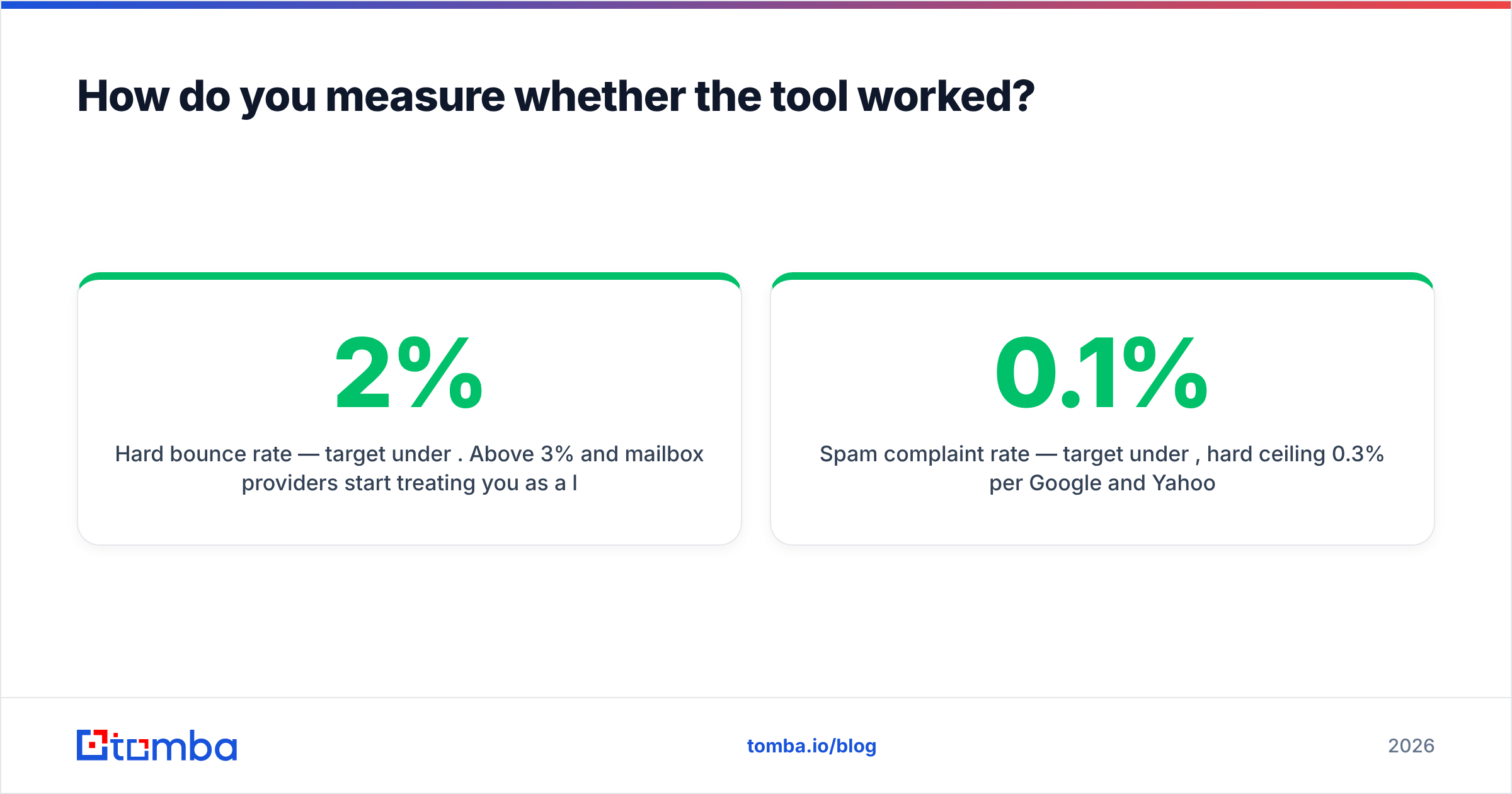
- Hard bounce rate — target under 2%. Above 3% and mailbox providers start treating you as a list buyer.
- Spam complaint rate — target under 0.1%, hard ceiling 0.3% per Google and Yahoo.
- Reply rate (for cold outbound) — the most honest engagement signal, since open tracking is unreliable post-MPP.
- Domain reputation in Google Postmaster Tools — free, direct from the largest mailbox provider, and the fastest early warning you'll get.
- Authentication pass rate from DMARC reports — catches misconfigured subdomains and third-party senders you forgot about.
A tool that doesn't move at least one of these within 30 days isn't earning its line item. Cancel it.
One caveat on measurement: don't over-index on inbox-placement percentages from seed panels. Seed accounts don't behave like real recipients — they don't open, click, forward, or reply organically, and Gmail's per-user personalization means placement can differ between two real inboxes at the same domain. Use seed data directionally, not as a scoreboard. G2's deliverability category reviews are worth skimming for how other teams describe the same limitation in practice.
What about deliverability tools bundled into sending platforms?#
Bundled features are convenient and usually shallow. Most cold-email sending platforms now ship warmup, basic verification, and a placement test in the box. That's genuinely enough for a lot of teams — one vendor, one invoice, one dashboard.
The trade-off is depth and independence. A platform's built-in verifier is often a thin wrapper on a third-party API with a markup, and its placement test grades its own homework. If deliverability is a material risk to your pipeline, you want at least one measurement layer your sending vendor doesn't control.
A reasonable middle path: use the platform's warmup (it's tightly integrated with the mailboxes anyway), but keep verification and monitoring independent. That way, when something breaks, you can tell whether it's your data, your content, or your sender.
For teams running verification at volume, check whether the vendor exposes an API and bulk endpoints — batching 50,000 addresses through a UI is not a workflow. Tomba pricing starts with a free tier at 25 searches/month for testing, then Starter at $49/mo, Growth at $99/mo, and Pro at $249/mo, with the email verification API available across paid plans so you can wire hygiene directly into your CRM sync instead of running it as a manual monthly chore.
Frequently asked questions#
Does an email deliverability tool guarantee inbox placement? No. No vendor can, and any that implies otherwise is overselling. Placement is decided by the receiving mailbox provider based on your sending history, authentication, list quality, and recipient behavior. Tools improve your inputs and give you visibility; they don't control the outcome.
How long does it take to repair a damaged sender reputation? Typically 4–8 weeks of consistently clean sending. There's no shortcut. Stop sending to the segment that caused the damage, drop volume by 60–80%, send only to engaged contacts, and let the rolling reputation window age out the bad data.
Is warmup safe for a domain I've used for years? It's unnecessary and slightly risky. Established domains already have real engagement history; adding synthetic traffic doesn't help and can look anomalous. Warmup is for new or long-dormant infrastructure.
Should I use a separate domain for cold outbound? Yes, and it's the cheapest insurance in this entire article. Register a lookalike domain, authenticate it fully, warm it, and keep your primary corporate domain out of the blast radius entirely.
Where to start#
Run the free diagnostics first — SPF, blacklist, spam score. They cost nothing and rule out the loudest failures in under fifteen minutes. Then fix the layer that's actually broken, which for most outbound teams is the list itself, not the sending.
If your deliverability problem starts upstream — contacts sourced from scrapers, guessed patterns, or a database that hasn't been touched since last year — fix it at the source. The Tomba Email Finder returns verified professional addresses with a confidence score attached, so bad data never enters your sequence in the first place. Start on the free tier, run it against a segment you're unsure about, and compare the bounce rate to your last send. That comparison will tell you more about your deliverability than any dashboard will.
Related guides#
Ready to find emails that actually work?
Join 150,000+ professionals who stopped guessing and started sending. Free credits on signup — no credit card required.
Get the Tomba newsletter
Practical outbound tactics and product updates — once every two weeks.
About the author