Email Enrichment API: How It Works and What to Use in 2026
An email enrichment API turns a bare email or domain into a full contact record. Here's how the endpoints actually work, what accuracy really costs, and how the major providers compare on price per match.
TL;DR
- An email enrichment API takes a thin identifier — an email address, a domain, or a name plus company — and returns a structured contact or company record over HTTP.
- Two directions matter: person enrichment (email in, job title/LinkedIn/seniority out) and company enrichment (domain in, headcount/industry/tech stack out). Most vendors sell both, priced separately.
- The number that decides your bill is not list price. It's cost per successful match — a $0.01 credit with a 40% hit rate costs more than a $0.03 credit at 85%.
- Verification is not enrichment. If you enrich without a syntax-plus-SMTP check on the way out, you will inject bounces into your CRM at API speed.
- For most B2B teams, a single provider covering finding, verification, and enrichment beats stitching three vendors together — fewer keys, one rate limit, one schema.
What is an email enrichment API?#
An email enrichment API is an HTTP endpoint that accepts a sparse identifier and returns a fuller record about the person or company behind it.
Think of it like a reverse phone book that also fills in the address, the job, and the company's employee count. You hand it one known field. It hands back the twenty you didn't have.
In practice a request looks like this:
GET https://api.tomba.io/v1/enrich?email=jane.doe@acme.comAnd the response carries a shape roughly like this:
{
  "data": {
    "full_name": "Jane Doe",
    "position": "VP Revenue Operations",
    "seniority": "executive",
    "department": "operations",
    "linkedin": "linkedin.com/in/janedoe",
    "company": {
      "name": "Acme Corp",
      "domain": "acme.com",
      "size": "201-500",
      "industry": "Software",
      "country": "US"
    },
    "confidence": 94,
    "verification": { "status": "valid", "smtp_check": true }
  }
}
That single call replaces what a rep would otherwise do manually: open LinkedIn, find the profile, copy the title, guess the headcount, paste it into the CRM. At 500 leads a week, that's the difference between a full-time data-entry hire and a cron job.
The distinction people miss: enrichment is not the same as finding. An email finder starts from a name and a company and produces an address. Enrichment starts from an address (or domain) and produces context. You usually need both, in that order, and then verification to close the loop.
How does email enrichment actually work under the hood?#
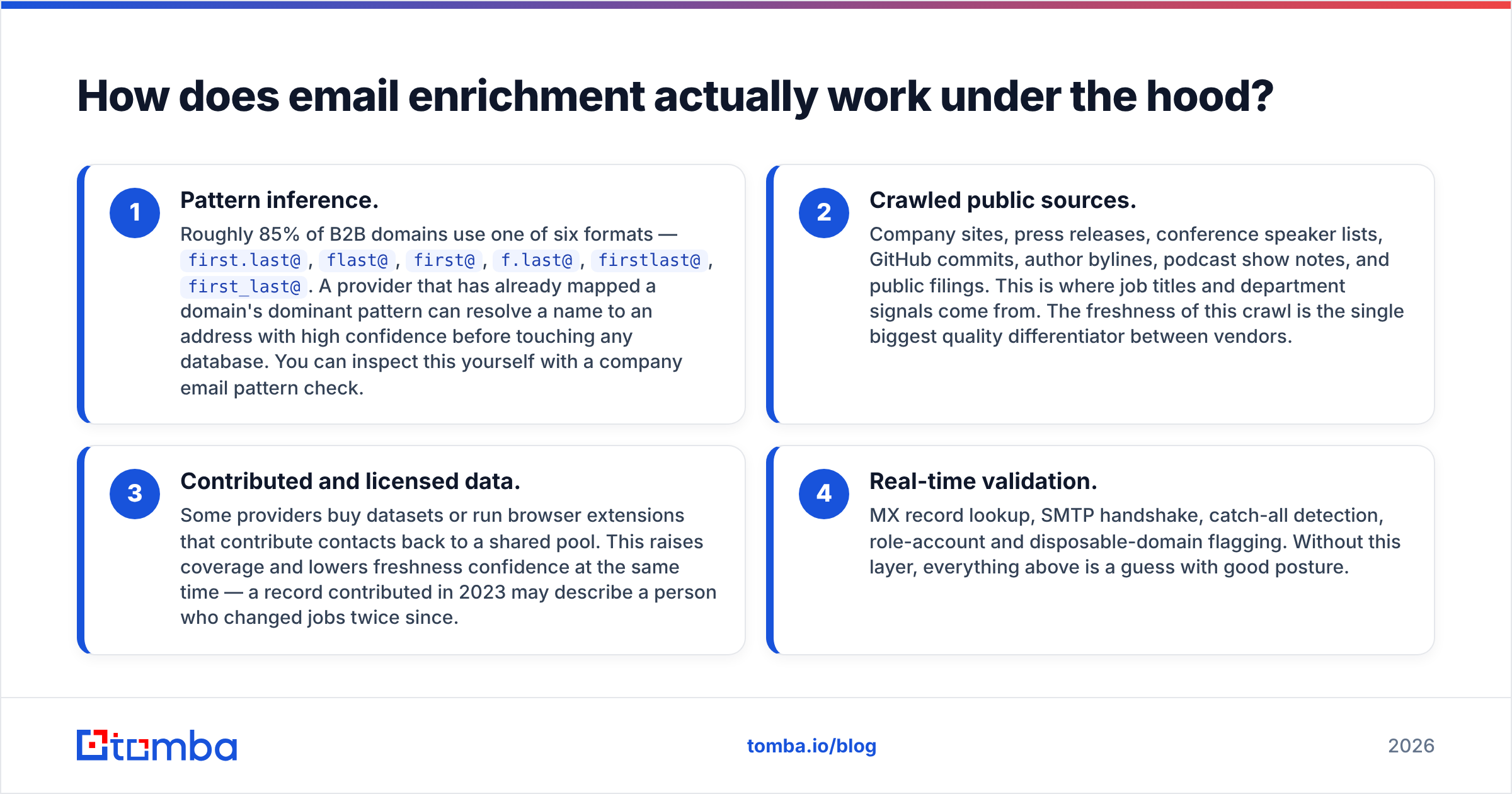
Providers rarely publish this, so here is the honest version. Four layers stack up, and the quality of your results depends on which layers your vendor actually operates.
- Pattern inference. Roughly 85% of B2B domains use one of six formats —
first.last@,flast@,first@,f.last@,firstlast@,first_last@. A provider that has already mapped a domain's dominant pattern can resolve a name to an address with high confidence before touching any database. You can inspect this yourself with a company email pattern check. - Crawled public sources. Company sites, press releases, conference speaker lists, GitHub commits, author bylines, podcast show notes, and public filings. This is where job titles and department signals come from. The freshness of this crawl is the single biggest quality differentiator between vendors.
- Contributed and licensed data. Some providers buy datasets or run browser extensions that contribute contacts back to a shared pool. This raises coverage and lowers freshness confidence at the same time — a record contributed in 2023 may describe a person who changed jobs twice since.
- Real-time validation. MX record lookup, SMTP handshake, catch-all detection, role-account and disposable-domain flagging. Without this layer, everything above is a guess with good posture.

A provider that only does layer 3 — resell a static database — will look cheap and perform badly on anything outside the Fortune 5000. A provider running all four returns fewer nulls on mid-market and long-tail domains, which is where most B2B pipeline actually lives.
The freshness problem nobody prices in#
B2B contact data decays at roughly 22–30% per year, driven by job changes, restructures, and domain migrations. Gartner has long flagged poor data quality as a direct hit on revenue operations. That decay rate means a database snapshot bought in January is meaningfully wrong by autumn.
This is the argument for API enrichment over a bulk list purchase. An API call resolves against current data at the moment of the call. A CSV resolves against the day it was exported and never updates again.
What fields should an email enrichment API return?#
Not all "enrichment" is the same depth. Here's what to demand, ranked by how often it changes downstream behavior in a real GTM motion.
- Identity core — full name, first/last split, verified email, verification status. Non-negotiable. If a vendor returns an email without a status field, treat every result as unverified.
- Role signals — job title, normalized seniority (IC / manager / director / VP / C-level), department. This is what drives routing and messaging. Raw title strings alone are near-useless for segmentation because "Head of Growth" and "VP Marketing" need to land in the same bucket.
- Company firmographics — legal name, domain, employee range, revenue range, industry code, HQ country. Feeds territory assignment and lead scoring.
- Social and profile links — LinkedIn URL, X handle, personal site. Needed if you run a social selling layer alongside email.
- Technographics — CRM in use, marketing automation platform, hosting, payment stack. Only valuable if your product displaces or integrates with a specific tool.
- Confidence score — a numeric 0–100. Any vendor that returns matches without a confidence value is asking you to trust binary output on probabilistic data.
The confidence score deserves its own paragraph. Treat it as a routing key, not decoration. A sane policy: 90+ goes straight to the sequencer, 70–89 goes to a manual-review queue or a lower-risk sending domain, below 70 gets discarded or re-run through a catch-all verifier. Teams that send to everything above 50 are the ones writing postmortems about domain reputation three months later.
How do the major email enrichment APIs compare in 2026?#
Pricing below reflects publicly listed entry tiers. Always confirm current numbers on the vendor's own page — enrichment pricing moves quarterly.
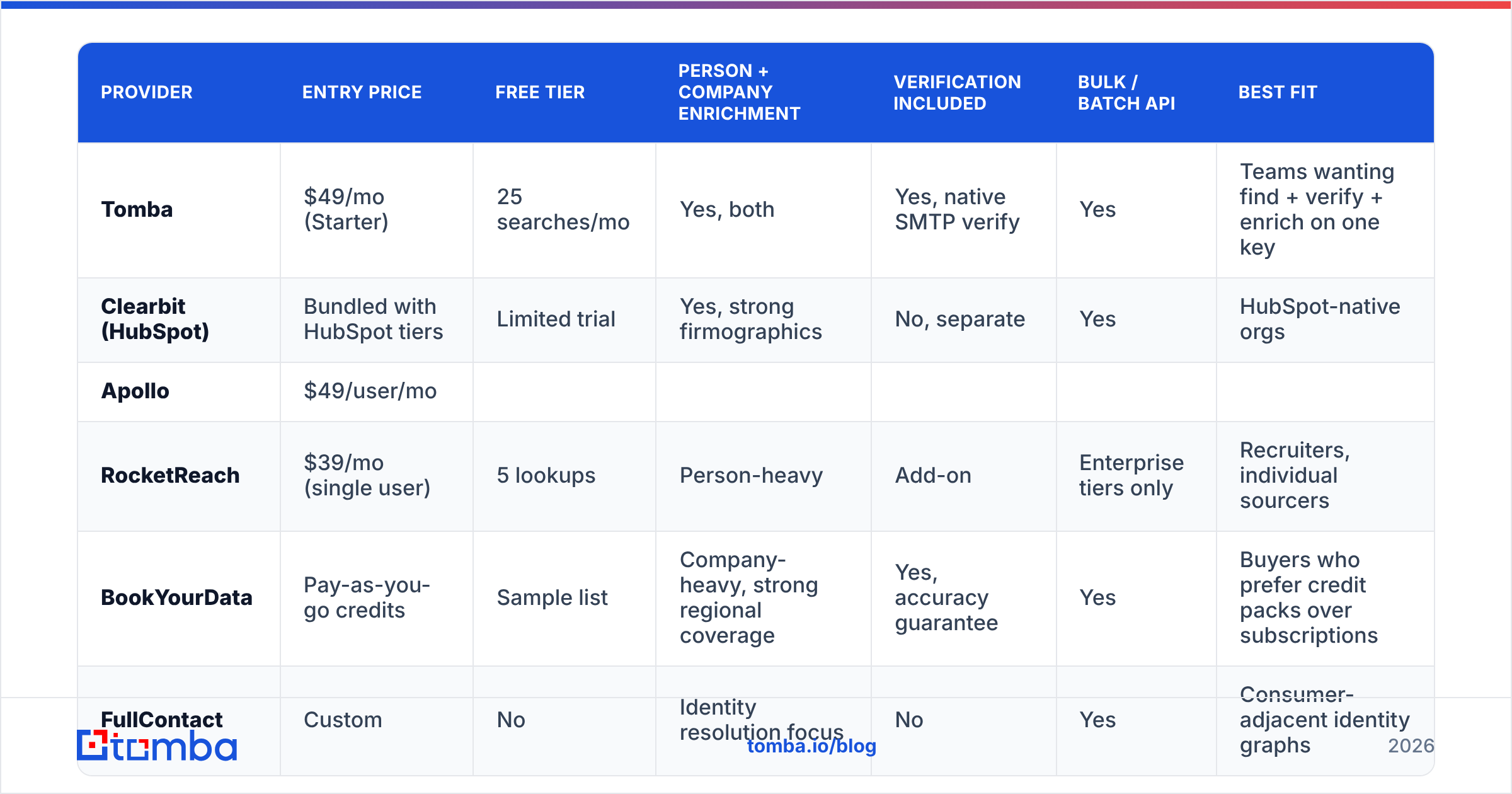
| Provider | Entry price | Free tier | Person + company enrichment | Verification included | Bulk / batch API | Best fit |
|---|---|---|---|---|---|---|
| Tomba | $49/mo (Starter) | 25 searches/mo | Yes, both | Yes, native SMTP verify | Yes | Teams wanting find + verify + enrich on one key |
| Clearbit (HubSpot) | Bundled with HubSpot tiers | Limited trial | Yes, strong firmographics | No, separate | Yes | HubSpot-native orgs |
| Apollo | $49/user/mo | |||||
| Limited credits | Yes, plus sequencing | Basic | Yes | Teams wanting a full sales engagement suite | ||
| RocketReach | $39/mo (single user) | 5 lookups | Person-heavy | Add-on | Enterprise tiers only | Recruiters, individual sourcers |
| --- | --- | --- | --- | --- | --- | --- |
| BookYourData | Pay-as-you-go credits | Sample list | Company-heavy, strong regional coverage | Yes, accuracy guarantee | Yes | Buyers who prefer credit packs over subscriptions |
| FullContact | Custom | No | Identity resolution focus | No | Yes | Consumer-adjacent identity graphs |
A few notes that the table can't carry:
Tomba runs the whole chain on one API key — email finder, email verifier, domain search, and data enrichment. The practical benefit is schema consistency: the confidence field means the same thing across endpoints, so your scoring logic doesn't need per-vendor branches. Tomba pricing runs Free (25 searches/mo), Starter $49/mo, Growth $99/mo, Pro $249/mo, and Enterprise custom.
Clearbit is now part of HubSpot, which is excellent if you live in HubSpot and awkward if you don't. Firmographic depth remains strong; standalone API access has narrowed since the acquisition.
Apollo bundles enrichment with a sequencer and a dialer. If you want one vendor for outreach and data, that's a real advantage. If you only want enrichment, you're paying for seats you don't use.
BookYourData takes a different shape entirely — credit packs rather than seats, with a stated accuracy guarantee and notably good non-US coverage. For teams that enrich in bursts (a quarterly campaign, a conference list) rather than continuously, pay-as-you-go maps to actual usage better than a monthly subscription does. Worth a look if your volume is spiky.
RocketReach skews toward person-level lookups and is popular with recruiters. Bulk API access sits behind higher tiers.
Independent user reviews on G2 are useful for sanity-checking match-rate claims, since vendors grade their own homework on accuracy.
What does an email enrichment API actually cost per usable record?#
This is the section that saves money, so do the arithmetic before you sign anything.
List price per credit is marketing. The real figure is:
true cost per usable record
  = (price per credit) ÷ (match rate × verification pass rate)
Run it on realistic numbers:
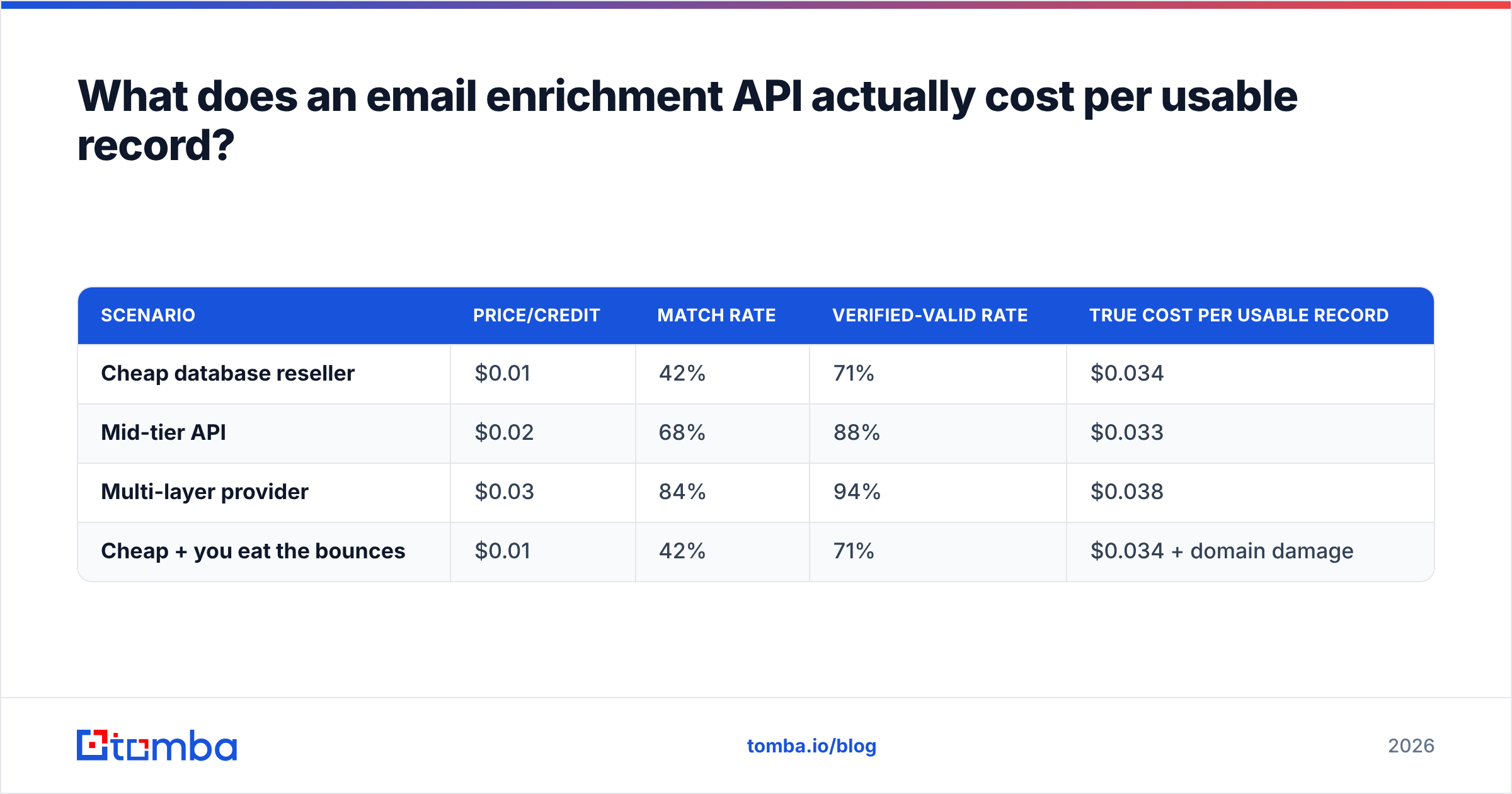
| Scenario | Price/credit | Match rate | Verified-valid rate | True cost per usable record |
|---|---|---|---|---|
| Cheap database reseller | $0.01 | 42% | 71% | $0.034 |
| Mid-tier API | $0.02 | 68% | 88% | $0.033 |
| Multi-layer provider | $0.03 | 84% | 94% | $0.038 |
| Cheap + you eat the bounces | $0.01 | 42% | 71% | $0.034 + domain damage |
The three legitimate options land within half a cent of each other. The cheap provider is not cheaper — it's the same price with more manual cleanup and a worse sender reputation outcome. That last row is the one that actually costs money, because a burned sending domain takes weeks of warmup to recover and torches every campaign running through it in the meantime.
Two more line items buyers forget:
- Failed-lookup billing. Some vendors charge a credit whether or not they return a match. Others only bill on success. At a 45% match rate, that policy difference doubles your effective price. Ask explicitly, get it in writing.
- Rate limits. A plan with 100k credits and a 10 req/sec cap takes almost three hours of sustained hammering to spend. If you're enriching a 200k-row list before a launch, throughput is a feature, not a footnote. Use a bulk email finder endpoint rather than looping single calls.
How do you wire enrichment into your stack without breaking it?#
Order of operations matters more than tool choice. This sequence keeps bad data out of the CRM instead of cleaning it up afterward.
- Trigger on a real event. New form fill, new website visitor identified, new list import, new CRM record with a null title. Don't enrich on a schedule — enrich when a record changes and the answer might be different.
- Normalize the input first. Lowercase the email, strip plus-addressing, resolve the domain to a canonical form (drop
www., follow redirects). Garbage input produces null output and still burns a credit. - Call enrich, then verify. Even when a provider returns a verification status inline, confirm it if the record is heading into an active sequence. A cheap free email checker pass on the way out costs nothing and catches stale rows.
- Gate on confidence, then write. Route by the thresholds above. Write to the CRM only what clears the bar; park the rest in a review table.
- Stamp provenance. Every enriched field gets a
sourceand anenriched_attimestamp. Six months from now, when a rep says the data is wrong, you'll want to know whether the field came from an API call in March or a spreadsheet someone pasted in 2024. - Re-enrich on a decay schedule. Quarterly for active accounts, annually for cold ones. Job titles move; your CRM should move with them.
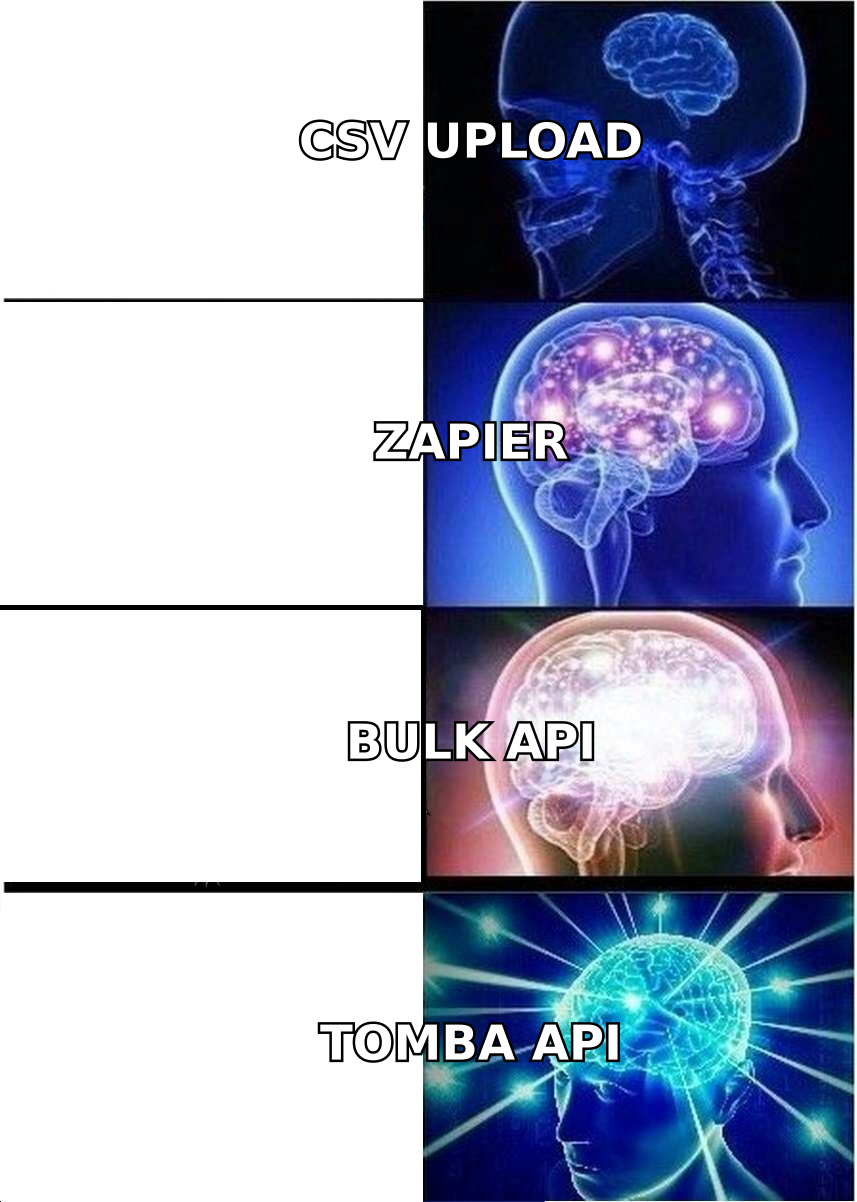
Most teams wire this through Zapier or Make for the first few thousand records, then move to direct API calls once volume makes per-task pricing painful. If you're already in HubSpot or Salesforce, the native integrations skip the middleware entirely.
For engineering teams, the Tomba API is a straightforward REST interface with SDKs, and there's a Tomba MCP server if you're building agent workflows that need to resolve contacts mid-run.
Is an email enrichment API worth it versus buying a list?#
Short answer: yes for anything ongoing, no for a genuine one-off.
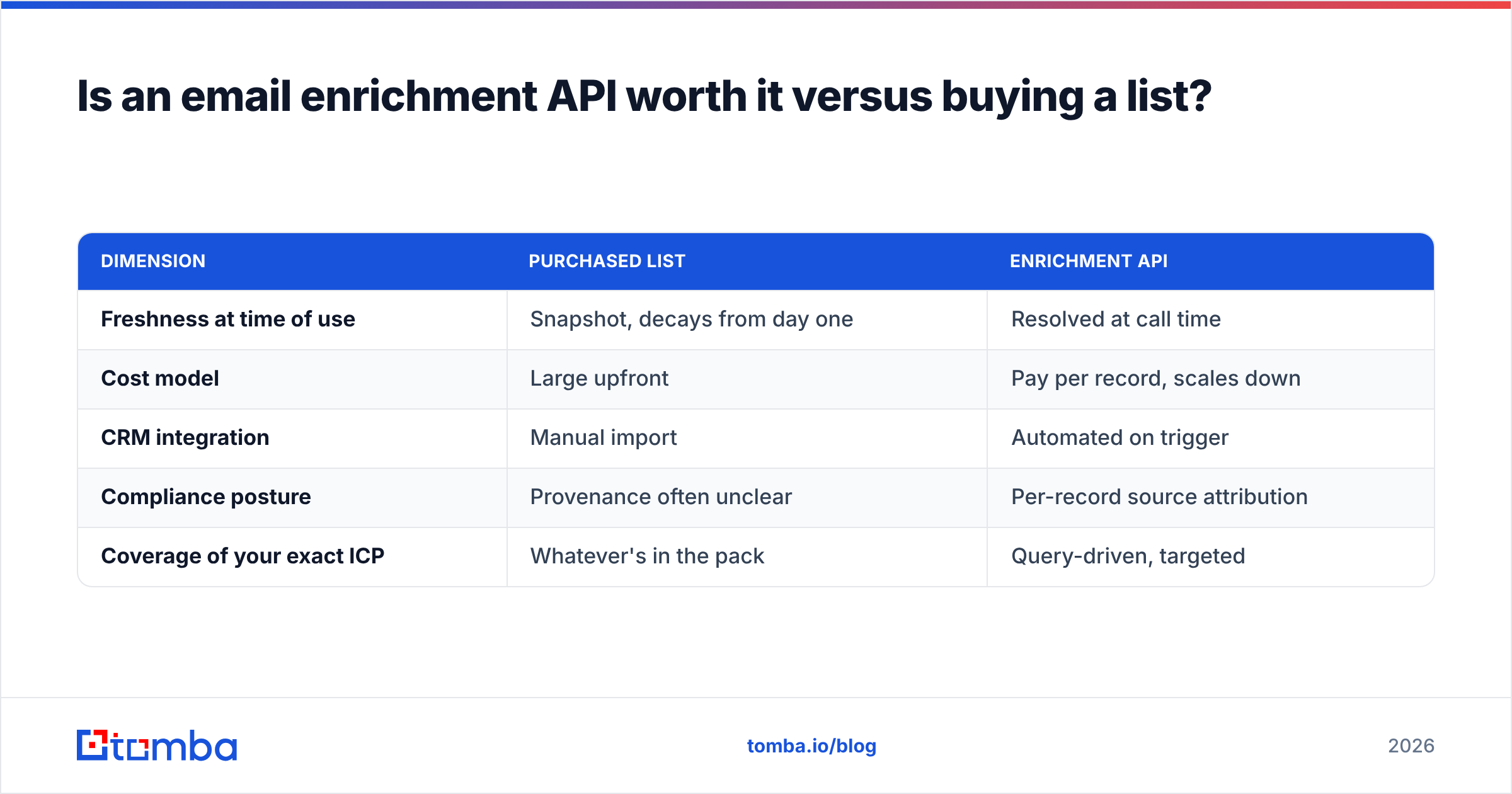
A purchased list is a photograph. An API is a live feed. The list wins on one dimension only — if you need 5,000 contacts once, never again, and you can tolerate 25% decay, a vetted list purchase is simpler and often cheaper.
Everything else favors the API:
| Dimension | Purchased list | Enrichment API |
|---|---|---|
| Freshness at time of use | Snapshot, decays from day one | Resolved at call time |
| Cost model | Large upfront | Pay per record, scales down |
| CRM integration | Manual import | Automated on trigger |
| Compliance posture | Provenance often unclear | Per-record source attribution |
| Coverage of your exact ICP | Whatever's in the pack | Query-driven, targeted |
The compliance point is the sharp one. Under GDPR and similar regimes, "we bought a list" is a weak position. Per-record source attribution from an API — with a timestamp and a documented lawful basis — is a far more defensible one. Check the vendor's data sources page before you sign; if they won't tell you where the data comes from, that's your answer.
What are the most common enrichment mistakes?#
- Enriching before deduplicating. Running the same contact through three times because of casing differences in the email. Deduplicate first with a remove duplicates pass — it's free and it's pure margin.
- Treating catch-all domains as valid. A catch-all accepts everything at the SMTP layer, including addresses that don't exist. Flag them separately and route through a catch-all finder rather than assuming the green checkmark means deliverable.
- Overwriting rep-entered data. If a rep manually typed a title after a discovery call, the API should not silently replace it. Enrich empty fields; suggest conflicts for review.
- Sending immediately at volume. Enriching 50,000 contacts and blasting them the same week is how new domains get flagged. Ramp with an email warmup schedule regardless of how clean the data is.
- Ignoring role accounts.
info@,sales@,support@will verify as valid and convert at close to zero. Filter them at the enrichment step, not after the campaign report.
Get started with the right endpoint#
If you're building enrichment into a real workflow, start where the data enters your system. Run Tomba Email Finder to resolve names and domains into verified addresses, then layer enrichment on top so every record lands in your CRM with a title, a company size, and a confidence score attached. The free tier covers 25 searches a month — enough to benchmark match rates against whatever you're using now before you commit a dollar. Test it on a slice of your own list, compare the true cost per usable record using the formula above, and let the numbers pick the vendor.
Related guides#
Ready to find emails that actually work?
Join 150,000+ professionals who stopped guessing and started sending. Free credits on signup — no credit card required.
Get the Tomba newsletter
Practical outbound tactics and product updates — once every two weeks.
About the author